
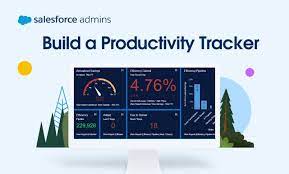
Caseworker Productivity Dashboard in Salesforce
Gain Insights into Caseworker Efficiency and Community Impact Leverage Caseworker Productivity analytics to effectively manage workloads and make data-driven staffing decisions based on caseloads and case patterns. Provide supervisors with valuable insights into caseload distribution, caseworker performance, and case processing times to enhance overall caseworker productivity and efficiency. Visualize the community impact of your team by showcasing the number of beneficiaries assisted and the total benefits disbursed. Where: This enhancement is applicable to Lightning Experience in Enterprise, Performance, Unlimited, and Developer editions with enabled Public Sector Solutions. Case Management Reports and Dashboards Utilize reporting functionalities to extract meaningful data regarding Clients and Programs. You can duplicate reports, filter them to include the Clients and Programs under your management, and subsequently add them to personalized dashboards for efficient progress tracking. Case Management comprises three report folders: Case Management Reports, Program Management Embedded Reports, and Program Management Reports (Unpackaged). Access to reports can be controlled through folder sharing to manage permissions effectively. Caseworker Productivity Dashboard The Case Management Reports folder includes reports such as: The Program Management Embedded Reports folder encompasses reports like: The Program Management Reports (Unpackaged) folder incorporates reports like: Access Case Management Reports To access Case Management reports: View Dashboards Two dashboard folders under Case Management include the Contacts Who May Require Followup and Intake Summary dashboards. In the Program Management Dashboards folder, you’ll find the Sample Program Management and Program Management Home Page dashboards. The Contacts Who May Require Followup dashboard incorporates reports such as: The Intake Summary dashboard encompasses reports like: The Sample Program Management dashboard includes reports like: The Program Management Home Page dashboard incorporates reports such as: To view Case Management dashboards: When you install the caseworker productivity analytics app via Guided Setup, the auto-install process seamlessly adds the Workload Management Analytics dashboard to the Public Sector: Benefit Management app. To make the Case Analytics dashboard accessible to users, embed it in the case record page after the auto-install process completes. Caseworker Productivity Dashboard has Intake Summary Dashboards. Like1 Related Posts Tectonic’s Successful Salesforce Track Record Salesforce Technology Services Integrator – Tectonic has successfully delivered Salesforce in a variety of industries including Public Sector, Hospitality, Manufacturing, Read more Asset Management Salesforce Can Salesforce do asset management? You can manage assets in Consumer Goods (desktop) and in the Consumer Goods offline mobile Read more Lookup Relationship in Salesforce What is Lookup relationship in Salesforce? Salesforce’s lookup relationships is a significant capability that allows users to connect two objects Read more Generating Documents in Salesforce Salesforce document generation poses a challenge for businesses, given the intricacies of integration involved. Fortunately, a variety of tools are Read more


