- gettectonic.com
License and Permitting Management for Businesses

Streamlining Public Sector Licensing, Permitting, and Inspections with Salesforce

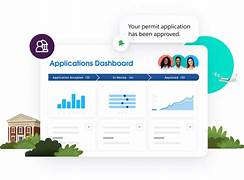
Salesforce Public Sector Solutions enhances the efficiency of licensing, permitting, and inspection processes. From online application submission to automated review and approval, the platform streamlines every step, ensuring a seamless experience for both government agencies and constituents. At the core of these processes are two key application types, represented as objects: Constituent Accounts and Business Representation Each applicant is represented by an Account object: Business accounts store essential details such as company name, URL, addresses, number of employees, industry, and more. They are closely linked to: Together, these objects provide a comprehensive view of the business and its stakeholders. Application Submission and Processing Constituents apply for licenses and permits through an Experience Cloud portal. The application process is built using OmniStudio, which facilitates guided, interactive user experiences. Regulatory Authorities and Compliance Licensing and permitting are governed by regulatory authorities, each with specific requirements. These entities and their rules are structured within Public Sector Solutions using various objects: Example:The Board of Barbering and Cosmetology (Regulatory Authority) grants: Inspections, Violations, and Fees Government agencies inspect businesses and residences to ensure compliance. The inspection process involves: Junction objects facilitate many-to-many relationships, ensuring regulatory codes, violations, and assessment indicators are interconnected. Managing Multiple Licenses and Dependencies Many businesses require multiple permits, often issued in a specific sequence. The Business Regulatory Authorization Type Dependency object manages these dependencies, allowing agencies to enforce structured licensing processes. For example, a restaurant may require: The Experience Cloud portal displays these dependencies, enabling businesses to understand and complete the necessary steps efficiently. Streamlined Inspections with Action Plans Public Sector Solutions enhances inspector efficiency with Action Plans, which outline predefined tasks for each inspection. Handling Public Complaints Public complaints against businesses are managed within the Public Complaint object. Complaints trigger regulatory investigations involving: By integrating these elements, Public Sector Solutions ensures that licensing, permitting, and regulatory compliance processes are efficient, transparent, and easily managed. Like Related Posts Who is Salesforce? Who is Salesforce? Here is their story in their own words. From our inception, we’ve proudly embraced the identity of Read more Salesforce Marketing Cloud Transactional Emails Salesforce Marketing Cloud Transactional Emails are immediate, automated, non-promotional messages crucial to business operations and customer satisfaction, such as order Read more Salesforce Unites Einstein Analytics with Financial CRM Salesforce has unveiled a comprehensive analytics solution tailored for wealth managers, home office professionals, and retail bankers, merging its Financial Read more AI-Driven Propensity Scores AI plays a crucial role in propensity score estimation as it can discern underlying patterns between treatments and confounding variables Read more

Read More
Salesforce Technical Architect

Salesforce Technical Architect Explained

Salesforce Technical Architects are highly sought-after professionals within the Salesforce ecosystem, leveraging their expertise to meticulously map the structure and functionality of Salesforce solutions. Their role ensures that the solution remains efficient, secure, cost-effective, and tailored to the specific needs of the business. A Salesforce Architect A Salesforce Architect plays a pivotal role in designing and implementing robust solutions for enterprise-grade customers utilizing Salesforce products. Their primary responsibility involves recommending optimal solutions based on specified requirements and articulating the trade-offs inherent in selecting one solution over another. Becoming a Salesforce Architect is a combination of experience, deep knowledge of best practices, and to some extent, instinct. Attaining the Certified Technical Architect (CTA) certification is considered a challenging feat within the Salesforce ecosystem, demanding high levels of technical expertise, communication skills, and leadership capabilities to design and implement intricate solutions aligned with business requirements. Certified Salesforce Technical Architect As of recent data, there are approximately 300+ Salesforce Certified Technical Architects worldwide, making it an exclusive and esteemed certification. Technical Architects engage in hands-on execution during IT projects, focusing on a single implementation and specializing in specific domains while defining best practices. The demand for technical architects is substantial, especially those adept at designing, implementing, and managing cloud architectures meeting business expectations. Knowledge of cloud platforms like AWS, Azure, Google Cloud, or Salesforce is essential for technical architects. The Salesforce Architect career path is experiencing rapid growth, with a staggering 1,292% annual growth rate in the past five years. Successful architects are not only big-picture thinkers but also adept problem solvers. Generally possessing a broad and deep technical knowledge complemented by soft skills such as listening, communication, and presentation abilities. Is This Person a Developer? Contrary to common belief, becoming an architect doesn’t necessitate being a developer. However, architects should be able to read code, and recommend coding best practices. They should excel in the declarative (clicks not code) aspects of the platform. Integrating Salesforce with other technologies, governance, and development operations expertise are additional facets that architects bring to the table, blending technical prowess with business acumen for a collaborative and robust future. A Salesforce Architect serves as a trusted advisor and leader, collaborating with business stakeholders to envision and architect solutions to business challenges. Generally acting as the technical team leader. They educate the team on technical best practices, translating business needs into a technical vision for low code or pro code builders. Architects also design organizational strategies and data models. They implement integrations, and provide solutions for large data volumes and data privacy considerations. Their role extends to identifying optimal solutions for business requirements and recommending the use of clicks, code, or a combination based on the business use case. With their extensive problem-solving skills, architects often serve as the final escalation point for production issues. When you work with a Salesforce partner, like Tectonic, a Salesforce Technical Architect will be a part of your team. If your core Salesforce team is missing a solid Salesforce Technical Architect, reach out to Tectonic today for assistance. Like1 Related Posts Who is Salesforce? Who is Salesforce? Here is their story in their own words. From our inception, we’ve proudly embraced the identity of Read more Salesforce Marketing Cloud Transactional Emails Salesforce Marketing Cloud Transactional Emails are immediate, automated, non-promotional messages crucial to business operations and customer satisfaction, such as order Read more Salesforce Unites Einstein Analytics with Financial CRM Salesforce has unveiled a comprehensive analytics solution tailored for wealth managers, home office professionals, and retail bankers, merging its Financial Read more AI-Driven Propensity Scores AI plays a crucial role in propensity score estimation as it can discern underlying patterns between treatments and confounding variables Read more
Read More
Salesforce JSON

Salesforce JSON

Today we are diving into JSON (JavaScript Object Notation) and exploring why it’s a crucial concept for you to understand. JSON is a data representation format widely used across the internet for APIs, configuration files, and various applications JSON Class Contains methods for serializing Apex objects into JSON format and deserializing JSON content that was serialized using the serialize method in this class. Usage Use the methods in the System.JSON class to perform round-trip JSON serialization and deserialization of Apex objects. Roundtrip Serialization and Deserialization Use the JSON class methods to perform roundtrip serialization and deserialization of your JSON content. These methods enable you to serialize objects into JSON-formatted strings and to deserialize JSON strings back into objects. What does JSON serialize do in Salesforce? JSON. serialize() accepts both Apex collections and objects, in any combination that’s convertible to legal JSON. String jsonString = JSON. What is the difference between JSON parse and JSON deserialize? The parser converts the JSON data into a data structure that can be easily processed by the programming language. On the other hand, JSON Deserialization is the process of converting JSON data into an object in a programming language. What is the difference between JSON and XML in Salesforce? JSON supports numbers, objects, strings, and Boolean arrays. XML supports all JSON data types and additional types like Boolean, dates, images, and namespaces. JSON has smaller file sizes and faster data transmission. XML tag structure is more complex to write and read and results in bulky files. Which is more secure XML or JSON? Generally speaking, JSON is more suitable for simple and small data, more readable and maintainable for web developers, faster and more efficient for web applications or APIs, supports native data types but lacks a standard schema language, and is more compatible with web technologies but less secure than XML. What is Salesforce JSON heap size limit? Salesforce enforces an Apex Heap Size Limit of 6MB for synchronous transactions and 12MB for asynchronous transactions. How to store JSON data in Salesforce object? If you need to store the actual JSON payload in Salesforce for audit purposes, Tectonic would recommend just using a Long Text Area field to store JSON content. You wouldn’t have any performance impacts when interacting with records, and if required you could add this to the layout of the child object storing this data. Like Related Posts Who is Salesforce? Who is Salesforce? Here is their story in their own words. From our inception, we’ve proudly embraced the identity of Read more Salesforce Marketing Cloud Transactional Emails Salesforce Marketing Cloud Transactional Emails are immediate, automated, non-promotional messages crucial to business operations and customer satisfaction, such as order Read more Salesforce Unites Einstein Analytics with Financial CRM Salesforce has unveiled a comprehensive analytics solution tailored for wealth managers, home office professionals, and retail bankers, merging its Financial Read more AI-Driven Propensity Scores AI plays a crucial role in propensity score estimation as it can discern underlying patterns between treatments and confounding variables Read more
Read More
Nonprofit

Accelerating Nonprofit Impact with Salesforce

Salesforce offers a variety of tools, including Nonprofit Cloud and the Nonprofit Success Pack (NPSP), to help nonprofits maximize their impact by streamlining operations, enhancing fundraising, and managing programs more effectively. These tools enable nonprofits to build strong relationships with constituents, connect fundraising, program management, and grantmaking, and make data-driven decisions.  Here’s how Salesforce helps nonprofits amplify their impact: By leveraging these tools, nonprofits can create stronger relationships, streamline operations, and ultimately achieve greater impact in their communities. Content updated January 2025. Like Related Posts Who is Salesforce? Who is Salesforce? Here is their story in their own words. From our inception, we’ve proudly embraced the identity of Read more Salesforce Marketing Cloud Transactional Emails Salesforce Marketing Cloud Transactional Emails are immediate, automated, non-promotional messages crucial to business operations and customer satisfaction, such as order Read more Salesforce Unites Einstein Analytics with Financial CRM Salesforce has unveiled a comprehensive analytics solution tailored for wealth managers, home office professionals, and retail bankers, merging its Financial Read more AI-Driven Propensity Scores AI plays a crucial role in propensity score estimation as it can discern underlying patterns between treatments and confounding variables Read more
Read More
web content accessibility guidelines

Web Content Accessibility Guidelines

WCAG and ADA compliance While compliance with the Americans with Disabilities Act (ADA) and WCAG conformance have become almost synonymous over the years, it’s important to understand the distinction. Since WCAG itself is not a law, but a set of accessibility standards, there is no such thing as “compliance” with WCAG. However, WCAG was designed to help website owners achieve the level of accessibility that is required by laws like the ADA. It can be helpful to think of accessibility laws such as the ADA as the end destination—i.e., web accessibility for all—while WCAG maps out how to get there. Web content accessibility guidelines follow. Republished from www.w3.org Web Content Accessibility Guidelines Web Content Accessibility Guidelines (WCAG) 2.1 covers a wide range of recommendations for making Web content more accessible. Following these guidelines will make content more accessible to a wider range of people with disabilities, including accommodations for blindness and low vision, deafness and hearing loss, limited movement, speech disabilities, photosensitivity, and combinations of these, and some accommodation for learning disabilities and cognitive limitations; but will not address every user need for people with these disabilities. These guidelines address accessibility of web content on desktops, laptops, tablets, and mobile devices. Following these guidelines will also often make Web content more usable to users in general. WCAG 2.1 success criteria are written as testable statements that are not technology-specific. Guidance about satisfying the success criteria in specific technologies, as well as general information about interpreting the success criteria, is provided in separate documents. See Web Content Accessibility Guidelines (WCAG) Overview for an introduction and links to WCAG technical and educational material. WCAG 2.1 extends Web Content Accessibility Guidelines 2.0 [WCAG20], which was published as a W3C Recommendation December 2008. Content that conforms to WCAG 2.1 also conforms to WCAG 2.0. The WG intends that for policies requiring conformance to WCAG 2.0, WCAG 2.1 can provide an alternate means of conformance. The publication of WCAG 2.1 does not deprecate or supersede WCAG 2.0. While WCAG 2.0 remains a W3C Recommendation, the W3C advises the use of WCAG 2.1 to maximize future applicability of accessibility efforts. The W3C also encourages use of the most current version of WCAG when developing or updating Web accessibility policies. Status of This Document This section describes the status of this document at the time of its publication. A list of current W3C publications and the latest revision of this technical report can be found in the W3C technical reports index at https://www.w3.org/TR/. This is a Recommendation of WCAG 2.1 by the Accessibility Guidelines Working Group. This incorporates errata and are described in the change log. At some point additional changes might be incorporated into an Edited or Amended Recommendation. To comment, file an issue in the W3C WCAG GitHub repository. Although the proposed Success Criteria in this document reference issues tracking discussion, the Working Group requests that public comments be filed as new issues, one issue per discrete comment. It is free to create a GitHub account to file issues. If filing issues in GitHub is not feasible, send email to public-agwg-comments@w3.org (comment archive). This document was published by the Accessibility Guidelines Working Group as a Recommendation using the Recommendation track. W3C recommends the wide deployment of this specification as a standard for the Web. A W3C Recommendation is a specification that, after extensive consensus-building, is endorsed by W3C and its Members, and has commitments from Working Group members to royalty-free licensing for implementations. This document was produced by a group operating under the 1 August 2017 W3C Patent Policy. W3C maintains a public list of any patent disclosures made in connection with the deliverables of the group; that page also includes instructions for disclosing a patent. An individual who has actual knowledge of a patent which the individual believes contains Essential Claim(s) must disclose the information in accordance with section 6 of the W3C Patent Policy. This document is governed by the 12 June 2023 W3C Process Document. Requirements for WCAG 2.1 Introduction This section is non-normative. Background on WCAG 2 Web Content Accessibility Guidelines (WCAG) 2.1 defines how to make Web content more accessible to people with disabilities. Accessibility involves a wide range of disabilities, including visual, auditory, physical, speech, cognitive, language, learning, and neurological disabilities. Although these guidelines cover a wide range of issues, they are not able to address the needs of people with all types, degrees, and combinations of disability. These guidelines also make Web content more usable by older individuals with changing abilities due to aging and often improve usability for users in general. WCAG 2.1 is developed through the W3C process in cooperation with individuals and organizations around the world, with a goal of providing a shared standard for Web content accessibility that meets the needs of individuals, organizations, and governments internationally. WCAG 2.1 builds on WCAG 2.0 [WCAG20], which in turn built on WCAG 1.0 [WAI-WEBCONTENT] and is designed to apply broadly to different Web technologies now and in the future, and to be testable with a combination of automated testing and human evaluation. For an introduction to WCAG, see the Web Content Accessibility Guidelines (WCAG) Overview. Significant challenges were encountered in defining additional criteria to address cognitive, language, and learning disabilities, including a short timeline for development as well as challenges in reaching consensus on testability, implementability, and international considerations of proposals. Work will carry on in this area in future versions of WCAG. We encourage authors to refer to our supplemental guidance on improving inclusion for people with disabilities, including learning and cognitive disabilities, people with low-vision, and more. Web accessibility depends not only on accessible content but also on accessible Web browsers and other user agents. Authoring tools also have an important role in Web accessibility. For an overview of how these components of Web development and interaction work together, see: Where this document refers to WCAG 2 it is intended to mean any and all versions of WCAG that start with 2. WCAG

Read More
Marketing Cloud

Salesforce Marketing Cloud Package Manager

Introducing the Marketing Cloud Package Manager Enhance efficiency, scale best practices, and expedite time-to-value by bundling tailored solutions for your company or industry, effortlessly deploying them across diverse environments using Marketing Cloud Package Manager. You can even deploy assets from one business unit to another. Salesforce has continuously refined, upgraded, and enriched the deployment options for Package Manager over the past year. Updates to Package Manager Marketing Cloud Package Manager now facilitates the packaging and deployment of automations containing import activities utilizing subscriber lists. Optimize the inclusion of images in packaged solutions by configuring them as reference URLs, eliminating the need to store them individually within the package. Monitor the deployment progress with the newly introduced progress bar, providing real-time insights into the completion timeline. Additionally, shared data extensions are now usable for packaging items, and users with Journey Builder access can package journey templates using Package Manager. Enhancements to Marketing Cloud Package Manager Package Manager ensures automatic inclusion of in-app messages when packaging a journey. Furthermore, any content referenced by the ContentBlockByName AMPscript function is seamlessly integrated into your package. Significant performance improvements have been implemented for package deployment, specifically for attribute group and attribute set creation and updates. Industry Solutions Templates in Package Manager Industry Solutions represent meticulously crafted campaign templates featuring industry-specific journeys, content, automations, landing pages, and more, facilitating accelerated workflows for marketers. These templates are designed to streamline Marketing Cloud setup times and accommodate various instances for distinct business units. Available solutions encompass: Retail Re-Engagement How to Deploy: To initiate the solution deployment process in Package Manager, navigate to the Industry Solutions tab. Choose the relevant solution, and with a simple click, deploy the chosen solution for seamless integration into your Marketing Cloud environment. Like1 Related Posts Salesforce Marketing Cloud Transactional Emails Salesforce Marketing Cloud Transactional Emails are immediate, automated, non-promotional messages crucial to business operations and customer satisfaction, such as order Read more Perfect Drip Campaign In an ideal world, you effortlessly conquer the lead generation challenges with one creative arm tied behind your back, craft Read more Salesforce Content Builder Salesforce Content Builder empowers you to craft compelling emails and landing page templates, complete with reusable and interactive content blocks. Read more Demandbase Salesforce Integration The integration of Demandbase with Salesforce creates a seamless connection between Demandbase One and your Salesforce CRM, establishing a bidirectional Read more

Read More
Salesforce Experience Cloud

Partner Portals vs. Customer Portals

Partner Portals vs. Customer Portals in Salesforce: Key Differences & Benefits As businesses grow, efficient collaboration with partners and customers becomes essential. Salesforce Experience Cloud enables organizations to build two key types of portals: Both improve communication, efficiency, and satisfaction—but serve different audiences and purposes. Key Differences Between Partner & Customer Portals Feature Partner Portal Customer Portal Primary Users Distributors, resellers, suppliers End customers Purpose Enable B2B collaboration, sales enablement, training Provide self-service support, account management Key Features Deal registration, co-selling tools, performance metrics Case management, knowledge base, order tracking Access Level Higher permissions (shared pipelines, confidential data) Limited to personal account & support Why Build a Partner Portal? Partner portals streamline B2B collaboration by centralizing:✔ Sales & marketing materials✔ Training resources✔ Performance analytics✔ Deal registration & co-selling tools 9 Must-Have Partner Portal Features Why Build a Customer Portal? Customer portals enhance self-service and loyalty by offering:✔ 24/7 support access✔ Order history & account management✔ Community-driven troubleshooting 10 Essential Customer Portal Features 5 Critical Considerations When Building a Portal Conclusion Both portals unlock efficiency, data insights, and stronger relationships—when designed with the right features and security. Need a custom Salesforce portal? Contact our experts to build a tailored solution for your partners or customers. Like Related Posts Who is Salesforce? Who is Salesforce? Here is their story in their own words. From our inception, we’ve proudly embraced the identity of Read more Salesforce Marketing Cloud Transactional Emails Salesforce Marketing Cloud Transactional Emails are immediate, automated, non-promotional messages crucial to business operations and customer satisfaction, such as order Read more Salesforce Unites Einstein Analytics with Financial CRM Salesforce has unveiled a comprehensive analytics solution tailored for wealth managers, home office professionals, and retail bankers, merging its Financial Read more AI-Driven Propensity Scores AI plays a crucial role in propensity score estimation as it can discern underlying patterns between treatments and confounding variables Read more
Read More
Salesforce Data Cloud

Salesforce Data Cloud Terminology

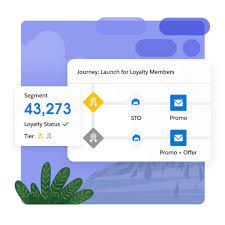
The Data Cloud remains one of Salesforce’s most enigmatic products, often touted for its seemingly ‘magical’ capabilities. Recently, Salesforce made waves by announcing complimentary Data Cloud licenses (albeit with certain restrictions), prompting numerous organizations to explore this platform’s potential. Salesforce Data Cloud Terminology. When diving into any significant facet of the Salesforce ecosystem, navigating a learning curve is par for the course. Familiarizing oneself with the terminology and its practical implications is a crucial starting point to feeling confident with the technology. Introducing Your Guide to Salesforce Safety Net 3 Within this guide, we explain essential terminology to grasp data modeling concepts and elucidate how data traverses through various stages within the Data Cloud, culminating in the activation of refined segments. Understanding these foundational concepts in data sourcing is pivotal when working with the Data Cloud. Given the diverse origins of streamed data, akin to Marketing Cloud data extensions, a grasp of these terms proves invaluable. Primary Key: A distinguishing field within a dataset, such as the Salesforce record ID. Foreign Key: Facilitates linking data across distinct tables or sources; for instance, correlating an OrderID between customer records and order details datasets from an eCommerce platform. To satiate the voracious appetite of the Data Cloud, ingestion serves as the conduit for feeding it with data. Various methods, including SDKs, Connectors, and the Ingestion API, facilitate this process. SDKs: Accelerate integration setup, with examples like the Interactions SDK and Engagement Mobile SDK from Salesforce. Connectors: Pre-built integrations simplifying connections between Salesforce products and Data Cloud. Ingestion API: Enables developers to construct integrations from scratch for data sources not covered by SDKs or connectors. Datasets from disparate sources enter the Data Cloud as data streams, with their frequency of updates dictated by operational needs and API capabilities. Real-time data streams: Immediate data updates. Batched data streams: Data updates occur at predetermined intervals, such as hourly or daily. Visualize the Salesforce data model, where objects relate to one another; these objects collaboratively manage ingested data within the Data Cloud. Data Source object: Initial repository for ingested data in its raw format. Data Lake object: Facilitates data mapping to other sources and applies transformations. Data Model object: Resembles Salesforce objects structurally, facilitating relational data management without storing data internally. The mapping canvas provides a visual interface for aligning disparate data points, crucial for rendering ingested data usable through mappings from data source to data lake objects. During this process, primary keys and match/reconciliation rules are specified. Data Cloud’s strength lies in resolving discrepancies to compile comprehensive records, essential for maintaining unified profiles across platforms without merging records. Building upon traditional Salesforce duplicate and matching rules, Data Cloud offers deterministic and probabilistic matching, catering to various data representation nuances. Similar to Salesforce deduplication concepts, reconciliation rules determine the preferred value for fields, aiding in mass deduplication. Ranking data sources according to reliability helps prioritize trustworthy data over less accurate sources within the Data Cloud. Identity resolution culminates in unified profiles, representing the ‘golden record’ of individuals, adaptable to evolving data streams. Comparable to Salesforce roll-up fields, calculated insights derive new data points from existing ones, enriching data analysis capabilities. Streaming insights offer real-time or near-real-time analysis, suited for smaller datasets requiring swift insights. Activation transpires when perfected segments are dispatched to destinations for personalized interactions, spanning Marketing Cloud, advertising platforms, and other repositories. Data actions trigger alerts or events based on streaming insights and engagement data, fostering automation and integration across Salesforce platforms. In Summary Mastering the Data Cloud entails navigating its terminologies and understanding how data evolves through its lifecycle, culminating in the activation of refined segments for personalized interactions. Like1 Related Posts Who is Salesforce? Who is Salesforce? Here is their story in their own words. From our inception, we’ve proudly embraced the identity of Read more Salesforce Marketing Cloud Transactional Emails Salesforce Marketing Cloud Transactional Emails are immediate, automated, non-promotional messages crucial to business operations and customer satisfaction, such as order Read more Salesforce Unites Einstein Analytics with Financial CRM Salesforce has unveiled a comprehensive analytics solution tailored for wealth managers, home office professionals, and retail bankers, merging its Financial Read more AI-Driven Propensity Scores AI plays a crucial role in propensity score estimation as it can discern underlying patterns between treatments and confounding variables Read more
Read More
Accounting Software That Integrates With Salesforce

Accounting Software Integration With Salesforce

Integrating accounting software with Salesforce streamlines financial processes and improves data visibility across departments. This integration allows for a more efficient flow of information, reducing manual data entry and potential errors, ultimately leading to better decision-making and a healthier bottom line.  Benefits and popular options: Benefits of Salesforce Accounting Integration: Popular Accounting Software Integrated with Salesforce: How it Works: Salesforce integrations with accounting software typically involve: By integrating accounting software with Salesforce, businesses can create a more efficient and streamlined workflow, leading to better financial management and improved business outcomes.  Like Related Posts Who is Salesforce? Who is Salesforce? Here is their story in their own words. From our inception, we’ve proudly embraced the identity of Read more Salesforce Marketing Cloud Transactional Emails Salesforce Marketing Cloud Transactional Emails are immediate, automated, non-promotional messages crucial to business operations and customer satisfaction, such as order Read more Salesforce Unites Einstein Analytics with Financial CRM Salesforce has unveiled a comprehensive analytics solution tailored for wealth managers, home office professionals, and retail bankers, merging its Financial Read more AI-Driven Propensity Scores AI plays a crucial role in propensity score estimation as it can discern underlying patterns between treatments and confounding variables Read more

Read More
Sales Pipeline

Key Metrics of a Sales Pipeline

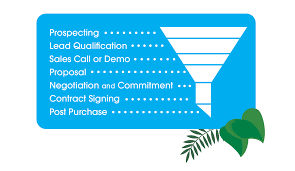
Key Metrics of a Sales Pipeline ensure you measure statistics that drive the needle to results. Initiate the optimization of your sales pipeline by incorporating vital elements that span distinct stages and pivotal metrics. Here are essential considerations: Lead Source: Determine how potential clients discover your business, whether through digital advertisements, print marketing, email campaigns, customer referrals, or alternative methods. Evaluate the effectiveness of each source in terms of conversion rates, enabling a focused approach on the most productive channels. Industry: Identify industries where your product resonates more effectively with clients. Concentrate marketing efforts on specific industries, tailoring strategies to align with their preferences and needs. Decision Makers Involved: Quantify the number of client-side contacts participating in the decision-making process. Customize strategies based on the roles of each contact, adapting approaches for CEOs, finance directors, or CTOs. Deal Size: Categorize buyers based on their willingness to invest, distinguishing between those with substantial budgets and those with more conservative ones. Tailor your presentations to accommodate the budget constraints and preferences of different segments. Probability to Close: Evaluate the likelihood of each lead transitioning into a customer. Consider factors like the sales pipeline stage, team interactions, and other criteria indicating the lead’s readiness to finalize a deal. Ensure the adaptability of your sales pipeline design, allowing for diverse analyses and inquiries. Regularly review and adjust your template to detect data anomalies, enabling the resolution of issues in your sales funnel and the maximization of opportunities to expedite your sales process. Key Metrics of a Sales Pipeline Like1 Related Posts Who is Salesforce? Who is Salesforce? Here is their story in their own words. From our inception, we’ve proudly embraced the identity of Read more Salesforce Marketing Cloud Transactional Emails Salesforce Marketing Cloud Transactional Emails are immediate, automated, non-promotional messages crucial to business operations and customer satisfaction, such as order Read more Salesforce Unites Einstein Analytics with Financial CRM Salesforce has unveiled a comprehensive analytics solution tailored for wealth managers, home office professionals, and retail bankers, merging its Financial Read more AI-Driven Propensity Scores AI plays a crucial role in propensity score estimation as it can discern underlying patterns between treatments and confounding variables Read more

Read More
Salesforce Service Cloud

AI in Salesforce Service Cloud

Deliver personalized service and save time with AI built directly into your flow of service work. Utilize Salesforce’s trusted AI for customer service to create seamless conversational, predictive, and generative AI experiences for your agents and customers. Service Cloud has everything you need to scale now and drive immediate value. Salesforce launched Service Intelligence, a powerful new analytics app for Service Cloud designed to boost agent productivity, cut costs, and enhance customer satisfaction.  And now you have AI in Service Cloud. Powered by Data Cloud, Salesforce’s real-time hyperscale data engine, Service Intelligence gives users access to all of their data directly within Service Cloud, eliminating the need to toggle between screens for information. Pre-built, customizable dashboards inside Service Intelligence provide a view of essential metrics like customer satisfaction and individual and team workloads. And, with Einstein Conversation Mining, service professionals can use AI to analyze customer chat and email conversations to uncover insights — like specific challenges customers face during service interactions — assess the likelihood of complaint escalation, and proactively address the issue with the customer. To add AI in Service Cloud to your instance, contact Tectonic today. Service Intelligence, a new analytics app for Service Cloud is designed to boost productivity, cut costs, and enhance customer satisfaction.  AI is gaining prominence among service professionals, with an 88% increase in AI adoption from 2020 to 2022. This is no surprise, as 63% of service professionals say AI will help them serve customers faster. By embracing AI, service professionals can make informed decisions fast and enhance customer satisfaction, securing a competitive edge. Like Related Posts AI-Driven Propensity Scores AI plays a crucial role in propensity score estimation as it can discern underlying patterns between treatments and confounding variables Read more Tectonic’s Successful Salesforce Track Record Salesforce Technology Services Integrator – Tectonic has successfully delivered Salesforce in a variety of industries including Public Sector, Hospitality, Manufacturing, Read more Asset Management Salesforce Can Salesforce do asset management? You can manage assets in Consumer Goods (desktop) and in the Consumer Goods offline mobile Read more Lookup Relationship in Salesforce What is Lookup relationship in Salesforce? Salesforce’s lookup relationships is a significant capability that allows users to connect two objects Read more
Read More
gettectonic.com