
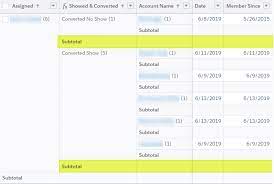
Summary Formulas and Row Level Formulas
Salesforce report formulas serve various purposes, from grouping records to performing calculations and comparing data. In the Salesforce Report Builder, you’ll encounter two distinct types of formulas: Summary Formulas and Row-Level Formulas. Although they may sound similar, they serve different functions. Summary Formulas operate across multiple records, displaying their results at the bottom of a column. Conversely, Row-Level Formulas pertain to a single record and display their results directly on the corresponding row. Let’s dip into examples of both Row-Level and Summary Formulas to understand their applications in Salesforce reports. Example 1: Total Opportunity Amount Suppose your boss requests a report showing the total Opportunity Amount broken down by Country. In this scenario, you wouldn’t require a Summary Formula field. Instead, simply select the Opportunity Amount field and check the SUM checkbox. If you include a grouping based on Country, the report will automatically generate a summary line. Example 2: Average Monthly Case Volume for a Specific Product Now, imagine the support team asks for a report indicating the monthly average of Cases for a specific Product over the past year. Here, you’d utilize a Summary Formula. Ensure the Product field is set as a ‘Group By Row’ field, then select Summary Formula from the Columns drop-down. Create the formula by dividing the Record Count by 12 (the number of months in a year), and assign a column name, such as “Monthly Avg Cases.” Example 3: Checking Field Value Matches For another scenario, let’s say you’re tasked with verifying that at the Case level, the Billing State matches the Shipping State of the associated Account. With Row-Level formulas, you can accomplish this without creating a new field. Add a Row-Level Formula from the Columns drop-down, then create an IF statement comparing the Billing State to the Shipping State, resulting in either 0 (not matching) or 1 (matching). It’s valuable to note some considerations regarding Row-Level formulas, such as the limitation of one Row-Level formula per report and a maximum of five referenced fields. Additionally, Row-Level formulas cannot be used for cross-filters or buckets. Refer to Salesforce documentation for more details on restrictions. In conclusion, understanding the distinction between Row-Level and Summary Formulas empowers you to leverage the appropriate formula type effectively in Salesforce reports, optimizing your data analysis and decision-making processes. Like Related Posts Who is Salesforce? Who is Salesforce? Here is their story in their own words. From our inception, we’ve proudly embraced the identity of Read more Salesforce Marketing Cloud Transactional Emails Salesforce Marketing Cloud Transactional Emails are immediate, automated, non-promotional messages crucial to business operations and customer satisfaction, such as order Read more Salesforce Unites Einstein Analytics with Financial CRM Salesforce has unveiled a comprehensive analytics solution tailored for wealth managers, home office professionals, and retail bankers, merging its Financial Read more AI-Driven Propensity Scores AI plays a crucial role in propensity score estimation as it can discern underlying patterns between treatments and confounding variables Read more


