
Salesforce Case Management Archives - gettectonic.com
Salesforce Education Cloud Explained

Salesforce Education Cloud Explained

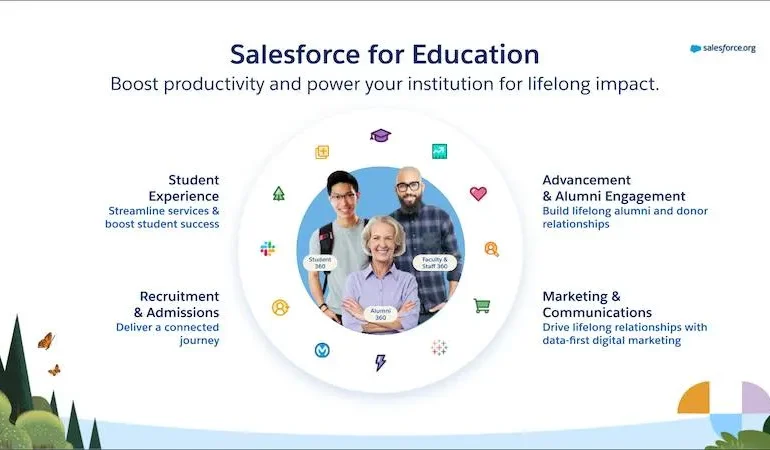
It’s back to school time. And there is no better time to discuss Salesforce Education Cloud! Powering the Learner Lifecycle with Pre-Built Apps Boost productivity with ready-to-use, customizable apps tailored for every stage of the learner journey. Instant Analytics and Intelligence Gain real-time insights to deliver personalized support for prospects, students, and alumni, right at your fingertips. Learner-Centric Data Foundation Accelerate your start with education-specific objects, logic, and automation built on the world’s leading CRM platform. Core Capabilities for Your Entire Institution Enhance the impact of faculty and staff with versatile features like scheduling and case management, adaptable across any department. Education Cloud: The AI-Driven CRM for Education Transform the educational experience with the #1 AI-powered CRM designed for learner and institutional success. Discover the key features of Education Cloud, which accelerates time to value for institutions of all sizes, making it easier to create personalized experiences for every lifelong learner. The Impact of Education Cloud Source: Forrester Total Economic Impact Report How Education Cloud Works Education Cloud offers comprehensive tools for various institutional needs, from managing households and relationships to scheduling appointments and supporting academic operations. Core Capabilities of Education Cloud Education Cloud is designed with flexibility to meet the evolving needs of your institution. Built on a learner-centric data foundation, it scales with your growth and provides each department with essential capabilities to maximize impact across the entire institution. Featured Capabilities Like Related Posts Who is Salesforce? Who is Salesforce? Here is their story in their own words. From our inception, we’ve proudly embraced the identity of Read more Salesforce Marketing Cloud Transactional Emails Salesforce Marketing Cloud Transactional Emails are immediate, automated, non-promotional messages crucial to business operations and customer satisfaction, such as order Read more Salesforce Unites Einstein Analytics with Financial CRM Salesforce has unveiled a comprehensive analytics solution tailored for wealth managers, home office professionals, and retail bankers, merging its Financial Read more AI-Driven Propensity Scores AI plays a crucial role in propensity score estimation as it can discern underlying patterns between treatments and confounding variables Read more

Read More
salesforce queues for case management

Creating Salesforce Queues for Effective Case Management

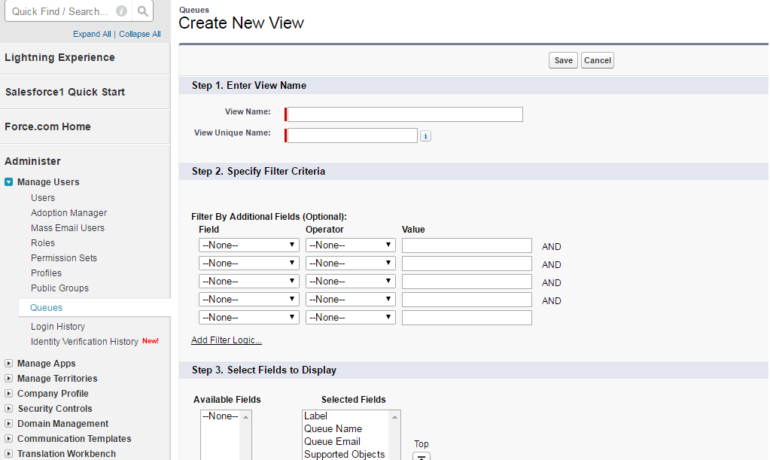
Enhancing Support Management through Case Queues: A Practical Example Salesforce Queues for Case Management put the cases in front of the proper teams in multiple Salesforce industry solutions. Scenario: Sunshine Electronics, a leading electronics retailer, is committed to refining its customer support procedures by effectively handling incoming cases and inquiries. The company aims to ensure that cases are directed to the suitable support teams based on their complexity and nature. Additionally, there is a focus on streamlining the process for managing general inquiries. Solution: In response to the requirements of Sunshine Electronics, the following solution has been implemented: Establishing Case Queues: Sunshine Electronics has created two case queues, namely “Technical Support Tier 1” and “Technical Support Tier 2.” These queues serve the purpose of managing technical support cases based on their complexity levels. “Technical Support Tier 1” is dedicated to handling less complex cases, while “Technical Support Tier 2” deals with more advanced or challenging cases. Both queues are linked to the Case object and have designated email addresses for receiving notifications related to case updates. Assigning Queue Members: Qualified members of the support team are strategically assigned to the appropriate case queues based on their expertise in handling technical support inquiries. The system administrator ensures that the right team members are added to both the “Technical Support Tier 1” and “Technical Support Tier 2” queues, ensuring that each queue possesses the necessary expertise for efficient case resolution. Introduction of the General Inquiry Queue: To efficiently manage non-technical inquiries and general customer questions, Sunshine Electronics has introduced a dedicated “General Inquiry” queue. This queue is specifically tailored to address inquiries that do not require technical support. It is associated with the Case object and possesses a designated email address for receiving notifications related to general inquiries. Sarah Johnson, a knowledgeable team member, is designated as the sole member of the “General Inquiry” queue. Salesforce Queues for Case Management By implementing these case queues and corresponding assignment rules, Sunshine Electronics has successfully streamlined its case management process. Cases are automatically directed to the appropriate queues based on their complexity and nature, allowing for efficient handling by the designated support teams. The introduction of the “General Inquiry” queue ensures prompt responses to non-technical inquiries, contributing to improved response times, proper case allocation, and enhanced customer satisfaction for Sunshine Electronics. Content updated October 2023. Like1 Related Posts Lookup Relationship in Salesforce What is Lookup relationship in Salesforce? Salesforce’s lookup relationships is a significant capability that allows users to connect two objects Read more Generating Documents in Salesforce Salesforce document generation poses a challenge for businesses, given the intricacies of integration involved. Fortunately, a variety of tools are Read more Salesforce Scheduler Salesforce Scheduler provides the objects required for appointment scheduling and an app that makes it easy to set up Scheduler. Read more Case Study: Tribal Nation Resorts and Casinos-Hospitality and Gaming-Salesforce Service/Marketing Clouds Tribal Nation with 3 Casinos, 2 Hotels and 1 Golf Course.  In total the Resorts and Casinos offer more than Read more

Read More
Case Management in Salesforce

Case Management in Salesforce

What does Salesforce Case Management entail? Salesforce Case Management, as explained in the Service Cloud Introduction session, provides a platform for recording, tracking, and resolving customer issues across sales, service, and support. Advantages of utilizing a case management system: Case Management in Salesforce Salesforce Case Management allows the automatic collection of cases from various sources like email, social media, support centers, or web forms. It provides tools for categorizing, filtering, and adding notes to cases stored in the database. How can I establish case management in Salesforce? Utilize queues and automated rules to assign cases to your team without constant monitoring. By assigning cases to a queue, specific team members can select cases from a list, helping prioritize work. Auto-assign cases to queues or team members based on conditional rules. Distinguishing case management from CRM: While both case management and CRM assist in managing customer data and interactions, the key distinction lies in the fact that case management is tailored to monitor the progress of individual cases. Visibility of cases in Salesforce: If the organization-wide sharing default access for Cases is set to ‘Private,’ and ‘Grant Access Using Hierarchies’ is enabled, only the Case owner, the owner’s managers in the role hierarchy, Salesforce admins, and user profiles with the ‘View All’ object permission on Cases can view a Case. Can leads have cases in Salesforce? To associate a Lead with a Case, create a custom lookup field on Cases to the Leads object. This allows for a Cases related list on the Lead record. Like Related Posts Who is Salesforce? Who is Salesforce? Here is their story in their own words. From our inception, we’ve proudly embraced the identity of Read more Salesforce Marketing Cloud Transactional Emails Salesforce Marketing Cloud Transactional Emails are immediate, automated, non-promotional messages crucial to business operations and customer satisfaction, such as order Read more Salesforce Unites Einstein Analytics with Financial CRM Salesforce has unveiled a comprehensive analytics solution tailored for wealth managers, home office professionals, and retail bankers, merging its Financial Read more AI-Driven Propensity Scores AI plays a crucial role in propensity score estimation as it can discern underlying patterns between treatments and confounding variables Read more

Read More
gettectonic.com