

Salesforce Scheduler Archives - gettectonic.com
Winter 25 Salesforce Release

Get Ready for Winter 25 Salesforce Release

Salesforce Winter 25 Release notes are here. Salesforce Overall Learn about new features and enhancements that affect your Salesforce experience overall. August 8: Get early access by signing up for a Pre-Release org Admins can sign up for a pre-release Developer Edition environment, which is full of all the Winter ’25 features to explore to your heart’s content. Developer environments are stand-alone environments where you can learn, build, and get comfortable with features and functionality. If you already had a pre-release org for Summer ’24, you can log back into that one. August 14: Review the Release Notes Search the products you use for release updates in the Release Notes section of Salesforce Help. The notes will go live August 14 and we will share the link here. Get help from the community! With each release, there are a number of blogs by community members who break it down. Check out the Release Readiness Trailblazer Community Group where you can continue to get updates, share your favorite features, and ask questions about the upcoming release. August 19: Be Release Ready with Winter ’25 features for Admins Starting on August 19th, we’ll begin publishing blog posts on the Admin Blog to help you Be Release Ready with Winter ’25 features. Get ready to dive into blog posts featuring Winter ’25 user access highlights and more! As blog posts and more release resources become available, we’ll be updating the Be Release Ready page with all the resources and information you need to get started with Winter ’25. August 29 before 5 p.m. PT: Be sure to refresh your Sandbox Once you’ve explored the pre-release org and reviewed the Release Notes for features that are important to you, it’s time to try out features related to your customizations in your sandbox. This is a great time to evaluate how specific features may be useful or impact the way your organization uses Salesforce. During each release, there is a group of sandboxes slated to remain on the non-preview instance (i.e. the current release) while there is another group of sandboxes that will upgrade to the preview instance. Use the Salesforce Sandbox Preview Guide to determine the plan for your sandbox instance(s). Use the tool where you can search by sandbox instance and then specify what you want to do with your sandbox — stay on the non-preview or move to preview. It will then instruct you to refresh your sandbox to get to the desired instance or inform you that there is no action needed because your sandbox is slated for the desired instance. Contact Tectonic today if you need assistance getting Salesforce release ready. Like Related Posts Who is Salesforce? Who is Salesforce? Here is their story in their own words. From our inception, we’ve proudly embraced the identity of Read more Salesforce Marketing Cloud Transactional Emails Salesforce Marketing Cloud Transactional Emails are immediate, automated, non-promotional messages crucial to business operations and customer satisfaction, such as order Read more Salesforce Unites Einstein Analytics with Financial CRM Salesforce has unveiled a comprehensive analytics solution tailored for wealth managers, home office professionals, and retail bankers, merging its Financial Read more AI-Driven Propensity Scores AI plays a crucial role in propensity score estimation as it can discern underlying patterns between treatments and confounding variables Read more

Read More
Salesforce and MySQL

Salesforce and MySQL

Salesforce CRM houses a wealth of customer data, encompassing interactions, leads, and purchase histories. However, without proper organization, these insights risk being lost in the shuffle. Get a handle on data with Salesforce and MySQL. MySQL, a free, open-source relational database management system (RDBMS) that acts as a digital filing cabinet for structured data, including customer information. Integrating Salesforce CRM with MySQL presents a compelling solution by establishing a seamless bridge between the two systems. This integration enables businesses to efficiently transfer customer data from Salesforce into MySQL, ensuring centralized, accessible, and analyzable data. Imagine having all customer data neatly organized within a single, searchable database, facilitating holistic insights that empower informed decision-making and personalized marketing campaigns. Let’s explore the significant benefits of integrating Salesforce CRM and MySQL, and how this synergy can revolutionize your business operations. Benefits of Integrating Salesforce CRM and MySQL How to Integrate Salesforce CRM and MySQL Integrating Salesforce CRM with MySQL involves leveraging Salesforce APIs for secure data communication and synchronization. Here’s a step-by-step approach: Common Challenges and Solutions Conclusion Integrating Salesforce CRM with MySQL represents a transformative approach to streamline data management and enhance operational efficiency. By combining Salesforce’s robust CRM capabilities with MySQL’s flexible database management, businesses can unlock real-time insights, improve customer engagement, and drive strategic growth initiatives seamlessly. Embrace the power of Salesforce CRM and MySQL integration to stay competitive in today’s data-driven landscape effortlessly. Like Related Posts Who is Salesforce? Who is Salesforce? Here is their story in their own words. From our inception, we’ve proudly embraced the identity of Read more Salesforce Marketing Cloud Transactional Emails Salesforce Marketing Cloud Transactional Emails are immediate, automated, non-promotional messages crucial to business operations and customer satisfaction, such as order Read more Salesforce Unites Einstein Analytics with Financial CRM Salesforce has unveiled a comprehensive analytics solution tailored for wealth managers, home office professionals, and retail bankers, merging its Financial Read more AI-Driven Propensity Scores AI plays a crucial role in propensity score estimation as it can discern underlying patterns between treatments and confounding variables Read more

Read More
Education Cloud Academic Operations Explained

Education Cloud Academic Operations Explained

Education Cloud Academic Operations Academic Operations serves as the central hub for creating and managing your institution’s learning-related objects and the relationships between them. With this powerful tool, staff can: The entities you set up in Academic Operations—such as learning courses, programs, and schedules—lay the groundwork for the Recruitment & Admissions and Student Success apps. For instance, curricula and program data form the basis of your course catalog, while plans created in Program Plan Builder flow into Intelligent Degree Planning, guiding the Learner Progress View. Configuring Academic Operations To configure Academic Operations for your institution: Integration Capabilities Salesforce’s education data model seamlessly integrates with various Salesforce tools, including Data Cloud, Marketing Cloud, Salesforce Scheduler, and Einstein AI, as well as custom components like a comments feature and outcome management tools. This integration ensures a comprehensive solution for managing and enhancing the entire learning experience. Like Related Posts Who is Salesforce? Who is Salesforce? Here is their story in their own words. From our inception, we’ve proudly embraced the identity of Read more Salesforce Marketing Cloud Transactional Emails Salesforce Marketing Cloud Transactional Emails are immediate, automated, non-promotional messages crucial to business operations and customer satisfaction, such as order Read more Salesforce Unites Einstein Analytics with Financial CRM Salesforce has unveiled a comprehensive analytics solution tailored for wealth managers, home office professionals, and retail bankers, merging its Financial Read more AI-Driven Propensity Scores AI plays a crucial role in propensity score estimation as it can discern underlying patterns between treatments and confounding variables Read more
Read More
Salesforce Education Cloud Explained

Salesforce Education Cloud Explained

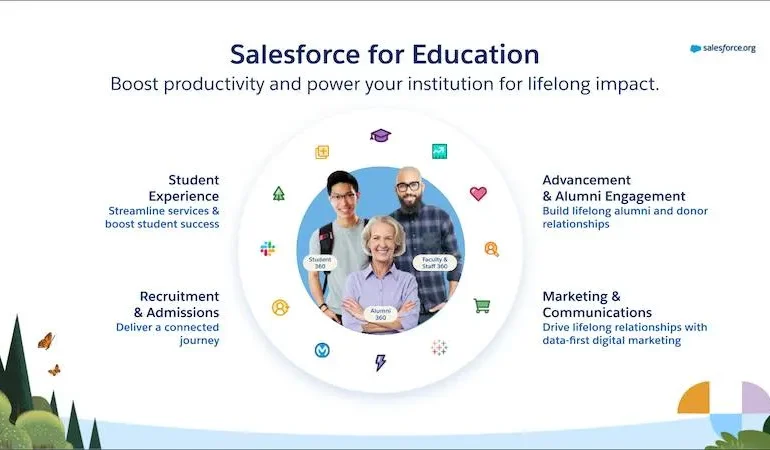
It’s back to school time. And there is no better time to discuss Salesforce Education Cloud! Powering the Learner Lifecycle with Pre-Built Apps Boost productivity with ready-to-use, customizable apps tailored for every stage of the learner journey. Instant Analytics and Intelligence Gain real-time insights to deliver personalized support for prospects, students, and alumni, right at your fingertips. Learner-Centric Data Foundation Accelerate your start with education-specific objects, logic, and automation built on the world’s leading CRM platform. Core Capabilities for Your Entire Institution Enhance the impact of faculty and staff with versatile features like scheduling and case management, adaptable across any department. Education Cloud: The AI-Driven CRM for Education Transform the educational experience with the #1 AI-powered CRM designed for learner and institutional success. Discover the key features of Education Cloud, which accelerates time to value for institutions of all sizes, making it easier to create personalized experiences for every lifelong learner. The Impact of Education Cloud Source: Forrester Total Economic Impact Report How Education Cloud Works Education Cloud offers comprehensive tools for various institutional needs, from managing households and relationships to scheduling appointments and supporting academic operations. Core Capabilities of Education Cloud Education Cloud is designed with flexibility to meet the evolving needs of your institution. Built on a learner-centric data foundation, it scales with your growth and provides each department with essential capabilities to maximize impact across the entire institution. Featured Capabilities Like Related Posts Who is Salesforce? Who is Salesforce? Here is their story in their own words. From our inception, we’ve proudly embraced the identity of Read more Salesforce Marketing Cloud Transactional Emails Salesforce Marketing Cloud Transactional Emails are immediate, automated, non-promotional messages crucial to business operations and customer satisfaction, such as order Read more Salesforce Unites Einstein Analytics with Financial CRM Salesforce has unveiled a comprehensive analytics solution tailored for wealth managers, home office professionals, and retail bankers, merging its Financial Read more AI-Driven Propensity Scores AI plays a crucial role in propensity score estimation as it can discern underlying patterns between treatments and confounding variables Read more
Read More
Salesforce Scheduler

Salesforce Scheduler

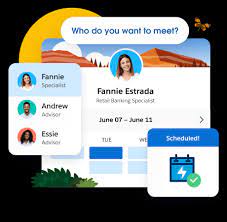
Salesforce Scheduler provides the objects required for appointment scheduling and an app that makes it easy to set up Scheduler. It provides preconfigured, customizable flows and rules that provide appointment booking experience. It also provides business APIs to create appointment booking experiences.

Read More
salesforce asset management

Asset Management Salesforce

Can Salesforce do asset management? You can manage assets in Consumer Goods (desktop) and in the Consumer Goods offline mobile app in Salesforce. Let’s understand the process in detail. Create Asset Templates and Asset Types: Before you create assets, ensure that admins have created asset templates and asset types. Assets are items, such as refrigerators or freezers, that you place at a customer location (retail store) to increase your sales. Assets are also items you use in your business such as vehicles or computers. As an asset’s owner, you’re responsible for the maintenance, repair, or any other services required for the asset. Managing assets efficiently can help reduce customer complaints and, in turn, increase your brand value. By actively tracking your assets’ conditions, you can budget better, reduce losses, and ensure employee safety. What is the use of asset object in Salesforce? So, Assets are used quite frequently by sales, customer service in your back office. Assets are a standard object. It comes out-of-the-box with Salesforce. And being a standard object we can add custom fields, validation rules, record types, multiple page layouts. How do I create an asset for a product in Salesforce? Create an Asset What is the asset state period in Salesforce? An asset state period represents a time span when an asset has the same quantity, amount, and monthly recurring revenue (MRR). An asset has as many asset state periods as there are changes to it (asset actions) during its lifecycle. The dashboard and related pages show the current asset state period. What is the difference between subscription and asset in Salesforce? Use subscriptions to keep records of subscription products you’ve quoted or sold. Use assets to keep records of stand-alone products you’ve quoted or sold. You can use these records later to manage amendments and renewals to your opportunities and orders. How do I enable assets in Salesforce? Enable Asset Scheduling in Salesforce Scheduler How do I create an asset in Salesforce CPQ? Salesforce CPQ creates assets when you click Contracted on an opportunity or order. The asset creation process varies based on your account’s renewal model and the value of the asset conversion field on the product you’re contracting. How do you renew assets in Salesforce CPQ? Select the assets you want to renew, and then click Renew. Salesforce CPQ creates a renewal quote, associates it with a renewal opportunity, and opens the quote line editor. Edit the quantities of the assets from your original quote as needed. You can also add new products. What is an asset state? Asset State denotes the different states of assets in the organization such as assets in Use, In Store, Expired and so on. Apart from the default asset states, you can create custom ones. You can also enable or disable ownership and scan for custom asset states you create. Note that Salesforce also has a Digital Asset Management (DAM) capability. Where is asset library in Salesforce? To view asset files in Files home, select Libraries and then select Asset Library . To view and edit asset files in Setup, enter Asset Files in the Quick Find box, then select Asset Files. For more information on Salesforce Asset Management, contact Tectonic today. Like1 Related Posts Who is Salesforce? Who is Salesforce? Here is their story in their own words. From our inception, we’ve proudly embraced the identity of Read more Salesforce Marketing Cloud Transactional Emails Salesforce Marketing Cloud Transactional Emails are immediate, automated, non-promotional messages crucial to business operations and customer satisfaction, such as order Read more Salesforce Unites Einstein Analytics with Financial CRM Salesforce has unveiled a comprehensive analytics solution tailored for wealth managers, home office professionals, and retail bankers, merging its Financial Read more AI-Driven Propensity Scores AI plays a crucial role in propensity score estimation as it can discern underlying patterns between treatments and confounding variables Read more

Read More
gettectonic.com