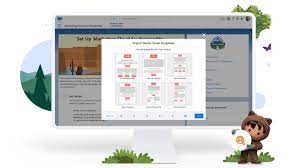
Companies today have various channels available to connect with customers, yet a well-crafted, timely email continues to be a powerful tool. Our recent study revealed that 93% of respondents consider email as their primary channel for engaging with companies. In a world where competition for attention and clicks is fierce, it’s imperative to continuously evolve your email marketing strategy. Salesforce and email marketing are Tectonic’s preferred choice. And should be yours, too. Despite this, many companies still rely on outdated, generic tactics that result in disinterested customers reaching for the deadly unsubscribe button. If your metrics are struggling, and desired results are elusive, it might be time to reevaluate your email marketing strategy for areas of improvement. Understanding Email Marketing and its Significance Email marketing is a direct marketing form that uses messages to promote products or services, share thought leadership pieces, or engage with your audience. A well-thought-out email marketing strategy delivers valuable information, empowering customers to make informed purchasing decisions. Clear and concise messages position your company as helpful rather than intrusive or sales-oriented. As the email campaign progresses, an authentic trust connection develops between your brand and customers. Email marketing facilitates conversions and revenue by providing quality information aligned with customer goals. As digital experiences expanded with the rise of social media and mobile apps, email marketers now leverage tools like AI and automation to deliver more effective messages at optimal times. Impact of Marketing Automation and AI on Email Marketing Marketing automation has shifted businesses away from traditional email approaches towards more personalized communication. Enhanced data collection and management enable emails to address the specific wants and needs of individual customers, making personalization a critical tool. AI within marketing automation platforms augments capabilities, offering more targeted and personalized experiences. In email marketing, automation focuses on streamlining workflows, nurturing leads, and optimizing campaign management. AI employs advanced algorithms and machine learning for data analysis, enhancing personalization, optimizing subject lines, generating dynamic content, determining optimal send times, and providing predictive analytics. The combination of marketing automation and AI results in highly targeted and effective email marketing campaigns. Benefits of Automation in Email Marketing Effective email marketing relies on marketing automation platforms, facilitating the scaling of lead management activities, campaign coordination, and lead nurturing and scoring. These platforms make segmentation and personalization feasible on a large scale, delivering highly targeted and relevant messages, resulting in increased engagement and conversions. Personalized messaging, facilitated by AI’s advanced algorithms and machine learning, stands out as one of the most significant benefits of email marketing. Marketers can analyze extensive data, delivering highly tailored and relevant email content to individual recipients, ultimately enhancing conversion and customer satisfaction. With a flexible and customizable email marketing strategy, businesses can achieve various marketing and sales goals, including building customer relationships, boosting brand awareness, generating and nurturing leads, marketing products and services, and promoting content and useful resources. Is Email Marketing Easy? In short, yes, it can be, provided it is set up properly. While optimizing email marketing campaigns may take time, starting with a personalized strategy and utilizing tools like marketing automation and AI can simplify the process. Establishing a foundation centered on segmentation, personalization, and automation is crucial for success. Tectonic deploys email marketing platforms that make email marketing easier. Our training, consulting, and ongoing support set you up for email marketing success. Email Marketing Best Practices Consider the following high-level email marketing best practices: Costs Involved with Email Marketing The cost of email marketing varies based on business size, audience size, and the number of emails sent monthly. While costs fluctuate with business cycles, the return on investment (ROI) for email marketing is notably high, averaging $36 for every dollar spent. Email Marketing Types Experts categorize email marketing into five common types: Interactive emails, in particular, boost engagement, potentially leading to a 300% increase in click rates. Salesforce and Email Marketing Tools An excellent email marketing tool empowers end-to-end Salesforce campaign management, from writing copy and designing templates to acquiring subscribers, managing leads, segmenting audiences, and analyzing campaign performance. Choosing the right tool involves considering factors like ease of use, integration with customer data systems, and compatibility with existing business tools. In Salesforce the two primary choices are Salesforce Marketing Cloud and Salesforce Marketing Cloud Account Engagement. Salesforce can also be integrated with many other tools from Gmail to Marketo to Hubspot to MailChimp. Getting Started with Email Marketing To initiate an email marketing program in your company, Tectonic suggests you follow these steps: The right email marketing tool, coupled with a well-structured strategy, empowers businesses to execute successful campaigns, foster customer engagement, and achieve high returns on investment. Contact Tectonic today to discuss the best Salesforce email marketing tool for your business. Like2 Related Posts Who is Salesforce? Who is Salesforce? Here is their story in their own words. From our inception, we’ve proudly embraced the identity of Read more Salesforce Marketing Cloud Transactional Emails Salesforce Marketing Cloud Transactional Emails are immediate, automated, non-promotional messages crucial to business operations and customer satisfaction, such as order Read more Salesforce Unites Einstein Analytics with Financial CRM Salesforce has unveiled a comprehensive analytics solution tailored for wealth managers, home office professionals, and retail bankers, merging its Financial Read more AI-Driven Propensity Scores AI plays a crucial role in propensity score estimation as it can discern underlying patterns between treatments and confounding variables Read more