How do you log emails alerts as activities when sent with the ‘send email’ action?
Goal.
- Send out an email alert to the customer asking for their feedback.
- Log the sent email in the case and contact records for future reference.
With the latest release from Salesforce, now it is possible to automatically log emails to a record’s Activity Timeline when using the Send Email action. This enhancement offers users the flexibility to:
- Log emails to recipient records – this encompasses leads, contacts, and person accounts.
- Log emails to non-recipient records, such as accounts, cases or opportunities.
- Conveniently log emails to both recipient and non-recipient records simultaneously.
Prior to the Spring ‘24 release, emails sent using the Send Email action couldn’t be automatically tracked in Activity Timelines. As of Spring 24 release, it is not possible to log emails sent to users; otherwise, you will get an error.
Before proceeding, you should become familiar with the EmailTemplate object in Salesforce. It represents a template for an email, mass email, list email, or Sales Engagement email. Supported in first-generation managed packages only.
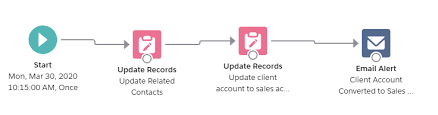
To solve this requirement, use the After-save Record-Triggered Flow. This will log email alerts as activities in Salesforce.
- Create an email template
- Define flow properties for record-triggered flow
- Add a decision element to determine if the case has been closed
- Add a get records element to find the email template
- Add a decision element to check if the email template was found or not
- Add send email action – to send and log the email
If you need assistance sending email alerts as activities in Salesforce. Contact Tectonic today.

Who is Salesforce? Here is their story in their own words. From our inception, we've proudly embraced the identity of Read more

Salesforce Marketing Cloud Transactional Emails are immediate, automated, non-promotional messages crucial to business operations and customer satisfaction, such as order Read more

Salesforce has unveiled a comprehensive analytics solution tailored for wealth managers, home office professionals, and retail bankers, merging its Financial Read more

AI plays a crucial role in propensity score estimation as it can discern underlying patterns between treatments and confounding variables Read more