What is Omni-Channel Routing in Salesforce?
Salesforce Automated Case Routing is a time-saving automation, and Omni-Channel is one way to do it. Omni-Channel is a feature within Salesforce’s Customer Service and Console that facilitates the automatic routing of various work items, such as Leads and Cases, to agents. It intelligently assigns work items to agents based on factors like agent capacity, priority, skillset, and more.
Automate Case Routing with Omni-Channel
Accelerate and streamline the process of authorization approval by automating workflows through routing configurations. Omni-Channel enables rapid routing of cases to the appropriate users, ensuring timely review of authorization requests.
Required Editions:
- Available in: Lightning Experience
- Available in: Enterprise and Unlimited Editions with Health Cloud
With Omni-Channel’s adaptable and customizable framework, you can effectively manage your users’ capacity for conducting authorization request reviews. Utilize queues or skills to specify which users handle which types of requests.
Routing Strategies:
- Route work to queues:
- Distribute workload among a team by defining queues, where members can take ownership of records. For instance, one queue could handle initial requests while another deals with extension requests.
- Employ rules to automate case assignment to different queues using the Business Rules Engine.
- Route work to a skill:
- Enhance the authorization request flow by automatically assigning requests to the most qualified user with the requisite skills.
Salesforce Automated Case Routing
How to Automate a Case in Salesforce:
Create Predefined Case Teams:
- Navigate to Setup and search for “Case Team” in the Quick Find box.
- Select “Predefined Case Teams” and click on “New.”
- Provide a team name and add team members with their respective roles.
- Save your changes.
Different Routing Types in Salesforce:
- Queue-Based Routing: Assign agents to queues representing specific skills.
- Skill-Based Routing: Matches required skills of a work item to the skills assigned to agents.
- External Routing: Utilizes external systems to route work items.
Automated Case Assignment Options in Salesforce:
- Define Assignment Rules: Automatically route cases based on predefined criteria.
- Set Up Auto-Response Rules: Prepare automated responses for incoming cases based on case attributes.
Creating a Routing Configuration in Salesforce:
- Route Incidents: Establish incident channels, presence statuses, queues, and skills for skill-based routing.
- Use Milestones and Entitlements: Configure entitlement processes for incidents and add them to your page layouts.
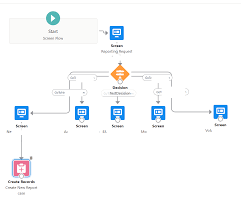
Automation Flow Creation in Salesforce:
- Click on the “Create Opportunity” button to initiate an opportunity creation process using Salesforce Flow.
- Configure Salesforce Flow to automate various business processes as needed.
Difference Between Routing and Dynamic Routing:
- Static routing uses predefined routes, while dynamic routing employs algorithms to determine the best path.
Automated Case User in Salesforce:
- The Automated Case User is the designated user listed in the Case History for all automated case actions in Salesforce, such as automatic case assignment.
Case Auto-Response in Salesforce:
- Case Auto-Response rules automatically send email responses to case submitters based on the submission source, such as Web, Email, Customer Portal, or Self-Service Portal.
Creating a Case Auto-Response in Salesforce:
- Navigate to Setup and search for “Auto-Response Rules” in the Quick Find box.
- Select “Case Auto-Response Rules” and click on “New” to create a new response rule.
- Configure the rule settings according to your requirements and save your changes.

Who is Salesforce? Here is their story in their own words. From our inception, we've proudly embraced the identity of Read more

Salesforce Marketing Cloud Transactional Emails are immediate, automated, non-promotional messages crucial to business operations and customer satisfaction, such as order Read more

Salesforce has unveiled a comprehensive analytics solution tailored for wealth managers, home office professionals, and retail bankers, merging its Financial Read more

AI plays a crucial role in propensity score estimation as it can discern underlying patterns between treatments and confounding variables Read more