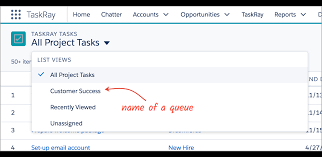
A Salesforce lead queue serves several purposes. Accepting leads from a queue is an easy way to reassign leads to yourself. Salesforce lead queues are a great way to assign leads to a team, too.
- Go to a list view that shows a lead queue. If you don’t see a Salesforce lead queue, ask your admin to add you as queue member.
- Select the leads you want to own.
- Click Accept.
To reassign a single lead from a queue, go to the record detail page and change the record owner.
To assign a lead to a queue:
- Open the newly created lead.
- Go to Details tab.
- Click on the ‘Change Owner’ icon on the Lead Owner field.
- Click on the dropdown arrow for People icon on appeared window & choose Queue.
- Check mark ‘Send Notification Email’ (Optional)
- Click Change Owner.
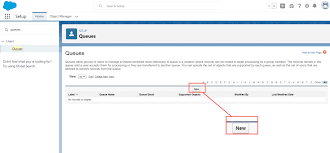
Can a queue own a lead Salesforce?
The default lead owner can be a user or a queue. 1. From Setup, click Setup – Feature Settings – Marketing – Lead Settings, and then click Edit.
How do you assign lead to queue using flow?
- Step 1: Create a Flow. The first step is to create a new flow. …
- Step 2: Choose the Object and Trigger. Next, choose the object you want to assign to a queue, such as Leads or Cases. …
- Step 3: Add the Get Record Element. …
- Step 4: Add an Assignment Element. …
- Step 4: Save the Flow.
A Salesforce lead queue allows users to prioritize, distribute, and assign records – ideal for teams that share workloads. Queues bring together groups of users to help manage shared workloads, while increasing visibility into what needs to be done (even if team members are out sick or on vacation).

Who is Salesforce? Here is their story in their own words. From our inception, we've proudly embraced the identity of Read more

Salesforce Marketing Cloud Transactional Emails are immediate, automated, non-promotional messages crucial to business operations and customer satisfaction, such as order Read more

Salesforce has unveiled a comprehensive analytics solution tailored for wealth managers, home office professionals, and retail bankers, merging its Financial Read more

AI plays a crucial role in propensity score estimation as it can discern underlying patterns between treatments and confounding variables Read more