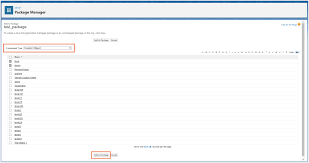
Deploy Metadata to Salesforce Orgs
How to Deploy Metadata to Salesforce Orgs: A Step-by-Step Guide Deploying metadata effectively is critical for building Salesforce orgs that align with your business goals. However, deployment processes often hit roadblocks due to missed dependencies, overwritten changes, or failed deployments at the end of development cycles. Deploy Metadata to Salesforce Orgs. As your team grows and business requirements become more complex, finding a deployment solution that works for everyone may feel overwhelming. While Salesforce’s clicks-not-code philosophy simplifies development, deployments can create bottlenecks if your process isn’t robust. Whether you’re working with custom objects, Flows, or Apex code, this guide will help you streamline your metadata deployments for the whole team. Understanding Salesforce Metadata Deployment Options Salesforce offers several methods for deploying metadata, most of which leverage the Metadata API. This API facilitates metadata transfers between Salesforce orgs or between orgs and version control systems like Git. Although most metadata types are supported by the API, a few exceptions exist. Fortunately, these unsupported types are rarely critical, ensuring the API remains a dependable foundation for most deployment needs. Change Sets: The Starting Point Salesforce’s change sets are often the default tool for new users. These provide a clicks-not-code approach and are easy to enable within the Salesforce UI. However, their limitations can hinder long-term scalability and DevOps maturity. Using Change Sets Limitations of Change Sets For teams seeking a scalable deployment solution, change sets often fall short. DevOps Center: Salesforce’s Modern Alternative Salesforce’s DevOps Center offers an improved approach to metadata deployments, especially for teams adopting collaborative and source-driven development workflows. Benefits of DevOps Center Limitations of DevOps Center While DevOps Center is a significant improvement over change sets, it may not fully meet the needs of growing teams striving for DevOps maturity. Salesforce CLI: A Developer-Focused Tool For teams with development expertise, Salesforce’s Command Line Interface (CLI) enables metadata deployments through scripting. As part of Salesforce DX, the CLI facilitates package-based development and automation. Key Advantages Challenges Gearset: A Complete Metadata Deployment Solution For teams seeking a streamlined, all-in-one deployment solution, Gearset provides the ideal balance of simplicity, collaboration, and DevOps maturity. Why Choose Gearset? How to Deploy Metadata with Gearset: Step-by-Step Deploy with Confidence Whether you’re working with simple change sets or advanced DevOps processes, the right tools can transform your Salesforce deployments. Gearset ensures seamless, reliable metadata transfers with a 99% deployment success rate—empowering teams to focus on innovation rather than troubleshooting. Ready to simplify your metadata deployments? Start your free trial of Gearset today and experience hassle-free releases! Like1 Related Posts Who is Salesforce? Who is Salesforce? Here is their story in their own words. From our inception, we’ve proudly embraced the identity of Read more Salesforce Marketing Cloud Transactional Emails Salesforce Marketing Cloud Transactional Emails are immediate, automated, non-promotional messages crucial to business operations and customer satisfaction, such as order Read more Salesforce Unites Einstein Analytics with Financial CRM Salesforce has unveiled a comprehensive analytics solution tailored for wealth managers, home office professionals, and retail bankers, merging its Financial Read more AI-Driven Propensity Scores AI plays a crucial role in propensity score estimation as it can discern underlying patterns between treatments and confounding variables Read more