
Leveraging New Features and Connectors in Salesforce’s Data Cloud
Salesforce’s Data Cloud is rapidly evolving with continuous updates and new functionalities, including AI advancements. Keeping pace with these changes can be challenging. This insight explores the latest features and how to effectively utilize them to enhance your Salesforce environment. Data Cloud Features and Connectors.
Are CDP and data Cloud the same?
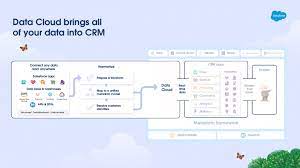
Data Cloud is more than just your traditional CDP. It’s the only data platform native to the world’s #1 AI CRM. This means that marketers can quickly access and easily action on unified data – from across the entire business – to drive growth and increase customer lifetime value.
Introducing the Feature Manager
The Winter ‘24 update introduced the Feature Manager, a powerful tool that simplifies managing Data Cloud’s features. It allows you to easily enable, disable, and monitor AI and beta features within the platform.
Where to Find It
You can find the Feature Manager in the navigation pane under the Features section, providing a centralized and intuitive way to manage your Data Cloud capabilities.
Enable Data Cloud Features
Using the Feature Manager, you can enable Data Cloud features. This screen is visible only when there are one or more features to enable or disable.
Advantages of Enabling Beta Features
One standout capability of the Feature Manager is its support for enabling beta versions of connectors and AI features. Here’s why you should consider using beta features:
Early Access to Innovations
Beta features give you early access to the latest tools, allowing you to experiment with new functionalities before their official release. This can provide a competitive edge and enhance your Salesforce environment.
Feedback and Influence
Using beta features allows you to provide valuable feedback to Salesforce, helping shape the final versions of these tools. This feedback loop ensures that the features are refined to meet user needs.
How to Enable Beta Features
Enable and Disable Data Cloud AI and Beta Features with Feature Manager
Easily enable, disable, and monitor Data Cloud AI and beta features using the new Feature Manager, found in the navigation pane under Features.
Where: This change applies to Data Cloud in Developer, Enterprise, Performance, and Unlimited editions.
Steps to Enable Beta Features:
- Navigate to the Feature Manager: Find this in the navigation pane under Features.
- Select the Beta Feature: Choose the beta feature or connector you wish to enable.
- Enable and Configure: Follow the prompts to enable and configure the feature as needed.
Real-World Example: Adobe Marketo Connector
A prime example of a beta feature available in the Winter ’24 release is the Adobe Marketo connector. This connector is currently in beta, allowing users to enable and test it through the Feature Manager.
Steps to Enable the Adobe Marketo Connector
- Open Feature Manager: Navigate to the Features section in your Data Cloud.
- Find the Adobe Marketo Connector: Look for this connector in the list of available beta features.
- Enable the Connector: Follow the steps provided to enable and start using the connector.
By enabling and testing this connector, you can explore its functionalities and see how it integrates with your existing Salesforce setup.
Staying Updated with Salesforce Data Cloud
Keeping up with the latest features in Salesforce Data Cloud doesn’t have to be overwhelming. With tools like the Feature Manager, you can easily manage, enable, and experiment with new features and connectors, including those currently in beta. This not only keeps you at the forefront of innovation but also allows you to directly influence the development of these tools.
Dive in, utilize the new capabilities, and make the most of what Salesforce Data Cloud has to offer.

Who is Salesforce? Here is their story in their own words. From our inception, we've proudly embraced the identity of Read more

Salesforce Marketing Cloud Transactional Emails are immediate, automated, non-promotional messages crucial to business operations and customer satisfaction, such as order Read more

Salesforce has unveiled a comprehensive analytics solution tailored for wealth managers, home office professionals, and retail bankers, merging its Financial Read more

AI plays a crucial role in propensity score estimation as it can discern underlying patterns between treatments and confounding variables Read more





