Show the permits that are required for a business type, including details about permit dependencies. Show Required Permits on the Constituent Panel. Your Salesforce Public Sector Solution has you covered.
Publish dynamic forms on a public portal, where constituents can easily submit and track applications for individual and business licenses and permits. Review and approve applications using automated processes that ensure integrity and consistency across the workflow.
The Permits page that’s provided with the Licenses And Permits site template allows constituents to search for and see the licenses and permits that are required for different types of businesses. It includes the Permits component, which shows a list of all business regulatory authorization types and dependencies defined in your Public Sector Solutions org.
No site configuration is required for the Permits page, although you can customize its title and description in the Rich Content Editor. To include the Permits component on another site page, drag it to that page from the Components panel.
Show Required Permits on the Constituent Panel
Part of the Salesforce Public Sector Solutions offering. For more information, contact Tectonic today. Helping you transform the delivery of public services with flexible, secure e-government tools that support both sides of the service counter.
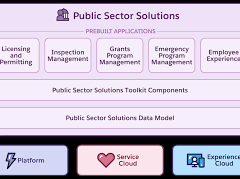
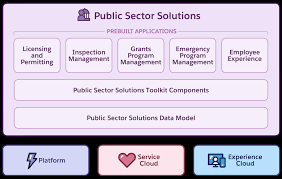
See how Public Sector Solutions broadly supports agencies engaged in licensing, permitting, inspections, emergency response, social and human services, grants management, and more. Salesforce offers a free trial of the public sector solutions Salesforce product.
Public Sector Solutions Data Model
Understand the relationships between objects in Public Sector Solutions. Public Sector Solutions uses a suite of standard Salesforce objects to structure and store data related to licensing and permitting, inspections and assessments, case and program management, benefit management, grantmaking, and other features. To better understand how features work, it helps to look at the data models, which are graphical representations of collections of objects and their relationships. For data models of Public Sector Solutions features, see Salesforce developer documentation.
Create guided application and intake forms for Public Sector Solutions constituents that ask questions based on previous responses. OmniScript, part of the OmniStudio suite of automation services, components, and objects, lets you create complex, dynamic web forms with little or no code. Simply drag interactive elements from a Build panel onto an OmniScript canvas, arrange them as desired, and configure properties that define how the element shows, what it does, and how it works. Elements can include a wide array of question input types as well as DataRaptors, which draw on data from your Public Sector Solutions org, and other actions and functions. OmniScripts can even include other OmniScripts.
Use OmniScripts to create guided user experiences including application and intake forms for
licenses, permits, services, benefits, and grants.

Who is Salesforce? Here is their story in their own words. From our inception, we've proudly embraced the identity of Read more

Salesforce Marketing Cloud Transactional Emails are immediate, automated, non-promotional messages crucial to business operations and customer satisfaction, such as order Read more

Salesforce has unveiled a comprehensive analytics solution tailored for wealth managers, home office professionals, and retail bankers, merging its Financial Read more

AI plays a crucial role in propensity score estimation as it can discern underlying patterns between treatments and confounding variables Read more