- gettectonic.com
Salesforce Health Cloud

Salesforce Health Cloud Information

Since its inception in 2016, Salesforce Health Cloud has evolved significantly, adapting to the intricacies of the sensitive and dynamic health industry. The latest addition to its offerings, Customer 360 for Health, represents a strategic move towards more empathetic care, bolstering patient trust and fostering team collaboration.

Read More
Salesforce Scheduler

Salesforce Scheduler

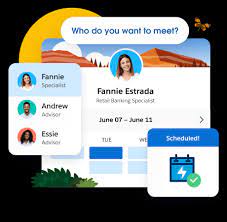
Salesforce Scheduler provides the objects required for appointment scheduling and an app that makes it easy to set up Scheduler. It provides preconfigured, customizable flows and rules that provide appointment booking experience. It also provides business APIs to create appointment booking experiences.

Read More
salesforce integrations

Salesforce Integrations

How do you make Salesforce even better? Integrate it with all the third party apps you already use. From productivity to marketing to collaboration and beyond, now you can connect your Salesforce to the other tools you need to run your business. MuleSoft is Salesforce’s integration and automation technology and offers connectivity solutions for all of your apps. Learn more about Salesforce integrations. Streamline your team’s workflow and increase productivity by syncing G Suite by Google Cloud with Salesforce. Increase team collaboration and efficiency with the Slack and Salesforce integration. Increase sales while generating accurate financial data by integrating Quickbooks and Salesforce. Make it easier to manage email lists and contact records by connecting directly MailChimp to Salesforce. Target and engage the right buyers and save valuable time with the LinkedIn and Salesforce integration. Connect DocuSign to Salesforce and send, sign and track agreements and approvals on any device. Integrate Jira and Salesforce and make it easier to monitor the progress of your projects. Use the HelloSign integration to simplify the process for preparing and tracking e-signature documents. Build customer apps lightning fast, with the Salesforce and CodeScience integration. Connect ActiveCampaign and Salesforce to accelerate business growth with automated one to one experiences that connect across all channels and through the entire customer lifecycle. Sync documents to keep files updated and organized, with the Dropbox and Salesforce integration. This is just the beginning of the ways that integrating Salesforce with your other systems can increase employee productivity, automate data transfer, reduce human error, and make everyone happier. If you have questions about integrating your systems with Salesforce, contact Tectonic today. Like1 Related Posts AI Automated Offers with Marketing Cloud Personalization AI-Powered Offers Elevate the relevance of each customer interaction on your website and app through Einstein Decisions. Driven by a Read more Salesforce OEM AppExchange Expanding its reach beyond CRM, Salesforce.com has launched a new service called AppExchange OEM Edition, aimed at non-CRM service providers. Read more The Salesforce Story In Marc Benioff’s own words How did salesforce.com grow from a start up in a rented apartment into the world’s Read more Salesforce Jigsaw Salesforce.com, a prominent figure in cloud computing, has finalized a deal to acquire Jigsaw, a wiki-style business contact database, for Read more

Read More
Salesforce Heroku

Heroku Explained

scale modern apps. Their platform is characterized by its elegance, flexibility, and user-friendly nature, providing developers with the simplest path to bring their apps to market.

Read More
Salesforce Dialer

Lightning Dialer Salesforce

What is Lightning Dialer Salesforce? Lightning Dialer Salesforce offers an outbound calling product with the option to add inbound calling functionality. You can pay for just the total number of minutes your entire org uses (in blocks of 1,000 minutes). Salesforce recommends first choosing the right Sales Dialer edition for your business needs. Is Salesforce dialer a VOIP? Telephony integration enhances communication and streamlines workflows by allowing users to handle calls, track call data, and access customer information all in one place. Telephony in Salesforce is done through a VOIP (voice over internet protocol) service. What is the difference between power dialer and auto dialer? Power dialing focuses on having a live rep for every moment of every call, so no calls can be made when agents are busy. They connect less qualified prospects to sales reps. With auto dialers, each prospect has to show interest before speaking to a salesperson. Multi-tasking with Lightning Dialer lets your Reps multi-task, all while speaking to your customers and take notes, bundle products, and finalize details. 2. Boost connect and Receive inbound calls: Lightning Dialer also allows your customer service reps to receive Inbound calls at only a little extra cost. Salesforce Lightning Dialer is now Sales Dialer. Content updated February 2024. Like1 Related Posts AI Automated Offers with Marketing Cloud Personalization AI-Powered Offers Elevate the relevance of each customer interaction on your website and app through Einstein Decisions. Driven by a Read more Salesforce OEM AppExchange Expanding its reach beyond CRM, Salesforce.com has launched a new service called AppExchange OEM Edition, aimed at non-CRM service providers. Read more The Salesforce Story In Marc Benioff’s own words How did salesforce.com grow from a start up in a rented apartment into the world’s Read more Salesforce Jigsaw Salesforce.com, a prominent figure in cloud computing, has finalized a deal to acquire Jigsaw, a wiki-style business contact database, for Read more

Read More

Box and Salesforce Integration

What is Box and Salesforce integration? Together, Box and Salesforce integration bring you seamless solutions that make it easy for teams to securely collaborate on the most critical content in Box, without leaving Salesforce. It easily connects with other Apps to share and store the data. Box allows users to create, edit, update, and share files/folders with Salesforce. It has a highly secured authentication process and a customizable user permission to access the files/folders. Your teams and customers expect amazing digital experiences, no matter what tools they use — which means you must deliver a consistent content experience across every app. Together, Box and Salesforce bring you seamlessly integrated solutions. The result? Better customer engagements, faster resolution on support cases, and seamless signatures so organizations can quickly go from quote to cash. Content is at the core of business today — and a driving force for your sales teams. Our integration empowers sales reps to collaborate on content directly in Salesforce, while your organization’s documents are centralized in Box to streamline processes, engage customers, and accelerate sales cycles. With Box for Salesforce, account teams can easily and securely access and share relevant files from any device, no matter if they’re at home, in the office, or out in the field. Box – Secure File Sharing — From file creation and sharing, to e-signing and retention — one secure place for it all.  Like Related Posts AI Automated Offers with Marketing Cloud Personalization AI-Powered Offers Elevate the relevance of each customer interaction on your website and app through Einstein Decisions. Driven by a Read more Salesforce OEM AppExchange Expanding its reach beyond CRM, Salesforce.com has launched a new service called AppExchange OEM Edition, aimed at non-CRM service providers. Read more The Salesforce Story In Marc Benioff’s own words How did salesforce.com grow from a start up in a rented apartment into the world’s Read more Salesforce Jigsaw Salesforce.com, a prominent figure in cloud computing, has finalized a deal to acquire Jigsaw, a wiki-style business contact database, for Read more

Read More
Salesforce Contact Key

What is the Contact Key in Salesforce?

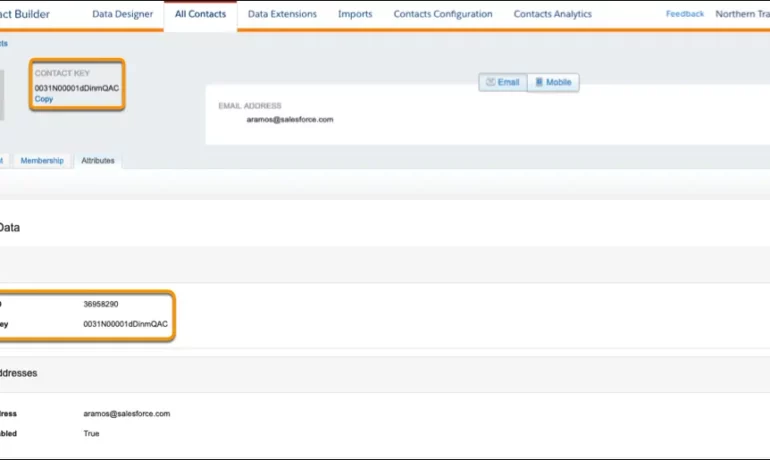
The contact key in Salesforce, also known as a subscriber key, is a unique identifier for a contact in Marketing Cloud MobilePush. Use this value to associate cross-channel addresses and subscriptions for a single contact. You can use the same key for a contact across multiple channels, such as email, SMS, and push messaging. What are contact keys? An immutable object that stores information about a single contact, such as the contact’s first name, phone numbers, and addresses. What is a Salesforce Subscriber key? A subscriber key is a text field that contains a value that uniquely identifies a subscriber in your Marketing Cloud account. A subscriber key is limited to 254 English characters. Avoid using email addresses as subscriber keys. What is the difference between subscriber key and contact key? This key is used to identify a single person across multiple channels inside of Marketing Cloud. In Email Studio, that key is called the “Subscriber Key”. In other channels, such as Mobile Connect or Mobile Push, that value is called “Contact Key”. What is the difference between contacts and subscribers? A subscriber in SFMC primarily represents an individual’s email communication preferences and is associated with email campaigns, while a contact represents a broader customer profile that includes information beyond email, allowing you to engage with customers across various channels. What is the difference between contact ID and contact key? The Contact Key gives you this ability and consistence. Existence of the contact key gives you the consistence of sending messages thru multiple channels and identify your contacts. Email and Text Message channels in our case. Contact ID is a unique number for your contacts in Salesforce Marketing Cloud. What is a subscriber key in Marketing Cloud? A subscriber is a person who has opted to receive communications from your organization. You can track information about subscribers using profile and preference attributes. Use the subscriber key to identify your subscribers in Marketing Cloud. Create lists or data extensions to store your subscribers. What is the difference between contact and subscriber in Marketing Cloud? Key Differences: Purpose: Contacts store customer data and facilitate segmentation and personalization efforts. Subscribers represent individuals who have subscribed to receive communications from your organization. Primary key is  a column or set of columns that uniquely identifies the record in the table. When a primary key is defined using multiple columns, the data from each column is used to determine whether a record/row is unique. Like Related Posts AI Automated Offers with Marketing Cloud Personalization AI-Powered Offers Elevate the relevance of each customer interaction on your website and app through Einstein Decisions. Driven by a Read more Salesforce OEM AppExchange Expanding its reach beyond CRM, Salesforce.com has launched a new service called AppExchange OEM Edition, aimed at non-CRM service providers. Read more The Salesforce Story In Marc Benioff’s own words How did salesforce.com grow from a start up in a rented apartment into the world’s Read more Salesforce Jigsaw Salesforce.com, a prominent figure in cloud computing, has finalized a deal to acquire Jigsaw, a wiki-style business contact database, for Read more

Read More
Salesforce analytics insurance

Cool Ways to Use Surveys With Salesforce

Leveraging survey forms is an effective way to gather real-life insights from individuals crucial to your organization. Salesforce facilitates survey integration either through Salesforce Surveys and Feedback Management (add-on license) or by seamlessly integrating web forms with Salesforce. Storing feedback in your CRM, linked to comprehensive contact information, is an obvious advantage. Salesforce surveys give you real-time feedback.  However, adopting an integrated web form approach offers additional benefits. Here are seven ideas to enhance your survey integration with Salesforce, ensuring valuable customer insights: Integrating survey forms with Salesforce is a strategic move to enhance customer experience and internal processes. Implementing these tips will not only improve the effectiveness of your Salesforce surveys but also align internal practices with best standards. Choose a tip that fits your needs and contributes to the success of your Salesforce surveys. Like Related Posts AI Automated Offers with Marketing Cloud Personalization AI-Powered Offers Elevate the relevance of each customer interaction on your website and app through Einstein Decisions. Driven by a Read more Salesforce OEM AppExchange Expanding its reach beyond CRM, Salesforce.com has launched a new service called AppExchange OEM Edition, aimed at non-CRM service providers. Read more The Salesforce Story In Marc Benioff’s own words How did salesforce.com grow from a start up in a rented apartment into the world’s Read more Salesforce Jigsaw Salesforce.com, a prominent figure in cloud computing, has finalized a deal to acquire Jigsaw, a wiki-style business contact database, for Read more

Read More
Salesforce AI Einstein Next Best Action

Salesforce AI Einstein Next Best Action

Salesforce AI Einstein Next Best Action is a feature designed to identify the most effective actions available to agents and customers in real-time. Operating as a recommendation engine powered by extensive data analysis, it facilitates a dynamic workflow aimed at optimizing the customer pipeline. Tailoring recommendations to specific individuals at opportune moments is made effortless with Einstein Next Best Action. This Salesforce Platform feature enables the configuration of business rules and filters to present the most suitable course of action for any user. It offers a diverse range of recommended actions directly accessible within Salesforce, enhancing decision-making processes. Salesforce AI Einstein Next Best Action for Personalization Personalizing the customer experience: Next Best Action (NBA) empowers organizations to customize their interactions with customers based on individual preferences, behaviors, and historical data. This fosters a more personalized and pertinent experience, ultimately boosting customer satisfaction and fostering loyalty. What is Einstein’s Next Best Action for upselling? NBA continuously evaluates real-time customer data to deliver personalized recommendations for the most effective actions to take, whether it involves cross-selling, upselling, or addressing a customer concern. These recommendations consider various factors such as customer history, product usage, and behavioral patterns. Salesforce AI Einstein Next Best Action Cost Is Einstein Next Best Action free? Einstein Next Best Action operates on a usage-based entitlement model. Every organization receives a monthly allotment of free Next Best Action requests. If usage exceeds this free allowance or any purchased entitlements, Salesforce communicates with the organization to discuss additional options for their contract. Next Best Action is a paid Salesforce product but also offers free usage for up to 5000 requests each month. What is the Next Best Action strategy? Next-best-action marketing, also known as best next action or recommended action, is a customer-centric marketing approach that assesses various actions applicable to a specific customer and determines the most favorable course of action. It’s a subset of next-best-action decision-making focused on optimizing customer interactions. The Salesforce Einstein feature is being renamed Agentforce. Conent editingd June 2025, Shannan Hearne. Like1 Related Posts AI Automated Offers with Marketing Cloud Personalization AI-Powered Offers Elevate the relevance of each customer interaction on your website and app through Einstein Decisions. Driven by a Read more Salesforce OEM AppExchange Expanding its reach beyond CRM, Salesforce.com has launched a new service called AppExchange OEM Edition, aimed at non-CRM service providers. Read more The Salesforce Story In Marc Benioff’s own words How did salesforce.com grow from a start up in a rented apartment into the world’s Read more Salesforce Jigsaw Salesforce.com, a prominent figure in cloud computing, has finalized a deal to acquire Jigsaw, a wiki-style business contact database, for Read more

Read More
Salesforce Supports Babies and Their Families

Set Up Record Alerts

Set up the components required for Record Alerts, including OmniStudio FlexCard components and integration procedures, custom severity values, and alert categories. Like Related Posts AI Automated Offers with Marketing Cloud Personalization AI-Powered Offers Elevate the relevance of each customer interaction on your website and app through Einstein Decisions. Driven by a Read more Salesforce OEM AppExchange Expanding its reach beyond CRM, Salesforce.com has launched a new service called AppExchange OEM Edition, aimed at non-CRM service providers. Read more The Salesforce Story In Marc Benioff’s own words How did salesforce.com grow from a start up in a rented apartment into the world’s Read more Salesforce Jigsaw Salesforce.com, a prominent figure in cloud computing, has finalized a deal to acquire Jigsaw, a wiki-style business contact database, for Read more

Read More
How Good is Our Data

Agiloft Salesforce Integration

Optimize organizational efficiency, performance, and value by automating contracts with Agiloft Contract Lifecycle Management Software. Regain control and streamline processes through seamless integration with Salesforce. Read on about Agiloft Salesforce integration to learn more. Agiloft’s core platform offers direct integrations that facilitate interaction within your daily tools. Collaborate effortlessly in Microsoft Teams, Outlook, and Office, exchange data seamlessly in Salesforce, and create actionable dashboards in Tableau or Power BI. Integration works in two directions: inbound and outbound. Inbound integration occurs when an external system initiates contact with Salesforce, while outbound integration involves Salesforce initiating contact with an external system. Wondering about the cloud aspect? Agiloft is purposefully designed as a pure web application with full multi-tenancy support. It stands out by being available as a Hosted Cloud service and also for deployment on-premise, providing flexibility to suit your specific needs. Agiloft Salesforce integration is one of the many Salesforce integrations Tectonic can handle. Extend your Salesforce CRM Experience by adding a no-code, AI-powered Contract Lifecycle Management (CLM) solution. Eliminate red tape and automate the contracting process Full Salesforce integration with one-click contract creation of proposals, MSAs, and other agreements as well as automated approval processes integrated with email, SMS, and e-signature. Minimize revenue leakage from contracts Keep track of performance obligations, contract end-dates, renewals, and invoicing as well as recommend actions to maximize revenue. Build custom dashboards to track KPIs and issue alerts as required. Like Related Posts AI Automated Offers with Marketing Cloud Personalization AI-Powered Offers Elevate the relevance of each customer interaction on your website and app through Einstein Decisions. Driven by a Read more Salesforce OEM AppExchange Expanding its reach beyond CRM, Salesforce.com has launched a new service called AppExchange OEM Edition, aimed at non-CRM service providers. Read more The Salesforce Story In Marc Benioff’s own words How did salesforce.com grow from a start up in a rented apartment into the world’s Read more Salesforce Jigsaw Salesforce.com, a prominent figure in cloud computing, has finalized a deal to acquire Jigsaw, a wiki-style business contact database, for Read more

Read More
gettectonic.com