- gettectonic.com - Page 2
Engage Your Community with Experience Cloud

Community Cloud for Nonprofits: A Comprehensive Overview

Editors Note: Salesforce Community Cloud is now known as Salesforce Experience Cloud A “Community Cloud for Nonprofits” is a cloud-based platform, often built on Salesforce’s Community Cloud, designed to help nonprofit organizations create online communities. These communities serve as centralized hubs where nonprofits can connect with donors, volunteers, beneficiaries, and other stakeholders. The platform facilitates information sharing, collaboration, and engagement, empowering nonprofits to strengthen relationships and advance their missions. Key Features of Community Cloud for Nonprofits The platform is typically powered by Salesforce’s Community Cloud, which offers a robust foundation for building and managing online communities. Key functionalities include: Benefits of Community Cloud for Nonprofits Implementing a Community Cloud platform offers numerous advantages for nonprofit organizations: Why Community Cloud is a Game-Changer for Nonprofits Salesforce’s Community Cloud provides nonprofits with a powerful tool to centralize communication, enhance stakeholder engagement, and improve operational efficiency. By creating a dedicated online community, nonprofits can build stronger relationships with donors, empower volunteers, support beneficiaries, and collaborate effectively with partners. In summary, a Community Cloud for nonprofits is more than just a platform—it’s a transformative solution that helps organizations amplify their impact, streamline operations, and create meaningful connections within their ecosystem. Content updated October 2024. Like Related Posts Who is Salesforce? Who is Salesforce? Here is their story in their own words. From our inception, we’ve proudly embraced the identity of Read more Salesforce Marketing Cloud Transactional Emails Salesforce Marketing Cloud Transactional Emails are immediate, automated, non-promotional messages crucial to business operations and customer satisfaction, such as order Read more Salesforce Unites Einstein Analytics with Financial CRM Salesforce has unveiled a comprehensive analytics solution tailored for wealth managers, home office professionals, and retail bankers, merging its Financial Read more AI-Driven Propensity Scores AI plays a crucial role in propensity score estimation as it can discern underlying patterns between treatments and confounding variables Read more


Read More
Granular Locking in Salesforce

WithSecure Cloud Protection for Salesforce

WithSecure Cloud Protection for Salesforce: Comprehensive Cloud Security Solution WithSecure Cloud Protection for Salesforce is a robust, cloud-based security solution designed to enhance and extend the existing security features of the Salesforce platform. This solution thoroughly inspects content entering or leaving the Salesforce cloud, ensuring that files or URLs exchanged within a Salesforce organization are safeguarded against potential cyber threats targeting your company, partners, or customers. Key Features of WithSecure Cloud Protection for Salesforce 1. Salesforce Application and WithSecure Security Cloud Integration: 2. Real-time Threat Intelligence: 3. Impact on Salesforce Usage: Setting Up File Protection 1. Configuring File Protection Scan Settings: 2. Handling Disallowed Content: Setting Up URL Protection 1. Configuring URL Protection Scan Settings: WithSecure Cloud Protection for Salesforce delivers robust security enhancements without requiring additional software installations or network configurations. It ensures comprehensive protection against evolving cyber threats while seamlessly integrating into your existing Salesforce environment. Like Related Posts Who is Salesforce? Who is Salesforce? Here is their story in their own words. From our inception, we’ve proudly embraced the identity of Read more Salesforce Marketing Cloud Transactional Emails Salesforce Marketing Cloud Transactional Emails are immediate, automated, non-promotional messages crucial to business operations and customer satisfaction, such as order Read more Salesforce Unites Einstein Analytics with Financial CRM Salesforce has unveiled a comprehensive analytics solution tailored for wealth managers, home office professionals, and retail bankers, merging its Financial Read more AI-Driven Propensity Scores AI plays a crucial role in propensity score estimation as it can discern underlying patterns between treatments and confounding variables Read more

Read More
Industry Cloud

Tectonic’s Salesforce Industry Experience

Tectonic’s Salesforce Industry Experience spans 16+ years of work focused on certain industry areas. Tectonic has worked in all of the following industries implementing and customizing Salesforce: Put Tectonic’s Industry Experience to work for your organization. Our industry and Salesforce expertise will have you up and running in no time. Casino Case Study Government Case Study Healthcare Payer Case Study Tectonic’s Salesforce Industry Experience Implementing Salesforce can be complex. Getting it wrong can be costly. From 5 to 5000 users, across Sales, Service and Marketing clouds, Tectonic has the process and patterns to help you plan, design and implement your solution right the first time. Whether this is your first Salesforce implementation or expansion of users or additional clouds, we can guide you from inception to delivery. Misalignment of your business needs and your system configuration create low adoption and usage rates that erode your Salesforce ROI. Tectonic’s technology professionals use our proven industry expertise and collaborate with business partners to deliver business value. From minor tweaks and retraining to reimplementation, we assess your situation and execute a customized solution to meet your needs. Like Related Posts Who is Salesforce? Who is Salesforce? Here is their story in their own words. From our inception, we’ve proudly embraced the identity of Read more Salesforce Marketing Cloud Transactional Emails Salesforce Marketing Cloud Transactional Emails are immediate, automated, non-promotional messages crucial to business operations and customer satisfaction, such as order Read more Salesforce Unites Einstein Analytics with Financial CRM Salesforce has unveiled a comprehensive analytics solution tailored for wealth managers, home office professionals, and retail bankers, merging its Financial Read more AI-Driven Propensity Scores AI plays a crucial role in propensity score estimation as it can discern underlying patterns between treatments and confounding variables Read more

Read More

Salesforce Reports Explained

Salesforce Reports: A Complete Guide to Data Analysis & Insights What Are Salesforce Reports? Salesforce Reports empower users to access, analyze, and share critical business data stored in Salesforce. They transform raw data into actionable insights, helping teams track performance, identify trends, and make data-driven decisions. Reports can be customized, visualized in dashboards, and shared across teams for better collaboration. Key Types of Salesforce Reports Salesforce offers four main report types, each suited for different analytical needs: 1. Tabular Reports 2. Summary Reports 3. Matrix Reports 4. Joined Reports How to Create & Customize Reports Step 1: Navigate to the Reports Tab Step 2: Customize Your Report Step 3: Save & Share Advanced Analysis with Salesforce Reports Einstein Analytics Dynamic Filters Scheduled Reports Best Practices for Effective Reporting ✅ Define a Clear Purpose – What decision will this report drive?✅ Keep It User-Friendly – Use charts, summaries, and clear labels.✅ Ensure Data Accuracy – Regularly review filters & formulas.✅ Share Strategically – Grant access only to relevant stakeholders.✅ Automate Where Possible – Schedule reports to save time. Conclusion: Unlock the Power of Salesforce Reports Salesforce Reports turn raw data into strategic insights, helping businesses track performance, optimize processes, and drive growth. By mastering report types, customization, and sharing, teams can make faster, smarter decisions. Need help? Explore Salesforce’s Report Builder or check out Trailhead for hands-on training! Like Related Posts Who is Salesforce? Who is Salesforce? Here is their story in their own words. From our inception, we’ve proudly embraced the identity of Read more Salesforce Marketing Cloud Transactional Emails Salesforce Marketing Cloud Transactional Emails are immediate, automated, non-promotional messages crucial to business operations and customer satisfaction, such as order Read more Salesforce Unites Einstein Analytics with Financial CRM Salesforce has unveiled a comprehensive analytics solution tailored for wealth managers, home office professionals, and retail bankers, merging its Financial Read more AI-Driven Propensity Scores AI plays a crucial role in propensity score estimation as it can discern underlying patterns between treatments and confounding variables Read more

Read More
ROI with Salesforce Campaigns

Capture ROI with Salesforce Campaigns in Sales Cloud

Efficiently Manage and Monitor Marketing Initiatives with Salesforce Campaigns. Aligning your campaign structure with business processes enables comprehensive reporting of ongoing marketing performance and return on investment (ROI) across various activities and segments. Calculating ROI for a Campaign in Salesforce: ROI percentage is determined by dividing the net gain (Value Won Opportunities in Campaign – Actual Cost) by the Actual Cost. Campaign ROI Analysis Report: Located on the Reports tab in the Campaign Reports folder, this report evaluates campaign performance using ROI and average cost. For each campaign in the report: Distinguishing Campaign Influence from ROI Reports: Campaign influence tracks pipeline and revenue for multiple campaigns, associating all campaigns of a contact role with an opportunity for pipeline and ROI reporting. This is particularly beneficial for extended deal cycles involving contributions from more than one campaign. Simple ROI Calculation: Sales growth minus marketing costs, divided by marketing cost, expresses the simple ROI as a percentage. Utilizing ROI with Salesforce Campaigns: Salesforce Campaigns serve as a crucial Salesforce object for marketers, acting as a centralized hub for campaign recipients, engagement, budget, and ROI. While initially appearing straightforward, Salesforce Campaigns reveal deeper interconnectedness within your Salesforce org as you delve further. Creating a Salesforce Campaign: Adding an Opportunity to a Campaign in Salesforce: Users can associate existing Opportunities with Campaign records by adding a standard field to the Opportunity record page layout. Editing the Opportunity Page Layout involves clicking the Opportunity tab and opening an Opportunity record. Differentiating Between Campaign and Opportunity in Salesforce: Opportunities can have only “One Primary Campaign,” while Campaign Influence allows one opportunity to be associated with multiple campaigns. Sales vs. Marketing Campaigns: Sales teams focus on moving individual prospects through the sales pipeline, while marketers concentrate on planning, executing campaigns, and producing content and marketing assets. Sometimes the same person or team develops content and campaigns for both. In larger organizations separate teams may work on each. Utilizing Campaign Hierarchy in Salesforce: Admins add the Parent Campaign field to campaign records before users can create a hierarchy. To build a tree of campaigns, users enter the campaign name into the Parent Campaign field, creating family units. A campaign hierarchy supports only one currency in its child campaigns. For help setting up and implementing Salesforce Campaigns contact Tectonic today. Like1 Related Posts Salesforce Marketing Cloud Transactional Emails Salesforce Marketing Cloud Transactional Emails are immediate, automated, non-promotional messages crucial to business operations and customer satisfaction, such as order Read more Asset Management Salesforce Can Salesforce do asset management? You can manage assets in Consumer Goods (desktop) and in the Consumer Goods offline mobile Read more Lookup Relationship in Salesforce What is Lookup relationship in Salesforce? Salesforce’s lookup relationships is a significant capability that allows users to connect two objects Read more Listview in Salesforce What is a listview in Salesforce? A list view is a filtered list of records where you can view records Read more

Read More
When to Implement Salesforce Shield

When to Implement Salesforce Shield

When to Implement Salesforce Shield: Your Guide to Advanced Data Protection Who Needs Salesforce Shield? Salesforce Shield is essential for organizations that: 5 Critical Use Cases for Salesforce Shield 1. Protecting Ultra-Sensitive Data 2. Meeting Tough Compliance Standards 3. Preventing Security Breaches 4. Maintaining Ironclad Records 5. Governing Privileged Access Key Considerations Before Implementing ✔ Budget Impact ✔ Implementation Strategy ✔ Deployment Planning Industries That Benefit Most 🏥 Healthcare – PHI protection & HIPAA compliance💳 Financial Services – PCI DSS & SOX requirements⚖️ Legal – Client confidentiality & eDiscovery needs🌐 Global Enterprises – Multi-national privacy regulations The Bottom Line Salesforce Shield transforms your CRM from a business tool into a secure, compliant data fortress. While the investment is significant, the protection it provides is non-negotiable for organizations handling sensitive data under strict regulations. Need help determining if Shield is right for your org? Contact our security experts for a customized assessment.  Like Related Posts Who is Salesforce? Who is Salesforce? Here is their story in their own words. From our inception, we’ve proudly embraced the identity of Read more Salesforce Marketing Cloud Transactional Emails Salesforce Marketing Cloud Transactional Emails are immediate, automated, non-promotional messages crucial to business operations and customer satisfaction, such as order Read more Salesforce Unites Einstein Analytics with Financial CRM Salesforce has unveiled a comprehensive analytics solution tailored for wealth managers, home office professionals, and retail bankers, merging its Financial Read more AI-Driven Propensity Scores AI plays a crucial role in propensity score estimation as it can discern underlying patterns between treatments and confounding variables Read more
Read More
AMPScript Editor Explained

ADD Ampscript Function

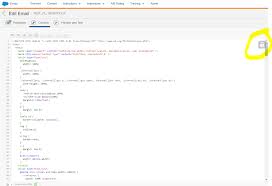
This function returns the sum of two numbers. Arguments Add(1,2) Ordinal Type Required Description 1 Number True First value 2 Number True Second value Example 1 %%[ var @sum, @num1, @num2 set @num1 = 5 set @num2 = 42 set @sum  = Add(@num1, @num2) ]%% %%=v(@num1)=%% + %%=v(@num2)=%% = %%=v(@sum)=%% Copy Output 5 + 42 = 47 The Add function can be used to return the sum of two numbers. Use case: the Add function can be used for a quick way to get a sum of two numerical values. For example, if you add the sum of the last two purchases of a customer. Note that this function is limited to just two numbers in the equation but more numbers can be nested together by adding another Add function. Syntax: Copy Code Add(1,2) 1 = Number of the first value in addition (number or decimal datatype) 2 = Number of the second value in addition equation (number or decimal datatype) Example: Copy Code %%[ set @numbervar1 = ‘115.23’ set @numbervar2 = ‘305.46’ ]%% %%=Add(@numbervar1,@numbervar2)=%% Output: 420.69 Explanation: In the Add example above, the two variables are hardcoded with the numbers ‘115.23’ and ‘305.46.’ Adding both of those numbers together gets you the number of 420.69 (nice!) The Add function can be used for whole numbers or decimals. The datatype for these values should be a number datatype or decimal or you can hardcode the numbers as it is shown in the example above. Related functions are the Divide, Multiply, and Subtract functions. Like Related Posts Who is Salesforce? Who is Salesforce? Here is their story in their own words. From our inception, we’ve proudly embraced the identity of Read more Salesforce Unites Einstein Analytics with Financial CRM Salesforce has unveiled a comprehensive analytics solution tailored for wealth managers, home office professionals, and retail bankers, merging its Financial Read more AI-Driven Propensity Scores AI plays a crucial role in propensity score estimation as it can discern underlying patterns between treatments and confounding variables Read more Tectonic’s Successful Salesforce Track Record Salesforce Technology Services Integrator – Tectonic has successfully delivered Salesforce in a variety of industries including Public Sector, Hospitality, Manufacturing, Read more
Read More
gettectonic.com