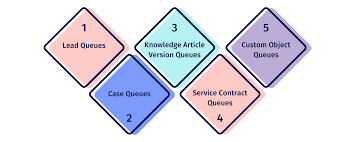
Salesforce Queues Explained
A Comprehensive Guide to Salesforce Queues Salesforce Queues play a pivotal role in streamlining the prioritization, distribution, and assignment of records among teams with shared workloads. This guide provides step-by-step instructions for setting up your initial queue. For utilizing queues for distribution. Read on for Salesforce Queues. Understanding Salesforce Queues Role Salesforce Queues enable users to prioritize, distribute, and assign records, making them ideal for teams sharing workloads. By bringing together groups of users, queues effectively manage shared work and ensure visibility into pending tasks, even during team members’ absences. Records are held in queues until a team member claims ownership, either individually or on behalf of another user. This is a powerful way that Salesforce prevents leads and cases from falling through the cracks. Key Features of a Salesforce Queue Components of a Salesforce Queue Salesforce Queues consist of several elements to ensure seamless operation: Adding Salesforce Records to Queues Records are added to queues by updating the record owner, utilizing automatic assignment rules, or through manual updates. These assignment rules, whether automatic or manual, define criteria for routing records based on their attributes. Queues vs. Groups in Salesforce Salesforce Queues and Groups serve distinct purposes: Creating a Salesforce Queue: Lead Queue Example Here’s how to create a lead queue for EMEA Leads: Testing and Reporting with Salesforce Queues Expanding Usage to Various Teams Salesforce Queues can manage various record types, including cases, leads, tasks, contact requests, orders, service contracts, knowledge articles, and custom objects. Different teams can benefit from queues for high-priority cases, new projects, webinar follow-up tasks, and more. Limitations and Summary While Salesforce Queues offer flexibility with multiple queues, it’s essential to avoid overwhelming users. They provide collaborative benefits and versatile applications across diverse teams, making them a valuable tool for managing shared workloads and enhancing productivity. Like Related Posts Who is Salesforce? Who is Salesforce? Here is their story in their own words. From our inception, we’ve proudly embraced the identity of Read more Salesforce Marketing Cloud Transactional Emails Salesforce Marketing Cloud Transactional Emails are immediate, automated, non-promotional messages crucial to business operations and customer satisfaction, such as order Read more Salesforce Unites Einstein Analytics with Financial CRM Salesforce has unveiled a comprehensive analytics solution tailored for wealth managers, home office professionals, and retail bankers, merging its Financial Read more AI-Driven Propensity Scores AI plays a crucial role in propensity score estimation as it can discern underlying patterns between treatments and confounding variables Read more