

Azure Archives - gettectonic.com - Page 3
Collaborative Business Intelligence

Collaborative Business Intelligence

Collaborative Business Intelligence: Connecting Data and Teams In today’s data-driven world, the ability to interact with business intelligence (BI) tools is essential for making informed decisions. Collaborative business intelligence (BI), also known as social BI, allows users to engage with their organization’s data and communicate with data experts through the same platforms where they already collaborate. While self-service BI empowers users to generate insights, understanding the data’s context is critical to avoid misunderstandings that can derail decision-making. Collaborative BI integrates BI tools with collaboration platforms to bridge the gap between data analysis and communication, reducing the risks of misinterpretation. Traditional Business Intelligence Traditional BI involves the use of technology to analyze data and present insights clearly. Before BI platforms became widespread, data scientists and statisticians handled data analysis, making it challenging for non-technical professionals to digest the insights. BI evolved to automate visualizations, such as charts and dashboards, making data more accessible to business users. Previously, BI reports were typically available only to high-level executives. However, modern self-service BI tools democratize access, enabling more users—regardless of technical expertise—to create reports and visualize data, fostering better decision-making across the organization. The Emergence of Collaborative BI Collaborative BI is a growing trend, combining BI applications with collaboration tools. This approach allows users to work together synchronously or asynchronously within a shared platform, making it easier to discuss data reports in real time or leave comments for others to review. Whether it’s through Slack, Microsoft Teams, or social media apps, users can receive and discuss BI insights within their usual communication channels. This seamless integration of BI and collaboration tools offers a competitive edge, simplifying the process of sharing knowledge and clarifying data without switching between applications. Key Benefits of Collaborative Business Intelligence Leading Collaborative BI Platforms Here’s a look at some of the top collaborative BI platforms driving innovation in the market: Conclusion Collaborative BI empowers organizations by improving decision-making, democratizing data access, optimizing data quality, and ensuring data security. By integrating BI tools with collaboration platforms, businesses can streamline their operations, foster a culture of data-driven decision-making, and enhance overall efficiency. Choosing the right platform is key to maximizing the benefits of collaborative BI. Like Related Posts Who is Salesforce? Who is Salesforce? Here is their story in their own words. From our inception, we’ve proudly embraced the identity of Read more Salesforce Marketing Cloud Transactional Emails Salesforce Marketing Cloud Transactional Emails are immediate, automated, non-promotional messages crucial to business operations and customer satisfaction, such as order Read more Salesforce Unites Einstein Analytics with Financial CRM Salesforce has unveiled a comprehensive analytics solution tailored for wealth managers, home office professionals, and retail bankers, merging its Financial Read more AI-Driven Propensity Scores AI plays a crucial role in propensity score estimation as it can discern underlying patterns between treatments and confounding variables Read more


Read More
More Cool AI Tools

Demystifying AI: Separating Fact from Fiction

1. The Consciousness Conundrum Myth: AI possesses human-like intelligence and consciousnessReality: Today’s AI, including advanced generative models, operates through pattern recognition—not genuine understanding. These systems process language statistically, without consciousness or emotional experience. Key Insight: AI can write poetry but doesn’t feel inspiration; it analyzes medical images without comprehending suffering. 2. The Future of Work Myth: AI will make human workers obsoleteReality: While AI automates 40-50% of repetitive tasks (McKinsey), it’s creating more jobs than it eliminates. The World Economic Forum predicts AI will generate 97 million new roles by 2025 focused on AI management, training, and ethical oversight. 3. The Bias Blind Spot Myth: AI delivers perfectly objective decisionsReality: A 2023 Stanford study found commercial AI systems exhibit demographic biases at alarming rates. For example: Solution: Regular bias audits and diverse training datasets are essential. 4. Emotional Intelligence Limits Myth: AI experiences human emotionsReality: While sentiment analysis achieves 85-90% accuracy in detecting emotions from text (MIT Tech Review), these systems simulate empathy without experiencing it—like a sophisticated mood ring. 5. The AGI Mirage Myth: Superintelligent AI is imminentReality: Current narrow AI excels at specific tasks but lacks the generalized reasoning of a five-year-old. OpenAI’s GPT-4 scores ~158 on IQ tests (human average: 100), yet fails at basic physical reasoning that toddlers master. 6. Transparency Spectrum Myth: All AI decisions are unexplainableReality: Tools like LIME and SHAP now visualize how models weigh factors in: Emerging Standard: The EU AI Act mandates explainability for high-risk applications. 7. Cost Realities Myth: AI implementation requires massive investmentReality: Cloud-based AI services now offer: 8. The Creativity Gap Myth: AI can replace human ingenuityReality: While AI generates plausible ideas, humans dominate in: 9. The Human-AI Partnership Myth: AI systems are autonomousReality: Every successful AI implementation requires: 10. ROI Realities Myth: AI guarantees business successReality: A 2024 Gartner survey found only 53% of AI projects move past pilot stage. Success factors include: Moving Forward Wisely Understanding these realities helps organizations: “The greatest danger of artificial intelligence isn’t that it will rebel against us, but that we’ll attribute superhuman capabilities to what is ultimately sophisticated pattern matching.”—Adapted from Pedro Domingos, “The Master Algorithm” Like Related Posts Who is Salesforce? Who is Salesforce? Here is their story in their own words. From our inception, we’ve proudly embraced the identity of Read more Salesforce Unites Einstein Analytics with Financial CRM Salesforce has unveiled a comprehensive analytics solution tailored for wealth managers, home office professionals, and retail bankers, merging its Financial Read more AI-Driven Propensity Scores AI plays a crucial role in propensity score estimation as it can discern underlying patterns between treatments and confounding variables Read more Tectonic’s Successful Salesforce Track Record Salesforce Technology Services Integrator – Tectonic has successfully delivered Salesforce in a variety of industries including Public Sector, Hospitality, Manufacturing, Read more

Read More
Salesforce Data Migration Tools

Salesforce Data Migration

Salesforce Data Migration: A Key to CRM Success The migration of data into Salesforce is critical for the efficient functioning of Salesforce CRM. When executed correctly, it reduces data duplication, consolidates customer and operational data into a unified platform, and extends CRM capabilities beyond basic functionalities. Proper data migration serves as the foundation for advanced business intelligence and in-depth analytics. On the other hand, poorly managed migration can lead to transferring incorrect, duplicate, or corrupted data, compromising the system’s reliability. An efficient migration process safeguards data integrity, ensures a seamless transfer to Salesforce, and enhances overall organizational performance. What is Data Migration in Salesforce? Salesforce data migration is the process of transferring data from external systems, databases, or platforms into Salesforce. This process captures critical business information and integrates it into Salesforce’s CRM framework securely. The migration process also involves data cleansing, verification, and transforming data into formats compatible with Salesforce’s structure. Why You Need Salesforce Data Migration Importance Data migration is indispensable for companies looking to modernize their operations and enhance performance. With Salesforce, organizations can: Benefits Migrating Data from Legacy Systems to Salesforce Migrating data from legacy systems to Salesforce is essential for scalability and efficient data management. Key advantages include: Salesforce Data Migration Process Data migration involves transferring data into Salesforce to improve customer engagement and operational workflows. The process ensures data accuracy and compatibility with Salesforce’s architecture. Key Steps for Salesforce Data Migration Types of Salesforce Data Migration Top Salesforce Data Migration Tools Data Archiving in Salesforce Salesforce data archiving involves relocating unused or historical data to a separate storage area. This optimizes system performance and ensures easy access for compliance or analysis. Advantages Top Options for Data Archiving Best Practices for Salesforce Data Migration Conclusion Salesforce data migration is a pivotal step in transforming organizational processes and achieving CRM excellence. When done right, it improves efficiency, eliminates data duplication, and ensures accurate information storage. By following best practices, leveraging appropriate tools, and engaging migration specialists, organizations can unlock Salesforce’s full potential for scalability, automation, and advanced analytics. Successful migration paves the way for better decision-making and future growth. Like Related Posts Who is Salesforce? Who is Salesforce? Here is their story in their own words. From our inception, we’ve proudly embraced the identity of Read more Salesforce Marketing Cloud Transactional Emails Salesforce Marketing Cloud Transactional Emails are immediate, automated, non-promotional messages crucial to business operations and customer satisfaction, such as order Read more Salesforce Unites Einstein Analytics with Financial CRM Salesforce has unveiled a comprehensive analytics solution tailored for wealth managers, home office professionals, and retail bankers, merging its Financial Read more AI-Driven Propensity Scores AI plays a crucial role in propensity score estimation as it can discern underlying patterns between treatments and confounding variables Read more

Read More
Confidential AI Computing in Health

Confidential AI Computing in Health

Accelerating Healthcare AI Development with Confidential Computing Can confidential computing accelerate the development of clinical algorithms by creating a secure, collaborative environment for data stewards and AI developers? The potential of AI to transform healthcare is immense. However, data privacy concerns and high costs often slow down AI advancements in this sector, even as other industries experience rapid progress in algorithm development. Confidential computing has emerged as a promising solution to address these challenges, offering secure data handling during AI projects. Although its use in healthcare was previously limited to research, recent collaborations are bringing it to the forefront of clinical AI development. In 2020, the University of California, San Francisco (UCSF) Center for Digital Health Innovation (CDHI), along with Fortanix, Intel, and Microsoft Azure, formed a partnership to create a privacy-preserving confidential computing platform. This collaboration, which later evolved into BeeKeeperAI, aimed to accelerate clinical algorithm development by providing a secure, zero-trust environment for healthcare data and intellectual property (IP), while facilitating streamlined workflows and collaboration. Mary Beth Chalk, co-founder and Chief Commercial Officer of BeeKeeperAI, shared insights with Healthtech Analytics on how confidential computing can address common hurdles in clinical AI development and how stakeholders can leverage this technology in real-world applications. Overcoming Challenges in Clinical AI Development Chalk highlighted the significant barriers that hinder AI development in healthcare: privacy, security, time, and cost. These challenges often prevent effective collaboration between the two key parties involved: data stewards, who manage patient data and privacy, and algorithm developers, who work to create healthcare AI solutions. Even when these parties belong to the same organization, workflows often remain inefficient and fragmented. Before BeeKeeperAI spun out of UCSF, the team realized how time-consuming and costly the process of algorithm development was. Regulatory approvals, data access agreements, and other administrative tasks could take months to complete, delaying projects that could be finished in a matter of weeks. Chalk noted, “It was taking nine months to 18 months just to get approvals for what was essentially a two-month computing project.” This delay and inefficiency are unsustainable in a fast-moving technology environment, especially given that software innovation outpaces the development of medical devices or drugs. Confidential computing can address this challenge by helping clinical algorithm developers “move at the speed of software.” By offering encryption protection for data and IP during computation, confidential computing ensures privacy and security at every stage of the development process. Confidential Computing: A New Frontier in Healthcare AI Confidential computing protects sensitive data not only at rest and in transit but also during computation, which sets it apart from other privacy technologies like federated learning. With federated learning, data and IP are protected during storage and transmission but remain exposed during computation. This exposure raises significant privacy concerns during AI development. In contrast, confidential computing ensures end-to-end encrypted protection, safeguarding both data and intellectual property throughout the entire process. This enables stakeholders to collaborate securely while maintaining privacy and data sovereignty. Chalk emphasized that with confidential computing, stakeholders can ensure that patient privacy is protected and intellectual property remains secure, even when multiple parties are involved in the development process. As a result, confidential computing becomes an enabling core competency that facilitates faster and more efficient clinical AI development. Streamlining Clinical AI Development with Confidential Computing Confidential computing environments provide a secure, automated platform that facilitates the development process, reducing the need for manual intervention. Chalk described healthcare AI development as a “well-worn goat path,” where multiple stakeholders know the steps required but are often bogged down by time-consuming administrative tasks. BeeKeeperAI’s platform streamlines this process by allowing AI developers to upload project protocols, which are then shared with data stewards. The data steward can determine if they have the necessary clinical data and curate it according to the AI developer’s specifications. This secure collaboration is built on automated workflows, but because the data and algorithms remain encrypted, privacy is never compromised. The BeeKeeperAI platform enables a collaborative, familiar interface for developers and data stewards, allowing them to work together in a secure environment. The software does not require extensive expertise in confidential computing, as BeeKeeperAI manages the infrastructure and ensures that the data never leaves the control of the data steward. Real-World Applications of Confidential Computing Confidential computing has the potential to revolutionize healthcare AI development, particularly by improving the precision of disease detection, predicting disease trajectories, and enabling personalized treatment recommendations. Chalk emphasized that the real promise of AI in healthcare lies in precision medicine—the ability to tailor interventions to individual patients, especially those on the “tails” of the bell curve who may respond differently to treatment. For instance, confidential computing can facilitate research into precision medicine by enabling AI developers to analyze patient data securely, without risking exposure of sensitive personal information. Chalk explained, “With confidential computing, I can drill into those tails and see what was unique about those patients without exposing their identities.” Currently, real-world data access remains a significant challenge for clinical AI development, especially as research moves from synthetic or de-identified data to high-quality, real-world clinical data. Chalk noted that for clinical AI to demonstrate efficacy, improve outcomes, or enhance safety, it must operate on real-world data. However, accessing this data while ensuring privacy has been a major obstacle for AI teams. Confidential computing can help bridge this “data cliff” by providing a secure environment for researchers to access and utilize real-world data without compromising privacy. Conclusion While the use of confidential computing in healthcare is still evolving, its potential is vast. By offering secure data handling throughout the development process, confidential computing enables AI developers and data stewards to collaborate more efficiently, overcome regulatory hurdles, and accelerate clinical AI advancements. This technology could help realize the promise of precision medicine, making personalized healthcare interventions safer, more effective, and more widely available. Chalk highlighted that many healthcare and life sciences organizations are exploring confidential computing use cases, particularly in neurology, oncology, mental health, and rare diseases—fields that require the use of

Read More
Salesforce Hyperforce

Salesforce Hyperforce in 2025

Salesforce Hyperforce in 2025: The Multi-Cloud Revolution By 2025, 78% of enterprise customers have adopted Salesforce Hyperforce, running multi-cloud deployments across AWS, GCP, and Azure simultaneously. What began as a flexibility advantage has become the non-negotiable backbone of zero-trust security, enabling cross-cloud data residency that was unthinkable just months ago. This insight reveals the five critical security patterns top enterprises are implementing—and the third one is sparking fierce debate among compliance teams. Hyperforce in 2025: Market Dominance & Strategic Impact A. Key Milestones in Hyperforce’s 3-Year Evolution Since its 2022 acceleration, Hyperforce has shattered every single roadmap target: B. How Hyperforce Redefined Enterprise Cloud Strategy Enterprises no longer debate whether to migrate—they strategize which cloud to use for each workload. The result? Faster innovation, reduced vendor lock-in, and unprecedented flexibility. Multi-Cloud Mastery: AWS, GCP & Azure in Action A. Why Multi-Cloud is Now Mandatory B. AWS: Powering Compliance & Serverless Workflows C. GCP: AI & Analytics at Hyperscale D. Azure: Seamless Microsoft 365 Integration E. Performance Benchmarks: Which Cloud Wins? Metric AWS GCP Azure Transaction Speed 15ms 18ms 16ms Data Transfer Cost High Low Medium Global Availability 27 22 25 AI Integration Good Best Very Good AWS leads in speed, GCP dominates cost-efficiency, and Azure excels in enterprise integration. Security Breakthroughs: Zero-Trust & Data Sovereignty Enterprise Migration: How to Deploy at Scale A. Proven Migration Strategies B. Real-World Success Stories What’s Next? Hyperforce’s 2025 Roadmap Conclusion: Hyperforce is the Enterprise Standard Salesforce Hyperforce has redefined cloud infrastructure—delivering multi-cloud agility, ironclad security, and 43% cost savings. For finance, healthcare, and global enterprises, it’s no longer optional. Ready to future-proof your cloud strategy? [Inquire Now] to speak with a Hyperforce specialist. Leverage Tectonic’s Salesforce Development Services—migrate, secure, and scale with Hyperforce today! Like Related Posts Who is Salesforce? Who is Salesforce? Here is their story in their own words. From our inception, we’ve proudly embraced the identity of Read more Salesforce Marketing Cloud Transactional Emails Salesforce Marketing Cloud Transactional Emails are immediate, automated, non-promotional messages crucial to business operations and customer satisfaction, such as order Read more Salesforce Unites Einstein Analytics with Financial CRM Salesforce has unveiled a comprehensive analytics solution tailored for wealth managers, home office professionals, and retail bankers, merging its Financial Read more AI-Driven Propensity Scores AI plays a crucial role in propensity score estimation as it can discern underlying patterns between treatments and confounding variables Read more

Read More
The Growing Role of AI in Cloud Management

The Growing Role of AI in Cloud Management

AI technologies are redefining cloud management by automating IT systems, improving security, optimizing cloud costs, enhancing data management, and streamlining the provisioning of AI services across complex cloud ecosystems. With the surging demand for AI, its ability to address technological complexities makes a unified cloud management strategy indispensable for IT teams. Cloud and security platforms have steadily integrated AI and machine learning to support increasingly autonomous IT operations. The rapid rise of generative AI (GenAI) has further spotlighted these AI capabilities, prompting vendors to prioritize their development and implementation. Adnan Masood, Chief AI Architect at UST, highlights the transformative potential of AI-driven cloud management, emphasizing its ability to oversee vast data centers hosting millions of applications and services with minimal human input. “AI automates tasks such as provisioning, scaling, cost management, monitoring, and data migration,” Masood explains, showcasing its wide-ranging impact. From Reactive to Proactive Cloud Management Traditionally, CloudOps relied heavily on manual intervention and expertise. AI has shifted this paradigm, introducing automation, predictive analytics, and intelligent decision-making. This evolution enables enterprises to transition from reactive, manual management to proactive, self-optimizing cloud environments. Masood underscores that this shift allows cloud systems to self-manage and optimize with minimal human oversight. However, organizations must navigate challenges, including complex data integration, real-time processing limitations, and model accuracy concerns. Business hurdles like implementation costs, uncertain ROI, and maintaining the right balance between AI automation and human oversight also require careful evaluation. AI’s Transformation of Cloud Computing AI has reshaped cloud management into a more proactive and efficient process. Key applications include: “AI enhances efficiency, scalability, and flexibility for IT teams,” says Agustín Huerta, SVP of Digital Innovation at Globant. He views AI as a pivotal enabler of automation and optimization, helping businesses adapt to rapidly changing environments. AI also automates repetitive tasks such as provisioning, performance monitoring, and cost management. More importantly, it strengthens security across cloud infrastructure by detecting misconfigurations, vulnerabilities, and malicious activities. Nick Kramer of SSA & Company highlights how AI-powered natural language interfaces simplify cloud management, transforming it from a technical challenge to a logical one. With conversational AI, business users can manage cloud operations more efficiently, accelerating problem resolution. AI-Enabled Cloud Management Tools Ryan Mallory, COO at Flexential, categorizes AI-powered cloud tools into: The Rise of Self-Healing Cloud Systems AI enables cloud systems to detect, resolve, and optimize issues with minimal human intervention. For instance, AI can identify system failures and trigger automatic remediation, such as restarting services or reallocating resources. Over time, machine learning enhances these systems’ accuracy and reliability. Key Applications of AI in Cloud Management AI’s widespread applications in cloud computing include: Benefits of AI in Cloud Management AI transforms cloud management by enabling autonomous systems capable of 24/7 monitoring, self-healing, and optimization. This boosts system reliability, reduces downtime, and provides businesses with deeper analytical insights. Chris Vogel from S-RM emphasizes that AI’s analytical capabilities go beyond automation, driving strategic business decisions and delivering measurable value. Challenges of AI in Cloud Management Despite its advantages, AI adoption in cloud management presents challenges, including: AI’s Impact on IT Departments AI’s growing influence on cloud management introduces new responsibilities for IT teams, including managing unauthorized AI systems, ensuring data security, and maintaining high-quality data for AI applications. IT departments must provide enterprise-grade AI solutions that are private, governed, and efficient while balancing the costs and benefits of AI integration. Future Trends in AI-Driven Cloud Management Experts anticipate that AI will revolutionize cloud management, much like cloud computing reshaped IT a decade ago. Prasad Sankaran from Cognizant predicts that organizations investing in AI for cloud management will unlock opportunities for faster innovation, streamlined operations, and reduced technical debt. As AI continues to evolve, cloud environments will become increasingly autonomous, driving efficiency, scalability, and innovation across industries. Businesses embracing AI-driven cloud management will be well-positioned to adapt to the complexities of tomorrow’s IT landscape. Like Related Posts Who is Salesforce? Who is Salesforce? Here is their story in their own words. From our inception, we’ve proudly embraced the identity of Read more Salesforce Unites Einstein Analytics with Financial CRM Salesforce has unveiled a comprehensive analytics solution tailored for wealth managers, home office professionals, and retail bankers, merging its Financial Read more AI-Driven Propensity Scores AI plays a crucial role in propensity score estimation as it can discern underlying patterns between treatments and confounding variables Read more Tectonic’s Successful Salesforce Track Record Salesforce Technology Services Integrator – Tectonic has successfully delivered Salesforce in a variety of industries including Public Sector, Hospitality, Manufacturing, Read more

Read More
Account Planning With Salesforce

CRM Analytics Limits

When using CRM Analytics, keep these limits in mind. API Call Limits These limits apply to all supported editions. API Call Limit Maximum concurrent CRM Analytics API calls per org 100 Maximum CRM Analytics API calls per user per hour 10,000 Dataset Row Storage Allocations per License In Salesforce org, your total row storage limit for all registered datasets combined depends on your license combination. Each license allocates a different number of rows. Baseline Row Allocation Allocated Rows CRM Analytics Plus 10 billion CRM Analytics Growth 100 million Sales Analytics 25 million Service Analytics 25 million Event Monitoring Analytics 50 million B2B Marketing Analytics 25 million CRM Analytics for Financial Services Cloud 25 million CRM Analytics for Health Cloud 25 million Extra Data Rows license 100 million Your total row storage limit is a combination of your active licenses. For example: Because the CRM Analytics Plus license includes the Sales Analytics and Service Analytics licenses, your total row allocation remains 10 billion. Similarly, the CRM Analytics Growth license includes the Sales Analytics and the Service Analytics licenses, so your total row allocation remains 100 million. However, if you obtain another Sales Analytics or Services Analytics license, your row limit increases by 25 million for each added license. Dataset Row Limits Each dataset supports up to 2 billion rows. If your Salesforce org has less than 2 billion allocated rows, each dataset supports up to your org’s allocated rows. Dataset Field Limits Value Limit Maximum number of fields in a dataset 5,000 (including up to 1,000 date fields) Maximum number of decimal places for each value in a numeric field in a dataset (overflow limit) 17 decimal placesWhen a value exceeds the maximum number of decimal places, it overflows. Both 100,000,000,000,000,000 and 10,000,000,000,000,000.0 overflow because they use more than 17 decimal places. A number also overflows if it’s greater (or less) than the maximum (or minimum) supported value. 36,028,797,018,963,968 overflows because its value is greater than 36,028,797,018,963,967. -36,028,797,018,963,968 overflows because it’s less than -36,028,797,018,963,967.When a number overflows, the resulting behavior in CRM Analytics is unpredictable. Sometimes CRM Analytics throws an error. Sometimes it replaces a numeric value with a null value. And sometimes mathematical calculations, such as sums or averages, return incorrect results. Occasionally, CRM Analytics handles numbers up to 19 digits without overflowing because they are within the maximum value for a 64-bit signed integer (263 – 1). But numbers of these lengths aren’t guaranteed to process.As a best practice, stick with numbers that are 17 decimal places or fewer. If numbers that would overflow are necessary, setting lower precision and scale on the dataset containing the large numbers sometimes prevents overflow. If your org hasn’t enabled the handling of numeric values, the maximum number of decimal places for each value in a numeric field in a dataset is 16. All orgs created after Spring ’17 have Null Measure Handling enabled. Maximum value for each numeric field in a dataset, including decimal places 36,028,797,018,963,967For example, if three decimal places are used, the maximum value is 36,028,797,018,963.967 Minimum value for each numeric field in a dataset, including decimal places -36,028,797,018,963,968For example, if five decimal places are used, the minimum value is -36,028,797,018,9.63968 Maximum number of characters in a field 32,000 Data Sync Limits If you extract more than 100 objects in your dataflows, contact Salesforce Customer Support before you enable data sync. Value Limit Maximum number of concurrent data sync runs 3 Maximum number of objects that can be enabled for data sync, including local and remote objects 100 Maximum amount of time each data sync job can run for local objects 24 hours Maximum amount of time each data sync job can run for remote objects 12 hours Data sync limits for each job:Marketo Connector (Beta)NetSuite ConnectorZendesk Connector Up to 100,000 rows or 500 MB per object, whichever limit is reached first Data sync limits for each job:Amazon Athena ConnectorAWS RDS Oracle ConnectorDatabricks ConnectorGoogle Analytics ConnectorGoogle Analytics Core Reporting V4 ConnectorOracle Eloqua ConnectorSAP HANA Cloud ConnectorSAP HANA Connector Up to 10 million rows or 5 GB per object, whichever limit is reached first Data sync limits for each job*:AWS RDS Aurora MySQL ConnectorAWS RDS Aurora PostgresSQL ConnectorAWS RDS MariaDB ConnectorAWS RDS MySQL ConnectorAWS RDS PostgreSQL ConnectorAWS RDS SQL Server ConnectorGoogle Cloud Spanner ConnectorMicrosoft Azure Synapse Analytics ConnectorMicrosoft Dynamics CRM ConnectorSalesforce External ConnectorSalesforce Contacts Connector for Marketing Cloud EngagementSalesforce OAuth 2.0 Connector for Marketing Cloud Engagement Up to 20 million rows or 10 GB per object, whichever limit is reached first Data sync limits for each job*:Amazon Redshift ConnectorAmazon S3 ConnectorCustomer 360 Global Profile Data Connector (Beta)Google BigQuery for Legacy SQL ConnectorGoogle BigQuery Standard SQL ConnectorHeroku Postgres ConnectorMicrosoft Azure SQL Database ConnectorSnowflake Input Connector Up to 100 million rows or 50 GB per object, whichever limit is reached first *When using these connectors, Salesforce Government Cloud org data is protected in transit with advanced encryption and can sync up to 10 million rows or 5 GB for each connected object, whichever limit is reached first. Note When using a Salesforce local input connection, CRM Analytics bulk API usage doesn’t count towards Salesforce bulk API limits. Use of the external Salesforce connection and output connection impacts your limits. The dataflow submits a separate bulk API call to extract data from each Salesforce object. The dataflow uses a batch size of 100,000–250,000, depending on whether the dataflow or the bulk API chunks the data. As a result, to extract 1 million rows from an object, the dataflow creates 4–10 batches. Recipe and Dataflow Limits Important In Winter ‘24, recipe runs over 2 minutes are counted against the limit. Previously, the recipe run counts weren’t correct. For more information, see Known Issue – Recipe runs are not counting towards the daily maximum run limit. Value Limit Maximum amount of time each recipe or dataflow can run 48 hours Maximum number of recipes 1,000 Maximum number of dataflows definitions (with data sync enabled) 100 Maximum number of dataflow and recipe runs in a rolling

Read More

Layers of the AI Stack

The AI stack refers to the layered architecture of technologies and components that work together to build, deploy, and manage artificial intelligence (AI) systems. Each layer of the stack plays a critical role in enabling AI capabilities, from data collection to model deployment and beyond. Here’s a breakdown of the key layers of the AI stack: 1. Data Layer The foundation of any AI system is data. This layer involves collecting, storing, and managing the data required to train and operate AI models. Key Components: 2. Infrastructure Layer This layer provides the computational power and hardware needed to process data and run AI models. Key Components: 3. Framework and Tools Layer This layer includes the software frameworks and tools used to build, train, and optimize AI models. Key Components: 4. Model Layer This is the core layer where AI models are developed, trained, and fine-tuned. Key Components: 5. Application Layer This layer focuses on deploying AI models into real-world applications and integrating them with existing systems. Key Components: 6. Orchestration and Management Layer This layer ensures that AI systems are scalable, reliable, and efficient in production environments. Key Components: 7. Business Layer This layer focuses on the business value of AI, including use cases, ROI, and ethical considerations. Key Components: 8. Ecosystem Layer This layer includes the external tools, services, and communities that support AI development and deployment. Key Components: How the Layers Work Together Why the AI Stack Matters The AI stack provides a structured approach to building and deploying AI systems. By understanding and optimizing each layer, organizations can: Conclusion The AI stack is a comprehensive framework that enables organizations to harness the power of AI effectively. By mastering each layer—from data collection to business value—you can build robust, scalable, and impactful AI solutions. Whether you’re a startup or an enterprise, understanding the AI stack is key to staying competitive in the age of artificial intelligence. Content updated March 2025. Like Related Posts Who is Salesforce? Who is Salesforce? Here is their story in their own words. From our inception, we’ve proudly embraced the identity of Read more Salesforce Marketing Cloud Transactional Emails Salesforce Marketing Cloud Transactional Emails are immediate, automated, non-promotional messages crucial to business operations and customer satisfaction, such as order Read more Salesforce Unites Einstein Analytics with Financial CRM Salesforce has unveiled a comprehensive analytics solution tailored for wealth managers, home office professionals, and retail bankers, merging its Financial Read more AI-Driven Propensity Scores AI plays a crucial role in propensity score estimation as it can discern underlying patterns between treatments and confounding variables Read more
Read More
ChatGPT and Einstein GPT

ChatGPT and Einstein GPT

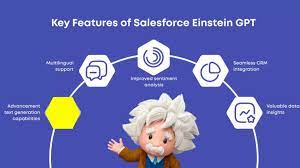
Artificial intelligence (AI) has been rapidly advancing globally, with breakthroughs captivating professionals across various sectors. One milestone that has gained significant attention is the emergence of ChatGPT, a cutting-edge language model revolutionizing the tech landscape. This development has profoundly impacted businesses relying on Salesforce for their customer relationship management (CRM) needs. In March 2023, Salesforce unveiled its latest AI innovation, Einstein GPT, promising to transform how companies engage with their clientele. In this article, we explore what Salesforce Einstein GPT entails and how it can benefit teams across diverse industries. When OpenAI introduced ChatGPT in November 2022, they didn’t expect the overwhelming response it received. Initially positioned as a “research preview,” this AI chatbot aimed to refine existing technology while soliciting feedback from users. However, ChatGPT quickly became a viral sensation, surpassing OpenAI’s expectations and prompting them to adapt to its newfound popularity. Developed on the foundation of the GPT-3.5 language model, ChatGPT was specifically tailored to facilitate engaging and accessible conversations, distinguishing it from its predecessors. Its launch attracted a diverse user base keen to explore its capabilities, prompting OpenAI to prioritize addressing potential misuse and enhancing its safety features. As ChatGPT gained traction, it caught the attention of Salesforce, a leading CRM provider. In March 2023, Salesforce unveiled Einstein GPT, its own AI innovation, poised to transform customer engagement. Built on the GPT-3 architecture and seamlessly integrated into Salesforce Clouds, Einstein GPT promised to revolutionize how businesses interact with their clientele. Einstein GPT boasts a range of features designed to personalize customer experiences and streamline workflows. From generating natural language responses to crafting personalized content and automating tasks, Einstein GPT offers versatility and value across industries. By leveraging both Einstein AI and GPT technology, businesses can unlock unprecedented efficiency and deliver superior customer experiences. Despite its success, OpenAI acknowledges the need for ongoing refinement and vigilance, emphasizing the importance of responsible deployment and transparency in the development of AI technology. Exploring Einstein GPT Salesforce presents Einstein GPT as the premier generative AI tool for CRM worldwide. Utilizing the advanced GPT-3 architecture, Einstein GPT seamlessly integrates into all Salesforce Clouds, including Tableau, MuleSoft, and Slack. This groundbreaking technology empowers users to generate natural language responses to customer inquiries, craft personalized content, and compose entire email messages on behalf of sales personnel. With its high degree of customization, Einstein GPT can be finely tuned to meet the specific needs of various industries, use cases, and customer requirements, delivering significant value to businesses of all sizes and sectors. Objectives of Salesforce AI Einstein GPT Salesforce AI Einstein GPT is designed to achieve several key objectives: Distinguishing Einstein GPT from Einstein AI Einstein GPT represents the latest evolution of Salesforce’s Einstein artificial intelligence technology. Unlike its predecessors, Einstein GPT integrates proprietary Einstein AI models with ChatGPT and other leading large language models. This integration enables users to interact with CRM data using natural language prompts, resulting in highly personalized, AI-generated content and triggering powerful automations that enhance workflows and productivity. By leveraging both Einstein AI and GPT technology, businesses can achieve unparalleled efficiency and deliver exceptional customer experiences. Features of Einstein GPT in Salesforce CRM Key features and capabilities of Salesforce Einstein chatbot GPT include: Utilizing Einstein GPT for Business Improvement Einstein GPT can be leveraged across various domains to enhance business operations: Integration with Salesforce Data Cloud Salesforce Data Cloud, a cloud-based data management system, enables real-time data aggregation from diverse sources. Einstein GPT utilizes unified customer data profiles from the Salesforce Data Cloud to personalize interactions throughout the customer journey. OpenAI on ChatGPT Methods We trained this model using Reinforcement Learning from Human Feedback (RLHF), using the same methods as InstructGPT, but with slight differences in the data collection setup. We trained an initial model using supervised fine-tuning: human AI trainers provided conversations in which they played both sides—the user and an AI assistant. We gave the trainers access to model-written suggestions to help them compose their responses. We mixed this new dialogue dataset with the InstructGPT dataset, which we transformed into a dialogue format. To create a reward model for reinforcement learning, we needed to collect comparison data, which consisted of two or more model responses ranked by quality. To collect this data, we took conversations that AI trainers had with the chatbot. We randomly selected a model-written message, sampled several alternative completions, and had AI trainers rank them. Using these reward models, we can fine-tune the model using Proximal Policy Optimization. We performed several iterations of this process. ChatGPT is fine-tuned from a model in the GPT-3.5 series, which finished training in early 2022. You can learn more about the 3.5 series here. ChatGPT and GPT-3.5 were trained on an Azure AI supercomputing infrastructure. Limitations ChatGPT and Einstein GPT Salesforce Einstein GPT signifies a significant advancement in AI technology, empowering businesses to deliver tailored customer experiences and streamline operations. With its integration into Salesforce CRM and other platforms, Einstein GPT offers unprecedented capabilities for personalized engagement and automated insights, ensuring organizations remain competitive in today’s dynamic market landscape. When OpenAI quietly launched ChatGPT in late November 2022, the San Francisco-based AI company didn’t anticipate the viral sensation it would become. Initially viewed as a “research preview,” it was meant to showcase a refined version of existing technology while gathering feedback from the public to address its flaws. However, the overwhelming success of ChatGPT caught OpenAI off guard, leading to a scramble to capitalize on its newfound popularity. ChatGPT, based on the GPT-3.5 language model, was fine-tuned to be more conversational and accessible, setting it apart from previous iterations. Its release marked a significant milestone, attracting millions of users eager to test its capabilities. OpenAI quickly realized the need to address potential misuse and improve the model’s safety features. Since its launch, ChatGPT has undergone several updates, including the implementation of adversarial training to prevent users from exploiting it (known as “jailbreaking”). This technique involves pitting multiple chatbots against each other to identify and neutralize malicious behavior. Additionally,

Read More

Event Consumers: The Responsive Core of Event-Driven Architecture Fundamentals of Event Consumers Event consumers are the reactive components in event-driven architecture (EDA) that subscribe to event channels and execute actions when state changes occur. These can be: They monitor for business-critical occurrences like: How Event-Driven Architecture Works Core EDA Characteristics ![EDA Architecture Diagram showing event flow from producers through routers to consumers] The Event Consumer Ecosystem Component Role Examples Event Producers Generate state change notifications POS systems, IoT sensors, API gateways Event Routers Channel events to appropriate consumers Kafka, AWS EventBridge, Azure Service Bus Event Consumers Execute business logic in response CRM systems, fraud detection services Event Processors Transform and analyze event streams AWS Lambda, Azure Functions Key Benefits of Event Consumers Event Delivery Models Publish-Subscribe (Pub/Sub) Event Streaming Industry-Specific Implementations E-Commerce Financial Services Healthcare Manufacturing Implementation Best Practices Future Evolution Emerging patterns in event consumption: “Event consumers are becoming the central nervous system of digital business,” says Gartner VP Analyst Mark Beyer. “Organizations that master event-driven patterns achieve 3-5x faster response to market changes compared to traditional architectures.” Like Related Posts Who is Salesforce? Who is Salesforce? Here is their story in their own words. From our inception, we’ve proudly embraced the identity of Read more Salesforce Unites Einstein Analytics with Financial CRM Salesforce has unveiled a comprehensive analytics solution tailored for wealth managers, home office professionals, and retail bankers, merging its Financial Read more AI-Driven Propensity Scores AI plays a crucial role in propensity score estimation as it can discern underlying patterns between treatments and confounding variables Read more Tectonic’s Successful Salesforce Track Record Salesforce Technology Services Integrator – Tectonic has successfully delivered Salesforce in a variety of industries including Public Sector, Hospitality, Manufacturing, Read more

Read More
gettectonic.com