
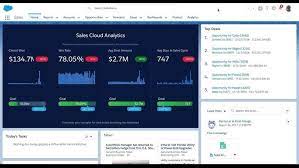
Event Monitoring Analytics App
Event Monitoring Analytics App The Event Monitoring Analytics App integrates with your event monitoring and setup audit trail data to provide insights into user and organizational behavior. It’s a built-in tool for exploring your monitoring data within Salesforce, featuring easy setup, prebuilt dashboards, and datasets to help you quickly analyze your data. This app allows you to identify suspicious activities, slow page performance, and user adoption issues efficiently. Required Editions and User Permissions User Permissions Needed: As part of the Event Monitoring service, the Event Monitoring Analytics App allows you to upload and access data included in your subscription. Ensure that users only access the data provided and do not use the app to upload or access other data. Salesforce may monitor such usage. Note that the app is available in English only, and if you have a CRM Analytics Platform license, you can view dashboards within the Event Monitoring Analytics app. Keep in mind that hourly event log file integration is not supported, with data refreshed daily. Although data retention lasts 30 days, Event Monitoring doesn’t guarantee the availability of 30 days’ worth of data per dataset upload into CRM Analytics. The app is subject to CRM Analytics limits. Event Monitoring log files serve as a source of truth but are not a system of record for user activity. Data loss may occur during Salesforce site switches, instance refreshes, or unplanned outages. For instance, a production instance move might create gaps in event log data. Salesforce strives to maintain data integrity and minimize loss by replicating event logs during site switches or instance refreshes. Setting Up Salesforce Permissions for the Event Monitoring Analytics App Creating and Sharing the Event Monitoring Analytics App Once permissions are set, configure the app. You can choose between two configurations: Upgrading the Event Monitoring Analytics App Stay current with the latest features by upgrading to the newest version of the EM Analytics App whenever a new release is available. Scheduling the Daily Dataflow Schedule a daily refresh to update the dataflow, ensuring that your data is current before you begin analysis with Event Monitoring Analytics. Prebuilt Dashboards The app includes prebuilt dashboards for immediate data exploration. Data from your organization is automatically loaded into the app’s datasets as it is generated. Understanding App Terminology Familiarize yourself with the metrics and terms used in the Event Monitoring App to make the most of its features. Like Related Posts Who is Salesforce? Who is Salesforce? Here is their story in their own words. From our inception, we’ve proudly embraced the identity of Read more Salesforce Marketing Cloud Transactional Emails Salesforce Marketing Cloud Transactional Emails are immediate, automated, non-promotional messages crucial to business operations and customer satisfaction, such as order Read more Salesforce Unites Einstein Analytics with Financial CRM Salesforce has unveiled a comprehensive analytics solution tailored for wealth managers, home office professionals, and retail bankers, merging its Financial Read more AI-Driven Propensity Scores AI plays a crucial role in propensity score estimation as it can discern underlying patterns between treatments and confounding variables Read more


