JavaScript Archives - gettectonic.com - Page 2
Einstein Web Recommendations

Einstein Web Recommendations

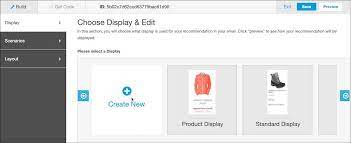
Einstein Web Recommendations leverage Einstein’s capabilities to analyze user behavior, construct preference profiles, and deliver personalized content tailored to each website visitor. Utilize application scenarios to fine-tune recommendations according to your specific business rules. Web Recommendations are provided through two methods: a JSON response or HTML/JS. While the JSON response is the recommended delivery method due to its flexibility, HTML/JS can be used if the web team is unable to work with JSON. As the JSON method allows for greater flexibility, you are responsible for parsing and styling the recommendations within your web environment. Marketing Cloud Einstein Recommendations enable the creation of product or content recommendations for display on your website. The Einstein Recommendation Engine necessitates a minimum of three active items in your product catalog. Incorporate any catalog field into the web recommendation call, emphasizing a clear understanding of the data driving recommendations during catalog setup. A unique web recommendation call is generated for each page type, with Home, Product, Category, Cart, and Conversion pages recommended as a best practice. However, there is no restriction on the number of pages that can be configured in the UI. Page templates are utilized by Einstein Recommendations, treating a Product Page as a template for building personalized recommendations specific to a product page. Different types of page templates may have distinct scenarios and contexts. For instance, recommendations on a product page may be based on the viewed product, adding context. Conversely, homepage recommendations rely on overall user affinity, lacking specific context. Integrate the Einstein Web Recommendations code into the designated page’s code, incorporating both the JavaScript for the recommendation call and the HTML recommendation zone placeholder provided. Select and configure the content to be included in your web recommendations: Like Related Posts Who is Salesforce? Who is Salesforce? Here is their story in their own words. From our inception, we’ve proudly embraced the identity of Read more Salesforce Marketing Cloud Transactional Emails Salesforce Marketing Cloud Transactional Emails are immediate, automated, non-promotional messages crucial to business operations and customer satisfaction, such as order Read more Salesforce Unites Einstein Analytics with Financial CRM Salesforce has unveiled a comprehensive analytics solution tailored for wealth managers, home office professionals, and retail bankers, merging its Financial Read more AI-Driven Propensity Scores AI plays a crucial role in propensity score estimation as it can discern underlying patterns between treatments and confounding variables Read more

Read More
Marketing Cloud Engagement

Salesforce Distributed Marketing Content

Salesforce Distributed Marketing Content empowers you to extend dynamic content to dispersed teams, fostering safe and efficient interaction with that content. Integrate one or more Distributed Marketing Content Blocks seamlessly with standard or custom content areas to facilitate collaborative moments within branded email messages. For instance, enable users to personalize holiday cards with personal notes and images or provide context to market update messages. Leverage Distributed Marketing alongside AMPscript to enable users to craft customized SMS messages. Salesforce Distributed Marketing Content While marketing teams retain control over message structure, ensuring coherence, brand alignment, and compliance, collaborative content augments this framework, granting distributed teams flexibility within set parameters – a concept Salesforce refers to as “flexibility within a framework.” The usage of Distributed Marketing content is flexible and can adapt over time. Since each message is independently configurable, you can initiate with existing assets and introduce collaborative elements as needed. Please note that Distributed Marketing employs JavaScript ES6 for message personalization, requiring the disabling of Prevent Cross-Site Tracking in Safari and third-party cookies in Chrome. Enable Email Personalization with Distributed Marketing Content Blocks Utilize Distributed Marketing Content Blocks within Marketing Cloud to create personalized sections of content for Distributed Marketing users. Enable Custom SMS Messages Incorporate AMPscript into SMS messages to empower users to compose and dispatch custom SMS messages through Distributed Marketing. Personalization Data Extension Distributed Marketing establishes personalization data extensions in Marketing Cloud to store user-entered personalization data for email messages. A personalization data extension is automatically generated when connecting a journey to a campaign or enabling a journey for quick send. Custom SMS messages are not stored here but are accessible in the journey’s event data extension. Legacy Personalization While Legacy Personalization options like Introduction, Conclusion, and Greeting are available, their usage will be supported until End of Support is announced. Like1 Related Posts Who is Salesforce? Who is Salesforce? Here is their story in their own words. From our inception, we’ve proudly embraced the identity of Read more Salesforce Marketing Cloud Transactional Emails Salesforce Marketing Cloud Transactional Emails are immediate, automated, non-promotional messages crucial to business operations and customer satisfaction, such as order Read more Salesforce Unites Einstein Analytics with Financial CRM Salesforce has unveiled a comprehensive analytics solution tailored for wealth managers, home office professionals, and retail bankers, merging its Financial Read more AI-Driven Propensity Scores AI plays a crucial role in propensity score estimation as it can discern underlying patterns between treatments and confounding variables Read more

Read More
Salesforce JSON

Salesforce JSON

Today we are diving into JSON (JavaScript Object Notation) and exploring why it’s a crucial concept for you to understand. JSON is a data representation format widely used across the internet for APIs, configuration files, and various applications JSON Class Contains methods for serializing Apex objects into JSON format and deserializing JSON content that was serialized using the serialize method in this class. Usage Use the methods in the System.JSON class to perform round-trip JSON serialization and deserialization of Apex objects. Roundtrip Serialization and Deserialization Use the JSON class methods to perform roundtrip serialization and deserialization of your JSON content. These methods enable you to serialize objects into JSON-formatted strings and to deserialize JSON strings back into objects. What does JSON serialize do in Salesforce? JSON. serialize() accepts both Apex collections and objects, in any combination that’s convertible to legal JSON. String jsonString = JSON. What is the difference between JSON parse and JSON deserialize? The parser converts the JSON data into a data structure that can be easily processed by the programming language. On the other hand, JSON Deserialization is the process of converting JSON data into an object in a programming language. What is the difference between JSON and XML in Salesforce? JSON supports numbers, objects, strings, and Boolean arrays. XML supports all JSON data types and additional types like Boolean, dates, images, and namespaces. JSON has smaller file sizes and faster data transmission. XML tag structure is more complex to write and read and results in bulky files. Which is more secure XML or JSON? Generally speaking, JSON is more suitable for simple and small data, more readable and maintainable for web developers, faster and more efficient for web applications or APIs, supports native data types but lacks a standard schema language, and is more compatible with web technologies but less secure than XML. What is Salesforce JSON heap size limit? Salesforce enforces an Apex Heap Size Limit of 6MB for synchronous transactions and 12MB for asynchronous transactions. How to store JSON data in Salesforce object? If you need to store the actual JSON payload in Salesforce for audit purposes, Tectonic would recommend just using a Long Text Area field to store JSON content. You wouldn’t have any performance impacts when interacting with records, and if required you could add this to the layout of the child object storing this data. Like Related Posts Who is Salesforce? Who is Salesforce? Here is their story in their own words. From our inception, we’ve proudly embraced the identity of Read more Salesforce Marketing Cloud Transactional Emails Salesforce Marketing Cloud Transactional Emails are immediate, automated, non-promotional messages crucial to business operations and customer satisfaction, such as order Read more Salesforce Unites Einstein Analytics with Financial CRM Salesforce has unveiled a comprehensive analytics solution tailored for wealth managers, home office professionals, and retail bankers, merging its Financial Read more AI-Driven Propensity Scores AI plays a crucial role in propensity score estimation as it can discern underlying patterns between treatments and confounding variables Read more

Read More
Google Analytics and Salesforce Integration

Google Analytics and Salesforce Integration

Syncing Google Analytics Data to CRM Analytics To integrate Google Analytics and Salesforce Integration using the Google Analytics connector, follow these steps: Important Note: As of July 1, 2023, the main product Google Analytics has been decommissioned and replaced with the new product Google Analytics 4 (GA4). The Salesforce announcement GA4 Set to Replace Universal Analytics gives an overview on this. Creating a Connection Required Settings: Google Analytics 4 Integration To sync Google Analytics 4 data to Salesforce Data Pipelines: Connector Considerations: Google Analytics Salesforce Sales Cloud Integration User Identification Analytics provides two methods to identify users: Required Salesforce Sales Cloud Objects and Fields: Integration Steps: Testing and Viewing Imported Data: Notes: Google Data Studio and Salesforce Integration Connecting Salesforce with Google Data Studio allows for powerful visualizations that combine sales and marketing data. This integration helps in understanding which channels generate the most leads and income. Google Analytics 4 Connection Setup: Connection Details: Advanced Properties: Considerations: By following these steps, you can seamlessly integrate Google Analytics data into your CRM Analytics and Salesforce Data Pipelines, ensuring robust data analysis and informed decision-making. Decide How to Identify Your Users: Analytics offers two ways to programmatically identify your users: Client ID and User-ID. To support Data Import for Salesforce Sales Cloud, you must implement Client ID. You may optionally choose to also implement User-ID. Client ID pseudonymously identifies a browser instance and is best suited for businesses focused on lead generation and new customer acquisition. User-ID enables the analysis of groups of sessions, across devices, using a unique, persistent, and non-personally identifiable ID string representing a user. This option is best for businesses with high rates of logged-in users. How to Import CRM/ERP Data with Google Analytics 4 Using a CSV File: Transitioning to Google Analytics 4: As of March 2023, Google has automatically created GA4 properties for users unless they opt-out. Until July 1, 2023, you can continue to use and collect new data in your Universal Analytics properties. After this date, you must export your historical reports as Universal Analytics will be phased out. How Does Google Help Salesforce Marketing Cloud Users? Google Analytics provides invaluable insights into user behavior, helping Salesforce Marketing Cloud users optimize campaigns and understand customer journeys. Integration with the Google platform allows businesses to combine offline sales data with digital analytics, optimizing digital marketing strategies and improving campaign effectiveness. Additional Integration: Using datasets from Google Analytics and Google BigQuery, businesses can create interactive Tableau CRM dashboards to visualize campaign activities and performance metrics. By following these guidelines, organizations can leverage Google Analytics data effectively within their Salesforce ecosystem, enhancing decision-making and strategic planning. Content updated July 2024. Like1 Related Posts Who is Salesforce? Who is Salesforce? Here is their story in their own words. From our inception, we’ve proudly embraced the identity of Read more Salesforce Marketing Cloud Transactional Emails Salesforce Marketing Cloud Transactional Emails are immediate, automated, non-promotional messages crucial to business operations and customer satisfaction, such as order Read more Salesforce Unites Einstein Analytics with Financial CRM Salesforce has unveiled a comprehensive analytics solution tailored for wealth managers, home office professionals, and retail bankers, merging its Financial Read more AI-Driven Propensity Scores AI plays a crucial role in propensity score estimation as it can discern underlying patterns between treatments and confounding variables Read more

Read More
Technical Debt

Don’t Let Salesforce Technical Debt Derail Your Next Upgrade!

A well-optimized Salesforce org is the foundation of a smooth upgrade and long-term success. But like any powerful, customizable platform, Salesforce naturally accumulates technical debt—especially as your business evolves. The good news? It’s manageable—if you take the right approach. Is Your Salesforce Org Carrying Hidden Technical Debt? Just like financial debt, unchecked technical debt can slow your growth, reduce agility, and frustrate users. Partnering with a Salesforce expert can help you quickly identify and resolve issues before they escalate—saving time, money, and headaches. Signs Your Salesforce Org Has Technical Debt You don’t need to be a developer to spot the symptoms. Technical debt often impacts users first, then spreads across your business. Watch for: Behind the Scenes: Developer & Admin Struggles Admins and developers face their own battles with tech debt, including: These issues don’t just slow performance—they make every future change harder, delaying releases and limiting your ability to leverage new Salesforce features. How Does Salesforce Technical Debt Happen? Even with a skilled team, tech debt creeps in through: The result? Your team spends more time patching problems than driving innovation—whether that’s streamlining quotes, improving service, or scaling operations. How to Manage (and Reduce) Salesforce Technical Debt A structured, three-phase approach keeps your org healthy: Start with a Salesforce Health Check A technical debt assessment from a trusted Salesforce partner can uncover hidden risks and create a clear roadmap for optimization. Real-World Impact: When Technical Debt Holds You Back Imagine you’re a fast-growing outdoor retailer. Salesforce helped you scale—but now, it’s slowing you down. Your Challenges: The Solution? A Strategic Optimization Plan The Results? Keep Your Org Healthy for the Long Haul Technical debt never disappears completely—but with the right partner, you can control it, reduce it, and prevent it from derailing your growth. Why Partner with Us? At Tectonic, we don’t just fix Salesforce—we transform it into a growth engine. Our mission is to simplify processes, empower teams, and drive measurable success. Ready to optimize your Salesforce org? Let’s talk. Like Related Posts Who is Salesforce? Who is Salesforce? Here is their story in their own words. From our inception, we’ve proudly embraced the identity of Read more Salesforce Marketing Cloud Transactional Emails Salesforce Marketing Cloud Transactional Emails are immediate, automated, non-promotional messages crucial to business operations and customer satisfaction, such as order Read more Salesforce Unites Einstein Analytics with Financial CRM Salesforce has unveiled a comprehensive analytics solution tailored for wealth managers, home office professionals, and retail bankers, merging its Financial Read more AI-Driven Propensity Scores AI plays a crucial role in propensity score estimation as it can discern underlying patterns between treatments and confounding variables Read more
Read More
Custom List Views With LWC and Apex

Custom List Views With LWC and Apex

Creating a Custom List View in Salesforce Using LWC and Apex In this blog post, we’ll guide you through the process of creating a custom list view in Salesforce using Lightning Web Components (LWC) and Apex. This will enable you to fetch, display, and print Task records based on specific filters. We’ll cover the step-by-step development of the Apex controller, LWC component, and the creation of a list layout button to enhance your Salesforce interface. Prerequisites Step 1: Create a Visualforce Page Start by creating a Visualforce page that connects to the LWC, named ListviewPage. htmlCopy code<apex:page standardController=”Task” recordSetVar=”tasks” extensions=”CustomListViewInLwcCtrl”> <apex:includeLightning /> <style> #lightning { height: 100vh; } @media print { #lightning { height: auto; overflow: visible; } .print-section { height: auto; overflow: visible; } } </style> <div id=”lightning”></div> <script> console.log(‘work6’); var filterId = ‘{!filterId}’; console.log(‘Filter ID:’, filterId); $Lightning.use( “c:ExampleLWCApp”, function() { $Lightning.createComponent( “c:listviewpage”, { ‘filterId’: filterId }, “lightning” ); } ); </script> </apex:page> Step 2: Create an Aura Component htmlCopy code<aura:application extends=”ltng:outApp”> <aura:dependency resource=”listviewpage” /> </aura:application> Step 3: Create an Apex Controller Next, you’ll need an Apex controller to manage the fetching of list views and their associated records. apexCopy codepublic with sharing class CustomListViewInLwcCtrl { private String filterId; public CustomListViewInLwcCtrl(ApexPages.StandardSetController controller) { filterId = controller.getFilterId(); System.debug(‘FilterId–> ‘ + filterId); } public String getFilterId() { return filterId; } @AuraEnabled(cacheable = true) public static List<ListView> fetchTaskListView(String objectApiName) { try { return [ SELECT Id, Name, DeveloperName FROM ListView WHERE SObjectType = :objectApiName ORDER BY DeveloperName ASC ]; } catch (Exception e) { System.debug(‘Error fetching list views: ‘ + e.getMessage()); return new List<ListView>(); } } @AuraEnabled(cacheable = true) public static List<sObject> getTaskListviewRecord(String objectName, String listViewId, String limitsize, String offsize) { // Logic to fetch Task records } @AuraEnabled(cacheable = true) public static List<Map<String, String>> getTaskListviewLabel(String objectName, String listViewId) { // Logic to fetch Task record labels } } Step 4: Create a Lightning Web Component Create the LWC listviewPage that will interact with the Apex controller. HTML Template htmlCopy code<template> <div class=”slds-grid slds-wrap” style=”width: 280px;”> <div class=”slds-m-around_medium”> <lightning-combobox name=”listViewSelect” label=”Select List View” value={selectedListView} placeholder=”Select a List View” options={listViewOptions} onchange={handleListViewChange}> </lightning-combobox> </div> </div> <br> <div class=”slds-grid slds-wrap”> <div class=”slds-col slds-size_1-of-4″></div> <div class=”slds-col slds-size_3-of-4 slds-text-align_right”> <lightning-button variant=”brand” label=”Print” onclick={handlePrint}></lightning-button> </div> </div> <br> <div if:true={isLoading}> <lightning-spinner alternative-text=”Loading”></lightning-spinner> </div> <template if:false={isLoading}> <div class=”print-section”> <template if:true={records.length}> <lightning-datatable key-field=”Id” data={records} columns={columns} hide-checkbox-column></lightning-datatable> <div class=”slds-m-top_medium slds-text-align_center”> <lightning-button-group> <lightning-button class=”previous” label=”Previous” onclick={handlePrevious} disabled={disablePrevious}></lightning-button> <lightning-button class=”next” label=”Next” onclick={handleNext} disabled={disableNext}></lightning-button> </lightning-button-group> </div> </template> <template if:false={records.length}> <div class=”slds-text-align_center”> No records to display </div> </template> </div> </template> </template> JavaScript Controller javascriptCopy codeimport { LightningElement, track, wire, api } from ‘lwc’; import fetchListView from ‘@salesforce/apex/CustomListViewInLwcCtrl.fetchTaskListView’; import getTaskListviewRecord from ‘@salesforce/apex/CustomListViewInLwcCtrl.getTaskListviewRecord’; import getTaskListviewLabel from ‘@salesforce/apex/CustomListViewInLwcCtrl.getTaskListviewLabel’; const PAGE_SIZE = 100; export default class ListviewPage extends LightningElement { @api filterId; @track listViewOptions = []; @track selectedListView = ”; @track records = []; @track columns = []; @track isLoading = true; @track limitsize = PAGE_SIZE; @track offset = 0; connectedCallback() { console.log(‘Filter ID:’, this.filterId); } @wire(fetchListView, { objectApiName: ‘Task’ }) fetchListViewHandler({ data, error }) { if (data) { this.listViewOptions = data.map(listView => ({ label: listView.Name, value: listView.Id })); this.selectedListView = this.filterId || this.listViewOptions[0].value; this.fetchRecords(); } else if (error) { console.error(‘Error fetching list views:’, error); } } fetchRecords() { this.isLoading = true; getTaskListviewRecord({ objectName: ‘Task’, listViewId: this.selectedListView, limitsize: this.limitsize.toString(), offsize: this.offset.toString() }) .then(result => { console.log(`${result.length} records`, result); this.records = this.formatRecords(result); this.fetchLabels(); }) .catch(error => { console.error(‘Error fetching records:’, error); this.records = []; this.isLoading = false; }); } formatRecords(records) { return records.map((record, index) => ({ …record, Count: this.offset + index + 1, // Additional field mappings })); } fetchLabels() { getTaskListviewLabel({ objectName: ‘Task’, listViewId: this.selectedListView }) .then(labels => { this.columns = [ { label: ‘ ‘, fieldName: ‘Count’, type: ‘number’ }, …labels.map(labelInfo => ({ label: labelInfo.label, fieldName: labelInfo.fieldApiName, type: ‘text’ })) ]; this.isLoading = false; }) .catch(error => { console.error(‘Error fetching labels:’, error); this.isLoading = false; }); } handleListViewChange(event) { this.selectedListView = event.detail.value; this.offset = 0; this.fetchRecords(); } handlePrint() { if (confirm(‘Are you sure you want to print?’)) { window.print(); } } handlePrevious() { if (this.offset >= PAGE_SIZE) { this.offset -= PAGE_SIZE; this.fetchRecords(); } } handleNext() { this.offset += PAGE_SIZE; this.fetchRecords(); } get disablePrevious() { return this.offset === 0; } get disableNext() { return this.records.length < PAGE_SIZE; } } Step 5: Handle Remote Site Settings To allow your Apex class to make callouts, add your Salesforce org’s URL to the Remote Site Settings: Step 6: Create a List Layout Button To create a button that opens your custom list view Visualforce page: Conclusion This custom list view component in Salesforce allows for enhanced record handling, display, and printing, offering greater flexibility than the standard list views. By leveraging LWC and Apex, you can create a tailored experience for your users, improving their efficiency and overall satisfaction. If this was tl;dr, contact Tectonic for assistance today. Like1 Related Posts Who is Salesforce? Who is Salesforce? Here is their story in their own words. From our inception, we’ve proudly embraced the identity of Read more Salesforce Marketing Cloud Transactional Emails Salesforce Marketing Cloud Transactional Emails are immediate, automated, non-promotional messages crucial to business operations and customer satisfaction, such as order Read more Salesforce Unites Einstein Analytics with Financial CRM Salesforce has unveiled a comprehensive analytics solution tailored for wealth managers, home office professionals, and retail bankers, merging its Financial Read more AI-Driven Propensity Scores AI plays a crucial role in propensity score estimation as it can discern underlying patterns between treatments and confounding variables Read more

Read More
Marketing Cloud Admins

Generating PDFs of Marketing Cloud Emails

Rendering Emails as PDFs in Salesforce Marketing Cloud Converting Salesforce Marketing Cloud Engagement emails into PDFs can be a required step for documentation, compliance, and archiving. While Salesforce provides various solutions for PDF rendering, not all are fully compatible with Salesforce Marketing Cloud (SFMC). This insight explores different methods to convert emails into PDFs and automate the process wherever possible. Manual PDF Rendering For users who need a straightforward approach, saving an email as a PDF manually is an option: Using Chrome Extensions Several Chrome extensions can facilitate PDF conversion, including: Using Sejda for PDF Conversion Sejda is a free online tool that preserves links and other embedded elements while converting emails to PDFs. It can be an excellent solution for one-off conversions where maintaining interactivity is important. Email Archiving in Salesforce Salesforce offers an Email Archiving Add-On that can store emails for compliance and retrieval. However, this solution is more focused on archiving than rendering emails into PDFs. Automating PDF Rendering in SFMC For those looking to automate PDF generation, a structured approach using AWS services and SFMC data extensions is possible. Steps to Automate PDF Rendering Alternative AppExchange Solutions For those looking for pre-built solutions, Salesforce AppExchange offers various options, such as Sercante, which specializes in PDF generation and marketing automation integrations. Conclusion Converting emails to PDFs in SFMC can be done manually, with browser extensions, or through automated solutions using AWS services. The right choice depends on your needs, whether it’s one-time conversion, compliance archiving, or a fully automated workflow. Content updated February 2025. Like Related Posts Who is Salesforce? Who is Salesforce? Here is their story in their own words. From our inception, we’ve proudly embraced the identity of Read more Salesforce Marketing Cloud Transactional Emails Salesforce Marketing Cloud Transactional Emails are immediate, automated, non-promotional messages crucial to business operations and customer satisfaction, such as order Read more Salesforce Unites Einstein Analytics with Financial CRM Salesforce has unveiled a comprehensive analytics solution tailored for wealth managers, home office professionals, and retail bankers, merging its Financial Read more AI-Driven Propensity Scores AI plays a crucial role in propensity score estimation as it can discern underlying patterns between treatments and confounding variables Read more
Read More
Python Alongside Salesforce

Python Alongside Salesforce

Salesforce can integrate with Python, though the platform primarily relies on its proprietary languages and frameworks for core development. Python, however, plays a crucial role in enhancing Salesforce’s capabilities through integrations, automation, data analysis, and extending functionalities via external applications. Here’s an overview of how Python works within the Salesforce ecosystem: 1. Salesforce’s Core Development Stack Before exploring Python’s use, it’s important to understand the key development tools within Salesforce: These tools are the foundation for Salesforce development. However, Python complements Salesforce by enabling integrations and automation that go beyond these native tools. 2. Python in Salesforce Integrations Python shines when integrating Salesforce with other systems, automating workflows, and extending functionality. Here’s how: a. API Interactions Salesforce’s REST and SOAP APIs allow external systems to communicate with Salesforce data. Python, with its powerful libraries, is excellent for interfacing with these APIs. Key Libraries: Example: Extracting Data via API: pythonCopy codefrom simple_salesforce import Salesforce # Connect to Salesforce sf = Salesforce(username=’your_username’, password=’your_password’, security_token=’your_token’) # Query Salesforce data accounts = sf.query(“SELECT Id, Name FROM Account LIMIT 10”) for account in accounts[‘records’]: print(account[‘Name’]) b. Data Processing and Analysis Python’s data manipulation libraries like Pandas and NumPy make it ideal for processing Salesforce data. Example: Data Cleaning and Analysis: pythonCopy codeimport pandas as pd from simple_salesforce import Salesforce # Connect to Salesforce sf = Salesforce(username=’your_username’, password=’your_password’, security_token=’your_token’) # Fetch data query = “SELECT Id, Name, AnnualRevenue FROM Account” accounts = sf.query_all(query) df = pd.DataFrame(accounts[‘records’]).drop(columns=[‘attributes’]) # Process data df[‘AnnualRevenue’] = df[‘AnnualRevenue’].fillna(0) high_revenue_accounts = df[df[‘AnnualRevenue’] > 1000000] print(high_revenue_accounts) 3. Automation and Scripting Python can automate Salesforce-related tasks, improving productivity and reducing manual effort. This can involve automating data updates, generating reports, or scheduling backups. Example: Automating Data Backup: pythonCopy codeimport schedule import time from simple_salesforce import Salesforce def backup_salesforce_data(): sf = Salesforce(username=’your_username’, password=’your_password’, security_token=’your_token’) query = “SELECT Id, Name, CreatedDate FROM Contact” contacts = sf.query_all(query) df = pd.DataFrame(contacts[‘records’]).drop(columns=[‘attributes’]) df.to_csv(‘contacts_backup.csv’, index=False) print(“Salesforce data backed up successfully.”) # Schedule the backup schedule.every().day.at(“00:00”).do(backup_salesforce_data) while True: schedule.run_pending() time.sleep(1) 4. Building External Applications Using platforms like Heroku, developers can build external applications in Python that integrate with Salesforce, extending its functionality for custom portals or advanced analytics. Example: Web App Integrating with Salesforce: pythonCopy codefrom flask import Flask, request, jsonify from simple_salesforce import Salesforce app = Flask(__name__) @app.route(‘/get_accounts’, methods=[‘GET’]) def get_accounts(): sf = Salesforce(username=’your_username’, password=’your_password’, security_token=’your_token’) accounts = sf.query(“SELECT Id, Name FROM Account LIMIT 10”) return jsonify(accounts[‘records’]) if __name__ == ‘__main__’: app.run(debug=True) 5. Data Integration and ETL Python is commonly used in ETL (Extract, Transform, Load) processes that involve Salesforce data. Tools like Apache Airflow allow you to create complex data pipelines for integrating Salesforce data with external databases. Example: ETL Pipeline with Airflow: pythonCopy codefrom airflow import DAG from airflow.operators.python_operator import PythonOperator from simple_salesforce import Salesforce import pandas as pd from datetime import datetime def extract_salesforce_data(): sf = Salesforce(username=’your_username’, password=’your_password’, security_token=’your_token’) query = “SELECT Id, Name, CreatedDate FROM Opportunity” opportunities = sf.query_all(query) df = pd.DataFrame(opportunities[‘records’]).drop(columns=[‘attributes’]) df.to_csv(‘/path/to/data/opportunities.csv’, index=False) default_args = { ‘owner’: ‘airflow’, ‘start_date’: datetime(2023, 1, 1), ‘retries’: 1, } dag = DAG(‘salesforce_etl’, default_args=default_args, schedule_interval=’@daily’) extract_task = PythonOperator( task_id=’extract_salesforce_data’, python_callable=extract_salesforce_data, dag=dag, ) extract_task 6. Machine Learning and Predictive Analytics Python’s machine learning libraries, such as Scikit-learn and TensorFlow, enable predictive analytics on Salesforce data. This helps in building models for sales forecasting, lead scoring, and customer behavior analysis. Example: Predicting Lead Conversion: pythonCopy codeimport pandas as pd from sklearn.model_selection import train_test_split from sklearn.ensemble import RandomForestClassifier from simple_salesforce import Salesforce # Fetch Salesforce data sf = Salesforce(username=’your_username’, password=’your_password’, security_token=’your_token’) query = “SELECT Id, LeadSource, AnnualRevenue, NumberOfEmployees, Converted FROM Lead” leads = sf.query_all(query) df = pd.DataFrame(leads[‘records’]).drop(columns=[‘attributes’]) # Preprocess and split data df = pd.get_dummies(df, columns=[‘LeadSource’]) X = df.drop(‘Converted’, axis=1) y = df[‘Converted’] X_train, X_test, y_train, y_test = train_test_split(X, y, test_size=0.2, random_state=42) # Train model model = RandomForestClassifier(n_estimators=100, random_state=42) model.fit(X_train, y_train) # Evaluate accuracy accuracy = model.score(X_test, y_test) print(f”Model Accuracy: {accuracy * 100:.2f}%”) 7. Best Practices for Using Python with Salesforce To maximize the efficiency and security of Python with Salesforce: 8. Recommended Learning Resources By leveraging Python alongside Salesforce, organizations can automate tasks, integrate systems, and enhance their data analytics, all while boosting productivity. Content updated August 2024. Like Related Posts Who is Salesforce? Who is Salesforce? Here is their story in their own words. From our inception, we’ve proudly embraced the identity of Read more Salesforce Marketing Cloud Transactional Emails Salesforce Marketing Cloud Transactional Emails are immediate, automated, non-promotional messages crucial to business operations and customer satisfaction, such as order Read more Salesforce Unites Einstein Analytics with Financial CRM Salesforce has unveiled a comprehensive analytics solution tailored for wealth managers, home office professionals, and retail bankers, merging its Financial Read more AI-Driven Propensity Scores AI plays a crucial role in propensity score estimation as it can discern underlying patterns between treatments and confounding variables Read more

Read More
marketing cloud utm parameters

UTM Parameter FAQs

How to Retrieve UTM Data Using Google Tag Manager Retrieving UTM data in Google Tag Manager involves a straightforward process to enhance tracking and analytics. Follow these steps: By following these steps, you can effectively retrieve and utilize UTM data in Google Tag Manager, enhancing your tracking capabilities and improving data accuracy for marketing campaigns. Content updated March 2024. Like Related Posts Who is Salesforce? Who is Salesforce? Here is their story in their own words. From our inception, we’ve proudly embraced the identity of Read more Salesforce Marketing Cloud Transactional Emails Salesforce Marketing Cloud Transactional Emails are immediate, automated, non-promotional messages crucial to business operations and customer satisfaction, such as order Read more Salesforce Unites Einstein Analytics with Financial CRM Salesforce has unveiled a comprehensive analytics solution tailored for wealth managers, home office professionals, and retail bankers, merging its Financial Read more AI-Driven Propensity Scores AI plays a crucial role in propensity score estimation as it can discern underlying patterns between treatments and confounding variables Read more

Read More
Salesforce Certifications

Writing Apex Code

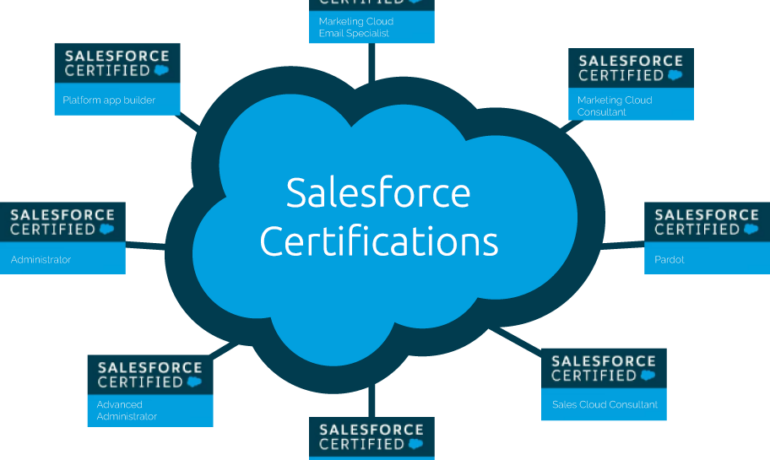
Apex is a strongly typed, object-oriented programming language. Apex allows developers to execute flow and transaction control statements on the Lightning platform server in conjunction with calls to the Lightning Platform​ API. Writing Apex code makes valuable Salesforce tools available. Using syntax that looks like Java and acts like database stored procedures, Apex enables developers to add business logic to most system events, including button clicks, related record updates, and Visualforce pages. Apex code can be initiated by Web service requests and from triggers on objects. Writing Apex Code Apex is more similar to Java than javascript. There are different types of tools are available to write the code in Apex: How do you open the Apex code? Click Debug | Open Execute Anonymous Window to open the Enter Apex Code window and to open the code editor in a new browser window. To automatically open the resulting debug log when execution is complete, select Open Log. Note You can’t use the keyword static in anonymous code. The Developer Console There are several development environments for developing Apex code. The Developer Console and the Salesforce extensions for Visual Studio Code allow you to write, test, and debug your Apex code. The code editor in the user interface enables only writing code and doesn’t support debugging. The Developer Console is an integrated development environment with a collection of tools you can use to create, debug, and test applications in your Salesforce organization. The Developer Console supports these tasks: Like Related Posts Who is Salesforce? Who is Salesforce? Here is their story in their own words. From our inception, we’ve proudly embraced the identity of Read more Salesforce Marketing Cloud Transactional Emails Salesforce Marketing Cloud Transactional Emails are immediate, automated, non-promotional messages crucial to business operations and customer satisfaction, such as order Read more Salesforce Unites Einstein Analytics with Financial CRM Salesforce has unveiled a comprehensive analytics solution tailored for wealth managers, home office professionals, and retail bankers, merging its Financial Read more AI-Driven Propensity Scores AI plays a crucial role in propensity score estimation as it can discern underlying patterns between treatments and confounding variables Read more
Read More
salesforce marketing cloud interaction studio

Ampscript

What is AMPscript used for in Salesforce? What is its purpose? AMPscript is a useful scripting language that you can use across emails, landing pages, SMS, and push notifications in Salesforce Marketing Cloud Builders. AMPscript is Marketing Cloud‘s proprietary scripting language for advanced dynamic content in emails, landing pages, SMS, and push messages. Why use Marketing Cloud AMPscript? AMPscript allows you to extend Marketing Cloud functionality beyond its out-of-the-box capabilities because you can develop code and custom solutions, tailored to your own specific needs and requirements. What are some functions you can perform with AMPscript? Types of Functions in Marketing Cloud AMPscript: What are advantages of AMPscript compared to Ssjs? For the web developer who are new to both languages, for them AMPscript has a shorter learning curve compared to SSJS. AMPscript should be preferred for simple inline personalization, which includes content like name, salutation and simple IF ELSE loops. Using AMPscript To use AMPscript, you insert it into the content body of your messages at the point where you want it to render. When you send a message that contains AMPscript, Marketing Cloud Engagement interprets the code and substitutes it with the output of the AMPscript function. 3 Way to Add There are three ways to add AMPscript code to your content: by using inline code, by adding code blocks, or by using tag-based scripting. The first two of these methods use special delimiters to denote the beginning and ending of the code that you want Marketing Cloud Engagement to interpret. In the third method, you delineate the AMPscript code with <script> tags. When you close an AMPscript block, use the same type of closing delimiter as you used to open the block. For example, if you open a block using tag-based scripting, you can’t close it by using the closing code block delimiter. Use the %%= and =%% delimiters to add AMPscript code inline with your content. Inline AMPscript is frequently used within HTML tags to dynamically populate the content of a message. In this basic example, a section of AMPscript is included inline within an HTML <p> tag. You can also include multi-line blocks of AMPscript code in your messages. Use the %%[ and ]%% delimiters to begin and end a code block, respectively. With a code block, you can define multiple variables and execute multiple functions. Code blocks use the syntax shown in this example. Tag-based syntax for AMPscript standardizes the syntax used to declare AMPscript blocks with the syntax of Server-Side JavaScript (SSJS). This syntax makes it easier for developers to switch between AMPscript and SSJS. Like1 Related Posts Who is Salesforce? Who is Salesforce? Here is their story in their own words. From our inception, we’ve proudly embraced the identity of Read more Salesforce Marketing Cloud Transactional Emails Salesforce Marketing Cloud Transactional Emails are immediate, automated, non-promotional messages crucial to business operations and customer satisfaction, such as order Read more Salesforce Unites Einstein Analytics with Financial CRM Salesforce has unveiled a comprehensive analytics solution tailored for wealth managers, home office professionals, and retail bankers, merging its Financial Read more AI-Driven Propensity Scores AI plays a crucial role in propensity score estimation as it can discern underlying patterns between treatments and confounding variables Read more
Read More
marketing cloud utm parameters

What Are UTM Parameters in Marketing Cloud

What Are UTM Parameters in Marketing Cloud? UTM parameters are essential for tracking the effectiveness of your marketing messages by linking user clicks to actions on your website within Marketing Cloud. Once set up, the Marketing Cloud Engagement tool automatically adds these parameters to the URLs in your messages, enabling detailed performance tracking. You can track five key UTM parameters: source, medium, campaign, term, and content. These parameters are captured in Google Analytics reports, offering insights into your marketing efforts, such as total goal conversions, bounce rate, and average time spent on your site. What is a UTM Code? A UTM (Urchin Tracking Module) code is a text string appended to a URL to help monitor the performance of digital marketing campaigns. UTM codes include up to five key parameters: Campaign, Source, Medium, Content, and Term. UTM Parameter Channel Support: Example URL with UTM Parameters: arduinoCopy codehttps://www.example.com?utm_source=sfmc&utm_medium=email&utm_campaign=TestCampaign&utm_term=MyLink123&utm_content=123456&utm_id=f521708e-db6e-478b-9731-8243a692c2d5&sfmc_id=245678&sfmc_activityid=598741568 Parameter Breakdown: For more on UTM parameters, refer to the Google Analytics documentation. Configuring UTM Parameters in Marketing Cloud Engagement In Google Analytics 4 (GA4), UTM parameters are automatically appended to links in all sent messages unless the domain or subdomain is not on the allowlist in Journey Builder Settings. They will also not apply if click tracking is disabled. Adding UTM Parameters in Salesforce To track UTM parameters in Salesforce, follow these steps: Tracking UTM Parameters in Salesforce There are four primary methods to track UTM parameters and attribution data within Salesforce: Content updated March 2023. Like Related Posts Who is Salesforce? Who is Salesforce? Here is their story in their own words. From our inception, we’ve proudly embraced the identity of Read more Salesforce Marketing Cloud Transactional Emails Salesforce Marketing Cloud Transactional Emails are immediate, automated, non-promotional messages crucial to business operations and customer satisfaction, such as order Read more Salesforce Unites Einstein Analytics with Financial CRM Salesforce has unveiled a comprehensive analytics solution tailored for wealth managers, home office professionals, and retail bankers, merging its Financial Read more AI-Driven Propensity Scores AI plays a crucial role in propensity score estimation as it can discern underlying patterns between treatments and confounding variables Read more
Read More
gettectonic.com