Collaboration and Engagement in Slack With iOS Widgets
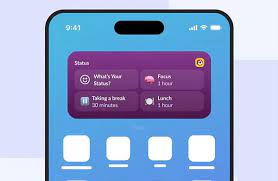
Slack Introduces New iOS App Widgets to Enhance Engagement and Collaboration Slack has launched four new widgets for its iOS app, aimed at boosting worker engagement and facilitating collaboration. The new additions include the “Catch Up” widget, two versions of the “Status” widget, and the “Slack Launcher” widget. These tools are designed to keep employees connected and productive, regardless of their location. While the first three widgets are available for the home screen, the “Slack Launcher” widget is specifically designed for iOS lock screens, allowing users to quickly access their workflows and projects. In an announcement on X, Slack stated: “Three new Slack iOS widgets are here to make your workday a whole lot easier. Add the Catch Up widget, Status widget, and Slack Launcher widget to your device and stay in the know on the go.” These updates align with Slack’s broader goal of evolving into a comprehensive collaboration and communication platform, offering some of the most advanced features in the market. To use these new features, Slack users should update their app to the latest version. After updating, they can add the new widgets by pressing and holding their Home or Lock Screen to select and place the widgets. Detailed Overview of the Widgets Recent Developments from Slack In April, Salesforce announced the availability of Slack AI for all paying customers. Previously limited to customers on Slack Enterprise plans and available only in US and UK English, Slack AI now supports businesses of all sizes. This tool leverages conversational data to help users work more efficiently and intelligently. Updates to Slack AI include a morning digest summary, personalized search answers, advanced conversation summaries, and expanded language support. Additionally, Salesforce introduced Slack Lists, a project and task management tool integrated into the Slack platform. This feature helps teams manage projects, inbound requests, and top priorities within Slack, streamlining workflows and reducing the need to switch between different apps. Earlier this month, Slack announced plans to delete data that is over a year old for free users. Previously, free users could access data up to 90 days old, with older data being hidden but retrievable upon upgrading to a paid account. Now, Slack may delete messages and shared files older than a year, in line with its service agreement and compliance regulations. Like Related Posts Who is Salesforce? Who is Salesforce? Here is their story in their own words. From our inception, we’ve proudly embraced the identity of Read more Salesforce Marketing Cloud Transactional Emails Salesforce Marketing Cloud Transactional Emails are immediate, automated, non-promotional messages crucial to business operations and customer satisfaction, such as order Read more Salesforce Unites Einstein Analytics with Financial CRM Salesforce has unveiled a comprehensive analytics solution tailored for wealth managers, home office professionals, and retail bankers, merging its Financial Read more AI-Driven Propensity Scores AI plays a crucial role in propensity score estimation as it can discern underlying patterns between treatments and confounding variables Read more