
Implementing a Salesforce Approval Process: Options and Considerations to Create Approval Process in Salesforce
An approval process is necessary for:
- Ensuring all pertinent stakeholders review deal specifics before closure
- Requesting management approval on discounts
- Obtaining feedback from leadership on deal particulars
This insight explores top options for implementing a Salesforce approval process within your company.
Option 1: Manual Email or Slack Notifications
The classic approach involves emailing or using Slack to request approvals. It’s straightforward and free, making it accessible for teams handling fewer approval requests.
Pros:
- No cost to implement
- No additional technology required to start
Cons:
- Requires logging into Salesforce for data retrieval
- All actions must occur within Salesforce, with approvals managed via email replies
- Can lead to cluttered inboxes without clear approval sequences
- Lacks centralized approval status tracking
Option 2: Google Sheets Integration
Another method involves using Google Sheets to manage approvals. Sales reps and managers input deal details for approval and track status in a centralized document.
Pros:
- Free and widely used within organizations
- Minimal setup time with Google Drive familiarity
Cons:
- Manual process requiring Salesforce login for data retrieval
- Limited capability to update Salesforce records directly from Google Sheets
- Prone to clutter and inefficiency with high deal volumes
The drawback of both methods is their manual nature and limited integration with Salesforce, which can hinder sales workflow efficiency and lead to approval delays.
Option 3: Salesforce Approvals
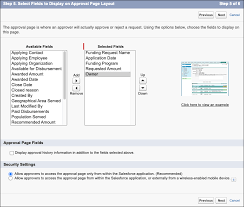
Salesforce provides a native approval functionality where users create processes (e.g., discount matrices) requiring multiple stakeholders to approve at designated levels.
Pros:
- No additional software required
- Approvals can be managed via email or directly within Salesforce
Cons:
- Basic functionality may necessitate additional tools for enhanced features like CPQ, incurring extra costs
- Limited email functionality may require users to log into Salesforce regardless
- Emails can be overlooked, slowing down approval cycles without automated reminders
While Salesforce Approvals streamline the process compared to manual methods, they still rely on user actions for notifications and responses, lacking full automation.
Choosing the Right Option
Evaluate each method’s pros and cons to determine the best fit for your company’s needs. Consider:
- Identifying actions requiring approval and the involved stakeholders
- Specifying deal criteria needing approval to define roles and frequency
- Assessing the volume of daily approvals to gauge the need for automation
By establishing a dynamic approval process aligned with your business requirements, you can empower your sales team to focus more on client acquisition and less on administrative tasks. Choose wisely to optimize efficiency and decision-making within your organization.


Who is Salesforce? Here is their story in their own words. From our inception, we've proudly embraced the identity of Read more

Salesforce Marketing Cloud Transactional Emails are immediate, automated, non-promotional messages crucial to business operations and customer satisfaction, such as order Read more

Salesforce has unveiled a comprehensive analytics solution tailored for wealth managers, home office professionals, and retail bankers, merging its Financial Read more

AI plays a crucial role in propensity score estimation as it can discern underlying patterns between treatments and confounding variables Read more





