Data Transformation Archives - gettectonic.com
Achieving AI Success Starts with Data Maturity

Achieving AI Success Starts with Data Maturity

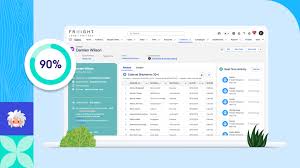
True AI success depends on data maturity. But what does that mean in practice? Organizations with high data maturity: The Path to Data Maturity Reaching data maturity requires a strategic commitment to: ✅ Develop a unified data strategy that aligns business and data teams toward common goals.✅ Implement strong data management and governance to ensure accuracy and trust.✅ Leverage advanced data solutions to transform raw data into actionable insights.✅ Prioritize security and compliance to protect data from breaches.✅ Foster a data-driven culture where every employee has the skills to analyze and act on insights. See How John Lewis & Partners Unlocks AI + Data-Driven Personalization “Investing in Salesforce has enabled us to make decisions faster and develop deeper relationships with our customers by providing a more personalized, convenient, and seamless customer experience.” — Libby Hickey, Tableau Product Manager, John Lewis & Partners Assess Your Data Maturity Ready to accelerate your data transformation? 📊 Take the free assessment to: Start your data maturity journey today. Contact Tectonic. Like Related Posts Who is Salesforce? Who is Salesforce? Here is their story in their own words. From our inception, we’ve proudly embraced the identity of Read more Salesforce Marketing Cloud Transactional Emails Salesforce Marketing Cloud Transactional Emails are immediate, automated, non-promotional messages crucial to business operations and customer satisfaction, such as order Read more Salesforce Unites Einstein Analytics with Financial CRM Salesforce has unveiled a comprehensive analytics solution tailored for wealth managers, home office professionals, and retail bankers, merging its Financial Read more AI-Driven Propensity Scores AI plays a crucial role in propensity score estimation as it can discern underlying patterns between treatments and confounding variables Read more

Read More
Data Cloud and Genpact

Unlock the Power of Your Data with Data Cloud

Seamlessly Connect, Unify, and Activate Your Data Data Cloud enables you to harness the full potential of your data—structured or unstructured—by integrating it across multiple sources. Key Capabilities: ✔ Connect All Data Sources – Ingest both batch and streaming data seamlessly.✔ Zero-Copy Data Federation – Access data without duplicating it.✔ Data Transformation & Governance – Standardize and secure your data.✔ Harmonize to a Common Data Model – Ensure consistency across datasets.✔ Identity Resolution – Unify data with advanced rulesets.✔ Advanced Analytics & Insights – Query, analyze, and extract business intelligence.✔ AI-Powered Predictions – Use AI to anticipate customer behavior.✔ Segmentation & Activation – Create targeted audience segments for personalized experiences.✔ Multi-Source Data Activation – Output data to multiple channels based on business needs.✔ Integration with Agentforce – Leverage data for AI-powered automation.✔ Continuous Optimization – Measure, refine, and enhance your data strategy. Designed for Every Role Data Cloud provides role-specific functionality, ensuring value across your organization. User Description Learn More Admins Enhance your admin skills with Data Cloud. Administer Data Cloud (Trailhead) Analysts Leverage Tableau to expand your analytics capabilities. Tableau Cloud Help Documentation Builders Develop applications using Data Cloud. ISVforce Guide Business Users Ingest data for diverse business needs. Salesforce Help Data Architects Map and model data effectively. Salesforce Architects Frameworks Developers Utilize APIs and SDKs to interact with Data Cloud. Data Cloud Developer Center Marketers Segment and activate audiences for cross-channel campaigns. Segmentation in Data Cloud (Trailhead) Partners Implement Data Cloud for customers. Partner Learning Camp Get Started with Data Cloud Customize Your Experience Data Cloud is built to scale, allowing you to tailor features to your business needs. While some features are included, others are available as add-ons or have adjustable limits. Work with your account executive to find the right solution. Available Editions: 📌 Data Cloud Starter – Get core Data Cloud functionality. 📌 Data Cloud + Tableau – Unlock powerful analytics with Tableau Enterprise. 📌 Marketing Use Cases – Leverage Segmentation and Activation for personalized marketing campaigns. 📌 Industry-Specific Solutions – Tailor Data Cloud for specialized needs. Better Together: Data & AI The best AI solutions are built on trusted, high-quality data. Data Cloud consolidates disparate data sources into unified customer and account profiles, fueling AI-driven automation and insights with Agentforce. Unlock the full potential of your data with Salesforce Data Cloud. Ready to get started? Learn more. Like Related Posts Who is Salesforce? Who is Salesforce? Here is their story in their own words. From our inception, we’ve proudly embraced the identity of Read more Salesforce Marketing Cloud Transactional Emails Salesforce Marketing Cloud Transactional Emails are immediate, automated, non-promotional messages crucial to business operations and customer satisfaction, such as order Read more Salesforce Unites Einstein Analytics with Financial CRM Salesforce has unveiled a comprehensive analytics solution tailored for wealth managers, home office professionals, and retail bankers, merging its Financial Read more AI-Driven Propensity Scores AI plays a crucial role in propensity score estimation as it can discern underlying patterns between treatments and confounding variables Read more

Read More
Data Labeling

Data Activation Explained

Data activation is the process of transforming raw data into actionable insights, making it accessible and usable for decision-making across various business functions and channels. It involves moving data from silos to operational tools, enabling real-time decision-making and personalized experiences.  Explanation: What it is: Why it’s important: How it works: Like Related Posts Who is Salesforce? Who is Salesforce? Here is their story in their own words. From our inception, we’ve proudly embraced the identity of Read more Salesforce Marketing Cloud Transactional Emails Salesforce Marketing Cloud Transactional Emails are immediate, automated, non-promotional messages crucial to business operations and customer satisfaction, such as order Read more Salesforce Unites Einstein Analytics with Financial CRM Salesforce has unveiled a comprehensive analytics solution tailored for wealth managers, home office professionals, and retail bankers, merging its Financial Read more AI-Driven Propensity Scores AI plays a crucial role in propensity score estimation as it can discern underlying patterns between treatments and confounding variables Read more

Read More

Salesforce Functions

Salesforce Functions: A Retrospective on the Retired Serverless Solution What Was Salesforce Functions? Salesforce Functions (retired January 31, 2025) was a serverless compute platform that enabled developers to extend Salesforce with custom, elastically scalable logic using familiar programming languages like: Unlike traditional Apex development, Functions allowed teams to write, deploy, and scale business logic without managing infrastructure—all while integrating seamlessly with Apex, Flows, and Lightning Web Components (LWC). Key Features & Benefits (While Active) 1. Language Flexibility ✔ No Apex lock-in – Developers used preferred languages (Java, JS, TS) and tools.✔ Reuse existing code – Leverage libraries, frameworks, and open-source solutions. 2. Elastic, Serverless Scaling ✔ Auto-scaling – No capacity planning; Salesforce handled compute resources.✔ Pay-per-use model – Cost-efficient for variable workloads. 3. Native Salesforce Integration ✔ Trigger from Apex, Flows, or LWC – Seamlessly embed custom logic in Salesforce processes.✔ Secure & compliant – Built on Salesforce’s trusted infrastructure. 4. Reduced DevOps Overhead ✔ No server management – Salesforce handled deployment, scaling, and uptime.✔ Focus on business logic – No need to provision or monitor cloud resources. Why Was Salesforce Functions Retired? Salesforce officially sunset Functions on January 31, 2025, citing: Existing customers were required to migrate to alternative solutions before their contract terms ended. How It Worked (Before Retirement) Example Use Cases Migration Paths After Retirement Organizations previously using Functions were advised to transition to: Alternative Solution Best For Salesforce Code Builder Cloud-based development in VS Code. Einstein Automate Low-code/serverless automation with AI. External Cloud Functions AWS Lambda, Azure Functions + Salesforce Connect. Final Thoughts Salesforce Functions bridged a critical gap by letting developers break free from Apex while maintaining Salesforce’s security and scalability. Its retirement reflects Salesforce’s broader shift toward Hyperforce and cloud-agnostic development. Looking ahead? While Functions is no longer available, its legacy lives on in Salesforce’s evolving low-code and pro-code ecosystem. Key Takeaways:✔ Retired January 2025 – No new Functions could be created.✔ Enabled Java/JS/TS development – Without Apex limitations.✔ Migrate to Code Builder, Einstein Automate, or external cloud functions.✔ Part of Salesforce’s shift toward Hyperforce & cloud-native solutions. Next Steps for Former Users:➡ Audit existing Functions dependencies.➡ Evaluate Einstein Automate for low-code alternatives.➡ Explore Salesforce Code Builder for cloud-based development. Like Related Posts Who is Salesforce? Who is Salesforce? Here is their story in their own words. From our inception, we’ve proudly embraced the identity of Read more Salesforce Marketing Cloud Transactional Emails Salesforce Marketing Cloud Transactional Emails are immediate, automated, non-promotional messages crucial to business operations and customer satisfaction, such as order Read more Salesforce Unites Einstein Analytics with Financial CRM Salesforce has unveiled a comprehensive analytics solution tailored for wealth managers, home office professionals, and retail bankers, merging its Financial Read more AI-Driven Propensity Scores AI plays a crucial role in propensity score estimation as it can discern underlying patterns between treatments and confounding variables Read more

Read More
How to Connect Multiple Data Sources in Power BI Desktop

How to Connect Multiple Data Sources in Power BI Desktop

In today’s data-driven world, the ability to analyze diverse data sources can set a business apart. With Power BI Desktop, a Microsoft tool, analysts can seamlessly integrate data from various platforms and transform raw information into actionable insights. For instance, you could combine Excel-based sales figures with financial data from SQL Server and customer information from Salesforce into an interactive report. Mastering these techniques can be easier through structured learning, such as Microsoft Power BI courses, which offer practical insights into leveraging this powerful tool. This guide will help you connect, combine, and visualize multiple data sources in Power BI Desktop to make smarter, data-driven decisions. Why Combine Multiple Data Sources? Organizations often face the challenge of managing data stored across disparate systems. Financial records may reside in SQL Server, sales data in Excel, and customer information in cloud platforms like Salesforce. Insights from these datasets are often hidden unless they are integrated. Using Power BI Desktop, you can load multiple data sources into a unified model, providing a comprehensive view that enables better analysis and decision-making. Getting Started with Power BI Desktop Before integrating datasets, ensure you have Power BI Desktop installed. The tool is available for download from the official Power BI website. Once installed, launch Power BI Desktop to begin connecting your data sources. Step-by-Step Guide 1. Connecting Your First Data Source Follow these steps to connect to your first data source: At this stage, you can use Power Query Editor to clean and transform the data as needed. 2. Adding Additional Data Sources Enhance your report by adding more data sources: For example, you could link an Excel file for sales data, a SQL Server database for product details, and Azure for supplementary information, all within a single report. 3. Combining Data from Multiple Sources To merge data from different sources into a cohesive model: This process creates a unified data model that allows for cross-tabulation and advanced visualizations. 4. Using Power Query Editor for Data Transformation Before combining datasets, you may need to clean and transform the data. Use Power Query Editor to: Access Power Query Editor by selecting Transform Data on the Home tab. 5. Creating Visualizations with Combined Data With your unified data model, you can create compelling visualizations: 6. Refreshing Data Connections Power BI Desktop enables you to refresh data connections effortlessly, ensuring your reports stay updated: Best Practices for Connecting Multiple Data Sources Conclusion Integrating multiple data sources in Power BI Desktop empowers businesses to uncover deep insights and make informed decisions. By following these steps, you can connect, aggregate, and visualize diverse datasets with ease. To further enhance your expertise, explore free resources or consider professional courses to master the versatility of Power BI Desktop—a vital tool for data professionals and business analysts. Like Related Posts Who is Salesforce? Who is Salesforce? Here is their story in their own words. From our inception, we’ve proudly embraced the identity of Read more Salesforce Marketing Cloud Transactional Emails Salesforce Marketing Cloud Transactional Emails are immediate, automated, non-promotional messages crucial to business operations and customer satisfaction, such as order Read more Salesforce Unites Einstein Analytics with Financial CRM Salesforce has unveiled a comprehensive analytics solution tailored for wealth managers, home office professionals, and retail bankers, merging its Financial Read more AI-Driven Propensity Scores AI plays a crucial role in propensity score estimation as it can discern underlying patterns between treatments and confounding variables Read more

Read More
dbt Labs and Salesforce

dbt Labs and Salesforce

dbt Labs, a leader in analytics engineering, announced at Coalesce 2024 a groundbreaking partnership with Salesforce to integrate Salesforce Data Cloud’s AI, automation, and analytics capabilities with dbt Labs’ expertise in data transformation and metrics management. This collaboration aims to deliver a seamless, trustworthy, and comprehensive data experience for users. “Together, Salesforce and dbt Labs are redefining what’s possible with data,” said Ryan Segar, Chief Customer Officer at dbt Labs. “By integrating our solutions, we’re helping customers accelerate their analytics development journey, delivering powerful, flexible data insights that drive better business outcomes.” The partnership offers Salesforce Data Cloud, Tableau, and Agentforce users access to dbt Labs’ robust data transformation pipeline, ensuring high data accuracy, quality, and reliability. An independent metrics layer from dbt Labs will allow Salesforce and Tableau users to define, manage, and standardize key business metrics, providing consistent and comparable insights across platforms. This supports confident, data-driven decision-making directly within the flow of work. New integrations include the ability to connect dbt Semantic Layer with Tableau Pulse, export metrics from dbt Cloud to Tableau Cloud, and leverage dbt models within Tableau and Einstein. Future integrations will explore features such as alignment with Tableau Semantics and enabling instant Tableau analytics from the dbt Cloud console. Ali Tore, Senior Vice President of Advanced Analytics at Salesforce, emphasized the benefits of this collaboration: “By combining the strengths of dbt with Salesforce Data Cloud, we’re empowering customers with AI-powered insights built on a foundation of trusted, reliable data. This integration unlocks the full potential of their data to drive impactful business outcomes.” With over 50,000 teams already using dbt, Salesforce customers can now leverage advanced data modeling techniques trusted by leading global organizations. This partnership offers scalable, robust data modeling directly within Salesforce Data Cloud, benefiting both technical and non-technical users alike. Like Related Posts Who is Salesforce? Who is Salesforce? Here is their story in their own words. From our inception, we’ve proudly embraced the identity of Read more Salesforce Marketing Cloud Transactional Emails Salesforce Marketing Cloud Transactional Emails are immediate, automated, non-promotional messages crucial to business operations and customer satisfaction, such as order Read more Salesforce Unites Einstein Analytics with Financial CRM Salesforce has unveiled a comprehensive analytics solution tailored for wealth managers, home office professionals, and retail bankers, merging its Financial Read more AI-Driven Propensity Scores AI plays a crucial role in propensity score estimation as it can discern underlying patterns between treatments and confounding variables Read more

Read More
Salesforce Data Cloud and Zero Copy

Salesforce Data Cloud and Zero Copy

As organizations across industries gather increasing amounts of data from diverse sources, they face the challenge of making that data actionable and deriving real-time insights. With Salesforce Data Cloud and zero copy architecture, organizations can streamline access to data and build dynamic, real-time dashboards that drive value while embedding contextual insights into everyday workflows. A session during Dreamforce 2024 with Joanna McNurlen, Principal Solution Engineer for Data Cloud at Salesforce, discussed how zero copy architecture facilitates the creation of dashboards and workflows that provide near-instant insights, enabling quick decision-making to enhance operational efficiency and competitive advantage. What is zero copy architecture?Traditionally, organizations had to replicate data from one system to another, such as copying CRM data into a data warehouse for analysis. This approach introduces latency, increases storage costs, and often results in inconsistencies between systems. Zero copy architecture eliminates the need for replication and provides a single source of truth for your data. It allows different systems to access data in its original location without duplication across platforms. Instead of using traditional extract, transform, and load (ETL) processes, systems like Salesforce Data Cloud can connect directly with external databases, such as Google Cloud BigQuery, Snowflake, Databricks, or Amazon Redshift, for real-time data access. Zero copy can also facilitate data sharing from within Salesforce to other systems. As Salesforce expands its zero copy partner network, opportunities to easily connect data from various sources will continue to grow. How does zero copy work?Zero copy employs virtual tables that act as blueprints for the data structure, enabling queries to be executed as if the data were local. Changes made in the data warehouse are instantly visible across all connected systems, ensuring users always work with the latest information. While developing dashboards, users can connect directly to the zero copy objects within Data Cloud to create visualizations and reports on top of them. Why is zero copy beneficial?Zero copy allows organizations to analyze data as it is generated, enabling faster responses, smarter decision-making, and enhanced customer experiences. This architecture reduces reliance on data transformation workflows and synchronizations within both Tableau and CRM Analytics, where organizations have historically encountered bottlenecks due to runtimes and platform limits. Various teams can benefit from the following capabilities: Unlocking real-time insights in Salesforce using zero copy architectureZero copy architecture and real-time data are transforming how organizations operate. By eliminating data duplication and providing real-time insights, the use of zero copy in Salesforce Data Cloud empowers organizations to work more efficiently, make informed decisions, and enhance customer experiences. Now is the perfect time to explore how Salesforce Data Cloud and zero copy can elevate your operations. Tectonic, a trusted Salesforce partner, can help you unlock the potential of your data and create new opportunities with the Salesforce platform. Connect with us today to get started. Like Related Posts Who is Salesforce? Who is Salesforce? Here is their story in their own words. From our inception, we’ve proudly embraced the identity of Read more Salesforce Marketing Cloud Transactional Emails Salesforce Marketing Cloud Transactional Emails are immediate, automated, non-promotional messages crucial to business operations and customer satisfaction, such as order Read more Salesforce Unites Einstein Analytics with Financial CRM Salesforce has unveiled a comprehensive analytics solution tailored for wealth managers, home office professionals, and retail bankers, merging its Financial Read more AI-Driven Propensity Scores AI plays a crucial role in propensity score estimation as it can discern underlying patterns between treatments and confounding variables Read more

Read More
Salesforce and SnapLogic Integration

Salesforce and SnapLogic Integration

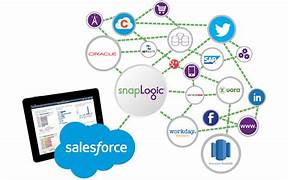
Salesforce and SnapLogic integrations couldn’t be easier with the Tray platform’s robust Salesforce and SnapLogic connectors, which can connect to any service without the need for separate integration tools. Salesforce provides customer relationship management service software, and has a complementary suite of enterprise applications as well. These are focused on customer service, marketing automation, analytics, and application development. It is the market leader in CRM solutions. The latest Salesforce connector v8.7 exposes the v46.0 of Salesforce’s REST API. More information can be found on their primary API documentation (v1) site. Encountering issues while authenticating with Salesforce, especially during the integration of a third-party app like Tray, may result from Salesforce blocking the application. Salesforce’s default settings or specific organizational security policies can automatically block third-party apps that administrators have not pre-authorized. This is a standard precaution to prevent unauthorized access. Steps to Unblock an App in Salesforce: Use cases In each of these examples, Lead Scoring and Prioritization Objective: Automatically score and prioritize leads based on their attributes and activities. Steps: This example leverages AI for lead classification while combining it with traditional data processing for a comprehensive lead scoring system. Like Related Posts Who is Salesforce? Who is Salesforce? Here is their story in their own words. From our inception, we’ve proudly embraced the identity of Read more Salesforce Marketing Cloud Transactional Emails Salesforce Marketing Cloud Transactional Emails are immediate, automated, non-promotional messages crucial to business operations and customer satisfaction, such as order Read more Salesforce Unites Einstein Analytics with Financial CRM Salesforce has unveiled a comprehensive analytics solution tailored for wealth managers, home office professionals, and retail bankers, merging its Financial Read more AI-Driven Propensity Scores AI plays a crucial role in propensity score estimation as it can discern underlying patterns between treatments and confounding variables Read more

Read More
Salesforce Data Cloud

Salesforce Data Cloud – The Ultimate Guide to Unified Customer Intelligence

Why Salesforce Data Cloud is Transforming Business Operations In today’s digital-first economy, customer data is your most valuable asset—if you can harness it effectively. Salesforce Data Cloud revolutionizes how enterprises unify, analyze, and activate customer data across every touchpoint. 5 Key Business Transformations The Data Cloud Advantage: Beyond Traditional CDPs Unlike legacy customer data platforms, Salesforce Data Cloud delivers: Feature Traditional Solutions Salesforce Data Cloud Data Integration Manual ETL processes Real-time harmonization AI Capabilities Basic segmentation Predictive insights & recommendations Activation Limited channel support Native Salesforce app integration Scalability Fixed data models Elastic cloud infrastructure Total Cost Hidden implementation fees Transparent consumption model Proven Results Across Industries Financial Services Healthcare Retail Implementation Roadmap Phase 1: Foundation (Weeks 1-4) Phase 2: Activation (Weeks 5-8) Phase 3: Scaling (Ongoing) Overcoming Common Challenges “Our data is too messy”→ Automated data quality tools clean and standardize information during ingestion “We can’t afford another platform”→ Consumption-based pricing starts at $25K/year with proven 3-5X ROI “Our team isn’t technical enough”→ No-code tools like Flow Builder enable business user configuration The Future of Data-Driven Business As AI reshapes customer expectations, Salesforce Data Cloud provides the essential infrastructure to: Leading organizations are already achieving: Next Steps for Your Data Transformation “Companies using Data Cloud see 47% faster decision-making and 32% higher customer satisfaction scores within 6 months.” – Forrester Consulting Study Unlock your data’s full potential. Contact our specialists today to begin your assessment. Like Related Posts Who is Salesforce? Who is Salesforce? Here is their story in their own words. From our inception, we’ve proudly embraced the identity of Read more Salesforce Marketing Cloud Transactional Emails Salesforce Marketing Cloud Transactional Emails are immediate, automated, non-promotional messages crucial to business operations and customer satisfaction, such as order Read more Salesforce Unites Einstein Analytics with Financial CRM Salesforce has unveiled a comprehensive analytics solution tailored for wealth managers, home office professionals, and retail bankers, merging its Financial Read more AI-Driven Propensity Scores AI plays a crucial role in propensity score estimation as it can discern underlying patterns between treatments and confounding variables Read more

Read More
gettectonic.com