

Integrations Archives - gettectonic.com - Page 3
Why Salesforce Release Management Matters

Salesforce Summer ’25 Release

Salesforce Summer ’25 Release: Key Updates & What You Need to Know The Salesforce Summer ’25 Release is here—packed with AI-powered automation, critical deprecations, and game-changing enhancements to Flow, Agentforce, and approvals. Whether you’re an admin, developer, or business leader, these updates will impact how you work on the platform. Let’s break down the biggest changes. 1. The End of Legacy Automation Tools Salesforce is officially sunsetting older automation features, pushing users toward next-gen solutions. Key Deprecations: 2. Flow Gets a Major Upgrade Flow is now faster, more intuitive, and packed with new features—making it the go-to automation tool. New Enhancements: ✔ Redesigned Flow Builder – Faster loading, responsive layouts, and mobile/tablet previews.✔ Rich In-Line Email Editor – No more external templates! Format emails directly in Flow with merge fields, colors, and styling.✔ Debug Fault Paths – Test error-handling logic for more reliable automations.✔ Reusable Flow Templates – Save and reuse common flow patterns across your org. Biggest Game-Changer: Flow-Based Approvals Salesforce is phasing out classic approval processes in favor of Flow-based approvals (though the old tool isn’t retired yet). Why switch? Action Item: Start testing Flow-based approvals in sandbox. 3. Agentforce Gets Smarter & More Versatile Salesforce’s AI-powered Agentforce is expanding beyond customer service into HR, field service, and sales. Key Upgrades: 🔹 Embed LWCs in Chatbots – Users can now interact with buttons, calendars, and custom UIs inside chat.🔹 New HR & Employee Service Templates – Automate onboarding, time-off requests, and internal workflows.🔹 Field Service AI Upgrades – Agents now: Action Item: Explore Agentforce for internal use cases (HR, IT, field service). 4. Admin Productivity Boosters Salesforce is making permissions and user management easier than ever. New Admin Features: 🔸 Bulk Object Permissions in Object Manager – No more jumping between permission sets!🔸 Enhanced Permission Set Summaries – Now includes tab access, public groups, and queues.🔸 Improved User Access Reports – Track permissions during onboarding/offboarding. 5. Release Timeline & Checklist When is Summer ‘25 Rolling Out? Your Summer ‘25 Prep Checklist ✅ Migrate off Workflow Rules & Process Builder → Move to Flow.✅ Audit API integrations → Ensure they use v31+.✅ Test outbound messaging → Confirm it works with 20s timeout.✅ Pilot Flow-based approvals → Start rebuilding in sandbox.✅ Explore Agentforce upgrades → Test chat LWC embeds & Siri voice.✅ Simplify permissions → Use bulk object permissions. Need Help Navigating These Changes? Transitioning to Flow, Agentforce, or new APIs can be complex. Our Salesforce experts can help you: Contact us today to get release-ready! Final Thought Salesforce is doubling down on AI, automation, and modern UX. The message is clear: The future is Flow, Agentforce, and clean data. Start preparing now! Like Related Posts Who is Salesforce? Who is Salesforce? Here is their story in their own words. From our inception, we’ve proudly embraced the identity of Read more Salesforce Marketing Cloud Transactional Emails Salesforce Marketing Cloud Transactional Emails are immediate, automated, non-promotional messages crucial to business operations and customer satisfaction, such as order Read more Salesforce Unites Einstein Analytics with Financial CRM Salesforce has unveiled a comprehensive analytics solution tailored for wealth managers, home office professionals, and retail bankers, merging its Financial Read more AI-Driven Propensity Scores AI plays a crucial role in propensity score estimation as it can discern underlying patterns between treatments and confounding variables Read more


Read More
AI in Networking

The AI Workforce Revolution

The AI Workforce Revolution: How to Lead in the Age of Agentic Automation The Blended Workforce Era is Here AI agent adoption is projected to surge 327% in the next two years, transforming every industry. Managers will soon oversee teams where AI agents work alongside humans—handling tasks from customer service to data analysis. But success isn’t just about deploying AI—it’s about leading a high-performing hybrid workforce. Here’s how to prepare. 1. Address Employee Concerns Early AI anxiety is real. Proactively:✔ Communicate AI’s role—it’s for repetitive tasks (scheduling, data processing), not replacements.✔ Upskill teams for AI-augmented roles (creativity, judgment, strategy).✔ Follow Salesforce’s model: Host Agentforce Learning Days to train employees on AI collaboration. “The future of work isn’t humans vs. AI—it’s humans with AI.” — Jenny Simmons, VP of Learning, Salesforce 2. Onboard AI Agents Like a Pro Forget HR paperwork—AI integration is technical: Human Onboarding AI Agent Onboarding Training & mentorship Configuration & data setup Adapts to ambiguity Needs precise guardrails Needs motivation Requires monitoring & KPIs Key Steps: 3. Master AI Workforce Management Essential Skills for Hybrid Leaders 🔹 AI Delegation – Assign tasks based on strengths (AI = speed, humans = judgment).🔹 Data Literacy – Understand what fuels AI (data sources, biases, gaps).🔹 Ethical Oversight – Know when to override AI (e.g., financial advice for retirees). Example: An AI suggests a high-risk investment—but a human advisor knows the client prefers stability. 4. Build a Culture of Co-Creation ✅ Involve employees in AI rollout—make them co-pilots, not bystanders.✅ Celebrate AI-human wins (e.g., faster service, better insights).✅ Position AI as an enhancer—not a replacement. The Bottom Line The best leaders won’t just manage people—they’ll orchestrate human-AI symphonies. By upskilling teams, refining oversight, and fostering collaboration, you’ll unlock unprecedented productivity and innovation. 🚀 Next Steps: “The companies that thrive won’t just adopt AI—they’ll reimagine work around it.” Like Related Posts Who is Salesforce? Who is Salesforce? Here is their story in their own words. From our inception, we’ve proudly embraced the identity of Read more Salesforce Marketing Cloud Transactional Emails Salesforce Marketing Cloud Transactional Emails are immediate, automated, non-promotional messages crucial to business operations and customer satisfaction, such as order Read more Salesforce Unites Einstein Analytics with Financial CRM Salesforce has unveiled a comprehensive analytics solution tailored for wealth managers, home office professionals, and retail bankers, merging its Financial Read more AI-Driven Propensity Scores AI plays a crucial role in propensity score estimation as it can discern underlying patterns between treatments and confounding variables Read more

Read More
Salesforce prompt builder

Mastering Agentforce

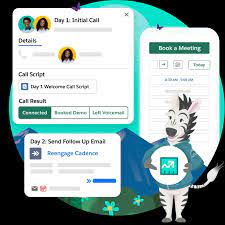
Mastering Agentforce: How to Supercharge Salesforce with AI-Powered Prompts Unlocking the Power of Agentforce Salesforce’s Agentforce is transforming how businesses automate marketing and sales—using generative AI to handle repetitive tasks, respond to prospect behavior in real time, and drive smarter strategies with less effort. But to fully leverage Agentforce, you need to master prompt engineering—the art of crafting effective AI instructions. (Don’t let the term “engineering” intimidate you—it simply means writing clear, structured prompts!) AI Prompts 101: The Key to Personalized Automation An AI prompt is a detailed instruction that guides Salesforce’s large language model (LLM) to generate relevant, business-specific responses. Why Prompts Matter Introducing Salesforce Prompt Builder Prompt Builder is Agentforce’s central hub for creating, managing, and applying reusable prompt templates across your AI Agents. How It Works 3 Types of Prompt Templates Step-by-Step: How to Use Prompt Builder 1. Get Access 2. Open Prompt Builder 3. Craft Your Prompt Every effective prompt should include:✅ Who’s involved? (Roles, relationships, data)Example: “You are a marketer named {!user.firstname} writing to {!account.name}, a potential customer.” ✅ Context (Tone, style, language)Example: “Write a professional yet conversational email in British English.” ✅ Goal (What should the AI accomplish?)Example: “Persuade {!account.name} to book a 15-minute intro call.” ✅ Constraints (Word limits, data boundaries)Example: “Keep under 300 words. Avoid jargon and unsupported claims.” 📌 Pro Tip: Draft prompts in a separate doc first for easy editing. 4. Test & Refine Before going live:✔ Verify responses match your goals & brand voice.✔ Check for bias, errors, or inconsistencies.✔ Fine-tune by adding more context or rephrasing. 5. Deploy Activate your prompt for use in: Why This Changes Everything With Agentforce + Prompt Builder, Salesforce users can:🚀 Scale hyper-personalized outreach without manual work.🤖 Automate repetitive tasks while maintaining brand consistency.📈 Drive higher ROI with AI that adapts to real-time data. Ready to transform your Salesforce automation? Start engineering smarter prompts today! Like Related Posts Who is Salesforce? Who is Salesforce? Here is their story in their own words. From our inception, we’ve proudly embraced the identity of Read more Salesforce Marketing Cloud Transactional Emails Salesforce Marketing Cloud Transactional Emails are immediate, automated, non-promotional messages crucial to business operations and customer satisfaction, such as order Read more Salesforce Unites Einstein Analytics with Financial CRM Salesforce has unveiled a comprehensive analytics solution tailored for wealth managers, home office professionals, and retail bankers, merging its Financial Read more AI-Driven Propensity Scores AI plays a crucial role in propensity score estimation as it can discern underlying patterns between treatments and confounding variables Read more
Read More
AI Agent Revolution

The Salesforce AI Agent Maturity Model

The Salesforce AI Agent Maturity Model: A Roadmap for Scaling Intelligent Automation With 84% of CIOs believing AI will be as transformative as the internet, strategic adoption is no longer optional—it’s a competitive imperative. Yet many organizations struggle with where to begin, how to scale AI agents, and how to measure success. To help enterprises navigate this challenge, Salesforce has introduced the Agentic Maturity Model, a four-stage framework that guides businesses from basic automation to advanced, multi-agent ecosystems. “While agents can be deployed quickly, scaling them effectively requires a thoughtful, phased approach,” said Shibani Ahuja, SVP of Enterprise IT Strategy at Salesforce. “This model provides a clear roadmap to help organizations progress toward higher levels of AI maturity.” How Leading Companies Are Using the Framework Wiley: Building a Future-Ready AI Foundation “Visionary leadership is essential in today’s rapidly evolving AI landscape,” said Kevin Quigley, Director of Process Improvement at Wiley. “Salesforce’s framework ensures the building blocks we create today will support our long-term AI strategy.” Alpine Intel: Accelerating Efficiency in Insurance “Every minute saved counts in our high-volume claims business,” said Kelly Bentubo, Director of Architecture at Alpine Intel. “This model brings clarity to scaling AI—helping us move from time-saving automations to advanced multi-agent applications.” The Four Levels of Agentic Maturity Level 0: Fixed Rules & Repetitive Tasks (Chatbots & Co-pilots) What it is: Basic automation with no reasoning—think FAQ bots or scripted workflows.Example: A chatbot handling password resets via predefined decision trees. How to Advance to Level 1:✔ Identify rigid processes ripe for AI reasoning.✔ Measure time/cost savings from automation.✔ Start with low-risk, employee-facing agents. Level 1: Information Retrieval Agents What it is: AI that fetches data and suggests actions (but doesn’t act alone).Example: A support agent recommending troubleshooting steps from a knowledge base. How to Advance to Level 2:✔ Shift from recommendations to autonomous actions.✔ Improve data quality and governance.✔ Track metrics like case deflection and CSAT. Level 2: Simple Orchestration (Single Domain) What it is: Agents automating multi-step tasks within one system.Example: Scheduling meetings + sending follow-ups using calendar/email data. How to Advance to Level 3:✔ Choose between specialized agents or a “mega-agent.”✔ Extend capabilities with API integrations.✔ Design scalable architecture for future growth. Level 3: Complex Orchestration (Cross-Domain) What it is: AI coordinating workflows across departments (e.g., sales + service).Example: An agent analyzing CRM, support tickets, and financial data to optimize deals. How to Advance to Level 4:✔ Build a universal communication layer for agents.✔ Implement dynamic agent discovery & governance.✔ Measure ROI via cost savings and revenue impact. Level 4: Multi-Agent Ecosystems What it is: AI teams collaborating across systems with human oversight.Example: Agents processing orders, managing inventory, and routing feedback in real time. Maximizing Value:✔ Strengthen security for ecosystem-wide AI.✔ Develop new business models powered by agent collaboration.✔ Track revenue growth, retention, and operational efficiency. Beyond Technology: Key Implementation Factors “AI success hinges on more than just tech,” notes Ahuja. Organizations must: By addressing these pillars, businesses can accelerate AI adoption—turning experimentation into scalable, measurable value. Contact Tectonic today to harness the power of AI and move along the AI Agent maturity continuum. Like Related Posts Who is Salesforce? Who is Salesforce? Here is their story in their own words. From our inception, we’ve proudly embraced the identity of Read more Salesforce Marketing Cloud Transactional Emails Salesforce Marketing Cloud Transactional Emails are immediate, automated, non-promotional messages crucial to business operations and customer satisfaction, such as order Read more Salesforce Unites Einstein Analytics with Financial CRM Salesforce has unveiled a comprehensive analytics solution tailored for wealth managers, home office professionals, and retail bankers, merging its Financial Read more AI-Driven Propensity Scores AI plays a crucial role in propensity score estimation as it can discern underlying patterns between treatments and confounding variables Read more

Read More
Sales Enablement

Salesforce’s Top Sales Enablement Tools

The 9 Best Sales Enablement Tools for 2025 Based on original research by Erin Hueffner, Writer at Salesforce Sales enablement software has become a must-have for high-performing sales teams. According to the Salesforce State of Sales report, adoption surged 48% in 2024, with 75% of reps crediting these tools for helping them meet quotas. But with so many options, how do you choose the right one? Below, we break down the top 9 sales enablement platforms—ranked by features, user ratings, and real-world impact. What Is Sales Enablement Software? Sales enablement tools help teams:✅ Train & onboard reps faster✅ Organize sales content (playbooks, case studies, scripts)✅ Track performance with CRM-linked analytics✅ Coach sellers with AI-driven insights The best platforms combine learning (LMS), content management (CMS), and CRM integration to drive measurable ROI. Who Uses Sales Enablement Tools? Key Benefits of Sales Enablement Software 🔹 Faster onboarding – Reduce ramp time for new hires.🔹 Higher win rates – AI recommends best-performing content.🔹 Larger deal sizes – Data reveals upselling opportunities.🔹 Shorter sales cycles – Right content at the right time. The 9 Best Sales Enablement Tools for 2025 (Ranked by G2 & Capterra ratings, features, and real-world impact) 1. Salesforce Sales Cloud Best for: End-to-end CRM-powered enablement⭐ Rating: 4.4/5 (G2) | ✅ Top Feature: AI-powered coaching (Agentforce) 2. Seismic Best for: Enterprise content & training unification⭐ Rating: 4.5/5 (G2) | ✅ Top Feature: AI-generated learning paths 3. Highspot Best for: AI-driven content recommendations⭐ Rating: 4.6/5 (Capterra) | ✅ Top Feature: Highspot Copilot (AI coaching) 4. Mindtickle Best for: Data-backed sales coaching⭐ Rating: 4.7/5 (G2) | ✅ Top Feature: AI role-play simulations 5. HubSpot Sales Hub Best for: SMBs needing CRM + enablement⭐ Rating: 4.3/5 (G2) | ✅ Top Feature: Conversation intelligence 6. Showpad Best for: Visual, interactive sales content⭐ Rating: 4.5/5 (G2) | ✅ Top Feature: AI-powered pitch coaching 7. Demodesk Best for: Virtual sales teams⭐ Rating: 4.6/5 (Capterra) | ✅ Top Feature: AI meeting summaries 8. ClientPoint Best for: Proposal & contract automation⭐ Rating: 4.4/5 (Capterra) | ✅ Top Feature: AI assistant (Meg) 9. Lessonly by Seismic Best for: Rapid sales training⭐ Rating: 4.5/5 (G2) | ✅ Top Feature: Microlearning modules Key Features to Look For 🔎 AI-powered coaching (e.g., call analysis, role-play feedback)📂 Smart content management (searchable, version-controlled libraries)📊 CRM integration (tie training to deal outcomes)📈 Predictive analytics (flag at-risk deals & skill gaps) How to Choose the Right Tool Final Verdict Sales enablement tools are no longer optional—they’re competitive necessities. The right platform can:✔ Cut ramp time by 50%+✔ Boost win rates by 20%✔ Reduce content search time by 80% Top Pick for 2025? Need AI coaching? Mindtickle & Demodesk lead the pack. Ready to enable your team? The right tool could be the difference between missing quota and smashing targets. Like Related Posts Who is Salesforce? Who is Salesforce? Here is their story in their own words. From our inception, we’ve proudly embraced the identity of Read more Salesforce Marketing Cloud Transactional Emails Salesforce Marketing Cloud Transactional Emails are immediate, automated, non-promotional messages crucial to business operations and customer satisfaction, such as order Read more Salesforce Unites Einstein Analytics with Financial CRM Salesforce has unveiled a comprehensive analytics solution tailored for wealth managers, home office professionals, and retail bankers, merging its Financial Read more AI-Driven Propensity Scores AI plays a crucial role in propensity score estimation as it can discern underlying patterns between treatments and confounding variables Read more

Read More

Salesforce Summer 25 Release Updates

Mandatory Changes Taking Effect 1. Modernized Record Experience in Aura Sites (Enforced) What’s Changing: Action Required: 2. Secure Roles Behavior & Sharing Group Updates in Sandboxes (Enforced) What’s Changing: Action Required: 3. LinkedIn Lead Capture Configuration Update (Enforced) Why the Change?LinkedIn is retiring its legacy Ads Lead Sync APIs, requiring Salesforce admins to reconfigure lead sync. Action Required: Deadline: 4. API Versions 21.0–30.0 Retirement (Enforced) What’s Happening? Action Required: 5. SAML Framework Upgrade (Enforced) Why the Change? Action Required: Key Takeaways ✅ Test modernized Aura components for compatibility.✅ Update “Roles and Subordinates” references in code.✅ Reconfigure LinkedIn Lead Sync before enforcement.✅ Upgrade legacy API integrations to avoid disruptions.✅ Validate SAML setups in Summer ’25 sandboxes. Need Help? Deadline: All updates take effect in Summer ’25. Act now to avoid service interruptions!  Like Related Posts Who is Salesforce? Who is Salesforce? Here is their story in their own words. From our inception, we’ve proudly embraced the identity of Read more Salesforce Marketing Cloud Transactional Emails Salesforce Marketing Cloud Transactional Emails are immediate, automated, non-promotional messages crucial to business operations and customer satisfaction, such as order Read more Salesforce Unites Einstein Analytics with Financial CRM Salesforce has unveiled a comprehensive analytics solution tailored for wealth managers, home office professionals, and retail bankers, merging its Financial Read more AI-Driven Propensity Scores AI plays a crucial role in propensity score estimation as it can discern underlying patterns between treatments and confounding variables Read more

Read More
Salesforce Heroku

Heroku Unveils Next-Gen AI Development Platform

Salesforce’s Heroku—the cloud platform powering 65M+ apps and 65B daily requests—is stepping into the AI era with a suite of new tools designed to accelerate AI application development. Key Innovations for AI & Event-Driven Apps 1. Heroku AppLink (Pilot) 2. Heroku Eventing 3. Heroku Fir Generation Enhanced Developer Experience 🚀 VS Code Extension 💻 Expanded .NET Support 📊 Heroku-Jupyter Why This Matters ✅ Faster AI app development with low-code + pro-code flexibility.✅ Real-time event-driven AI via Heroku Eventing.✅ Enterprise-ready scalability on Kubernetes & OCI.✅ Smoother dev workflows with VS Code & Jupyter integration. Building AI apps? Heroku’s new platform cuts deployment time in half. Start today! Like Related Posts Who is Salesforce? Who is Salesforce? Here is their story in their own words. From our inception, we’ve proudly embraced the identity of Read more Salesforce Marketing Cloud Transactional Emails Salesforce Marketing Cloud Transactional Emails are immediate, automated, non-promotional messages crucial to business operations and customer satisfaction, such as order Read more Salesforce Unites Einstein Analytics with Financial CRM Salesforce has unveiled a comprehensive analytics solution tailored for wealth managers, home office professionals, and retail bankers, merging its Financial Read more AI-Driven Propensity Scores AI plays a crucial role in propensity score estimation as it can discern underlying patterns between treatments and confounding variables Read more
Read More

Sales Productivity Revolution: Summer ’25 AI-Powered Selling

Transform Your Sales Team with Agentforce & AI 🚀 Next-Gen Sales Development with Agentforce SDR Impact: Early adopters report 40% more qualified meetings booked 🤖 Agentforce Deal Agent: Your AI Co-Pilot Feature Benefit Opportunity Audits Auto-review 100+ deal fields in seconds Smart Recommendations “90% of similar deals added Discount Approval” Approval Workflows Choose between manual or auto-updates Change Tracking Visual timeline of all AI-suggested modifications Case Study: Tech firm reduced deal cycle time by 22% using auto-field updates Conversation Intelligence 2.0 🎯 Einstein Conversation Insights flow Copy Download // Sample Flow Using Call Transcripts trigger: Call_Ended → Get_Transcript → Analyze_Sentiment → If Negative_Sentiment → Create_Case Else → Update_Opportunity_Stage New Capabilities: Compliance Note: Salesforce never records calls – integrate with your existing system Sales Operations Excellence 📊 Forecasting & Planning 📞 Communications Upgrade Partner Ecosystem Growth 🤝 Partner Central 2.0 Early Adopter Feedback: “Cut portal training time by 60%” Critical Updates ❗ LinkedIn Lead SyncReconfigure before Summer ’25 to avoid sync disruptions ❗ Activity ReportingPrepare for retirement of Activity 360 reports Getting Started “These tools help sellers focus 80% less on admin work and 80% more on selling,” says Salesforce SVP of Sales Cloud. Download Implementation Kit | Join AI Selling Bootcamp Which sales productivity feature will you deploy first? Like Related Posts Who is Salesforce? Who is Salesforce? Here is their story in their own words. From our inception, we’ve proudly embraced the identity of Read more Salesforce Marketing Cloud Transactional Emails Salesforce Marketing Cloud Transactional Emails are immediate, automated, non-promotional messages crucial to business operations and customer satisfaction, such as order Read more Salesforce Unites Einstein Analytics with Financial CRM Salesforce has unveiled a comprehensive analytics solution tailored for wealth managers, home office professionals, and retail bankers, merging its Financial Read more AI-Driven Propensity Scores AI plays a crucial role in propensity score estimation as it can discern underlying patterns between treatments and confounding variables Read more

Read More

Industry-Specific Innovations: Summer ’25 Release Highlights

Transformative Updates Across 20+ Industries Salesforce Summer ’25 delivers 150+ industry-specific enhancements designed to automate workflows, enhance customer experiences, and drive operational efficiency. Here’s what matters for your sector: 🚗 Automotive Cloud Impact: 40% faster loan approvals at leading auto lenders 🏥 Health & Life Sciences Feature Benefit Therapy Stage Orchestrator Handles 5x larger transaction volumes Clinical Site Selection Console 80% faster trial site activation Waitlist Management 30% fewer no-shows with timezone-aware scheduling New in Pharma: AI-powered participant matching for clinical trials 💰 Financial Services Pro Tip: Use new Loan Origination APIs to cut verification time by half 🛒 Consumer Goods Retailer Impact: 15% higher fulfillment accuracy at major CPG firms ⚡ Energy & Utilities Case Study: Utility reduced field service costs by 18% with new vehicle allocation tools **📚 Education Cloud Student Success Suite Adoption Stats: 92% student satisfaction in pilot programs **🌱 Net Zero Cloud CSRD Compliance Toolkit Sustainability Impact: 60% faster ESG reporting at enterprise level **🤝 Nonprofit Cloud Fundraising Revolution Grantmaking Innovation: Auto-generated progress reports from templates Cross-Industry Game Changers Implementation Toolkit ✅ Industry Playbooks: Step-by-step rollout guides✅ Release Readiness Trails: Hands-on training modules✅ Sandbox Enablement: Test new features today “These industry innovations represent our largest vertical-specific release ever,” says Salesforce EVP of Industries. Download Industry Fact Sheets | Book Technical Office Hours Which industry solution will you deploy first? Like Related Posts Who is Salesforce? Who is Salesforce? Here is their story in their own words. From our inception, we’ve proudly embraced the identity of Read more Salesforce Marketing Cloud Transactional Emails Salesforce Marketing Cloud Transactional Emails are immediate, automated, non-promotional messages crucial to business operations and customer satisfaction, such as order Read more Salesforce Unites Einstein Analytics with Financial CRM Salesforce has unveiled a comprehensive analytics solution tailored for wealth managers, home office professionals, and retail bankers, merging its Financial Read more AI-Driven Propensity Scores AI plays a crucial role in propensity score estimation as it can discern underlying patterns between treatments and confounding variables Read more

Read More
AI Project Planning by Workflows

Salesforce Flow Explained

Salesforce Flow: The No-Code Automation Powerhouse Salesforce Flow revolutionizes business process automation by enabling visual, click-based workflow design—eliminating the need for complex coding. From simple task automation to intricate multi-system integrations, Flow empowers admins and business users to streamline operations, enhance accuracy, and boost productivity—all within the Salesforce ecosystem. Why Salesforce Flow? Key Benefits ✅ No-Code Simplicity – Build complex automations with drag-and-drop ease, reducing reliance on developers.✅ End-to-End Automation – Handle data updates, approvals, user guidance, and external integrations seamlessly.✅ Error Reduction – Minimize manual entry mistakes with automated, logic-driven workflows.✅ Flexible Triggers – Run flows on demand, on schedule, or in response to real-time record changes.✅ Enhanced User Experience – Guide employees through processes with intuitive, step-by-step screens. Types of Salesforce Flows & When to Use Them Flow Type Best For Screen Flows Interactive user interfaces (e.g., onboarding wizards, guided data entry). Record-Triggered Flows Auto-updating records on creation/modification (e.g., lead scoring, SLA tracking). Schedule-Triggered Flows Recurring tasks (e.g., nightly data syncs, batch record updates). Auto-Launched Flows API-triggered automations or sub-processes within larger workflows. Platform Event Flows Real-time integrations with external systems (e.g., ERP, payment gateways). Top Use Cases for Salesforce Flow 1. Automated Data Management 2. Smarter Approval Workflows 3. Guided User Journeys 4. Seamless Integrations 5. Advanced Business Logic Flow vs. Process Builder vs. Apex: Which to Use? Tool Complexity Best For Limitations Flow Low to High End-to-end automation, UI-guided processes. Not for ultra-high-volume transactions. Process Builder Low Simple record-triggered actions. Limited logic capabilities. Apex (Code) High Custom logic, heavy computations. Requires developer expertise. Pro Tip: Salesforce recommends migrating from Process Builder to Flow, as it offers greater flexibility and future-proofing. Getting Started with Salesforce Flow The Future of Automation Is Clicks, Not Code Salesforce Flow puts enterprise-grade automation in the hands of non-developers, accelerating digital transformation. By reducing manual work, cutting errors, and ensuring process consistency, it’s a game-changer for CRM efficiency. Ready to automate? Start with a simple Record-Triggered Flow today and scale up as your needs grow! Key Takeaways:✔ No-code automation for admins & business users.✔ Five flow types cover everything from UI guides to backend integrations.✔ Replaces Process Builder as Salesforce’s recommended automation tool.✔ Critical for CRM efficiency—saves time, reduces errors, and enforces best practices. Like Related Posts Who is Salesforce? Who is Salesforce? Here is their story in their own words. From our inception, we’ve proudly embraced the identity of Read more Salesforce Marketing Cloud Transactional Emails Salesforce Marketing Cloud Transactional Emails are immediate, automated, non-promotional messages crucial to business operations and customer satisfaction, such as order Read more Salesforce Unites Einstein Analytics with Financial CRM Salesforce has unveiled a comprehensive analytics solution tailored for wealth managers, home office professionals, and retail bankers, merging its Financial Read more AI-Driven Propensity Scores AI plays a crucial role in propensity score estimation as it can discern underlying patterns between treatments and confounding variables Read more

Read More
Model Context Protocol

Model Context Protocol

The AI Revolution Has Arrived: Meet MCP, the Protocol Changing Everything Imagine an AI that doesn’t just respond—it understands. It reads your emails, analyzes your databases, knows your business inside out, and acts on live data—all through a single universal standard. That future is here, and it’s called MCP (Model Context Protocol). Already adopted by OpenAI, Google, Microsoft, and more, MCP is about to redefine how we work with AI—forever. No More Copy-Paste AI Picture this: You ask your AI assistant about Q3 performance. Instead of scrambling through spreadsheets, Slack threads, and CRM reports, the AI already knows. It pulls real-time sales figures, checks customer feedback, and delivers a polished analysis—in seconds. This isn’t sci-fi. It’s happening today, thanks to MCP. The Problem With Today’s AI: Isolated Intelligence Most AI models are like geniuses locked in a library—brilliant but cut off from the real world. Every time you copy-paste data into ChatGPT or upload files to Claude, you’re working around a fundamental flaw: AI lacks context. For businesses, deploying AI means endless custom integrations: MCP: The Universal Language for AI Introduced by Anthropic in late 2024, MCP is the USB-C of AI—a single standard connecting any AI to any data source. Here’s how it works: Instead of building N×M connections (every AI × every data source), you build N + M—one integration per AI model and one per data source. MCP in Action: The Future of Work Why MCP Changes Everything The MCP Ecosystem is Exploding In less than a year, MCP has been adopted by: Beyond RAG: Real-Time Knowledge Traditional RAG (Retrieval-Augmented Generation) relies on stale vector databases. MCP changes the game: Security & Governance Built In The Next Frontier: AI Agents & Workflow Automation MCP enables AI agents that don’t just follow scripts—they adapt. The Time to Act is Now MCP isn’t just another API—it’s the foundation for true AI integration. The question isn’t if you’ll adopt it, but how fast. Welcome to the era of connected intelligence. Like Related Posts Who is Salesforce? Who is Salesforce? Here is their story in their own words. From our inception, we’ve proudly embraced the identity of Read more Salesforce Marketing Cloud Transactional Emails Salesforce Marketing Cloud Transactional Emails are immediate, automated, non-promotional messages crucial to business operations and customer satisfaction, such as order Read more Salesforce Unites Einstein Analytics with Financial CRM Salesforce has unveiled a comprehensive analytics solution tailored for wealth managers, home office professionals, and retail bankers, merging its Financial Read more AI-Driven Propensity Scores AI plays a crucial role in propensity score estimation as it can discern underlying patterns between treatments and confounding variables Read more
Read More
Salesforce Anywhere

Salesforce Anywhere

Salesforce Anywhere: The Future of Remote Collaboration The New Era of Distributed Work Modern businesses rely on remote teams to drive productivity and growth. Salesforce Anywhere redefines remote collaboration by integrating powerful communication, file-sharing, and project management tools directly into Salesforce—keeping teams connected, customers engaged, and workflows streamlined—all from a single platform. Why Remote Teams Need Salesforce Anywhere Remote work introduces challenges that hinder productivity:❌ Scattered communications – Delayed responses, lost messages❌ Disconnected workflows – Manual updates, switching between tools❌ Low visibility – Missed deadlines, stagnant deals❌ Security risks – Data leaks from unsecured file-sharing Salesforce Anywhere solves these problems by unifying collaboration within Salesforce, so teams can:✔ Chat, share files, and track projects without leaving CRM records✔ Automate repetitive tasks to focus on high-value work✔ Get AI-powered alerts to prevent missed opportunities✔ Integrate with Slack, Teams, and Google Workspace for seamless workflows Key Features for Remote Productivity 1. Centralized Document & File Sharing Problem: Files scattered across email, cloud drives, and messaging apps slow down work.Solution: Business Impact:🔹 No more lost files or duplicate versions🔹 Faster access to critical documents🔹 Secure sharing without external tools 2. Workflow Automation Problem: Manual follow-ups, approvals, and task assignments waste time.Solution: Business Impact:🔹 30-50% faster deal progression🔹 Fewer missed follow-ups🔹 Reduced administrative workload 3. AI-Powered Alerts & Insights Problem: Remote teams miss critical signals (stagnant deals, unhappy customers).Solution: Business Impact:🔹 Proactive issue resolution🔹 Higher customer retention🔹 Better project on-time delivery 4. Seamless Tool Integrations Problem: Constant app-switching kills productivity.Solution: Business Impact:🔹 40% less time wasted switching apps🔹 Unified communication history🔹 Fewer missed updates Business Benefits at a Glance Challenge Salesforce Anywhere Solution Outcome Disconnected teams Real-time chat & file-sharing in CRM Stronger collaboration Manual workflows Automated task assignments Faster execution Missed insights AI-driven alerts Smarter decisions Tool fragmentation Slack/Teams/Google integrations Streamlined work Data security risks Enterprise-grade encryption Protected information Best Practices for Implementation The Bottom Line Salesforce Anywhere isn’t just another collaboration tool—it’s the only platform that embeds teamwork directly into your CRM. By eliminating app-switching, automating busywork, and surfacing AI-driven insights, it helps remote teams work faster, smarter, and more securely—all while strengthening customer relationships. 🚀 Ready to transform remote work? Get started with Salesforce Anywhere today. Like Related Posts Who is Salesforce? Who is Salesforce? Here is their story in their own words. From our inception, we’ve proudly embraced the identity of Read more Salesforce Marketing Cloud Transactional Emails Salesforce Marketing Cloud Transactional Emails are immediate, automated, non-promotional messages crucial to business operations and customer satisfaction, such as order Read more Salesforce Unites Einstein Analytics with Financial CRM Salesforce has unveiled a comprehensive analytics solution tailored for wealth managers, home office professionals, and retail bankers, merging its Financial Read more AI-Driven Propensity Scores AI plays a crucial role in propensity score estimation as it can discern underlying patterns between treatments and confounding variables Read more

Read More
Salesforce and Sprout Social

Transform Social Customer Care

How ScottsMiracle-Gro Transformed Social Customer Care with Sprout Social and Salesforce Service Cloud For over a century, ScottsMiracle-Gro has been a trusted name in lawn and garden care, known for its high-quality products and expert guidance. Its portfolio of brands—including Scotts, Miracle-Gro, Ortho, Tomcat, and AeroGarden—has set industry standards. But even the most established brands must evolve to meet modern customer expectations. ScottsMiracle-Gro faced two key challenges:✅ Connecting with younger demographics✅ Delivering timely customer support, especially during peak gardening seasons when social media inquiries surge To tackle this, the company turned to Sprout Social’s social media management platform, seamlessly integrated with Salesforce Service Cloud, to cultivate stronger customer relationships. Cultivating a More Responsive Social Care Strategy Today’s consumers expect rapid responses—nearly 75% anticipate a reply within 24 hours, according to The Sprout Social Index™. However, ScottsMiracle-Gro’s response times often stretched to days or even a week, creating dissatisfaction and impacting brand perception. Their previous system—a patchwork of 8 to 10 different platforms—was inefficient and frustrating for agents. “It was insane. They were juggling multiple systems daily, making their job far more complicated than necessary.”– Sara Smith, Manager of Consumer Services, ScottsMiracle-Gro When Smith joined the team, she prioritized streamlining operations. Social media was one of the first integrations after adopting Salesforce Service Cloud. Unlocking Social Care Potential with Sprout Social ScottsMiracle-Gro explored various solutions but ultimately chose Sprout Social for its seamless integration with Salesforce. This decision transformed their approach to social customer care. ✅ Faster Onboarding: Training that previously took a full day was now completed in just one hour✅ Streamlined Workflows: Agents no longer had to switch between multiple platforms✅ Unified Reporting & Analytics: Social data flowed directly into Salesforce, enabling data-driven decisions “It was a game changer. The system is so user-intuitive—that’s one of our favorite things about it.”– Sara Smith, Manager of Consumer Services, ScottsMiracle-Gro With all customer interactions centralized, agents could view and respond to messages from multiple social platforms within a single system—boosting efficiency and responsiveness. The Impact: Faster, Smarter, and More Engaged Customer Care The results were immediate: 📉 50% reduction in time to resolve cases📈 381% increase in agent action rate⏳ 91% decrease in average time to action “Our agents do almost everything in Salesforce now, including social, thanks to the integration with Sprout.”– Sara Smith, Manager of Consumer Services, ScottsMiracle-Gro Beyond operational efficiencies, agent satisfaction soared. Previously, agents dreaded handling social media tickets. Now, they actively request them due to the simplified workflow. “Before, agents begged to avoid social tickets. Now, they ask to work on them. It’s improved retention and job satisfaction across the board.”– Sara Smith, Manager of Consumer Services, ScottsMiracle-Gro Social Insights for Sustainable Growth ScottsMiracle-Gro’s transformation highlights the power of Sprout Social and Salesforce Service Cloud in delivering exceptional social customer care. By combining an intuitive platform with seamless service management, they have: ✅ Improved customer experience✅ Boosted team efficiency and morale✅ Enhanced agility in managing viral social moments With a stronger, data-driven approach, ScottsMiracle-Gro is well-positioned to nurture customer relationships and drive long-term success. Like Related Posts Who is Salesforce? Who is Salesforce? Here is their story in their own words. From our inception, we’ve proudly embraced the identity of Read more Salesforce Marketing Cloud Transactional Emails Salesforce Marketing Cloud Transactional Emails are immediate, automated, non-promotional messages crucial to business operations and customer satisfaction, such as order Read more Salesforce Unites Einstein Analytics with Financial CRM Salesforce has unveiled a comprehensive analytics solution tailored for wealth managers, home office professionals, and retail bankers, merging its Financial Read more AI-Driven Propensity Scores AI plays a crucial role in propensity score estimation as it can discern underlying patterns between treatments and confounding variables Read more

Read More
Salesforce Instance Refresh Maintenance

Why Salesforce is the Key to Cloud Transformation

Cloud transformation is essential for businesses aiming to scale, boost efficiency, and enhance customer experiences. As a leading cloud platform, Salesforce plays a pivotal role in this transition—connecting cloud ecosystems, optimizing operations, and ensuring seamless customer interactions. But to unlock its full potential, organizations need the right Salesforce experts to drive the transformation successfully. The Role of Salesforce in Cloud Transformation As a cloud-native platform, Salesforce provides automation, AI-driven insights, and deep integration across business functions. It acts as the central hub, linking sales, marketing, customer service, and back-end operations. During cloud migration, Salesforce ensures:✅ Customer data remains accessible and secure✅ Workflows stay optimized for efficiency✅ AI-powered insights drive smarter decision-making Without experienced Salesforce professionals, businesses risk data silos, inefficient processes, and failed integrations—leading to costly delays and operational setbacks. Challenges in Hiring Salesforce Experts 1. Talent Shortages & High Demand The growing reliance on Salesforce has created a ultra-competitive hiring landscape. Roles like Salesforce Developers, Architects, and Administrators are in high demand, making it challenging for companies to attract and retain top talent. 2. The Need for More Than Just Technical Skills Many organizations focus solely on coding expertise, but cloud transformation demands professionals who understand business processes, data architecture, and integration strategies. A developer who codes without considering business goals may create solutions that don’t align with the organization’s needs. 3. Integration Complexities Salesforce rarely operates in isolation—it must integrate with ERP systems, marketing automation tools, and other cloud platforms. Poorly planned integrations can lead to inefficiencies and disrupt transformation efforts, underscoring the need for specialists who can manage system connectivity effectively. Strategies for Hiring the Right Salesforce Experts 1. Clearly Define Roles & Responsibilities Before hiring, identify the specific expertise required. For example: 2. Prioritize Certifications & Hands-On Experience Look for candidates with certifications like: Additionally, hands-on experience with cloud integrations, API development, and data migration is crucial for success. 3. Assess Problem-Solving Abilities Cloud transformation is complex, often presenting unexpected challenges. A structured hiring process should include scenario-based questions and technical assessments to evaluate candidates’ ability to handle real-world Salesforce challenges. 4. Explore Contract & Full-Time Hiring Models Given the talent shortage, companies may need a mix of contract and full-time hires: 5. Align Hiring with Cloud Strategy Salesforce experts must collaborate with cloud engineers and IT teams to ensure seamless integration. When hiring, prioritize candidates who understand system architecture and can align Salesforce capabilities with long-term business goals. Building a Strong Salesforce Team for Cloud Transformation Hiring the right Salesforce experts is critical for a smooth and effective cloud transformation. By defining roles, prioritizing experience, and assessing real-world skills, businesses can build teams that drive long-term success. Salesforce managed services is an alternative to the talent shortage. If your organization is looking to strengthen its Salesforce talent strategy, partnering with experts like Tectonic can bridge hiring gaps. Tectonic delivers top-tier Salesforce talent to power your digital transformation. With a vast network of vetted professionals and data-driven recruitment strategies, we help companies secure skilled experts—fast without increasing headcount. Let’s build your Salesforce dream team. Like Related Posts Who is Salesforce? Who is Salesforce? Here is their story in their own words. From our inception, we’ve proudly embraced the identity of Read more Salesforce Marketing Cloud Transactional Emails Salesforce Marketing Cloud Transactional Emails are immediate, automated, non-promotional messages crucial to business operations and customer satisfaction, such as order Read more Salesforce Unites Einstein Analytics with Financial CRM Salesforce has unveiled a comprehensive analytics solution tailored for wealth managers, home office professionals, and retail bankers, merging its Financial Read more AI-Driven Propensity Scores AI plays a crucial role in propensity score estimation as it can discern underlying patterns between treatments and confounding variables Read more

Read More
gettectonic.com