JSON Archives - gettectonic.com - Page 3
Salesforce API Gen

Salesforce API Gen

Function-calling agent models, a significant advancement within large language models (LLMs), encounter challenges in requiring high-quality, diverse, and verifiable datasets. These models interpret natural language instructions to execute API calls crucial for real-time interactions with various digital services. However, existing datasets often lack comprehensive verification and diversity, resulting in inaccuracies and inefficiencies. Overcoming these challenges is critical for deploying function-calling agents reliably in real-world applications, such as retrieving stock market data or managing social media interactions. Salesforce API Gen. Current approaches to training these agents rely on static datasets that lack thorough verification, hampering adaptability and performance when encountering new or unseen APIs. For example, models trained on restaurant booking APIs may struggle with tasks like stock market data retrieval due to insufficient relevant training data. Addressing these limitations, researchers from Salesforce AI Research propose APIGen, an automated pipeline designed to generate diverse and verifiable function-calling datasets. APIGen integrates a multi-stage verification process to ensure data reliability and correctness. This innovative approach includes format checking, actual function executions, and semantic verification, rigorously verifying each data point to produce high-quality datasets. Salesforce API Gen APIGen initiates its data generation process by sampling APIs and query-answer pairs from a library, formatting them into standardized JSON format. The pipeline then progresses through a series of verification stages: format checking to validate JSON structure, function call execution to verify operational correctness, and semantic checking to align function calls, execution results, and query objectives. This meticulous process results in a comprehensive dataset comprising 60,000 entries, covering 3,673 APIs across 21 categories, accessible via Huggingface. The datasets generated by APIGen significantly enhance model performance, achieving state-of-the-art results on the Berkeley Function-Calling Benchmark. Models trained on these datasets outperform multiple GPT-4 models, demonstrating substantial improvements in accuracy and efficiency. For instance, a model with 7 billion parameters achieves an accuracy of 87.5%, surpassing previous benchmarks by a notable margin. These outcomes underscore the robustness and reliability of APIGen-generated datasets in advancing the capabilities of function-calling agents. In conclusion, APIGen presents a novel framework for generating high-quality, diverse datasets for function-calling agents, addressing critical challenges in AI research. Its multi-stage verification process ensures data reliability, empowering even smaller models to achieve competitive results. APIGen opens avenues for developing efficient and powerful language models, emphasizing the pivotal role of high-quality data in AI advancements. Like Related Posts Who is Salesforce? Who is Salesforce? Here is their story in their own words. From our inception, we’ve proudly embraced the identity of Read more Salesforce Marketing Cloud Transactional Emails Salesforce Marketing Cloud Transactional Emails are immediate, automated, non-promotional messages crucial to business operations and customer satisfaction, such as order Read more Salesforce Unites Einstein Analytics with Financial CRM Salesforce has unveiled a comprehensive analytics solution tailored for wealth managers, home office professionals, and retail bankers, merging its Financial Read more AI-Driven Propensity Scores AI plays a crucial role in propensity score estimation as it can discern underlying patterns between treatments and confounding variables Read more

Read More
what is a data lake

What is a Data Lake?

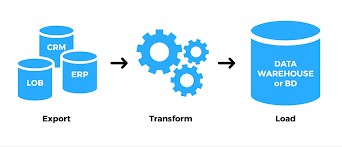
A data lake is a centralized repository that stores vast amounts of data, both structured and unstructured, in its native format, enabling organizations to store and analyze diverse data sources for various applications, including analytics, machine learning, and business intelligence.  Here’s a more detailed explanation: Like Related Posts Who is Salesforce? Who is Salesforce? Here is their story in their own words. From our inception, we’ve proudly embraced the identity of Read more Salesforce Unites Einstein Analytics with Financial CRM Salesforce has unveiled a comprehensive analytics solution tailored for wealth managers, home office professionals, and retail bankers, merging its Financial Read more AI-Driven Propensity Scores AI plays a crucial role in propensity score estimation as it can discern underlying patterns between treatments and confounding variables Read more Tectonic’s Successful Salesforce Track Record Salesforce Technology Services Integrator – Tectonic has successfully delivered Salesforce in a variety of industries including Public Sector, Hospitality, Manufacturing, Read more

Read More
Slack for Manufacturing and Automotive

Slack for Manufacturing and Automotive

Slack for Manufacturing and Automotive Enhance productivity, reduce costs, and provide exceptional experiences with a consolidated perspective of your customer data. Streamline diverse systems, teams, and processes effortlessly through automation. Forge connections with external partners to integrate your entire ecosystem seamlessly. As manufacturing, automotive, and energy organizations transition to developing new powertrains and digital products for innovative service and revenue models, Slack offers an efficient platform for innovation. Pioneering Enterprise Security Setting the standard in enterprise security, Slack ensures data encryption in transit and at rest. It boasts comprehensive compliance and assurance programs, along with features such as audit logs, data loss prevention, and single sign-on. As the productivity platform for manufacturing, automotive, and energy, Slack ensures a secure environment. Utilizing Slack AI for Smarter Work Engage with a Slack sales representative or join the waitlist to experience the empowering capabilities of Slack AI throughout your organization. Leverage AI-powered search for swift answers, summarize conversations effortlessly, and rest assured with secure data handling by Slack AI. Explore Slack’s pivotal role in accelerating innovation across manufacturing, automotive, and energy sectors. Empowering Software Developers Discover how Slack empowers teams to introduce novel digital products and services, driving revenue and transforming customer experiences. For software developers, Slack accelerates the delivery of high-quality code, making it a preferred choice for the world’s leading producers of software, hardware, and services. Explore Slack’s webinar to uncover its potential for your team. Revolutionizing Fleet Management with Automile Challenges abound for businesses managing fleets, particularly in integrating solutions seamlessly with existing toolsets for increased productivity. Automile aims to disrupt the billion fleet management market by introducing a mobile-first API-centric solution. With REST-based JSON APIs and SDKs for PHP, Java, and C# .NET, Automile simplifies fleet management, offering web and mobile apps. Slack Integration with Automile Automile is set to release new features in March, including integrations such as Slack. By submitting the app to Slack’s App Directory, Automile aims to provide businesses with a streamlined fleet management experience within Slack. The upcoming Slack App supports Slash Commands, Interactive Messages, and Incoming Webhooks. Security First Approach Automile prioritizes security with the new Slack App, ensuring that authorized Slack team members have access. The app supports Slash Commands, enabling users to achieve specific tasks, such as checking out drivers and locating vehicles. The admin can control user access to these commands for added security. Fleet Management Commands Automile’s Slack App introduces Slash Commands for drivers and vehicles. The Driver command allows fleet managers to search for drivers, check their status, and interact with them directly from Slack. Similarly, the Vehicle command provides information on vehicle location, status, and enables task assignment. Driving Field Service Efficiency with Slack and Salesforce Service Cloud Witness how manufacturers harness the combined capabilities of Slack and Salesforce Service Cloud to empower field employees and enhance customer satisfaction. Slack’s Continued Impact Slack continues to thrive globally, supporting businesses of all sizes in achieving growth and skyrocketing productivity. Acquired by Salesforce in 2021, Slack remains an influential force in the business communication and collaboration landscape. Like1 Related Posts Who is Salesforce? Who is Salesforce? Here is their story in their own words. From our inception, we’ve proudly embraced the identity of Read more Salesforce Marketing Cloud Transactional Emails Salesforce Marketing Cloud Transactional Emails are immediate, automated, non-promotional messages crucial to business operations and customer satisfaction, such as order Read more Salesforce Unites Einstein Analytics with Financial CRM Salesforce has unveiled a comprehensive analytics solution tailored for wealth managers, home office professionals, and retail bankers, merging its Financial Read more AI-Driven Propensity Scores AI plays a crucial role in propensity score estimation as it can discern underlying patterns between treatments and confounding variables Read more
Read More
Einstein Web Recommendations

Einstein Web Recommendations

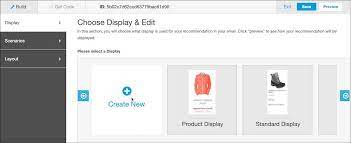
Einstein Web Recommendations leverage Einstein’s capabilities to analyze user behavior, construct preference profiles, and deliver personalized content tailored to each website visitor. Utilize application scenarios to fine-tune recommendations according to your specific business rules. Web Recommendations are provided through two methods: a JSON response or HTML/JS. While the JSON response is the recommended delivery method due to its flexibility, HTML/JS can be used if the web team is unable to work with JSON. As the JSON method allows for greater flexibility, you are responsible for parsing and styling the recommendations within your web environment. Marketing Cloud Einstein Recommendations enable the creation of product or content recommendations for display on your website. The Einstein Recommendation Engine necessitates a minimum of three active items in your product catalog. Incorporate any catalog field into the web recommendation call, emphasizing a clear understanding of the data driving recommendations during catalog setup. A unique web recommendation call is generated for each page type, with Home, Product, Category, Cart, and Conversion pages recommended as a best practice. However, there is no restriction on the number of pages that can be configured in the UI. Page templates are utilized by Einstein Recommendations, treating a Product Page as a template for building personalized recommendations specific to a product page. Different types of page templates may have distinct scenarios and contexts. For instance, recommendations on a product page may be based on the viewed product, adding context. Conversely, homepage recommendations rely on overall user affinity, lacking specific context. Integrate the Einstein Web Recommendations code into the designated page’s code, incorporating both the JavaScript for the recommendation call and the HTML recommendation zone placeholder provided. Select and configure the content to be included in your web recommendations: Like Related Posts Who is Salesforce? Who is Salesforce? Here is their story in their own words. From our inception, we’ve proudly embraced the identity of Read more Salesforce Marketing Cloud Transactional Emails Salesforce Marketing Cloud Transactional Emails are immediate, automated, non-promotional messages crucial to business operations and customer satisfaction, such as order Read more Salesforce Unites Einstein Analytics with Financial CRM Salesforce has unveiled a comprehensive analytics solution tailored for wealth managers, home office professionals, and retail bankers, merging its Financial Read more AI-Driven Propensity Scores AI plays a crucial role in propensity score estimation as it can discern underlying patterns between treatments and confounding variables Read more

Read More
Summer 24 Salesforce Customization Release Notes

Summer 24 Salesforce Customization Release Notes

Manage users more easily with the user access, public group, permission set, and permission set group summaries. Give record page users more of what they need where and when they need it with Lightning record page enhancements such as blank space support and visibility rules on individual tabs. Summer 24 Salesforce Customization Release Notes. Like Related Posts Who is Salesforce? Who is Salesforce? Here is their story in their own words. From our inception, we’ve proudly embraced the identity of Read more Salesforce Marketing Cloud Transactional Emails Salesforce Marketing Cloud Transactional Emails are immediate, automated, non-promotional messages crucial to business operations and customer satisfaction, such as order Read more Salesforce Unites Einstein Analytics with Financial CRM Salesforce has unveiled a comprehensive analytics solution tailored for wealth managers, home office professionals, and retail bankers, merging its Financial Read more AI-Driven Propensity Scores AI plays a crucial role in propensity score estimation as it can discern underlying patterns between treatments and confounding variables Read more
Read More
Salesforce Marketing Cloud Journey Builder

Effortlessly Extract Journey Builder Wait Activity Contacts with the New REST API

For Salesforce Marketing Cloud developers, tracking contacts in Journey Builder has always been tricky—especially when trying to identify who passed through wait activities. While Data Views capture email interactions, monitoring wait states has historically required workarounds, such as adding Update Contact activities to funnel contacts into a Data Extension. But what if you need this data on demand—without pre-configuring your journey? Enter the Summer ’23 release’s game-changing feature: Journey Builder History Download via REST API. Why This API Is a Game-Changer No more clunky workarounds—just clean, direct access to the data you need. How to Use the API: Step-by-Step Guide 1. Prerequisites Before diving in, ensure you have: ⚠️ Missing the Contacts scope? Extracted contacts may appear as “Unknown”. 2. API Request Setup (Using Talend API Tester or Postman) Request Structure http Copy POST https://[REST Base URL].rest.marketingcloudapis.com/interaction/v1/interactions/journeyhistory/download?columns=ContactKey Headers: Content-Type: application/json Authorization: Bearer [Access Token] x-direct-pipe: true Body: { “activityIds”: [“8bb8d44a-9576-4ec8-9b19-576c56ec1746”], // Your Wait Activity ID “statuses”: [“complete”] // Avoids duplicate entries } Key Notes: 3. Download Your Data After a successful 200 OK response: Advanced Use Cases The API isn’t just for wait activities—you can also extract: 1. Contacts Who Met a Goal json Copy { “definitionIds”: [“a8787c44-d866-4b3a-bf71-f515b9a5c63f”], // Version ID, not Journey ID “activityTypes”: [“goalcriteriaactivity”] } 2. Contacts Who Exited the Journey json Copy { “definitionIds”: [“86f7c10b-76fa-4f5f-94b5-8afc6d0509af”], “statuses”: [“ExitCriteriaMet”] } 3. Contacts Who Entered the Journey json Copy { “definitionIds”: [“370c64da-781b-4f67-a10a-7722b74e73bb”], “activityTypes”: [“startinteractionactivity”] } 🔍 Need the Version ID? Here’s an easy way to retrieve it. Final Thoughts This API eliminates the need for manual tracking or pre-configured activities, giving developers real-time flexibility in extracting journey data. 🔹 No more workarounds🔹 No more guesswork🔹 Just clean, actionable data Next steps? Experiment with different filters, automate downloads, and integrate this into your reporting workflows. Like Related Posts Who is Salesforce? Who is Salesforce? Here is their story in their own words. From our inception, we’ve proudly embraced the identity of Read more Salesforce Marketing Cloud Transactional Emails Salesforce Marketing Cloud Transactional Emails are immediate, automated, non-promotional messages crucial to business operations and customer satisfaction, such as order Read more Salesforce Unites Einstein Analytics with Financial CRM Salesforce has unveiled a comprehensive analytics solution tailored for wealth managers, home office professionals, and retail bankers, merging its Financial Read more AI-Driven Propensity Scores AI plays a crucial role in propensity score estimation as it can discern underlying patterns between treatments and confounding variables Read more

Read More
Account Planning With Salesforce

CRM Analytics Limits

When using CRM Analytics, keep these limits in mind. API Call Limits These limits apply to all supported editions. API Call Limit Maximum concurrent CRM Analytics API calls per org 100 Maximum CRM Analytics API calls per user per hour 10,000 Dataset Row Storage Allocations per License In Salesforce org, your total row storage limit for all registered datasets combined depends on your license combination. Each license allocates a different number of rows. Baseline Row Allocation Allocated Rows CRM Analytics Plus 10 billion CRM Analytics Growth 100 million Sales Analytics 25 million Service Analytics 25 million Event Monitoring Analytics 50 million B2B Marketing Analytics 25 million CRM Analytics for Financial Services Cloud 25 million CRM Analytics for Health Cloud 25 million Extra Data Rows license 100 million Your total row storage limit is a combination of your active licenses. For example: Because the CRM Analytics Plus license includes the Sales Analytics and Service Analytics licenses, your total row allocation remains 10 billion. Similarly, the CRM Analytics Growth license includes the Sales Analytics and the Service Analytics licenses, so your total row allocation remains 100 million. However, if you obtain another Sales Analytics or Services Analytics license, your row limit increases by 25 million for each added license. Dataset Row Limits Each dataset supports up to 2 billion rows. If your Salesforce org has less than 2 billion allocated rows, each dataset supports up to your org’s allocated rows. Dataset Field Limits Value Limit Maximum number of fields in a dataset 5,000 (including up to 1,000 date fields) Maximum number of decimal places for each value in a numeric field in a dataset (overflow limit) 17 decimal placesWhen a value exceeds the maximum number of decimal places, it overflows. Both 100,000,000,000,000,000 and 10,000,000,000,000,000.0 overflow because they use more than 17 decimal places. A number also overflows if it’s greater (or less) than the maximum (or minimum) supported value. 36,028,797,018,963,968 overflows because its value is greater than 36,028,797,018,963,967. -36,028,797,018,963,968 overflows because it’s less than -36,028,797,018,963,967.When a number overflows, the resulting behavior in CRM Analytics is unpredictable. Sometimes CRM Analytics throws an error. Sometimes it replaces a numeric value with a null value. And sometimes mathematical calculations, such as sums or averages, return incorrect results. Occasionally, CRM Analytics handles numbers up to 19 digits without overflowing because they are within the maximum value for a 64-bit signed integer (263 – 1). But numbers of these lengths aren’t guaranteed to process.As a best practice, stick with numbers that are 17 decimal places or fewer. If numbers that would overflow are necessary, setting lower precision and scale on the dataset containing the large numbers sometimes prevents overflow. If your org hasn’t enabled the handling of numeric values, the maximum number of decimal places for each value in a numeric field in a dataset is 16. All orgs created after Spring ’17 have Null Measure Handling enabled. Maximum value for each numeric field in a dataset, including decimal places 36,028,797,018,963,967For example, if three decimal places are used, the maximum value is 36,028,797,018,963.967 Minimum value for each numeric field in a dataset, including decimal places -36,028,797,018,963,968For example, if five decimal places are used, the minimum value is -36,028,797,018,9.63968 Maximum number of characters in a field 32,000 Data Sync Limits If you extract more than 100 objects in your dataflows, contact Salesforce Customer Support before you enable data sync. Value Limit Maximum number of concurrent data sync runs 3 Maximum number of objects that can be enabled for data sync, including local and remote objects 100 Maximum amount of time each data sync job can run for local objects 24 hours Maximum amount of time each data sync job can run for remote objects 12 hours Data sync limits for each job:Marketo Connector (Beta)NetSuite ConnectorZendesk Connector Up to 100,000 rows or 500 MB per object, whichever limit is reached first Data sync limits for each job:Amazon Athena ConnectorAWS RDS Oracle ConnectorDatabricks ConnectorGoogle Analytics ConnectorGoogle Analytics Core Reporting V4 ConnectorOracle Eloqua ConnectorSAP HANA Cloud ConnectorSAP HANA Connector Up to 10 million rows or 5 GB per object, whichever limit is reached first Data sync limits for each job*:AWS RDS Aurora MySQL ConnectorAWS RDS Aurora PostgresSQL ConnectorAWS RDS MariaDB ConnectorAWS RDS MySQL ConnectorAWS RDS PostgreSQL ConnectorAWS RDS SQL Server ConnectorGoogle Cloud Spanner ConnectorMicrosoft Azure Synapse Analytics ConnectorMicrosoft Dynamics CRM ConnectorSalesforce External ConnectorSalesforce Contacts Connector for Marketing Cloud EngagementSalesforce OAuth 2.0 Connector for Marketing Cloud Engagement Up to 20 million rows or 10 GB per object, whichever limit is reached first Data sync limits for each job*:Amazon Redshift ConnectorAmazon S3 ConnectorCustomer 360 Global Profile Data Connector (Beta)Google BigQuery for Legacy SQL ConnectorGoogle BigQuery Standard SQL ConnectorHeroku Postgres ConnectorMicrosoft Azure SQL Database ConnectorSnowflake Input Connector Up to 100 million rows or 50 GB per object, whichever limit is reached first *When using these connectors, Salesforce Government Cloud org data is protected in transit with advanced encryption and can sync up to 10 million rows or 5 GB for each connected object, whichever limit is reached first. Note When using a Salesforce local input connection, CRM Analytics bulk API usage doesn’t count towards Salesforce bulk API limits. Use of the external Salesforce connection and output connection impacts your limits. The dataflow submits a separate bulk API call to extract data from each Salesforce object. The dataflow uses a batch size of 100,000–250,000, depending on whether the dataflow or the bulk API chunks the data. As a result, to extract 1 million rows from an object, the dataflow creates 4–10 batches. Recipe and Dataflow Limits Important In Winter ‘24, recipe runs over 2 minutes are counted against the limit. Previously, the recipe run counts weren’t correct. For more information, see Known Issue – Recipe runs are not counting towards the daily maximum run limit. Value Limit Maximum amount of time each recipe or dataflow can run 48 hours Maximum number of recipes 1,000 Maximum number of dataflows definitions (with data sync enabled) 100 Maximum number of dataflow and recipe runs in a rolling

Read More
Salesforce JSON

Salesforce JSON

Today we are diving into JSON (JavaScript Object Notation) and exploring why it’s a crucial concept for you to understand. JSON is a data representation format widely used across the internet for APIs, configuration files, and various applications JSON Class Contains methods for serializing Apex objects into JSON format and deserializing JSON content that was serialized using the serialize method in this class. Usage Use the methods in the System.JSON class to perform round-trip JSON serialization and deserialization of Apex objects. Roundtrip Serialization and Deserialization Use the JSON class methods to perform roundtrip serialization and deserialization of your JSON content. These methods enable you to serialize objects into JSON-formatted strings and to deserialize JSON strings back into objects. What does JSON serialize do in Salesforce? JSON. serialize() accepts both Apex collections and objects, in any combination that’s convertible to legal JSON. String jsonString = JSON. What is the difference between JSON parse and JSON deserialize? The parser converts the JSON data into a data structure that can be easily processed by the programming language. On the other hand, JSON Deserialization is the process of converting JSON data into an object in a programming language. What is the difference between JSON and XML in Salesforce? JSON supports numbers, objects, strings, and Boolean arrays. XML supports all JSON data types and additional types like Boolean, dates, images, and namespaces. JSON has smaller file sizes and faster data transmission. XML tag structure is more complex to write and read and results in bulky files. Which is more secure XML or JSON? Generally speaking, JSON is more suitable for simple and small data, more readable and maintainable for web developers, faster and more efficient for web applications or APIs, supports native data types but lacks a standard schema language, and is more compatible with web technologies but less secure than XML. What is Salesforce JSON heap size limit? Salesforce enforces an Apex Heap Size Limit of 6MB for synchronous transactions and 12MB for asynchronous transactions. How to store JSON data in Salesforce object? If you need to store the actual JSON payload in Salesforce for audit purposes, Tectonic would recommend just using a Long Text Area field to store JSON content. You wouldn’t have any performance impacts when interacting with records, and if required you could add this to the layout of the child object storing this data. Like Related Posts Who is Salesforce? Who is Salesforce? Here is their story in their own words. From our inception, we’ve proudly embraced the identity of Read more Salesforce Marketing Cloud Transactional Emails Salesforce Marketing Cloud Transactional Emails are immediate, automated, non-promotional messages crucial to business operations and customer satisfaction, such as order Read more Salesforce Unites Einstein Analytics with Financial CRM Salesforce has unveiled a comprehensive analytics solution tailored for wealth managers, home office professionals, and retail bankers, merging its Financial Read more AI-Driven Propensity Scores AI plays a crucial role in propensity score estimation as it can discern underlying patterns between treatments and confounding variables Read more

Read More
Tableau Pulse and Tableau GPT

Announcing Tableau Pulse and Tableau GPT

It’s fair to say that many are familiar with ChatGPT, the groundbreaking Large Language Model from OpenAI that has transformed how we work and interact with AI. At TC 2023, Tableau announced a new tool called Tableau GPT. But what exactly is Tableau GPT, and how does it fit into Tableau’s suite of products? Announcing Tableau Pulse and Tableau GPT. Tableau GPT Tableau GPT is an assistant leveraging the advanced capabilities of generative AI to simplify and democratize data analysis. Built from Einstein GPT, a Salesforce product developed in collaboration with OpenAI, Tableau GPT integrates generative AI into Tableau’s user experience. This integration aims to help users work smarter, learn faster, and communicate more effectively. During the Devs on Stage segment of the keynote at TC, Matthew Miller, Senior Director of Product Management, showcased Tableau GPT’s ability to generate calculations. For example, with a prompt like “Extract email addresses from JSON,” Tableau GPT quickly produces a calculation that users can copy into the calculation window. Tableau Pulse Tableau GPT also powers a new tool called Tableau Pulse, designed to generate powerful insights swiftly. Tableau Pulse provides “data digests” on a personalized metrics homepage, offering a curated, ‘newsfeed’-like experience of key KPIs. As users interact with Pulse, it learns to deliver more personalized results based on their interests. For example, Tableau Pulse highlights metrics that require attention, derived from recent data trends identified by Tableau GPT. The tool provides the latest metric values, visual trends, and AI-generated insights for user-selected KPIs. Tableau Pulse also enables users to ask questions about their data in natural language. For instance, when asked, “What is driving change in Appliance Sales?” Tableau Pulse responded with a brief answer and visualization. Further inquiries, such as “What else should I know about air fryers?” revealed that the “inventory fill rate” for air fryers is forecasted to fall below a set threshold, providing actionable insights that users can share across their organization. Future Impact and Availability Tableau GPT and Pulse promise to revolutionize interactions with Tableau products, enabling quicker visualization creation and making data accessible to non-technical users. Salesforce announced that Tableau Pulse and Tableau GPT would enter pilot testing later this year. When they do, we’ll be ready to share new insights. Follow us on LinkedIn to stay updated on all the latest developments and features in Tableau! Like Related Posts Who is Salesforce? Who is Salesforce? Here is their story in their own words. From our inception, we’ve proudly embraced the identity of Read more Salesforce Marketing Cloud Transactional Emails Salesforce Marketing Cloud Transactional Emails are immediate, automated, non-promotional messages crucial to business operations and customer satisfaction, such as order Read more Salesforce Unites Einstein Analytics with Financial CRM Salesforce has unveiled a comprehensive analytics solution tailored for wealth managers, home office professionals, and retail bankers, merging its Financial Read more AI-Driven Propensity Scores AI plays a crucial role in propensity score estimation as it can discern underlying patterns between treatments and confounding variables Read more
Read More
Google Analytics and Salesforce Integration

Google Analytics and Salesforce Integration

Syncing Google Analytics Data to CRM Analytics To integrate Google Analytics and Salesforce Integration using the Google Analytics connector, follow these steps: Important Note: As of July 1, 2023, the main product Google Analytics has been decommissioned and replaced with the new product Google Analytics 4 (GA4). The Salesforce announcement GA4 Set to Replace Universal Analytics gives an overview on this. Creating a Connection Required Settings: Google Analytics 4 Integration To sync Google Analytics 4 data to Salesforce Data Pipelines: Connector Considerations: Google Analytics Salesforce Sales Cloud Integration User Identification Analytics provides two methods to identify users: Required Salesforce Sales Cloud Objects and Fields: Integration Steps: Testing and Viewing Imported Data: Notes: Google Data Studio and Salesforce Integration Connecting Salesforce with Google Data Studio allows for powerful visualizations that combine sales and marketing data. This integration helps in understanding which channels generate the most leads and income. Google Analytics 4 Connection Setup: Connection Details: Advanced Properties: Considerations: By following these steps, you can seamlessly integrate Google Analytics data into your CRM Analytics and Salesforce Data Pipelines, ensuring robust data analysis and informed decision-making. Decide How to Identify Your Users: Analytics offers two ways to programmatically identify your users: Client ID and User-ID. To support Data Import for Salesforce Sales Cloud, you must implement Client ID. You may optionally choose to also implement User-ID. Client ID pseudonymously identifies a browser instance and is best suited for businesses focused on lead generation and new customer acquisition. User-ID enables the analysis of groups of sessions, across devices, using a unique, persistent, and non-personally identifiable ID string representing a user. This option is best for businesses with high rates of logged-in users. How to Import CRM/ERP Data with Google Analytics 4 Using a CSV File: Transitioning to Google Analytics 4: As of March 2023, Google has automatically created GA4 properties for users unless they opt-out. Until July 1, 2023, you can continue to use and collect new data in your Universal Analytics properties. After this date, you must export your historical reports as Universal Analytics will be phased out. How Does Google Help Salesforce Marketing Cloud Users? Google Analytics provides invaluable insights into user behavior, helping Salesforce Marketing Cloud users optimize campaigns and understand customer journeys. Integration with the Google platform allows businesses to combine offline sales data with digital analytics, optimizing digital marketing strategies and improving campaign effectiveness. Additional Integration: Using datasets from Google Analytics and Google BigQuery, businesses can create interactive Tableau CRM dashboards to visualize campaign activities and performance metrics. By following these guidelines, organizations can leverage Google Analytics data effectively within their Salesforce ecosystem, enhancing decision-making and strategic planning. Content updated July 2024. Like1 Related Posts Who is Salesforce? Who is Salesforce? Here is their story in their own words. From our inception, we’ve proudly embraced the identity of Read more Salesforce Marketing Cloud Transactional Emails Salesforce Marketing Cloud Transactional Emails are immediate, automated, non-promotional messages crucial to business operations and customer satisfaction, such as order Read more Salesforce Unites Einstein Analytics with Financial CRM Salesforce has unveiled a comprehensive analytics solution tailored for wealth managers, home office professionals, and retail bankers, merging its Financial Read more AI-Driven Propensity Scores AI plays a crucial role in propensity score estimation as it can discern underlying patterns between treatments and confounding variables Read more
Read More
APIs and Software Development

Salesforce API Access Control

Salesforce API Access Control: A Complete Guide Understanding API Access Control Salesforce’s API Access Control feature provides robust security options for managing API access to your org. Available across Professional, Enterprise, Performance, Unlimited, and Developer Editions (in both Classic and Lightning), this feature lets you: Key Capabilities 1. Restricting API Access via Connected Apps 2. Managing Customer/Partner API Access Implementation Process To enable API Access Control: API Management via Anypoint Platform For organizations using MuleSoft’s Anypoint Platform to manage APIs, follow these steps to apply policies: Prerequisites Applying IP Whitelist Policy bash Copy Download curl ‘https://anypoint.mulesoft.com/apimanager/api/v1/organizations/<org_id>/environments/<env_id>/apis/<api_id>/policies’ \ -X POST \ -H ‘Accept: application/json, text/plain, */*’ \ -H ‘X-ANYPNT-ORG-ID: <org_id>’ \ -H ‘X-ANYPNT-ENV-ID: <env_id>’ \ -H ‘Content-Type: application/json;charset=utf-8’ \ –data-raw ‘{ “configurationData”: { “ipExpression”: “#[attributes.headers[”x-forwarded-for”]]”, “ips”: [“1.1.1.1”] }, “apiVersionId”: <api_id>, “pointcutData”: null, “policyTemplateId”: null, “groupId”: “68ef9520-24e9-4cf2-b2f5-620025690913”, “assetId”: “ip-allowlist”, “assetVersion”: “1.1.1” }’ Retrieving Policy Configuration To understand policy parameters: bash Copy Download curl ‘https://anypoint.mulesoft.com/apimanager/api/v1/organizations/<org_id>/environments/<env_id>/apis/<api_id>/policies’ \ -X GET \ -H ‘Accept: application/json, text/plain, */*’ \ -H ‘Authorization: Bearer <token>’ \ -H ‘X-ANYPNT-ENV-ID: <env_id>’ \ -H ‘Content-Type: application/json;charset=utf-8’ Best Practices By implementing these controls, organizations can significantly enhance their API security posture while maintaining necessary integration capabilities. Content updated February 2025. Like Related Posts Who is Salesforce? Who is Salesforce? Here is their story in their own words. From our inception, we’ve proudly embraced the identity of Read more Salesforce Marketing Cloud Transactional Emails Salesforce Marketing Cloud Transactional Emails are immediate, automated, non-promotional messages crucial to business operations and customer satisfaction, such as order Read more Salesforce Unites Einstein Analytics with Financial CRM Salesforce has unveiled a comprehensive analytics solution tailored for wealth managers, home office professionals, and retail bankers, merging its Financial Read more AI-Driven Propensity Scores AI plays a crucial role in propensity score estimation as it can discern underlying patterns between treatments and confounding variables Read more

Read More
Python Alongside Salesforce

Python Alongside Salesforce

Salesforce can integrate with Python, though the platform primarily relies on its proprietary languages and frameworks for core development. Python, however, plays a crucial role in enhancing Salesforce’s capabilities through integrations, automation, data analysis, and extending functionalities via external applications. Here’s an overview of how Python works within the Salesforce ecosystem: 1. Salesforce’s Core Development Stack Before exploring Python’s use, it’s important to understand the key development tools within Salesforce: These tools are the foundation for Salesforce development. However, Python complements Salesforce by enabling integrations and automation that go beyond these native tools. 2. Python in Salesforce Integrations Python shines when integrating Salesforce with other systems, automating workflows, and extending functionality. Here’s how: a. API Interactions Salesforce’s REST and SOAP APIs allow external systems to communicate with Salesforce data. Python, with its powerful libraries, is excellent for interfacing with these APIs. Key Libraries: Example: Extracting Data via API: pythonCopy codefrom simple_salesforce import Salesforce # Connect to Salesforce sf = Salesforce(username=’your_username’, password=’your_password’, security_token=’your_token’) # Query Salesforce data accounts = sf.query(“SELECT Id, Name FROM Account LIMIT 10”) for account in accounts[‘records’]: print(account[‘Name’]) b. Data Processing and Analysis Python’s data manipulation libraries like Pandas and NumPy make it ideal for processing Salesforce data. Example: Data Cleaning and Analysis: pythonCopy codeimport pandas as pd from simple_salesforce import Salesforce # Connect to Salesforce sf = Salesforce(username=’your_username’, password=’your_password’, security_token=’your_token’) # Fetch data query = “SELECT Id, Name, AnnualRevenue FROM Account” accounts = sf.query_all(query) df = pd.DataFrame(accounts[‘records’]).drop(columns=[‘attributes’]) # Process data df[‘AnnualRevenue’] = df[‘AnnualRevenue’].fillna(0) high_revenue_accounts = df[df[‘AnnualRevenue’] > 1000000] print(high_revenue_accounts) 3. Automation and Scripting Python can automate Salesforce-related tasks, improving productivity and reducing manual effort. This can involve automating data updates, generating reports, or scheduling backups. Example: Automating Data Backup: pythonCopy codeimport schedule import time from simple_salesforce import Salesforce def backup_salesforce_data(): sf = Salesforce(username=’your_username’, password=’your_password’, security_token=’your_token’) query = “SELECT Id, Name, CreatedDate FROM Contact” contacts = sf.query_all(query) df = pd.DataFrame(contacts[‘records’]).drop(columns=[‘attributes’]) df.to_csv(‘contacts_backup.csv’, index=False) print(“Salesforce data backed up successfully.”) # Schedule the backup schedule.every().day.at(“00:00”).do(backup_salesforce_data) while True: schedule.run_pending() time.sleep(1) 4. Building External Applications Using platforms like Heroku, developers can build external applications in Python that integrate with Salesforce, extending its functionality for custom portals or advanced analytics. Example: Web App Integrating with Salesforce: pythonCopy codefrom flask import Flask, request, jsonify from simple_salesforce import Salesforce app = Flask(__name__) @app.route(‘/get_accounts’, methods=[‘GET’]) def get_accounts(): sf = Salesforce(username=’your_username’, password=’your_password’, security_token=’your_token’) accounts = sf.query(“SELECT Id, Name FROM Account LIMIT 10”) return jsonify(accounts[‘records’]) if __name__ == ‘__main__’: app.run(debug=True) 5. Data Integration and ETL Python is commonly used in ETL (Extract, Transform, Load) processes that involve Salesforce data. Tools like Apache Airflow allow you to create complex data pipelines for integrating Salesforce data with external databases. Example: ETL Pipeline with Airflow: pythonCopy codefrom airflow import DAG from airflow.operators.python_operator import PythonOperator from simple_salesforce import Salesforce import pandas as pd from datetime import datetime def extract_salesforce_data(): sf = Salesforce(username=’your_username’, password=’your_password’, security_token=’your_token’) query = “SELECT Id, Name, CreatedDate FROM Opportunity” opportunities = sf.query_all(query) df = pd.DataFrame(opportunities[‘records’]).drop(columns=[‘attributes’]) df.to_csv(‘/path/to/data/opportunities.csv’, index=False) default_args = { ‘owner’: ‘airflow’, ‘start_date’: datetime(2023, 1, 1), ‘retries’: 1, } dag = DAG(‘salesforce_etl’, default_args=default_args, schedule_interval=’@daily’) extract_task = PythonOperator( task_id=’extract_salesforce_data’, python_callable=extract_salesforce_data, dag=dag, ) extract_task 6. Machine Learning and Predictive Analytics Python’s machine learning libraries, such as Scikit-learn and TensorFlow, enable predictive analytics on Salesforce data. This helps in building models for sales forecasting, lead scoring, and customer behavior analysis. Example: Predicting Lead Conversion: pythonCopy codeimport pandas as pd from sklearn.model_selection import train_test_split from sklearn.ensemble import RandomForestClassifier from simple_salesforce import Salesforce # Fetch Salesforce data sf = Salesforce(username=’your_username’, password=’your_password’, security_token=’your_token’) query = “SELECT Id, LeadSource, AnnualRevenue, NumberOfEmployees, Converted FROM Lead” leads = sf.query_all(query) df = pd.DataFrame(leads[‘records’]).drop(columns=[‘attributes’]) # Preprocess and split data df = pd.get_dummies(df, columns=[‘LeadSource’]) X = df.drop(‘Converted’, axis=1) y = df[‘Converted’] X_train, X_test, y_train, y_test = train_test_split(X, y, test_size=0.2, random_state=42) # Train model model = RandomForestClassifier(n_estimators=100, random_state=42) model.fit(X_train, y_train) # Evaluate accuracy accuracy = model.score(X_test, y_test) print(f”Model Accuracy: {accuracy * 100:.2f}%”) 7. Best Practices for Using Python with Salesforce To maximize the efficiency and security of Python with Salesforce: 8. Recommended Learning Resources By leveraging Python alongside Salesforce, organizations can automate tasks, integrate systems, and enhance their data analytics, all while boosting productivity. Content updated August 2024. Like Related Posts Who is Salesforce? Who is Salesforce? Here is their story in their own words. From our inception, we’ve proudly embraced the identity of Read more Salesforce Marketing Cloud Transactional Emails Salesforce Marketing Cloud Transactional Emails are immediate, automated, non-promotional messages crucial to business operations and customer satisfaction, such as order Read more Salesforce Unites Einstein Analytics with Financial CRM Salesforce has unveiled a comprehensive analytics solution tailored for wealth managers, home office professionals, and retail bankers, merging its Financial Read more AI-Driven Propensity Scores AI plays a crucial role in propensity score estimation as it can discern underlying patterns between treatments and confounding variables Read more
Read More
Salesforce Automation

Salesforce Automation

In today’s fast-paced business landscape, efficiency reigns supreme, and the optimization of processes is paramount for success. Salesforce automation tools stand as indispensable allies in this pursuit, empowering businesses to automate repetitive tasks, eliminate errors, and liberate valuable time for employees to focus on mission-critical endeavors. From sales to marketing and customer service, Salesforce offers a comprehensive suite of automation tools designed to enhance efficiency, productivity, and ultimately, profitability. This insight serves as a guide to the value and various components of Salesforce automation. At the core of Salesforce’s effectiveness lies its sophisticated suite of automation tools, reshaping how organizations manage and streamline their sales operations. For administrators entrusted with overseeing the Salesforce environment, mastering these automation tools transcends mere skill; it’s a strategic necessity. Salesforce Automation Tools empower administrators to craft and deploy intricate workflows, facilitating seamless coordination of tasks and processes within the CRM platform. From lead generation to deal closure, these tools offer a comprehensive array of features that can metamorphose manual, time-consuming tasks into streamlined, automated processes. As businesses aspire for agility and efficiency in their operations, administrators assume the role of architects, leveraging Salesforce automation tools to erect a robust foundation for success. This deep dive into Salesforce Automation Tools aims to arm administrators with the knowledge and insights required to navigate the platform’s intricacies adeptly. We will dive into the fundamental components of automation, including workflow rules, process builder, and flow builder, unraveling their functionalities and showcasing how they can be tailored to suit specific business requirements. Through real-world examples and practical guidance, this exploration seeks to empower administrators to unleash the full potential of Salesforce Automation Tools, transforming them into proficient conductors of the CRM symphony. As we embark on this journey, administrators will cultivate a comprehensive understanding of Salesforce’s automation capabilities, enabling them to optimize processes, enhance productivity, and elevate the overall user experience. Whether you’re a seasoned Salesforce administrator or a newcomer to the platform, this deep dive promises invaluable insights and hands-on expertise to navigate the dynamic realm of Salesforce automation with confidence and proficiency. What is Salesforce Automation? Salesforce automation represents a sophisticated sales management solution that automates pivotal sales components such as lead management, sales forecasting, and team performance management. Leveraging Software-as-a-Service (SaaS) products enables the automation of repetitive and redundant tasks and processes. Workflow rules enable organizations to design and enforce business processes systematically. For example, as leads progress through the sales pipeline, workflow rules can automatically assign tasks to sales representatives, update opportunity stages, and notify relevant stakeholders. By establishing these rules, administrators lay the groundwork for a more streamlined and error-resistant workflow, allowing teams to focus on high-impact activities while the system handles routine, rule-based tasks. Understanding the foundations of Salesforce automation through workflow rules is crucial for administrators seeking to optimize their CRM environment. As businesses evolve, the ability to adapt and scale automation becomes paramount. This foundational knowledge not only empowers administrators to create efficient workflows but also sets the stage for exploring more advanced automation tools within the Salesforce ecosystem, ensuring a robust and responsive foundation for the dynamic world of CRM. Centralized Data Storage and Enhanced Lead Tracking Centralizing customer-related data stands as one of the most significant advantages of Salesforce automation. This consolidation facilitates streamlined lead tracking, performance monitoring, and revenue prediction. By automating non-revenue-generating tasks, which can consume up to two-thirds of a sales representative’s time, sales teams can redirect their efforts towards high-impact, revenue-generating activities, thereby fostering overall business growth. Automated Sales Processes: Boosting Productivity The automation of repetitive sales processes emerges as a direct response to research indicating the imperative to enhance sales productivity. Through automation, sales representatives can leverage their time more effectively, focusing on tasks that directly contribute to revenue generation and organizational success. Understanding the Crucial Role of Salesforce Automation The importance of Salesforce automation cannot be overstated in the realm of sales management. By offering centralized data storage, streamlined lead tracking, and enhanced performance monitoring, Salesforce automation revolutionizes the sales landscape. Discover – Controllers in Salesforce: What It Is, Types and Features. Key Benefits of Salesforce Automation The benefits of Salesforce automation are manifold. Firstly, it facilitates the consolidation of customer-related data, enabling efficient lead tracking, reminder setting, and performance monitoring. Additionally, automation saves time and minimizes errors, allowing sales representatives to concentrate on revenue-generating activities such as deal closure and client relationship building. Moreover, Salesforce automation ensures a personalized and consistent customer experience, empowering sales reps to tailor interactions based on customer preferences and behaviors. Furthermore, Salesforce automation fosters efficient collaboration and communication within sales teams, providing a centralized platform for accessing essential information and insights. Additionally, it offers valuable analytics and insights to optimize sales strategies, analyzing customer behavior, sales performance, and market trends to drive revenue growth. Components of Salesforce Automation Lead Management: Involves collecting, tracking, and analyzing customer data and interactions to streamline the sales pipeline and convert leads into customers. Sales Forecasting: Enables organizations to make educated decisions and prepare for future development by forecasting sales revenue based on market analysis and demands. Team Performance Management: Involves monitoring sales team performance, identifying areas for improvement, and providing feedback and coaching to enhance team performance. Email and Social Media Marketing: Automates marketing platforms to communicate better with consumers and prospects, customizing campaigns based on customer preferences and behaviors. Workflow and Approval Processes: Ensures that sales processes follow established procedures and workflows, reducing manual errors and enhancing organizational performance. Data and Analytics: Tracks key performance indicators (KPIs) and provides actionable insights to inform decision-making and drive revenue growth. Streamlining Appointment Scheduling: Assists in scheduling sales appointments efficiently, mitigating the risk of double-booking meetings. Prioritizing Leads: Analyzes leads based on various metrics to maximize sales and productivity. Salesforce automation has revolutionized sales operations, fostering efficiency, effectiveness, and customer-centricity. As technology continues to evolve, Salesforce automation remains a critical tool for businesses striving to stay ahead of the competition and achieve their sales goals. In the dynamic world of Salesforce, administrators

Read More
gettectonic.com