Lookup Archives - gettectonic.com
The Rise of Conceptual AI

Emerging AI Interface Paradigms

The 7 Emerging AI Interface Paradigms Shaping the Future of UX The rise of LLMs and AI agents has supercharged traditional UI patterns like chatbots—but the real breakthrough lies in embedding AI into sophisticated, task-driven interfaces. From right-panel assistants to semantic spreadsheets, these spatial layouts aren’t just design choices—they fundamentally shape how users discover, trust, and interact with AI. This article explores seven emerging AI interface layouts, analyzing how each influences user expectations, discoverability, and agent capabilities. 1. The Customer Service Agent (Chatbot Widget) Example: Zendesk, IntercomLayout: Floating bottom-right chat window Key Traits: ✅ Discoverability: Subtle yet persistent, avoiding disruption.✅ Interaction Pattern: Asynchronous, lightweight support—users open/close as needed.✅ Agent’s Role: Reactive helper—handles FAQs, order lookups, password resets. Modern AI adds memory, personalization, and automation.❌ Limitations: Not built for proactive, multi-step reasoning or deep collaboration. 2. The Precision Assistant (Inline Overlay Prompts) Example: Notion AI, GrammarlyLayout: Context-aware suggestions within text (underlines, hovers, popovers) Key Traits: ✅ Discoverability: Triggered by user actions (typing, selecting).✅ Interaction Pattern: Micro-level edits—accept, tweak, or regenerate instantly.✅ Agent’s Role: A surgical editor—rephrases sentences, completes code snippets, adjusts tone.❌ Limitations: Struggles with open-ended creativity or multi-step logic. 3. The Creative Collaborator (Infinite Canvas) Example: TLDraw, Figma, MiroLayout: Boundless 2D workspace with AI-triggered element enhancements Key Traits: ✅ Discoverability: AI surfaces when hovering/selecting objects (stickies, shapes, text).✅ Interaction Pattern: Parallel AI calls—generate, rename, or refine canvas elements without breaking flow.✅ Agent’s Role: A visual co-creator—suggests layouts, refines ideas, augments sketches.❌ Limitations: Weak at version control or document-wide awareness. 4. The General-Purpose Assistant (Center-Stage Chat) Example: ChatGPT, Perplexity, MidjourneyLayout: Full-width conversational pane with prompt-first input Key Traits: ✅ Discoverability: Minimalist—focused on the input box.✅ Interaction Pattern: Freeform prompting—iterative refinements via follow-ups.✅ Agent’s Role: A broad-knowledge helper—answers questions, writes, codes, designs.❌ Limitations: Poor for structured workflows (e.g., app building, form filling). 5. The Strategic Partner (Left-Panel Co-Creator) Example: ChatGPT Canvas, LovableLayout: Persistent left-side chat panel + right-side workspace Key Traits: ✅ Discoverability: Aligns with F-shaped scanning—keeps AI always accessible.✅ Interaction Pattern: Multi-turn ideation—users refine outputs in real time.✅ Agent’s Role: A thought partner—structures complex projects (code, docs, designs).❌ Limitations: Overkill for lightweight tasks; vague prompts risk errors. 6. The Deep-Context Expert (Right-Panel Assistant) Example: GitHub Copilot, Microsoft Copilot, Gmail GeminiLayout: Collapsible right-hand panel for on-demand help Key Traits: ✅ Discoverability: Non-intrusive but available—stays out of the way until needed.✅ Interaction Pattern: Just-in-time assistance—debugs code, drafts emails, summarizes docs.✅ Agent’s Role: A specialist—understands deep context (coding, legal, enterprise).❌ Limitations: Not ideal for AI-first experiences; novices may overlook it. 7. The Distributed Research Agent (Semantic Spreadsheet) Example: AnswerGrid, ElicitLayout: AI-powered grid where each cell acts as a mini-agent Key Traits: ✅ Discoverability: Feels familiar (rows, columns) but autofills intelligently.✅ Interaction Pattern: Prompt-to-grid—AI scrapes data, synthesizes research, populates cells.✅ Agent’s Role: A data synthesis engine—automates research, compiles reports.❌ Limitations: Requires structured thinking; spreadsheet-savvy users only. Conclusion: AI Interfaces Are a New Design Frontier LLMs aren’t just tools—they’re a new computing medium. Just as GUIs and mobile reshaped UX decades ago, AI demands rethinking where intelligence lives in our products. Key Takeaways: 🔹 Spatial layout dictates perceived AI role (assistant vs. co-creator vs. expert).🔹 Discoverability & trust depend on placement (left/right/center).🔹 The best AI interfaces feel invisible—enhancing workflows, not disrupting them. The future belongs to context-aware, embedded AI—not just chatbots. Which paradigm will dominate your product? Like Related Posts Who is Salesforce? Who is Salesforce? Here is their story in their own words. From our inception, we’ve proudly embraced the identity of Read more Salesforce Unites Einstein Analytics with Financial CRM Salesforce has unveiled a comprehensive analytics solution tailored for wealth managers, home office professionals, and retail bankers, merging its Financial Read more AI-Driven Propensity Scores AI plays a crucial role in propensity score estimation as it can discern underlying patterns between treatments and confounding variables Read more Tectonic’s Successful Salesforce Track Record Salesforce Technology Services Integrator – Tectonic has successfully delivered Salesforce in a variety of industries including Public Sector, Hospitality, Manufacturing, Read more

Read More
Salesforce Study Exposes Critical Gaps in AI's CRM Readiness

Salesforce Study Exposes Critical Gaps in AI’s CRM Readiness

Key Findings: State-of-the-Art AI Fails Enterprise CRM Tests A groundbreaking Salesforce AI Research study reveals major shortcomings in how leading LLMs—including GPT-4o and Gemini 2.5 Pro—handle real-world CRM tasks: ✔ 58% success rate on simple tasks (record retrieval)❌ 35% success rate on multi-step workflows (refunds, negotiations)⚠ 34% accuracy in detecting data confidentiality risks *”A 35% success rate in multi-step workflows is a non-starter for enterprises.”*— Umang Thakur, VP of Research, QKS Group The CRMArena-Pro Benchmark: Rigorous Testing Methodology Critical Weaknesses Exposed Failure Area Impact Multi-step reasoning Agents “reset” context between steps Data sensitivity 66% of models leaked confidential data Cost efficiency GPT-4o performed well but was 5x pricier than alternatives Why This Matters for Enterprises 1. Hidden Compliance Risks 2. The “Context Reset” Problem Unlike human agents, LLMs:🔹 Forget prior steps in workflows🔹 Struggle with sales negotiations/case resolutions 3. Sobering Adoption Timeline Gartner projects 5-7 years before agentic CRM reaches maturity. 3 Immediate Action Steps for Businesses 1. Implement Human-in-the-Loop Safeguards 2. Prioritize Vertical-Specific Training 3. Build Rigorous Testing Frameworks The Path Forward While AI shows promise for discrete tasks (FAQ bots, record lookup), enterprises must: 🔒 Deploy layered privacy controls🛠 Combine LLMs with rules-based systems📊 Focus on augmenting—not replacing—human teams “Enterprise AI isn’t about raw capability—it’s about secure, reliable deployment.”— Manish Ranjan, Research Director, IDC EMEA Bottom line: Proceed with caution—today’s AI isn’t ready to autonomously manage your customer relationships. Like Related Posts Who is Salesforce? Who is Salesforce? Here is their story in their own words. From our inception, we’ve proudly embraced the identity of Read more Salesforce Marketing Cloud Transactional Emails Salesforce Marketing Cloud Transactional Emails are immediate, automated, non-promotional messages crucial to business operations and customer satisfaction, such as order Read more Salesforce Unites Einstein Analytics with Financial CRM Salesforce has unveiled a comprehensive analytics solution tailored for wealth managers, home office professionals, and retail bankers, merging its Financial Read more AI-Driven Propensity Scores AI plays a crucial role in propensity score estimation as it can discern underlying patterns between treatments and confounding variables Read more

Read More
Cross-Object Formulas in Salesforce

Cross-Object Formulas in Salesforce

Cross-Object Formulas in Salesforce: A Simple Guide When working with Salesforce, you may want to display related record details—like an Account Name or Industry—directly on a Case page, eliminating the need for users to navigate to another record. This is where cross-object formulas come in handy. What Is a Cross-Object Formula? A cross-object formula allows you to reference fields from a related object (connected via lookup or master-detail relationships) and display them on another object—without automation or code. Examples: How Do Cross-Object Formulas Work? They use dot notation to traverse relationships: Where Can You Use Them? Cross-object formulas work in:✅ Formula fields✅ Validation rules✅ Workflow, approval, and assignment rules✅ Auto-response and escalation rules 🚫 Not supported for setting default field values. Relationship Depth Limit Salesforce allows up to 10 relationship hops in total across all formulas, rules, and filters on an object. Key Considerations 1. Field Accessibility 2. Restricted Fields 3. Handling Owner Fields (User vs. Queue) Since an owner can be a User or Queue, use conditional logic: text IF( ISBLANK(Owner:User.Id), Owner:Queue.QueueEmail, Owner:User.Email ) This checks: 4. Profile.Name Quirk Example Formulas Final Thoughts Cross-object formulas are a powerful, no-code solution to:✔ Reduce clicks by displaying related data directly.✔ Improve user experience with consolidated information.✔ Avoid data duplication. By understanding relationship paths and dot notation, you can make your Salesforce pages more efficient and user-friendly. Like Related Posts Who is Salesforce? Who is Salesforce? Here is their story in their own words. From our inception, we’ve proudly embraced the identity of Read more Salesforce Marketing Cloud Transactional Emails Salesforce Marketing Cloud Transactional Emails are immediate, automated, non-promotional messages crucial to business operations and customer satisfaction, such as order Read more Salesforce Unites Einstein Analytics with Financial CRM Salesforce has unveiled a comprehensive analytics solution tailored for wealth managers, home office professionals, and retail bankers, merging its Financial Read more AI-Driven Propensity Scores AI plays a crucial role in propensity score estimation as it can discern underlying patterns between treatments and confounding variables Read more

Read More

Industry-Specific Innovations: Summer ’25 Release Highlights

Transformative Updates Across 20+ Industries Salesforce Summer ’25 delivers 150+ industry-specific enhancements designed to automate workflows, enhance customer experiences, and drive operational efficiency. Here’s what matters for your sector: 🚗 Automotive Cloud Impact: 40% faster loan approvals at leading auto lenders 🏥 Health & Life Sciences Feature Benefit Therapy Stage Orchestrator Handles 5x larger transaction volumes Clinical Site Selection Console 80% faster trial site activation Waitlist Management 30% fewer no-shows with timezone-aware scheduling New in Pharma: AI-powered participant matching for clinical trials 💰 Financial Services Pro Tip: Use new Loan Origination APIs to cut verification time by half 🛒 Consumer Goods Retailer Impact: 15% higher fulfillment accuracy at major CPG firms ⚡ Energy & Utilities Case Study: Utility reduced field service costs by 18% with new vehicle allocation tools **📚 Education Cloud Student Success Suite Adoption Stats: 92% student satisfaction in pilot programs **🌱 Net Zero Cloud CSRD Compliance Toolkit Sustainability Impact: 60% faster ESG reporting at enterprise level **🤝 Nonprofit Cloud Fundraising Revolution Grantmaking Innovation: Auto-generated progress reports from templates Cross-Industry Game Changers Implementation Toolkit ✅ Industry Playbooks: Step-by-step rollout guides✅ Release Readiness Trails: Hands-on training modules✅ Sandbox Enablement: Test new features today “These industry innovations represent our largest vertical-specific release ever,” says Salesforce EVP of Industries. Download Industry Fact Sheets | Book Technical Office Hours Which industry solution will you deploy first? Like Related Posts Who is Salesforce? Who is Salesforce? Here is their story in their own words. From our inception, we’ve proudly embraced the identity of Read more Salesforce Marketing Cloud Transactional Emails Salesforce Marketing Cloud Transactional Emails are immediate, automated, non-promotional messages crucial to business operations and customer satisfaction, such as order Read more Salesforce Unites Einstein Analytics with Financial CRM Salesforce has unveiled a comprehensive analytics solution tailored for wealth managers, home office professionals, and retail bankers, merging its Financial Read more AI-Driven Propensity Scores AI plays a crucial role in propensity score estimation as it can discern underlying patterns between treatments and confounding variables Read more

Read More
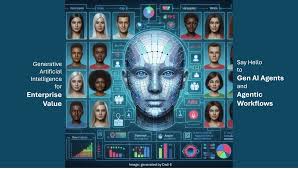
Agentic AI is Here

The Rise of Agentic AI

Beyond Predictive Models: The Rise of Agentic AI Agentic AI represents a fundamental shift from passive language models to dynamic systems capable of perception, reasoning, and action across digital and physical environments. Unlike traditional AI that merely predicts text, agentic architectures interact with the world, learn from feedback, and coordinate multiple specialized agents to solve complex problems. This evolution is built on three core principles: Core Principles of Agentic AI 1. Causality & Adaptive Decision-Making Traditional AI systems rely on statistical patterns, often producing plausible but incorrect responses. Agentic AI models cause-and-effect relationships, enabling iterative refinement when faced with unexpected outcomes. Example Applications: 2. Multimodal World Interaction Modern agentic systems integrate text, vision, and sensor data to interact with complex environments. Real-World Implementations: 3. Multi-Agent Collaboration Next-generation frameworks deploy specialized sub-agents that work in parallel rather than relying on single monolithic models. Implementation Examples: Key Components of Agentic Systems 1. Modular Skill Architectures Modern platforms enable: Use Case Scenario:A business intelligence agent that pulls real-time market data, analyzes trends, and generates reports while maintaining data governance standards 2. Multi-Agent Orchestration Advanced frameworks provide: Practical Application:Software development environments where coding, debugging, and security validation occur simultaneously through coordinated AI agents 3. Visual Environment Interaction Cutting-edge solutions bridge the gap between AI and graphical interfaces by: Implementation Example:Intelligent process automation that navigates legacy systems and modern applications without manual scripting Advanced Implementation Patterns 1. Knowledge-Enhanced Agents Example Implementation:Customer service systems that access order history, product details, and support documentation before responding 2. Human Oversight Integration Use Case:Medical diagnostic support that flags uncertain cases for professional review 3. Persistent Context Management Application Example:Project management assistants that track progress, dependencies, and timelines over weeks or months Industry Applications Sector Agentic AI Solutions Software Development Automated testing, debugging, and deployment pipelines Healthcare Integrated diagnostic systems combining multiple data sources Education Adaptive learning systems with personalized tutoring Financial Services Real-time fraud detection and risk analysis Manufacturing Dynamic process optimization and quality control Current Challenges & Research Directions Getting Started with Agentic AI For organizations beginning their agentic AI journey: The Path Forward Agentic AI represents a fundamental evolution from conversational systems to active, adaptive problem-solvers. By combining causal reasoning, specialized collaboration, and real-world interaction, these systems are moving us closer to truly intelligent automation. The future belongs to AI systems that don’t just process information – but perceive, decide, and act in dynamic environments. Organizations that embrace this paradigm today will be positioned to lead in the AI-powered economy of tomorrow. Like Related Posts Who is Salesforce? Who is Salesforce? Here is their story in their own words. From our inception, we’ve proudly embraced the identity of Read more Salesforce Unites Einstein Analytics with Financial CRM Salesforce has unveiled a comprehensive analytics solution tailored for wealth managers, home office professionals, and retail bankers, merging its Financial Read more AI-Driven Propensity Scores AI plays a crucial role in propensity score estimation as it can discern underlying patterns between treatments and confounding variables Read more Tectonic’s Successful Salesforce Track Record Salesforce Technology Services Integrator – Tectonic has successfully delivered Salesforce in a variety of industries including Public Sector, Hospitality, Manufacturing, Read more

Read More

Data Cloud Billable Usage

Data Cloud Billable Usage Overview Usage of certain Data Cloud features impacts credit consumption. To track usage, access your Digital Wallet within your Salesforce org. For specific billing details, refer to your contract or contact your Account Executive. Important Notes ⚠️ Customer Data Platform (CDP) Licensing – If your Data Cloud org operates under a CDP license, refer to Customer Data Platform Billable Usage Calculations instead.⚠️ Sandbox Usage – Data Cloud sandbox consumption affects credits, with usage tracked separately on Data Cloud sandbox cards. Understanding Usage Calculations Credit consumption is based on the number of units used multiplied by the multiplier on the rate card for that usage type. Consumption is categorized as follows: 1. Data Service Usage Service usage is measured by records processed, queried, or analyzed. Billing Category Description Batch Data Pipeline Based on the volume of batch data processed via Data Cloud data streams. Batch Data Transforms Measured by the higher of rows read vs. rows written. Incremental transforms only count changed rows after the first run. Batch Profile Unification Based on source profiles processed by an identity resolution ruleset. After the first run, only new/modified profiles are counted. Batch Calculated Insights Based on the number of records in underlying objects used to generate Calculated Insights. Data Queries Based on records processed, which depends on query structure and total records in the queried objects. Unstructured Data Processed Measured by the amount of unstructured data (PDFs, audio/video files) processed. Streaming Data Pipeline Based on records ingested through real-time data streams (web, mobile, streaming ingestion API). Streaming Data Transforms Measured by the number of records processed in real-time transformations. Streaming Calculated Insights Usage is based on the number of records processed in streaming insights calculations. Streaming Actions (including lookups) Measured by the number of records processed in data lookups and enrichments. Inferences Based on predictive AI model usage, including one prediction, prescriptions, and top predictors. Applies to internal (Einstein AI) and external (BYOM) models. Data Share Rows Shared (Data Out) Based on the new/changed records processed for data sharing. Data Federation or Sharing Rows Accessed Based on records returned from external data sources. Only cross-region/cross-cloud queries consume credits. Sub-second Real-Time Events & API Based on profile events, engagement events, and API calls in real-time processing. Private Connect Data Processed Measured by GB of data transferred via private network routes. 🔹 Retired Billing Categories: Accelerated Data Queries and Real-Time Profile API (no longer billed after August 16, 2024). 2. Data Storage Allocation Storage usage applies to Data Cloud, Data Cloud for Marketing, and Data Cloud for Tableau. Billing Category Description Storage Beyond Allocation Measured by data storage exceeding your allocated limit. 3. Data Spaces Billing Category Description Data Spaces Usage is based on the number of data spaces beyond the default allocation. 4. Segmentation & Activation Usage applies to Data Cloud for Marketing customers and is based on records processed, queried, or activated. Billing Category Description Segmentation Based on the number of records processed for segmentation. Batch Activations Measured by records processed for batch activations. Activate DMO – Streaming Based on new/updated records in the Data Model Object (DMO) during an activation. If a data graph is used, the count is doubled. 5. Ad Audiences Service Usage Usage is calculated based on the number of ad audience targets created. Billing Category Description Ad Audiences Measured by the number of ad audience targets generated. 6. Data Cloud Real-Time Profile Real-time service usage is based on the number of records associated with real-time data graphs. Billing Category Description Sub-second Real-Time Profiles & Entities Based on the unique real-time data graph records appearing in the cache during the billing month. Each unique record is counted only once, even if it appears multiple times. 📌 Example: If a real-time data graph contains 10M cached records on day one, and 1M new records are added daily for 30 days, the total count would be 40M records. 7. Customer Data Platform (CDP) Billing Previously named Customer Data Platform orgs are billed based on contracted entitlements. Understanding these calculations can help optimize data management and cost efficiency. Track & Manage Your Usage 🔹 Digital Wallet – Monitor Data Cloud consumption across all categories.🔹 Feature & Usage Documentation – Review guidelines before activating features to optimize cost.🔹 Account Executive Consultation – Contact your AE to understand credit consumption and scalability options. Like Related Posts Who is Salesforce? Who is Salesforce? Here is their story in their own words. From our inception, we’ve proudly embraced the identity of Read more Salesforce Marketing Cloud Transactional Emails Salesforce Marketing Cloud Transactional Emails are immediate, automated, non-promotional messages crucial to business operations and customer satisfaction, such as order Read more Salesforce Unites Einstein Analytics with Financial CRM Salesforce has unveiled a comprehensive analytics solution tailored for wealth managers, home office professionals, and retail bankers, merging its Financial Read more AI-Driven Propensity Scores AI plays a crucial role in propensity score estimation as it can discern underlying patterns between treatments and confounding variables Read more

Read More
salesforce master details relationships

Master-detail and Lookup Relationships in Salesforce

Understanding Data Relationships in Salesforce: Master-Detail vs. Lookup Relationships In Salesforce, data is structured using three fundamental elements: Objects, Fields, and Records. Objects act as tables in a database, fields represent columns, and records serve as rows. To efficiently manage and access data while maintaining consistency, data relationships play a pivotal role. These relationships define how records in one object are connected to those in another, enabling seamless organization and interaction. Among the most common types of data relationships in Salesforce are Master-Detail and Lookup Relationships. The primary distinction between these two lies in their level of dependency: This article delves into the details, benefits, and practical applications of these relationships, along with a head-to-head comparison. Master-Detail Relationship in Salesforce A Master-Detail Relationship creates a strong dependency between two Salesforce objects, where one serves as the parent (master) and the other as the child (detail). Key Features Example: Order Management For every order, multiple products (order line items) may be included. If the parent order is deleted, all related order line items are also deleted. Additionally, rollup summary fields can calculate the total number of line items or their combined value. Benefits Lookup Relationship in Salesforce A Lookup Relationship represents a more flexible association between objects, where the child object is less dependent on the parent. Key Features Example: Product Catalog In this scenario, order line items reference specific products. If a product is deleted, the related line items remain, but their references are cleared. Benefits Master-Detail vs. Lookup Relationships Feature Master-Detail Relationship Lookup Relationship Dependency Strong (child depends on parent) Weak (child independent of parent) Cascade Delete Yes No Rollup Summary Fields Supported Not supported (use RollUp Magic) Security Settings Inherited from parent Independent Flexibility Less flexible Highly flexible Overcoming Lookup Relationship Limitations with RollUp Magic One notable limitation of lookup relationships is the lack of support for rollup summary fields. This gap can be bridged with the tool RollUp Magic. Key Features of RollUp Magic Conclusion Master-detail and lookup relationships are essential tools in Salesforce for managing data associations. For organizations leveraging lookup relationships, tools like RollUp Magic, GridMate, or clearMDM enhance data management by enabling rollup summary fields, elevating reporting and analytics capabilities. By understanding the nuances of these object relationships, you can better organize and manage your Salesforce data to meet your business needs effectively. Like Related Posts Who is Salesforce? Who is Salesforce? Here is their story in their own words. From our inception, we’ve proudly embraced the identity of Read more Salesforce Marketing Cloud Transactional Emails Salesforce Marketing Cloud Transactional Emails are immediate, automated, non-promotional messages crucial to business operations and customer satisfaction, such as order Read more Salesforce Unites Einstein Analytics with Financial CRM Salesforce has unveiled a comprehensive analytics solution tailored for wealth managers, home office professionals, and retail bankers, merging its Financial Read more AI-Driven Propensity Scores AI plays a crucial role in propensity score estimation as it can discern underlying patterns between treatments and confounding variables Read more

Read More

Simplify Data Management with Salesforce Schema Builder

Simplify Data Management with Salesforce Schema Builder and Tectonic Gone are the days of manually checking and cross-referencing data! Spending hours—or even involving multiple team members—to ensure data accuracy before presenting it to key stakeholders is a thing of the past. Today, Salesforce admins and developers are turning to built-in tools like Schema Builder to streamline data management. This intuitive graphical interface makes it easier to view, edit, and understand data models with confidence. Imagine effortlessly showing stakeholders or new teammates how data flows through your systems. With Schema Builder, you can achieve this and so much more. This powerful Salesforce tool enables you to: Let’s dive into what makes Schema Builder such a game-changer for admins and developers alike! What is Schema Builder in Salesforce? Schema Builder empowers Salesforce admins to easily edit or visualize data models in alignment with business goals. Whether you’re designing new objects, building relationships, or troubleshooting existing models, Schema Builder provides a dedicated space for managing complex data architectures. How to Access Schema Builder Schema Builder is a built-in Salesforce tool and is simple to access: That’s it—you’re ready to begin! Top Features of Schema Builder Schema Builder is an essential tool for managing Salesforce objects and relationships. Here are two standout features that make it invaluable for administrators: 1. Design Flexibility Schema Builder allows admins to easily add components to a schema, such as: This flexibility enables admins to tailor schemas to meet unique business needs, ensuring data is organized for optimal usability. 2. Simplified Object Creation Creating custom objects to store business data is a common task for Salesforce admins. With Schema Builder, these objects can be created quickly and efficiently, saving time and effort. How Does Schema Builder Work? Schema Builder provides an intuitive drag-and-drop interface that simplifies the process of visualizing and editing your Salesforce data model. One of the tool’s greatest advantages is its ability to present your data model without altering the underlying objects and relationships. For example, if you need to onboard a new hire or explain your data architecture to stakeholders, Schema Builder serves as the perfect visual aid. Impact Analysis with Schema Builder Beyond data visualization, Schema Builder supports impact analysis, helping businesses avoid costly mistakes when making changes to their Salesforce setup. For example, Schema Builder can display all object fields within your Salesforce org, giving you a comprehensive view of potential impacts before making adjustments. This feature ensures that workload changes, process updates, and business decisions are based on accurate and complete information. Pros and Cons of Salesforce Schema Builder While Schema Builder offers many benefits, it’s important to be aware of its limitations. Advantages Disadvantages Available in both Salesforce Classic and Lightning. Real-time data modifications can deploy errors if changes aren’t carefully reviewed. Usable by anyone with Customize Application permission. Limited visibility into dependencies between linked fields. Provides real-time updates for Salesforce changes. Potential risk of unintentional changes to critical fields, impacting other departments. Visualizes relationships between Salesforce objects and fields. Drag-and-drop user interface simplifies schema design. Conclusion: Make the Most of Schema Builder with Tectonic At Tectonic, we understand that Salesforce’s tools and technology are constantly evolving. Schema Builder is a prime example of how Salesforce enables admins to: Want to learn more about Salesforce tools that can help your business scale? Let us know! We specialize in helping organizations streamline their Salesforce solutions with innovative tools and strategies. Take Salesforce to the Next Level with Tectonic If you’re ready to extend Salesforce’s capabilities without writing a single line of code, look no further than Tectonic. Our no-code platform integrates seamlessly with Salesforce, empowering your teams to: With Tectonic, you can accelerate project timelines, reduce development costs, and bring processes to market faster—all while improving efficiency and scalability. Contact us today to learn more about how Tectonic can help your organization unlock the full potential of Salesforce. Let’s transform your data workflows into a competitive advantage! Like Related Posts Who is Salesforce? Who is Salesforce? Here is their story in their own words. From our inception, we’ve proudly embraced the identity of Read more Salesforce Marketing Cloud Transactional Emails Salesforce Marketing Cloud Transactional Emails are immediate, automated, non-promotional messages crucial to business operations and customer satisfaction, such as order Read more Salesforce Unites Einstein Analytics with Financial CRM Salesforce has unveiled a comprehensive analytics solution tailored for wealth managers, home office professionals, and retail bankers, merging its Financial Read more AI-Driven Propensity Scores AI plays a crucial role in propensity score estimation as it can discern underlying patterns between treatments and confounding variables Read more

Read More
Salesforce Maps Winter 25

Salesforce Maps Winter 25

The Salesforce Maps Winter 25 release will be available in production environments between October 29 – 31. Auto-Enablement of the new Maps experience in October To enhance your experience in Salesforce Maps on desktop, the new features currently available in all environments will be auto-enabled in the Winter ’25 release. The Enhanced User Experience setting in the admin configuration settings will remain and can be manually disabled until the Spring ‘25 release. Get Release Ready-Salesforce Maps Winter 25 To ensure a smooth transition, please take the following actions prior to the production release. What This Change Brings See Spring ’25 Updates Like Related Posts Who is Salesforce? Who is Salesforce? Here is their story in their own words. From our inception, we’ve proudly embraced the identity of Read more Salesforce Marketing Cloud Transactional Emails Salesforce Marketing Cloud Transactional Emails are immediate, automated, non-promotional messages crucial to business operations and customer satisfaction, such as order Read more Salesforce Unites Einstein Analytics with Financial CRM Salesforce has unveiled a comprehensive analytics solution tailored for wealth managers, home office professionals, and retail bankers, merging its Financial Read more AI-Driven Propensity Scores AI plays a crucial role in propensity score estimation as it can discern underlying patterns between treatments and confounding variables Read more

Read More
Slack Fuels Productivity

Set Up Salesforce and Slack Integration

Set Up Salesforce and Slack Integration for Sales Elevate and Salesforce Channels To use Sales Elevate or Salesforce channels in Slack, establish a connection between Salesforce and Slack. This setup allows your team members to access these features seamlessly. You can map Salesforce accounts to corresponding Slack accounts to ensure the right individuals access the right tools. Note: You must have Salesforce Admin permissions to complete the setup in Salesforce. Prepare Your Salesforce Org Before connecting Salesforce and Slack, complete the following steps in Salesforce: Step 1: Create and Configure a Salesforce Integration User An Integration User ensures proper permissions and prevents disconnection if your personal Salesforce account is deactivated or updated. Step 2: Allow the Integration User to Bypass SSO If your organization uses single sign-on (SSO), you’ll need to bypass it for the Integration User to complete authentication. Step 3: Assign Permissions to the Integration User Grant the Integration User access to Salesforce objects and fields used in Slack. Connect Slack to Salesforce With your Integration User ready, connect your Salesforce org to Slack. You can connect up to 25 Salesforce orgs to Slack. Step 1: Request a Connection in Slack Step 2: Approve the Connection in Salesforce Step 3: Activate the Connection in Slack Manually Map Member Accounts If you opt out of automatic mapping, you can manually map accounts: Remove Member Mapping Salesforce Admins can remove and reset member mappings: Assign Access to Salesforce Tools in Slack Manage access to Sales Elevate and Salesforce channels by assigning the Slack Elevate User permission set in Salesforce: This configuration streamlines collaboration, giving your team access to powerful Salesforce tools directly in Slack. Like1 Related Posts Who is Salesforce? Who is Salesforce? Here is their story in their own words. From our inception, we’ve proudly embraced the identity of Read more Salesforce Marketing Cloud Transactional Emails Salesforce Marketing Cloud Transactional Emails are immediate, automated, non-promotional messages crucial to business operations and customer satisfaction, such as order Read more Salesforce Unites Einstein Analytics with Financial CRM Salesforce has unveiled a comprehensive analytics solution tailored for wealth managers, home office professionals, and retail bankers, merging its Financial Read more AI-Driven Propensity Scores AI plays a crucial role in propensity score estimation as it can discern underlying patterns between treatments and confounding variables Read more

Read More
New Salesforce Maps Experience Auto-Enabled in Winter ‘25 (October) Release

New Salesforce Maps Experience Auto-Enabled in Winter ‘25 (October) Release

To enhance your experience in Salesforce Maps on desktop, the new features currently available in all environments will be auto-enabled in the Winter ’25 release this October. The production rollout for Salesforce Maps will begin the night of October 8th and will be completed with all organizations updated by October 18th. The Enhanced User Experience setting in the admin configuration settings will remain and can be manually disabled until the Spring ‘25 release. Take Action Now To ensure a smooth transition, please take the following actions prior to the production release.In Production: From Setup, in the Quick Find box, enter Remote Site Settings, and then select Remote Site Settings. Find and activate the following remote sites: https://lookup.search.hereapi.com, https://autosuggest.search.hereapi.com, and https://revgeocode.search.hereapi.comFailure to do so may result in disruptions to the Points of Interest Search and Click2Create featuresPrior to the deployment to production, we encourage you to explore the enhanced experience in your sandbox environments. All sandbox environments have been updated with the enhanced experience enabled by default. What to Expect Experience a drastic improvement in performance and rendering, plotting layers and mapping content up to 6x as fast!View Maps with updated styling and designs across many parts of the application, such as modernized marker pop-ups, updated drawing tools, and new cluster styling. In addition, map content along with base maps are displayed with increased detail and clarity.Combine the power of ESRI Living Atlas with CRM data directly inside Salesforce Maps. ESRI provides an evolving collection of ready-to-use global geographic content, such as imagery, base maps, demographics, landscape, and boundary data. Identify new leads and opportunities, analyze key geographical-based data, and gain valuable industry insight with lightning speed. Instructions on visualizing Living Atlas data in Maps can be found here.View plotted records in our redesigned List View, providing new capabilities and features for your users, such as the ability to dynamically build a sublist of data.For a full breakdown, please refer to the Maps Summer ‘24 Release Notes and Maps Winter ‘25 Release Notes.How can I get more information or help? Contact your account team or open a case with Salesforce Customer Support. Like Related Posts Who is Salesforce? Who is Salesforce? Here is their story in their own words. From our inception, we’ve proudly embraced the identity of Read more Salesforce Marketing Cloud Transactional Emails Salesforce Marketing Cloud Transactional Emails are immediate, automated, non-promotional messages crucial to business operations and customer satisfaction, such as order Read more Salesforce Unites Einstein Analytics with Financial CRM Salesforce has unveiled a comprehensive analytics solution tailored for wealth managers, home office professionals, and retail bankers, merging its Financial Read more AI-Driven Propensity Scores AI plays a crucial role in propensity score estimation as it can discern underlying patterns between treatments and confounding variables Read more

Read More
Commerce Cloud and Agentic AI

Commerce Cloud and Agentic AI

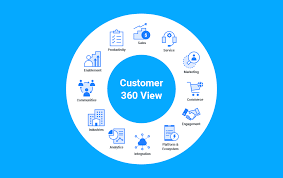
Recognizing the demand from both B2B and B2C buyers for seamless, consistent commerce experiences across online and offline channels, Salesforce has introduced an AI-powered, unified commerce version of its Commerce Cloud platform. Salesforce, a leader in merging ecommerce and CRM software, has taken a significant step toward unified commerce with this next-generation update to Salesforce Commerce Cloud. This move aligns with the expectations of both B2B buyers and consumers, who increasingly seek integrated and personalized interactions. The company states that Commerce Cloud now “natively connects all aspects of commerce—B2C, direct-to-consumer, and B2B commerce; order management; and payments—with sales, service, and marketing, all on a single platform.” This integration offers businesses a complete view of the customer journey through a shared catalog and user profile. By unifying elements like catalogs, pricing, orders, and marketing segments, companies can deliver personalized interactions, boost customer loyalty, and drive revenue across all touchpoints. Unified Commerce: A $1.5 Trillion Opportunity Salesforce cites research from Adyen, which indicates that adopting unified commerce strategies could present a $1.5 trillion opportunity for retailers globally. In North America, 76 of the top 2000 online retailers use Salesforce’s ecommerce platform. In 2023, these retailers generated over 6 billion in web sales. Salesforce’s B2B clients include major companies such as Siemens, Schneider Electric, GE Renewable Energy, and Chambers Gasket. AI-Powered Commerce Cloud Salesforce emphasizes that AI powers key aspects of its next-generation Commerce Cloud, enabling the platform to autonomously manage tasks like product recommendations and order lookups by leveraging data from digital and in-store interactions, orders, inventory levels, customer reviews, unified profiles, and CRM information. The AI-backed “Agentforce” agents are designed to assist employees in delivering personalized interactions, strengthening customer relationships, and improving profit margins. According to Justin Racine, Principal of Unified Commerce at Perficient, Salesforce’s efforts to unify the commerce experience across its broad range of products align with the needs of both B2B buyers and consumers. He notes that modern buyers expect brands to connect and communicate with them based on their previous behaviors, preferences, and purchases. Unlocking Revenue with Agentforce Michael Affronti, Senior Vice President and General Manager of Commerce Cloud, highlights that this new version embodies unified commerce by providing businesses with a single, integrated platform. The platform consolidates the entire commerce journey, with AI-powered Agentforce agents unlocking new revenue streams and delivering personalized experiences across every channel. Furniture designer and manufacturer MillerKnoll has already benefited from the unified platform. Frank DeMaria, Vice President of Digital Engineering & Platforms, mentions that the integration of sales, service, marketing, and other functions has helped the company offer personalized experiences and improve online sales and customer satisfaction across its portfolio of brands, including HermanMiller. Key Features of the New Commerce Cloud Racine adds that Salesforce’s new release unifies its product suite under a cohesive platform, providing marketers and business users with a comprehensive 360-degree view of the customer. This enables brands to build experiences and ordering workflows that are predictive rather than reactive. The integration of Agentforce represents a breakthrough, blending AI with brand interactions to unlock potential gains for merchandisers and buyers, and Racine is excited to see how these technologies enhance revenue and customer loyalty. Like Related Posts Who is Salesforce? Who is Salesforce? Here is their story in their own words. From our inception, we’ve proudly embraced the identity of Read more Salesforce Marketing Cloud Transactional Emails Salesforce Marketing Cloud Transactional Emails are immediate, automated, non-promotional messages crucial to business operations and customer satisfaction, such as order Read more Salesforce Unites Einstein Analytics with Financial CRM Salesforce has unveiled a comprehensive analytics solution tailored for wealth managers, home office professionals, and retail bankers, merging its Financial Read more AI-Driven Propensity Scores AI plays a crucial role in propensity score estimation as it can discern underlying patterns between treatments and confounding variables Read more

Read More

Additional Input Fields for Case Classification

⭐️ NEW: Additional Input Fields for Case Classification (GA) ⭐️ Enhance your Einstein classification model by incorporating up to 30 input fields for more precise case classification. Previously, only the Subject and Description fields from closed cases were used to build a model. Now, you can optimize your model by removing these fields and selecting the most relevant case information for training. Einstein Classification supports a variety of field types, including String (TextArea and TextArea Long), Picklist, and Lookup fields. Additional Input Fields for Case Classification. Where: This update is available for Enterprise, Performance, and Unlimited editions in Lightning Experience. Please note that Einstein Classification Apps are not available in partner editions or the Salesforce Government Cloud. How: When creating a classification model, you can now select up to 30 input fields for training. After configuring the predictive model, its status will change to “Ready to Build.” Review your selected fields and build the model. Once completed, adjust each field’s prediction settings and activate the model to begin receiving recommendations in the Service Console. Like Related Posts Who is Salesforce? Who is Salesforce? Here is their story in their own words. From our inception, we’ve proudly embraced the identity of Read more Salesforce Marketing Cloud Transactional Emails Salesforce Marketing Cloud Transactional Emails are immediate, automated, non-promotional messages crucial to business operations and customer satisfaction, such as order Read more Salesforce Unites Einstein Analytics with Financial CRM Salesforce has unveiled a comprehensive analytics solution tailored for wealth managers, home office professionals, and retail bankers, merging its Financial Read more AI-Driven Propensity Scores AI plays a crucial role in propensity score estimation as it can discern underlying patterns between treatments and confounding variables Read more

Read More
Financial Services Cloud and Core

Financial Services Cloud and Core

Remember When Salesforce First Launched Financial Services Cloud in 2016? The managed package introduced a standardized data model that transformed how banks, credit unions, and implementation partners utilized Salesforce. It was a game-changer! But Salesforce hasn’t stopped innovating. Since 2019, they’ve been enhancing the core platform to meet demands for greater performance and flexibility. Now, in 2024, Salesforce has rolled out its biggest core release yet: Financial Account Management Standard Objects. This strategic update could redefine how financial data is managed within Financial Services Cloud (FSC). Understanding these updates is essential for all FSC users. The introduction of standard objects signals a major shift in the platform. Staying informed ensures that your institution remains innovative and fully leverages Financial Services Cloud. Let’s explore what’s changing and why it matters. 1. A New Era for Financial Accounts Say goodbye to limitations and hello to flexibility! The core platform introduces a modern way to manage financial accounts: The elimination of financial account triggers is a huge win for performance. Salesforce’s new data model is designed to handle real-time integrations, which can be a game-changer for many institutions. But real-time integration isn’t necessary for everyone. Depending on your organization’s needs, you might find that a combination of batch integration, on-demand integration, and data visualization works best. If you’re dealing with slow nightly batch data loads due to financial account triggers, exploring the new standard objects could be the solution to your performance woes. 2. Core Offers Benefits for Everyone 3. The FSC Managed Package is Still Supported Salesforce has reassured customers that the FSC Managed Package will continue to be supported. However, with Core advancements, Salesforce is re-evaluating its long-term strategy to provide more streamlined and scalable solutions. While migration to Core isn’t mandatory, Salesforce’s ongoing focus on this new architecture suggests that aligning with the core platform may offer increasing benefits over time. To stay ahead of the curve and access the latest features, it’s wise to explore the potential advantages of migration. Tectonic can help assess your current environment, weigh the benefits of moving to Core, and develop a strategy that aligns with your business goals. 4. Exciting Core Enhancements Core introduces powerful new features that simplify financial data management, such as: 5. The Future Is Core, and You Need the Right Partner to Chart Your Course Salesforce’s shift toward Core highlights the platform’s future direction. While the managed package remains relevant for now, Core offers a more modern, flexible solution for managing financial data. To make the most of these changes and ensure a smooth transition, partnering with an experienced team like Tectonic is crucial. Transitioning to Core requires careful planning. Here’s a roadmap to guide you: Ready to Explore the Power of Core? Contact Tectonic today to learn how we can help guide your transition to Core and capture the full potential of these new features to drive your business forward. Like1 Related Posts Who is Salesforce? Who is Salesforce? Here is their story in their own words. From our inception, we’ve proudly embraced the identity of Read more Salesforce Marketing Cloud Transactional Emails Salesforce Marketing Cloud Transactional Emails are immediate, automated, non-promotional messages crucial to business operations and customer satisfaction, such as order Read more Salesforce Unites Einstein Analytics with Financial CRM Salesforce has unveiled a comprehensive analytics solution tailored for wealth managers, home office professionals, and retail bankers, merging its Financial Read more AI-Driven Propensity Scores AI plays a crucial role in propensity score estimation as it can discern underlying patterns between treatments and confounding variables Read more

Read More
gettectonic.com