Metadata and Salesforce
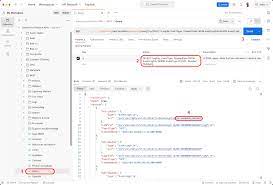
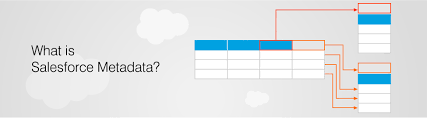
How do I manage metadata in Salesforce? Search Setup for Custom Metadata Types. On the All Custom Metadata Types page, click Manage Records next to the custom metadata type for which you want to add or modify records. On the list of custom metadata records, click New, or click Edit to modify an existing custom metadata record. Fill out the fields. Use Metadata API to retrieve, deploy, create, update or delete customization information, such as custom object definitions and page layouts, for your org. This API is intended for managing customizations and for building tools that can manage the metadata model, not the data itself. Understanding Metadata Metadata encompasses various elements such as database objects and fields, screen layouts, automation rules, reporting structures, and access permissions. These elements, among others, form the overall configuration of an application for an organization. In large organizations, there can be over 100,000 metadata configurations with numerous dependencies between them. The Importance of Metadata Management As configurations grow, effective metadata management becomes crucial. Without it, the ability to make swift changes diminishes. Forrester describes this challenge as the “Salesforce@scale dilemma,” highlighting the complexities organizations face when scaling their use of Salesforce. This issue isn’t unique to Salesforce but applies to any metadata-driven enterprise application: “Every app change risks breaking one of hundreds of data and process customizations, integration links, and third-party add-ons. The result: Every change requires long and expensive impact-analysis and regression testing projects—killing the responsiveness that made Salesforce attractive at the start.” The Change Intelligence Report Series from Elements.cloud quantified Forrester’s observations: 50% of custom databases are never used, and 41% of custom-created fields are never populated. This leads to wasted effort and increased technical debt. Reducing this debt requires better metadata control. Establishing a Metadata Dictionary At the core of any metadata-driven app is a metadata dictionary, which AI can significantly enhance. A metadata dictionary is a comprehensive list of all metadata, grouped by type, with detailed attributes for each item such as version, usage, and dependencies. It can also include third-party content like business analysis, design specifications, and training materials. Managing applications without a metadata dictionary can be inefficient and risky. The common alternative, using spreadsheets, is hard to maintain and lacks support for impact analysis. Enterprise application vendors should include a metadata dictionary in their platforms, though many do not, often leaving it to third parties to create one via APIs. Steps to Establish a Metadata Dictionary Creating a metadata dictionary involves several actionable steps that streamline data management and boost productivity. Salesforce Metadata Salesforce metadata defines how objects and records behave and the “look and feel” of your Salesforce org. It includes: Metadata and Salesforce It’s essential to distinguish between metadata and data: For example, metadata can define schema properties (e.g., fields in a standard object like Address) and how business data is presented and processed. Metadata API Functionality The Metadata API allows you to manage and move metadata between Salesforce orgs during development. It supports: Use Metadata API for the final stages of development, and source push and pull commands for intermediate stages. These methods ensure efficient and accurate metadata management, enhancing the overall agility and scalability of your Salesforce environment. By effectively managing metadata, organizations can minimize technical debt, streamline operations, and maintain the flexibility and responsiveness that make platforms like Salesforce valuable. Like Related Posts Who is Salesforce? Who is Salesforce? Here is their story in their own words. From our inception, we’ve proudly embraced the identity of Read more Salesforce Marketing Cloud Transactional Emails Salesforce Marketing Cloud Transactional Emails are immediate, automated, non-promotional messages crucial to business operations and customer satisfaction, such as order Read more Salesforce Unites Einstein Analytics with Financial CRM Salesforce has unveiled a comprehensive analytics solution tailored for wealth managers, home office professionals, and retail bankers, merging its Financial Read more AI-Driven Propensity Scores AI plays a crucial role in propensity score estimation as it can discern underlying patterns between treatments and confounding variables Read more