

Project Management Archives - gettectonic.com - Page 2
Requirements Engineering

Requirements Engineering

Every project needs clear requirements. No exceptions. Without them, a project turns into a group of people standing around, unsure of what to do, essentially making things up as they go. This scenario may sound familiar to anyone who has been involved in disorganized projects. What are requirements? According to the Association for Project Management (APM), “Requirements are the wants and needs of stakeholders clearly defined with acceptance criteria.” Requirements engineering is the process for managing the entire lifecycle of these needs and involves five key stages: Let’s dive deeper into these stages: 1. Requirements Elicitation Sometimes, the term “requirements capture” is used, as if stakeholders’ needs are floating around, waiting to be caught. However, requirements are not passively waiting; they must be actively elicited. Elicitation Methods: Eliciting requirements involves interpreting genuine needs, not just compiling a wish list of requested features. 2. Requirements Analysis Once you’ve gathered a set of requirements, it’s time for analysis to ensure they are comprehensive, feasible, and aligned with the project’s objectives. This phase is crucial because 80% of project errors occur during the requirements phase, yet it often receives less than 20% of a project’s time. Key steps include: 3. Requirements Documentation After analyzing requirements, document them clearly to communicate with stakeholders and developers. A good requirements document typically includes: One popular method for documenting requirements is through user stories, which frame requirements from the user’s perspective: User stories focus on meeting user needs rather than prescribing technical specifications. 4. Requirements Validation The next step is validating your documented requirements. This ensures they accurately represent what users and stakeholders need. Validation methods include: Validation is essential to ensure requirements are complete, realistic, and verifiable. 5. Requirements Management The final phase involves tracking and managing changes to requirements throughout the project. Key Concepts: Agile frameworks often rely on iterative approaches, where product owners manage changes during sprint reviews and retrospectives. Summary Requirements engineering consists of five interdependent stages: elicitation, analysis, documentation, validation, and management. While these concepts may seem detailed, they offer a structured framework that’s essential for delivering high-quality solutions. By following this approach, even smaller, lower-risk digital projects can benefit from clear and actionable requirements. Like Related Posts Who is Salesforce? Who is Salesforce? Here is their story in their own words. From our inception, we’ve proudly embraced the identity of Read more Salesforce Marketing Cloud Transactional Emails Salesforce Marketing Cloud Transactional Emails are immediate, automated, non-promotional messages crucial to business operations and customer satisfaction, such as order Read more Salesforce Unites Einstein Analytics with Financial CRM Salesforce has unveiled a comprehensive analytics solution tailored for wealth managers, home office professionals, and retail bankers, merging its Financial Read more AI-Driven Propensity Scores AI plays a crucial role in propensity score estimation as it can discern underlying patterns between treatments and confounding variables Read more

Read More
DPD Salesforce AI Enhancements

DPD Salesforce AI Enhancements

DPD’s AI Integration: Enhancing Customer and Employee Experience DPD has ambitious plans to integrate AI throughout its Salesforce platform, aiming to automate tasks and significantly enhance the experiences of both customers and employees. DPD Salesforce AI Enhancements. Adam Hooper, Head of Central Platforms at DPD, explains that with over 400 million parcels delivered annually, maintaining robust customer relationships is crucial. To this end, DPD leverages a range of Salesforce technologies, including Service Cloud, Sales Cloud, Marketing Cloud, and Mulesoft. AI-Powered Customer Service In Salesforce’s latest update on DPD: Financial and Operational Efficiency Targeted Marketing Spreadsheets to Salesforce At the Salesforce World Tour event in London, Ben Pyne, Salesforce Platform Manager at DPD, elaborated on their current usage and future AI plans. Pyne’s team acts as internal consultants to optimize organizational workflows. As he explains: “My role is essentially to get people off spreadsheets and onto Salesforce!” He noted that about 40 departments and teams within DPD use Salesforce, far beyond the typical Sales and CRM applications. Custom applications within Salesforce personalize and enhance user experiences by focusing on relevant information. Using tools like Prompt Builder, Pyne’s team recently developed a project management app within Salesforce, streamlining tasks like writing acceptance criteria and user stories. Pyne emphasized: “I want our guys to focus on designing and building, less on the admin.” AI Use Cases When considering AI and generative AI, DPD sees significant potential to reduce operational tasks. Pyne highlighted case summarization as an obvious application, given the millions of customer service cases created each year. Rolling Out Generative AI DPD adopts a cautious approach to rolling out new technologies like generative AI. Pyne explained: “It’s starting small, finding the right teams to be able to do it. But fundamentally, starting somewhere and making slow progressions into it to ensure we don’t scare everybody away.” Ensuring Security and Trust Security and trust are paramount for DPD. Pyne noted their robust IT security team scrutinizes every implementation. Fortunately, Salesforce’s security measures, such as data anonymization and preventing LLMs (Large Language Models) from learning from their data, provide peace of mind. Pyne concluded: “We can focus on what we’re good at and not worry about the rest because Salesforce has thought of everything for us.” Like Related Posts Who is Salesforce? Who is Salesforce? Here is their story in their own words. From our inception, we’ve proudly embraced the identity of Read more Salesforce Marketing Cloud Transactional Emails Salesforce Marketing Cloud Transactional Emails are immediate, automated, non-promotional messages crucial to business operations and customer satisfaction, such as order Read more Salesforce Unites Einstein Analytics with Financial CRM Salesforce has unveiled a comprehensive analytics solution tailored for wealth managers, home office professionals, and retail bankers, merging its Financial Read more AI-Driven Propensity Scores AI plays a crucial role in propensity score estimation as it can discern underlying patterns between treatments and confounding variables Read more
Read More
Salesforce Announces Slack Lists for Project Management

Salesforce Announces Slack Lists for Project Management

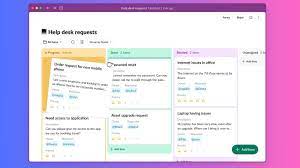
Salesforce Transforms Slack into Project Management Platform with New Slack Lists Feature Salesforce Inc. has introduced Slack Lists, a new feature designed to transform Slack from a simple collaboration tool into a comprehensive project management platform. Initially rolling out in select regions, Slack Lists will soon be available to all paid Slack users, integrating project and task management directly into the Slack interface. Salesforce Announces Slack Lists for Project Management. And this answers the age old question, can Salesforce be used as a project management tool? Key Benefits and Features Collaborative Tools Slack Lists excels in fostering collaboration by allowing team members to bring relevant coworkers into conversations and create message threads for specific list items. These threads consolidate discussions about particular items, requests, or issues into single, organized conversations. This ensures tasks are not forgotten and keeps all team members informed about project progress. Executive Insights Denise Dresser, CEO of Slack, stated that Slack Lists transforms conversations into actionable tasks that drive work forward. “Now those loose steps shared in a project channel can be tracked across teams,” she explained. “With project management in Slack, teams across organizations will have everything they need to complete projects faster and increase productivity.” Practical Applications Salesforce emphasized that Slack Lists can benefit any organization within an enterprise. For example: Holger Mueller of Constellation Research Inc. noted that Salesforce has long aimed to extend Slack’s capabilities beyond core messaging and collaboration. “Salesforce has opted to go generic with Slack Lists, allowing users to create list entries for projects, service requests, and more,” he said. “This ideally makes collaboration on those projects easier, making Slack more goal-oriented and changing the future of work.” Early Adoption Marriott International Inc. participated in the pilot phase of Slack Lists before its general release. Lori Drake, Director of System Strategy at Marriott Digital Services, expressed enthusiasm about the feature, saying, “We’re excited to use lists to manage projects and track requests, and think it can unlock significant time savings for our teams.” Availability Like1 Related Posts Who is Salesforce? Who is Salesforce? Here is their story in their own words. From our inception, we’ve proudly embraced the identity of Read more Salesforce Marketing Cloud Transactional Emails Salesforce Marketing Cloud Transactional Emails are immediate, automated, non-promotional messages crucial to business operations and customer satisfaction, such as order Read more Salesforce Unites Einstein Analytics with Financial CRM Salesforce has unveiled a comprehensive analytics solution tailored for wealth managers, home office professionals, and retail bankers, merging its Financial Read more AI-Driven Propensity Scores AI plays a crucial role in propensity score estimation as it can discern underlying patterns between treatments and confounding variables Read more

Read More
Salesforce Field Service Lightning

Salesforce Field Service Lightning

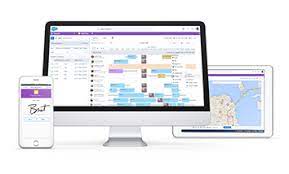
Many companies worldwide seek quality services associated with Salesforce Field Service Lightning (FSL) to differentiate between lacking customer experiences and excellent ones. Satisfied customers associate such services with high-quality ratings, gradually building trust with the company and recommending it to others. The ability of any business to generate successful recognition and experience with clients helps establish an invaluable competitive advantage. Salesforce Field Service Lightning We are here to assist you in mapping and quoting various FSL Salesforce services such as equipment installation, repair, general customer service management, and maintenance. Field Service technicians, also known as mobile technicians, play a crucial role in delivering these tasks. They receive notifications on mobile devices and quickly find users in need of speedy solutions to their problems. What is Salesforce Field Service? Salesforce Field Service (formerly known as Field Service Lightning) is designed for the automation and optimization of work offered by dispatchers and field service agents. It ensures that no employee sacrifices any functionality of the related services when working outside the company. This system is part of the FSL Salesforce Service Cloud and aims to create a seamless workflow and avoid mistakes with the help of service technicians. Integral Parts of Salesforce Field Service After implementing Salesforce Field Service Lightning, clients can immediately see the benefits reflected in the increased efficiency of developed services. Advantages of Salesforce Field Service Lightning Bottom Line We hope this comprehensive guide on Salesforce Field Service Lightning has provided valuable insights into its aspects and benefits. Our experienced executives offer valuable advice and risk-free solutions for managing projects involving field service. You can contact Tectonic 24/7 for error removal and maintaining Salesforce FSL service deployments. Tasks such as project management and exception diagnosis are easily handled with the Service Cloud platform. We offer a strong framework for different service models and prepare reports for various service territory designs, ensuring a seamless and efficient operation. Like Related Posts Who is Salesforce? Who is Salesforce? Here is their story in their own words. From our inception, we’ve proudly embraced the identity of Read more Salesforce Marketing Cloud Transactional Emails Salesforce Marketing Cloud Transactional Emails are immediate, automated, non-promotional messages crucial to business operations and customer satisfaction, such as order Read more Salesforce Unites Einstein Analytics with Financial CRM Salesforce has unveiled a comprehensive analytics solution tailored for wealth managers, home office professionals, and retail bankers, merging its Financial Read more AI-Driven Propensity Scores AI plays a crucial role in propensity score estimation as it can discern underlying patterns between treatments and confounding variables Read more

Read More
Using Salesforce for Project Management

Using Salesforce for Project Management

Using Salesforce for Project Management Tasks Leverage the power of SFDC to streamline your project management process and enhance client satisfaction. With Salesforce’s array of features, you can efficiently track project milestones and foster effective communication within your project team. Successful project outcomes hinge on effective project management, ensuring alignment among stakeholders, setting realistic expectations, and addressing risks. This entails meticulous planning, clear cost expectations, and well-defined deliverables and milestones. By establishing structured processes and roles within the project team, you can increase the likelihood of meeting objectives, maintain quality standards, and enhance client satisfaction. Facilitate Project Management Incorporating project management into your Salesforce solution offers a holistic view of the client lifecycle, from initial opportunity to implementation and beyond. Salesforce enables seamless communication among team members and facilitates project oversight, ensuring timely delivery of client requirements. Additionally, it identifies potential sales opportunities, further enhancing client relationships and business growth. Key Features for Project Management in Salesforce While Salesforce does not offer a dedicated project management solution, its native and customizable capabilities can effectively support project lifecycles: Using Salesforce for Project Management Maximize Salesforce’s capabilities for project management with these additional functionalities: Enhancing Project Management Explore third-party project management apps on the Salesforce AppExchange to further augment your project management capabilities. Options like Mission Control and Inspire Planner offer specialized features such as Gantt charts, resource planning, and collaboration tools, catering to diverse project management needs. While Salesforce provides robust features for project management, augmenting your solution with specialized apps can further enhance functionality and flexibility. By harnessing Salesforce’s capabilities, you can streamline project workflows, improve team collaboration, and ultimately deliver successful outcomes for your clients. If you require assistance or customization, certified project management professionals are available to support your endeavors. Like1 Related Posts Who is Salesforce? Who is Salesforce? Here is their story in their own words. From our inception, we’ve proudly embraced the identity of Read more Salesforce Marketing Cloud Transactional Emails Salesforce Marketing Cloud Transactional Emails are immediate, automated, non-promotional messages crucial to business operations and customer satisfaction, such as order Read more Salesforce Unites Einstein Analytics with Financial CRM Salesforce has unveiled a comprehensive analytics solution tailored for wealth managers, home office professionals, and retail bankers, merging its Financial Read more AI-Driven Propensity Scores AI plays a crucial role in propensity score estimation as it can discern underlying patterns between treatments and confounding variables Read more

Read More
Tectonic at a Glance

AI Product Management Tools

Embracing AI in Product Management: Your New Best Friend, Not a Replacement-Original published by https://zedaio.medium.com/ Amid the lively debates about AI taking over product management roles, let’s set the record straight: AI is here as an ally, not a replacement. It’s about leveraging AI to amplify our capabilities, streamline mundane tasks, and make room for the creative and strategic aspects of product management. AI Product Management Tools. Here are seven AI tools that will automate your daily routines, offering support that transforms the way you manage products. Ready to upgrade your product management game with AI by your side? Let’s dive in! 1. Zeda.io Zeda.io is one of the best AI tools for product managers. It offers a complete suite of features that help you in feedback management, strategic planning, and closing the loop. It is a perfect tool if you are striving to balance your customer needs and business goals. With integrations like Slack, Gong, Teams, Salesforce, and more, you can gather and manage customer feedback effortlessly. Its unique AI technology generates valuable, actionable insights by categorizing all the feedback, helping you uncover pressing customer issues and decide what to build next. Key Features: 2. ChatGPT An obvious choice, ChatGPT can automate many of your tasks. It helps make sense of vague product user feedback, create PRDs, release notes, and other documents. The key is to use the right prompts and GPT plugins tailored for product managers. Key Features: 3. Notion AI Notion is a cloud-based productivity and collaboration tool that provides various organizational tools, including task management, project tracking, to-do lists, bookmarking, and more. Notion’s AI can assist product managers in several ways. Key Features: 4. Uizard Uizard is a user interface design tool that uses AI to quickly and efficiently create wireframes, mockups, and prototypes in minutes. The tool’s advanced deep-learning algorithms analyze images provided by product teams and managers to create design themes. Key Features: 5. ClickUp ClickUp is a cloud-based tool that helps teams manage their work effectively, offering features like task management, time tracking, file sharing, and communication tools. ClickUp is highly customizable and offers multiple AI tools that integrate seamlessly into workflows. Key Features: 6. Delibr Delibr is an excellent tool for AI product teams to collaborate effectively during the feature refinement process. It helps capture, synthesize, and organize feedback from diverse sources, enabling informed decision-making and creating high-quality documentation. Key Features: 7. Fireflies.ai Fireflies.ai enhances meeting productivity by transcribing, summarizing, and analyzing voice conversations. It integrates with major video-conferencing platforms and offers various ways to capture meetings, including a Chrome extension and direct uploads. Key Features: AI Product Management Tools Embracing AI in product management doesn’t mean diminishing the value of human insight; it’s about enhancing our capabilities and efficiency. The seven AI tools outlined here offer a glimpse into a future where technology and creativity intersect, empowering product managers to achieve more in less time. By integrating suitable tools into your workflow, you can focus on innovation and strategy, ensuring your products not only meet but exceed user expectations. Let AI be your ally to achieve greater heights and product success. Like Related Posts Who is Salesforce? Who is Salesforce? Here is their story in their own words. From our inception, we’ve proudly embraced the identity of Read more Salesforce Marketing Cloud Transactional Emails Salesforce Marketing Cloud Transactional Emails are immediate, automated, non-promotional messages crucial to business operations and customer satisfaction, such as order Read more Salesforce Unites Einstein Analytics with Financial CRM Salesforce has unveiled a comprehensive analytics solution tailored for wealth managers, home office professionals, and retail bankers, merging its Financial Read more AI-Driven Propensity Scores AI plays a crucial role in propensity score estimation as it can discern underlying patterns between treatments and confounding variables Read more
Read More
Government-Citizen Communication

Government-Citizen Communication

Engaging Citizens and Influencing Behavior: A Public Sector Strategy Engaging citizens and influencing their behavior to achieve mission-critical outcomes follows a model similar to the traditional marketing funnel used in the private sector. By adapting this approach, government communicators can drive tangible results that contribute to the overall well-being of society. Government-Citizen Communication. Public Sector Communication Objectives: In today’s digital age, citizens expect timely, personalized communication. To meet this demand, government agencies must deliver the right message through the right channels at the right time. A failure to do so risks reduced engagement, which can negatively affect the success of public programs. Expanding Audience Reach To maximize citizen engagement, it’s crucial to focus on reaching a broader audience rather than narrowing it. A key question for communicators and their teams to ask is: “How broad is our audience?” This is an essential aspect of the funnel that ensures wider reach and greater impact. Communication Methods Public sector communication often utilizes a mix of channels, including radio, newspapers, television, and social media, to connect with the public. Collaboration is vital in this sector, requiring effective communication tools to coordinate across teams, departments, and agencies. As technology evolves, new tools are enhancing how public servants communicate and collaborate. Technology-Driven Collaboration Tools Several communication and collaboration tools are reshaping how the public sector operates: Best Practices for Government-Citizen Communication To foster effective engagement, government agencies should implement the following best practices: Secure, Customizable Citizen Communication Solutions Governments can benefit from a secure, open-source communication tool tailored to public sector needs. Such solutions ensure compliance with data protection laws and foster trust between citizens and government institutions, enhancing public service delivery and digital engagement. Tectonic’s Conclusion For optimal citizen engagement, government communicators must focus on expanding their audience reach and utilizing advanced communication tools. In doing so, they can enhance collaboration, drive citizen involvement, and ensure the success of critical public programs. Like Related Posts Who is Salesforce? Who is Salesforce? Here is their story in their own words. From our inception, we’ve proudly embraced the identity of Read more Salesforce Marketing Cloud Transactional Emails Salesforce Marketing Cloud Transactional Emails are immediate, automated, non-promotional messages crucial to business operations and customer satisfaction, such as order Read more Salesforce Unites Einstein Analytics with Financial CRM Salesforce has unveiled a comprehensive analytics solution tailored for wealth managers, home office professionals, and retail bankers, merging its Financial Read more AI-Driven Propensity Scores AI plays a crucial role in propensity score estimation as it can discern underlying patterns between treatments and confounding variables Read more

Read More
Salesforce and Wrike

Salesforce and Wrike

Can Salesforce and Wrike Integrate? Is this a project management solution? Absolutely! Wrike offers a seamless integration that empowers you to efficiently manage tasks related to closing deals and streamline internal processes such as requesting work from other teams and tracking work progress. Why Integrate CRM with project management tool Wrike? Integrating Wrike with your CRM transforms isolated interactions into cohesive projects that span across multiple teams. This integration reduces time spent on administrative tasks, enabling sales teams to access necessary information promptly and gain complete visibility into actions taken for each customer or lead. How Does This Benefit Sales Teams? Imagine having a comprehensive overview of all activities completed for each client, with automated workflows for requesting work from various teams. By integrating Wrike and Salesforce, you can significantly minimize email communications requesting task updates and enhance efficiency. This integration is a solid project management solution for Salesforce. What Are the Benefits of Wrike for Cross-Functional Teams? Integrating Wrike with your CRM provides cross-functional teams with full visibility into client-related work, regardless of the team responsible. This integration streamlines task requests and processes, allowing for timely project delivery and instant reporting on project statuses. Account admins can seamlessly integrate with Salesforce, enhancing collaboration between customer-facing teams using CRM and project management teams utilizing Wrike. This integration facilitates faster and more transparent communication between teams. Once set up, users can monitor task statuses directly within Salesforce. Any CRM object can be linked to a Wrike project or folder, enabling seamless work management across both platforms. Key Benefits of Salesforce-Wrike Integration: When Salesforce is integrated with Project Management Tools: This integration between project management and Salesforce offers tailored solutions to suit diverse business needs, enhancing collaboration and productivity across teams. Like Related Posts Who is Salesforce? Who is Salesforce? Here is their story in their own words. From our inception, we’ve proudly embraced the identity of Read more Salesforce Marketing Cloud Transactional Emails Salesforce Marketing Cloud Transactional Emails are immediate, automated, non-promotional messages crucial to business operations and customer satisfaction, such as order Read more Salesforce Unites Einstein Analytics with Financial CRM Salesforce has unveiled a comprehensive analytics solution tailored for wealth managers, home office professionals, and retail bankers, merging its Financial Read more AI-Driven Propensity Scores AI plays a crucial role in propensity score estimation as it can discern underlying patterns between treatments and confounding variables Read more

Read More
clock

Salesforce Integrations for Sales and Marketing Teams

What do Salesforce integrations entail? Salesforce Integrations for Sales and Marketing Teams. Salesforce integrations involve establishing connections between Salesforce and various third-party applications, ranging from marketing automation tools and customer service software to accounting programs. This seamless exchange of data between platforms serves to enhance Salesforce’s overall functionality. How extensive is Salesforce’s integration ecosystem? Salesforce boasts a robust integration ecosystem, with over 3,000 integrations available on its AppExchange marketplace. Beyond these, users can leverage: Salesforce Integrations for Sales and Marketing Teams While there isn’t a one-size-fits-all list of essential Salesforce integrations for sales and marketing, we’ve curated a selection of widely-used integrations across various categories: These integrations cater to diverse needs within sales and marketing, facilitating efficient data handling, analytics, communication, project management, and more. Like1 Related Posts Who is Salesforce? Who is Salesforce? Here is their story in their own words. From our inception, we’ve proudly embraced the identity of Read more Salesforce Marketing Cloud Transactional Emails Salesforce Marketing Cloud Transactional Emails are immediate, automated, non-promotional messages crucial to business operations and customer satisfaction, such as order Read more Salesforce Unites Einstein Analytics with Financial CRM Salesforce has unveiled a comprehensive analytics solution tailored for wealth managers, home office professionals, and retail bankers, merging its Financial Read more AI-Driven Propensity Scores AI plays a crucial role in propensity score estimation as it can discern underlying patterns between treatments and confounding variables Read more

Read More
Cloud Based Managed Services

Cloud Based Managed Services

At Tectonic, our aim is to enable you to concentrate on your business operations while we handle the intricacies of technology. Our team oversees all technology assets and evaluates your IT systems to ensure your employees have the necessary equipment to support their work. We work diligently in the background to maintain the seamless functioning of your business, encompassing tasks such as consistent backups, 24/7 server monitoring, event logging, and more. Cloud Based Managed Services. Managed Cloud Cloud managed services, or managed cloud, refer to applications, services, or ecosystems in the cloud managed by a third-party organization. These services include IT tasks like engineering on demand, operations management, 24/7 help desk support, hosting, and implementation. Cloud-based service involves the organized administration of cloud computing products and services. It encompasses processes, strategies, policies, and technology used to control and maintain public and private clouds, hybrid clouds, or multicloud environments. Cloud infrastructure managed services involve companies like Microsoft, AWS, HubSpot, IBM, and Google Cloud. This allows businesses to receive personalized tech support from specialists in specific software providers. Examples of cloud-based services include file storage and backup, web-based email, and project management tools. SaaS cloud service providers include Dropbox, G Suite, Microsoft Office 365, and Slack. While cloud service providers are cost-effective, they lack the robustness of fully managed IT services. With Tectonic, managed cloud services provide scalable solutions, offering benefits like consistent backups, disaster recovery, and flexibility to adapt to changing business requirements without downtime. Managed services differ from SaaS as they go beyond software provision, often handling networking and hardware requirements. Managed cloud services offer hybrid IT and cloud administration, with providers offering unique values in areas like migration, optimization, security, and configuration. Advantages of Managed Cloud Service Providers (MCSPs) include resource optimization, cloud service integration, and predictable spending. However, potential drawbacks include high costs, optimization impacting performance, and security risks due to multi-tenancy. Amid the global COVID-19 pandemic, cloud adoption has surged, with companies embracing remote work models. Businesses increasingly partner with cloud managed service providers to optimize IT infrastructure, address regulatory compliance, and ensure security in the cloud environment. Local servers, physically located on-premises or in private data centers, are not considered cloud services. They host applications, websites, or services within a specific organization’s infrastructure. Like Related Posts Who is Salesforce? Who is Salesforce? Here is their story in their own words. From our inception, we’ve proudly embraced the identity of Read more Salesforce Marketing Cloud Transactional Emails Salesforce Marketing Cloud Transactional Emails are immediate, automated, non-promotional messages crucial to business operations and customer satisfaction, such as order Read more Salesforce Unites Einstein Analytics with Financial CRM Salesforce has unveiled a comprehensive analytics solution tailored for wealth managers, home office professionals, and retail bankers, merging its Financial Read more AI-Driven Propensity Scores AI plays a crucial role in propensity score estimation as it can discern underlying patterns between treatments and confounding variables Read more

Read More
Salesforce Integration

Salesforce Integrations for Sales and Marketing Teams

First Understand Salesforce Integrations Salesforce integrations involve establishing seamless connections between Salesforce and diverse third-party applications. These applications range from marketing automation tools and customer service software to accounting programs. The purpose is to facilitate a smooth exchange of data, ultimately enhancing Salesforce’s overall functionality. Salesforce integrations for sales and marketing teams brings all the applications needed for the relationship with prospects into one place. Salesforce’s Integration Ecosystem While Salesforce boasts a robust integration ecosystem, featuring over 3,000 integrations available on its AppExchange marketplace. Users can leverage various integration approaches: Salesforce Integrations for Sales and Marketing While there’s no complete universal list of essential Salesforce integrations for sales and marketing, several widely-used integrations cater to diverse needs: No-code Data Automation Integrations: Analytics and Reporting Integrations: Email Marketing Automation Integration: Data Storage Integration: Communications Apps Integrations: Project Management Tools Integration: Account Management Integration: CRM Tools Integration: Helpdesk Integrations: Feedback Tools Integration: These integrations facilitate efficient data handling, analytics, communication, project management, and more within sales and marketing teams. Integrations for Sales and Marketing Tools Salesforce seamlessly integrates with various tools relevant to Sales and Marketing teams, including but not limited to: Salesforce Integration with Teams and Workday The Salesforce AppExchange Salesforce’s Role in Sales and Marketing Salesforce Marketing Cloud Salesforce and ERP Integration Digital Marketing and Salesforce Salesforce’s Role in Marketing Automation Content updated November 2023. Like Related Posts Who is Salesforce? Who is Salesforce? Here is their story in their own words. From our inception, we’ve proudly embraced the identity of Read more Salesforce Marketing Cloud Transactional Emails Salesforce Marketing Cloud Transactional Emails are immediate, automated, non-promotional messages crucial to business operations and customer satisfaction, such as order Read more Salesforce Unites Einstein Analytics with Financial CRM Salesforce has unveiled a comprehensive analytics solution tailored for wealth managers, home office professionals, and retail bankers, merging its Financial Read more AI-Driven Propensity Scores AI plays a crucial role in propensity score estimation as it can discern underlying patterns between treatments and confounding variables Read more
Read More
Optimizing AI Agent Performance Through Strategic Data Management

Salesforce Consultant

The Salesforce Consultant: Your Guide to CRM Transformation What Does a Salesforce Consultant Do? A Salesforce Consultant is a strategic problem-solver who bridges the gap between business needs and technology. They work either in-house or as external advisors, helping organizations maximize Salesforce to improve efficiency, customer relationships, and revenue growth. Core Responsibilities ✅ Business Analysis – Identify pain points and align Salesforce solutions with company goals.✅ Process Optimization – Map workflows and automate tasks to boost productivity.✅ Solution Design & Configuration – Customize Salesforce to fit unique business needs.✅ Change Management – Train teams and ensure smooth adoption of new systems.✅ Project Leadership – Oversee implementations, integrations, and migrations. Why Businesses Need Them Many companies invest in Salesforce CRM but lack the expertise to fully leverage it. A consultant ensures:🔹 Faster ROI – Avoid costly misconfigurations.🔹 Scalability – Build systems that grow with the business.🔹 User Adoption – Drive engagement through training and support. Why Become a Salesforce Consultant? Impact & Rewards 💡 Transform Businesses – Help companies cut costs, boost revenue, and improve customer satisfaction.💡 Empower Teams – Simplify workflows so employees focus on meaningful work.💡 High Earning Potential – Skilled consultants command K–0K+ (varies by experience & certs). Career Flexibility 🌍 Work Anywhere – Remote, freelance, or in-house roles available.🚀 Growth Path – Advance to Solution Architect, Product Manager, or CTO. How to Become a Salesforce Consultant 1. Build Core Skills ✔ Business Acumen – Understand sales, marketing, or service operations.✔ Technical Proficiency – Master Salesforce Admin, Flows, and integrations.✔ Soft Skills – Communication, leadership, and Agile project management. 2. Earn Certifications Start with: 3. Gain Experience 🔹 Start as a Salesforce Admin🔹 Volunteer for non-profits (via Salesforce.org)🔹 Work on freelance projects (Upwork, Toptal) 4. Expand Your Toolkit 📌 Business Analysis – Learn requirements gathering.📌 Change Management – Study ADKAR or Prosci methodologies.📌 DevOps Basics – Understand CI/CD for Salesforce deployments. Final Thoughts Salesforce Consultants are change agents—combining tech expertise with business strategy to drive real impact. If you love problem-solving and want a dynamic, high-paying career, this path offers unlimited growth. Like Related Posts Who is Salesforce? Who is Salesforce? Here is their story in their own words. From our inception, we’ve proudly embraced the identity of Read more Salesforce Marketing Cloud Transactional Emails Salesforce Marketing Cloud Transactional Emails are immediate, automated, non-promotional messages crucial to business operations and customer satisfaction, such as order Read more Salesforce Unites Einstein Analytics with Financial CRM Salesforce has unveiled a comprehensive analytics solution tailored for wealth managers, home office professionals, and retail bankers, merging its Financial Read more AI-Driven Propensity Scores AI plays a crucial role in propensity score estimation as it can discern underlying patterns between treatments and confounding variables Read more

Read More
Salesforce and Wrike

Wrike Salesforce Integration

Seamless Wrike-Salesforce Integration for Real-Time Collaboration Easily integrate Wrike with Salesforce (SFDC) to sync data bidirectionally and in real time. With a single Unito flow, keep information aligned across platforms—no manual updates required. Why Integrate Wrike with Salesforce? Salesforce is a leading CRM solution used by teams worldwide, while Wrike streamlines project management. By integrating the two, sales and customer-facing teams can seamlessly collaborate with project teams, improving speed, transparency, and efficiency. Key Benefits: ✅ Work Within Salesforce – Salesforce users can manage Wrike tasks directly, eliminating the need to switch between platforms.✅ Real-Time Task Sync – Any changes in Wrike instantly update in Salesforce, ensuring consistency across both systems.✅ Improved Visibility & Accountability – Easily check task statuses in either platform, reducing the need for follow-ups.✅ Automated Project & Task Creation – Use templates or Wrike Integrate to generate tasks for Salesforce records automatically. How It Works: Customizable to Fit Your Needs With Wrike-Salesforce integration, teams can collaborate effortlessly, stay aligned, and keep projects moving forward—without ever leaving Salesforce. Get started in just a few clicks! Like Related Posts Who is Salesforce? Who is Salesforce? Here is their story in their own words. From our inception, we’ve proudly embraced the identity of Read more Salesforce Marketing Cloud Transactional Emails Salesforce Marketing Cloud Transactional Emails are immediate, automated, non-promotional messages crucial to business operations and customer satisfaction, such as order Read more Salesforce Unites Einstein Analytics with Financial CRM Salesforce has unveiled a comprehensive analytics solution tailored for wealth managers, home office professionals, and retail bankers, merging its Financial Read more AI-Driven Propensity Scores AI plays a crucial role in propensity score estimation as it can discern underlying patterns between treatments and confounding variables Read more

Read More
Project Management With Asana and Salesforce

Project Management With Asana and Salesforce

Introducing the Revolutionary Asana Salesforce Integration Elevate Your Business with An Enhanced Workflow Efficiency Welcome to the world of a revolutionary blend of CRM and project management—the Asana Salesforce Integration. Opting for this intelligent integration sets your business on the path to unprecedented workflow efficiency. Ever wondered how to further streamline your workflows, intensify team synchronization, and deliver exceptional customer service? The answer lies in integrating your Asana project management tool with Salesforce’s CRM capabilities. Unleashing New Avenues for Business Operations The seamless integration of Asana and Salesforce brings the best of both worlds onto a single platform. Direct communication with your team becomes effortless, and vital business information is transmitted with precision and speed. This means deals progress faster, teams stay informed, and crucial workflows run without a hitch. Making significant business decisions requires hard data, and this powerful integration provides exactly that. Connecting Salesforce with Asana Goals delivers valuable insights that can propel your business forward. Key Takeaways Understanding the Asana Salesforce Integration In today’s fast-paced digital world, CRM software and project management tools evolve rapidly to enhance business efficiency and foster stronger customer connections. Navigating this evolution requires a deep understanding of these tools and their potential synergy. This piece focuses on Salesforce, a formidable player in cloud-based CRM software, and how its integration with Asana, a popular project management tool, can revolutionize your business operations and customer relationship management. What Is Salesforce? Salesforce is a pioneering force in CRM software, providing an exceptional cloud-based platform aimed at enhancing customer interaction and service quality. It serves as a comprehensive tool for managing customer data, tracking sales, and delivering targeted marketing campaigns. Salesforce focuses on forging deeper customer connections, finding prospects, and improving overall customer service. Why Integrate Your CRM with Asana? Integrating CRM software with a platform like Asana enhances its project management potential. Asana, designed to aid in planning, organizing, and executing projects, seamlessly links with Salesforce. This integration eliminates bottlenecks, streamlines internal processes, and improves communication between teams, allowing for easier data and idea exchanges that lead to effective, fast decision-making. The Unification of Sales and Project Management Business success hinges on acquiring and retaining customers. The integration of Salesforce’s CRM capabilities with Asana’s project management utilities results in a unified, powerful tool that optimizes workflows—from tracking sales progress to managing projects. The clear mapping of deal progress linked to strategic business goals creates a data-driven path forward. The Benefits of Combining Asana with Salesforce Integrating Asana and Salesforce unlocks new levels of efficiency and organization within your business. Individually renowned for their capabilities in project management and CRM, the combined strengths of these platforms significantly enhance productivity and streamline operations. Streamlining Your Sales Pipeline Integrating Asana and Salesforce enhances team efficiency and redefines sales pipeline management. This integration leads to improved deal cycles, automated workflows, and informed business decision-making. How to Set Up the Asana Salesforce Integration Setting up the Asana Salesforce integration is straightforward with the right guidance. Navigate to the Salesforce AppExchange, search for Asana for Salesforce, and click ‘Get It Now’. Customize the integration to best serve your organization’s needs, optimizing it for Salesforce’s Lightning Component or Salesforce Classic. Optimizing CRM Operations with Asana Projects Integrating Asana’s project management capabilities with Salesforce provides a new vista for CRM optimization. This coupling enables centralized access to contacts, opportunities, and deal information within Asana, enhancing visibility and operational efficiency. Fostering Team Collaboration Integrating Asana and Salesforce bridges the gap between task management and customer management systems, enhancing teamwork, communication, and project alignment. This synergy results in improved operational excellence and productivity. Enhancing the Customer Experience The Asana Salesforce combo delivers a phenomenal customer experience by improving customer handoff efficiency and enabling smooth transitions with customizable templates and automated workflows. This integration strengthens customer relationships through personalized interactions and efficient service. Automating Tasks for Streamlined Workflows The Asana Salesforce integration simplifies project handoffs and leverages Salesforce’s Process Builder to customize and automate workflows, enhancing cooperation between sales and service teams and maintaining real-time data alignment between platforms. Advanced Integration Options For businesses with complex integration needs, General Automation Platforms (GAP) offer a solution. These low-code platforms facilitate the creation of robust, tailored integrations, automating multistep processes and ensuring smooth data flow. Learning Resources Expand your understanding of the Asana Salesforce integration through resources like the Asana Help Center, Asana Academy’s demo videos, and personalized support from Asana’s dedicated team. The convergence of project management and CRM systems through integrations like Asana and Salesforce is reshaping business operations. This powerful combination enhances client experiences, refines operations, and drives substantial growth, offering a glimpse into the future of business productivity and success. Like Related Posts Who is Salesforce? Who is Salesforce? Here is their story in their own words. From our inception, we’ve proudly embraced the identity of Read more Salesforce Marketing Cloud Transactional Emails Salesforce Marketing Cloud Transactional Emails are immediate, automated, non-promotional messages crucial to business operations and customer satisfaction, such as order Read more Salesforce Unites Einstein Analytics with Financial CRM Salesforce has unveiled a comprehensive analytics solution tailored for wealth managers, home office professionals, and retail bankers, merging its Financial Read more AI-Driven Propensity Scores AI plays a crucial role in propensity score estimation as it can discern underlying patterns between treatments and confounding variables Read more

Read More
Salesforce and Project Management

Salesforce and Project Management

First of all, we need to begin this section by clarifying that Salesforce is not primarily intended as a project management system. While the cloud-based CRM platform is great at supporting your sales team, it was not designed as a project management solution. Salesforce and Project Management still go hand in hand. That being said, Salesforce CRM does offer some features, extensions, and workarounds that can help with project management within a sales context. However, since Salesforce was not designed with project managers in mind, that means that it lacks many features that are standard issue in more dedicated project management tools. This means that, if you have extensive, complex project management needs, then even the workarounds might not be enough to make Salesforce meet your requirements. Salesforce is also mostly intended to be used by sales teams, making cross-functional collaboration with other teams like marketing and finance very difficult. How is Salesforce used in project management? Reports and Dashboards Project managers need access to holistic project views to make sure things are staying on track. Salesforce provides a powerful drag-and-drop report and dashboard builder that enables them to easily organize the data they need to see. At this point, you are probably asking yourself why you wouldn’t use a separate project management platform in addition to the Salesforce solution. Why SFDC for Project Management? One of the big advantages of managing projects inside Salesforce is ensuring that all your projects, accounts, opportunities, cases, and so on remain linked and synced in real time. Using a single system also cuts down on errors and reduces duplicate work, leading to greater efficiency and accuracy. With these benefits in mind, we’ll dedicate the rest of this guide to walking you through how you can use Salesforce in a project management capacity despite its limited capabilities. How to use Salesforce for project management While SFDC project management capabilities are limited, they do cover some core functions, including task notifications and internal communications tools. Salesforce also offers a marketplace for additional software apps, like Mission Control, that can boost its project management capabilities considerably. Task notifications Fortunately, the Salesforce platform allows project managers to activate task notification so that sales reps get automatic reminders. In Salesforce Classic, this takes the form of email notifications when an incomplete task is assigned to one user by another; notifications are not sent when you assign a task to yourself. If you have Salesforce Lightning Experience—which features an updated UI and more functionality compared to Salesforce Classic—you can set reminders and enable notifications on your to-do list items. This makes Salesforce Lightning Experience function a bit more like a project management tool and keeps your account teams on track. To ensure your project team members receive reminders about upcoming tasks in Salesforce Lightning, have them check to see if Universal Notification Service (UNS) is enabled. UNS should be enabled by default, but if you’re going to rely on Salesforce for more task management duties, it’s not a bad idea to look. Like most CRM solutions, Salesforce supports simple to-do lists. These are helpful for keeping track of what you need to do, but they aren’t necessarily meant to replace the task management features typical of project management software. AppExchange marketplace One of the best—and indeed, one of the only—ways to use Salesforce for project management is to add on tools from third-party developers found in the AppExchange marketplace. Doing a simple search returns over 300 project management app results, some of which you’ll recognize depending on what project management methodology you follow. This is a great way to integrate the project management software solutions you already use, but there’s no need to worry if you don’t use a project management app for your business system. Plenty of developers make apps just for Salesforce, though they usually come at an additional cost. For instance, Milestone PM was created to help users make Salesforce project templates with ease, while Mission Control offers complete project management capabilities within Salesforce That being said, if you only want a way to make Gantt charts in Salesforce, for instance, it will probably be less expensive to pay for a third-party Salesforce integration on AppExchange than to buy a standalone project management solution for every team member who needs access. Providing positive customer relationships and maintaining productive project management practices should go hand in hand. As such, considering the merits of a CRM project management solution is something any enterprise would be wise to do. Finding the right CRM for project management There’s no denying that Salesforce is one of the leading CRMs in the world, and it represents best-in-class sales software in many ways. However, Salesforce can fall short if you are looking for a platform that can be used beyond just sales. Native features like task notifications and the Slack app provide some project management capabilities. Integrating third-party productivity apps like Mission Control can also mitigate some of that lack of other project management features in Salesforce. However, some teams may benefit from looking into a different CRM with more native project management features. Quickbase, Inc.Quickbase helps customers see, connect and control complex projects that reshape our world. Whether it’s raising a skyscraper or coordinating vaccine rollouts, the no-code software platform allows business users to custom fit solutions to the way they work – using information from across the systems they already have. Content updated July 2025. Like1 Related Posts Who is Salesforce? Who is Salesforce? Here is their story in their own words. From our inception, we’ve proudly embraced the identity of Read more Salesforce Marketing Cloud Transactional Emails Salesforce Marketing Cloud Transactional Emails are immediate, automated, non-promotional messages crucial to business operations and customer satisfaction, such as order Read more Salesforce Unites Einstein Analytics with Financial CRM Salesforce has unveiled a comprehensive analytics solution tailored for wealth managers, home office professionals, and retail bankers, merging its Financial Read more AI-Driven Propensity Scores AI plays a crucial role in propensity score

Read More
gettectonic.com