
Project Management Archives - gettectonic.com - Page 3
Visualize Your Task List With Salesforce and Wrike

Visualize Your Task List With Salesforce and Wrike

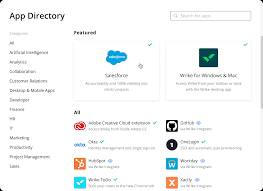
Streamlining Collaboration with Wrike and Salesforce Integration If your team uses Wrike and your sales team operates in Salesforce, seamless collaboration is now within reach without the hassle of switching between platforms or relying on excessive email communication. Visualize Your Task List With Salesforce and Wrike. Account administrators can integrate Wrike with Salesforce, a widely used CRM solution. This integration allows you to manage client projects directly within Salesforce, enhancing collaboration between sales and other customer-facing teams using Wrike. This setup facilitates faster, more transparent work processes. More information on Salesforce can be found here. How the Integration Works Once the integration is in place, you can monitor task status from within Salesforce. You can link any Salesforce object to a Wrike project or folder, ensuring that changes in Wrike are immediately reflected in Salesforce. This integration supports both Salesforce Classic and Salesforce Lightning. Key Benefits of Wrike-Salesforce Integration: Utilizing the Integration Every record page in Salesforce (where the integration is enabled) includes a Wrike widget. This widget lets you select or change the project or folder displayed, access tasks, and monitor their status. If a project or folder hasn’t been set up for a Salesforce record, you can create it directly from the widget using templates provided by the admin. The integration’s customization options allow you to select which Salesforce objects (such as Leads, Opportunities, Accounts, or Subscriptions) you want to link with Wrike. On enabled objects, record pages will feature the Wrike widget for easy access to related tasks. Setting Up the Wrike Widget To set up the Wrike widget on your Salesforce pages: Practical Applications Common Use Cases: Getting Started – Visualize Your Task List With Salesforce and Wrike Wrike’s Salesforce Integration is available to Wrike Enterprise accounts. If you are ready to implement this integration, contact Wrike’s Support team for the installation package. Please note that List view is not available for accounts created on or after June 9, 2023; we recommend using the Table view instead. This integration not only simplifies workflow management but also enhances collaboration and accountability across your teams, making it an invaluable tool for organizations using both Salesforce and Wrike. Like Related Posts Who is Salesforce? Who is Salesforce? Here is their story in their own words. From our inception, we’ve proudly embraced the identity of Read more Salesforce Marketing Cloud Transactional Emails Salesforce Marketing Cloud Transactional Emails are immediate, automated, non-promotional messages crucial to business operations and customer satisfaction, such as order Read more Salesforce Unites Einstein Analytics with Financial CRM Salesforce has unveiled a comprehensive analytics solution tailored for wealth managers, home office professionals, and retail bankers, merging its Financial Read more AI-Driven Propensity Scores AI plays a crucial role in propensity score estimation as it can discern underlying patterns between treatments and confounding variables Read more


Read More
Design to No-silo Teams

Design to No-silo Teams

Design Tips to ‘No-Silo Mentality’ Your Teams Working in silos is a detrimental organizational condition where a team, or group of teams, isolates itself from the rest of the organization. This can happen intentionally, due to organizational structures, or simply as an unintended consequence over time. Design to No-silo Teams can eliminate silos. Silos often result in withheld information, poor collaboration, and work that is misaligned with company goals. What is a No Silo Mentality? A no silo mentality is the practice of actively resisting the natural tendency to create divisions within a company. This approach aims to prevent the formation of an “us versus them” mindset among different teams or levels of leadership, fostering a more unified and collaborative corporate culture. Here are design tips to no-silo your teams. And here are 7 steps to create better collaboration, while you are at it. 7 Strategies to Break Down Team Silos and Enhance Team Effectiveness Highly collaborative and connected teams are more agile and better equipped to meet user needs. In fact, 72% of leaders believe merging teams and responsibilities can improve overall operational efficiency. Here are seven strategies to break down team silos and improve team effectiveness: By implementing these strategies, you can break down silos, enhance team collaboration, and improve overall effectiveness, leading to greater agility and better alignment with user needs. Working in silos is the opposite of collaboration; silos prevent individuals from being part of a team with a unified vision, while different teams work amongst themselves, not knowing what’s happening with other departments or initiatives in the business. By implementing these no-siloed Design tips, you can effectively ‘no-silo’ your product and other teams, fostering a culture of collaboration that enhances customer satisfaction and drives success. Content updated April 2024. Like Related Posts Who is Salesforce? Who is Salesforce? Here is their story in their own words. From our inception, we’ve proudly embraced the identity of Read more Tectonic’s Successful Salesforce Track Record Salesforce Technology Services Integrator – Tectonic has successfully delivered Salesforce in a variety of industries including Public Sector, Hospitality, Manufacturing, Read more Asset Management Salesforce Can Salesforce do asset management? You can manage assets in Consumer Goods (desktop) and in the Consumer Goods offline mobile Read more What is Salesforce? Salesforce is cloud-based CRM software. It makes it easier for companies to find more prospects, close more deals, and connect Read more

Read More
Can You Use Salesforce for Project Management

Can You Use Salesforce for Project Management?

Salesforce has evolved beyond its CRM origins, offering a plethora of functionalities. However, managing projects directly within Salesforce presents challenges as it lacks full project management capabilities. Yet, there are three viable options: Option 1: Basic Project Management Features in Salesforce For small teams with modest needs, leveraging built-in Salesforce features alongside platform customization may suffice initially. While these features—such as Salesforce Tasks, Chatter, Reports, Dashboards, and Process Builder—offer basic functionality, they may fall short for most teams as projects grow in complexity. Option 2: Project Management Apps External to Salesforce As project needs expand, integrating well-known external project management tools like Microsoft Project, Asana, Monday.com, or Smartsheet becomes a common choice. However, such integration necessitates customizations, often involving Salesforce admins and external consultants, increasing implementation costs and posing data security challenges. Additionally, limitations like limited data sharing, delayed data access, and potential integration disruptions during Salesforce updates may arise. Option 3: Salesforce-native Project Management Apps on AppExchange Opting for PM apps built specifically for Salesforce and available on AppExchange offers a seamless alternative. Leading examples include Inspire Planner, TaskRay, Mission Control, and Milestones PM+. These native apps offer several advantages: Integration: Built using Salesforce technology, native apps seamlessly integrate with standard and custom Salesforce objects, eliminating the need for additional integration efforts. Flexibility: Native apps allow extensive customization, enabling users to tailor them to specific needs by adding custom objects, fields, workflow rules, and more. Integration with other AppExchange apps further expands functionality. 360-degree View of Customer: Associating projects with other Salesforce objects provides real-time visibility into customer activities, facilitating comprehensive reporting and analysis. Security: Native apps inherit Salesforce’s robust security infrastructure, ensuring data security and compliance with existing security settings and sharing rules. Real-time Reporting: Synced data enables real-time reporting and analytics, offering insights into key trends and bottlenecks. Automation: Native apps leverage Salesforce’s Process Builder for powerful automation, enabling automated project launches, task assignments, and role-based task allocations based on predefined templates. Organizations have three main options for project management with Salesforce. While built-in features cater to basic needs, external project management tools require integration efforts and may encounter limitations. On the other hand, Salesforce-native project management apps from AppExchange offer seamless integration, flexibility, and enhanced functionality. Ultimately, the choice depends on your organization’s needs and priorities. For assistance developing your Salesforce org for better project management, contact Tectonic today. Like1 Related Posts Who is Salesforce? Who is Salesforce? Here is their story in their own words. From our inception, we’ve proudly embraced the identity of Read more Salesforce Marketing Cloud Transactional Emails Salesforce Marketing Cloud Transactional Emails are immediate, automated, non-promotional messages crucial to business operations and customer satisfaction, such as order Read more Salesforce Unites Einstein Analytics with Financial CRM Salesforce has unveiled a comprehensive analytics solution tailored for wealth managers, home office professionals, and retail bankers, merging its Financial Read more AI-Driven Propensity Scores AI plays a crucial role in propensity score estimation as it can discern underlying patterns between treatments and confounding variables Read more

Read More
Salesforce IT consulting methodologies

IT Consulting Methodologies

In the domain of IT consulting project management and IT consulting methodologies, the selection of a project management methodology tailored to the project type, size, and complexity is pivotal. Various methodologies, including waterfall, agile, scrum, kanban, and hybrid, bring their own set of advantages and disadvantages.

Read More
Tectonic-Ensuring Salesforce Customer Satisfaction

Tectonic’s Successful Salesforce Track Record

Salesforce Technology Services Integrator – Tectonic has successfully delivered Salesforce in a variety of industries including Public Sector, Hospitality, Manufacturing, and Health Life Sciences.  Read on about Tectonic’s successful Salesforce track record. Our primary focus is assisting clients with their Salesforce needs to solve business challenges. We work at the intersection of CRM, Marketing, Big Data, and Analytics. Public Sector Experience/Focus Proven Delivery – Tectonic delivers Salesforce Implementation, Integration and Managed Services, utilizing a modified Waterfall / Agile Delivery Method, leveraging US and International Delivery Center (IDC) resources, and delivering with strong, experienced Project Management Health and Life Sciences Focus We’ve helped healthcare providers navigate the challenges of moving data, including PHI and PII, into the cloud, providing physician facing services and improving operations. Salesforce provides comprehensive solutions tailored for the healthcare industry, addressing the specific needs of both payers (insurance providers) and providers (healthcare organizations). These solutions are designed to enhance patient engagement, improve operational efficiency, and drive better health outcomes. Financial Services Focus Transforming financial service delivery, optimizing operations, and cultivating community well-being and trust are at the core of Salesforce Financial Services Solutions. By automating every banking customer experience and uniting teams through Salesforce’s intelligence and a shared view of real-time customer data, a comprehensive banking solution is created, fostering customer satisfaction and loyalty. Travel and Hospitality Focus Salesforce provides tailored solutions for the hospitality and travel industry, helping businesses in this sector deliver exceptional customer experiences, streamline operations, and drive growth. These solutions leverage the power of the Salesforce Customer 360 platform to centralize data, enhance communication, and provide a personalized experience for guests. Manufacturing, Distribution, and Energy Focus We’ve helped small and large manufacturers optimize their sales operations and drive efficiencies in their contact center. Salesforce offers a suite of solutions tailored for manufacturing and distribution industries to enhance processes, improve collaboration, and drive overall efficiency. These solutions are designed to streamline operations. Designed improve customer relationships and provide valuable insights. Nonprofit Focus We’ve helped nonprofits and NGO’s optimize their operations and drive efficiencies in their fundraising and mission efforts. Salesforce offers a suite of solutions to nurture relationships and scale impact. Solutions with AI-driven, personalized services. Salesforce allows you to take control of your data on a single integrated platform. Nonprofit Cloud brings a nonprofit CRM, fundraising, programs, marketing engagement, and outcomes together in a single product. Strategic Relationship with Salesforce – Salesforce Ventures invested in Tectonic in Q3 2015.  We maintain strong working relationships with Salesforce License Sales, Professional Services and Alliances. Tectonic’s successful Salesforce track record stems from our great relationship with Salesforce and grows through each customer interaction. Like1 Related Posts Who is Salesforce? Who is Salesforce? Here is their story in their own words. From our inception, we’ve proudly embraced the identity of Read more Salesforce Marketing Cloud Transactional Emails Salesforce Marketing Cloud Transactional Emails are immediate, automated, non-promotional messages crucial to business operations and customer satisfaction, such as order Read more Salesforce Unites Einstein Analytics with Financial CRM Salesforce has unveiled a comprehensive analytics solution tailored for wealth managers, home office professionals, and retail bankers, merging its Financial Read more AI-Driven Propensity Scores AI plays a crucial role in propensity score estimation as it can discern underlying patterns between treatments and confounding variables Read more
Read More
gettectonic.com