
Salesforce Administrator Archives - gettectonic.com - Page 2
Salesforce User Interface Features

Salesforce User Interface Features

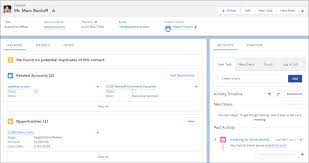
Customizing the Salesforce user interface (UI) can significantly enhance your organization’s experience, offering a swift and cost-effective process that even those new to administration can manage. A well-designed UI is crucial as it can either elevate or hinder a system’s effectiveness. Investing in Salesforce User Interface Features can lead to substantial returns, including higher user adoption rates. Creating an intuitive and cohesive interface that reflects your brand can enhance user satisfaction and encourage greater engagement with Salesforce. The field of user experience design for Salesforce is becoming increasingly important, as highlighted by the availability of certifications in this area. In this insight, we explore essential Salesforce UI features that can benefit every organization, with insights from certified Salesforce Administrator Stacy O’Leary, who notes, “Happy users mean a happy org.” Take Control of Your Salesforce UI Customizing the Salesforce App Users appreciate a personalized Salesforce experience. Start by creating a dedicated Salesforce app for each user group or persona in your organization. This approach allows you to display relevant tabs and name the app after the user group, such as “UC – Human Resources” or “UC – Marketing.” Homepages: Old vs. New Solutions Themes and Branding Personalize Salesforce’s appearance to align with your brand by incorporating logos, default images, and colors. Navigate to Setup → User Interface → Themes and Branding for these settings. Custom Hyperlink Color You can customize the color of hyperlinks in your organization to match your branding. MyDomain Logo and RightFrame URL Customize the Salesforce login page to reflect your company’s identity, either by keeping it standard or adding custom branding elements. Enhancing Page Layouts and Navigation Page Layouts and Lightning Pages Use Lightning App Builder to add, remove, or reorder components on record pages or homepages, creating custom, user-friendly pages. Dynamic Forms further enhance the user experience by simplifying form management. Compact vs. Comfy Navigation Salesforce offers two display densities: Compact Layouts Present key fields concisely in both the Salesforce mobile app and Lightning Experience, providing quick access to essential information. Conditional Lightning Page Components Lightning pages can include conditional components that display based on criteria like field values, record type, user profile, or device, reducing the need for multiple layouts and enhancing customization. Rich Text Components Use rich text components to share messages, include links, or celebrate achievements, enhancing communication and engagement. List Views Organize list views effectively with proper naming conventions and numbering, making it easier for users to find what they need. Assign the Manage Public List Views permission to responsible individuals to oversee list views. Salesforce Path and Guidance Salesforce Path helps guide users through business processes, highlighting key fields and providing guidance at each step. This feature streamlines processes and enhances user experience. Salesforce Celebration Celebrate achievements with Salesforce Celebration, a feature that adds visual effects like confetti when key milestones are reached, enhancing user engagement and morale. Additional Customization Features Keyboard Shortcuts Boost productivity with keyboard shortcuts, especially useful for teams managing multiple cases. Icons and Image Formulas Enhance the user experience by incorporating icons in list views, record pages, and reports. Validation Rule Messages Validation rules ensure data accuracy, and creative error messages can make the experience more engaging. The new Custom Error Flow component in Winter ’24 allows for more sophisticated messaging. Search Layouts and Filters Customize search layouts to optimize search results and use filters to refine searches, improving user efficiency. Einstein Search Einstein Search, now default in Salesforce, offers quick, intuitive search results and supports natural language queries. Letterheads and Email Templates Create consistent branding with custom letterheads and email templates, accessible via Setup → Letterheads. Screen Flows Screen Flows guide users through processes with interactive steps, integrating seamlessly into Lightning pages. Enhanced Dashboards In Salesforce Unlimited and Performance editions, dashboards now support up to 25 components, including text and image widgets, enriching the analytics experience. Inline Editing Inline editing in list views and reports increases productivity by allowing users to make changes directly, reducing the number of clicks needed. In conclusion, a well-designed Salesforce UI is integral to user satisfaction and system success. By tailoring the interface to reflect your brand and meet user needs, you can foster a more engaging and productive Salesforce environment. Like Related Posts Who is Salesforce? Who is Salesforce? Here is their story in their own words. From our inception, we’ve proudly embraced the identity of Read more Salesforce Marketing Cloud Transactional Emails Salesforce Marketing Cloud Transactional Emails are immediate, automated, non-promotional messages crucial to business operations and customer satisfaction, such as order Read more Salesforce Unites Einstein Analytics with Financial CRM Salesforce has unveiled a comprehensive analytics solution tailored for wealth managers, home office professionals, and retail bankers, merging its Financial Read more AI-Driven Propensity Scores AI plays a crucial role in propensity score estimation as it can discern underlying patterns between treatments and confounding variables Read more

Read More
Salesforce Automation

Salesforce Automation

In today’s fast-paced business landscape, efficiency reigns supreme, and the optimization of processes is paramount for success. Salesforce automation tools stand as indispensable allies in this pursuit, empowering businesses to automate repetitive tasks, eliminate errors, and liberate valuable time for employees to focus on mission-critical endeavors. From sales to marketing and customer service, Salesforce offers a comprehensive suite of automation tools designed to enhance efficiency, productivity, and ultimately, profitability. This insight serves as a guide to the value and various components of Salesforce automation. At the core of Salesforce’s effectiveness lies its sophisticated suite of automation tools, reshaping how organizations manage and streamline their sales operations. For administrators entrusted with overseeing the Salesforce environment, mastering these automation tools transcends mere skill; it’s a strategic necessity. Salesforce Automation Tools empower administrators to craft and deploy intricate workflows, facilitating seamless coordination of tasks and processes within the CRM platform. From lead generation to deal closure, these tools offer a comprehensive array of features that can metamorphose manual, time-consuming tasks into streamlined, automated processes. As businesses aspire for agility and efficiency in their operations, administrators assume the role of architects, leveraging Salesforce automation tools to erect a robust foundation for success. This deep dive into Salesforce Automation Tools aims to arm administrators with the knowledge and insights required to navigate the platform’s intricacies adeptly. We will dive into the fundamental components of automation, including workflow rules, process builder, and flow builder, unraveling their functionalities and showcasing how they can be tailored to suit specific business requirements. Through real-world examples and practical guidance, this exploration seeks to empower administrators to unleash the full potential of Salesforce Automation Tools, transforming them into proficient conductors of the CRM symphony. As we embark on this journey, administrators will cultivate a comprehensive understanding of Salesforce’s automation capabilities, enabling them to optimize processes, enhance productivity, and elevate the overall user experience. Whether you’re a seasoned Salesforce administrator or a newcomer to the platform, this deep dive promises invaluable insights and hands-on expertise to navigate the dynamic realm of Salesforce automation with confidence and proficiency. What is Salesforce Automation? Salesforce automation represents a sophisticated sales management solution that automates pivotal sales components such as lead management, sales forecasting, and team performance management. Leveraging Software-as-a-Service (SaaS) products enables the automation of repetitive and redundant tasks and processes. Workflow rules enable organizations to design and enforce business processes systematically. For example, as leads progress through the sales pipeline, workflow rules can automatically assign tasks to sales representatives, update opportunity stages, and notify relevant stakeholders. By establishing these rules, administrators lay the groundwork for a more streamlined and error-resistant workflow, allowing teams to focus on high-impact activities while the system handles routine, rule-based tasks. Understanding the foundations of Salesforce automation through workflow rules is crucial for administrators seeking to optimize their CRM environment. As businesses evolve, the ability to adapt and scale automation becomes paramount. This foundational knowledge not only empowers administrators to create efficient workflows but also sets the stage for exploring more advanced automation tools within the Salesforce ecosystem, ensuring a robust and responsive foundation for the dynamic world of CRM. Centralized Data Storage and Enhanced Lead Tracking Centralizing customer-related data stands as one of the most significant advantages of Salesforce automation. This consolidation facilitates streamlined lead tracking, performance monitoring, and revenue prediction. By automating non-revenue-generating tasks, which can consume up to two-thirds of a sales representative’s time, sales teams can redirect their efforts towards high-impact, revenue-generating activities, thereby fostering overall business growth. Automated Sales Processes: Boosting Productivity The automation of repetitive sales processes emerges as a direct response to research indicating the imperative to enhance sales productivity. Through automation, sales representatives can leverage their time more effectively, focusing on tasks that directly contribute to revenue generation and organizational success. Understanding the Crucial Role of Salesforce Automation The importance of Salesforce automation cannot be overstated in the realm of sales management. By offering centralized data storage, streamlined lead tracking, and enhanced performance monitoring, Salesforce automation revolutionizes the sales landscape. Discover – Controllers in Salesforce: What It Is, Types and Features. Key Benefits of Salesforce Automation The benefits of Salesforce automation are manifold. Firstly, it facilitates the consolidation of customer-related data, enabling efficient lead tracking, reminder setting, and performance monitoring. Additionally, automation saves time and minimizes errors, allowing sales representatives to concentrate on revenue-generating activities such as deal closure and client relationship building. Moreover, Salesforce automation ensures a personalized and consistent customer experience, empowering sales reps to tailor interactions based on customer preferences and behaviors. Furthermore, Salesforce automation fosters efficient collaboration and communication within sales teams, providing a centralized platform for accessing essential information and insights. Additionally, it offers valuable analytics and insights to optimize sales strategies, analyzing customer behavior, sales performance, and market trends to drive revenue growth. Components of Salesforce Automation Lead Management: Involves collecting, tracking, and analyzing customer data and interactions to streamline the sales pipeline and convert leads into customers. Sales Forecasting: Enables organizations to make educated decisions and prepare for future development by forecasting sales revenue based on market analysis and demands. Team Performance Management: Involves monitoring sales team performance, identifying areas for improvement, and providing feedback and coaching to enhance team performance. Email and Social Media Marketing: Automates marketing platforms to communicate better with consumers and prospects, customizing campaigns based on customer preferences and behaviors. Workflow and Approval Processes: Ensures that sales processes follow established procedures and workflows, reducing manual errors and enhancing organizational performance. Data and Analytics: Tracks key performance indicators (KPIs) and provides actionable insights to inform decision-making and drive revenue growth. Streamlining Appointment Scheduling: Assists in scheduling sales appointments efficiently, mitigating the risk of double-booking meetings. Prioritizing Leads: Analyzes leads based on various metrics to maximize sales and productivity. Salesforce automation has revolutionized sales operations, fostering efficiency, effectiveness, and customer-centricity. As technology continues to evolve, Salesforce automation remains a critical tool for businesses striving to stay ahead of the competition and achieve their sales goals. In the dynamic world of Salesforce, administrators

Read More
Salesforce Stakeholders

Who Are Your Salesforce Stakeholders?

Understanding the intricacies of Salesforce and using it effectively to support business processes is crucial for admins and developers. However, the significance of communication skills is often overlooked in technical training. Beyond technical expertise, vital non-technical skills, such as active listening and extracting relevant information from business stakeholders, play a pivotal role in addressing Salesforce users’ true needs. Here is an approach that enables working more efficiently in a proactive mode rather than reactive. Once you identify your key salesforce stakeholders, here are some great ways to keep the doorways of communication open. Start by putting yourself in your stakeholders’ shoes, be it business users, customers, or consulting clients. Transitioning into Salesforce there is a need to gather information, empathize, and build a compelling case for change. Following are insights and strategies for effectively collaborating with stakeholders to understand business requirements, pain points, and objectives. If you’re keen on enhancing these skills, read on! Importance of Stakeholders As a Salesforce Administrator, collecting information from diverse stakeholders with varying knowledge levels is inevitable. It’s essential to recognize that the required information may not be thoroughly documented or held by a single individual. Engaging with individuals beyond primary users, such as those in supply chain and training, broadens the understanding of business processes. Maximizing the value of every interaction is crucial, considering the time constraints of both yourself and stakeholders. Determining Stakeholder Numbers The number of stakeholders to engage with depends on the project’s scope. Successful benchmarks have demonstrated varying needs: Identifying Stakeholder Groups Consider speaking with stakeholders in four directions: upwards, downwards, inside, and outside. Each group includes: The 3 Types of Stakeholders to Involve Locating Stakeholders Establishing a network within the organization is beneficial. For newcomers or consultants, navigating the terrain may be challenging. Start with the project sponsor for direction and inquire about additional contacts after each conversation. Preparation and Respecting Stakeholders’ Time Request meetings based on stakeholders’ availability, typically ranging from 15 to 45 minutes. Allocate an hour in your calendar to accommodate potential extensions. Prepare thoroughly, understanding whom you’re speaking to and having insights into the discussed system or process. Leaving the Door Open: Saying Thank You Upon closing a meeting, express gratitude and leave the door open for future conversations. Encourage stakeholders to contact you if they have further thoughts, and reciprocate by offering to send a quick note if additional insights emerge. Send a follow-up email expressing thanks and summarizing key takeaways. Incorporating these practices ensures effective communication with stakeholders, facilitating a more successful and collaborative Salesforce implementation. Like Related Posts Who is Salesforce? Who is Salesforce? Here is their story in their own words. From our inception, we’ve proudly embraced the identity of Read more Salesforce Marketing Cloud Transactional Emails Salesforce Marketing Cloud Transactional Emails are immediate, automated, non-promotional messages crucial to business operations and customer satisfaction, such as order Read more Salesforce Unites Einstein Analytics with Financial CRM Salesforce has unveiled a comprehensive analytics solution tailored for wealth managers, home office professionals, and retail bankers, merging its Financial Read more AI-Driven Propensity Scores AI plays a crucial role in propensity score estimation as it can discern underlying patterns between treatments and confounding variables Read more
Read More
Salesforce

Salesforce Administrator Acronyms

Here is a helpful glossary of Salesforce administrator acronyms you will hear your Salesforce Administrator use. Salesforce Administrator Acronyms Acronym Meaning Defintion CMT Custom Metadata Types With custom metadata types, admins and developers have the ability to create their own configuration and application metadata, deploy it, and then update it as needed. CRED Create, Read, Edit, Delete Profiles control what users can do in your Salesforce org. This can be referred to as CRED, which enables you to mix and match what a specific user can do with each object. For example, you may want some users in your org to read and edit Leads, but not delete them. CRUD Create, Read, Update, Delete Four actions that a system can take with a record. You’ll hear this term used for data loading and when discussing integrations. DLRS Declarative Lookup Roll-up Summaries The Declarative Lookup Roll-up Summaries (DLRS) managed package is a must-have for creating roll-up summaries between lookup relationships. Andy Fawcett’s open-source tool is a gift, enabling you to define roll-ups using standard UI declaratively, no coding required! EAC Einstein Activity Capture Einstein Activity Capture enables you to capture the right data from Gmail and Outlook and add it to Salesforce, which is great for syncing data between these platforms. EPIM Enhanced Personal Information Managements Each external user (i.e. anyone using your Experience Cloud site) should only edit and view their own Personally Identifiable Information (PII) data. This setting will be enabled in all orgs in the Winter ‘23 release.READ MORE: Prepare for Enhanced Personal Information Management Enablement Prior to Spring ’23 EPT Experience Page Time Salesforce uses a metric called Experienced Page Time, which measures the time it takes for a page to load entirely. In web server terms you will hear load time. ERD Entity Relationship Diagram Used to map out business processes to communicate both development teams (“what we need to build”) and non-technical audiences (“what the technology is doing”). There are standards to ERDs in terms of which nodes (the shapes) and connectors (arrows) to use, and when. Salesforce released “Salesforce Diagrams” to promote design thinking and speed up the process of creating diagrams with pre-made diagrams. FLS Field-level security Field-level security is set by Admins on the field’s definition in Salesforce Setup. It determines which fields are visible or editable to certain users. HML Handlebars Merge Language HML is the way to add personalization to emails sent from the Salesforce platform (including Pardot). The most common example would be to add a Lead or Contact’s first name in the body of the email. ISO International Organization for Standardization code The International Organization for Standardization country code represents each country by two letters. Admins will come across this when dealing with country fields, country codes in phone numbers and currencies. OCR Opportunity Contact Role Contact Roles are a standard Salesforce object that define the role or level of influence that a contact has in relation to a sales opportunity. OWD Org-wide Default The organizational wide default is the baseline visibility set for each object in your org (ie. the CRED). Profiles and permission sets are used to open up access beyond the OWD. PB Process Builder Process Builder is a tool for Salesforce process automation, using clicks not code. Due for retirement, PB is being superseded by Salesforce Flow. SOGAF Salesforce Operating, Governance & Architecture A framework that “addresses the components of governance at scale through seven distinct capabilities and their end-to-end alignment”. SML Salesforce Merge Language The strings that were used to personalize emails sent from Salesforce. SML has been in the process of being phased out since the HML release in Summer ‘18. SML is still being used with Classic email templates. UPN Universal Process Notation Universal Process Notation (UPN) is a way to document business processes that can be understood by a wide range of different audiences – from business analysts and IT teams, through to end-users, management, regulators and more.Knowing Universal Process Notation is an essential competency for careers within (and beyond) the Salesforce ecosystem, such as Business Analysts, Consultants, Sales Ops, and more. WFR Workflow Rules Workflow Rules are a tool for Salesforce process automation, using clicks not code. Due for retirement, WFRs is being superseded by Salesforce Flow. Like Related Posts Who is Salesforce? Who is Salesforce? Here is their story in their own words. From our inception, we’ve proudly embraced the identity of Read more Salesforce Marketing Cloud Transactional Emails Salesforce Marketing Cloud Transactional Emails are immediate, automated, non-promotional messages crucial to business operations and customer satisfaction, such as order Read more Salesforce Unites Einstein Analytics with Financial CRM Salesforce has unveiled a comprehensive analytics solution tailored for wealth managers, home office professionals, and retail bankers, merging its Financial Read more AI-Driven Propensity Scores AI plays a crucial role in propensity score estimation as it can discern underlying patterns between treatments and confounding variables Read more

Read More
Salesforce

Exploring Setup Pages in Salesforce: Hidden Gems for Admins

Navigating through the multitude of options within a Salesforce org’s Setup can be overwhelming and a continual learning process, and admins might overlook valuable features amidst the vast array of possibilities. While Salesforce setup pages admins are often well-acquainted with their daily tools like report types, Setup might not be the immediate go-to for discovering what’s new or enhancing efficiency. In this insight, Tectonic digs into a selection of Setup pages, showcasing both newer and older functionalities that can significantly benefit your organization. 1. Process Automation Settings 2. User Management Settings 3. Deployment Status 4. Email Deliverability 5. Organization-Wide Email Addresses These Setup pages offer valuable tools for Salesforce Admins to optimize workflows, save time, and deliver robust solutions. As enhancements continue, staying informed about future releases ensures admins can leverage the latest features for organizational success. Like1 Related Posts Who is Salesforce? Who is Salesforce? Here is their story in their own words. From our inception, we’ve proudly embraced the identity of Read more Salesforce Marketing Cloud Transactional Emails Salesforce Marketing Cloud Transactional Emails are immediate, automated, non-promotional messages crucial to business operations and customer satisfaction, such as order Read more Salesforce Unites Einstein Analytics with Financial CRM Salesforce has unveiled a comprehensive analytics solution tailored for wealth managers, home office professionals, and retail bankers, merging its Financial Read more AI-Driven Propensity Scores AI plays a crucial role in propensity score estimation as it can discern underlying patterns between treatments and confounding variables Read more

Read More
gettectonic.com