Zapier Archives - gettectonic.com
The Fragmented World of AI Agents and the Path to True Interoperability

Navigating the AI Revolution as a Product Designer

The AI landscape is evolving at a breakneck pace, leaving many designers grappling with both its potential and its disruptions. Anthropic’s CEO warns that AI could displace up to 50% of entry-level white-collar jobs, while Zapier’s CEO emphasizes hiring for AI fluency. Meanwhile, new roles like “model designer” are emerging, and the industry is shifting toward super IC (individual contributor) roles. For product designers, the challenge isn’t just staying relevant—it’s continuing to grow, adapt, and find fulfillment in their craft amid these seismic shifts. Three Pillars for Thriving as an AI-Native Designer To navigate this transformation, designers must focus on three key areas: Combined with strategic thinking and human-centric skills, these pillars form the foundation for the next generation of designers. 1. AI Tools: Speed as the New Standard “Man is a tool-making animal.” — Benjamin Franklin AI represents a quantum leap in tool evolution, shifting from manual execution to intelligent collaboration. Speed is no longer optional—teams like ProcessMaker have gone from shipping twice a year to every two weeks, thanks to AI automation. According to Figma’s State of Design (2025), 68% of design teams now use AI for:✔ Wireframing automation✔ Visual asset generation✔ User feedback analysis Building a Personalized AI Stack There’s no one-size-fits-all approach. A UX researcher’s toolkit differs vastly from that of a conversational AI designer or a visual artist. After experimenting with over 60 AI tools, many designers find that only 4-10 truly enhance their workflow. The key is intentional adoption—not chasing trends, but asking:🔹 Is there a smarter, faster, or more thoughtful way to do this? As design leader Agustín Sánchez notes: “You’re not a great designer because you know the latest tools. You’re great because you know what to do with them.” Prompting as a Core Design Skill Early frustrations with AI outputs often stem from poor prompting, not model limitations. Treating AI as a collaborator—structuring context, tone, and intent—dramatically improves results. John Maeda frames it well: “Prompting is just like getting the AI up to speed—or nudging it in the right direction.” For those looking to sharpen their prompting skills, key resources include: 2. AI Fluency: Designing for Probabilistic Systems AI fluency means confidently navigating intent-driven, layered, and unpredictable systems. Unlike traditional GUI interfaces (click, scroll, menus), agentic AI requires a focus on outcomes over actions. Real-world AI products involve:✔ Orchestration & memory✔ Tool integrations✔ Agentic UX flows Understanding variability, failure modes, and misuse potential is critical for responsible design. Foundational AI Learning Resources Designing AI Interactions 3. Human Advantage: The Unautomatable Edge With GPT-4o and Veo-3 producing high-quality outputs at scale, designers must ask: What remains our uniquely human advantage? Craftsmanship in the Age of AI AI generates averages, not originality. Designer Michal Malewicz describes today’s creative landscape as an “era of meh”—flooded with generic AI outputs. This raises the bar: distinctive perspective, narrative intent, and aesthetic judgment matter more than ever. As Richard Sennett argues in The Craftsman, tools evolve, but mastery remains human. Creative Direction & Agency AI handles execution; humans define vision. Two designers using the same tools can produce radically different work based on values, intent, and creative direction. Julie Zhuo emphasizes: “Even as AI matches our skills, our ability to choose why and where to apply them remains distinctly human.” 4. The AI-Native Designer of 2030 The World Economic Forum predicts that by 2030, the most valuable skills will be:✔ Analytical & creative thinking✔ Technology literacy✔ Resilience & adaptability As Fabricio Teixeira notes, design fundamentals—collaboration, communication, problem-solving—are timeless, outlasting any tool. Meanwhile, “Super IC” roles are redefining seniority—valuing deep expertise over management. In a world where creation is faster and more accessible, a designer’s true moat lies in:🔹 Unique, reliable, and memorable AI experiences🔹 Mastery of storytelling and human-centered design Conclusion: Designing the Future, Not Just Adapting to It AI isn’t replacing designers—it’s redefining their role. The designers who thrive will be those who: The future belongs to those who orchestrate AI, not just use it. Like Related Posts AI Automated Offers with Marketing Cloud Personalization AI-Powered Offers Elevate the relevance of each customer interaction on your website and app through Einstein Decisions. Driven by a Read more Salesforce OEM AppExchange Expanding its reach beyond CRM, Salesforce.com has launched a new service called AppExchange OEM Edition, aimed at non-CRM service providers. Read more The Salesforce Story In Marc Benioff’s own words How did salesforce.com grow from a start up in a rented apartment into the world’s Read more Salesforce Jigsaw Salesforce.com, a prominent figure in cloud computing, has finalized a deal to acquire Jigsaw, a wiki-style business contact database, for Read more

Read More
Model Context Protocol

Model Context Protocol

The AI Revolution Has Arrived: Meet MCP, the Protocol Changing Everything Imagine an AI that doesn’t just respond—it understands. It reads your emails, analyzes your databases, knows your business inside out, and acts on live data—all through a single universal standard. That future is here, and it’s called MCP (Model Context Protocol). Already adopted by OpenAI, Google, Microsoft, and more, MCP is about to redefine how we work with AI—forever. No More Copy-Paste AI Picture this: You ask your AI assistant about Q3 performance. Instead of scrambling through spreadsheets, Slack threads, and CRM reports, the AI already knows. It pulls real-time sales figures, checks customer feedback, and delivers a polished analysis—in seconds. This isn’t sci-fi. It’s happening today, thanks to MCP. The Problem With Today’s AI: Isolated Intelligence Most AI models are like geniuses locked in a library—brilliant but cut off from the real world. Every time you copy-paste data into ChatGPT or upload files to Claude, you’re working around a fundamental flaw: AI lacks context. For businesses, deploying AI means endless custom integrations: MCP: The Universal Language for AI Introduced by Anthropic in late 2024, MCP is the USB-C of AI—a single standard connecting any AI to any data source. Here’s how it works: Instead of building N×M connections (every AI × every data source), you build N + M—one integration per AI model and one per data source. MCP in Action: The Future of Work Why MCP Changes Everything The MCP Ecosystem is Exploding In less than a year, MCP has been adopted by: Beyond RAG: Real-Time Knowledge Traditional RAG (Retrieval-Augmented Generation) relies on stale vector databases. MCP changes the game: Security & Governance Built In The Next Frontier: AI Agents & Workflow Automation MCP enables AI agents that don’t just follow scripts—they adapt. The Time to Act is Now MCP isn’t just another API—it’s the foundation for true AI integration. The question isn’t if you’ll adopt it, but how fast. Welcome to the era of connected intelligence. Like Related Posts AI Automated Offers with Marketing Cloud Personalization AI-Powered Offers Elevate the relevance of each customer interaction on your website and app through Einstein Decisions. Driven by a Read more Salesforce OEM AppExchange Expanding its reach beyond CRM, Salesforce.com has launched a new service called AppExchange OEM Edition, aimed at non-CRM service providers. Read more The Salesforce Story In Marc Benioff’s own words How did salesforce.com grow from a start up in a rented apartment into the world’s Read more Salesforce Jigsaw Salesforce.com, a prominent figure in cloud computing, has finalized a deal to acquire Jigsaw, a wiki-style business contact database, for Read more

Read More
Salesforce Expands Agentforce to Revolutionize Field Service Operations

Salesforce Expands Agentforce to Revolutionize Field Service Operations

Field service technicians are the latest professionals to benefit from generative AI-powered efficiency. Salesforce has unveiled Agentforce for Field Service, a suite of AI tools designed to streamline scheduling, documentation, and on-site problem-solving—freeing technicians to focus on what they do best: solving customer problems. What’s New in Agentforce for Field Service? The first wave of features includes: Coming Soon (June/July 2024): Real-World Impact: Axis Water Technologies Early adopter Axis Water Technologies (serving Texas residential and commercial water systems) has already seen gains. Previously relying on Zapier and ChatGPT for technician briefings, they’ve now integrated Agentforce directly into Salesforce—saving time and improving security. Key Benefits:✔ Faster dispatches – AI refines pre-visit notes from customer calls, speeding up technician prep.✔ On-time arrivals – “Showing up late means frustrated customers who took time off work,” says CTO A.J. Bagwell.✔ Future integrations – Plans to add Amazon Connect & Service Cloud Voice for even smarter call-to-dispatch workflows. Why GenAI is a Game-Changer for Field Service According to Rebecca Wettemann (Valoir Research), the biggest value lies in:🔹 On-demand problem-solution summaries – AI distills complex diagrams and manuals into quick, actionable insights.🔹 Faster onboarding – New hires skip months of shadowing, accessing knowledge instantly. “Now, I can change the cost structure—no more paying trainees to ride along for months just to learn,” Wettemann notes. Industry-Wide Potential Field service spans telecom, energy, healthcare, retail, and manufacturing—all facing technician shortages. Salesforce has tailored Agentforce for 15 verticals, tackling repetitive tasks like billing and documentation. Taksina Eammano (Salesforce EVP, Field Service) emphasizes: “We’re not replacing technicians—we’re empowering them. They’re burned out on admin work, not using their core skills. AI fixes that.” The Future of Field Service is AI-Empowered With Agentforce, Salesforce is bridging the gap between customer expectations and technician efficiency—ensuring faster, smarter, and more reliable service. Ready to transform your field operations? Agentforce for Field Service is just the beginning. Like Related Posts AI Automated Offers with Marketing Cloud Personalization AI-Powered Offers Elevate the relevance of each customer interaction on your website and app through Einstein Decisions. Driven by a Read more Salesforce OEM AppExchange Expanding its reach beyond CRM, Salesforce.com has launched a new service called AppExchange OEM Edition, aimed at non-CRM service providers. Read more The Salesforce Story In Marc Benioff’s own words How did salesforce.com grow from a start up in a rented apartment into the world’s Read more Salesforce Jigsaw Salesforce.com, a prominent figure in cloud computing, has finalized a deal to acquire Jigsaw, a wiki-style business contact database, for Read more

Read More
agents and copilots

When to Use AI Agents and Copilots

Do Organizations Need AI Agents or Copilots for These Use Cases? Organizations often explore AI solutions for specific operational needs. Three primary AI use cases include: The question arises: Which AI tools best suit these needs? Should an organization invest in a high-end AI subscription, such as ChatGPT Pro with the Operator agent ($200/month), or opt for ChatGPT Plus with the o3-mini reasoning model and copilot features, such as memory and custom GPTs? AI Tool Selection Criteria When evaluating AI agents versus AI copilots, key considerations include: A. The time and effort required to articulate the problem for the AI. B. The level of control preferred in the problem-solving process. C. The importance of achieving the most optimal outcome. Use Case 1: Shopping AI Agents Many existing AI shopping solutions are labeled as agents, but they do not exhibit true autonomy. Instead, they serve as assistants with limited capabilities. For instance, Perplexity’s “Shop Like a Pro” assists with selecting products but depends on vendor integration for completing purchases, rather than executing transactions autonomously. Despite current limitations, some users create their own AI shopping agents by integrating browser-based AI tools with no-code automation platforms like n8n, Zapier, or Make.com. These custom-built agents offer greater autonomy and versatility than off-the-shelf solutions. However, the need for AI agents in shopping remains debatable. The act of shopping often provides a sense of anticipation and engagement, which a fully autonomous AI agent could eliminate. In contrast, AI copilots can enhance the experience by reducing time investment while preserving user involvement. The same applies to vacation planning—while an AI agent could book optimal flights and accommodations, many users prefer a guided approach to maintain a sense of anticipation and control. Moreover, financial transactions should not be fully entrusted to AI agents due to potential risks. AI-powered form-filling can be beneficial, but human oversight remains essential. The decision to use an AI agent for shopping depends on how much involvement users wish to retain in the process. Use Case 2: Executive AI Assistant Many professionals seek AI-driven solutions to handle routine tasks such as scheduling, reminders, and email management. However, current AI assistants lack full autonomy in managing these activities comprehensively. For instance, Google’s Gemini Advanced provides AI-powered features in Google Calendar and Gmail, but its integration remains limited—requiring manual activation and lacking full interconnectivity between tasks. Similarly, Apple Intelligence offers fragmented AI functionalities rather than a seamless assistant experience. Some technically inclined users have developed custom executive assistants using automation tools. However, for the broader market, fully functional, user-friendly AI executive assistants are still in development by major tech companies. When evaluating the necessity of AI agents in routine tasks, the key factors include: Use Case 3: AI Research Deep research AI agents have significantly outperformed traditional search methods in both speed and accuracy, provided sufficient relevant data is available. Advanced AI-driven research tools, such as Perplexity Deep Research and Grok 3 DeepSearch, have demonstrated superior efficiency compared to manual search. Despite their capabilities, these agents often require refinement in their responses. AI-generated reports may focus on irrelevant details without proper guidance. However, many researchers find that leveraging AI significantly enhances the efficiency and breadth of their work. For organizations, the decision to utilize AI agents for research depends on their need for: While AI agents remain imperfect, they are rapidly evolving, particularly in deep research applications. As technology advances, their ability to support decision-making processes will likely continue to expand. Like Related Posts AI Automated Offers with Marketing Cloud Personalization AI-Powered Offers Elevate the relevance of each customer interaction on your website and app through Einstein Decisions. Driven by a Read more Salesforce OEM AppExchange Expanding its reach beyond CRM, Salesforce.com has launched a new service called AppExchange OEM Edition, aimed at non-CRM service providers. Read more The Salesforce Story In Marc Benioff’s own words How did salesforce.com grow from a start up in a rented apartment into the world’s Read more Salesforce Jigsaw Salesforce.com, a prominent figure in cloud computing, has finalized a deal to acquire Jigsaw, a wiki-style business contact database, for Read more

Read More
Project Management With Asana and Salesforce

Salesforce and Asana Integration Approach

How to Integrate Asana and Salesforce: A Complete Guide Table of Contents Integrating Asana and Salesforce can eliminate workflow silos and accelerate collaboration. Both platforms offer integration capabilities, but their suitability varies based on your needs and resources. This guide will help you navigate the options, evaluate their pros and cons, and choose the one that best suits your organization. Can You Integrate Asana and Salesforce? Yes! Asana and Salesforce integration is possible through three primary methods: Each option comes with unique features, costs, and technical requirements. This guide explores each solution to help you make an informed decision. Why Integrate Asana and Salesforce? Integration can achieve two major goals: Depending on your goals, certain integration methods may be better suited to your needs. Integration Options Overview 1. Asana for Salesforce This official integration is ideal for large organizations with Enterprise-level plans for both Asana and Salesforce. It enables automation of workflows between the two platforms, such as: Pros: Cons: Rating: 2.6/5 on Salesforce AppExchange. 2. Visor Visor offers bi-directional integration with Asana and Salesforce, making it a powerful choice for combining and visualizing data. Key Features: Best For: Setup Steps: Limitations: 3. Zapier Zapier enables custom automation between Asana and Salesforce. It’s perfect for automating simple, repetitive workflows, such as: Pros: Cons: Quick Comparison Table Feature Asana for Salesforce Zapier Visor Automates processes ✔ ✔ ✘ Combines Salesforce & Asana data ✘ ✘ ✔ Gantt charts and project boards ✘ ✘ ✔ Dashboards and timelines ✘ ✘ ✔ Two-way data sync ✘ ✘ ✔ Comparison Table Which Integration Option Is Best for You? The right choice depends on your goals: Get Started with Visor for Free Visor is one integration tool, that helps you bridge the gap between Asana and Salesforce, offering advanced visualization tools and seamless collaboration. Start using Visor for free today: Like Related Posts AI Automated Offers with Marketing Cloud Personalization AI-Powered Offers Elevate the relevance of each customer interaction on your website and app through Einstein Decisions. Driven by a Read more Salesforce OEM AppExchange Expanding its reach beyond CRM, Salesforce.com has launched a new service called AppExchange OEM Edition, aimed at non-CRM service providers. Read more The Salesforce Story In Marc Benioff’s own words How did salesforce.com grow from a start up in a rented apartment into the world’s Read more Salesforce Jigsaw Salesforce.com, a prominent figure in cloud computing, has finalized a deal to acquire Jigsaw, a wiki-style business contact database, for Read more

Read More
Integrate Digital Delivery and Human Connection

Types of Salesforce Integration

Types of Salesforce Integration: A Comprehensive Guide As a leading CRM platform, Salesforce is often required to integrate with other systems to deliver a seamless experience and ensure efficient business operations. Whether it’s syncing data, automating workflows, or enabling real-time communication, Salesforce provides robust integration methods tailored to various needs. In this guide, we’ll explore the different types of Salesforce integrations, their practical applications, and how to choose the right approach for your business. Why Integrate Salesforce? Integrating Salesforce with other systems empowers businesses to: Types of Salesforce Integration 1. Data Integration Ensures data consistency between Salesforce and external systems, enabling seamless synchronization. 2. Process Integration Links workflows across systems, ensuring actions in one system trigger automated processes in another. 3. User Interface (UI) Integration Combines multiple applications into a single interface for a unified user experience. 4. Application Integration Connects Salesforce with external apps for real-time data exchange and functional synchronization. 5. Real-Time Integration Facilitates instant synchronization of data and events between Salesforce and external systems. 6. Batch Integration Processes large data volumes in chunks, typically during off-peak hours. 7. Hybrid Integration Combines multiple integration types, such as real-time and batch, to handle complex requirements. Tools for Salesforce Integration Native Salesforce Tools: Third-Party Tools: Best Practices for Salesforce Integration Conclusion Salesforce integration is essential for streamlining operations and unlocking business potential. With options like data, process, and real-time integration, Salesforce offers the flexibility to meet diverse needs. By adopting the right integration approach and adhering to best practices, businesses can create a unified, efficient ecosystem, enhancing operations and improving customer experience. Whether integrating with ERP systems, marketing tools, or support platforms, Salesforce provides the tools to make integration seamless and impactful. Like Related Posts AI Automated Offers with Marketing Cloud Personalization AI-Powered Offers Elevate the relevance of each customer interaction on your website and app through Einstein Decisions. Driven by a Read more Salesforce OEM AppExchange Expanding its reach beyond CRM, Salesforce.com has launched a new service called AppExchange OEM Edition, aimed at non-CRM service providers. Read more The Salesforce Story In Marc Benioff’s own words How did salesforce.com grow from a start up in a rented apartment into the world’s Read more Salesforce Jigsaw Salesforce.com, a prominent figure in cloud computing, has finalized a deal to acquire Jigsaw, a wiki-style business contact database, for Read more

Read More
Salesforce Validation Rules

Salesforce Validation Rules Explained

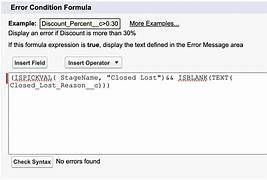
When to Use (and Avoid) Salesforce Validation Rules Ensuring quality data in Salesforce is crucial, but finding the right balance between enforcing data integrity and maintaining a smooth user experience can be challenging. Both Flows and validation rules play important roles in this process. The Role of Validation Rules and Flows in Data Management Salesforce administrators must carefully consider the impact of data validation methods. Some approaches prevent records from being saved if certain conditions aren’t met, while others allow the process to continue and address issues later. Sales teams, in particular, may find it frustrating to be slowed down by data entry requirements, but there are situations where enforcing specific data formats or ranges is essential. This is where Salesforce validation rules come into play. For more complex processes, especially those managed by automation, Flows offer a solution that allows records to be corrected without interrupting the workflow. The Purpose of Validation Rules Validation rules in Salesforce are used to enforce specific data requirements by preventing the record from being saved if certain conditions are not met. For instance, a simple validation rule might require a field value to be between 10 and 100: scssCopy codeOR( Your_Field__c < 10, Your_Field__c > 100 ) Validation rules are typically applied to a single field or a combination of fields, and they are especially useful when a user must enter specific information, such as a description for a unique discount type. How Flows Offer Flexibility Salesforce Flows have evolved into a robust alternative to validation rules, providing more flexibility in how data is managed. Flows can be configured to check conditions before or after a record is saved, allowing for automatic corrections without blocking the save. For example, a Flow could assign a default value if the user fails to enter one or perform a lookup to populate a field. Flows also allow records to be saved even if they would otherwise trigger a validation rule. This capability is particularly valuable for automated processes, as it prevents errors from halting updates made by tools like Fivetran, Hightouch, or Zapier. Balancing User Experience with Data Validation Validation rules are designed with the user in mind, serving as reminders to ensure that necessary information is entered. However, if these rules are too restrictive or unclear, they can hinder productivity. One common challenge arises when trying to enforce constraints on date fields, such as ensuring a follow-up task is scheduled within a certain time frame. While a validation rule can prevent a date field from being left blank, Salesforce does not allow a rule to simultaneously enforce non-blankness and a specific date calculation. To address this, a combination of validation rules and Flows can be used: Key Takeaway Balancing the use of validation rules and Flows is essential for effective data management in Salesforce. Validation rules are useful for enforcing critical data entry requirements, while Flows offer the flexibility to correct issues automatically. By focusing on the user experience, administrators can determine the optimal combination of these features to maintain data integrity without disrupting workflow. Like Related Posts AI Automated Offers with Marketing Cloud Personalization AI-Powered Offers Elevate the relevance of each customer interaction on your website and app through Einstein Decisions. Driven by a Read more Salesforce OEM AppExchange Expanding its reach beyond CRM, Salesforce.com has launched a new service called AppExchange OEM Edition, aimed at non-CRM service providers. Read more The Salesforce Story In Marc Benioff’s own words How did salesforce.com grow from a start up in a rented apartment into the world’s Read more Salesforce Jigsaw Salesforce.com, a prominent figure in cloud computing, has finalized a deal to acquire Jigsaw, a wiki-style business contact database, for Read more

Read More
Automated LinkedIn Prospecting

Automated LinkedIn Prospecting

Salesflow, an award-winning LinkedIn outreach automation platform, announces native integrations with a range of popular CRM systems. London, United Kingdom – June 14, 2024 —Automated LinkedIn Prospecting The automated LinkedIn lead generation tool now offers seamless integration with HubSpot, Zapier, Salesforce, and PipeDrive, with further additions expected in the coming months. The firm states that it now takes less than five minutes for clients to begin using LinkedIn automation through their existing CRM platform, allowing them to continue using familiar tools and workflows. More details can be found at https://salesflow.io/automation-software-improve-pipeline/ Salesflow explains that the new CRM integrations have applications for sales teams, small companies, and LinkedIn-as-as-Service agencies. The firm’s award-winning software is designed to automate multiple stages in the LinkedIn lead generation process, allowing teams to focus their energies on the most attractive prospects. According to LinkedIn’s own statistics, over 80% of B2B marketers say that they achieve the greatest results when social selling through the platform, when compared to other social media networks. However, creating an outreach campaign that retains a personal element can be a time-consuming task, which can limit its usefulness for smaller organizations. Salesflow is designed to create highly automated LinkedIn campaigns, while still offering the ability to include unique keywords that make messages more personal. With the new CRM integrations, the firm has progressed the automation several steps further, with the goal of making the process as fast and efficient as possible. “Salesflow is a cloud-based automation tool using static IPs to ensure a secure prospecting outreach while running on autopilot,” a company representative explained. “You can also now set up integrations to get data from LinkedIn sent directly into your CRM system, and you can begin to see new leads filtering through almost immediately.” About Salesflow Peer-to-peer software review site G2 identified Salesflow as a “High Performer” in the lead generation automation category for the spring and summer of this year, and recently upgraded that rating to “Leader” for both the European and US markets. The system is now used by several major organizations, including HubSpot, Verizon, and Visyond. “Salesflow is awesome and is a must-have for B2B social selling,” one company director recently stated. “This brilliant platform saves us a huge amount of time and money on lead generation, it reduces stress, and gets us connected to relevant prospects across our target industries. Best of all, it does all of that really fast.” Interested parties can find more information by visiting https://salesflow.io/automation-software-improve-pipeline/ Like Related Posts AI Automated Offers with Marketing Cloud Personalization AI-Powered Offers Elevate the relevance of each customer interaction on your website and app through Einstein Decisions. Driven by a Read more Salesforce OEM AppExchange Expanding its reach beyond CRM, Salesforce.com has launched a new service called AppExchange OEM Edition, aimed at non-CRM service providers. Read more The Salesforce Story In Marc Benioff’s own words How did salesforce.com grow from a start up in a rented apartment into the world’s Read more Salesforce Jigsaw Salesforce.com, a prominent figure in cloud computing, has finalized a deal to acquire Jigsaw, a wiki-style business contact database, for Read more

Read More
Top AI Tools Shaping Business Success

Top AI Tools Shaping Business Success

Top AI Tools Shaping Business Success in 2024 In the dynamic world of business, staying ahead means embracing the latest technologies. Artificial Intelligence (AI) is no longer just a buzzword—it’s a transformative force that helps businesses operate more efficiently, make smarter decisions, and enhance customer experiences. As we move through 2024, the AI tool ecosystem is rapidly expanding, offering innovative solutions to automate tasks, gain deep insights, and improve customer engagement. Below, we explore the top AI tools that are shaping the future of business. StoryChief is a comprehensive content marketing platform that simplifies the creation and distribution of content through AI. From ideation to optimization, it leverages machine learning to help businesses generate high-quality, engaging content at scale. Key Features: Pricing: Plans start with a free tier, with paid options ranging from $40 to $500 per month. Developed by OpenAI, ChatGPT is a versatile language model capable of generating human-like text. It excels in content creation, customer support, and data analysis. Key Use Cases: Pricing: API access with usage-based pricing. Perplexity AI is an advanced search engine that provides accurate, summarized answers to complex queries using natural language processing (NLP). Key Features: Pricing: Free version available, with Pro version at $20/month offering enhanced features. Zapier connects over 5,000 apps, enabling automation of repetitive tasks across your tech stack with AI-powered tools that simplify complex automations. Key Features: Pricing: Free plan available for up to 100 tasks per month; paid plans start at $19.99/month. Grammarly is an AI-driven writing assistant that enhances the quality of written communication, ensuring clarity, conciseness, and error-free content. Key Features: Pricing: Free version available; Premium plans start at $12/month for individuals and $25/user/month for businesses. Typeframes simplifies video creation with AI, turning scripts or images into professional-quality videos with animations, transitions, and voiceovers. Key Features: Pricing: Plans start at $29/month, with higher-tier options available. Chatbase enables businesses to build intelligent chatbots and virtual assistants that handle a wide range of customer service inquiries. Key Features: Pricing: Free plan available with limited message credits; paid plans start at $19/month. Secta is an AI-powered headshot generator that creates professional-quality headshots from user-submitted photos, ideal for businesses needing polished profile pictures. Key Features: Pricing: Pay-as-you-go at $49 per headshot session. Voicenotes is an AI-driven transcription tool that converts voice memos into concise summaries and action items, perfect for capturing important information efficiently. Key Features: Pricing: Free plan available; paid plans start at $10/month, with lifetime payment options. Notion AI enhances the popular Notion productivity platform with AI-powered writing assistance, content summarization, and database management. Key Features: Pricing: Available as an add-on at $10 per user per month, with discounts for annual plans. Choosing the Right AI Tools for Your Business Selecting the right AI tools involves considering several factors: By evaluating these aspects, you can effectively leverage AI to enhance efficiency, drive growth, and maintain a competitive edge in 2024. Like Related Posts AI Automated Offers with Marketing Cloud Personalization AI-Powered Offers Elevate the relevance of each customer interaction on your website and app through Einstein Decisions. Driven by a Read more Salesforce OEM AppExchange Expanding its reach beyond CRM, Salesforce.com has launched a new service called AppExchange OEM Edition, aimed at non-CRM service providers. Read more The Salesforce Story In Marc Benioff’s own words How did salesforce.com grow from a start up in a rented apartment into the world’s Read more Salesforce Jigsaw Salesforce.com, a prominent figure in cloud computing, has finalized a deal to acquire Jigsaw, a wiki-style business contact database, for Read more

Read More
Zapier for Salesforce

Salesforce and Zapier and Anything You Can Imagine

Zapier enables you to connect Salesforce with thousands of the most popular third-party apps, so you can automate your work and have more time for what matters most—no code required. Providing easy automation for busy Salesforce users. Zapier transfers info between your web apps automatically, so you can focus on your most important work. Zapier is “middleware” that sits between two other services. It allows software services to create Triggers and Actions. Each combination of a Trigger and an Action is called a Zap. Triggers are how your app’s users can start automated workflows whenever an item is added or updated in your app. There are two types of triggers in Zapier: Actions are how your app’s use the data. The action is the effect of the cause (trigger). What is the difference between actions and triggers in Zapier? Every Zap starts with a single trigger that watches for new or updated data, starting the user’s workflow. Action steps then make use of that data. Zapier actions create or update a single item in your app through API calls that include multiple details from user customized input fields. Is Zapier considered an API? Yes, Zapier is an API tool. Zapier is a web-based automation tool that allows you to connect and automate different web services and applications without the need for any coding. It uses APIs (Application Programming Interfaces) to communicate with the different services and applications that it connects to. About AI by Zapier Smart task and text handling powered by a flexible AI. Create text prompts to perform standard tasks like extracting lead (or other) data or answering discrete questions like “where should this message be routed?”. Or, create your own! What coding language does Zapier use? Zapier is a monolithic application built on Python and Django. There’s a lot of momentum with Python and it is very difficult changing course to another programming language while the service is running. Why is Zapier so popular? Zapier is a powerful tool for automating workflows and combining different business applications without requiring any additional coding skills. Is Zapier actually useful? Users have found that Zapier is a versatile automation tool that simplifies complex problems and enhances efficiency in various industries. With its easy-to-use interface, users can create automation workflows and connect different apps and platforms seamlessly. Around the world in 2024, over 9973 companies have started using Zapier as Integration tool. Netflix, Inc. PayPal Holdings, Inc. Trimble, Inc. If you need assistance connecting apps to Salesforce with Zapier, contact Tectonic today. Like Related Posts AI Automated Offers with Marketing Cloud Personalization AI-Powered Offers Elevate the relevance of each customer interaction on your website and app through Einstein Decisions. Driven by a Read more Salesforce OEM AppExchange Expanding its reach beyond CRM, Salesforce.com has launched a new service called AppExchange OEM Edition, aimed at non-CRM service providers. Read more The Salesforce Story In Marc Benioff’s own words How did salesforce.com grow from a start up in a rented apartment into the world’s Read more Salesforce Jigsaw Salesforce.com, a prominent figure in cloud computing, has finalized a deal to acquire Jigsaw, a wiki-style business contact database, for Read more

Read More
Dropbox and Salesforce Integration

Dropbox and Salesforce Integration

Collaborate in Real Time with Salesforce Essentials Dropbox and Salesforce Essentials enable small businesses to effortlessly collaborate on files of any type and size. You can review, edit, and share content both internally and with customers directly within Salesforce, allowing you to focus on growing your business. Does Dropbox Integrate with Salesforce? Yes, the Dropbox for Salesforce integration allows teams to access and share their Dropbox files within Salesforce. To use this integration, you need to be on a Dropbox team account. Third-Party Integrations The following integration services work with both Dropbox and Salesforce. Note that these services are not vetted by us, so please exercise caution when deploying them: Getting Started with Dropbox for Salesforce The Dropbox for Salesforce integration allows teams to access and share their Dropbox files within Salesforce. Here’s how team members can get started after an admin has connected their Dropbox team account to Salesforce. Connecting Dropbox to Salesforce: Notes: Adding Files from Dropbox to Salesforce There are two ways to add files using Dropbox for Salesforce: Viewing or Downloading a File in Salesforce You can view, download, and share files directly from Dropbox for Salesforce: Understanding “All of Dropbox for Object” vs. “Dropbox for Object” “All of Dropbox for Object” and “Dropbox for Object” provide different levels of visibility into a user’s Dropbox account from Salesforce: Example Folder Structures: Can You Drag and Drop Files into Salesforce? Salesforce supports drag and dropping files stored on disk. Save the file to disk first, then drag the saved file to Notes & Attachments within Salesforce. Like Related Posts AI Automated Offers with Marketing Cloud Personalization AI-Powered Offers Elevate the relevance of each customer interaction on your website and app through Einstein Decisions. Driven by a Read more Salesforce OEM AppExchange Expanding its reach beyond CRM, Salesforce.com has launched a new service called AppExchange OEM Edition, aimed at non-CRM service providers. Read more The Salesforce Story In Marc Benioff’s own words How did salesforce.com grow from a start up in a rented apartment into the world’s Read more Salesforce Jigsaw Salesforce.com, a prominent figure in cloud computing, has finalized a deal to acquire Jigsaw, a wiki-style business contact database, for Read more

Read More
Salesforce Experience Cloud

Nonprofit with Salesforce Experience Cloud

Transform Your Nonprofit with Salesforce Experience Cloud: A Digital Storefront for Engagement Think of Salesforce Experience Cloud as your Nonprofit’s digital storefront—always open, always inviting. This powerful Digital Experience Platform (DXP) enables you to create custom portals, communities, and hubs where donors, volunteers, and beneficiaries can seamlessly connect with your organization. Instead of juggling endless emails and spreadsheets, Experience Cloud centralizes interactions, making them self-service, intuitive, and engaging. With nonprofit-specific features, you can build customized, branded experiences without heavy development work. Here’s what makes Experience Cloud a game-changer: ✅ Drag-and-drop site builder for effortless customization✅ Prebuilt templates & Lightning components for quick deployment✅ Mobile Publisher for consistent branding across mobile apps✅ Built-in content management system (CMS)✅ Personalization tools like audience targeting & role-based access✅ Einstein AI-powered chatbots for instant responses✅ Gamification with badges & leaderboards✅ Google Analytics 4 integration for engagement insights✅ Advanced security with Lightning Locker & Clickjack protection …and much more. 🔍 Nonprofit Solutions You Can Build with Salesforce Experience Cloud 1️⃣ Program Applications & Intake Portals Managing program applications can be overwhelming without a structured system. Experience Cloud allows Nonprofits to create a self-service portal where applicants can submit forms, track status updates, and receive automated notifications—eliminating paper-based processes and endless email chains. With Dynamic Forms and Flow Builder, applications stay structured while automation accelerates approvals. Plus, since everything syncs to the Nonprofit Success Pack (NPSP), you’ll always have a real-time view of applicants and program impact. 2️⃣ Volunteer Portals Managing volunteers shouldn’t feel like a full-time job. With a Volunteer Portal, people can sign up, pick shifts, and track their hours—all without back-and-forth emails. Features like automated background checks and approval workflows ensure smooth operations. Meanwhile, Experience Cloud’s Chatter integration fosters engagement, helping you track who’s active, who’s disengaged, and who might need a little encouragement. 3️⃣ Community Partner Portals Nonprofits thrive on partnerships, and a Community Partner Portal keeps corporate sponsors, local businesses, and community groups connected. With this portal, partners can log in, access shared resources, submit funding applications, and track joint projects—all from one secure platform. Role-based access ensures that sensitive data stays protected while collaboration remains seamless. 4️⃣ Membership Portals If your nonprofit has a membership program, Experience Cloud helps you build a Member Portal where users can renew memberships, update information, and access exclusive content. Want to boost engagement? Introduce gamification with badges, leaderboards, and personalized event recommendations. Since everything is integrated with Salesforce CRM, you’ll gain real-time insights into member activity to keep engagement levels high. 5️⃣ Grant Management Portals Grant applications shouldn’t feel like a never-ending email thread. With Experience Cloud, you can create a Grant Management Portal where organizations apply for funding, track application progress, and submit reports—all in one place. Einstein AI can even prioritize applications based on predefined criteria, accelerating the review process. Grantors, in turn, can access real-time funding reports—enhancing transparency and trust. 6️⃣ E-Commerce & Donation Portals Looking to sell nonprofit merchandise or accept donations online? Experience Cloud seamlessly integrates with Salesforce Commerce Cloud, allowing you to build an e-commerce storefront for hassle-free transactions. Supporters can:💳 Make one-time or recurring donations🛍️ Purchase branded merchandise📜 Track donation history & receive personalized thank-you messages For secure transactions and easy donor tracking, you can integrate Stripe, PayPal, or other payment processors directly into your portal. 7️⃣ Voter Registration Portals If your nonprofit promotes civic engagement, Experience Cloud can power a Voter Registration Portal where users can check registration status, sign up to vote, and receive election reminders. With geolocation tools, voters can find polling places instantly, while Marketing Cloud integration allows you to send timely voter updates—ensuring higher participation in the democratic process. Implementing Salesforce Experience Cloud for Nonprofits Which Approach is Right for Your Nonprofit? Your ideal Experience Cloud implementation depends on your current CRM, budget, and long-term strategy. 1️⃣ Standalone Experience Cloud Implementation If your nonprofit already uses Salesforce CRM (but not NPSP), you can still implement Experience Cloud independently to create portals, volunteer hubs, and dashboards while maintaining your existing CRM as the system of record. Considerations:🔹 Custom Configuration – You’ll need to set up nonprofit-specific objects & automation.🔹 Permissions & Access – Well-structured security settings are crucial.🔹 CRM Integration – If using a non-Salesforce CRM, API integrations (e.g., MuleSoft, Zapier) will be required. This option is best for nonprofits that want external-facing engagement tools without fully shifting to the Salesforce Nonprofit ecosystem. 2️⃣ Experience Cloud + Nonprofit Cloud / NPSP For nonprofits already using Salesforce Nonprofit Cloud or NPSP, Experience Cloud becomes an extension of your engagement strategy. 🔹 Real-time donor, volunteer, and grant data sharing🔹 Prebuilt nonprofit features (fundraising, donor management, program tracking)🔹 Automation & AI-powered engagement 3️⃣ Experience Cloud + Third-Party Nonprofit CRMs Already using a third-party nonprofit CRM (like Raiser’s Edge NXT, Neon One, or DonorPerfect)? You can still leverage Experience Cloud, but strong integration is key. 🔹 Experience Cloud powers your donor, volunteer, or program portal🔹 API-based sync required for real-time data exchange🔹 Tools like MuleSoft or Zapier help bridge data gaps This approach is ideal for nonprofits wanting the flexibility of Experience Cloud without migrating their backend to Salesforce. Final Thought: Making Experience Cloud Work for Your Nonprofit No matter your approach, Salesforce Experience Cloud is a powerful tool to drive engagement and efficiency for nonprofits. However, successful implementation requires a well-thought-out strategy. Need expert guidance? A Salesforce implementation partner can help tailor Experience Cloud to fit your unique nonprofit needs, ensuring your digital storefront delivers maximum impact. Like Related Posts AI Automated Offers with Marketing Cloud Personalization AI-Powered Offers Elevate the relevance of each customer interaction on your website and app through Einstein Decisions. Driven by a Read more Salesforce OEM AppExchange Expanding its reach beyond CRM, Salesforce.com has launched a new service called AppExchange OEM Edition, aimed at non-CRM service providers. Read more The Salesforce Story In Marc Benioff’s own words How did salesforce.com grow from a start up in a rented apartment into the world’s Read more Salesforce Jigsaw Salesforce.com, a prominent figure in

Read More
gettectonic.com