
Salesforce Optimization Archives - gettectonic.com - Page 10
Salesforce Dialer

Lightning Dialer Salesforce

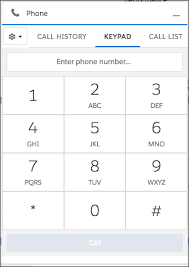
What is Lightning Dialer Salesforce? Lightning Dialer Salesforce offers an outbound calling product with the option to add inbound calling functionality. You can pay for just the total number of minutes your entire org uses (in blocks of 1,000 minutes). Salesforce recommends first choosing the right Sales Dialer edition for your business needs. Is Salesforce dialer a VOIP? Telephony integration enhances communication and streamlines workflows by allowing users to handle calls, track call data, and access customer information all in one place. Telephony in Salesforce is done through a VOIP (voice over internet protocol) service. What is the difference between power dialer and auto dialer? Power dialing focuses on having a live rep for every moment of every call, so no calls can be made when agents are busy. They connect less qualified prospects to sales reps. With auto dialers, each prospect has to show interest before speaking to a salesperson. Multi-tasking with Lightning Dialer lets your Reps multi-task, all while speaking to your customers and take notes, bundle products, and finalize details. 2. Boost connect and Receive inbound calls: Lightning Dialer also allows your customer service reps to receive Inbound calls at only a little extra cost. Salesforce Lightning Dialer is now Sales Dialer. Content updated February 2024. Like1 Related Posts Who is Salesforce? Who is Salesforce? Here is their story in their own words. From our inception, we’ve proudly embraced the identity of Read more Salesforce Marketing Cloud Transactional Emails Salesforce Marketing Cloud Transactional Emails are immediate, automated, non-promotional messages crucial to business operations and customer satisfaction, such as order Read more Salesforce Unites Einstein Analytics with Financial CRM Salesforce has unveiled a comprehensive analytics solution tailored for wealth managers, home office professionals, and retail bankers, merging its Financial Read more AI-Driven Propensity Scores AI plays a crucial role in propensity score estimation as it can discern underlying patterns between treatments and confounding variables Read more
Read More
Salesforce Objects

Lookup Relationship in Salesforce

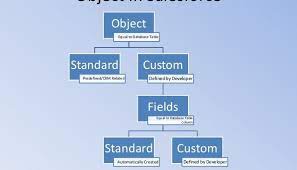
What is Lookup relationship in Salesforce? Salesforce’s lookup relationships is a significant capability that allows users to connect two objects and establish a parent-child relationship between them. To effectively manage records, this feature is essential for organizing your data. What are the different types of lookup relationships in Salesforce? A Lookup relationship is a type of relationship that simply joins two things together such that you may “look up” one object using the associated elements on another object. There are two types of lookup relationships in salesforce that is: one-to-one and one-to-many. A one-to-one relationship might be a contact related to an account. A one-to-many relationship might be locations related to an account. What does a lookup relationship do? With a lookup relationship, you can: Link two different objects. Link an object with itself (except for the user object; see the Hierarchical section in this topic). For example, link a custom object called Bug with itself to show how two different bugs are related to the same problem. What is the basic difference between lookup relationship and master detail relationship? It does not depend on any other objects, whereas a master-detail relationship has an association with other records. On the other hand, the lookup relationship is just a reference. It can be even blank or NULL. In the database, we can pull the data from particular fields based on the reference keys easily. How many Lookup relationships are allowed in an object in Salesforce? You can have a maximum of 40 lookups on an object. You can have a maximum of two master details on an object. No cascade delete. How does lookup work in Salesforce? Lookup fields appear with the search icon on record edit pages. Clicking the icon opens a lookup search dialog that allows you to search for the record that you want to associate with the record you’re editing. There are two main types of lookups: standard and enhanced. Like Related Posts Who is Salesforce? Who is Salesforce? Here is their story in their own words. From our inception, we’ve proudly embraced the identity of Read more Salesforce Marketing Cloud Transactional Emails Salesforce Marketing Cloud Transactional Emails are immediate, automated, non-promotional messages crucial to business operations and customer satisfaction, such as order Read more Salesforce Unites Einstein Analytics with Financial CRM Salesforce has unveiled a comprehensive analytics solution tailored for wealth managers, home office professionals, and retail bankers, merging its Financial Read more AI-Driven Propensity Scores AI plays a crucial role in propensity score estimation as it can discern underlying patterns between treatments and confounding variables Read more

Read More
gettectonic.com