Google Archives - gettectonic.com - Page 16
How to Implement AI for Business Transformation

How to Implement AI for Business Transformation

Harnessing the Power of AI for Business Transformation The age of artificial intelligence (AI) is here. How to Implement AI for Business Transformation? Once a niche technology confined to research labs and the realm of science fiction, AI has now become a mainstream force. Today, an estimated 35% of businesses are leveraging AI to enhance products, boost efficiency, and gain a competitive edge. However, for companies yet to begin their AI journey, the path to implementation can seem daunting. So how can organizations navigate the complexities of AI and unlock its potential to drive success? This comprehensive guide is designed to empower businesses to confidently adopt AI. We’ll break down what AI is, assess your organization’s readiness, help you develop a robust AI strategy, and explore how to implement and integrate AI across operations. Ultimately, this insight will show you how to embrace AI for continuous innovation, helping automate tasks, uncover insights, and future-proof your business. AI Era Demands an Intelligent Data Infrastructure AI consulting services and digital transformation partners like Tectonic underscore the technology’s immense value, helping organizations evaluate, implement, and scale AI initiatives. However, knowing where to start and who to trust can be challenging. This guide will provide best practices for planning and executing AI projects, helping you make informed decisions when selecting solutions and partners. By the end, your organization will be equipped with the knowledge and confidence needed to make AI a powerful competitive advantage. Understanding the AI Landscape Before diving into AI implementation, it’s important to understand what artificial intelligence is and the wide array of applications it offers. What is Artificial Intelligence? Artificial intelligence (AI) refers to software and machines designed to perform tasks that typically require human intelligence—such as visual perception, speech recognition, decision-making, and language translation. AI is already deeply integrated into many everyday products and services, including: Machine Learning Basics At the core of most AI systems is machine learning (ML), which involves training algorithms on vast datasets, enabling them to learn from examples without being explicitly programmed for every scenario. There are three main types of machine learning: Beyond ML, fields like natural language processing (NLP) focus on understanding human language, while computer vision analyzes visual content such as images and video. Real-World AI Applications Understanding the fundamentals of AI helps organizations align their needs with its capabilities. Common business use cases for AI include: Armed with this knowledge, businesses can better evaluate how AI fits into their goals and operations. Developing a Comprehensive AI Strategy Once you understand the AI landscape, the next step is developing a strategic plan to guide implementation. Establishing an AI Vision and Objectives AI adoption must align with clear financial and operational goals. Leadership teams should identify: Aligning stakeholders and executive leaders around specific use cases will drive urgency, investment, and commitment. AI Ethics and Governance AI adoption also requires guidelines for ethical usage, transparency, and accountability. Organizations should consider: Establishing these frameworks early ensures responsible and transparent AI usage. Resourcing an AI Program AI implementation requires the right talent and resources. Budget considerations should include: A Phased AI Adoption Roadmap Rather than attempting to scale AI all at once, organizations should adopt a phased approach: This roadmap balances short-term impact with long-term scalability. Choosing the Right AI Implementation Approach With your strategy in place, the next decision is how to implement AI. Three primary approaches are: The choice depends on your organization’s internal capabilities, desired level of customization, and timeline. Integrating AI into Your Operations Successful AI implementation requires careful planning and integration with existing operations. Develop an Integration Plan Consider how AI will interact with existing systems and workflows: Address Security and Privacy Ensure that AI systems comply with data privacy regulations and security protocols, especially when handling sensitive information. Drive Adoption Through Training Help staff understand how AI will augment their roles by providing training on how the algorithms work and how to interact with AI systems effectively. Monitor for Model Decay Implement processes to monitor and retrain models as needed to ensure continued performance and reliability. Embracing AI for Continuous Improvement AI should be viewed as an ongoing investment, driving continuous improvement across the organization. Encourage a Data-Driven Culture Empower teams to identify new AI use cases and experiment with AI-driven solutions. Provide the tools and frameworks to facilitate this culture of innovation. Foster Responsible AI Ensure that AI systems are transparent, accountable, and designed to augment human decision-making responsibly. Commit to Reskilling As AI capabilities evolve, continually upskill employees to ensure your workforce remains at the forefront of technological advancements. Unlocking the Future of AI The potential of AI to revolutionize businesses is clear. However, achieving success requires more than just technical capabilities. It demands thoughtful planning, strategic alignment, and a commitment to continuous improvement. By following this guide, your organization can confidently implement AI to unlock powerful data-driven insights, automate tasks, and achieve lasting competitive advantage. The future of AI is full of possibilities—are you ready to seize them? Tectonic is ready to help. How to Implement AI for Business Transformation Like Related Posts Who is Salesforce? Who is Salesforce? Here is their story in their own words. From our inception, we’ve proudly embraced the identity of Read more Salesforce Unites Einstein Analytics with Financial CRM Salesforce has unveiled a comprehensive analytics solution tailored for wealth managers, home office professionals, and retail bankers, merging its Financial Read more AI-Driven Propensity Scores AI plays a crucial role in propensity score estimation as it can discern underlying patterns between treatments and confounding variables Read more Tectonic’s Successful Salesforce Track Record Salesforce Technology Services Integrator – Tectonic has successfully delivered Salesforce in a variety of industries including Public Sector, Hospitality, Manufacturing, Read more


Read More
AI's Impact on the Workforce

AI’s Impact on the Workforce

According to McKinsey, generative AI has the potential to contribute between $2.6 trillion and $4.4 trillion in value to the global economy across various industries, spanning banking, retail, high tech, healthcare, and life sciences. Its impact is expected to reach diverse professions, including customer operations, marketing and sales, software engineering, and research and development. The influence of AI on the workforce is significant. A report by Goldman Sachs suggests that AI could replace the equivalent of 300 million full-time jobs, affecting a quarter of work tasks in the US and Europe. However, it also brings forth new job opportunities and a productivity boom. Despite concerns about job displacement, AI is anticipated to generate numerous new opportunities. Roles like prompt engineer and AI product manager are emerging, with a Salesforce-sponsored IDC white paper predicting a surge in demand for positions such as data architects, AI ethicists, and AI solutions architects over the next 12 months. The report also forecasts the creation of 11.6 million new jobs within the Salesforce ecosystem alone over the next six years. Recent advancements in generative AI, exemplified by products like ChatGPT with 100 million monthly active users in two months, have reignited discussions about automation’s impact on jobs. While the extent of disruption remains unknown, developers, users, and policymakers should consider its effects on workers. To address challenges and opportunities, Majority Leader Chuck Schumer has launched a SAFE Innovation Framework, emphasizing worker security. The Biden administration is developing a National AI Strategy to address economic and job impacts. For individuals in the workforce, there’s an opportunity to cultivate existing skills and acquire new ones through platforms like Salesforce’s Trailhead, Coursera, and LinkedIn. AI’s impact on jobs involves eliminating repetitive tasks, allowing individuals to focus on more strategic and creative aspects of their roles. In fields like sales, customer service, marketing, healthcare, finance, and graphic design, AI will transform roles and create new opportunities. Chris Poole, AI Technical Consulting Lead in Salesforce’s global AI practice, envisions AI becoming ingrained in every aspect of our lives, contributing to fascinating evolution across various fields. The scale of AI adoption’s impact on workers, especially with generative AI tools, remains uncertain. Potential effects include replacing, complementing, or freeing workers for more productive tasks, or creating new jobs. A Goldman Sachs estimate suggests that about two-thirds of current jobs are exposed to some degree of AI automation, with generative AI potentially substituting up to one-fourth of current work. McKinsey Global Institute estimates that 29.5 percent of all hours worked could be automated by 2030. Regarding job impact, professional occupations associated with clerical work in finance, law, and business management are most exposed to AI. However, AI is also concurrently creating many new jobs. Like Related Posts Who is Salesforce? Who is Salesforce? Here is their story in their own words. From our inception, we’ve proudly embraced the identity of Read more Salesforce Marketing Cloud Transactional Emails Salesforce Marketing Cloud Transactional Emails are immediate, automated, non-promotional messages crucial to business operations and customer satisfaction, such as order Read more Salesforce Unites Einstein Analytics with Financial CRM Salesforce has unveiled a comprehensive analytics solution tailored for wealth managers, home office professionals, and retail bankers, merging its Financial Read more AI-Driven Propensity Scores AI plays a crucial role in propensity score estimation as it can discern underlying patterns between treatments and confounding variables Read more

Read More
Improve Customer Experience

Improve Customer Experience

The Importance of Customer Experience: Turning Every Interaction into a Lasting Impact Customer experience (CX) refers to every interaction a customer has with your brand—from the first touchpoint through to post-purchase support. While the term is often used broadly, its meaning is more nuanced, encompassing the entire customer journey. From the initial ad they see to the quality of their engagement with your customer support, CX reflects the customer’s perception of your brand, compared to the promises you’ve made. Improve Customer Experience. What Is Customer Experience (CX)? At its core, CX measures how customers perceive their interactions with your organization. It goes beyond customer service and spans every touchpoint, whether it’s the ease of navigating your website, the tone of your marketing emails, or the post-purchase support experience. A strong customer experience is critical for fostering brand loyalty and meeting customer expectations at every step of their journey. Why Customer Experience Matters In today’s competitive marketplace, customer expectations are at an all-time high. According to research, 80% of customers say that the experience a company provides is just as important as its products or services. Whether you’re in B2C or B2B, an exceptional customer experience translates into loyalty, brand advocacy, and revenue growth. Some key benefits of prioritizing CX include: Key Elements of a Great Customer Experience Our research highlights several factors that customers deem essential for a great experience: However, many companies fall short of these expectations. For example, 56% of customers report needing to repeat themselves to different representatives, and 55% say it feels like they’re interacting with separate departments rather than a single, unified brand. The good news? A subpar experience can be quickly remedied with exceptional customer service—75% of customers will forgive mistakes after receiving excellent support. How to Measure Customer Experience Measuring CX is essential for understanding what works and where improvements are needed. Popular methods include: Building a Successful CX Management Strategy An effective CX management strategy aligns your entire business around the customer’s needs. It should include continuous feedback loops, data-driven decision-making, and a focus on creating a customer-centric culture. Improve Customer Experience. Key Pillars of a CX Strategy: How to Improve Customer Experience Delivering a standout customer experience requires a combination of people, processes, and technology. Here are five best practices for enhancing your CX: The Role of Experience Management Customer experience management (CXM) goes hand-in-hand with a broader experience management strategy. This includes not only customer interactions but also employee experiences, product quality, and brand perception. By implementing an experience management framework, companies can align technology, culture, and six core competencies to optimize all aspects of customer engagement. The Bottom Line: Customer Experience Drives Success With Salesforce Customer experience is no longer just a buzzword—it’s a critical factor for business success. By understanding and improving the customer journey, you can foster loyalty, reduce churn, and create a long-term competitive advantage. Start by building a strong CX framework, empowering your teams, and making data-driven decisions to lead the way in customer satisfaction. Content updated August 2024. Like Related Posts Who is Salesforce? Who is Salesforce? Here is their story in their own words. From our inception, we’ve proudly embraced the identity of Read more Salesforce Marketing Cloud Transactional Emails Salesforce Marketing Cloud Transactional Emails are immediate, automated, non-promotional messages crucial to business operations and customer satisfaction, such as order Read more Salesforce Unites Einstein Analytics with Financial CRM Salesforce has unveiled a comprehensive analytics solution tailored for wealth managers, home office professionals, and retail bankers, merging its Financial Read more AI-Driven Propensity Scores AI plays a crucial role in propensity score estimation as it can discern underlying patterns between treatments and confounding variables Read more

Read More
Government-Citizen Communication

Government-Citizen Communication

Engaging Citizens and Influencing Behavior: A Public Sector Strategy Engaging citizens and influencing their behavior to achieve mission-critical outcomes follows a model similar to the traditional marketing funnel used in the private sector. By adapting this approach, government communicators can drive tangible results that contribute to the overall well-being of society. Government-Citizen Communication. Public Sector Communication Objectives: In today’s digital age, citizens expect timely, personalized communication. To meet this demand, government agencies must deliver the right message through the right channels at the right time. A failure to do so risks reduced engagement, which can negatively affect the success of public programs. Expanding Audience Reach To maximize citizen engagement, it’s crucial to focus on reaching a broader audience rather than narrowing it. A key question for communicators and their teams to ask is: “How broad is our audience?” This is an essential aspect of the funnel that ensures wider reach and greater impact. Communication Methods Public sector communication often utilizes a mix of channels, including radio, newspapers, television, and social media, to connect with the public. Collaboration is vital in this sector, requiring effective communication tools to coordinate across teams, departments, and agencies. As technology evolves, new tools are enhancing how public servants communicate and collaborate. Technology-Driven Collaboration Tools Several communication and collaboration tools are reshaping how the public sector operates: Best Practices for Government-Citizen Communication To foster effective engagement, government agencies should implement the following best practices: Secure, Customizable Citizen Communication Solutions Governments can benefit from a secure, open-source communication tool tailored to public sector needs. Such solutions ensure compliance with data protection laws and foster trust between citizens and government institutions, enhancing public service delivery and digital engagement. Tectonic’s Conclusion For optimal citizen engagement, government communicators must focus on expanding their audience reach and utilizing advanced communication tools. In doing so, they can enhance collaboration, drive citizen involvement, and ensure the success of critical public programs. Like Related Posts Who is Salesforce? Who is Salesforce? Here is their story in their own words. From our inception, we’ve proudly embraced the identity of Read more Salesforce Marketing Cloud Transactional Emails Salesforce Marketing Cloud Transactional Emails are immediate, automated, non-promotional messages crucial to business operations and customer satisfaction, such as order Read more Salesforce Unites Einstein Analytics with Financial CRM Salesforce has unveiled a comprehensive analytics solution tailored for wealth managers, home office professionals, and retail bankers, merging its Financial Read more AI-Driven Propensity Scores AI plays a crucial role in propensity score estimation as it can discern underlying patterns between treatments and confounding variables Read more

Read More
Salesforce

Salesforce Integrations for Sales Users

Salesforce integration offers compatibility with a wide array of business tools, and this insight article from Tectonic zeroes in on the most advantageous integrations tailored for your sales teams. Salesforce Integrations for Sales Users encompass various areas from contract management tools to lead enrichment and marketing automation platforms, the focus is on enhancing the efficiency of your sales operations. Understanding Salesforce Integrations A Salesforce integration is a mechanism linking the CRM with one or more business tools, facilitating seamless data transfer and automation of repetitive administrative tasks. With over 2,500 integrations, Salesforce is one of the most connected and flexible CRMs on the market. Let’s dive into the top Salesforce integrations for sales teams in 2024. Best Salesforce Integrations for Sales Teams 1. Slack – Streamlined Internal Communication Owned by Salesforce, Slack integration ensures smooth communication by facilitating easy sharing and querying of records between the two platforms. This integration promotes real-time updates, fostering improved collaboration, quicker decision-making, and enhanced productivity. Slack and Salesforce integrations are easy to set up and Tectonic can help. User Reviews: 2. Salesloft – Elevating Sales Engagement Salesloft complements Salesforce by focusing on customer engagement. This integration allows the import of contacts from Salesforce into Salesloft, enabling seamless communication with prospects. Recorded communication details are then synchronized back into Salesforce, offering visibility into deal progression and prospect engagement. User Reviews: 3. Chili Piper – Simplified Scheduling Chili Piper’s integration with Salesforce streamlines appointment scheduling by enabling one-click meeting scheduling within Salesforce. Every booked meeting is automatically logged and tracked as an event in Salesforce, contributing to improved data accuracy and efficient scheduling. All interactions with leads are added to engagement activity in their Salesforce record. User Reviews: 4. Juro – Accelerating Contract Management Juro’s all-in-one contract management platform integrates seamlessly with Salesforce, enabling sales reps to generate sales agreements effortlessly. The integration facilitates real-time syncing of data between the two platforms, allowing for swift contract drafting, negotiation, and management. Key Benefit: 5. LinkedIn Sales Solutions – Incorporate LinkedIn profiles to Salesforce records LinkedIn Sales Solutions embeds LinkedIn profiles with the CRM providing timely insights on buyers and companies. Data Validation flags out-of-date contacts. Key Benefit: 6. Lead Capture in Sales Cloud – Collect leads from Facebook and Google directly into Sales Cloud This application enables marketers to collect lead data from two primary external platform ad forms and share them with sales teams. Key Benefit: Salesforce Integrations for Sales Users These Salesforce integrations are tailored to augment the capabilities of sales teams, ranging from internal communication to contract management, ultimately fostering efficiency and productivity. If you are looking at tools to integrate with Salesforce for your teams, contact Tectonic for Salesforce implementation assistance. Like1 Related Posts Who is Salesforce? Who is Salesforce? Here is their story in their own words. From our inception, we’ve proudly embraced the identity of Read more Salesforce Marketing Cloud Transactional Emails Salesforce Marketing Cloud Transactional Emails are immediate, automated, non-promotional messages crucial to business operations and customer satisfaction, such as order Read more Salesforce Unites Einstein Analytics with Financial CRM Salesforce has unveiled a comprehensive analytics solution tailored for wealth managers, home office professionals, and retail bankers, merging its Financial Read more AI-Driven Propensity Scores AI plays a crucial role in propensity score estimation as it can discern underlying patterns between treatments and confounding variables Read more

Read More
Account Planning With Salesforce

CRM Analytics Limits

When using CRM Analytics, keep these limits in mind. API Call Limits These limits apply to all supported editions. API Call Limit Maximum concurrent CRM Analytics API calls per org 100 Maximum CRM Analytics API calls per user per hour 10,000 Dataset Row Storage Allocations per License In Salesforce org, your total row storage limit for all registered datasets combined depends on your license combination. Each license allocates a different number of rows. Baseline Row Allocation Allocated Rows CRM Analytics Plus 10 billion CRM Analytics Growth 100 million Sales Analytics 25 million Service Analytics 25 million Event Monitoring Analytics 50 million B2B Marketing Analytics 25 million CRM Analytics for Financial Services Cloud 25 million CRM Analytics for Health Cloud 25 million Extra Data Rows license 100 million Your total row storage limit is a combination of your active licenses. For example: Because the CRM Analytics Plus license includes the Sales Analytics and Service Analytics licenses, your total row allocation remains 10 billion. Similarly, the CRM Analytics Growth license includes the Sales Analytics and the Service Analytics licenses, so your total row allocation remains 100 million. However, if you obtain another Sales Analytics or Services Analytics license, your row limit increases by 25 million for each added license. Dataset Row Limits Each dataset supports up to 2 billion rows. If your Salesforce org has less than 2 billion allocated rows, each dataset supports up to your org’s allocated rows. Dataset Field Limits Value Limit Maximum number of fields in a dataset 5,000 (including up to 1,000 date fields) Maximum number of decimal places for each value in a numeric field in a dataset (overflow limit) 17 decimal placesWhen a value exceeds the maximum number of decimal places, it overflows. Both 100,000,000,000,000,000 and 10,000,000,000,000,000.0 overflow because they use more than 17 decimal places. A number also overflows if it’s greater (or less) than the maximum (or minimum) supported value. 36,028,797,018,963,968 overflows because its value is greater than 36,028,797,018,963,967. -36,028,797,018,963,968 overflows because it’s less than -36,028,797,018,963,967.When a number overflows, the resulting behavior in CRM Analytics is unpredictable. Sometimes CRM Analytics throws an error. Sometimes it replaces a numeric value with a null value. And sometimes mathematical calculations, such as sums or averages, return incorrect results. Occasionally, CRM Analytics handles numbers up to 19 digits without overflowing because they are within the maximum value for a 64-bit signed integer (263 – 1). But numbers of these lengths aren’t guaranteed to process.As a best practice, stick with numbers that are 17 decimal places or fewer. If numbers that would overflow are necessary, setting lower precision and scale on the dataset containing the large numbers sometimes prevents overflow. If your org hasn’t enabled the handling of numeric values, the maximum number of decimal places for each value in a numeric field in a dataset is 16. All orgs created after Spring ’17 have Null Measure Handling enabled. Maximum value for each numeric field in a dataset, including decimal places 36,028,797,018,963,967For example, if three decimal places are used, the maximum value is 36,028,797,018,963.967 Minimum value for each numeric field in a dataset, including decimal places -36,028,797,018,963,968For example, if five decimal places are used, the minimum value is -36,028,797,018,9.63968 Maximum number of characters in a field 32,000 Data Sync Limits If you extract more than 100 objects in your dataflows, contact Salesforce Customer Support before you enable data sync. Value Limit Maximum number of concurrent data sync runs 3 Maximum number of objects that can be enabled for data sync, including local and remote objects 100 Maximum amount of time each data sync job can run for local objects 24 hours Maximum amount of time each data sync job can run for remote objects 12 hours Data sync limits for each job:Marketo Connector (Beta)NetSuite ConnectorZendesk Connector Up to 100,000 rows or 500 MB per object, whichever limit is reached first Data sync limits for each job:Amazon Athena ConnectorAWS RDS Oracle ConnectorDatabricks ConnectorGoogle Analytics ConnectorGoogle Analytics Core Reporting V4 ConnectorOracle Eloqua ConnectorSAP HANA Cloud ConnectorSAP HANA Connector Up to 10 million rows or 5 GB per object, whichever limit is reached first Data sync limits for each job*:AWS RDS Aurora MySQL ConnectorAWS RDS Aurora PostgresSQL ConnectorAWS RDS MariaDB ConnectorAWS RDS MySQL ConnectorAWS RDS PostgreSQL ConnectorAWS RDS SQL Server ConnectorGoogle Cloud Spanner ConnectorMicrosoft Azure Synapse Analytics ConnectorMicrosoft Dynamics CRM ConnectorSalesforce External ConnectorSalesforce Contacts Connector for Marketing Cloud EngagementSalesforce OAuth 2.0 Connector for Marketing Cloud Engagement Up to 20 million rows or 10 GB per object, whichever limit is reached first Data sync limits for each job*:Amazon Redshift ConnectorAmazon S3 ConnectorCustomer 360 Global Profile Data Connector (Beta)Google BigQuery for Legacy SQL ConnectorGoogle BigQuery Standard SQL ConnectorHeroku Postgres ConnectorMicrosoft Azure SQL Database ConnectorSnowflake Input Connector Up to 100 million rows or 50 GB per object, whichever limit is reached first *When using these connectors, Salesforce Government Cloud org data is protected in transit with advanced encryption and can sync up to 10 million rows or 5 GB for each connected object, whichever limit is reached first. Note When using a Salesforce local input connection, CRM Analytics bulk API usage doesn’t count towards Salesforce bulk API limits. Use of the external Salesforce connection and output connection impacts your limits. The dataflow submits a separate bulk API call to extract data from each Salesforce object. The dataflow uses a batch size of 100,000–250,000, depending on whether the dataflow or the bulk API chunks the data. As a result, to extract 1 million rows from an object, the dataflow creates 4–10 batches. Recipe and Dataflow Limits Important In Winter ‘24, recipe runs over 2 minutes are counted against the limit. Previously, the recipe run counts weren’t correct. For more information, see Known Issue – Recipe runs are not counting towards the daily maximum run limit. Value Limit Maximum amount of time each recipe or dataflow can run 48 hours Maximum number of recipes 1,000 Maximum number of dataflows definitions (with data sync enabled) 100 Maximum number of dataflow and recipe runs in a rolling

Read More
multi-channel campaigns

Multi-Channel Campaigns

Leveraging Salesforce for Multi-Channel Campaign Management with Tectonic In today’s dynamic marketing landscape, businesses need to connect with their audience across multiple channels—email, social media, web, and beyond. Managing these campaigns effectively can feel like juggling too many balls at once, especially when aiming to maintain consistent messaging, track performance, and maximize ROI. That’s where Salesforce, paired with expertise from Tectonic, makes all the difference. Salesforce simplifies multi-channel campaign management, helping businesses stay organized, boost engagement, and achieve measurable results. Let’s dive into how this powerful platform, supported by Tectonic’s expertise, takes campaign management to the next level. The Challenge Marketing teams often face obstacles like: The Solution: Streamlined Multi-Channel Campaign Management Salesforce, with Tectonic as your trusted partner, transforms the complexity of multi-channel campaigns into a streamlined and effective process. By integrating channels, automating workflows, and delivering real-time insights, businesses can engage their audience and achieve exceptional results. 1. Centralized Campaign Planning Salesforce Marketing Cloud provides a centralized platform for planning and managing campaigns across channels—email, SMS, social media, and paid ads—all from one dashboard. This unified view ensures messaging and branding stay consistent while fostering seamless collaboration across teams. Tectonic enhances this process by ensuring your Salesforce environment is optimized for your specific needs. 2. Personalized Messaging at Scale Salesforce’s AI-powered tools, such as Einstein AI, analyze customer data to craft personalized content for every audience segment. These tools allow businesses to create tailored emails, ads, and social media posts that resonate with specific groups. With Tectonic’s guidance, you can implement personalization strategies that drive engagement and conversions to new heights. 3. Real-Time Performance Tracking Salesforce consolidates campaign performance data into a single platform, providing real-time metrics like open rates, click-through rates, social engagement, and conversions. Customizable dashboards allow your team to monitor results at a glance, enabling quick adjustments for maximum impact. Tectonic can help design these dashboards for clarity and actionable insights. 4. Automation for Efficiency Managing multi-channel campaigns involves countless tasks, but Salesforce automates processes such as scheduling, triggering emails, and personalizing messaging based on user behavior. By streamlining these repetitive tasks, your team can focus on creativity and strategy. Tectonic’s expertise ensures these automations are tailored to fit your business workflows perfectly. 5. Seamless Integration Across Channels Salesforce integrates with platforms like Google Ads, Facebook, LinkedIn, and Instagram, consolidating data into one ecosystem. This eliminates the need for manual data collection, saving time and improving accuracy. Tectonic ensures these integrations are set up seamlessly, so you can focus on running impactful campaigns. Strategies for Success with Salesforce Why Tectonic + Salesforce? Tectonic combines deep Salesforce expertise with a keen understanding of marketing challenges to help you fully unlock the platform’s potential. Together, Salesforce and Tectonic empower businesses to achieve more efficient, impactful, and ROI-driven campaigns. Ready to revolutionize your multi-channel marketing strategy? Let Tectonic guide you to Salesforce success. Content updated December 2024. Like Related Posts Who is Salesforce? Who is Salesforce? Here is their story in their own words. From our inception, we’ve proudly embraced the identity of Read more Salesforce Marketing Cloud Transactional Emails Salesforce Marketing Cloud Transactional Emails are immediate, automated, non-promotional messages crucial to business operations and customer satisfaction, such as order Read more Salesforce Unites Einstein Analytics with Financial CRM Salesforce has unveiled a comprehensive analytics solution tailored for wealth managers, home office professionals, and retail bankers, merging its Financial Read more AI-Driven Propensity Scores AI plays a crucial role in propensity score estimation as it can discern underlying patterns between treatments and confounding variables Read more

Read More
what is tableau gpt

What is Tableau GPT

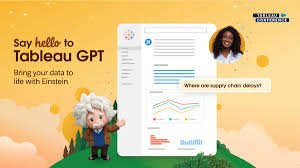
Tableau GPT is a suite of AI-powered features within the Tableau platform designed to simplify and democratize data analysis. It leverages generative AI to automate tasks, generate insights, and make data more accessible to a wider range of users, including those with less technical expertise.  Key features and capabilities of Tableau GPT: How Tableau GPT benefits users: Like Related Posts Who is Salesforce? Who is Salesforce? Here is their story in their own words. From our inception, we’ve proudly embraced the identity of Read more Salesforce Unites Einstein Analytics with Financial CRM Salesforce has unveiled a comprehensive analytics solution tailored for wealth managers, home office professionals, and retail bankers, merging its Financial Read more AI-Driven Propensity Scores AI plays a crucial role in propensity score estimation as it can discern underlying patterns between treatments and confounding variables Read more Tectonic’s Successful Salesforce Track Record Salesforce Technology Services Integrator – Tectonic has successfully delivered Salesforce in a variety of industries including Public Sector, Hospitality, Manufacturing, Read more
Read More
Salesforce Marketing Cloud Journey Builder

Journey Builder Explained

In B2C marketing, the focus on Journey Builder within the Marketing Cloud framework is essential to take customers on journeys with personalized interactions depending on where they are at in the buying cycle. This tool empowers marketers to craft intricate marketing journeys that deliver personalized experiences to customers. Operating within Marketing Cloud, the journey tool orchestrates comprehensive customer journeys, facilitating interactions across multiple platforms such as email, mobile, advertising, and websites. It stands as a foundational element of Marketing Cloud, primarily tailored for B2C initiatives. Salesforce Journey Builder facilitates a deeper understanding of customers by triggering actions based on their unique behaviors and ensuring consistent messaging across channels. As consumers navigate seamlessly between platforms and devices, brands must offer personalized and seamless journeys to maximize customer lifetime value. To achieve this, marketers must address key questions: Answering these questions requires a comprehensive view of the customer journey, with actions aligned to evolving customer expectations. With Salesforce Marketing Cloud Journey Builder, marketers can attain a unified view of all customer interactions, optimizing end-to-end journeys. Journey Builder provides visibility into consumer interactions across marketing channels, including email, mobile, social ads, and more. By connecting these interactions, marketers gain insights for improved message crafting, campaign design, and automation, fostering seamless customer experiences and fostering loyalty. Interactions a customer may have with the brand throughout their journey include clicking on an ad, opening an email, making a purchase, conversing with customer support, and more. Journey Builder, as an event-driven tool, initiates conversations based on customer history, preferences, and real-time behavior, supporting visual mapping of simple or complex journeys. However, Journey Builder operates within Marketing Cloud and utilizes content and audiences from Email Studio, Mobile Studio, Advertising Studio, Content Builder, and Audience Builder. It leverages event-driven triggers to react to customer actions, such as downloading an app or leaving a shopping cart abandoned, thus enabling timely and relevant responses. Key features of Journey Builder include a user-friendly drag-and-drop interface, entry and filter criteria for swift actions, and powerful add-ons for enhanced functionality. Ultimately, Salesforce Journey Builder facilitates a seamless customer experience by guiding journeys, ensuring consistent messaging, adapting to evolving needs, and maintaining brand consistency across channels. Like1 Related Posts Who is Salesforce? Who is Salesforce? Here is their story in their own words. From our inception, we’ve proudly embraced the identity of Read more Salesforce Marketing Cloud Transactional Emails Salesforce Marketing Cloud Transactional Emails are immediate, automated, non-promotional messages crucial to business operations and customer satisfaction, such as order Read more Salesforce Unites Einstein Analytics with Financial CRM Salesforce has unveiled a comprehensive analytics solution tailored for wealth managers, home office professionals, and retail bankers, merging its Financial Read more AI-Driven Propensity Scores AI plays a crucial role in propensity score estimation as it can discern underlying patterns between treatments and confounding variables Read more

Read More
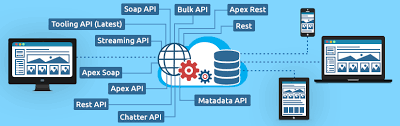
salesforce bulk api

What is Salesforce Bulk API

Salesforce Bulk API is a REST-based API designed for processing large volumes of data efficiently, allowing for asynchronous operations like inserting, updating, upserting, and deleting records in bulk. It’s optimized for handling large datasets and is often used with tools like Data Loader to import and export data in Salesforce.  More Details: Key Features and Benefits: How it Works: Bulk API vs. Batch API: While both handle large data volumes, Bulk API is generally used for asynchronous operations, while Batch API is more suitable for synchronous operations where you need to handle errors during the import. Bulk API processes records in batches asynchronously, allowing you to kick off the import and deal with errors later, while Batch API might be more suitable if you need to handle errors immediately during the import process.  Like Related Posts Who is Salesforce? Who is Salesforce? Here is their story in their own words. From our inception, we’ve proudly embraced the identity of Read more Salesforce Marketing Cloud Transactional Emails Salesforce Marketing Cloud Transactional Emails are immediate, automated, non-promotional messages crucial to business operations and customer satisfaction, such as order Read more Salesforce Unites Einstein Analytics with Financial CRM Salesforce has unveiled a comprehensive analytics solution tailored for wealth managers, home office professionals, and retail bankers, merging its Financial Read more AI-Driven Propensity Scores AI plays a crucial role in propensity score estimation as it can discern underlying patterns between treatments and confounding variables Read more

Read More
Nonprofit

Accelerating Nonprofit Impact with Salesforce

Salesforce offers a variety of tools, including Nonprofit Cloud and the Nonprofit Success Pack (NPSP), to help nonprofits maximize their impact by streamlining operations, enhancing fundraising, and managing programs more effectively. These tools enable nonprofits to build strong relationships with constituents, connect fundraising, program management, and grantmaking, and make data-driven decisions.  Here’s how Salesforce helps nonprofits amplify their impact: By leveraging these tools, nonprofits can create stronger relationships, streamline operations, and ultimately achieve greater impact in their communities. Content updated January 2025. Like Related Posts Who is Salesforce? Who is Salesforce? Here is their story in their own words. From our inception, we’ve proudly embraced the identity of Read more Salesforce Marketing Cloud Transactional Emails Salesforce Marketing Cloud Transactional Emails are immediate, automated, non-promotional messages crucial to business operations and customer satisfaction, such as order Read more Salesforce Unites Einstein Analytics with Financial CRM Salesforce has unveiled a comprehensive analytics solution tailored for wealth managers, home office professionals, and retail bankers, merging its Financial Read more AI-Driven Propensity Scores AI plays a crucial role in propensity score estimation as it can discern underlying patterns between treatments and confounding variables Read more

Read More

Layers of the AI Stack

The AI stack refers to the layered architecture of technologies and components that work together to build, deploy, and manage artificial intelligence (AI) systems. Each layer of the stack plays a critical role in enabling AI capabilities, from data collection to model deployment and beyond. Here’s a breakdown of the key layers of the AI stack: 1. Data Layer The foundation of any AI system is data. This layer involves collecting, storing, and managing the data required to train and operate AI models. Key Components: 2. Infrastructure Layer This layer provides the computational power and hardware needed to process data and run AI models. Key Components: 3. Framework and Tools Layer This layer includes the software frameworks and tools used to build, train, and optimize AI models. Key Components: 4. Model Layer This is the core layer where AI models are developed, trained, and fine-tuned. Key Components: 5. Application Layer This layer focuses on deploying AI models into real-world applications and integrating them with existing systems. Key Components: 6. Orchestration and Management Layer This layer ensures that AI systems are scalable, reliable, and efficient in production environments. Key Components: 7. Business Layer This layer focuses on the business value of AI, including use cases, ROI, and ethical considerations. Key Components: 8. Ecosystem Layer This layer includes the external tools, services, and communities that support AI development and deployment. Key Components: How the Layers Work Together Why the AI Stack Matters The AI stack provides a structured approach to building and deploying AI systems. By understanding and optimizing each layer, organizations can: Conclusion The AI stack is a comprehensive framework that enables organizations to harness the power of AI effectively. By mastering each layer—from data collection to business value—you can build robust, scalable, and impactful AI solutions. Whether you’re a startup or an enterprise, understanding the AI stack is key to staying competitive in the age of artificial intelligence. Content updated March 2025. Like Related Posts Who is Salesforce? Who is Salesforce? Here is their story in their own words. From our inception, we’ve proudly embraced the identity of Read more Salesforce Marketing Cloud Transactional Emails Salesforce Marketing Cloud Transactional Emails are immediate, automated, non-promotional messages crucial to business operations and customer satisfaction, such as order Read more Salesforce Unites Einstein Analytics with Financial CRM Salesforce has unveiled a comprehensive analytics solution tailored for wealth managers, home office professionals, and retail bankers, merging its Financial Read more AI-Driven Propensity Scores AI plays a crucial role in propensity score estimation as it can discern underlying patterns between treatments and confounding variables Read more

Read More
gettectonic.com