
Data Accuracy Archives - gettectonic.com - Page 3
Organizational AI Change Management

Organizational AI Change Management

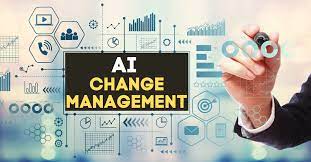
The Future of AI: Transforming Organizational Culture and Decision-Making When envisioning the future, the greatest impact and necessary changes from AI will occur within organizations, not just through technology. Organizational AI Change Management will be a top down, but all the way down, process. AI’s influence extends beyond procedural steps, fundamentally altering organizational decision-making. Rethinking Organizational Structure AI demands a new perspective on organizational structure rather than just focusing on process or technology. This isn’t about achieving “AGI” or other speculative advancements, but about understanding AI’s true role in organizational change. Many companies aim to become “Data & AI Driven,” but what does that entail? Fundamentally, it means integrating technology into the business, where data reflects organizational reality, and AI is interwoven with roles and responsibilities. Cultural Shift Towards a 50% AI World Transitioning to a 50% AI-driven world involves more than adopting new technology or processes; it requires a profound cultural shift within the organization. People, Process, and Technology: A Holistic View A traditional Venn diagram of “People,” “Process,” and “Technology” illustrates governance, service models, and automation at their intersections. However, achieving true AI integration necessitates focusing on the overlaps and cultural changes, not just the components themselves. Cultural Foundations First For AI to succeed, organizations must start with cultural transformation. Changing how people think is the biggest challenge in any transformation process. AI’s Role in Decision-Making AI primarily impacts decisions, not just processes or technology. Processes, while essential, are merely tools for execution. AI calls for a paradigm shift, as it assumes decision-making roles, traditionally held by humans, within clear boundaries and domains of control. Organizational Accountability and AI Businesses must adapt to a model where AI operates under delegated authority from specific individuals, necessitating a shift in accountability and management. This approach redefines AI as a partner in decision-making rather than a mere tool. Digital Transformation and AI Integration Incorporating AI requires a new digital framework, moving beyond ad-hoc data and historical knowledge to a dynamic, organizationally-centric data platform. This “metamirror” provides a digital representation of the business, necessary for AI to function effectively. AI-Driven Organizational Models In this new model, both people and AIs operate within defined roles, with AIs accountable to their human counterparts. Organizational changes, such as promotions or departures, directly impact AI roles and responsibilities. The Organization as an Organism Richie Etwaru’s concept of an organization as an “organism” highlights the dynamic, interactive nature of AI-driven entities. This model integrates roles, processes, and technology into a cohesive, responsive system. Managing Change in an AI-Integrated World Managing change in an AI-driven world blurs the lines between technology and business functions. AI skills become integral to organizational roles, fundamentally altering how change is approached and managed. Preparing for a 50% AI Future A shift towards a 50% AI-driven world necessitates rethinking business culture. Being “Data & AI Driven” means the business takes responsibility for its data and integrates AI as a strategic partner. This requires a cultural transformation where data accuracy and AI alignment with business objectives are paramount. Embracing a Data & AI Culture To thrive in a 50% AI world, organizations must embrace a Data & AI culture. This involves taking accountability for data, ensuring AI’s decisions reflect reality, and aligning AI with business goals. Without this cultural shift, businesses risk merely using AI technology without fully integrating it into their strategic framework. aIn summary, achieving true AI integration means transforming the organizational culture, redefining roles and responsibilities, and creating a robust digital infrastructure that supports AI’s dynamic decision-making capabilities. Like Related Posts Who is Salesforce? Who is Salesforce? Here is their story in their own words. From our inception, we’ve proudly embraced the identity of Read more Salesforce Marketing Cloud Transactional Emails Salesforce Marketing Cloud Transactional Emails are immediate, automated, non-promotional messages crucial to business operations and customer satisfaction, such as order Read more Salesforce Unites Einstein Analytics with Financial CRM Salesforce has unveiled a comprehensive analytics solution tailored for wealth managers, home office professionals, and retail bankers, merging its Financial Read more AI-Driven Propensity Scores AI plays a crucial role in propensity score estimation as it can discern underlying patterns between treatments and confounding variables Read more

Read More
Marketing Cloud Cloudpages

Salesforce Marketing Cloud for a Healthcare Provider

Personalized Care & Communication: Salesforce Marketing Cloud for a Healthcare Provider As the elderly become more tech-savvy, they expect modern, efficient ways to communicate with healthcare providers. A regional Medicare provider in the Northeastern United States faced challenges with their outdated communication systems. Relying solely on paper mail, postcards, and phone calls, the organization struggled to connect with members, lacked visibility into the success of their campaigns, and experienced early turnover due to minimal engagement. These inefficiencies strained the customer experience and made it clear that modernization was overdue. To address these challenges, we implemented Salesforce Marketing Cloud to engage customers through email and SMS. Goals for the Project: Tectonic’s Role in the Transformation Tectonic designed and implemented a Salesforce Marketing Cloud solution that transformed how the provider communicated with its members. The solution enabled multi-channel, multi-language communications integrated with Salesforce Health Cloud via the Marketing Cloud Connector and additional systems like MuleSoft and Snowflake. To enhance SMS capabilities, the organization also integrated with Five9. Early collaboration with the provider’s Salesforce Health Cloud team enabled Tectonic to address outdated customer data issues, create safeguards for inaccurate information, and plan future strategies for seamless customer data collection. A custom preference center was also developed and translated into multiple languages. Overcoming Data Challenges Accurate customer data was a significant obstacle—only 60% of records included valid email or mobile phone numbers, with an even smaller percentage having both. Tectonic conducted multiple working sessions to develop strategic efficiencies and establish a foundational process for gathering and cleansing member contact information. Customized journeys were created to ensure messaging aligned with available communication channels. For example: Key Outcomes Tectonic’s efforts allowed the healthcare provider to modernize their communications, better analyze engagement data, and improve member interactions. The results exceeded expectations: Impact Across Departments This project not only improved member communication but also empowered internal departments—including Marketing, Customer Experience, Sales, and Retention—with easy-to-understand metrics. It laid the foundation for future campaigns, enhanced data accuracy, and fostered stronger member relationships. By leveraging Salesforce Marketing Cloud and Tectonic’s expertise, the healthcare provider transformed its operations to deliver personalized, timely communication and ensure lifelong member satisfaction. Like Related Posts Who is Salesforce? Who is Salesforce? Here is their story in their own words. From our inception, we’ve proudly embraced the identity of Read more Salesforce Marketing Cloud Transactional Emails Salesforce Marketing Cloud Transactional Emails are immediate, automated, non-promotional messages crucial to business operations and customer satisfaction, such as order Read more Salesforce Unites Einstein Analytics with Financial CRM Salesforce has unveiled a comprehensive analytics solution tailored for wealth managers, home office professionals, and retail bankers, merging its Financial Read more AI-Driven Propensity Scores AI plays a crucial role in propensity score estimation as it can discern underlying patterns between treatments and confounding variables Read more
Read More
AI-Powered Data Management

AI-Powered Data Management

AI-Powered Data Management: Transforming Data into Strategic Assets What is AI Data Management? AI data management integrates artificial intelligence (AI) and machine learning (ML) to optimize data processes—automating workflows, improving accuracy, and unlocking deeper insights. By leveraging AI, organizations can enhance data quality, security, compliance, and analytics, making data more actionable for AI-driven applications. Key Capabilities of AI in Data Management 1. Intelligent Automation 2. Enhanced Data Quality 3. Advanced Security & Compliance 4. Smart Data Discovery & Classification 5. Predictive & Prescriptive Analytics Real-World Applications ✅ Automated Data Cleansing – AI validates and corrects data in real time, ensuring accuracy.✅ Intelligent Data Cataloging – AI scans and classifies data for easy retrieval and governance.✅ Predictive Modeling – Analyzes historical data to forecast trends (e.g., customer behavior, operational risks).✅ AI-Driven Cybersecurity – Monitors network activity to detect and block threats before they escalate. Business Benefits of AI Data Management 🔹 Higher Data Accuracy – Fewer errors, more reliable insights.🔹 Faster Decision-Making – AI extracts insights in seconds, not weeks.🔹 Cost Efficiency – Reduces manual labor and storage waste.🔹 Regulatory Readiness – Automates compliance reporting.🔹 Competitive Edge – Turns data into a strategic differentiator. The Future of AI in Data Management As AI evolves, expect: Conclusion AI-powered data management isn’t just an upgrade—it’s a paradigm shift. By integrating AI, organizations can automate workflows, enhance security, and extract unprecedented value from their data, positioning themselves ahead in the data-driven economy. Is your business ready to harness AI for smarter data management? Like Related Posts Who is Salesforce? Who is Salesforce? Here is their story in their own words. From our inception, we’ve proudly embraced the identity of Read more Salesforce Unites Einstein Analytics with Financial CRM Salesforce has unveiled a comprehensive analytics solution tailored for wealth managers, home office professionals, and retail bankers, merging its Financial Read more AI-Driven Propensity Scores AI plays a crucial role in propensity score estimation as it can discern underlying patterns between treatments and confounding variables Read more Tectonic’s Successful Salesforce Track Record Salesforce Technology Services Integrator – Tectonic has successfully delivered Salesforce in a variety of industries including Public Sector, Hospitality, Manufacturing, Read more

Read More
Salesforce

Salesforce Integrations for Sales Users

Salesforce integration offers compatibility with a wide array of business tools, and this insight article from Tectonic zeroes in on the most advantageous integrations tailored for your sales teams. Salesforce Integrations for Sales Users encompass various areas from contract management tools to lead enrichment and marketing automation platforms, the focus is on enhancing the efficiency of your sales operations. Understanding Salesforce Integrations A Salesforce integration is a mechanism linking the CRM with one or more business tools, facilitating seamless data transfer and automation of repetitive administrative tasks. With over 2,500 integrations, Salesforce is one of the most connected and flexible CRMs on the market. Let’s dive into the top Salesforce integrations for sales teams in 2024. Best Salesforce Integrations for Sales Teams 1. Slack – Streamlined Internal Communication Owned by Salesforce, Slack integration ensures smooth communication by facilitating easy sharing and querying of records between the two platforms. This integration promotes real-time updates, fostering improved collaboration, quicker decision-making, and enhanced productivity. Slack and Salesforce integrations are easy to set up and Tectonic can help. User Reviews: 2. Salesloft – Elevating Sales Engagement Salesloft complements Salesforce by focusing on customer engagement. This integration allows the import of contacts from Salesforce into Salesloft, enabling seamless communication with prospects. Recorded communication details are then synchronized back into Salesforce, offering visibility into deal progression and prospect engagement. User Reviews: 3. Chili Piper – Simplified Scheduling Chili Piper’s integration with Salesforce streamlines appointment scheduling by enabling one-click meeting scheduling within Salesforce. Every booked meeting is automatically logged and tracked as an event in Salesforce, contributing to improved data accuracy and efficient scheduling. All interactions with leads are added to engagement activity in their Salesforce record. User Reviews: 4. Juro – Accelerating Contract Management Juro’s all-in-one contract management platform integrates seamlessly with Salesforce, enabling sales reps to generate sales agreements effortlessly. The integration facilitates real-time syncing of data between the two platforms, allowing for swift contract drafting, negotiation, and management. Key Benefit: 5. LinkedIn Sales Solutions – Incorporate LinkedIn profiles to Salesforce records LinkedIn Sales Solutions embeds LinkedIn profiles with the CRM providing timely insights on buyers and companies. Data Validation flags out-of-date contacts. Key Benefit: 6. Lead Capture in Sales Cloud – Collect leads from Facebook and Google directly into Sales Cloud This application enables marketers to collect lead data from two primary external platform ad forms and share them with sales teams. Key Benefit: Salesforce Integrations for Sales Users These Salesforce integrations are tailored to augment the capabilities of sales teams, ranging from internal communication to contract management, ultimately fostering efficiency and productivity. If you are looking at tools to integrate with Salesforce for your teams, contact Tectonic for Salesforce implementation assistance. Like1 Related Posts Who is Salesforce? Who is Salesforce? Here is their story in their own words. From our inception, we’ve proudly embraced the identity of Read more Salesforce Marketing Cloud Transactional Emails Salesforce Marketing Cloud Transactional Emails are immediate, automated, non-promotional messages crucial to business operations and customer satisfaction, such as order Read more Salesforce Unites Einstein Analytics with Financial CRM Salesforce has unveiled a comprehensive analytics solution tailored for wealth managers, home office professionals, and retail bankers, merging its Financial Read more AI-Driven Propensity Scores AI plays a crucial role in propensity score estimation as it can discern underlying patterns between treatments and confounding variables Read more

Read More
The Evolution of Salesforce Data Cloud

The Evolution of Salesforce Data Cloud

The Evolution of Salesforce Data Cloud Salesforce’s journey to Data Cloud started with its acquisition of Krux in 2016, which was later rebranded as Salesforce DMP. This transformation gained momentum in 2019 when Salesforce introduced its customer data platform (CDP), incorporating Salesforce DMP. Subsequent acquisitions of Datorama, MuleSoft, Tableau, and Evergage (now Interaction Studio) enriched Salesforce CDP’s functionality, creating today’s robust Data Cloud. Understanding Customer Data Platforms (CDPs) A customer data platform (CDP) aggregates customer data from multiple channels to create a unified customer profile, enabling deeper insights and real-time personalization. A CDP serves as a centralized customer data repository, merging isolated databases from marketing, service, and ecommerce to enable easy access to customer insights. Salesforce’s “State of Marketing” report highlights the impact of CDPs, noting that 78% of high-performing businesses use CDPs, compared to 58% of underperformers. This analysis explores the evolution of CDPs and their role in transforming customer relationship management (CRM) and the broader tech ecosystem, turning customer data into real-time interactions. Key Functions of a Customer Data Platform (CDP) CDPs perform four main functions: data collection, data harmonization, data activation, and data insights. Origins of Customer Data Platforms (CDPs) CDPs evolved as the latest advancement in customer data management, driven by the need for a unified marketing data repository. Unlike earlier tools that were often limited to specific channels, CDPs enable real-time data synchronization and cross-platform engagement. Advances in AI, automation, and machine learning have made this level of segmentation and personalization attainable. The Future of Customer Data Platforms (CDPs) The next generation of CDPs, like Salesforce’s Data Cloud, supports real-time engagement across all organizational functions—sales, service, marketing, and commerce. Data Cloud continuously harmonizes and updates customer data, integrating seamlessly with Salesforce products to process over 100 billion records daily. With Data Cloud, organizations gain: Benefits of a Customer Data Platform (CDP) CDPs provide comprehensive insights into customer interactions, supporting personalization and cross-selling. Beyond segmentation, they serve as user-friendly platforms for audience analysis and data segmentation, simplifying day-to-day data management. Data Cloud allows organizations to transform customer data into personalized, seamless experiences across every customer touchpoint. Leading brands like Ford and L’Oréal utilize Data Cloud to deliver connected, real-time interactions that enhance customer engagement. The Need for Customer Data Platforms (CDPs) CDPs address critical data management challenges by unifying disjointed data sources, resolving customer identities, and enabling seamless segmentation. These capabilities empower companies to maximize the potential of their customer data. CDP vs. CRM CDPs are an evolution of traditional CRM, focusing on real-time, highly personalized interactions. While CRMs store known customer data, CDPs like Data Cloud enable real-time engagement, making it the world’s first real-time CRM by powering Salesforce’s Customer 360. Selecting the Right CDP When choosing a CDP, the focus often falls into two areas: insights and engagement. An insights-oriented CDP prioritizes data integration and management, while an engagement-focused CDP leverages data for real-time personalization. Data Cloud combines both, integrating real-time CDP capabilities to deliver unmatched insights and engagement across digital platforms. Content updated October 2024. Like Related Posts Who is Salesforce? Who is Salesforce? Here is their story in their own words. From our inception, we’ve proudly embraced the identity of Read more Salesforce Marketing Cloud Transactional Emails Salesforce Marketing Cloud Transactional Emails are immediate, automated, non-promotional messages crucial to business operations and customer satisfaction, such as order Read more Salesforce Unites Einstein Analytics with Financial CRM Salesforce has unveiled a comprehensive analytics solution tailored for wealth managers, home office professionals, and retail bankers, merging its Financial Read more AI-Driven Propensity Scores AI plays a crucial role in propensity score estimation as it can discern underlying patterns between treatments and confounding variables Read more
Read More
Accounting Software That Integrates With Salesforce

Accounting Software Integration With Salesforce

Integrating accounting software with Salesforce streamlines financial processes and improves data visibility across departments. This integration allows for a more efficient flow of information, reducing manual data entry and potential errors, ultimately leading to better decision-making and a healthier bottom line.  Benefits and popular options: Benefits of Salesforce Accounting Integration: Popular Accounting Software Integrated with Salesforce: How it Works: Salesforce integrations with accounting software typically involve: By integrating accounting software with Salesforce, businesses can create a more efficient and streamlined workflow, leading to better financial management and improved business outcomes.  Like Related Posts Who is Salesforce? Who is Salesforce? Here is their story in their own words. From our inception, we’ve proudly embraced the identity of Read more Salesforce Marketing Cloud Transactional Emails Salesforce Marketing Cloud Transactional Emails are immediate, automated, non-promotional messages crucial to business operations and customer satisfaction, such as order Read more Salesforce Unites Einstein Analytics with Financial CRM Salesforce has unveiled a comprehensive analytics solution tailored for wealth managers, home office professionals, and retail bankers, merging its Financial Read more AI-Driven Propensity Scores AI plays a crucial role in propensity score estimation as it can discern underlying patterns between treatments and confounding variables Read more

Read More
Migrating from Zoho to Salesforce

Migrating from Zoho to Salesforce

Migrating from Zoho to Salesforce is a major undertaking that can significantly enhance a business’s CRM processes as it scales. To ensure a smooth transition, careful planning, data preparation, and execution are essential for accurate and efficient data transfer. In this guide, we’ll outline a step-by-step approach to migrating from Zoho to Salesforce, covering everything from pre-migration planning to post-migration follow-up. Step 1: Pre-Migration Planning 1. Evaluate Your Business RequirementsBegin by assessing your current and future CRM needs. Identify critical functionalities in Zoho that you depend on and determine which Salesforce features will either replace or enhance them. Consider: This evaluation ensures that Salesforce is configured to align with your business processes during the migration. 2. Assign a Project TeamForming a dedicated project team is crucial for a successful migration. Include stakeholders from various departments, designate a project manager to oversee the migration, and enlist CRM specialists familiar with both Zoho and Salesforce. You might also consider hiring a certified Salesforce consultant or partner to assist with technical aspects. 3. Backup Your DataBefore starting the migration, back up your data from Zoho. Export all relevant information, including: This backup ensures you have a complete copy in case any issues arise during the migration. Step 2: Preparing Salesforce for Migration 1. Customize Salesforce to Fit Your NeedsNow is the time to tailor Salesforce to reflect your existing business processes. Review the custom fields, objects, workflows, and automations in Zoho, replicating or enhancing them in Salesforce. Salesforce’s high customization level allows you to optimize your CRM for your team’s specific needs. 2. Set Up IntegrationsIf you’ve been using third-party tools integrated with Zoho, establish the corresponding integrations in Salesforce. The Salesforce AppExchange offers a range of integrations, from email marketing platforms to accounting systems. Ensure the necessary tools are connected before migrating your data. Step 3: Data Migration 1. Map Data FieldsTo facilitate accurate data transfer between Zoho and Salesforce, map your Zoho data fields to their Salesforce counterparts. For instance, “Account Name” in Zoho should correspond to “Account” in Salesforce. Create equivalent custom fields in Salesforce if they exist in Zoho. 2. Cleanse Your DataData cleansing is vital to ensure only relevant, accurate, and up-to-date information is migrated. Remove duplicates, outdated contacts, and incorrect data from Zoho. This step streamlines the migration process and enhances the quality of your Salesforce database. 3. Choose a Migration ToolSelect an appropriate tool for migrating data between CRMs, such as: Depending on your data’s complexity, choose a tool that provides additional support, such as mapping or automation features. 4. Perform a Test MigrationConduct a test migration using a subset of your data before proceeding with the full migration. This allows you to verify that everything transfers correctly and identify any issues with data formatting, relationships between objects, or custom fields. Adjust your mapping and migration processes based on the test results. Step 4: Full Data Migration Once you’re satisfied with the test migration results, proceed with the complete data migration from Zoho to Salesforce. This process may take time, depending on your data‘s size and complexity, so plan for downtime or staggered migrations to minimize disruptions to your team’s workflow. Step 5: Post-Migration Setup and Testing 1. Validate Your DataAfter the full migration, verify that all data has been transferred accurately. Check for discrepancies between Zoho and Salesforce records, ensuring that relationships (e.g., contacts linked to accounts) remain intact. 2. Recreate Automation and WorkflowsRe-establish any automations, workflows, or triggers that were functioning in Zoho within Salesforce. Utilize Salesforce’s automation tools, like Process Builder or Flow, to replicate these processes. Adjust them as necessary to leverage Salesforce’s advanced capabilities. 3. Train Your TeamSuccessful migration extends beyond data transfer; it’s crucial to ensure your team is equipped to use Salesforce effectively. Conduct training sessions focused on new features and workflows, providing documentation or cheat sheets to facilitate adjustment. 4. Monitor System PerformancePost-migration, monitor your Salesforce instance for any performance issues or data inconsistencies. Make necessary adjustments and ensure that integrations are functioning as expected. Step 6: Post-Migration Follow-Up 1. Run Parallel OperationsConsider operating both systems in parallel for a brief period to confirm Salesforce is fully functional before phasing out Zoho. This allows your team to continue using Zoho if critical issues arise in Salesforce during the transition. 2. Optimize Your Salesforce InstanceOver time, identify opportunities to further customize and optimize Salesforce to meet your evolving needs. Regularly review workflows, automations, and reporting to fully utilize Salesforce’s advanced features. Who Should You Work With A successful migration from Zoho to Salesforce involves key stakeholders from various departments to ensure the new CRM setup aligns with company processes. Typical Migration Timelines The duration of a Zoho to Salesforce migration typically depends on your data’s complexity and the required customizations. For smaller businesses with straightforward CRM setups, the process may take 4 to 6 weeks, encompassing planning, data mapping, testing, and training. However, larger organizations with extensive custom fields, workflows, and third-party integrations may require 3 to 6 months. Allow ample time for thorough testing and validation to ensure data accuracy and system functionality before going live. User training and post-migration follow-up are also critical for a smooth transition. Conclusion Migrating from Zoho to Salesforce is a growth step in enhancing your company’s CRM capabilities and positioning it for future growth. By meticulously planning your migration, cleansing your data, and configuring Salesforce to meet your business requirements, you can facilitate a smooth transition and leverage Salesforce’s powerful features from day one. With the right preparation and support, your business will be well-equipped to scale, streamline operations, and achieve long-term success using Salesforce. If you need assistance with your migration, don’t hesitate to contact Tectonic for a quote. Content updated September 2024. Like Related Posts Who is Salesforce? Who is Salesforce? Here is their story in their own words. From our inception, we’ve proudly embraced the identity of Read more Salesforce Marketing Cloud Transactional Emails Salesforce Marketing Cloud Transactional Emails are immediate, automated, non-promotional messages crucial to business operations

Read More
Row-Level Formulas in Salesforce

Row-Level Formulas in Salesforce

Mastering Row-Level Formulas in Salesforce Reports What Are Row-Level Formulas? Row-level formulas perform calculations on individual records in your report, displaying results for each row. Unlike summary formulas that aggregate data across records, row-level formulas analyze one record at a time. Key Characteristics Creating a Row-Level Formula: Step-by-Step 1. Build Your Base Report 2. Add the Formula Column 3. Writing the Formula 4. Finalize & Save Practical Applications Row-level formulas help answer critical business questions: Important Limitations Be aware of these constraints when working with row-level formulas: Best Practices Troubleshooting Common Issues Problem: Formula Not Calculating Correctly Problem: “Too Many Fields” Error Problem: Formula Validation Fails Advanced Techniques For more sophisticated analysis: Permission Requirements To create and modify row-level formulas: Conclusion Row-level formulas provide powerful, granular analysis capabilities in Salesforce reports. While they have specific limitations, their ability to perform record-by-record calculations makes them indispensable for detailed operational reporting. By mastering these formulas, you can unlock deeper insights into your business processes while maintaining data accuracy and relevance. Like Related Posts Who is Salesforce? Who is Salesforce? Here is their story in their own words. From our inception, we’ve proudly embraced the identity of Read more Salesforce Marketing Cloud Transactional Emails Salesforce Marketing Cloud Transactional Emails are immediate, automated, non-promotional messages crucial to business operations and customer satisfaction, such as order Read more Salesforce Unites Einstein Analytics with Financial CRM Salesforce has unveiled a comprehensive analytics solution tailored for wealth managers, home office professionals, and retail bankers, merging its Financial Read more AI-Driven Propensity Scores AI plays a crucial role in propensity score estimation as it can discern underlying patterns between treatments and confounding variables Read more

Read More

Salesforce Reports Explained

Salesforce Reports: A Complete Guide to Data Analysis & Insights What Are Salesforce Reports? Salesforce Reports empower users to access, analyze, and share critical business data stored in Salesforce. They transform raw data into actionable insights, helping teams track performance, identify trends, and make data-driven decisions. Reports can be customized, visualized in dashboards, and shared across teams for better collaboration. Key Types of Salesforce Reports Salesforce offers four main report types, each suited for different analytical needs: 1. Tabular Reports 2. Summary Reports 3. Matrix Reports 4. Joined Reports How to Create & Customize Reports Step 1: Navigate to the Reports Tab Step 2: Customize Your Report Step 3: Save & Share Advanced Analysis with Salesforce Reports Einstein Analytics Dynamic Filters Scheduled Reports Best Practices for Effective Reporting ✅ Define a Clear Purpose – What decision will this report drive?✅ Keep It User-Friendly – Use charts, summaries, and clear labels.✅ Ensure Data Accuracy – Regularly review filters & formulas.✅ Share Strategically – Grant access only to relevant stakeholders.✅ Automate Where Possible – Schedule reports to save time. Conclusion: Unlock the Power of Salesforce Reports Salesforce Reports turn raw data into strategic insights, helping businesses track performance, optimize processes, and drive growth. By mastering report types, customization, and sharing, teams can make faster, smarter decisions. Need help? Explore Salesforce’s Report Builder or check out Trailhead for hands-on training! Like Related Posts Who is Salesforce? Who is Salesforce? Here is their story in their own words. From our inception, we’ve proudly embraced the identity of Read more Salesforce Marketing Cloud Transactional Emails Salesforce Marketing Cloud Transactional Emails are immediate, automated, non-promotional messages crucial to business operations and customer satisfaction, such as order Read more Salesforce Unites Einstein Analytics with Financial CRM Salesforce has unveiled a comprehensive analytics solution tailored for wealth managers, home office professionals, and retail bankers, merging its Financial Read more AI-Driven Propensity Scores AI plays a crucial role in propensity score estimation as it can discern underlying patterns between treatments and confounding variables Read more

Read More
field dependencies

Guide to Salesforce Field Dependencies

Salesforce provides robust tools to optimize processes, streamline workflows, and ensure data accuracy. In this guide, we’ll explore how to set up Salesforce field dependencies, implement validation rules, and use formula fields to enhance data quality and maintain data integrity across your organization. Understanding Field Dependency Field dependency in Salesforce allows you to filter and display relevant options in one picklist based on the user’s selection in another picklist. It links a controlling field and a dependent field, where the controlling field determines which values are shown in the dependent field. This helps maintain data integrity by preventing irrelevant selections, ensuring accurate and consistent data. Benefits of Field Dependencies Here’s why field dependencies are a valuable asset in Salesforce: Popular Use Cases for Field Dependencies How to Set Up Field Dependencies Best Practices for Managing Field Dependencies Conclusion Salesforce field dependencies are a powerful feature for ensuring clean data, enhancing workflows, and improving user experience. By enabling context-specific data entry, they reduce errors and save time, boosting productivity across your organization. If you need expert assistance with Salesforce configurations, Tectonic, a trusted Salesforce consultant, can help. With deep expertise in Salesforce solutions, Tectonic ensures your workflows are optimized and your Salesforce environment is perfectly aligned with your business needs. Reach out today to unlock the full potential of Salesforce for your organization. Content updated October 2024. Like Related Posts Who is Salesforce? Who is Salesforce? Here is their story in their own words. From our inception, we’ve proudly embraced the identity of Read more Salesforce Marketing Cloud Transactional Emails Salesforce Marketing Cloud Transactional Emails are immediate, automated, non-promotional messages crucial to business operations and customer satisfaction, such as order Read more Salesforce Unites Einstein Analytics with Financial CRM Salesforce has unveiled a comprehensive analytics solution tailored for wealth managers, home office professionals, and retail bankers, merging its Financial Read more AI-Driven Propensity Scores AI plays a crucial role in propensity score estimation as it can discern underlying patterns between treatments and confounding variables Read more
Read More
marketing cloud utm parameters

UTM Parameter FAQs

How to Retrieve UTM Data Using Google Tag Manager Retrieving UTM data in Google Tag Manager involves a straightforward process to enhance tracking and analytics. Follow these steps: By following these steps, you can effectively retrieve and utilize UTM data in Google Tag Manager, enhancing your tracking capabilities and improving data accuracy for marketing campaigns. Content updated March 2024. Like Related Posts Who is Salesforce? Who is Salesforce? Here is their story in their own words. From our inception, we’ve proudly embraced the identity of Read more Salesforce Marketing Cloud Transactional Emails Salesforce Marketing Cloud Transactional Emails are immediate, automated, non-promotional messages crucial to business operations and customer satisfaction, such as order Read more Salesforce Unites Einstein Analytics with Financial CRM Salesforce has unveiled a comprehensive analytics solution tailored for wealth managers, home office professionals, and retail bankers, merging its Financial Read more AI-Driven Propensity Scores AI plays a crucial role in propensity score estimation as it can discern underlying patterns between treatments and confounding variables Read more

Read More

Salesforce Integration: Enhancing Your CRM Capabilities

Salesforce is the world’s leading CRM platform, empowering businesses to streamline operations, enhance customer relationships, and drive growth. However, to maximize its potential, integrating Salesforce with third-party applications is essential. By connecting Salesforce with various external tools—such as MailChimp, QuickBooks, WhatsApp, and LinkedIn—organizations can improve efficiency, automate workflows, and unify data across departments. But how can businesses successfully integrate these applications into their Salesforce environment, and what challenges might they face? Let’s explore. What is Salesforce Integration? Salesforce integration refers to the process of connecting Salesforce with third-party applications to facilitate seamless data flow and process automation. These integrations leverage APIs to establish communication between systems, ensuring a unified experience across different business functions such as HR, finance, marketing, and sales. Why is Salesforce Integration Important? Integrating Salesforce with other systems offers several advantages, including: Common Salesforce Integrations and Use Cases Salesforce can be integrated with a variety of platforms to enhance functionality. Some key use cases include: Challenges in Salesforce App Integration While Salesforce integrations bring numerous benefits, they also come with challenges: Tools for Successful Salesforce Integration To facilitate smooth integrations, businesses can leverage the following tools: 1. Salesforce Native Tools These tools enable direct integrations with Salesforce products. Examples include: 2. App-Native Tools Many external applications offer built-in integrations with Salesforce, such as: 3. Third-Party Middleware For more complex integrations, middleware platforms help bridge gaps between systems: Best Practices for Salesforce Integration To ensure a smooth and successful integration, businesses should follow these best practices: Final Thoughts: Should You Integrate Salesforce with Third-Party Apps? Absolutely. Integrating Salesforce with external applications enhances its capabilities, drives efficiency, and unlocks new business opportunities. However, it’s crucial to implement these integrations through a certified Salesforce partner to minimize risks and ensure seamless execution. By following best practices and using the right tools, businesses can maximize their CRM investment and drive long-term success. FAQs Have more questions about Salesforce integration? Get in touch with our certified Salesforce consultants to explore the best integration solutions for your business. Like Related Posts Who is Salesforce? Who is Salesforce? Here is their story in their own words. From our inception, we’ve proudly embraced the identity of Read more Salesforce Marketing Cloud Transactional Emails Salesforce Marketing Cloud Transactional Emails are immediate, automated, non-promotional messages crucial to business operations and customer satisfaction, such as order Read more Salesforce Unites Einstein Analytics with Financial CRM Salesforce has unveiled a comprehensive analytics solution tailored for wealth managers, home office professionals, and retail bankers, merging its Financial Read more AI-Driven Propensity Scores AI plays a crucial role in propensity score estimation as it can discern underlying patterns between treatments and confounding variables Read more

Read More
By integrating accounting software with Salesforce, companies can centralize data, automate workflows, and gain actionable insights.

Integrate Accounting with Salesforce

Salesforce Accounting Integration: Streamline Your Business Operations Integrating Salesforce with accounting software creates a unified, comprehensive solution that improves efficiency, ensures data accuracy, and supports compliance with accounting standards. Here are some popular ways to integrate accounting with Salesforce: 1. Accounting SeedAccounting Seed is a native Salesforce accounting software that seamlessly connects with Salesforce applications such as Sales Cloud, Revenue Cloud, and Service Cloud. By keeping all data in one platform, Accounting Seed enhances automation and streamlines processes like invoicing, financial reporting, and revenue recognition. 2. QuickBooksIntegrating QuickBooks with Salesforce enables real-time data sharing between sales and accounting teams. This By integrating accounting software with Salesforce, companies can centralize data, automate workflows, and gain actionable insights. provides insights into business performance while syncing critical data such as customer information, sales orders, expenses, and invoices. It bridges the gap between CRM and accounting, helping businesses improve operations and decision-making. 3. Sage IntacctSage Intacct offers advanced accounting capabilities that can integrate with Salesforce for a comprehensive financial solution. This integration allows businesses to automate financial processes, improve accuracy, and gain better control over general ledger operations. Salesforce’s Built-In Accounting FeaturesSalesforce also offers basic accounting functions, such as managing general ledger entries and tracking revenue streams. These capabilities, combined with integrations, help businesses enhance efficiency, reduce manual errors, and stay compliant with industry standards. Why Integrate Accounting with Salesforce?By integrating accounting software with Salesforce, companies can centralize data, automate workflows, and gain actionable insights. This seamless connection between CRM and financial systems ensures better collaboration, accuracy, and scalability for growing businesses. Like1 Related Posts Who is Salesforce? Who is Salesforce? Here is their story in their own words. From our inception, we’ve proudly embraced the identity of Read more Salesforce Marketing Cloud Transactional Emails Salesforce Marketing Cloud Transactional Emails are immediate, automated, non-promotional messages crucial to business operations and customer satisfaction, such as order Read more Salesforce Unites Einstein Analytics with Financial CRM Salesforce has unveiled a comprehensive analytics solution tailored for wealth managers, home office professionals, and retail bankers, merging its Financial Read more AI-Driven Propensity Scores AI plays a crucial role in propensity score estimation as it can discern underlying patterns between treatments and confounding variables Read more

Read More
gettectonic.com