Event Consumers: The Responsive Core of Event-Driven Architecture Fundamentals of Event Consumers Event consumers are the reactive components in event-driven architecture (EDA) that subscribe to event channels and execute actions when state changes occur. These can be: They monitor for business-critical occurrences like: How Event-Driven Architecture Works Core EDA Characteristics ![EDA Architecture Diagram showing event flow from producers through routers to consumers] The Event Consumer Ecosystem Component Role Examples Event Producers Generate state change notifications POS systems, IoT sensors, API gateways Event Routers Channel events to appropriate consumers Kafka, AWS EventBridge, Azure Service Bus Event Consumers Execute business logic in response CRM systems, fraud detection services Event Processors Transform and analyze event streams AWS Lambda, Azure Functions Key Benefits of Event Consumers Event Delivery Models Publish-Subscribe (Pub/Sub) Event Streaming Industry-Specific Implementations E-Commerce Financial Services Healthcare Manufacturing Implementation Best Practices Future Evolution Emerging patterns in event consumption: “Event consumers are becoming the central nervous system of digital business,” says Gartner VP Analyst Mark Beyer. “Organizations that master event-driven patterns achieve 3-5x faster response to market changes compared to traditional architectures.” Like Related Posts Who is Salesforce? Who is Salesforce? Here is their story in their own words. From our inception, we’ve proudly embraced the identity of Read more Salesforce Unites Einstein Analytics with Financial CRM Salesforce has unveiled a comprehensive analytics solution tailored for wealth managers, home office professionals, and retail bankers, merging its Financial Read more AI-Driven Propensity Scores AI plays a crucial role in propensity score estimation as it can discern underlying patterns between treatments and confounding variables Read more Tectonic’s Successful Salesforce Track Record Salesforce Technology Services Integrator – Tectonic has successfully delivered Salesforce in a variety of industries including Public Sector, Hospitality, Manufacturing, Read more
Salesforce Advanced Reporting
Data Is EverywhereIt’s no exaggeration to say that data is omnipresent. With 2.5 quintillion bytes of digital data generated every day, it’s clear that the modern world runs on information. For businesses, this data surge presents immense opportunities. By capturing, organizing, analyzing, and interpreting it effectively, organizations have enhanced their processes and targeted their marketing efforts with precision. Tools That Communicate InsightsHowever, finding data is only the first step. Even actionable insights must be presented clearly to decision-makers, or they risk being overlooked. A staggering 48% of employees report struggling with data that is not optimized for their needs. This issue spans industries, highlighting the critical role that reporting tools play in business success. Effective tools rely on data visualization to make complex information easy to comprehend. Visual displays allow for faster digestion of data, turning raw information into actionable insights. Modern dashboards and visualization software combine reporting and clarity, ensuring accessibility for all users, regardless of technical expertise. Ease of Use Is CriticalThe best data reporting tools aren’t just powerful—they’re user-friendly. Tools that are overly complex risk becoming ongoing IT projects, diminishing their value to leaders and decision-makers. An intuitive interface, coupled with automation and compatibility across all devices, minimizes reliance on IT support. Real-time reporting is one of the most valuable features advanced tools offer. In today’s fast-paced world, outdated information—even by a few days—can lead to costly mistakes. Real-time data ensures decisions are based on the most current insights, while intuitive tools empower users to access these insights independently. One Tool, Unlimited CompatibilityThe rise of mobile work environments means employees increasingly rely on their personal devices for business tasks. High-performing teams are 3.5 times more likely to use mobile reporting tools to analyze data on the go. Cloud-based, platform-agnostic reporting tools ensure no user is ever limited by their location or device. Additionally, customizable and scalable tools provide businesses the flexibility to adapt as they grow, delivering a seamless reporting experience tailored to their unique needs. By researching available tools, leveraging online reviews, and utilizing free trials, businesses can find reporting solutions that align with their goals. Turning Data Into ActionData is only as valuable as its application. The right reporting tools provide organizations with reliable insights, empowering informed decision-making. As businesses increasingly recognize the power of data, investing in the right tools can drive efficiency, productivity, and smarter strategies. Advanced Reporting in Salesforce Salesforce reporting is one of its most powerful features, enabling users to gain insights into their data while allowing admins to demonstrate Salesforce’s impact on productivity. With the Lightning Report Builder, a drag-and-drop interface, admins can quickly create reports that meet complex requirements. Here’s a closer look at Salesforce’s advanced reporting capabilities: 1. Custom Report Types Salesforce provides out-of-the-box report types for standard objects and relationships (e.g., Contacts & Accounts). Custom Report Types go beyond these by allowing reports on: Admins can define up to four objects and specify relationships to tailor reports to their needs. A bonus? New fields can now be auto-added to Custom Report Types. 2. Cross Filters (Exception Reports) Cross Filters identify records with or without related records, perfect for “exception reports.” For example: Admins can add sub-filters for even more precision. 3. Summary Formulas Summary Formulas handle complex calculations across grouping levels, providing deeper insights. Example: Calculate each account’s contribution to pipeline by opportunity type. 4. Row-Level Formulas These formulas apply to individual records and are displayed on the row itself. For example, compare two fields on the same record to check for matching values. 5. Reporting Snapshots Snapshots “freeze” Salesforce data at specific moments for future reference, such as tracking Opportunity Pipeline changes over time. 6. Historical Trend Reporting Trend reports track historical field values for specific dates, such as Opportunities’ pipeline values for a given week. 7. Field-to-Field Filters These filters compare values across fields in a report. For instance, display only Contacts whose donations this year exceed last year’s. 8. Stacked Summaries Stacked Summaries condense large datasets into digestible visualizations, ideal for quick comparisons. 9. Joined Reports Combine multiple report types into a single view for holistic insights. Each “block” has its own filters, offering flexibility in data presentation. 10. Report URL Hacks URL hacks allow dynamic filtering of reports based on record data. For example, launch a filtered Opportunities report directly from an Account record. SummarySalesforce’s advanced reporting features empower admins to create scalable, efficient reports, even with challenging data models. By leveraging these tools, businesses can maximize the value of their Salesforce investment and transform raw data into actionable insights. Like Related Posts Who is Salesforce? Who is Salesforce? Here is their story in their own words. From our inception, we’ve proudly embraced the identity of Read more Salesforce Marketing Cloud Transactional Emails Salesforce Marketing Cloud Transactional Emails are immediate, automated, non-promotional messages crucial to business operations and customer satisfaction, such as order Read more Salesforce Unites Einstein Analytics with Financial CRM Salesforce has unveiled a comprehensive analytics solution tailored for wealth managers, home office professionals, and retail bankers, merging its Financial Read more AI-Driven Propensity Scores AI plays a crucial role in propensity score estimation as it can discern underlying patterns between treatments and confounding variables Read more
What Are Salesforce Webhooks?
Salesforce webhooks are a real-time communication method that allows Salesforce to send notifications to external applications when specific events occur: Webhooks are event-driven, meaning they are sent automatically when an event is triggered in the source system. They can be used to: Integrate data in real-time, Send data back into Salesforce, Facilitate data flowing into Salesforce, and Trigger actions and workflows in external systems. Webhooks can streamline business processes and reduce the need for manual intervention. They can be set up using Salesforce Sites or Experience Cloud. To set up webhooks in Salesforce, you can: Content updated November 2024. Like Related Posts Who is Salesforce? Who is Salesforce? Here is their story in their own words. From our inception, we’ve proudly embraced the identity of Read more Salesforce Marketing Cloud Transactional Emails Salesforce Marketing Cloud Transactional Emails are immediate, automated, non-promotional messages crucial to business operations and customer satisfaction, such as order Read more Salesforce Unites Einstein Analytics with Financial CRM Salesforce has unveiled a comprehensive analytics solution tailored for wealth managers, home office professionals, and retail bankers, merging its Financial Read more AI-Driven Propensity Scores AI plays a crucial role in propensity score estimation as it can discern underlying patterns between treatments and confounding variables Read more
Datorama vs Tableau – What About Both?
Datorama vs Tableau – What about both for your Salesforce org? When comparing Datorama vs Tableau it becomes clear they each have compelling reasons for their use. Datorama Tableau What’s the difference between Datorama and Tableau? Tableau is primarily a data visualization and reporting tool, while Datorama is a marketing analytics platform. “So it’s not surprising that their functions are somewhat different, ”explains the business development manager. Selecting a BI tool that meets all your business goals can be a very complicated task. There are many aspects to take into account, and there will be some cases that would make you lean towards one solution or another. Datorama (currently Marketing Cloud Intelligence) and Tableau, both solutions from Salesforce, are available on the market for companies that want to incorporate BI into their management. In the following, we will describe some of their main characteristics and a comparison of two, taking into account factors that can help you decide on their use according to the needs or possibilities of your company. Did you know that Datorama and Tableau can work together? Benefits of Datorama and Tableau Integration Datorama’s integration with Tableau powers results in the unified analysis of both business and marketing data, enabling the following: Like2 Related Posts Who is Salesforce? Who is Salesforce? Here is their story in their own words. From our inception, we’ve proudly embraced the identity of Read more Salesforce Marketing Cloud Transactional Emails Salesforce Marketing Cloud Transactional Emails are immediate, automated, non-promotional messages crucial to business operations and customer satisfaction, such as order Read more Salesforce Unites Einstein Analytics with Financial CRM Salesforce has unveiled a comprehensive analytics solution tailored for wealth managers, home office professionals, and retail bankers, merging its Financial Read more AI-Driven Propensity Scores AI plays a crucial role in propensity score estimation as it can discern underlying patterns between treatments and confounding variables Read more
Regaining Trust in the Public Sector with Salesforce
The continual onslaught of global crises has heightened the vital role played by public sector institutions. These entities bear the responsibility of delivering essential services that fortify economies, safeguard community health, and ensure national security. However, despite their crucial functions, public sector institutions are facing challenges in earning and retaining public trust. Read on to learn how constituents are regaining trust in the public sector with Salesforce. Creating Trusted Relationships The establishment and maintenance of trusted relationships are fundamental across all industries, but they hold particular significance in government-consumer relations. The public’s perception of an efficient, fair, and capable government directly influences customer engagement, especially during times of crisis and rapid transition when trust becomes increasingly important. Regaining trust in the public sector with Salesforce is just the beginning. Although public trust in government has experienced a recent decline, its importance has risen, particularly during periods of change, with 87% of individuals recognizing its significance in such times. To meet the evolving digital expectations of today’s citizens, government organizations are adopting novel approaches to digital transformation and exploring ways to build and sustain trust. The Wants and Needs of Customers and Constituents Customers now demand government services that are transparent, easily navigated, user-friendly, and accessible. The effective delivery of government services is a key factor influencing the public’s trust in government. Consistently delivering exceptional experiences fosters a robust government-customer trust dynamic and enables public sector organizations to better address the unique needs of their customers. According to 87% of respondents, a superb digital government customer experience would increase their level of trust. Creating Trust in the Public Sector with Salesforce Creating secure and trustworthy digital experiences has become paramount, especially in the context of the next technological wave. With the proliferation of IoT devices and increased access to global data, new threat vectors pose a growing challenge. Public sector organizations are mandated to meet some of the most stringent national and international security and compliance requirements globally. The COVID-19 pandemic has transformed the way people interact with their governments. Thus accelerating digital transformation and customer experience initiative needs. Agencies have rapidly expanded the availability of critical services through digital channels. 54% of individuals note that it’s now easier to seek help from the government online than in person. In this digital-first paradigm, customers expect government agencies to prioritize securing highly sensitive data. The public sector must demonstrate their competence and commitment to doing so. Tectonic, as your Salesforce implementation partner, follows a comprehensive discovery process to build a tailored Salesforce solution for your government entity. Our team ensures that the solution incorporates everything you need, customized for your business model and devoid of unnecessary elements. Based in Colorado, Tectonic is a Salesforce Consulting Partner comprising a skilled team of Salesforce certified Consultants, Developers, Analysts, and Project Managers. We specialize in crafting innovative solutions within the Salesforce family of products for our clients, including Sales Cloud, Service Cloud, Marketing Cloud, CPQ, Experience Cloud, Nonprofit Cloud, Education Cloud, Marketing Cloud Account Engagement, Field Services, and Salesforce Communities. With a track record of delivering on time and budget solutions for state, county, and local governments as well as tribal organizations, Tectonic is ready to assist you in building trust in the public sector with government solutions on the Salesforce platform. Contact us today to explore how we can contribute to your success. Like1 Related Posts Who is Salesforce? Who is Salesforce? Here is their story in their own words. From our inception, we’ve proudly embraced the identity of Read more Salesforce Marketing Cloud Transactional Emails Salesforce Marketing Cloud Transactional Emails are immediate, automated, non-promotional messages crucial to business operations and customer satisfaction, such as order Read more Salesforce Unites Einstein Analytics with Financial CRM Salesforce has unveiled a comprehensive analytics solution tailored for wealth managers, home office professionals, and retail bankers, merging its Financial Read more AI-Driven Propensity Scores AI plays a crucial role in propensity score estimation as it can discern underlying patterns between treatments and confounding variables Read more
Track Your Digital Transformation Progress With These Important KPIs
Effective digital transformation progress has the potential to enhance the competitiveness and agility of enterprises in today’s and the future dynamic market. Most CIOs acknowledge that implementing digital transformation is a challenging endeavor and not a task achievable within a day or a week. It demands a significant commitment from business leaders, comprehensive training, financial investment, adept change management, a well-articulated strategy, and diligent monitoring of Key Performance Indicators (KPIs). A concerning statistic reveals that over 70 percent of digital initiatives fail, primarily due to unclear goals and the inability to monitor progress. Surprisingly, 50 percent of businesses do not define metrics or Key Performance Indicators (KPIs) to measure the success of their digital transformation progress. This lack of measurement makes substantial investments counterproductive. Assessing the right metrics is essential, as it allows businesses to determine whether they are implementing best practices and deriving the intended value from the process. Considering the broad scope of potential transformations within a business, creating KPIs for digital transformation progress to measure success can be challenging. However, identifying and monitoring specific digital transformation KPIs is crucial for gauging progress towards digitization goals. The following are key digital transformation KPIs that can contribute to tracking the journey and drawing closer to achieving digitization objectives: Keeping a vigilant eye on these important digital transformation process KPIs will enable businesses to navigate their digital journey effectively and strive towards achieving successful digitization. Like Related Posts Who is Salesforce? Who is Salesforce? Here is their story in their own words. From our inception, we’ve proudly embraced the identity of Read more Salesforce Marketing Cloud Transactional Emails Salesforce Marketing Cloud Transactional Emails are immediate, automated, non-promotional messages crucial to business operations and customer satisfaction, such as order Read more Salesforce Unites Einstein Analytics with Financial CRM Salesforce has unveiled a comprehensive analytics solution tailored for wealth managers, home office professionals, and retail bankers, merging its Financial Read more AI-Driven Propensity Scores AI plays a crucial role in propensity score estimation as it can discern underlying patterns between treatments and confounding variables Read more
Project Management With Asana and Salesforce
Introducing the Revolutionary Asana Salesforce Integration Elevate Your Business with An Enhanced Workflow Efficiency Welcome to the world of a revolutionary blend of CRM and project management—the Asana Salesforce Integration. Opting for this intelligent integration sets your business on the path to unprecedented workflow efficiency. Ever wondered how to further streamline your workflows, intensify team synchronization, and deliver exceptional customer service? The answer lies in integrating your Asana project management tool with Salesforce’s CRM capabilities. Unleashing New Avenues for Business Operations The seamless integration of Asana and Salesforce brings the best of both worlds onto a single platform. Direct communication with your team becomes effortless, and vital business information is transmitted with precision and speed. This means deals progress faster, teams stay informed, and crucial workflows run without a hitch. Making significant business decisions requires hard data, and this powerful integration provides exactly that. Connecting Salesforce with Asana Goals delivers valuable insights that can propel your business forward. Key Takeaways Understanding the Asana Salesforce Integration In today’s fast-paced digital world, CRM software and project management tools evolve rapidly to enhance business efficiency and foster stronger customer connections. Navigating this evolution requires a deep understanding of these tools and their potential synergy. This piece focuses on Salesforce, a formidable player in cloud-based CRM software, and how its integration with Asana, a popular project management tool, can revolutionize your business operations and customer relationship management. What Is Salesforce? Salesforce is a pioneering force in CRM software, providing an exceptional cloud-based platform aimed at enhancing customer interaction and service quality. It serves as a comprehensive tool for managing customer data, tracking sales, and delivering targeted marketing campaigns. Salesforce focuses on forging deeper customer connections, finding prospects, and improving overall customer service. Why Integrate Your CRM with Asana? Integrating CRM software with a platform like Asana enhances its project management potential. Asana, designed to aid in planning, organizing, and executing projects, seamlessly links with Salesforce. This integration eliminates bottlenecks, streamlines internal processes, and improves communication between teams, allowing for easier data and idea exchanges that lead to effective, fast decision-making. The Unification of Sales and Project Management Business success hinges on acquiring and retaining customers. The integration of Salesforce’s CRM capabilities with Asana’s project management utilities results in a unified, powerful tool that optimizes workflows—from tracking sales progress to managing projects. The clear mapping of deal progress linked to strategic business goals creates a data-driven path forward. The Benefits of Combining Asana with Salesforce Integrating Asana and Salesforce unlocks new levels of efficiency and organization within your business. Individually renowned for their capabilities in project management and CRM, the combined strengths of these platforms significantly enhance productivity and streamline operations. Streamlining Your Sales Pipeline Integrating Asana and Salesforce enhances team efficiency and redefines sales pipeline management. This integration leads to improved deal cycles, automated workflows, and informed business decision-making. How to Set Up the Asana Salesforce Integration Setting up the Asana Salesforce integration is straightforward with the right guidance. Navigate to the Salesforce AppExchange, search for Asana for Salesforce, and click ‘Get It Now’. Customize the integration to best serve your organization’s needs, optimizing it for Salesforce’s Lightning Component or Salesforce Classic. Optimizing CRM Operations with Asana Projects Integrating Asana’s project management capabilities with Salesforce provides a new vista for CRM optimization. This coupling enables centralized access to contacts, opportunities, and deal information within Asana, enhancing visibility and operational efficiency. Fostering Team Collaboration Integrating Asana and Salesforce bridges the gap between task management and customer management systems, enhancing teamwork, communication, and project alignment. This synergy results in improved operational excellence and productivity. Enhancing the Customer Experience The Asana Salesforce combo delivers a phenomenal customer experience by improving customer handoff efficiency and enabling smooth transitions with customizable templates and automated workflows. This integration strengthens customer relationships through personalized interactions and efficient service. Automating Tasks for Streamlined Workflows The Asana Salesforce integration simplifies project handoffs and leverages Salesforce’s Process Builder to customize and automate workflows, enhancing cooperation between sales and service teams and maintaining real-time data alignment between platforms. Advanced Integration Options For businesses with complex integration needs, General Automation Platforms (GAP) offer a solution. These low-code platforms facilitate the creation of robust, tailored integrations, automating multistep processes and ensuring smooth data flow. Learning Resources Expand your understanding of the Asana Salesforce integration through resources like the Asana Help Center, Asana Academy’s demo videos, and personalized support from Asana’s dedicated team. The convergence of project management and CRM systems through integrations like Asana and Salesforce is reshaping business operations. This powerful combination enhances client experiences, refines operations, and drives substantial growth, offering a glimpse into the future of business productivity and success. Like Related Posts Who is Salesforce? Who is Salesforce? Here is their story in their own words. From our inception, we’ve proudly embraced the identity of Read more Salesforce Marketing Cloud Transactional Emails Salesforce Marketing Cloud Transactional Emails are immediate, automated, non-promotional messages crucial to business operations and customer satisfaction, such as order Read more Salesforce Unites Einstein Analytics with Financial CRM Salesforce has unveiled a comprehensive analytics solution tailored for wealth managers, home office professionals, and retail bankers, merging its Financial Read more AI-Driven Propensity Scores AI plays a crucial role in propensity score estimation as it can discern underlying patterns between treatments and confounding variables Read more
Joined Report in Salesforce
What is a joined report in Salesforce? A joined report in Salesforce consists of up to five report blocks , which you add to the report to create multiple views of your data. For each block, you can add regular and summary fields, create standard and cross-block custom summary formulas, apply filters, and sort columns. A joined report can contain data from multiple standard or custom report types. What is the drawback of joined reports in Salesforce? Salesforce Joined report limitations A joined report in Salesforce is a report that allows you to show data that shares a relationship with one or more objects. Joined reports are often used when objects are not in parent-child relationships, such as Accounts and Opportunities. Advantages of Using Joined Reports What report types can be converted into joined reports? Like Related Posts Who is Salesforce? Who is Salesforce? Here is their story in their own words. From our inception, we’ve proudly embraced the identity of Read more Salesforce Marketing Cloud Transactional Emails Salesforce Marketing Cloud Transactional Emails are immediate, automated, non-promotional messages crucial to business operations and customer satisfaction, such as order Read more Salesforce Unites Einstein Analytics with Financial CRM Salesforce has unveiled a comprehensive analytics solution tailored for wealth managers, home office professionals, and retail bankers, merging its Financial Read more AI-Driven Propensity Scores AI plays a crucial role in propensity score estimation as it can discern underlying patterns between treatments and confounding variables Read more
Customers Re-Evaluate Their Priorities
Compounding factors such as inflation and technological advancements are prompting individuals to reconsider their priorities. While impacting how and where they allocate their finances, it directly impacts businesses as well.. A substantial 62% of consumers have recently reevaluated their priorities, with the cost of living ranking as the primary influencer and obtaining better deals being the most common reason for brand switches. Customers Re-Evaluate Their Priorities and vote with their money. While financial considerations remain a focal point, customers are not solely driven by the pursuit of cost-effectiveness. Other crucial factors include product quality and the overall customer experience. Remarkably, 80% of customers emphasize that the experience provided by a company is as significant as the products and services offered. While companies are burdened by this trend it also emphasizes the need for technology. Marketing automation and personalization. Knowing enough about your customer to reach them with the right message at the right time on the right channel. Enter Salesforce Salesforce Omnichannel is a flexible and customizable Salesforce feature. It helps businesses to seamlessly connect with customers across multiple channels, be they physical stores, email, chat, social media, phone, or SMS. And best of all, anyone can implement the omnichannel approach without coding knowledge! Salesforce Personalization learns everything about your customer and presents them with personalized offers and messaging how they want it when they want it where they want it. Salesforce Marketing Cloud provides marketing automation power. Salesforce Sales Cloud serves customers with ease. Salesforce Data Cloud stores the customer information from all business sources and drives interaction powered by AI. Attitudes Shift Over two years into the global pandemic, a shift in attitudes towards work, home, spending, interactions, and well-being is evident among many Americans. The majority now express a preference for spending on experiences rather than products, with a focus on home-centered activities. Additionally, there is a notable inclination towards in-person interactions rather than substituting them with digital services. This “great rethink” emphasizes that post-pandemic society is unlikely to revert to its previous state. A pivotal aspect of this great rethink is the evolving attitude towards work. While the initial stages of the pandemic saw individuals deprioritizing work due to stress, burnout, and remote work, new economic realities have set in. Customers Re-Evaluate Their Priorities Rising living costs and the possibility of a recession are causing a shift in sentiment, with fewer Americans viewing deprioritizing work as an affordable luxury anymore. Consumer sentiment regarding an improved work-life balance is showing signs of reversal, with the percentage of those feeling they have more time to enjoy today decreasing from nearly 70% in September 2021 to 51% in May 2022. A recent survey conducted by Accenture, encompassing 25,000 consumers across 22 countries, sheds light on how the pandemic has prompted a reevaluation of consumer purchasing behavior. Accenture identifies a segment of consumers called “Reimagined,” representing those who have changed their buying habits across various industries. These consumers expect companies to understand and address their changing needs during disruptive times, with a significant portion expressing disappointment in companies that have not provided adequate support. Considering these insights, Accenture identifies five purchasing motivations that align with consumers’ desires for improved well-being and confidence in the products, services, and companies they engage with. These motivations – health and safety, service and personal care, ease and convenience, product origin, and trust and reputation – carry implications for businesses, including those in the events industry. Impact on Events Applying these motivations to the context of business events, event organizers must prioritize safety protocols, personalize communications, provide digital and hybrid event options, incorporate sustainability practices, and build trust through consistent alignment with organizational values and mission statements. As consumers remain open to new experiences, now is an opportune time for experimentation and innovation within the events landscape. Salesforce to the Rescue If amidst this great re-think you are re-thinking how you do business, contact Tectonic today to learn how Salesforce could be the solution you need. Content updated November 2023. Like Related Posts Who is Salesforce? Who is Salesforce? Here is their story in their own words. From our inception, we’ve proudly embraced the identity of Read more Salesforce Marketing Cloud Transactional Emails Salesforce Marketing Cloud Transactional Emails are immediate, automated, non-promotional messages crucial to business operations and customer satisfaction, such as order Read more Salesforce Unites Einstein Analytics with Financial CRM Salesforce has unveiled a comprehensive analytics solution tailored for wealth managers, home office professionals, and retail bankers, merging its Financial Read more AI-Driven Propensity Scores AI plays a crucial role in propensity score estimation as it can discern underlying patterns between treatments and confounding variables Read more
Salesforce Connect
Salesforce Connect is a comprehensive integration tool, offering users access to external data through the utilization of external objects and three distinct adapters: cross-org, OData, and Apex custom adapter. This tool ensures seamless data integration across system boundaries, allowing users to view, search, and modify data stored outside the Salesforce org. For instance, if data resides in an on-premises enterprise resource planning (ERP) system, instead of duplicating it within the org, external objects facilitate real-time data access through web service callouts. Salesforce Connect Salesforce Connect, as a robust App Cloud integration service, empowers Salesforce application users to effortlessly interact with and manage data from external sources without leaving the native Salesforce environment. It enables fetching data from both on-premise applications and cloud-based sources. Users can establish connections to external data sources for all Salesforce org users through a single login account or create separate login accounts for individual users. This native Salesforce integration tool is designed to connect legacy databases, ERP systems, and various data sources to Salesforce. Unlike traditional methods involving data copying into the Salesforce org using ETL tools, Salesforce Connect maps external objects directly to data tables in external systems, providing on-demand and real-time access without unnecessary data duplication. It is particularly recommended when dealing with large volumes of data that shouldn’t be copied into the Salesforce org, requiring small amounts of data at any given time, or necessitating real-time access to the latest data. SFDC Connect and Lightning Despite external data storage, Salesforce Connect seamlessly integrates with the Lightning Platform, making external objects available for use in Salesforce tools, such as global search, lookup relationships, record feeds, and the Salesforce mobile app. These external objects can also be accessed through Apex, SOSL, SOQL queries, Salesforce APIs, and deployed via the Metadata API, change sets, and packages. For example, if you have product order information stored in an ERP system, SFDC Connect facilitates the creation of a lookup relationship between the customer object and the external object for orders. This enables the display of order-related lists on each customer record. Additionally, you can update orders directly from the related list on the customer record by configuring the external data source to allow writable external objects. Two Capabilities Two notable capabilities of Salesforce Lightning Connect include the ability to read/write from anywhere, allowing real-time interaction with external sources, and the provision of custom adapters for any web API, enabling developers to link Salesforce with various web APIs. SFDC Connect also offers connectors to connect multiple Salesforce orgs across the company. MuleSoft Contrasting SFDC Connect with MuleSoft, during real-time data retrieval, Salesforce enforces validation rules for incoming data, while MuleSoft applies necessary transformations, such as field mappings and conversions, to the datasets. Like1 Related Posts Who is Salesforce? Who is Salesforce? Here is their story in their own words. From our inception, we’ve proudly embraced the identity of Read more Salesforce Marketing Cloud Transactional Emails Salesforce Marketing Cloud Transactional Emails are immediate, automated, non-promotional messages crucial to business operations and customer satisfaction, such as order Read more Salesforce Unites Einstein Analytics with Financial CRM Salesforce has unveiled a comprehensive analytics solution tailored for wealth managers, home office professionals, and retail bankers, merging its Financial Read more AI-Driven Propensity Scores AI plays a crucial role in propensity score estimation as it can discern underlying patterns between treatments and confounding variables Read more
Snowflake and Salesforce Marketing Cloud
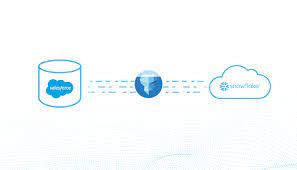
Harnessing the Power of Salesforce Marketing Cloud and Snowflake Two of the most influential trends in marketing technology (MarTech) and analytics today are Salesforce’s Marketing Cloud (SFMC) and Snowflake’s data warehousing platform. SFMC offers marketers a robust Journey Builder experience, while Snowflake eliminates data silos, making more data accessible to analysts than ever before. Both platforms are next-generation, cloud-first solutions that open new possibilities for marketers and are already helping to create more compelling and relevant experiences for consumers. A shared commitment to simplifying the end-user experience while unlocking a vast array of new data capabilities makes these solutions powerful examples of “soft technology.” Soft Technology: Snowflake and SFMC “When I speak about the power and virtues of technology, I am referring to soft technology: technology that is flexible, that is under our control.” — Don Norman What makes a technology great is its ease and flexibility for end users. Both SFMC and Snowflake simplify the user experience for their target users with remarkable results. SFMC’s Journey Builder allows marketers to build sophisticated journey orchestration flows on a canvas similar to how they might draft a journey on a whiteboard. Once configured, there’s no need to call IT for support; it’s time for delivery. Snowflake targets analysts, data engineers, and data scientists, breaking down data silos and removing traditional storage and processing constraints. This allows them to focus on solving business problems rather than dealing with perpetual data consolidation and cleansing. Snowflake also simplifies working with different types of data, such as unstructured data like logs or customer activity signals, through its “variant” datatype. The Perils of “Hard Technology” for SFMC Users “Hard technology remains unheedful of the real needs and desires of users. It is a technology that, rather than conforming to our needs, forces us to conform to its needs. Hard technology makes us subservient;” — Don Norman SFMC’s Journey Builder users are most productive when their source data is well-prepared for marketing purposes. However, as marketing needs evolve, new customer profile data and segments are required, often necessitating IT intervention and the use of complex SQL queries or programming languages. An inefficient process often emerges: This lengthy process can slow down time-to-market for campaigns and hinder marketing agility. Bridging Snowflake and SFMC to Avoid Hard Technology Low-code and visual SQL tools allow campaign analysts to remain business-focused and meet most of their daily data needs without relying heavily on IT. These tools are now more powerful thanks to modern data warehousing platforms like Snowflake, which supports SQL-like querying of unstructured data directly. Low-code solutions help marketers maintain productivity within SFMC’s Journey Builder by enabling them to autonomously explore and retrieve new customer data and segments. Checklist for Low-Code & Visual SQL Tools For maximum impact, look for low-code and visual SQL tools that: Simplifying Data Integration with Skyvia, Integrate.io, and GetCensus Skyvia Skyvia allows you to replicate Salesforce Marketing Cloud data to Snowflake with minimal configuration. It creates tables for cloud data automatically and keeps the data updated with incremental updates. Integrate.io Integrate.io provides a lightning-fast CDC platform for Salesforce data integration, offering robust ETL and ELT capabilities to connect your Salesforce data with hundreds of other apps. Integrate.io’s low-code interface allows for easy configuration and seamless data migration. GetCensus GetCensus enables data synchronization between Snowflake and Salesforce Marketing Cloud in four simple steps: By leveraging these tools and platforms, marketers can enhance their campaigns and improve customer experiences through efficient and effective data integration and management. Like1 Related Posts Who is Salesforce? Who is Salesforce? Here is their story in their own words. From our inception, we’ve proudly embraced the identity of Read more Salesforce Marketing Cloud Transactional Emails Salesforce Marketing Cloud Transactional Emails are immediate, automated, non-promotional messages crucial to business operations and customer satisfaction, such as order Read more Salesforce Unites Einstein Analytics with Financial CRM Salesforce has unveiled a comprehensive analytics solution tailored for wealth managers, home office professionals, and retail bankers, merging its Financial Read more AI-Driven Propensity Scores AI plays a crucial role in propensity score estimation as it can discern underlying patterns between treatments and confounding variables Read more
Headless Commerce is the Future of E-Commerce
Why Headless Commerce is the Future of E-Commerce You’ve likely heard it said time and again: the future of e-commerce is headless. But why is this prediction so widespread? Why are 35% of businesses expected to adopt a headless architecture by 2025? high-code headless solutions and commerce-oriented analytics platforms come into play. Headless commerce is the future of e-commerce. Headless commerce refers to a system where the frontend of your website—encompassing the storefront and user experience—is decoupled from the backend, which handles data, functionality, and business logic. Recent statistics reveal that businesses adopting headless commerce have reduced time to market by 50%, increased site performance by 30%, and decreased the time spent on upgrades and bug fixes by 34%. Headless Commerce – Future of E-Commerce There are four key ways in which headless commerce enhances performance: 1. Personalization at Scale Headless architecture centralizes customer data and separates content creation from delivery, enabling businesses to personalize content and experiences more effectively across multiple touchpoints. 2. Greater Control Over Experiences Decoupling the frontend from the backend gives businesses full control over website functionality, performance, SEO, design, and layout. Changes can be made to the frontend without impacting backend systems, allowing for greater flexibility and responsiveness. 3. Enhanced Performance and Flexibility With smaller, more focused frontends, data loading becomes more efficient, resulting in faster site performance and optimized media. Headless architecture also allows for seamless integration with third-party systems, enabling businesses to adapt and evolve as needed. 4. Fostering a Culture of Experimentation The flexibility and control offered by headless commerce equip teams with the tools to experiment regularly and rigorously. This fosters a culture of experimentation, which can drive continuous improvement and innovation. While the first three benefits of headless commerce are valuable on their own, it’s the ability to support a culture of experimentation that truly sets headless apart. When these advantages come together, businesses can achieve a cumulative impact that significantly enhances their performance. Let’s explore how an experimental mindset can unlock the full potential of headless commerce. Nurturing a Culture of Experimentation with Headless Commerce The agility and efficiency of a headless approach empower e-commerce brands to build a culture centered on testing and optimizing customer experiences. However, experimentation inherently involves risk. Any new experience introduced to your website will affect its performance and user experience—ideally for the better, but there are no guarantees. The challenge, then, is how to mitigate those risks effectively. The good news is that a culture of experimentation and calculated risk-taking provides brands with continuous data-gathering opportunities, leading to better decision-making and improved outcomes. The key is ensuring that your business has complete data visibility. To minimize risks during testing and address potential issues quickly, you need full visibility into how every change impacts your site and customer experience. This allows your team to identify what’s working, troubleshoot what isn’t, and make informed decisions based on real-time insights. Rapid deployment of new experiences can then become a true competitive advantage, enabling you to leverage data-backed insights to enhance your digital offerings. Experimenting Safely with Headless Commerce To illustrate this, imagine a scenario where you’re A/B testing on your headless site. Suppose you discover that your checkout abandonment rate is higher than the industry average, and you hypothesize that a lengthy checkout process is to blame. You decide to run an A/B test comparing two versions of the checkout flow to see if a shorter process yields better results. However, deploying this test introduces an unexpected error in one variation, skewing your results. Without visibility into site errors, you might not even realize the issue, leading to confusing or inconclusive test outcomes. This is where high-code headless solutions and commerce-oriented analytics platforms come into play. They provide the necessary visibility and monitoring to support a culture of experimentation while minimizing risks. A platform like Noibu, a performance and error monitoring solution designed specifically for e-commerce, can help you navigate these challenges with agility. By continuously monitoring your site, Noibu detects any issues that arise during changes, alerts your team, and provides detailed technical insights to address the root cause quickly. This ensures that your experiments remain unaffected, allowing you to test freely without fearing conversion drops or revenue loss. This type of software acts as a safety net, promoting extensive experimentation by monitoring your site for potential errors and encouraging calculated risk-taking. Case Study: Ribble Cycles and the Benefits of Headless Commerce Ribble Cycles transitioned to a headless architecture and experienced greater freedom and control. Matthew Lawson, Chief Digital Officer, shares, “Choosing a headless/composable architecture for Ribble Cycles has given us unparalleled flexibility and control… [allowing] us to decouple the front end from backend services, enabling rapid iteration and unique, customer-centric features.” To mitigate the risks associated with site changes, Ribble Cycles turned to Noibu, an error-detection platform that allowed them to experiment and test solutions with reduced risk. “While headless brings risks, such as unforeseen impacts from changes, we mitigate these with advanced analytics and monitoring tools like Noibu,” Lawson notes. “These tools help us detect and resolve issues in real time, reinforcing a positive risk-taking culture and driving better results for our brand and customers.” With complete visibility into the impact of their experiments, Lawson’s team is now in control and reaping the rewards of their headless commerce strategy. “Best decision we have made,” adds Lawson. “We have a roadmap to take it even further.” Like Related Posts Who is Salesforce? Who is Salesforce? Here is their story in their own words. From our inception, we’ve proudly embraced the identity of Read more Salesforce Marketing Cloud Transactional Emails Salesforce Marketing Cloud Transactional Emails are immediate, automated, non-promotional messages crucial to business operations and customer satisfaction, such as order Read more Salesforce Unites Einstein Analytics with Financial CRM Salesforce has unveiled a comprehensive analytics solution tailored for wealth managers, home office professionals, and retail bankers, merging its Financial Read more AI-Driven Propensity Scores AI plays a crucial role in propensity score estimation as
Basics of Salesforce
What are the basics of Salesforce? What do users need to know? Salesforce is a cloud-based Customer Relationship Management (CRM) software for managing customer relationships and integration with other systems. This SaaS tool helps to create custom solutions for marketing, sales, services and ecommerce as per business requirements. Salesforce, Inc. is a famous American cloud-based software company that provides CRM services. This is a popular CRM tool for support, sales, and marketing teams worldwide. Salesforce services allow businesses to use cloud technology to better connect with partners, customers, and prospects. CRM stands for Customer Relationship Management, which is a process or methodology used to learn more about customers’ needs and behaviors. This data is useful in order to help them through new solutions which eventually develop stronger relationships with them. This technology aids users to manage relationships with their customers and track data related to all of their interactions. It helps teams collaborate, both internally and externally, gather insights from social media, track important metrics, and communicate via email, phone, social, and other channels. The more useful way to think about Salesforce CRM is as a process that will help bring together lots of pieces of information about customers, sales, marketing effectiveness, responsiveness, and market trends. Advantages Of CRM What Is Salesforce Architecture? Salesforce delivers a highly customized experience to customers, employees, and partners. Salesforce’s Architecture is divided into three layers: Types Of Salesforce Apps Here are some of the prebuilt salesforce apps: 1. Sales Cloud “Sales Cloud is a specific Salesforce application designed to help organizations sell smarter and faster by centralizing customer information, logging interactions, and allowing for collaboration across teams. It puts all of your customer and prospect information in one place, giving sales teams the ability to be more productive.” Imagine there is a Sales team in a software company getting new leads (i.e. potential customers) very frequently from the Marketing team. They need to communicate with every lead, as per their details of them, When leads get converted, store their deals-related information. Generate invoices of customers orders. Throughout the whole process, the sales cloud helped them to keep track of the sales-related data, which helped them to improve and work efficiently. 2. Service Cloud “Service Cloud enables users to automate service processes, streamline workflows and find key articles, topics, and experts to support customer service agents. The purpose is to foster one-to-one marketing relationships with every customer across multiple channels and devices.” Imagine there is a telecommunication company, with a customer support team, which is helping customers solve their problems. Now using Service Cloud, they were able to keep track of each problem and solution as well. Whenever the same problems come, automatically the solution will be assigned to the problem. Through this, the efficiency of the team increased, response time decreased and customers were able to receive a comparatively quicker solution. 3. Marketing Cloud “Salesforce Marketing Cloud is a digital marketing platform that automates marketing across email, social media, mobile apps, SMS, websites, and more.” Imagine there is a retail company, that wants to do email marketing to their customers. They used the marketing cloud, which enables them to send personalized email to millions of customers, based on each and every customer’s previous purchase history. They are able to keep track of open rates, click-through rates, and conversion rates. 4. Commerce Cloud “Commerce Cloud is a key part of the Salesforce Customer Success Platform and offers e-commerce solutions for B2C (business to consumer) and B2B (business to business) customers.” Imagine there is a fashion retailer company that uses the Salesforce commerce cloud to manage its online store. They are able to suggest similar accessories that their customers are interested in or based on the customer’s last interaction with the web store. Through the commerce cloud, they were able to provide a seamless customer experience, which increases sales and builds customer loyalty. 5. Experience Cloud “Salesforce Experience Cloud enables enterprises to create and manage communities more effectively. It allows you to create portals, support centers, forums, websites, and smartphone apps, and administer your content.” Think of various portals or forums where users come and interact with each other, and discuss solving each other problems. 6. Health Cloud “Salesforce Health Cloud is a platform for managing doctor-patient interaction and recordkeeping. It brings together a wide range of data from several sources in one location, providing you with a complete picture of everything about each patient, both clinical and non-clinical.” It allows automated scheduling of appointments and also helps in conducting virtual health care for patients so, that they can take care of from the comfort of their homes. 7. Financial Services Cloud “It provides a user-friendly platform to handle all customer data, build more trusted relationships, and create more seamless digital experiences at any touchpoint. It is designed to meet the demands of companies in the financial sector: banks, insurance agents, mortgage and loan companies, and others.” Imagine a bank that provides loans and credit card services, which involves customer verification like financial condition, and all of that can be done using the financial service cloud. 8. Education Cloud “It allows educational institutions to create solutions for recruitment, admission, and registration while also improving the student experience in the course of the teaching process and extracurricular activities.” It helps educational institutions to provide the right recommendations like tuition, extra class, and books, to students according to their performance. When Do Salesforce Releases Come Salesforce is a #1 CRM-based solution provider because of its continuous improvements. It delivers hundreds of innovative features by providing three seasonal releases during a year: The first set of upgrades happens on sandbox instances 4-6 weeks before a release goes into production. After that, all customers run the same version of Salesforce, complete with all the latest features. Benefits Of Salesforce CRM If you are ready to explore the power of Salesforce for your business, contact Tectonic today. Like Related Posts Who is Salesforce? Who is Salesforce? Here is their story

Integrate Accounting with Salesforce
Salesforce Accounting Integration: Streamline Your Business Operations Integrating Salesforce with accounting software creates a unified, comprehensive solution that improves efficiency, ensures data accuracy, and supports compliance with accounting standards. Here are some popular ways to integrate accounting with Salesforce: 1. Accounting SeedAccounting Seed is a native Salesforce accounting software that seamlessly connects with Salesforce applications such as Sales Cloud, Revenue Cloud, and Service Cloud. By keeping all data in one platform, Accounting Seed enhances automation and streamlines processes like invoicing, financial reporting, and revenue recognition. 2. QuickBooksIntegrating QuickBooks with Salesforce enables real-time data sharing between sales and accounting teams. This By integrating accounting software with Salesforce, companies can centralize data, automate workflows, and gain actionable insights. provides insights into business performance while syncing critical data such as customer information, sales orders, expenses, and invoices. It bridges the gap between CRM and accounting, helping businesses improve operations and decision-making. 3. Sage IntacctSage Intacct offers advanced accounting capabilities that can integrate with Salesforce for a comprehensive financial solution. This integration allows businesses to automate financial processes, improve accuracy, and gain better control over general ledger operations. Salesforce’s Built-In Accounting FeaturesSalesforce also offers basic accounting functions, such as managing general ledger entries and tracking revenue streams. These capabilities, combined with integrations, help businesses enhance efficiency, reduce manual errors, and stay compliant with industry standards. Why Integrate Accounting with Salesforce?By integrating accounting software with Salesforce, companies can centralize data, automate workflows, and gain actionable insights. This seamless connection between CRM and financial systems ensures better collaboration, accuracy, and scalability for growing businesses. Like1 Related Posts Who is Salesforce? Who is Salesforce? Here is their story in their own words. From our inception, we’ve proudly embraced the identity of Read more Salesforce Marketing Cloud Transactional Emails Salesforce Marketing Cloud Transactional Emails are immediate, automated, non-promotional messages crucial to business operations and customer satisfaction, such as order Read more Salesforce Unites Einstein Analytics with Financial CRM Salesforce has unveiled a comprehensive analytics solution tailored for wealth managers, home office professionals, and retail bankers, merging its Financial Read more AI-Driven Propensity Scores AI plays a crucial role in propensity score estimation as it can discern underlying patterns between treatments and confounding variables Read more

What is the Difference Between a CRM and a DMP?
A DMP uses first-, second-, and third-party data, stored temporarily, creating an audience profile. Data is obtained from various online and offline sources, and mobile sources. A CRM system is typically managed by a sales team, with limited data integration. Is CRM a DMP? While a DMP uses anonymous, third-party data, a CRM and a CDP use first-, second-, and third-party data. Goal. DMPs are built for prospecting, CRMs are built to manage and nurture customers, and CDPs help engage and personalize all phases of the customer experience. Is Salesforce a DMP? Salesforce DMP, called Audience Studio, is a platform that collects, stores, organizes, and centralizes data from different sources, own or external. It works in real time, unifying user data collected from multiple sources into a single profile for each customer. Salesforce proper, the database, is a CRM, not a DMP. Who uses DMP? Marketers who are getting started with audience segmentation for digital advertising can get the most utility out of a DMP. A DMP organizes all the data collected about a prospect or customer. Do you need a DMP? Use a DMP if you want to build marketing campaigns for audiences that are unfamiliar with your business. DMPs are best for this because of their use of third-party data. They can give you access to audiences that you don’t know. Why is CDP better than DMP? DMPs are effective for digital channels and audience segmentation. CDPs, on the other hand, are beneficial for social media websites, offline interactions, and insights into customer needs and purchase behavior. Like Related Posts Who is Salesforce? Who is Salesforce? Here is their story in their own words. From our inception, we’ve proudly embraced the identity of Read more Salesforce Marketing Cloud Transactional Emails Salesforce Marketing Cloud Transactional Emails are immediate, automated, non-promotional messages crucial to business operations and customer satisfaction, such as order Read more Salesforce Unites Einstein Analytics with Financial CRM Salesforce has unveiled a comprehensive analytics solution tailored for wealth managers, home office professionals, and retail bankers, merging its Financial Read more AI-Driven Propensity Scores AI plays a crucial role in propensity score estimation as it can discern underlying patterns between treatments and confounding variables Read more