Experience Cloud Archives - gettectonic.com - Page 2
Einstein in Salesforce

Enable Search Answers or AI-Generated Search Answers

Search Answers retrieves the most relevant snippets from your data sources, while AI-Generated Search Answers generates tailored responses by leveraging knowledge articles and other sources. Note: Requirements Editions User Permissions Enable Search Answers & AI-Generated Search Answers Feature Details Search Answers Extracts the most relevant snippet to answer a question.– Activation time: Up to 24 hours.– Starting Spring ’25 (March 2025): No longer available for enablement. AI-Generated Search Answers Generates answers by combining information from multiple knowledge articles.– Requires Search Answers to be enabled.– Activation time: Up to 24 hours.– Starting Spring ’25 (March 2025): No longer available for enablement. AI-Generated Search Answers from Data Cloud sources Generates answers using up to 5 Data Cloud DMOs as sources.– Requires disabling Search Answers & AI-Generated Search Answers if already enabled. Enable AI-Generated Search Answers for Experience Cloud Sites Note: Next Steps After enabling AI-Generated Search Answers from Data Cloud sources, configure the DMOs and fields to use as sources. Like Related Posts Who is Salesforce? Who is Salesforce? Here is their story in their own words. From our inception, we’ve proudly embraced the identity of Read more Salesforce Marketing Cloud Transactional Emails Salesforce Marketing Cloud Transactional Emails are immediate, automated, non-promotional messages crucial to business operations and customer satisfaction, such as order Read more Salesforce Unites Einstein Analytics with Financial CRM Salesforce has unveiled a comprehensive analytics solution tailored for wealth managers, home office professionals, and retail bankers, merging its Financial Read more AI-Driven Propensity Scores AI plays a crucial role in propensity score estimation as it can discern underlying patterns between treatments and confounding variables Read more

Read More
Empowering Patient Self-Service with Salesforce

Empowering Patient Self-Service with Salesforce

Artificial intelligence is transforming healthcare, particularly in self-service solutions. However, innovation alone isn’t enough—hospitals must navigate compliance, integration, and security challenges to implement practical solutions. Let’s explore how Salesforce streamlines patient self-service while addressing these complexities. The Evolution of Self-Service in Healthcare Think about the last time you used self-checkout at a grocery store or booked a flight without speaking to an agent. Self-service isn’t just an option anymore; it’s an expectation—especially through chatbots and AI-powered agents. Healthcare is no different. Patients want to schedule appointments, check lab results, and pay bills without making a phone call. Self-service is faster, more convenient, and gives patients control over their healthcare experience. The Challenge: Overcoming Barriers to Patient Self-Service Despite its advantages, many hospitals hesitate to implement self-service tools. The reason? Healthcare presents unique challenges that standard self-service platforms aren’t equipped to handle. Integration Roadblocks Patients seek answers to various questions: Why was I charged for this? What does my lab result mean? When is my next appointment? The information needed to answer these questions is scattered across electronic health records (EHRs), billing systems, and scheduling tools. Without seamless integration, self-service solutions either provide limited responses or inaccurate information—leading to frustration and potential health risks. Compliance Challenges Healthcare is one of the most tightly regulated industries, and self-service platforms handle sensitive data such as medical records and payment details. To be viable, they must meet stringent standards, including HIPAA compliance, data encryption, authentication protocols, and audit requirements. Many general self-service solutions fail to meet these regulatory requirements, making legal teams hesitant to adopt them. Safety Concerns AI-generated errors, or hallucinations, pose significant risks in healthcare. Unlike retail—where a mistake may result in an incorrect product recommendation—errors in healthcare can lead to misdiagnoses, incorrect medications, or improper treatments. Patients trust hospital-affiliated chatbots, and any misinformation can have serious consequences. Without proper safeguards, self-service tools in healthcare present a risk hospitals cannot afford to take. The Solution: Salesforce for Patient Self-Service Salesforce offers a connected suite of solutions that address integration, compliance, and safety concerns, making patient self-service a reality. The key components include Health Cloud, Experience Cloud, and Agentforce, which work together to create a seamless and secure patient experience. Health Cloud: The Integration Engine Health Cloud unifies data from EHRs, billing systems, and scheduling tools to create a single patient profile. This enables patients to access their medical history, prescriptions, lab results, and appointments through a single interface—eliminating data silos and improving accessibility. Experience Cloud: The Patient Portal Experience Cloud provides an authenticated hub where patients can schedule appointments, access records, and make payments. It integrates with Health Cloud to deliver a personalized experience based on a patient’s medical history and preferences. This enables proactive healthcare management, including appointment reminders and tailored educational content. Agentforce: AI-Powered Assistance with Human Oversight Agentforce enhances patient interactions by handling complex inquiries without requiring cumbersome menu navigation. Unlike traditional chatbots, Agentforce offers human oversight—support agents can step in during a conversation or escalate interactions via phone or email. With access to unified patient profiles, agents can provide personalized support based on a patient’s health history. The Results: A Better Patient Experience By leveraging Salesforce, hospitals can overcome self-service challenges while enhancing patient engagement. The benefits include: Patient self-service is no longer a futuristic vision—it’s a necessity. With Salesforce, hospitals can implement solutions that are not only possible but practical, ensuring compliance, security, and a superior patient experience. Content updated March 2025. Like Related Posts Who is Salesforce? Who is Salesforce? Here is their story in their own words. From our inception, we’ve proudly embraced the identity of Read more Salesforce Marketing Cloud Transactional Emails Salesforce Marketing Cloud Transactional Emails are immediate, automated, non-promotional messages crucial to business operations and customer satisfaction, such as order Read more Salesforce Unites Einstein Analytics with Financial CRM Salesforce has unveiled a comprehensive analytics solution tailored for wealth managers, home office professionals, and retail bankers, merging its Financial Read more AI-Driven Propensity Scores AI plays a crucial role in propensity score estimation as it can discern underlying patterns between treatments and confounding variables Read more

Read More
License and Permitting Management for Businesses

Streamlining Public Sector Licensing, Permitting, and Inspections with Salesforce

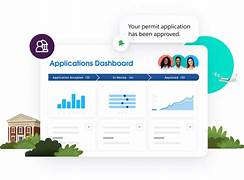
Salesforce Public Sector Solutions enhances the efficiency of licensing, permitting, and inspection processes. From online application submission to automated review and approval, the platform streamlines every step, ensuring a seamless experience for both government agencies and constituents. At the core of these processes are two key application types, represented as objects: Constituent Accounts and Business Representation Each applicant is represented by an Account object: Business accounts store essential details such as company name, URL, addresses, number of employees, industry, and more. They are closely linked to: Together, these objects provide a comprehensive view of the business and its stakeholders. Application Submission and Processing Constituents apply for licenses and permits through an Experience Cloud portal. The application process is built using OmniStudio, which facilitates guided, interactive user experiences. Regulatory Authorities and Compliance Licensing and permitting are governed by regulatory authorities, each with specific requirements. These entities and their rules are structured within Public Sector Solutions using various objects: Example:The Board of Barbering and Cosmetology (Regulatory Authority) grants: Inspections, Violations, and Fees Government agencies inspect businesses and residences to ensure compliance. The inspection process involves: Junction objects facilitate many-to-many relationships, ensuring regulatory codes, violations, and assessment indicators are interconnected. Managing Multiple Licenses and Dependencies Many businesses require multiple permits, often issued in a specific sequence. The Business Regulatory Authorization Type Dependency object manages these dependencies, allowing agencies to enforce structured licensing processes. For example, a restaurant may require: The Experience Cloud portal displays these dependencies, enabling businesses to understand and complete the necessary steps efficiently. Streamlined Inspections with Action Plans Public Sector Solutions enhances inspector efficiency with Action Plans, which outline predefined tasks for each inspection. Handling Public Complaints Public complaints against businesses are managed within the Public Complaint object. Complaints trigger regulatory investigations involving: By integrating these elements, Public Sector Solutions ensures that licensing, permitting, and regulatory compliance processes are efficient, transparent, and easily managed. Like Related Posts Who is Salesforce? Who is Salesforce? Here is their story in their own words. From our inception, we’ve proudly embraced the identity of Read more Salesforce Marketing Cloud Transactional Emails Salesforce Marketing Cloud Transactional Emails are immediate, automated, non-promotional messages crucial to business operations and customer satisfaction, such as order Read more Salesforce Unites Einstein Analytics with Financial CRM Salesforce has unveiled a comprehensive analytics solution tailored for wealth managers, home office professionals, and retail bankers, merging its Financial Read more AI-Driven Propensity Scores AI plays a crucial role in propensity score estimation as it can discern underlying patterns between treatments and confounding variables Read more

Read More
Salesforce Experience Cloud

Partner Portals vs. Customer Portals

Partner Portals vs. Customer Portals in Salesforce: Key Differences & Benefits As businesses grow, efficient collaboration with partners and customers becomes essential. Salesforce Experience Cloud enables organizations to build two key types of portals: Both improve communication, efficiency, and satisfaction—but serve different audiences and purposes. Key Differences Between Partner & Customer Portals Feature Partner Portal Customer Portal Primary Users Distributors, resellers, suppliers End customers Purpose Enable B2B collaboration, sales enablement, training Provide self-service support, account management Key Features Deal registration, co-selling tools, performance metrics Case management, knowledge base, order tracking Access Level Higher permissions (shared pipelines, confidential data) Limited to personal account & support Why Build a Partner Portal? Partner portals streamline B2B collaboration by centralizing:✔ Sales & marketing materials✔ Training resources✔ Performance analytics✔ Deal registration & co-selling tools 9 Must-Have Partner Portal Features Why Build a Customer Portal? Customer portals enhance self-service and loyalty by offering:✔ 24/7 support access✔ Order history & account management✔ Community-driven troubleshooting 10 Essential Customer Portal Features 5 Critical Considerations When Building a Portal Conclusion Both portals unlock efficiency, data insights, and stronger relationships—when designed with the right features and security. Need a custom Salesforce portal? Contact our experts to build a tailored solution for your partners or customers. Like Related Posts Who is Salesforce? Who is Salesforce? Here is their story in their own words. From our inception, we’ve proudly embraced the identity of Read more Salesforce Marketing Cloud Transactional Emails Salesforce Marketing Cloud Transactional Emails are immediate, automated, non-promotional messages crucial to business operations and customer satisfaction, such as order Read more Salesforce Unites Einstein Analytics with Financial CRM Salesforce has unveiled a comprehensive analytics solution tailored for wealth managers, home office professionals, and retail bankers, merging its Financial Read more AI-Driven Propensity Scores AI plays a crucial role in propensity score estimation as it can discern underlying patterns between treatments and confounding variables Read more

Read More
Salesforce Experience Cloud

Nonprofit with Salesforce Experience Cloud

Transform Your Nonprofit with Salesforce Experience Cloud: A Digital Storefront for Engagement Think of Salesforce Experience Cloud as your Nonprofit’s digital storefront—always open, always inviting. This powerful Digital Experience Platform (DXP) enables you to create custom portals, communities, and hubs where donors, volunteers, and beneficiaries can seamlessly connect with your organization. Instead of juggling endless emails and spreadsheets, Experience Cloud centralizes interactions, making them self-service, intuitive, and engaging. With nonprofit-specific features, you can build customized, branded experiences without heavy development work. Here’s what makes Experience Cloud a game-changer: ✅ Drag-and-drop site builder for effortless customization✅ Prebuilt templates & Lightning components for quick deployment✅ Mobile Publisher for consistent branding across mobile apps✅ Built-in content management system (CMS)✅ Personalization tools like audience targeting & role-based access✅ Einstein AI-powered chatbots for instant responses✅ Gamification with badges & leaderboards✅ Google Analytics 4 integration for engagement insights✅ Advanced security with Lightning Locker & Clickjack protection …and much more. 🔍 Nonprofit Solutions You Can Build with Salesforce Experience Cloud 1️⃣ Program Applications & Intake Portals Managing program applications can be overwhelming without a structured system. Experience Cloud allows Nonprofits to create a self-service portal where applicants can submit forms, track status updates, and receive automated notifications—eliminating paper-based processes and endless email chains. With Dynamic Forms and Flow Builder, applications stay structured while automation accelerates approvals. Plus, since everything syncs to the Nonprofit Success Pack (NPSP), you’ll always have a real-time view of applicants and program impact. 2️⃣ Volunteer Portals Managing volunteers shouldn’t feel like a full-time job. With a Volunteer Portal, people can sign up, pick shifts, and track their hours—all without back-and-forth emails. Features like automated background checks and approval workflows ensure smooth operations. Meanwhile, Experience Cloud’s Chatter integration fosters engagement, helping you track who’s active, who’s disengaged, and who might need a little encouragement. 3️⃣ Community Partner Portals Nonprofits thrive on partnerships, and a Community Partner Portal keeps corporate sponsors, local businesses, and community groups connected. With this portal, partners can log in, access shared resources, submit funding applications, and track joint projects—all from one secure platform. Role-based access ensures that sensitive data stays protected while collaboration remains seamless. 4️⃣ Membership Portals If your nonprofit has a membership program, Experience Cloud helps you build a Member Portal where users can renew memberships, update information, and access exclusive content. Want to boost engagement? Introduce gamification with badges, leaderboards, and personalized event recommendations. Since everything is integrated with Salesforce CRM, you’ll gain real-time insights into member activity to keep engagement levels high. 5️⃣ Grant Management Portals Grant applications shouldn’t feel like a never-ending email thread. With Experience Cloud, you can create a Grant Management Portal where organizations apply for funding, track application progress, and submit reports—all in one place. Einstein AI can even prioritize applications based on predefined criteria, accelerating the review process. Grantors, in turn, can access real-time funding reports—enhancing transparency and trust. 6️⃣ E-Commerce & Donation Portals Looking to sell nonprofit merchandise or accept donations online? Experience Cloud seamlessly integrates with Salesforce Commerce Cloud, allowing you to build an e-commerce storefront for hassle-free transactions. Supporters can:💳 Make one-time or recurring donations🛍️ Purchase branded merchandise📜 Track donation history & receive personalized thank-you messages For secure transactions and easy donor tracking, you can integrate Stripe, PayPal, or other payment processors directly into your portal. 7️⃣ Voter Registration Portals If your nonprofit promotes civic engagement, Experience Cloud can power a Voter Registration Portal where users can check registration status, sign up to vote, and receive election reminders. With geolocation tools, voters can find polling places instantly, while Marketing Cloud integration allows you to send timely voter updates—ensuring higher participation in the democratic process. Implementing Salesforce Experience Cloud for Nonprofits Which Approach is Right for Your Nonprofit? Your ideal Experience Cloud implementation depends on your current CRM, budget, and long-term strategy. 1️⃣ Standalone Experience Cloud Implementation If your nonprofit already uses Salesforce CRM (but not NPSP), you can still implement Experience Cloud independently to create portals, volunteer hubs, and dashboards while maintaining your existing CRM as the system of record. Considerations:🔹 Custom Configuration – You’ll need to set up nonprofit-specific objects & automation.🔹 Permissions & Access – Well-structured security settings are crucial.🔹 CRM Integration – If using a non-Salesforce CRM, API integrations (e.g., MuleSoft, Zapier) will be required. This option is best for nonprofits that want external-facing engagement tools without fully shifting to the Salesforce Nonprofit ecosystem. 2️⃣ Experience Cloud + Nonprofit Cloud / NPSP For nonprofits already using Salesforce Nonprofit Cloud or NPSP, Experience Cloud becomes an extension of your engagement strategy. 🔹 Real-time donor, volunteer, and grant data sharing🔹 Prebuilt nonprofit features (fundraising, donor management, program tracking)🔹 Automation & AI-powered engagement 3️⃣ Experience Cloud + Third-Party Nonprofit CRMs Already using a third-party nonprofit CRM (like Raiser’s Edge NXT, Neon One, or DonorPerfect)? You can still leverage Experience Cloud, but strong integration is key. 🔹 Experience Cloud powers your donor, volunteer, or program portal🔹 API-based sync required for real-time data exchange🔹 Tools like MuleSoft or Zapier help bridge data gaps This approach is ideal for nonprofits wanting the flexibility of Experience Cloud without migrating their backend to Salesforce. Final Thought: Making Experience Cloud Work for Your Nonprofit No matter your approach, Salesforce Experience Cloud is a powerful tool to drive engagement and efficiency for nonprofits. However, successful implementation requires a well-thought-out strategy. Need expert guidance? A Salesforce implementation partner can help tailor Experience Cloud to fit your unique nonprofit needs, ensuring your digital storefront delivers maximum impact. Like Related Posts Who is Salesforce? Who is Salesforce? Here is their story in their own words. From our inception, we’ve proudly embraced the identity of Read more Salesforce Marketing Cloud Transactional Emails Salesforce Marketing Cloud Transactional Emails are immediate, automated, non-promotional messages crucial to business operations and customer satisfaction, such as order Read more Salesforce Unites Einstein Analytics with Financial CRM Salesforce has unveiled a comprehensive analytics solution tailored for wealth managers, home office professionals, and retail bankers, merging its Financial Read more AI-Driven Propensity Scores AI plays


Read More
APIs and Software Development

Salesforce API Access Control

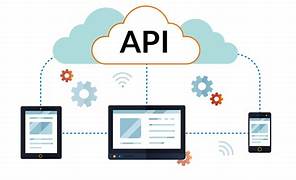
Salesforce API Access Control: A Complete Guide Understanding API Access Control Salesforce’s API Access Control feature provides robust security options for managing API access to your org. Available across Professional, Enterprise, Performance, Unlimited, and Developer Editions (in both Classic and Lightning), this feature lets you: Key Capabilities 1. Restricting API Access via Connected Apps 2. Managing Customer/Partner API Access Implementation Process To enable API Access Control: API Management via Anypoint Platform For organizations using MuleSoft’s Anypoint Platform to manage APIs, follow these steps to apply policies: Prerequisites Applying IP Whitelist Policy bash Copy Download curl ‘https://anypoint.mulesoft.com/apimanager/api/v1/organizations/<org_id>/environments/<env_id>/apis/<api_id>/policies’ \ -X POST \ -H ‘Accept: application/json, text/plain, */*’ \ -H ‘X-ANYPNT-ORG-ID: <org_id>’ \ -H ‘X-ANYPNT-ENV-ID: <env_id>’ \ -H ‘Content-Type: application/json;charset=utf-8’ \ –data-raw ‘{ “configurationData”: { “ipExpression”: “#[attributes.headers[”x-forwarded-for”]]”, “ips”: [“1.1.1.1”] }, “apiVersionId”: <api_id>, “pointcutData”: null, “policyTemplateId”: null, “groupId”: “68ef9520-24e9-4cf2-b2f5-620025690913”, “assetId”: “ip-allowlist”, “assetVersion”: “1.1.1” }’ Retrieving Policy Configuration To understand policy parameters: bash Copy Download curl ‘https://anypoint.mulesoft.com/apimanager/api/v1/organizations/<org_id>/environments/<env_id>/apis/<api_id>/policies’ \ -X GET \ -H ‘Accept: application/json, text/plain, */*’ \ -H ‘Authorization: Bearer <token>’ \ -H ‘X-ANYPNT-ENV-ID: <env_id>’ \ -H ‘Content-Type: application/json;charset=utf-8’ Best Practices By implementing these controls, organizations can significantly enhance their API security posture while maintaining necessary integration capabilities. Content updated February 2025. Like Related Posts Who is Salesforce? Who is Salesforce? Here is their story in their own words. From our inception, we’ve proudly embraced the identity of Read more Salesforce Marketing Cloud Transactional Emails Salesforce Marketing Cloud Transactional Emails are immediate, automated, non-promotional messages crucial to business operations and customer satisfaction, such as order Read more Salesforce Unites Einstein Analytics with Financial CRM Salesforce has unveiled a comprehensive analytics solution tailored for wealth managers, home office professionals, and retail bankers, merging its Financial Read more AI-Driven Propensity Scores AI plays a crucial role in propensity score estimation as it can discern underlying patterns between treatments and confounding variables Read more

Read More
Optimizing AI Agent Performance Through Strategic Data Management

Salesforce Consultant

The Salesforce Consultant: Your Guide to CRM Transformation What Does a Salesforce Consultant Do? A Salesforce Consultant is a strategic problem-solver who bridges the gap between business needs and technology. They work either in-house or as external advisors, helping organizations maximize Salesforce to improve efficiency, customer relationships, and revenue growth. Core Responsibilities ✅ Business Analysis – Identify pain points and align Salesforce solutions with company goals.✅ Process Optimization – Map workflows and automate tasks to boost productivity.✅ Solution Design & Configuration – Customize Salesforce to fit unique business needs.✅ Change Management – Train teams and ensure smooth adoption of new systems.✅ Project Leadership – Oversee implementations, integrations, and migrations. Why Businesses Need Them Many companies invest in Salesforce CRM but lack the expertise to fully leverage it. A consultant ensures:🔹 Faster ROI – Avoid costly misconfigurations.🔹 Scalability – Build systems that grow with the business.🔹 User Adoption – Drive engagement through training and support. Why Become a Salesforce Consultant? Impact & Rewards 💡 Transform Businesses – Help companies cut costs, boost revenue, and improve customer satisfaction.💡 Empower Teams – Simplify workflows so employees focus on meaningful work.💡 High Earning Potential – Skilled consultants command K–0K+ (varies by experience & certs). Career Flexibility 🌍 Work Anywhere – Remote, freelance, or in-house roles available.🚀 Growth Path – Advance to Solution Architect, Product Manager, or CTO. How to Become a Salesforce Consultant 1. Build Core Skills ✔ Business Acumen – Understand sales, marketing, or service operations.✔ Technical Proficiency – Master Salesforce Admin, Flows, and integrations.✔ Soft Skills – Communication, leadership, and Agile project management. 2. Earn Certifications Start with: 3. Gain Experience 🔹 Start as a Salesforce Admin🔹 Volunteer for non-profits (via Salesforce.org)🔹 Work on freelance projects (Upwork, Toptal) 4. Expand Your Toolkit 📌 Business Analysis – Learn requirements gathering.📌 Change Management – Study ADKAR or Prosci methodologies.📌 DevOps Basics – Understand CI/CD for Salesforce deployments. Final Thoughts Salesforce Consultants are change agents—combining tech expertise with business strategy to drive real impact. If you love problem-solving and want a dynamic, high-paying career, this path offers unlimited growth. Like Related Posts Who is Salesforce? Who is Salesforce? Here is their story in their own words. From our inception, we’ve proudly embraced the identity of Read more Salesforce Marketing Cloud Transactional Emails Salesforce Marketing Cloud Transactional Emails are immediate, automated, non-promotional messages crucial to business operations and customer satisfaction, such as order Read more Salesforce Unites Einstein Analytics with Financial CRM Salesforce has unveiled a comprehensive analytics solution tailored for wealth managers, home office professionals, and retail bankers, merging its Financial Read more AI-Driven Propensity Scores AI plays a crucial role in propensity score estimation as it can discern underlying patterns between treatments and confounding variables Read more
Read More
Salesforce Scheduler

Salesforce Scheduler

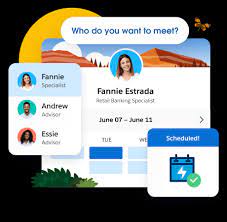
Salesforce Scheduler provides the objects required for appointment scheduling and an app that makes it easy to set up Scheduler. It provides preconfigured, customizable flows and rules that provide appointment booking experience. It also provides business APIs to create appointment booking experiences.

Read More
gettectonic.com