Middleware Archives - gettectonic.com
Content Marketing Lessons

Marketing Cloud Next Explained

Marketing Cloud Next: The Future of AI-Powered, Unified Marketing In today’s hyper-connected world, marketers face relentless challenges: siloed data, complex integrations, and limited AI-driven personalization. These barriers don’t just slow them down—they prevent real, meaningful customer connections. Marketing Cloud Next Explained to address these challenges. What if there was a natively integrated, AI-powered platform that could break through these obstacles? Introducing Marketing Cloud Next Marketing Cloud Next is a revolutionary module built directly on Salesforce Core, eliminating the need for clunky integrations. It unifies CRM data, AI-driven insights, and real-time customer profiles—giving marketers a single source of truth to power hyper-personalized campaigns. Why It’s a Game-Changer ✅ Native on Salesforce Core – No middleware, no syncing delays. Real-time access to Accounts, Contacts, Opportunities, and Custom Objects—all within your marketing platform. ✅ AI-Powered by Agentforce – Not just AI for show, but AI that works: ✅ Real-Time Data Cloud Integration – Activate unified customer profiles with zero ETL (Extract, Transform, Load), ensuring every interaction is personalized with the latest data. Core Capabilities: Smarter, Faster, More Impactful Marketing 1. AI-Driven Campaign Creation 2. Advanced Segmentation & Automation 3. Omnichannel Engagement 4. Real-Time Analytics & ROI Tracking The Bottom Line: Faster, Simpler, Higher ROI 🚀 Launch campaigns in weeks, not months – Cut through complexity with native integration.💡 Boost engagement with AI personalization – Drive higher conversions & loyalty.📈 Increase revenue with data-driven marketing – Turn insights into growth. Marketing Cloud Next isn’t just another tool—it’s the future of customer engagement. Ready to transform your marketing? Let’s talk. Like Related Posts Who is Salesforce? Who is Salesforce? Here is their story in their own words. From our inception, we’ve proudly embraced the identity of Read more Salesforce Marketing Cloud Transactional Emails Salesforce Marketing Cloud Transactional Emails are immediate, automated, non-promotional messages crucial to business operations and customer satisfaction, such as order Read more Salesforce Unites Einstein Analytics with Financial CRM Salesforce has unveiled a comprehensive analytics solution tailored for wealth managers, home office professionals, and retail bankers, merging its Financial Read more AI-Driven Propensity Scores AI plays a crucial role in propensity score estimation as it can discern underlying patterns between treatments and confounding variables Read more

Read More
Why AI Won't Kill SaaS

Essential Framework for Enterprise AI Development

LangChain: The Essential Framework for Enterprise AI Development The Challenge: Bridging LLMs with Enterprise Systems Large language models (LLMs) hold immense potential, but their real-world impact is limited without seamless integration into existing software stacks. Developers face three key hurdles: 🔹 Data Access – LLMs struggle to query databases, APIs, and real-time streams.🔹 Workflow Orchestration – Complex AI apps require multi-step reasoning.🔹 Accuracy & Hallucinations – Models need grounding in trusted data sources. Enter LangChain – the open-source framework that standardizes LLM integration, making AI applications scalable, reliable, and production-ready. LangChain Core: Prompts, Tools & Chains 1. Prompts – The Starting Point 2. Tools – Modular Building Blocks LangChain provides pre-built integrations for:✔ Data Search (Tavily, SerpAPI)✔ Code Execution (Python REPL)✔ Math & Logic (Wolfram Alpha)✔ Custom APIs (Connect to internal systems) 3. Chains – Multi-Step Workflows Chain Type Use Case Generic Basic prompt → LLM → output Utility Combine tools (e.g., search → analyze → summarize) Async Parallelize tasks for speed Example: python Copy Download chain = ( fetch_financial_data_from_API → analyze_with_LLM → generate_report → email_results ) Supercharging LangChain with Big Data Apache Spark: High-Scale Data Processing Apache Kafka: Event-Driven AI Enterprise Architecture: text Copy Download Kafka (Real-Time Events) → Spark (Batch Processing) → LangChain (LLM Orchestration) → Business Apps 3 Best Practices for Production 1. Deploy with LangServe 2. Debug with LangSmith 3. Automate Feedback Loops When to Use LangChain vs. Raw Python Scenario LangChain Pure Python Quick Prototyping ✅ Low-code templates ❌ Manual wiring Complex Workflows ✅ Built-in chains ❌ Reinvent the wheel Enterprise Scaling ✅ Spark/Kafka integration ❌ Custom glue code Criticism Addressed: The Future: LangChain as the AI Orchestration Standard With retrieval-augmented generation (RAG) and multi-agent systems gaining traction, LangChain’s role is expanding: 🔮 Autonomous Agents – Chains that self-prompt for complex tasks.🔮 Semantic Caching – Reduce LLM costs by reusing past responses.🔮 No-Code Builders – Business users composing AI workflows visually. Bottom Line: LangChain isn’t just for researchers—it’s the missing middleware for enterprise AI. “LangChain does for LLMs what Kubernetes did for containers—it turns prototypes into production.” Like Related Posts Who is Salesforce? Who is Salesforce? Here is their story in their own words. From our inception, we’ve proudly embraced the identity of Read more Salesforce Unites Einstein Analytics with Financial CRM Salesforce has unveiled a comprehensive analytics solution tailored for wealth managers, home office professionals, and retail bankers, merging its Financial Read more AI-Driven Propensity Scores AI plays a crucial role in propensity score estimation as it can discern underlying patterns between treatments and confounding variables Read more Tectonic’s Successful Salesforce Track Record Salesforce Technology Services Integrator – Tectonic has successfully delivered Salesforce in a variety of industries including Public Sector, Hospitality, Manufacturing, Read more

Read More
Mulesoft

Salesforce’s MuleSoft Paves the Way for Autonomous AI Agents in Enterprise IT

AI agents are coming to the enterprise—and MuleSoft is building the roads they’ll run on. As AI agents emerge as the next evolution of workplace automation, MuleSoft—Salesforce’s integration powerhouse—is rolling out new standards to bring order to the chaos. The company recently introduced two key protocols, Model Context Protocol (MCP) and Agent2Agent (A2A), designed to help AI agents operate autonomously across enterprise systems while maintaining security and oversight. This builds on Salesforce’s Agentforce toolkit, now in its third iteration, which provides developers with the building blocks to create AI agents within the Salesforce ecosystem. The latest update adds a centralized control hub and support for MCP and A2A—two emerging standards that could help AI agents work together seamlessly, even when built by different vendors. Why MuleSoft? The Missing Link for AI Agents MuleSoft, acquired by Salesforce in 2018, originally specialized in connecting siloed enterprise systems via APIs. Now, it’s applying that same expertise to AI agents, ensuring they can access data, execute tasks, and collaborate without requiring custom integrations for every new bot. The two new protocols serve distinct roles: But autonomy requires guardrails. MuleSoft’s Flex Gateway acts as a traffic controller, determining which agents can access what data, what actions they’re permitted to take, and when to terminate an interaction. This lets enterprises retrofit existing APIs for agent use without overhauling their infrastructure. How AI Agents Could Reshape Workflows A typical use case might look like this: This kind of multi-agent collaboration could automate complex workflows—but only if the agents play by the same rules. The Challenge: Agents Are Still Unpredictable While the vision is compelling, AI agents remain more promise than product. Unlike traditional software, agents interpret, learn, and adapt—which makes them powerful but also prone to unexpected behavior. Early adopters like AstraZeneca (testing agents for research and sales) and Cisco Meraki (using MuleSoft’s “AI Chain” to connect LLMs with partner portals) are still in experimental phases. MuleSoft COO Ahyoung An acknowledges the hesitation: many enterprises are intrigued but wary of the risks. Early implementations have revealed issues like agents stuck in infinite loops or processes that fail to terminate. To ease adoption, MuleSoft is offering training programs, entry-level pricing for SMBs, and stricter security controls. The Bigger Picture: Who Controls the Interface Controls the Market Salesforce isn’t trying to build the best AI agent—it’s building the platform that connects them all. Much like early cloud providers didn’t just sell storage but the tools to manage it, MuleSoft aims to be the orchestration layer for enterprise AI. The two protocols are set for general release in July. If successful, they could help turn today’s fragmented AI experiments into a scalable ecosystem of autonomous agents—with MuleSoft at the center. Key Takeaways: ✅ MuleSoft’s new protocols (MCP & A2A) standardize how AI agents interact with systems and each other.✅ Flex Gateway provides governance, ensuring agents operate within defined boundaries.✅ Early use cases show promise, but widespread adoption hinges on reliability and security.✅ Salesforce is positioning MuleSoft as the “operating system” for enterprise AI agents. The bottom line: AI agents are coming—and MuleSoft is laying the groundwork to make them enterprise-ready. Like Related Posts Who is Salesforce? Who is Salesforce? Here is their story in their own words. From our inception, we’ve proudly embraced the identity of Read more Salesforce Marketing Cloud Transactional Emails Salesforce Marketing Cloud Transactional Emails are immediate, automated, non-promotional messages crucial to business operations and customer satisfaction, such as order Read more Salesforce Unites Einstein Analytics with Financial CRM Salesforce has unveiled a comprehensive analytics solution tailored for wealth managers, home office professionals, and retail bankers, merging its Financial Read more AI-Driven Propensity Scores AI plays a crucial role in propensity score estimation as it can discern underlying patterns between treatments and confounding variables Read more

Read More

Salesforce Summer 25 Release Updates

Mandatory Changes Taking Effect 1. Modernized Record Experience in Aura Sites (Enforced) What’s Changing: Action Required: 2. Secure Roles Behavior & Sharing Group Updates in Sandboxes (Enforced) What’s Changing: Action Required: 3. LinkedIn Lead Capture Configuration Update (Enforced) Why the Change?LinkedIn is retiring its legacy Ads Lead Sync APIs, requiring Salesforce admins to reconfigure lead sync. Action Required: Deadline: 4. API Versions 21.0–30.0 Retirement (Enforced) What’s Happening? Action Required: 5. SAML Framework Upgrade (Enforced) Why the Change? Action Required: Key Takeaways ✅ Test modernized Aura components for compatibility.✅ Update “Roles and Subordinates” references in code.✅ Reconfigure LinkedIn Lead Sync before enforcement.✅ Upgrade legacy API integrations to avoid disruptions.✅ Validate SAML setups in Summer ’25 sandboxes. Need Help? Deadline: All updates take effect in Summer ’25. Act now to avoid service interruptions!  Like Related Posts Who is Salesforce? Who is Salesforce? Here is their story in their own words. From our inception, we’ve proudly embraced the identity of Read more Salesforce Marketing Cloud Transactional Emails Salesforce Marketing Cloud Transactional Emails are immediate, automated, non-promotional messages crucial to business operations and customer satisfaction, such as order Read more Salesforce Unites Einstein Analytics with Financial CRM Salesforce has unveiled a comprehensive analytics solution tailored for wealth managers, home office professionals, and retail bankers, merging its Financial Read more AI-Driven Propensity Scores AI plays a crucial role in propensity score estimation as it can discern underlying patterns between treatments and confounding variables Read more

Read More
Streamline Data Collection from Connected Vehicles and Assets with AWS and Salesforce

Streamline Data Collection from Connected Vehicles and Assets with AWS and Salesforce

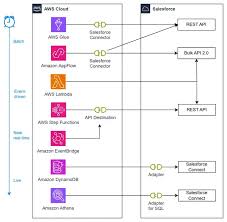
Unlock Real-Time Insights with AWS IoT and Salesforce Industry Clouds This guide explains how to gather, process, and distribute data from connected vehicles and industrial assets—such as manufacturing equipment or utility meters—into Salesforce Industry Cloud solutions using Amazon Web Services (AWS). Key AWS IoT Services for Data Collection By leveraging these services, businesses can integrate telemetry data into: Why This Integration Matters Strong customer relationships rely on real-time insights. Automakers, manufacturers, and utility providers can enhance customer interactions by unifying telemetry data with CRM workflows—enabling smarter marketing, sales, and service decisions. Prerequisites To integrate AWS IoT with Salesforce, you’ll need: AWS Services Salesforce Requirements Use Cases 1. Predictive Maintenance with AWS & Salesforce 2. In-Car Notifications 3. On-Demand Vehicle/Asset Health Insights 4. Data-Driven Customer Engagement Solution Architecture Data Flow Overview Implementation Steps 1. Set Up AWS IoT Rules 2. Configure Salesforce Event Handling 3. Enable Real-Time Analytics Conclusion By integrating AWS IoT with Salesforce Industry Clouds, businesses can:✔ Improve operational efficiency with predictive maintenance.✔ Enhance customer experiences through real-time alerts and diagnostics.✔ Drive data-driven decisions with unified analytics. Next Steps: Empower your teams with real-time IoT insights—start building today! Like Related Posts Who is Salesforce? Who is Salesforce? Here is their story in their own words. From our inception, we’ve proudly embraced the identity of Read more Salesforce Marketing Cloud Transactional Emails Salesforce Marketing Cloud Transactional Emails are immediate, automated, non-promotional messages crucial to business operations and customer satisfaction, such as order Read more Salesforce Unites Einstein Analytics with Financial CRM Salesforce has unveiled a comprehensive analytics solution tailored for wealth managers, home office professionals, and retail bankers, merging its Financial Read more AI-Driven Propensity Scores AI plays a crucial role in propensity score estimation as it can discern underlying patterns between treatments and confounding variables Read more

Read More
Marketing Automation

AI and Automation

The advent of AI agents is widely discussed as a transformative force in application development, with much of the focus on the automation that generative AI brings to the process. This shift is expected to significantly reduce the time and effort required for tasks such as coding, testing, deployment, and monitoring. However, what is even more intriguing is the change not just in how applications are built, but in what is being built. This perspective was highlighted during last week’s Salesforce developer conference, TDX25. Developers are no longer required to build entire applications from scratch. Instead, they can focus on creating modular building blocks and guidelines, allowing AI agents to dynamically assemble these components at runtime. In a pre-briefing for the event, Alice Steinglass, EVP and GM of Salesforce Platform, outlined this new approach. She explained that with AI agents, development is broken down into smaller, more manageable chunks. The agent dynamically composes these pieces at runtime, making individual instructions smaller and easier to test. This approach also introduces greater flexibility, as agents can interpret instructions based on policy documents rather than relying on rigid if-then statements. Steinglass elaborated: “With agents, I’m actually doing it differently. I’m breaking it down into smaller chunks and saying, ‘Hey, here’s what I want to do in this scenario, here’s what I want to do in this scenario.’ And then the agent, at runtime, is able to dynamically compose these individual pieces together, which means the individual instructions are much smaller. That makes it easier to test. It also means I can bring in more flexibility and understanding so my agent can interpret some of those instructions. I could have a policy document that explains them instead of hard coding them with if-then statements.” During a follow-up conversation, Steinglass further explored the practical implications of this shift. She acknowledged that adapting to this new paradigm would be a significant change for developers, comparable to the transition from web to mobile applications. However, she emphasized that the transition would be gradual, with stepping stones along the way. She noted: “It’s a sea change in the way we build applications. I don’t think it’s going to happen all at once. People will move over piece by piece, but the result’s going to be a fundamentally different way of building applications.” Different Building Blocks One reason the transition will be gradual is that most AI agents and applications built by enterprises will still incorporate traditional, deterministic functions. What will change is how these existing building blocks are combined with generative AI components. Instead of hard-coding business logic into predetermined steps, AI agents can adapt on-the-fly to new policies, rules, and goals. Steinglass provided an example from customer service: “What AI allows us to do is to break down those processes into components. Some of them will still be deterministic. For example, in a service agent scenario, AI can handle tasks like understanding customer intent and executing flexible actions based on policy documents. However, tasks like issuing a return or connecting to an ERP system will remain deterministic to ensure consistency and compliance.” She also highlighted how deterministic processes are often used for high-compliance tasks, which are automated due to their strict rules and scalability. In contrast, tasks requiring more human thought or frequent changes were previously left unautomated. Now, AI can bridge these gaps by gluing together deterministic and non-deterministic components. In sales, Salesforce’s Sales Development Representative (SDR) agent exemplifies this hybrid approach. The definition of who the SDR contacts is deterministic, based on factors like value or reachability. However, composing the outreach and handling interactions rely on generative AI’s flexibility. Deterministic processes re-enter the picture when moving a prospect from lead to opportunity. Steinglass explained that many enterprise processes follow this pattern, where deterministic inputs trigger workflows that benefit from AI’s adaptability. Connections to Existing Systems The introduction of the Agentforce API last week marked a significant step in enabling connections to existing systems, often through middleware like MuleSoft. This allows agents to act autonomously in response to events or asynchronous triggers, rather than waiting for human input. Many of these interactions will involve deterministic calls to external systems. However, non-deterministic interactions with autonomous agents in other systems require richer protocols to pass sufficient context. Steinglass noted that while some partners are beginning to introduce actions in the AgentExchange marketplace, standardized protocols like Anthropic’s Model Context Protocol (MCP) are still evolving. She commented: “I think there are pieces that will go through APIs and events, similar to how handoffs between systems work today. But there’s also a need for richer agent-to-agent communication. MuleSoft has already built out AI support for the Model Context Protocol, and we’re working with partners to evolve these protocols further.” She emphasized that even as richer communication protocols emerge, they will coexist with traditional deterministic calls. For example, some interactions will require synchronous, context-rich communication, while others will resemble API calls, where an agent simply requests a task to be completed without sharing extensive context. Agent Maturity Map To help organizations adapt to these new ways of building applications, Salesforce uses an agent maturity map. The first stage involves building a simple knowledge agent capable of answering questions relevant to the organization’s context. The next stage is enabling the agent to take actions, transitioning from an AI Q&A bot to a true agentic capability. Over time, organizations can develop standalone agents capable of taking multiple actions across the organization and eventually orchestrate a digital workforce of multiple agents. Steinglass explained: “Step one is ensuring the agent can answer questions about my data with my information. Step two is enabling it to take an action, starting with one action and moving to multiple actions. Step three involves taking actions outside the organization and leveraging different capabilities, eventually leading to a coordinated, multi-agent digital workforce.” Salesforce’s low-code tooling and comprehensive DevSecOps toolkit provide a significant advantage in this journey. Steinglass highlighted that Salesforce’s low-code approach allows business owners to build processes and workflows,


Read More
Salesforce Managed Services

Key Signs Your Business Needs a Salesforce Support & Maintenance Partner

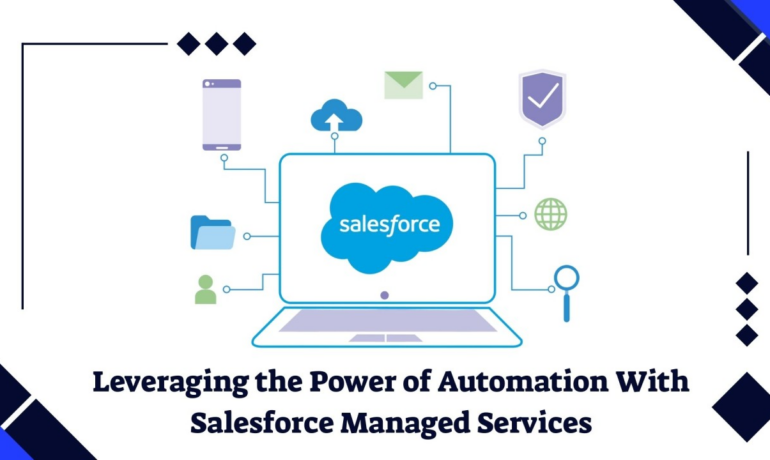
Salesforce is a powerful CRM platform, but simply implementing it doesn’t guarantee success. To maximize ROI, businesses need continuous optimization, expert guidance, and proactive maintenance—something an in-house team may struggle to provide alone. Discover the key signs your business needs a Salesforce support and maintenance partner. Many companies invest in Salesforce expecting high returns but end up facing: These challenges turn Salesforce into a cost center rather than a revenue-driving platform. If you’re noticing these issues, it’s time to consider a Salesforce support and maintenance partner. This insight explores the critical warning signs and how a managed services provider can help. What Is a Salesforce Support & Maintenance Partner? A Salesforce support and maintenance partner is a specialized provider that manages, optimizes, and secures your Salesforce org. They provide you: ✔ Proactive Monitoring – 24/7 performance checks to prevent downtime, security breaches, and data decay.✔ Expert Guidance – Certified professionals resolve feature stagnation (unused automation/AI tools) and boost user adoption.✔ Strategic Roadmaps – Align Salesforce with business goals for long-term success.✔ Elimination of Technical Debt – Reduce technology noise slowing down your org. Why Are They Crucial? ✅ Cost Efficiency – Avoid hiring full-time specialists.✅ Risk Mitigation – Ensure compliance, security, and data integrity.✅ ROI Maximization – Unlock advanced features and improve team efficiency. A trusted partner like Tectonic identifies warning signs early, preventing short- and long-term inefficiencies. 9 Key Signs You Need a Salesforce Support & Maintenance Partner 1. Declining User Adoption The Problem: Employees avoid Salesforce due to poor training, complex workflows, or inefficient processes.Why It Matters: Low adoption wastes your CRM investment. (Only 36% of agents upsell due to lack of training—Salesforce State of Service Report.)The Solution: 2. Security & Compliance Risks The Problem: Unclear GDPR/HIPAA compliance, outdated security settings, or unauthorized access attempts.Why It Matters: Data breaches lead to fines, legal risks, and lost trust. (Non-compliance costs $14.8M on average—Globalscape.)The Solution: 3. Rising Ticket Backlogs The Problem: IT teams are overwhelmed with unresolved requests, slowing operations.Why It Matters: Delays hurt sales cycles, employee morale, and customer satisfaction.The Solution: 4. Underutilized Salesforce Features The Problem: Only basic functions (leads/contacts) are used—AI, automation, and analytics are ignored.Why It Matters: Manual processes slow growth. (Only 49% of service orgs use AI—Salesforce.)The Solution: 5. Poor Data Quality & Duplicates The Problem: Duplicate leads, missing fields, and inaccurate reports lead to bad decisions.Why It Matters: Poor data costs .9M annually (Gartner).The Solution: 6. Increasing Downtime The Problem: Frequent crashes, slow reports, or integration failures.Why It Matters: Downtime = lost sales & productivity. (Meta lost $100M in 2 hours in 2024.)The Solution: 7. Lack of Strategic Roadmap The Problem: No clear upgrade plan, leading to disorganized workflows.Why It Matters: 30-70% of CRM projects fail due to poor planning.The Solution: 8. Unstable Customizations The Problem: Apex triggers, Flows, or Lightning components break after updates.Why It Matters: Patchwork fixes increase technical debt & admin workload.The Solution: 9. Slow Salesforce Performance The Problem: Reports load slowly, or users face “Service Unavailable” errors.Why It Matters: A 100ms delay can hurt conversions by 7% (Akamai).The Solution: Conclusion If you’re experiencing any of these issues, your Salesforce org needs expert care. A managed services partner like Tectonic helps:✔ Reduce downtime✔ Improve performance✔ Boost user adoption✔ Enhance security & compliance With 24/7 proactive support, strategic roadmaps, and advanced feature utilization, Tectonic ensures your Salesforce investment drives revenue—not costs. Need help optimizing Salesforce? Contact Tectonic today for a free assessment. Like1 Related Posts Who is Salesforce? Who is Salesforce? Here is their story in their own words. From our inception, we’ve proudly embraced the identity of Read more Salesforce Marketing Cloud Transactional Emails Salesforce Marketing Cloud Transactional Emails are immediate, automated, non-promotional messages crucial to business operations and customer satisfaction, such as order Read more Salesforce Unites Einstein Analytics with Financial CRM Salesforce has unveiled a comprehensive analytics solution tailored for wealth managers, home office professionals, and retail bankers, merging its Financial Read more AI-Driven Propensity Scores AI plays a crucial role in propensity score estimation as it can discern underlying patterns between treatments and confounding variables Read more

Read More
Salesforce Energy and Utilities Cloud Explained

Salesforce Energy and Utilities Cloud Explained

Salesforce Energy and Utilities Cloud is a specialized industry solution built on the Salesforce platform, designed to meet the unique needs of energy and utility companies. It helps these organizations manage customer relationships, streamline operations, and drive digital transformation in an increasingly complex and regulated industry. The cloud solution provides tools for customer engagement, field service management, and regulatory compliance, among other functionalities. Key Features of Salesforce Energy and Utilities Cloud: Benefits of Salesforce Energy and Utilities Cloud: Use Cases: Implementation Considerations: In summary, Salesforce Energy and Utilities Cloud is a comprehensive solution designed to help energy and utility companies enhance customer engagement, streamline operations, and achieve regulatory compliance. By leveraging advanced technologies and industry-specific functionalities, utilities can drive digital transformation and improve overall performance. Like1 Related Posts Who is Salesforce? Who is Salesforce? Here is their story in their own words. From our inception, we’ve proudly embraced the identity of Read more Salesforce Marketing Cloud Transactional Emails Salesforce Marketing Cloud Transactional Emails are immediate, automated, non-promotional messages crucial to business operations and customer satisfaction, such as order Read more Salesforce Unites Einstein Analytics with Financial CRM Salesforce has unveiled a comprehensive analytics solution tailored for wealth managers, home office professionals, and retail bankers, merging its Financial Read more AI-Driven Propensity Scores AI plays a crucial role in propensity score estimation as it can discern underlying patterns between treatments and confounding variables Read more

Read More
Integrate Digital Delivery and Human Connection

Types of Salesforce Integration

Types of Salesforce Integration: A Comprehensive Guide As a leading CRM platform, Salesforce is often required to integrate with other systems to deliver a seamless experience and ensure efficient business operations. Whether it’s syncing data, automating workflows, or enabling real-time communication, Salesforce provides robust integration methods tailored to various needs. In this guide, we’ll explore the different types of Salesforce integrations, their practical applications, and how to choose the right approach for your business. Why Integrate Salesforce? Integrating Salesforce with other systems empowers businesses to: Types of Salesforce Integration 1. Data Integration Ensures data consistency between Salesforce and external systems, enabling seamless synchronization. 2. Process Integration Links workflows across systems, ensuring actions in one system trigger automated processes in another. 3. User Interface (UI) Integration Combines multiple applications into a single interface for a unified user experience. 4. Application Integration Connects Salesforce with external apps for real-time data exchange and functional synchronization. 5. Real-Time Integration Facilitates instant synchronization of data and events between Salesforce and external systems. 6. Batch Integration Processes large data volumes in chunks, typically during off-peak hours. 7. Hybrid Integration Combines multiple integration types, such as real-time and batch, to handle complex requirements. Tools for Salesforce Integration Native Salesforce Tools: Third-Party Tools: Best Practices for Salesforce Integration Conclusion Salesforce integration is essential for streamlining operations and unlocking business potential. With options like data, process, and real-time integration, Salesforce offers the flexibility to meet diverse needs. By adopting the right integration approach and adhering to best practices, businesses can create a unified, efficient ecosystem, enhancing operations and improving customer experience. Whether integrating with ERP systems, marketing tools, or support platforms, Salesforce provides the tools to make integration seamless and impactful. Like Related Posts Who is Salesforce? Who is Salesforce? Here is their story in their own words. From our inception, we’ve proudly embraced the identity of Read more Salesforce Marketing Cloud Transactional Emails Salesforce Marketing Cloud Transactional Emails are immediate, automated, non-promotional messages crucial to business operations and customer satisfaction, such as order Read more Salesforce Unites Einstein Analytics with Financial CRM Salesforce has unveiled a comprehensive analytics solution tailored for wealth managers, home office professionals, and retail bankers, merging its Financial Read more AI-Driven Propensity Scores AI plays a crucial role in propensity score estimation as it can discern underlying patterns between treatments and confounding variables Read more

Read More

Event-Driven Architecture

Event-driven architecture (EDA) is a software design pattern that allows systems to respond to events in real time. It’s used in many applications, including online banking, streaming services, and multiplayer games.  How it works  Benefits of EDA  EDA topologies  Like Related Posts Who is Salesforce? Who is Salesforce? Here is their story in their own words. From our inception, we’ve proudly embraced the identity of Read more Salesforce Marketing Cloud Transactional Emails Salesforce Marketing Cloud Transactional Emails are immediate, automated, non-promotional messages crucial to business operations and customer satisfaction, such as order Read more Salesforce Unites Einstein Analytics with Financial CRM Salesforce has unveiled a comprehensive analytics solution tailored for wealth managers, home office professionals, and retail bankers, merging its Financial Read more AI-Driven Propensity Scores AI plays a crucial role in propensity score estimation as it can discern underlying patterns between treatments and confounding variables Read more

Read More
Ethical AI Implementation

Ethical AI Implementation

AI technologies are rapidly evolving, becoming a practical solution to support essential business operations. However, creating true business value from AI requires a well-balanced approach that considers people, processes, and technology. Ethical AI Implementation. AI encompasses various forms, including machine learning, deep learning, predictive analytics, natural language processing, computer vision, and automation. To leverage AI’s competitive advantages, companies need a strong foundation and a realistic strategy aligned with their business goals. “Artificial intelligence is multifaceted,” said John Carey, managing director at AArete, a business management consultancy. “There’s often hype and, at times, exaggeration about how ‘intelligent’ AI truly is.” Business Advantages of AI Adoption Recent advancements in generative AI, such as ChatGPT and Dall-E, have showcased AI’s significant impact on businesses. According to a McKinsey Global Survey, global AI adoption surged from around 50% over the past six years to 72% in 2024. Some key benefits of adopting AI include: Prerequisites for AI Implementation Successfully implementing AI can be complex. A detailed understanding of the following prerequisites is crucial for achieving positive results: 13 Steps for Successful AI Implementation Common AI Implementation Mistakes Organizations often stumble by: Key Challenges in Ethical AI Implementation Human-related challenges often present the biggest hurdles. To overcome them, organizations must foster data literacy and build trust among stakeholders. Additionally, challenges around data management, model governance, system integration, and intellectual property need to be addressed. Ensuring Ethical AI Implementation To ensure responsible AI use, companies should: Ethical AI implementation requires a continuous commitment to transparency, fairness, and inclusivity across all levels of the organization. Like Related Posts Who is Salesforce? Who is Salesforce? Here is their story in their own words. From our inception, we’ve proudly embraced the identity of Read more Salesforce Marketing Cloud Transactional Emails Salesforce Marketing Cloud Transactional Emails are immediate, automated, non-promotional messages crucial to business operations and customer satisfaction, such as order Read more Salesforce Unites Einstein Analytics with Financial CRM Salesforce has unveiled a comprehensive analytics solution tailored for wealth managers, home office professionals, and retail bankers, merging its Financial Read more AI-Driven Propensity Scores AI plays a crucial role in propensity score estimation as it can discern underlying patterns between treatments and confounding variables Read more

Read More
Ingest Salesforce Data to Microsoft Fabric

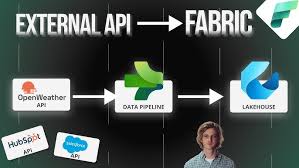
Ingest Salesforce Data to Microsoft Fabric

I’m using Dataflow Gen 2 in Microsoft Fabric to ingest data from Salesforce via the Salesforce Objects connector, which is authenticated through an Organizational Account (OAuth 2.0). However, unlike Azure Synapse’s SalesforceV2 type, this connector doesn’t offer fields to input a client ID, client secret, or environment URL. Here are the key concerns: 1. Reauthentication Requirement Will reauthentication be required regularly (e.g., after access tokens expire), and how often will that occur? What factors contribute to the frequency of reauthentication? With OAuth 2.0, the system typically provides an access token (short-lived, often around 1 hour) and a refresh token, which can last longer. Reauthentication is necessary when both expire. While Dataflow Gen 2 does not allow manual token management, it should handle refreshing access tokens automatically. The reauthentication frequency depends largely on: 2. Cons of Using an Organizational Account What are the potential downsides of using an Organizational Account for this connection, particularly in a production setting where automation and stability are critical? Potential drawbacks: To mitigate these risks, I recommend using a service account (rather than individual accounts) to centralize and secure access. 3. Workaround for Client Credentials Flow Is it possible to implement a client credentials flow (i.e., providing a client ID, client secret, and environment URL) to prevent frequent reauthentication, similar to Azure Synapse or Data Factory? If not, what options are available for maintaining a stable, long-term data connection from Salesforce? Currently, there doesn’t appear to be support for client credentials flow in Dataflow Gen 2. You may want to reach out to Microsoft support for confirmation. As an alternative, you could explore: Like Related Posts Who is Salesforce? Who is Salesforce? Here is their story in their own words. From our inception, we’ve proudly embraced the identity of Read more Salesforce Marketing Cloud Transactional Emails Salesforce Marketing Cloud Transactional Emails are immediate, automated, non-promotional messages crucial to business operations and customer satisfaction, such as order Read more Salesforce Unites Einstein Analytics with Financial CRM Salesforce has unveiled a comprehensive analytics solution tailored for wealth managers, home office professionals, and retail bankers, merging its Financial Read more AI-Driven Propensity Scores AI plays a crucial role in propensity score estimation as it can discern underlying patterns between treatments and confounding variables Read more

Read More
Zapier for Salesforce

Salesforce and Zapier and Anything You Can Imagine

Zapier enables you to connect Salesforce with thousands of the most popular third-party apps, so you can automate your work and have more time for what matters most—no code required. Providing easy automation for busy Salesforce users. Zapier transfers info between your web apps automatically, so you can focus on your most important work. Zapier is “middleware” that sits between two other services. It allows software services to create Triggers and Actions. Each combination of a Trigger and an Action is called a Zap. Triggers are how your app’s users can start automated workflows whenever an item is added or updated in your app. There are two types of triggers in Zapier: Actions are how your app’s use the data. The action is the effect of the cause (trigger). What is the difference between actions and triggers in Zapier? Every Zap starts with a single trigger that watches for new or updated data, starting the user’s workflow. Action steps then make use of that data. Zapier actions create or update a single item in your app through API calls that include multiple details from user customized input fields. Is Zapier considered an API? Yes, Zapier is an API tool. Zapier is a web-based automation tool that allows you to connect and automate different web services and applications without the need for any coding. It uses APIs (Application Programming Interfaces) to communicate with the different services and applications that it connects to. About AI by Zapier Smart task and text handling powered by a flexible AI. Create text prompts to perform standard tasks like extracting lead (or other) data or answering discrete questions like “where should this message be routed?”. Or, create your own! What coding language does Zapier use? Zapier is a monolithic application built on Python and Django. There’s a lot of momentum with Python and it is very difficult changing course to another programming language while the service is running. Why is Zapier so popular? Zapier is a powerful tool for automating workflows and combining different business applications without requiring any additional coding skills. Is Zapier actually useful? Users have found that Zapier is a versatile automation tool that simplifies complex problems and enhances efficiency in various industries. With its easy-to-use interface, users can create automation workflows and connect different apps and platforms seamlessly. Around the world in 2024, over 9973 companies have started using Zapier as Integration tool. Netflix, Inc. PayPal Holdings, Inc. Trimble, Inc. If you need assistance connecting apps to Salesforce with Zapier, contact Tectonic today. Like Related Posts Who is Salesforce? Who is Salesforce? Here is their story in their own words. From our inception, we’ve proudly embraced the identity of Read more Salesforce Marketing Cloud Transactional Emails Salesforce Marketing Cloud Transactional Emails are immediate, automated, non-promotional messages crucial to business operations and customer satisfaction, such as order Read more Salesforce Unites Einstein Analytics with Financial CRM Salesforce has unveiled a comprehensive analytics solution tailored for wealth managers, home office professionals, and retail bankers, merging its Financial Read more AI-Driven Propensity Scores AI plays a crucial role in propensity score estimation as it can discern underlying patterns between treatments and confounding variables Read more

Read More

Salesforce Integration: Enhancing Your CRM Capabilities

Salesforce is the world’s leading CRM platform, empowering businesses to streamline operations, enhance customer relationships, and drive growth. However, to maximize its potential, integrating Salesforce with third-party applications is essential. By connecting Salesforce with various external tools—such as MailChimp, QuickBooks, WhatsApp, and LinkedIn—organizations can improve efficiency, automate workflows, and unify data across departments. But how can businesses successfully integrate these applications into their Salesforce environment, and what challenges might they face? Let’s explore. What is Salesforce Integration? Salesforce integration refers to the process of connecting Salesforce with third-party applications to facilitate seamless data flow and process automation. These integrations leverage APIs to establish communication between systems, ensuring a unified experience across different business functions such as HR, finance, marketing, and sales. Why is Salesforce Integration Important? Integrating Salesforce with other systems offers several advantages, including: Common Salesforce Integrations and Use Cases Salesforce can be integrated with a variety of platforms to enhance functionality. Some key use cases include: Challenges in Salesforce App Integration While Salesforce integrations bring numerous benefits, they also come with challenges: Tools for Successful Salesforce Integration To facilitate smooth integrations, businesses can leverage the following tools: 1. Salesforce Native Tools These tools enable direct integrations with Salesforce products. Examples include: 2. App-Native Tools Many external applications offer built-in integrations with Salesforce, such as: 3. Third-Party Middleware For more complex integrations, middleware platforms help bridge gaps between systems: Best Practices for Salesforce Integration To ensure a smooth and successful integration, businesses should follow these best practices: Final Thoughts: Should You Integrate Salesforce with Third-Party Apps? Absolutely. Integrating Salesforce with external applications enhances its capabilities, drives efficiency, and unlocks new business opportunities. However, it’s crucial to implement these integrations through a certified Salesforce partner to minimize risks and ensure seamless execution. By following best practices and using the right tools, businesses can maximize their CRM investment and drive long-term success. FAQs Have more questions about Salesforce integration? Get in touch with our certified Salesforce consultants to explore the best integration solutions for your business. Like Related Posts Who is Salesforce? Who is Salesforce? Here is their story in their own words. From our inception, we’ve proudly embraced the identity of Read more Salesforce Marketing Cloud Transactional Emails Salesforce Marketing Cloud Transactional Emails are immediate, automated, non-promotional messages crucial to business operations and customer satisfaction, such as order Read more Salesforce Unites Einstein Analytics with Financial CRM Salesforce has unveiled a comprehensive analytics solution tailored for wealth managers, home office professionals, and retail bankers, merging its Financial Read more AI-Driven Propensity Scores AI plays a crucial role in propensity score estimation as it can discern underlying patterns between treatments and confounding variables Read more

Read More
gettectonic.com