

ONC Archives - gettectonic.com - Page 45
Salesforce Data Cloud Explained

Salesforce Data Cloud Explained

Salesforce Data Cloud, previously recognized as Salesforce CDP/Genie, made its debut at Dreamforce 2022, hailed by Salesforce as one of the most significant innovations in the company’s history. A hyperscale data platform built into Salesforce. Activate all your customer data across Salesforce applications with Data Cloud. Data Cloud facilitates the intake and storage of real-time data streams on a massive scale, empowering automated tasks that result in highly personalized experiences. Data can be sourced from diverse Salesforce data outlets, including Mulesoft, Marketing Cloud, and others, along with customers’ proprietary applications and data sources. Subsequently, it can dynamically respond to this real-time data by automating actions across Salesforce CRM, Marketing Cloud, Commerce, and more, inclusive of automating actions through Salesforce Flow. What is the Salesforce data cloud? Data Cloud is the fastest growing organically built product in Salesforce’s history (i.e. Salesforce built it themselves, not via acquisitions). Data Cloud could be described as the ‘Holy Grail of CRM’, meaning that the data problem that’s existed since the infancy of CRM is now finally solvable. Data Cloud is the foundation that speeds up the connectivity between different ‘clouds’ across the platform. However, Data Cloud is also a product that can be purchased. While not all Salesforce customers have licensed Data Cloud, being at the foundation means they are still taking advantage of Data Cloud to a degree – but this all becomes even stronger with Data Cloud as a personalization and data unification platform. What is the history of Data Cloud? Salesforce has gone through several iterations with naming its CDP product: Customer 360 Audiences → Salesforce CDP → Marketing Cloud Customer Data Platform → Salesforce Genie → Salesforce Data Cloud. In some instances, changes were made because the name just didn’t stick – but what’s more important to note, is that some of the name changes were to indicate the significant developments that happened to the product. Salesforce Data Cloud Differentiators Data Cloud, in itself, is impressive. While many organizations would consider it expensive, if you were to flip the argument on its head, by buying your own data warehouse, building the star schema, and paying for ongoing compute storage, you’d be looking to spend 5 to 10 times more than what Salesforce is charging for Data Cloud. Plus, data harmonization works best when your CRM data is front and center. There are other key differentiators that helps Data Cloud to stand out from the crowd: Is data cloud a data lakehouse? That means that Data Cloud is now not just a really good CDP, it’s now a data lake which will be used in sales and service use cases. But it also means that we can start to fundamentally move some of our higher-scale consumer products like Marketing and Commerce onto the platform. Is Snowflake a data Lakehouse? Snowflake offers customers the ability to ingest data to a managed repository, in what’s commonly referred to as a data warehouse architecture, but also gives customers the ability to read and write data in cloud object storage, functioning as a data lake query engine. What is the benefit of Salesforce data cloud? Data Cloud empowers Salesforce Sales Cloud with AI capabilities and automation that quickly closes deals and boosts productivity across every channel. It drives customer data from all the touchpoints and unifies it separately in individual customer profiles. Salesforce Data Cloud is a powerful data warehouse solution that allows companies to effectively manage and analyze their data. What is the difference between Salesforce CDP and data lake? Talking abut Salesforce CDP is a little bit like a history lesson. While a CDP provides a unified, structured view of customer data, a data lake, on the other hand, is more of a raw, unstructured storage repository that holds a vast amount of data (more than just customer data) in its native format until it’s needed. Like1 Related Posts Who is Salesforce? Who is Salesforce? Here is their story in their own words. From our inception, we’ve proudly embraced the identity of Read more Salesforce Marketing Cloud Transactional Emails Salesforce Marketing Cloud Transactional Emails are immediate, automated, non-promotional messages crucial to business operations and customer satisfaction, such as order Read more Salesforce Unites Einstein Analytics with Financial CRM Salesforce has unveiled a comprehensive analytics solution tailored for wealth managers, home office professionals, and retail bankers, merging its Financial Read more AI-Driven Propensity Scores AI plays a crucial role in propensity score estimation as it can discern underlying patterns between treatments and confounding variables Read more


Read More
Revolutionizing Public Sector Efficiency

Revolutionizing Public Sector Efficiency

Salesforce: Transforming and Revolutionizing Public Sector Efficiency Salesforce, known worldwide as the premier CRM solution, continues to innovate with its adaptable features tailored to diverse audiences. It excels in delivering cutting-edge solutions, addressing unique needs across various industries and sectors. Particularly, the public sector stands to gain substantial benefits from Salesforce’s capabilities, offering a suite of solutions poised to optimize operations within any public office setting. Understanding the Role of Salesforce in the Public Sector The public sector encompasses the administrative segment responsible for managing essential citizen concerns at state, local, federal, and governmental agency levels. While carrying out critical tasks, these entities can significantly enhance efficiency with the right tools. Salesforce is dedicated to optimizing and streamlining processes within the public sector, recognizing its vital importance. Government offices face similar expectations to private enterprises, with citizens anticipating service quality on par with commercial experiences. Therefore, public entities must deliver efficiency, agility, and direct engagement to demonstrate proximity to the populace. In response to these expectations, Salesforce has developed a range of solutions tailored to the specific demands of the public sector. Revolutionizing Public Sector Efficiency Salesforce’s offerings for the public sector include meticulously crafted applications designed to meet its unique requirements. These flexible and secure e-government tools aim to revolutionize the sector’s experience, providing a comprehensive view of citizens and enhancing the efficacy of public employees. By simplifying processes and fostering innovation, these solutions drive efficiency at both organizational and individual levels, facilitating smoother operations. Integrated into Public Sector Solutions, these offerings leverage Salesforce’s standard functionalities and Service Cloud capabilities. Additionally, they enable the creation of an Experience Cloud site, allowing citizens seamless access to government services. Known as a Citizen Portal. Some of the available solutions cater to general tasks managed by public sector agencies, including: Thanks to these solutions, citizens can effortlessly navigate various processes, such as applying for licenses or permits. Through an online portal accessible at all times, individuals can interact seamlessly with public service agencies. Intelligent forms dynamically adjust based on user input, simplifying the submission process. From an employee standpoint, work processes are streamlined, with all citizen requests conveniently consolidated in one location. The system offers recommendations to guide employees, simplifies task delegation, and ensures seamless collaboration across departments. Key Advantages of Salesforce Solutions for the Public Sector Salesforce solutions offer numerous advantages to the public sector, aligning with citizens’ and employees’ current demands. These include: Salesforce emerges as an invaluable ally in the public sector’s modernization journey, transforming processes to be more agile and efficient. For organizations seeking to implement Salesforce solutions tailored for the public sector, the Tectonic team stands ready to assist. In the ever-evolving landscape of public administration and government services, the need for advanced, secure, and user-friendly technology solutions has never been more crucial. Enter Salesforce Public Sector Cloud—a dynamic platform designed to transform how government agencies engage with citizens, deliver services, and drive efficiency in their operations. Overview of Salesforce Public Sector Cloud: Salesforce Public Sector Cloud is a specialized offering tailored to meet the unique needs of government entities at all levels. Whether it’s federal, state, or local government agencies, the platform is engineered to enhance collaboration, streamline processes, and ultimately improve the delivery of public services. Key Features and Capabilities: Real-World Impact: Several government agencies have already embraced Salesforce Public Sector Cloud, realizing tangible benefits in their day-to-day operations. From improved citizen satisfaction to streamlined internal processes, the impact of this cloud solution is evident across various use cases. Challenges and Considerations: While Salesforce Public Sector Cloud offers numerous advantages, it’s essential to consider potential challenges. These may include customization complexities, data migration issues, and the need for comprehensive training for government personnel. A thoughtful and well-executed implementation strategy is crucial to overcoming these challenges. Salesforce Introduces Public Sector Einstein 1 for Service: Salesforce today announced Public Sector Einstein 1 for Service, including CRM, trusted AI, and data capabilities. What’s new in compliance: Salesforce also now offers several Federal Risk and Authorization Management Program (FedRAMP) compliant tools to help government agencies drive efficiency and productivity while meeting regulatory requirements. These tools include:  Content updated April 2024. Like Related Posts Who is Salesforce? Who is Salesforce? Here is their story in their own words. From our inception, we’ve proudly embraced the identity of Read more Salesforce Marketing Cloud Transactional Emails Salesforce Marketing Cloud Transactional Emails are immediate, automated, non-promotional messages crucial to business operations and customer satisfaction, such as order Read more Salesforce Unites Einstein Analytics with Financial CRM Salesforce has unveiled a comprehensive analytics solution tailored for wealth managers, home office professionals, and retail bankers, merging its Financial Read more AI-Driven Propensity Scores AI plays a crucial role in propensity score estimation as it can discern underlying patterns between treatments and confounding variables Read more

Read More

Keys to Writing Meaningful Email Content

By Tectonic’s Salesforce Marketing Consultant, Shannan Hearne Email marketing remains a powerful tool for businesses to engage with their prospects and customers. Writing meaningful email content takes time and practice. It’s essential to recognize that your recipients and subscribers face a constant barrage of emails. The challenge becomes making your email stand out in the inbox, prompt subscribers to open, read, and respond to your desired Call to Action.  Here are proven methods to enhance the interest, effectiveness, and credibility of your emails: Stay Relevant: Set a Content Hierarchy: Tell a Story: Keep it Simple: Trim it Back and Clean it Up: Grab Their Attention: Include a Preheader: Save Time with AI: Drive Results with a Strong CTA: Test. Test. Test Again: By adhering to these email content tips, you can create emails that are engaging, effective, and eagerly anticipated by your readers. Whether focusing on relevance, storytelling, simplicity, or testing, these strategies will highlight the interest, effectiveness, and trustworthiness of your brand. Start crafting those emails and monitor their success. If you are struggling with the challenge of writing meaningful email content, Tectonic consultants can help. Contact us today. Like Related Posts Who is Salesforce? Who is Salesforce? Here is their story in their own words. From our inception, we’ve proudly embraced the identity of Read more Salesforce Marketing Cloud Transactional Emails Salesforce Marketing Cloud Transactional Emails are immediate, automated, non-promotional messages crucial to business operations and customer satisfaction, such as order Read more Salesforce Unites Einstein Analytics with Financial CRM Salesforce has unveiled a comprehensive analytics solution tailored for wealth managers, home office professionals, and retail bankers, merging its Financial Read more AI-Driven Propensity Scores AI plays a crucial role in propensity score estimation as it can discern underlying patterns between treatments and confounding variables Read more
Read More
What is Health Cloud

What is Health Cloud?

Salesforce Health Cloud, a specialized platform designed for healthcare organizations, aims to streamline operations and provide personalized care. By leveraging cloud technology, mobile capabilities, and social integration, Health Care Cloud enhances productivity, reduces costs, and offers a comprehensive view of patient data. Salesforce keeps electronic personal health information (ephi) safe and secure. Since its inception, Salesforce Health Cloud has evolved significantly to meet the unique and challenging needs of the healthcare sector. The introduction of Customer 360 for Health marks a milestone in fostering empathetic care and promoting collaboration among healthcare teams. What is Salesforce Health Cloud? At its core, Health Cloud facilitates seamless collaboration among healthcare teams to ensure optimal patient care. With robust security measures in place, patient data remains secure and accessible only to authorized personnel. Salesforce Health provides care teams with convenient access to both clinical and non-clinical patient information, including health conditions, medications, appointment history, communication preferences, and data from Electronic Health Records (EHRs). Categorized under Salesforce Industry Clouds, Health Cloud combines CRM capabilities with specialized features tailored for healthcare providers, payers, medical device companies, and pharmaceutical manufacturers. Its goal is to deliver personalized, connected care across the entire, sometimes disjointed healthcare ecosystem. Why Use Salesforce Health Cloud? Salesforce Health offers benefits to various stakeholders within the healthcare industry, including providers, payers, manufacturers, and research organizations. In a challenging healthcare landscape, Health Cloud addresses concerns such as managing complex patient data and enhancing patient experiences effectively. Success stories from organizations like New England Biolabs and John Muir Health highlight the impact of Health Salesforce in streamlining operations, improving customer satisfaction, and enhancing care coordination. Despite its transformative potential, widespread adoption and success require rebuilding patient trust, delivering empathetic care, and prioritizing data security. Tools like Health Cloud play a crucial role in achieving these goals. The Health Cloud Data Model Central to Salesforce Health is the flexible Health Cloud Data Model, built atop the Salesforce Platform. This model organizes diverse healthcare data sources, leveraging standard objects like Accounts and Contacts alongside custom objects tailored for healthcare applications. The data model revolves around organizing data around the patient, providing care teams with a holistic view for informed decision-making and personalized care. It supports interoperability and adheres to healthcare data standards like HL7 and FHIR, enabling seamless integration with EHRs and other healthcare applications. Key Features of Salesforce Health Salesforce Health Cloud offers a suite of robust features, including: Patient 360: Provides a unified view of the patient, consolidating demographics, clinical data, and interactions for informed decision-making and personalized care. Care Plans: Enables care teams to create, track, and manage personalized care plans, incorporating goals, tasks, and milestones to monitor patient progress. Care Coordination: Facilitates collaboration among care teams, supporting secure messaging and information sharing across providers. Health Timeline: Offers an interactive visualization of a patient’s medical history, including encounters, lab results, and medications, aiding in understanding and decision-making. Einstein Analytics for Healthcare: Utilizes AI to deliver advanced insights and predictions, empowering organizations to enhance patient outcomes and operational efficiency. Patient 360 for Health In addition to existing features, Salesforce introduces new innovations under Patient 360 for Health, powered by AI. These updates include: Advanced Therapy Management: Streamlines treatment processes for pharmaceutical companies, offering full visibility into patient treatment. Salesforce Genie for Healthcare: Integrates real-time clinical and non-clinical data to create comprehensive patient profiles. AI-Supported Health Timeline: Enhances navigation and accessibility of patient records and journeys through AI. Home Health: Automates intake and scheduling for in-home treatment, optimizing patient preferences. Data Cloud for Healthcare: Connects clinical and non-clinical patient data from multiple sources into a real-time patient profile. MuleSoft Direct for Health Cloud: Provides out-of-the-box connectors to access EHR data, facilitating smoother integration. Tableau Accelerators for Health Cloud: Offers ready-to-use dashboards for various use cases, empowering teams with data-driven insights. Integration With MuleSoft Salesforce Health seamlessly integrates with MuleSoft, enabling organizations to connect with existing EHRs, billing systems, and healthcare applications. MuleSoft’s Anypoint Platform provides pre-built connectors and APIs to simplify integration and unlock the full potential of healthcare data. Salesforce Health Cloud is not only a powerful platform for healthcare organizations but also a catalyst for positive change in patient care and operational efficiency. By leveraging HC’s capabilities, healthcare organizations can deliver exceptional patient experiences, streamline processes, and ensure data security and compliance. With continuous integration and innovation within the Salesforce ecosystem, Health Cloud remains positioned to drive transformative change in the healthcare industry, addressing challenges and paving the way for a brighter future in healthcare. Considering Salesforce Health Cloud for your practice? Contact Tectonic today. Like1 Related Posts Who is Salesforce? Who is Salesforce? Here is their story in their own words. From our inception, we’ve proudly embraced the identity of Read more Salesforce Marketing Cloud Transactional Emails Salesforce Marketing Cloud Transactional Emails are immediate, automated, non-promotional messages crucial to business operations and customer satisfaction, such as order Read more Salesforce Unites Einstein Analytics with Financial CRM Salesforce has unveiled a comprehensive analytics solution tailored for wealth managers, home office professionals, and retail bankers, merging its Financial Read more AI-Driven Propensity Scores AI plays a crucial role in propensity score estimation as it can discern underlying patterns between treatments and confounding variables Read more

Read More
IT Pilot Programs

IT Pilot Programs

The Role of IT Pilot Programs in Software Implementation Introducing new technology in a business environment can lead to unexpected challenges. A technology pilot helps mitigate risks by allowing a select group of employees to test the application, provide feedback, and refine the implementation before full deployment. While IT pilot programs can be conducted at different stages of the software purchasing process, this discussion focuses on pilots conducted when implementation is nearly complete. Benefits of an IT Pilot Program A well-executed pilot program offers several advantages: Challenges of an IT Pilot Program Despite its benefits, an IT pilot program can also introduce challenges: Are IT Pilot Programs Worth It? Before launching a pilot, project sponsors should consider: While IT pilot programs require careful execution, they can significantly enhance the success of a software implementation by refining the user experience, reducing risk, and improving adoption. When structured effectively, a pilot program becomes a powerful tool for ensuring a smooth technology rollout. Like Related Posts Who is Salesforce? Who is Salesforce? Here is their story in their own words. From our inception, we’ve proudly embraced the identity of Read more Salesforce Unites Einstein Analytics with Financial CRM Salesforce has unveiled a comprehensive analytics solution tailored for wealth managers, home office professionals, and retail bankers, merging its Financial Read more AI-Driven Propensity Scores AI plays a crucial role in propensity score estimation as it can discern underlying patterns between treatments and confounding variables Read more Tectonic’s Successful Salesforce Track Record Salesforce Technology Services Integrator – Tectonic has successfully delivered Salesforce in a variety of industries including Public Sector, Hospitality, Manufacturing, Read more

Read More
Cloud First

Advances in Generative AI

What is generative AI?  Generative AI focuses on creating new and original content, chat responses, designs, synthetic data or even deepfakes.  While predictive AI worked on predefined, human supplied rules, generative AI functions somewhat autonomously. Advances in Generative AI have been groundbreaking. Advances in generative AI represent a significant advancement beyond established technologies like predictive AI, and business leaders are eagerly embracing its potential. A remarkable 91% recognize generative AI as a major advantage, driven by its diverse applications, from content creation to software development. Despite its novelty, generative AI is rapidly progressing, causing over three-quarters of business leaders to express concerns about potentially missing out on its benefits. In particular, marketing leaders are apprehensive about not fully leveraging generative AI in their workflows, with 88% worried that their companies are lagging behind. Insight Generation and Decision-Making: Going beyond traditional data analysis, generative AI excels by not only analyzing existing data but also generating potential scenarios. This predictive modeling empowers businesses to anticipate market shifts, understand consumer preferences, and identify potential risks, fostering proactive strategies over reactive ones. Generative AI’s Global Impact: Generative AI has captivated global attention, with ChatGPT becoming the fastest-growing software program in history, reaching a hundred million users within two months of its public debut. This surge has sparked an arms race among tech giants like Microsoft and Google, and AI chip maker Nvidia has witnessed increased business. Unlike previous AI programs that provided numeric scores, generative AI, including programs like Stability AI’s Stable Diffusion and OpenAI’s DALL-E, reproduces elements of the real world. Amazon announced in 2023 that its voice assistant Alexa now comes with generative AI capabilities. Apple is developing a large array of features that use generative AI, including a new version of Siri expected to launch in 2024. Mixed Modality in AI: The concept of mixed modality or “multi-modality” is taking center stage, enabling programs to fuse text, images, physical space representations, sounds, video, and entire computer functions as smart applications. This approach enhances program capabilities and contributes to continuous learning, potentially advancing the goal of “embodied AI” and robotics. Evolution of Generative AI: Generative AI will continue evolving, contributing to advancements in translation, drug discovery, anomaly detection, and the generation of new content, spanning text, video, fashion design, and music. A generative AI chatbot, for example, is a type of conversational AI system that uses deep learning and natural language processing techniques to generate human-like text responses in real-time. These chatbots can hold text-based conversations with users, understand user input, and generate contextually relevant responses. Transformative Trends in Marketing and Sales Operations: Generative AI is reshaping marketing and sales operations with key trends, including hyper-quick sales and marketing content creation, automation of repetitive tasks (e.g., keyword research, administrative work, content formatting, and data analysis), and the facilitation of sales enablement and custom materials. What is the Main Goal of Generative AI? The answer likely would vary depending on who you ask, but commonly we expect generative AI tools to change the calculus of knowledge work automation. Generative AI isn’t going to eliminate the need for human workers, but it will assist them with the ability to produce human-like writing, images, audio, or video in response to plain-English text prompts. The potential to collaborate with human partners to generate contact that represents practical work is exciting. Curious how generative AI could help your business? Contact Tectonic today to learn more. Like1 Related Posts Who is Salesforce? Who is Salesforce? Here is their story in their own words. From our inception, we’ve proudly embraced the identity of Read more Salesforce Marketing Cloud Transactional Emails Salesforce Marketing Cloud Transactional Emails are immediate, automated, non-promotional messages crucial to business operations and customer satisfaction, such as order Read more Salesforce Unites Einstein Analytics with Financial CRM Salesforce has unveiled a comprehensive analytics solution tailored for wealth managers, home office professionals, and retail bankers, merging its Financial Read more AI-Driven Propensity Scores AI plays a crucial role in propensity score estimation as it can discern underlying patterns between treatments and confounding variables Read more
Read More
Custom List Views With LWC and Apex

Custom List Views With LWC and Apex

Creating a Custom List View in Salesforce Using LWC and Apex In this blog post, we’ll guide you through the process of creating a custom list view in Salesforce using Lightning Web Components (LWC) and Apex. This will enable you to fetch, display, and print Task records based on specific filters. We’ll cover the step-by-step development of the Apex controller, LWC component, and the creation of a list layout button to enhance your Salesforce interface. Prerequisites Step 1: Create a Visualforce Page Start by creating a Visualforce page that connects to the LWC, named ListviewPage. htmlCopy code<apex:page standardController=”Task” recordSetVar=”tasks” extensions=”CustomListViewInLwcCtrl”> <apex:includeLightning /> <style> #lightning { height: 100vh; } @media print { #lightning { height: auto; overflow: visible; } .print-section { height: auto; overflow: visible; } } </style> <div id=”lightning”></div> <script> console.log(‘work6’); var filterId = ‘{!filterId}’; console.log(‘Filter ID:’, filterId); $Lightning.use( “c:ExampleLWCApp”, function() { $Lightning.createComponent( “c:listviewpage”, { ‘filterId’: filterId }, “lightning” ); } ); </script> </apex:page> Step 2: Create an Aura Component htmlCopy code<aura:application extends=”ltng:outApp”> <aura:dependency resource=”listviewpage” /> </aura:application> Step 3: Create an Apex Controller Next, you’ll need an Apex controller to manage the fetching of list views and their associated records. apexCopy codepublic with sharing class CustomListViewInLwcCtrl { private String filterId; public CustomListViewInLwcCtrl(ApexPages.StandardSetController controller) { filterId = controller.getFilterId(); System.debug(‘FilterId–> ‘ + filterId); } public String getFilterId() { return filterId; } @AuraEnabled(cacheable = true) public static List<ListView> fetchTaskListView(String objectApiName) { try { return [ SELECT Id, Name, DeveloperName FROM ListView WHERE SObjectType = :objectApiName ORDER BY DeveloperName ASC ]; } catch (Exception e) { System.debug(‘Error fetching list views: ‘ + e.getMessage()); return new List<ListView>(); } } @AuraEnabled(cacheable = true) public static List<sObject> getTaskListviewRecord(String objectName, String listViewId, String limitsize, String offsize) { // Logic to fetch Task records } @AuraEnabled(cacheable = true) public static List<Map<String, String>> getTaskListviewLabel(String objectName, String listViewId) { // Logic to fetch Task record labels } } Step 4: Create a Lightning Web Component Create the LWC listviewPage that will interact with the Apex controller. HTML Template htmlCopy code<template> <div class=”slds-grid slds-wrap” style=”width: 280px;”> <div class=”slds-m-around_medium”> <lightning-combobox name=”listViewSelect” label=”Select List View” value={selectedListView} placeholder=”Select a List View” options={listViewOptions} onchange={handleListViewChange}> </lightning-combobox> </div> </div> <br> <div class=”slds-grid slds-wrap”> <div class=”slds-col slds-size_1-of-4″></div> <div class=”slds-col slds-size_3-of-4 slds-text-align_right”> <lightning-button variant=”brand” label=”Print” onclick={handlePrint}></lightning-button> </div> </div> <br> <div if:true={isLoading}> <lightning-spinner alternative-text=”Loading”></lightning-spinner> </div> <template if:false={isLoading}> <div class=”print-section”> <template if:true={records.length}> <lightning-datatable key-field=”Id” data={records} columns={columns} hide-checkbox-column></lightning-datatable> <div class=”slds-m-top_medium slds-text-align_center”> <lightning-button-group> <lightning-button class=”previous” label=”Previous” onclick={handlePrevious} disabled={disablePrevious}></lightning-button> <lightning-button class=”next” label=”Next” onclick={handleNext} disabled={disableNext}></lightning-button> </lightning-button-group> </div> </template> <template if:false={records.length}> <div class=”slds-text-align_center”> No records to display </div> </template> </div> </template> </template> JavaScript Controller javascriptCopy codeimport { LightningElement, track, wire, api } from ‘lwc’; import fetchListView from ‘@salesforce/apex/CustomListViewInLwcCtrl.fetchTaskListView’; import getTaskListviewRecord from ‘@salesforce/apex/CustomListViewInLwcCtrl.getTaskListviewRecord’; import getTaskListviewLabel from ‘@salesforce/apex/CustomListViewInLwcCtrl.getTaskListviewLabel’; const PAGE_SIZE = 100; export default class ListviewPage extends LightningElement { @api filterId; @track listViewOptions = []; @track selectedListView = ”; @track records = []; @track columns = []; @track isLoading = true; @track limitsize = PAGE_SIZE; @track offset = 0; connectedCallback() { console.log(‘Filter ID:’, this.filterId); } @wire(fetchListView, { objectApiName: ‘Task’ }) fetchListViewHandler({ data, error }) { if (data) { this.listViewOptions = data.map(listView => ({ label: listView.Name, value: listView.Id })); this.selectedListView = this.filterId || this.listViewOptions[0].value; this.fetchRecords(); } else if (error) { console.error(‘Error fetching list views:’, error); } } fetchRecords() { this.isLoading = true; getTaskListviewRecord({ objectName: ‘Task’, listViewId: this.selectedListView, limitsize: this.limitsize.toString(), offsize: this.offset.toString() }) .then(result => { console.log(`${result.length} records`, result); this.records = this.formatRecords(result); this.fetchLabels(); }) .catch(error => { console.error(‘Error fetching records:’, error); this.records = []; this.isLoading = false; }); } formatRecords(records) { return records.map((record, index) => ({ …record, Count: this.offset + index + 1, // Additional field mappings })); } fetchLabels() { getTaskListviewLabel({ objectName: ‘Task’, listViewId: this.selectedListView }) .then(labels => { this.columns = [ { label: ‘ ‘, fieldName: ‘Count’, type: ‘number’ }, …labels.map(labelInfo => ({ label: labelInfo.label, fieldName: labelInfo.fieldApiName, type: ‘text’ })) ]; this.isLoading = false; }) .catch(error => { console.error(‘Error fetching labels:’, error); this.isLoading = false; }); } handleListViewChange(event) { this.selectedListView = event.detail.value; this.offset = 0; this.fetchRecords(); } handlePrint() { if (confirm(‘Are you sure you want to print?’)) { window.print(); } } handlePrevious() { if (this.offset >= PAGE_SIZE) { this.offset -= PAGE_SIZE; this.fetchRecords(); } } handleNext() { this.offset += PAGE_SIZE; this.fetchRecords(); } get disablePrevious() { return this.offset === 0; } get disableNext() { return this.records.length < PAGE_SIZE; } } Step 5: Handle Remote Site Settings To allow your Apex class to make callouts, add your Salesforce org’s URL to the Remote Site Settings: Step 6: Create a List Layout Button To create a button that opens your custom list view Visualforce page: Conclusion This custom list view component in Salesforce allows for enhanced record handling, display, and printing, offering greater flexibility than the standard list views. By leveraging LWC and Apex, you can create a tailored experience for your users, improving their efficiency and overall satisfaction. If this was tl;dr, contact Tectonic for assistance today. Like1 Related Posts Who is Salesforce? Who is Salesforce? Here is their story in their own words. From our inception, we’ve proudly embraced the identity of Read more Salesforce Marketing Cloud Transactional Emails Salesforce Marketing Cloud Transactional Emails are immediate, automated, non-promotional messages crucial to business operations and customer satisfaction, such as order Read more Salesforce Unites Einstein Analytics with Financial CRM Salesforce has unveiled a comprehensive analytics solution tailored for wealth managers, home office professionals, and retail bankers, merging its Financial Read more AI-Driven Propensity Scores AI plays a crucial role in propensity score estimation as it can discern underlying patterns between treatments and confounding variables Read more
Read More
Marketing Cloud Admins

Generating PDFs of Marketing Cloud Emails

Rendering Emails as PDFs in Salesforce Marketing Cloud Converting Salesforce Marketing Cloud Engagement emails into PDFs can be a required step for documentation, compliance, and archiving. While Salesforce provides various solutions for PDF rendering, not all are fully compatible with Salesforce Marketing Cloud (SFMC). This insight explores different methods to convert emails into PDFs and automate the process wherever possible. Manual PDF Rendering For users who need a straightforward approach, saving an email as a PDF manually is an option: Using Chrome Extensions Several Chrome extensions can facilitate PDF conversion, including: Using Sejda for PDF Conversion Sejda is a free online tool that preserves links and other embedded elements while converting emails to PDFs. It can be an excellent solution for one-off conversions where maintaining interactivity is important. Email Archiving in Salesforce Salesforce offers an Email Archiving Add-On that can store emails for compliance and retrieval. However, this solution is more focused on archiving than rendering emails into PDFs. Automating PDF Rendering in SFMC For those looking to automate PDF generation, a structured approach using AWS services and SFMC data extensions is possible. Steps to Automate PDF Rendering Alternative AppExchange Solutions For those looking for pre-built solutions, Salesforce AppExchange offers various options, such as Sercante, which specializes in PDF generation and marketing automation integrations. Conclusion Converting emails to PDFs in SFMC can be done manually, with browser extensions, or through automated solutions using AWS services. The right choice depends on your needs, whether it’s one-time conversion, compliance archiving, or a fully automated workflow. Content updated February 2025. Like Related Posts Who is Salesforce? Who is Salesforce? Here is their story in their own words. From our inception, we’ve proudly embraced the identity of Read more Salesforce Marketing Cloud Transactional Emails Salesforce Marketing Cloud Transactional Emails are immediate, automated, non-promotional messages crucial to business operations and customer satisfaction, such as order Read more Salesforce Unites Einstein Analytics with Financial CRM Salesforce has unveiled a comprehensive analytics solution tailored for wealth managers, home office professionals, and retail bankers, merging its Financial Read more AI-Driven Propensity Scores AI plays a crucial role in propensity score estimation as it can discern underlying patterns between treatments and confounding variables Read more
Read More
data cloud and marketing cloud personalization

Data Cloud and Marketing Cloud Personalization

Choosing the correct Customer Data Platform (CDP) for your organization is crucial for adapting to challenges and capitalizing on opportunities in the evolving marketing technology landscape. While AI, behavioral patterns, and infrastructure play pivotal roles in this decision-making process, it’s essential to understand the landscape. However, the same factors, including AI, behavioral habits, and infrastructure, can influence this decision. Data Cloud and Marketing Cloud Personalization together capture and utilize customer data. Selecting the right tools makes it easier to know and cater to your prospects and customers. Without them, you are firing into the darkness. You must understand the necessary infrastructure for a marketing technology team to meet challenges and leverage new opportunities. It integrates four essential AdTech (Advertising Technology) principles applicable to MarTech in the evolving landscape. The external market poses challenges, notably the discontinuation of third-party cookies by major browsers like Google. This shift impacts prospecting and underscores the significance of first-party data. The rise of AI, exemplified by technologies like ChatGPT and integrated into platforms like Salesforce’s Einstein, further complicates the landscape. The AI era raises concerns about data usage and collection, employment risks, and the ethical consideratins. Organizations rush to incorporate AI, with Salesforce introducing Einstein GPT shortly after the emergence of ChatGPT. In this dynamic environment, organizations grapple with managing diverse data sources, implementing AI/ML, and ensuring privacy. AdTech principles become imperative in MarTech for effective targeting, personalization, and measurement. The focus shifts to the role of a Customer Data Platform (CDP) within the MarTech stack. Distinguishing between Data Management Platforms (DMPs), CDPs, Data Warehouses, and Data Lakes sets the stage. The article explores three CDP types: Enterprise, Event-Based, and Real-Time Personalization. The significance of a Customer Data Platform (CDP) like Salesforce’s Data Cloud cannot be stressed enough. Bear in mind there are differences between DMPs, CDPs, Data Warehouses, and Data Lakes, each with their own use cases. And for your situation a DMP, Data Warehouse, or Data Lake might be required. Salesforce’s CDP platform undergoes scrutiny, aligning its features with AdTech principles. Read more about Tectonic’s thoughts on Data Cloud here. The CDP’s contribution to targeting, personalization, and both deterministic and probabilistic measurement is detailed. Salesforce’s Data Cloud and Marketing Cloud Personalization (Interaction Studio) emerge as solutions catering to distinct needs. In conclusion we must underscore the criticality of choosing the right CDP for organizational resilience, superior customer experiences, and addressing privacy concerns. A robust infrastructure facilitates efficient data management, collaboration, and scalability, empowering organizations to make informed decisions with AI/ML and business intelligence. #data-cloud-and-marketing-cloud-personalization Like2 Related Posts Who is Salesforce? Who is Salesforce? Here is their story in their own words. From our inception, we’ve proudly embraced the identity of Read more Salesforce Marketing Cloud Transactional Emails Salesforce Marketing Cloud Transactional Emails are immediate, automated, non-promotional messages crucial to business operations and customer satisfaction, such as order Read more Salesforce Unites Einstein Analytics with Financial CRM Salesforce has unveiled a comprehensive analytics solution tailored for wealth managers, home office professionals, and retail bankers, merging its Financial Read more AI-Driven Propensity Scores AI plays a crucial role in propensity score estimation as it can discern underlying patterns between treatments and confounding variables Read more
Read More
Salesforce Customization Steps

Salesforce Customization Steps

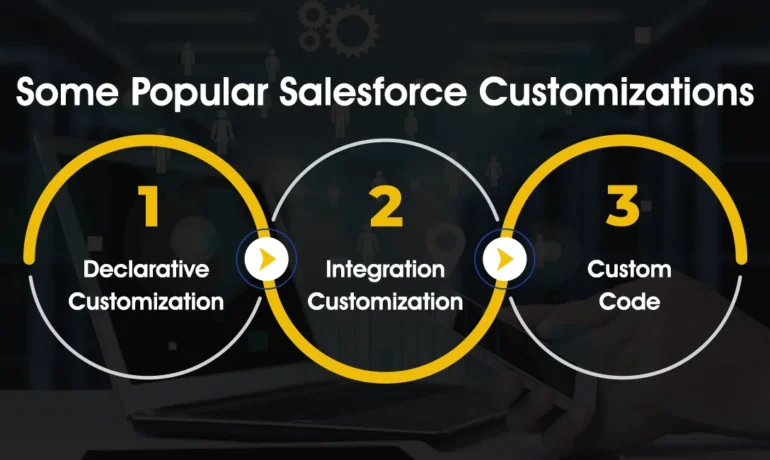
Comprehensive Salesforce Customization Steps Executing a successful SFDC customization requires a structured approach. This detailed plan outlines the 12 essential steps to ensure project success. Following this structured customization plan ensures efficient project execution and maximizes the benefits of Salesforce customization for your organization. Each step contributes to the successful implementation and adoption of tailored Salesforce solutions. Salesforce Customization Steps. Like1 Related Posts Who is Salesforce? Who is Salesforce? Here is their story in their own words. From our inception, we’ve proudly embraced the identity of Read more Salesforce Marketing Cloud Transactional Emails Salesforce Marketing Cloud Transactional Emails are immediate, automated, non-promotional messages crucial to business operations and customer satisfaction, such as order Read more Salesforce Unites Einstein Analytics with Financial CRM Salesforce has unveiled a comprehensive analytics solution tailored for wealth managers, home office professionals, and retail bankers, merging its Financial Read more AI-Driven Propensity Scores AI plays a crucial role in propensity score estimation as it can discern underlying patterns between treatments and confounding variables Read more

Read More
Salesforce Document Generation

Generative AI

Artificial Intelligence in Focus Generative Artificial Intelligence is a type of artificial intelligence technology that can produce various types of content, including text, imagery, audio and synthetic data. What is the difference between generative AI and general AI? Traditional AI focuses on analyzing historical data and making future numeric predictions, while generative AI allows computers to produce brand-new outputs that are often indistinguishable from human-generated content. Recently, there has been a surge in discussions about artificial intelligence (AI), and the spotlight on this technology seems more intense than ever. Despite AI not being a novel concept, as many businesses and institutions have incorporated it in various capacities over the years, the heightened interest can be attributed to a specific AI-powered chatbot called ChatGPT. ChatGPT stands out by being able to respond to plain-language questions or requests in a manner that closely resembles human-written responses. Its public release allowed people to engage in conversations with a computer, creating a surprising, eerie, and evocative experience that captured widespread attention. This ability of an AI to engage in natural, human-like conversations represents a notable departure from previous AI capabilities. The Artificial Intelligence Fundamentals badge on the Salesforce Trailhead delves into the various specific tasks that AI models are trained to execute, highlighting the remarkable potential of generative AI, particularly in its ability to create diverse forms of text, images, and sounds, leading to transformative impacts both in and outside the workplace. Let’s explore the tasks that generative AI models are trained to perform, the underlying technology, and how businesses are specializing within the generative AI ecosystem. It also delves into concerns that businesses may harbor regarding generative Artificial Intelligence. Exploring the Capabilities of Language Models While generative AI may appear as a recent phenomenon, researchers have been developing and training generative AI models for decades. Some notable instances made headlines, such as Nvidia unveiling an AI model in 2018 capable of generating photorealistic images of human faces. These instances marked the gradual entry of generative AI into public awareness. While some researchers focused on AI’s capabilities generating specific types of images, others concentrated on language-related AI. This involved training AI models to perform various tasks related to interpreting text, a field known as natural language processing (NLP). Large language models (LLMs), trained on extensive datasets of real-world text, emerged as a key component of NLP, capturing intricate language rules that humans take years to learn. Summarization, translation, error correction, question answering, guided image generation, and text-to-speech are among the impressive tasks accomplished by LLMs. They provide a tool that significantly enhances language-related tasks in real-world scenarios. Predictive Nature of Generative AI Despite the remarkable predictions generated by generative AI in the form of text, images, and sounds, it’s crucial to clarify that these outputs represent a form of prediction rather than a manifestation of “thinking” by the computer. Generative Artificial Intelligence doesn’t possess opinions, intentions, or desires; it excels at predicting sequences of words based on patterns learned during training. Understanding this predictive nature is key. The AI’s ability to predict responses aligns with expectations rather than reflecting any inherent understanding or preference. Recognizing the predictive character of generative AI underscores its role as a powerful tool, bridging gaps in language-related tasks for both professional and recreational purposes. Like Related Posts Who is Salesforce? Who is Salesforce? Here is their story in their own words. From our inception, we’ve proudly embraced the identity of Read more Salesforce Marketing Cloud Transactional Emails Salesforce Marketing Cloud Transactional Emails are immediate, automated, non-promotional messages crucial to business operations and customer satisfaction, such as order Read more Salesforce Unites Einstein Analytics with Financial CRM Salesforce has unveiled a comprehensive analytics solution tailored for wealth managers, home office professionals, and retail bankers, merging its Financial Read more AI-Driven Propensity Scores AI plays a crucial role in propensity score estimation as it can discern underlying patterns between treatments and confounding variables Read more
Read More
Salesforce Service Cloud Einstein

Salesforce Service Cloud Einstein

Einstein for Service is a robust suite of time-saving Artificial Intelligence features designed to empower agents in delivering exceptional customer service experiences. Salesforce Service Cloud Einstein-learn more. Customer service has evolved from being a cost center to a growth driver, and leading companies are prioritizing customer service to increase brand loyalty. In Service Cloud Einstein, various AI technologies, such as Machine Learning (ML), deep learning, predictive analytics, Natural Language Processing (NLP), and smart data discovery, work collaboratively to enhance customer support, providing faster and better service. Salesforce Einstein, recognized as the world’s first “generative AI” built for CRM, seamlessly integrates into multiple Salesforce products, including Marketing Cloud, Sales Cloud, and Service Cloud. Sales Cloud incorporates Einstein in the form of eight essential tools: Salesforce Einstein, since its inception in 2016, has been at the forefront of CRM AI technology, delivering personalized and predictive experiences for enhanced professionalism. Salesforce Service Cloud is a CRM platform focused on providing service and support to business customers. It is an extension of the Sales Cloud product tailored for sales professionals. Service Cloud Einstein is utilized by notable companies like Thomson Reuters, Southern Glazer’s Wine and Spirits, Cisco, and Skillsoft. Service Cloud Einstein benefits businesses by providing efficient customer service, with Einstein GPT responding promptly to inquiries, offering precise responses, enhancing customer satisfaction, and reducing resolution time. Studies show that in the same time 3 customers could be serviced before Service Cloud Einstein, now ten can be taken care of. The difference between Einstein GPT and ChatGPT lies in their design, with Einstein GPT specifically tailored for Salesforce users and clouds, while ChatGPT is a more versatile model for general use. Einstein is available for free with Salesforce’s Developer Edition, providing access to most platform features for building and testing custom applications and integrations using Einstein. Salesforce Sales Cloud and Service Cloud differ in their focus, with Sales Cloud concentrating on sales processes, while Service Cloud centers around customer service and support. Einstein remains the overarching AI brand for Salesforce, present across the portfolio, including within Tableau. Einstein Discovery is available as part of Tableau CRM Plus or through Einstein Predictions. Are you ready to explore the power of Einstein in your Salesforce Service Cloud implementation? Contact Tectonic today. Tectonic is please to announce Salesforce Service Cloud Implementation Solutions. Content updated January 2024. Like1 Related Posts Who is Salesforce? Who is Salesforce? Here is their story in their own words. From our inception, we’ve proudly embraced the identity of Read more Salesforce Marketing Cloud Transactional Emails Salesforce Marketing Cloud Transactional Emails are immediate, automated, non-promotional messages crucial to business operations and customer satisfaction, such as order Read more Salesforce Unites Einstein Analytics with Financial CRM Salesforce has unveiled a comprehensive analytics solution tailored for wealth managers, home office professionals, and retail bankers, merging its Financial Read more AI-Driven Propensity Scores AI plays a crucial role in propensity score estimation as it can discern underlying patterns between treatments and confounding variables Read more
Read More
Salesforce Automation

Using Automation Tools in Salesforce

Automation streamlines repetitive tasks in your business, such as creating follow-up messages or sending reminder emails, saving critical time and reducing errors. Salesforce offers four main automation tools to help businesses optimize their processes and enhance efficiency: Workflow Rules, Process Builder, Flow, and Apex. While these tools can significantly improve productivity, there are additional resources to further enhance automation capabilities. Salesforce Automation Tools Overview Salesforce provides multiple automation tools to streamline business processes and save time. Here’s an overview of some of these tools: Workflow Rules: These rules automate simple business processes by setting criteria and actions based on record changes in Salesforce. Process Builder: This tool allows you to create more complex automated processes using a graphical interface, including triggering actions based on multiple criteria. Flow: Flow enables you to automate even more sophisticated processes by guiding users through screens and automating complex logic, similar to building a program. Apex: For developers, Apex provides a powerful programming language to create custom automation solutions tailored to specific business needs. Each of these tools has its strengths and use cases, allowing businesses to choose the most appropriate tool for their requirements. Salesforce Workflow Automation To automate workflows in Salesforce, you can utilize several options: Process Builder: This tool enables you to create automated processes triggered by various Salesforce events, allowing for more advanced workflow automation. Salesforce Automation Rules Automation rules in Salesforce are criteria-based rules that identify matching prospects and apply predefined actions to them. These rules help streamline and automate lead management processes, ensuring timely actions are taken based on prospect criteria. Automating Tasks in Salesforce Salesforce Macros provide a way to automate repetitive tasks for your team, allowing you to solve customer issues with a single click. The Macro Builder enables you to define the logic behind these automated tasks, improving efficiency and productivity. Choosing the Right Automation in Salesforce Flow Builder is a versatile tool for automating repetitive business processes in Salesforce. Additional features such as approval processes, Flow Orchestration, Einstein Next Best Action, and Apex can further enhance automation capabilities based on specific business requirements. Salesforce Automation Technology Overview Salesforce automation technology encompasses tools and software platforms designed to automate various tasks expected of sales teams, such as data entry and email communication. By reducing manual workload, these technologies help sales teams focus more on revenue-generating activities. The Power of Automation in Salesforce Salesforce offers a comprehensive suite of automation tools that empower users to automate processes and approvals without writing any code. These tools provide guided visual experiences and behind-the-scenes automation, enabling businesses to streamline operations efficiently. In conclusion, Salesforce provides a range of automation tools and technologies to help businesses streamline processes, save time, and improve productivity. Understanding the capabilities of these tools and choosing the right ones for your specific requirements can greatly enhance your automation efforts. Like Related Posts Who is Salesforce? Who is Salesforce? Here is their story in their own words. From our inception, we’ve proudly embraced the identity of Read more Salesforce Marketing Cloud Transactional Emails Salesforce Marketing Cloud Transactional Emails are immediate, automated, non-promotional messages crucial to business operations and customer satisfaction, such as order Read more Salesforce Unites Einstein Analytics with Financial CRM Salesforce has unveiled a comprehensive analytics solution tailored for wealth managers, home office professionals, and retail bankers, merging its Financial Read more AI-Driven Propensity Scores AI plays a crucial role in propensity score estimation as it can discern underlying patterns between treatments and confounding variables Read more

Read More

Maximizing Business Efficiency with Salesforce Managed Services

The Importance of Salesforce Optimization In today’s super fast-paced business world, companies rely on Salesforce to streamline operations and reduce costs. As a leading customer relationship management (CRM) platform, Salesforce enables organizations to enhance workflows, improve efficiency, and drive better results. To maximize the value of your Salesforce platform, optimization is essential. This involves fine tuning the system to ensure ease of use, eliminating inefficiencies, and enhancing overall performance. However, managing Salesforce effectively requires significant time and resources—this is where Salesforce Managed Services come in. This Tectonic insight explores how Managed Services can elevate your Salesforce experience, driving improved business performance and maximizing return on investment. What is Salesforce Optimization? Salesforce optimization focuses on refining the platform to better align with your business needs. It involves continuous improvements in system configuration, workflows, and integrations to ensure peak performance. Given that business requirements evolve over time, optimization is an ongoing process rather than a one-time task. Through Managed Services, businesses can fine-tune settings, enhance workflows, and ensure seamless system integrations, leading to increased productivity and efficiency. How to Optimize Salesforce for Maximum Efficiency Optimizing Salesforce involves refining data management, automation, user experience, and security. Key areas of focus include: 1. Data Model Optimization 2. Indexing and Query Optimization 3. Managing Governor Limits 4. Data Loading and Migration 5. UI and Lightning Experience Optimization 6. Reporting and Dashboard Optimization 7. Security and Access Control 8. Performance Monitoring and Analysis Challenges in Salesforce Optimization Optimizing Salesforce can be complex, and failing to manage it properly can hinder performance. Common challenges include: Why Continuous Salesforce Optimization is Essential Ongoing optimization ensures that businesses maximize their Salesforce investment, enabling: Understanding Salesforce Managed Services Salesforce Managed Services offer a proactive approach to CRM optimization. Instead of managing Salesforce in-house, businesses can outsource expert professionals to ensure seamless operations, enhanced security, and continuous improvement. Key Benefits of Managed Services How Managed Services Improve Salesforce Performance Salesforce Managed Services take a proactive approach to optimization, preventing issues before they arise. Key areas of impact include: 1. Proactive Monitoring & Maintenance 2. Customization & Automation 3. Enhanced Data Integrity & Security 4. Seamless Third-Party Integrations Maximizing ROI with Managed Salesforce Services Optimizing Salesforce through Managed Services yields significant business benefits, including cost savings, operational efficiency, and revenue growth. 1. Cost Efficiency 2. Faster Implementation & Deployment 3. Improved User Adoption & Productivity 4. Measurable Business Growth Conclusion Salesforce optimization is crucial for maintaining an efficient and scalable CRM. By leveraging Managed Services, businesses can enhance system performance, improve data security, and increase operational efficiency in a cost-effective manner. A dedicated Salesforce Managed Service Provider like Tectonic ensures streamlined operations, optimized configurations, and enhanced user adoption, ultimately driving business growth. Elevate Your Salesforce Performance As your business grows, managing and optimizing Salesforce becomes increasingly complex. Our Managed Services provide expert support, ensuring that your CRM remains optimized, secure, and scalable. Looking to enhance your Salesforce strategy? Contact us today to optimize your Salesforce instance and unlock its full potential. Like Related Posts Who is Salesforce? Who is Salesforce? Here is their story in their own words. From our inception, we’ve proudly embraced the identity of Read more Salesforce Marketing Cloud Transactional Emails Salesforce Marketing Cloud Transactional Emails are immediate, automated, non-promotional messages crucial to business operations and customer satisfaction, such as order Read more Salesforce Unites Einstein Analytics with Financial CRM Salesforce has unveiled a comprehensive analytics solution tailored for wealth managers, home office professionals, and retail bankers, merging its Financial Read more AI-Driven Propensity Scores AI plays a crucial role in propensity score estimation as it can discern underlying patterns between treatments and confounding variables Read more

Read More
gettectonic.com