PHI Archives - gettectonic.com - Page 18

Measures for Granular Calculated Insights

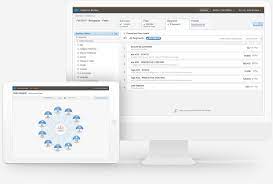
Add More Measures to Calculated Insights Now you can add more measures to your calculated insights to achieve an improved result. The max number of measures per calculated insight has increased from 5 to 20. View Calculated Insights in Builder Now it’s easier to review the objects, filters, relationships, and logic that you selected for a Calculated Insight. When you use the Insight Builder to create a Calculated Insight, you can view insight logic in the builder and in SQL. Where: This change applies to Lightning Experience in all editions. How: From Customer Data Platform, click Calculated Insights, and then click Show In Builder. Install or Update Data Kits That Power Standard Data Bundles Salesforce CRM data bundles are now powered by data kits to enable more scalable delivery and faster innovation for Salesforce CRM data bundles. As a Customer Data Platform Admin, you can install or update data kits that power Salesforce CRM data bundles. Where: This change applies to Lightning Experience in all editions. Exploring the Power of Calculated Insights (CI) Calculated Insights (CIs) in Salesforce Data Cloud enable you to define and compute complex, multidimensional metrics, offering a deeper understanding of your data. These insights help analyze performance across different dimensions—like channel-level activity or customer engagement metrics—empowering your organization to make data-driven decisions. For example, CIs can rank customers by engagement or spending, evaluate product performance, and uncover trends in purchasing or browsing behavior. Let’s walk through how to use CIs effectively, with examples and reporting guidance. Example 1: Simplifying Metrics with a Single Measure Consider a CI with one aggregatable metric, such as Lifetime Value (LTV). To report on this CI: When the report opens, all CI dimensions appear as groupings, while measures display as columns in a summary format. What Happens with CIs Containing More Than Three Dimensions? Currently, reports support up to three groupings. For CIs with more than three dimensions, the first three are automatically included, though you can replace one dimension with another. Salesforce plans to expand this limit in the future. For example, a CI with the dimensions brand, customer ID, and product category will default to these three groupings in a summary report. Example 2: Handling Complex Metrics Now, imagine a CI that includes: A measure is non-aggregatable when summing it wouldn’t provide meaningful results. For instance, summing rank values for 10 customers doesn’t make sense; instead, metrics like min or max can be applied. Reporting for Complex CIs: By default, reports group CI dimensions and display measures as columns in summary format. However, non-aggregatable measures depend on all dimensions being present. For example, Rank values rely on dimensions like Lead Source and Stage—if one dimension is removed, the related non-aggregatable measures will also be excluded to maintain data integrity. Using Calculated Insights in Real-World Scenarios Use Case 1: Optimizing Marketing Efforts Create a report on a CI that ranks web traffic sources and breaks them down by product category. Use Case 2: Enhancing Patient Engagement Develop a report on a unified patient profile CI, grouping patients by age group and health score. Use Case 3: Identifying High-Performing Channels Generate a CI report grouped by marketing channels and regions in your Customer Lifetime Value metric. Visualizing CIs in Reports You can add charts to your CI reports, adhering to the same restrictions as in Lightning Reports. This visualization capability enables you to uncover trends and share insights effectively. Calculated Insights unlock a powerful layer of reporting in Salesforce, offering flexibility, precision, and actionable intelligence. Whether optimizing marketing efforts, improving patient engagement, or refining customer segmentation, CIs empower teams to make data-driven decisions that drive success. Like Related Posts Who is Salesforce? Who is Salesforce? Here is their story in their own words. From our inception, we’ve proudly embraced the identity of Read more Salesforce Marketing Cloud Transactional Emails Salesforce Marketing Cloud Transactional Emails are immediate, automated, non-promotional messages crucial to business operations and customer satisfaction, such as order Read more Salesforce Unites Einstein Analytics with Financial CRM Salesforce has unveiled a comprehensive analytics solution tailored for wealth managers, home office professionals, and retail bankers, merging its Financial Read more AI-Driven Propensity Scores AI plays a crucial role in propensity score estimation as it can discern underlying patterns between treatments and confounding variables Read more


Read More
2024 AI and Machine Learning Trends

2024 AI and Machine Learning Trends

In 2023, the AI landscape experienced transformative changes following the debut of ChatGPT in November 2022, a landmark event for artificial intelligence. 2024 AI and Machine Learning Trends ahead, AI is set to dramatically alter global business practices and drive significant advancements across various sectors. Organizations are shifting their focus from experimental initiatives to real-time applications, reflecting a more mature understanding of AI’s capabilities while still being intrigued by generative AI technologies. Key AI and Machine Learning Trends for 2024 Here are the top trends shaping the AI and machine learning landscape for 2024: 1. Agentic AIAgentic AI is evolving from reactive to proactive systems. Unlike traditional AI that primarily responds to user inputs, these advanced AI agents demonstrate autonomy, proactivity, and the ability to independently set and pursue goals. 2. Open-Source AIOpen-source AI is democratizing access to sophisticated AI models and tools by offering free, publicly accessible alternatives to proprietary solutions. This trend has seen significant growth, with notable competitors like Mistral AI’s Mixtral models and Meta’s Llama 2 making strides in 2023. 3. Multimodal AIMultimodal AI integrates various types of inputs—such as text, images, and audio—mimicking human sensory capabilities. Models like GPT-4 from OpenAI showcase this ability, enhancing applications in fields like healthcare by improving diagnostic precision. 4. Customized Enterprise Generative AI ModelsThere is a rising interest in bespoke generative AI models tailored to specific business needs. While broad tools like ChatGPT remain widely used, niche-specific models are increasingly popular for their efficiency in addressing specialized requirements. 5. Retrieval-Augmented Generation (RAG)RAG combines text generation with information retrieval to boost the accuracy and relevance of AI-generated content. By reducing model size and leveraging external data sources, RAG is well-suited for business applications that require up-to-date factual information. 6. Shadow AIShadow AI, which refers to user-friendly AI tools used without formal IT approval, is gaining traction among employees seeking quick solutions or exploring new technologies. While it fosters innovation, it also raises concerns about data privacy and security. Looking Ahead to 2024 These trends highlight AI and machine learning’s expanding role across industries in 2024. Organizations must adapt to these advancements to remain competitive, balancing innovation with strong governance frameworks to ensure security and compliance. Staying informed about these developments will be crucial for leveraging AI’s transformative potential in the coming year. Like Related Posts Who is Salesforce? Who is Salesforce? Here is their story in their own words. From our inception, we’ve proudly embraced the identity of Read more Salesforce Marketing Cloud Transactional Emails Salesforce Marketing Cloud Transactional Emails are immediate, automated, non-promotional messages crucial to business operations and customer satisfaction, such as order Read more Salesforce Unites Einstein Analytics with Financial CRM Salesforce has unveiled a comprehensive analytics solution tailored for wealth managers, home office professionals, and retail bankers, merging its Financial Read more AI-Driven Propensity Scores AI plays a crucial role in propensity score estimation as it can discern underlying patterns between treatments and confounding variables Read more
Read More
Marketing Cloud Growth and Advanced Editions

Marketing Cloud Growth and Advanced Editions

While Growth Edition is tailored to small businesses looking to get started with robust marketing automation, Advanced Edition caters to companies that need more sophisticated tools to scale personalization efforts, improve customer engagement, and streamline workflows. It offers additional features, including real-time journey testing, predictive AI for customer scoring, and advanced SMS capabilities, allowing businesses to enhance every touchpoint with their customers.

Read More
MC Personalization Tips and Tricks

MC Personalization Tips and Tricks

Salesforce Marketing Cloud Personalization, formerly Interaction Studio, offers incredible power for personalization. MC Personalization Tips and Tricks below will help you level up your game. Einstein Recipes: Enhancements and Challenges Multiple Dimensional Variations for Products in Einstein Recipes Einstein Recipes offer powerful and flexible tools for creating recommendations. However, the fourth step, Variations, falls short compared to other options. Currently, you can configure only a single Dimensional Variation. While multiple Item Types are available, once you select one, you cannot limit recommended products to specific numbers per category or brand. This limitation hinders control over product recommendations, especially for e-commerce sites with diverse catalogs. Unlike Dimensional Variations, multiple Boosters or Exclusions of the same type can be configured differently, which would be a valuable feature to add for Variations. Department Variation for Products in Einstein Recipes Einstein Recipes allow Dimensional Variations at the Category level, but only for primary categories. There is no option for Department (master category) level, which is limiting for e-commerce sites with broad category trees, such as: Recommendations with Category Variation set can still be dominated by similar products due to similar primary categories. Two solutions could address this: Price Reduction Ingredient in Einstein Recipes Triggered Campaigns in Journey Builder can target various events, including Catalog Triggers. Some triggers, like Product Expiring Soon, are available for Web with Einstein Recipes Ingredients. However, there is no Ingredient for the common e-commerce use case of Price Reduction. Marketing Cloud Personalization (Interaction Studio) has the required price and listPrice attributes for Triggered Campaigns. A workaround involves calculating price reductions externally and passing this information to a Related Catalog Object. More efficient solutions would be: Rating Count in Recipe’s Rating Exclusion Marketing Cloud Personalization offers Exclusions/Inclusions on Recipes to fine-tune recommendations. One option is to exclude/include items based on their rating, with an optional zero rating capture. It would be beneficial to include an option to filter based on rating count, allowing for: Currently, such filters can only be applied on the server side in the Template, which can limit recommendations. Having this feature at the recipe level would be more powerful. Abandoned Cart Retention Setting Marketing Cloud Personalization captures cart information for Einstein Recipes recommendations. However, cart content remains indefinitely unless managed proactively. A workaround involves a Web Campaign that checks cart age and pushes a clear cart action if necessary. A better solution would be a configurable option in MCP settings to automatically remove old cart data. Catalog Enhancements Full MCP Category Hierarchy Support for ETL Marketing Cloud Personalization can create a hierarchical tree of categories with automatic summing of views and revenue. However, this is currently possible only under specific conditions, such as having one Category per product and using a Sitemap format. This limitation is problematic, as ETL is often a better way to manage it. The Category ETL already provides detailed information using department and parentCategoryId attributes, but this data does not replicate the drill-down hierarchy in the Catalog UI or pass data from the bottom Category up. Ensuring feature parity between Sitemap and ETL would be beneficial. Segmentation Enhancements MCP Action Name Management Marketing Cloud Personalization captures actions from multiple sources but does not allow managing created actions. An option to view and remove unnecessary actions would improve user experience by reducing the number of options in the segmentation/targeting picklists. An even better solution would be to merge existing actions, preserving behavioral data after refactoring action names. MCP Hourly-Based Segmentation Rules Currently, segmentation rules in Marketing Cloud Personalization are based on days, limiting on-site campaign targeting. For example, to display an infobar for abandoned cart users, the current segmentation can only show users who have not performed a Cart Action today. Hourly-based segmentation rules would allow more precise targeting, showing users who have not performed a Cart Action in the last hour. Adding a picklist to choose between day or hour-based rules would enhance segmentation capabilities. Full MCP Catalog Export Marketing Cloud Personalization supports manual catalog export but only with limited data. The current export file lacks complete catalog data (e.g., promotable and archived attributes), making it unsuitable for ETL sources. An option to export the full catalog data, matching the ETL schema and including hidden items, would greatly benefit debugging and batch-modifying items for subsequent ETL import. Full MCP Catalog Metadata Visibility Marketing Cloud Personalization supports viewing custom attribute metadata in the Catalog but is limited to ETL updates. Extending this to built-in attributes and including origin and lastUpdated values for all sources (Sitemap, Mobile App, Manual update, API) would simplify debugging Catalog metadata issues, reducing admin/developer work and support tickets. ETL Enhancements External Email Campaign ETL Experience Name & ID External Email Campaign ETL allows passing behavioral data but is limited to Campaign ID and Campaign Name. To fully leverage this data in segmentation, it should also support Email ID and Email Name. Adding Experience ID and Experience Name fields to the ETL would enable targeted personalization, allowing segmentation on entire campaigns or specific emails within campaigns. External Email Campaign ETL Send Segmentation External Email Campaign ETL passes Send, Click, and Open data but does not support segmentation based on Send events. Enabling segmentation rules for Send events would unlock use cases like targeting Web or Push campaigns to users who received an email campaign but did not open it, fully leveraging cross-channel and real-time personalization. External Email Campaign ETL Unsubscription Event Type External Email Campaign ETL passes Send, Click, and Open data but cannot pass unsubscriptions. Including the Unsubscribe event would enable targeted campaigns like surveys about unsubscription reasons, win-back campaigns, or replacing email subscription prompts with other channel recommendations. By addressing these enhancements and challenges, Salesforce Marketing Cloud Personalization (Interaction Studio) can further improve its capabilities and provide more precise, effective, and user-friendly tools for personalized marketing. Reporting Enhancements: Direct Attribution at the MCP Campaign Level Current Reporting in Marketing Cloud Personalization (MCP) Marketing Cloud Personalization (Interaction Studio) offers various reports based on Activity, Results, and Visits. However, it

Read More
EPHI and PHI Explained

EPHI and PHI Explained

Lately, there’s been a lot of buzz about Protected Health Information (PHI), especially with concerns arising over what’s permissible to disclose. (Think vaccine status, anyone?) Let’s delve into precisely what constitutes protected health information and what doesn’t. Additionally, as technology progresses and electronic medical records become prevalent, a new category called electronic PHI (ePHI) has emerged, warranting exploration. PHI: Under HIPAA regulations, PHI encompasses “any identifiable health information utilized, maintained, stored, or transmitted by a HIPAA-covered entity.” These entities typically include healthcare providers, insurance providers, or associates of HIPAA-covered entities, such as subcontracted services like medical coding companies. As a result, any data linked to your health—whether it’s test results, medical history, or personal identifiers like your name or social security number—is classified as PHI. The inclusion of one or more of these identifiers renders the information PHI, necessitating adherence to HIPAA Privacy Rules for its security. There are 18 specific categories of patient identifiers: ePHI: ePHI functions similarly to PHI but encompasses information created, stored, or transmitted electronically. This includes systems operating with cloud databases or transmitting patient information via email. To ensure protection, specialized security measures such as encryption and secure backup are imperative. Several high-profile breaches of ePHI in recent years have resulted in substantial financial penalties ranging from six to seven figures. Exceptions: Certain types of information do not fall under HIPAA rules as PHI or ePHI, and it’s crucial to recognize these exceptions. Sometimes, any medical-related information is erroneously grouped under PHI when it shouldn’t be. To ascertain whether information qualifies as PHI, consider the following guidelines: The healthcare landscape relies heavily on information—comprising records, histories, forms, demographics, and reports. Managing HIPAA-compliant electronic forms can be a daunting task without the right partner. With virtual and telehealth communications becoming increasingly common, the electronic handling of sensitive ePHI is more vital than ever. Tectonic works with our health and life sciences customers to ensure that such data is safeguarded, user-friendly, and consistently secure. Like1 Related Posts Who is Salesforce? Who is Salesforce? Here is their story in their own words. From our inception, we’ve proudly embraced the identity of Read more Salesforce Unites Einstein Analytics with Financial CRM Salesforce has unveiled a comprehensive analytics solution tailored for wealth managers, home office professionals, and retail bankers, merging its Financial Read more AI-Driven Propensity Scores AI plays a crucial role in propensity score estimation as it can discern underlying patterns between treatments and confounding variables Read more Tectonic’s Successful Salesforce Track Record Salesforce Technology Services Integrator – Tectonic has successfully delivered Salesforce in a variety of industries including Public Sector, Hospitality, Manufacturing, Read more

Read More
Communicating With Machines

Communicating With Machines

For as long as machines have existed, humans have struggled to communicate effectively with them. The rise of large language models (LLMs) has transformed this dynamic, making “prompting” the bridge between our intentions and AI’s actions. By providing pre-trained models with clear instructions and context, we can ensure they understand and respond correctly. As UX practitioners, we now play a key role in facilitating this interaction, helping humans and machines truly connect. The UX discipline was born alongside graphical user interfaces (GUIs), offering a way for the average person to interact with computers without needing to write code. We introduced familiar concepts like desktops, trash cans, and save icons to align with users’ mental models, while complex code ran behind the scenes. Now, with the power of AI and the transformer architecture, a new form of interaction has emerged—natural language communication. This shift has changed the design landscape, moving us from pure graphical interfaces to an era where text-based interactions dominate. As designers, we must reconsider where our focus should lie in this evolving environment. A Mental Shift In the era of command-based design, we focused on breaking down complex user problems, mapping out customer journeys, and creating deterministic flows. Now, with AI at the forefront, our challenge is to provide models with the right context for optimal output and refine the responses through iteration. Shifting Complexity to the Edges Successful communication, whether with a person or a machine, hinges on context. Just as you would clearly explain your needs to a salesperson to get the right product, AI models also need clear instructions. Expecting users to input all the necessary information in their prompts won’t lead to widespread adoption of these models. Here, UX practitioners play a critical role. We can design user experiences that integrate context—some visible to users, others hidden—shaping how AI interacts with them. This ensures that users can seamlessly communicate with machines without the burden of detailed, manual prompts. The Craft of Prompting As designers, our role in crafting prompts falls into three main areas: Even if your team isn’t building custom models, there’s still plenty of work to be done. You can help select pre-trained models that align with user goals and design a seamless experience around them. Understanding the Context Window A key concept for UX designers to understand is the “context window“—the information a model can process to generate an output. Think of it as the amount of memory the model retains during a conversation. Companies can use this to include hidden prompts, helping guide AI responses to align with brand values and user intent. Context windows are measured in tokens, not time, so even if you return to a conversation weeks later, the model remembers previous interactions, provided they fit within the token limit. With innovations like Gemini’s 2-million-token context window, AI models are moving toward infinite memory, which will bring new design challenges for UX practitioners. How to Approach Prompting Prompting is an iterative process where you craft an instruction, test it with the model, and refine it based on the results. Some effective techniques include: Depending on the scenario, you’ll either use direct, simple prompts (for user-facing interactions) or broader, more structured system prompts (for behind-the-scenes guidance). Get Organized As prompting becomes more common, teams need a unified approach to avoid conflicting instructions. Proper documentation on system prompting is crucial, especially in larger teams. This helps prevent errors and hallucinations in model responses. Prompt experimentation may reveal limitations in AI models, and there are several ways to address these: Looking Ahead The UX landscape is evolving rapidly. Many organizations, particularly smaller ones, have yet to realize the importance of UX in AI prompting. Others may not allocate enough resources, underestimating the complexity and importance of UX in shaping AI interactions. As John Culkin said, “We shape our tools, and thereafter, our tools shape us.” The responsibility of integrating UX into AI development goes beyond just individual organizations—it’s shaping the future of human-computer interaction. This is a pivotal moment for UX, and how we adapt will define the next generation of design. Content updated October 2024. Like Related Posts Who is Salesforce? Who is Salesforce? Here is their story in their own words. From our inception, we’ve proudly embraced the identity of Read more Salesforce Unites Einstein Analytics with Financial CRM Salesforce has unveiled a comprehensive analytics solution tailored for wealth managers, home office professionals, and retail bankers, merging its Financial Read more AI-Driven Propensity Scores AI plays a crucial role in propensity score estimation as it can discern underlying patterns between treatments and confounding variables Read more Tectonic’s Successful Salesforce Track Record Salesforce Technology Services Integrator – Tectonic has successfully delivered Salesforce in a variety of industries including Public Sector, Hospitality, Manufacturing, Read more

Read More

Audience Builder Marketing Cloud

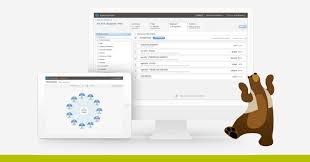
Marketing Cloud Audience Builder dynamically generates targeted audiences from contacts stored in your account based on attribute and behavioral values. These audiences can be used to target or exclude contacts from your marketing activities. In today’s world, where a staggering 347.3 billion emails are sent globally every day, email inboxes have become increasingly cluttered. In your specific niche, you’re not the only one trying to reach your target audience; numerous others are vying for their attention. With consumers having a multitude of options, marketers bear the responsibility of positioning themselves in a way that makes it impossible for potential customers to overlook them. Achieving this requires embracing customer-centricity, which involves deeply engaging with different buyer personas by segmenting your contact list based on various parameters such as age, gender, location, interests, preferences, past purchases, browsing history, and position in the sales funnel. However, manually managing this segmentation, especially with a large contact list, can be overwhelming. This is where a dependable tool like Salesforce Marketing Cloud’s Audience Builder proves invaluable. The SFMC Audience Builder empowers marketers to create granular segmentation frameworks based on demographic and behavioral data, making the execution of targeted campaigns effortless. It dynamically generates targeted audiences by utilizing contacts in your account and leveraging behavioral values and stored attributes as guiding parameters. In this overview, we aim to provide a comprehensive understanding of SFMC’s Audience Builder. Key Entities and Terminologies: Like Related Posts Who is Salesforce? Who is Salesforce? Here is their story in their own words. From our inception, we’ve proudly embraced the identity of Read more Salesforce Marketing Cloud Transactional Emails Salesforce Marketing Cloud Transactional Emails are immediate, automated, non-promotional messages crucial to business operations and customer satisfaction, such as order Read more Salesforce Unites Einstein Analytics with Financial CRM Salesforce has unveiled a comprehensive analytics solution tailored for wealth managers, home office professionals, and retail bankers, merging its Financial Read more AI-Driven Propensity Scores AI plays a crucial role in propensity score estimation as it can discern underlying patterns between treatments and confounding variables Read more
Read More
Salesforce Dedicated Data Model for Public Sector

Salesforce Dedicated Data Model for Public Sector

Public Sector Solutions Data Model Overview The Salesforce Dedicated Data Model for Public Sector leverages a suite of standard Salesforce objects to manage and structure data across various domains such as licensing, permitting, inspections, case management, benefit administration, grantmaking, and more. These objects are designed to facilitate efficient application processing, regulatory compliance, and service delivery within government agencies. Key Features Salesforce Dedicated Data Model for Public Sector Public Sector Solutions Standard Objects The data model includes a comprehensive set of objects tailored to support: Getting Started To implement and utilize the Public Sector Solutions data model effectively: Learn More Discover how Public Sector Solutions empowers government agencies in delivering efficient and effective public services. From automating approval workflows to enhancing constituent engagement, explore the capabilities tailored to meet the diverse needs of public sector organizations. Like Related Posts Who is Salesforce? Who is Salesforce? Here is their story in their own words. From our inception, we’ve proudly embraced the identity of Read more Salesforce Marketing Cloud Transactional Emails Salesforce Marketing Cloud Transactional Emails are immediate, automated, non-promotional messages crucial to business operations and customer satisfaction, such as order Read more Salesforce Unites Einstein Analytics with Financial CRM Salesforce has unveiled a comprehensive analytics solution tailored for wealth managers, home office professionals, and retail bankers, merging its Financial Read more AI-Driven Propensity Scores AI plays a crucial role in propensity score estimation as it can discern underlying patterns between treatments and confounding variables Read more
Read More
einstein discovery dictionary

Einstein Discovery Dictionary

Familiarize yourself with terminology that is commonly associated with Einstein Discovery. Actionable VariableAn actionable variable is an explanatory variable that people can control, such as deciding which marketing campaign to use for a particular customer. Contrast these variables with explanatory variables that can’t be controlled, such as a customer’s street address or a person’s age. If a variable is designated as actionable, the model uses prescriptive analytics to suggest actions (improvements) the user can take to improve the predicted outcome. Actual OutcomeAn actual outcome is the real-world value of an observation’s outcome variable after the outcome has occurred. Einstein Discovery calculates model performance by comparing how closely predicted outcomes come to actual outcomes. An actual outcome is sometimes called an observed outcome. AlgorithmSee modeling algorithm. Analytics DatasetAn Analytics dataset is a collection of related data that is stored in a denormalized, yet highly compressed, form. The data is optimized for analysis and interactive exploration. AttributeSee variable. AverageIn Einstein Discovery, the average represents the statistical mean for a variable. BiasIf Einstein Discovery detects bias in your data, it means that variables are being treated unequally in your model. Removing bias from your model can produce more ethical and accountable models and, therefore, predictions. See disparate impact. Binary Classification Use CaseThe binary classification use case applies to business outcomes that are binary: categorical (text) fields with only two possible values, such as win-lose, pass-fail, public-private, retain-churn, and so on. These outcomes separate your data into two distinct groups. For analysis purposes, Einstein Discovery converts the two values into Boolean true and false. Einstein Discovery uses logistic regression to analyze binary outcomes. Binary classification is one of the main use cases that Einstein Discovery supports. Compare with multiclass classification. CardinalityCardinality is the number of distinct values in a category. Variables with high cardinality (too many distinct values) can result in complex visualizations that are difficult to read and interpret. Einstein Discovery supports up to 100 categories per variable. You can optionally consolidate the remaining categories (categories with fewer than 25 observations) into a category called Other. Null values are put into a category called Unspecified. Categorical VariableA categorical variable is a type of variable that represents qualitative values (categories). A model that represents a binary or multiclass classification use case has a categorical variable as its outcome. See category. CategoryA category is a qualitative value that usually contains categorical (text) data, such as Product Category, Lead Status, and Case Subject. Categories are handy for grouping and filtering your data. Unlike measures, you can’t perform math on categories. In Salesforce Help for Analytics datasets, categories are referred to as dimensions. CausationCausation describes a cause-and-effect relationship between things. In Einstein Discovery, causality refers to the degree to which variables influence each other (or not), such as between explanatory variables and an outcome variable. Some variables can have an obvious, direct effect on each other (for example, how price and discount affect the sales margin). Other variables can have a weaker, less obvious effect (for example, how weather can affect on-time delivery). Many variables have no effect on each other: they are independent and mutually exclusive (for example, win-loss records of soccer teams and currency exchange rates). It’s important to remember that you can’t presume a causal relationship between variables based simply on a statistical correlation between them. In fact, correlation provides you with a hint that indicates further investigation into the association between those variables. Only with more exploration can you determine whether a causal link between them really exists and, if so, how significant that effect is .CoefficientA coefficient is a numeric value that represents the impact that an explanatory variable (or a pair of explanatory variables) has on the outcome variable. The coefficient quantifies the change in the mean of the outcome variable when there’s a one-unit shift in the explanatory variable, assuming all other variables in the model remain constant. Comparative InsightComparative insights are insights derived from a model. Comparative insights reveal information about the relationships between explanatory variables and the outcome variable in your story. With comparative insights, you isolate factors (categories or buckets) and compare their impact with other factors or with global averages. Einstein Discovery shows waterfall charts to help you visualize these comparisons. CorrelationA correlation is simply the association—or “co-relationship”—between two or more things. In Einstein Discovery, correlation describes the statistical association between variables, typically between explanatory variables and an outcome variable. The strength of the correlation is quantified as a percentage. The higher the percentage, the stronger the correlation. However, keep in mind that correlation is not causation. Correlation merely describes the strength of association between variables, not whether they causally affect each other. CountA count is the number of observations (rows) associated with an analysis. The count can represent all observations in the dataset, or the subset of observations that meet associated filter criteria.DatasetSee Analytics dataset. Date VariableA date variable is a type of variable that contains date/time (temporal) data.Dependent VariableSee outcome variable. Deployment WizardThe Deployment Wizard is the Einstein Discovery tool used to deploy models into your Salesforce org. Descriptive InsightsDescriptive insights are insights derived from historical data using descriptive analytics. Descriptive insights show what happened in your data. For example, Einstein Discovery in Reports produces descriptive insights for reports. Diagnostic InsightsDiagnostic insights are insights derived from a model. Whereas descriptive insights show what happened in your data, diagnostic insights show why it happened. Diagnostic insights drill deeper into correlations to help you understand which variables most significantly impacted the business outcome you’re analyzing. The term why refers to a high statistical correlation, not necessarily a causal relationship. Disparate ImpactIf Einstein Discovery detects disparate impact in your data, it means that the data reflects discriminatory practices toward a particular demographic. For example, your data can reveal gender disparities in starting salaries. Removing disparate impact from your model can produce more accountable and ethical insights and, therefore, predictions that are fair and equitable. Dominant ValuesIf Einstein Discovery detects dominant values in a variable, it means that the data is unbalanced. Most values are in the same category, which can limit the value of the analysis. DriftOver time, a deployed model’s performance can drift, becoming less accurate in predicting outcomes. Drift can occur due to changing factors in the data or in your business environment. Drift also results from now-obsolete assumptions built into the story

Read More
Salesforce Certified Healthcare Technology

Salesforce Certified Healthcare Technology

As a Salesforce Certified healthcare technology consultant, Tectonic brings extensive experience across both large and small healthcare settings, witnessing firsthand the transformative impact of Salesforce Health Cloud. Having contributed to the development of an EHR and RCM application on Salesforce, Tectonic understands the substantial benefits this platform offers when integrated with existing technologies such as Electronic Health Records (EHR), claims data sources, and Patient Population Health Management systems. Enhanced Patient Population Health Management: Salesforce Health Cloud equips healthcare providers with tools to effectively manage Patient Population Health by gathering, analyzing, and acting on health data. Providers can leverage these insights to identify at-risk populations, design targeted interventions, and improve patient outcomes. Optimized Provider Referral Patterning: By integrating Salesforce Health Cloud with claims data, Tectonic enables providers to analyze referral patterns. This helps healthcare organizations collaborate more effectively with physicians based on their specialties, insurance networks, and common CPT codes, ultimately enhancing patient care and strengthening provider networks. AI-Enabled Contact Service Centers for Better Patient Care: Integrating Generative AI with Salesforce Health Cloud allows healthcare providers to deliver personalized, responsive services. By connecting Billing, EHR, and Patient Population Health Management platforms, Tectonic reduces administrative burdens, streamlines communication, and improves patient satisfaction in contact service centers. Business Development Liaison Route Planning: Using Salesforce Maps combined with 1st and 3rd party claims data, Tectonic enables business development teams to generate optimized, daily route plans within seconds. These plans allow healthcare representatives to visit the right providers based on location, specialty, referral volumes, and other key preferences. Strategic Territory Expansion and Planning: Salesforce Health Cloud empowers healthcare organizations to strategically plan for territory expansion. Through analyzing geographic claims data and patient demographics, Tectonic helps organizations make data-driven decisions on resource allocation and service growth. Extending Functionality with Salesforce AppExchange and Salesforce Health Cloud: The Salesforce AppExchange offers a wide array of applications that expand Health Cloud’s core capabilities. These apps can boost patient engagement, care coordination, and advanced analytics. In addition, Tectonic leverages multiple health and life sciences process, which integrates Revenue Cycle Management (RCM) and EHR functionalities, enabling providers to manage billing, claims, and clinical data seamlessly within one platform, among many other features. Conclusion: Salesforce Health Cloud, when combined with Tectonic‘s expertise and solutions like payer and provider processes, becomes a powerful asset for healthcare providers. By integrating Health Cloud into existing technology stacks and utilizing AppExchange apps, healthcare organizations can improve patient care, streamline operations, and strategically plan for growth in the ever-evolving healthcare landscape. Content updated September 2024. Like Related Posts Who is Salesforce? Who is Salesforce? Here is their story in their own words. From our inception, we’ve proudly embraced the identity of Read more Salesforce Marketing Cloud Transactional Emails Salesforce Marketing Cloud Transactional Emails are immediate, automated, non-promotional messages crucial to business operations and customer satisfaction, such as order Read more Salesforce Unites Einstein Analytics with Financial CRM Salesforce has unveiled a comprehensive analytics solution tailored for wealth managers, home office professionals, and retail bankers, merging its Financial Read more AI-Driven Propensity Scores AI plays a crucial role in propensity score estimation as it can discern underlying patterns between treatments and confounding variables Read more

Read More
Big Data and Data Visualization

Big Data and Data Visualization Explained

Data Visualization: Turning Complex Data into Clear Insights Data visualization is the practice of converting information into visual formats, such as maps or graphs, to make data more accessible and understandable. The primary purpose of data visualization is to highlight patterns, trends, and outliers within large data sets, allowing users to quickly glean insights. The term is often used interchangeably with information graphics, information visualization, and statistical graphics. The Role of Data Visualization in Data Science Data visualization is a crucial step in the data science process. After data is collected, processed, and modeled, it must be visualized to draw meaningful conclusions. It’s also a key component of data presentation architecture, a discipline focused on efficiently identifying, manipulating, formatting, and delivering data. Importance Across Professions Data visualization is essential across various fields. Teachers use it to display student performance, computer scientists to explore AI advancements, and executives to communicate information to stakeholders. In big data projects, visualization tools are vital for quickly summarizing large datasets, helping businesses make informed decisions. In advanced analytics, visualization is equally important. Data scientists use it to monitor and ensure the accuracy of predictive models and machine learning algorithms. Visual representations of complex algorithms are often easier to interpret than numerical outputs. Historical Context of Data Visualization Data visualization has evolved significantly over the centuries, long before the advent of modern technology. Today, its importance is more pronounced, as it enables quick and effective communication of information in a universally understandable manner. Why Data Visualization Matters Data visualization provides a straightforward way to communicate information, regardless of the viewer’s expertise. This universality makes it easier for employees to make decisions based on visual insights. Visualization offers numerous benefits for businesses, including: Advantages of Data Visualization Key benefits include: Challenges and Disadvantages Despite its advantages, data visualization has some challenges: Data Visualization in the Era of Big Data With the rise of big data, visualization has become more critical. Companies leverage machine learning to analyze vast amounts of data, and visualization tools help present this data in a comprehensible way. Big data visualization often employs advanced techniques, such as heat maps and fever charts, beyond the standard pie charts and graphs. However, challenges remain, including: Examples of Data Visualization Techniques Early computer-based data visualizations often relied on Microsoft Excel to create tables, bar charts, or pie charts. Today, more advanced techniques include: Common Use Cases for Data Visualization Data visualization is widely used across various industries, including: The Science Behind Data Visualization The effectiveness of data visualization is rooted in how humans process information. Daniel Kahneman and Amos Tversky’s research identified two methods of information processing: Visualization Tools and Vendors Data visualization tools are widely used for business intelligence reporting. These tools generate interactive dashboards that track performance across key metrics. Users can manipulate these visualizations to explore data in greater depth, and indicators alert them to data updates or important events. Businesses might use visualization of data software to monitor marketing campaigns or track KPIs. As tools evolve, they increasingly serve as front ends for sophisticated big data environments, assisting data engineers and scientists in exploratory analysis. Popular data visualization tools include Domo, Klipfolio, Looker, Microsoft Power BI, Qlik Sense, Tableau, and Zoho Analytics. While Microsoft Excel remains widely used, newer tools offer more advanced capabilities. Data visualization is a vital subset of the broader field of data analytics, offering powerful tools for understanding and leveraging business data across all sectors. Like Related Posts Who is Salesforce? Who is Salesforce? Here is their story in their own words. From our inception, we’ve proudly embraced the identity of Read more Salesforce Marketing Cloud Transactional Emails Salesforce Marketing Cloud Transactional Emails are immediate, automated, non-promotional messages crucial to business operations and customer satisfaction, such as order Read more Salesforce Unites Einstein Analytics with Financial CRM Salesforce has unveiled a comprehensive analytics solution tailored for wealth managers, home office professionals, and retail bankers, merging its Financial Read more AI-Driven Propensity Scores AI plays a crucial role in propensity score estimation as it can discern underlying patterns between treatments and confounding variables Read more

Read More
Benefits of Salesforce Experience Cloud

Benefits of Salesforce Experience Cloud

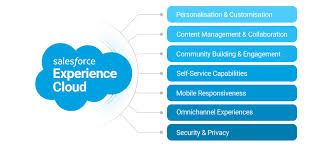
Salesforce Experience Cloud: Transforming Digital Customer Engagement To understand the Benefits of Salesforce Experience Cloud we must understand what a customer or partner portal is intended to do. Salesforce Experience Cloud, previously known as Community Cloud, is a powerful digital experience platform (DXP) designed to help organizations create and deliver exceptional, customer-centric experiences across multiple channels. This platform goes beyond community management, offering tools for building and managing websites, portals, mobile apps, and integrating social media. Benefits of Salesforce Experience Cloud explored. Built on Salesforce Customer 360, Experience Cloud gives businesses a comprehensive view of their customers by connecting data from various sources. With these insights, businesses can create personalized experiences tailored to each customer’s preferences and needs. Organizations can use Experience Cloud to design portals, websites, and communities, providing seamless access to relevant information, collaboration tools, and resources. The platform’s flexibility allows businesses to enhance customer satisfaction, improve partner collaboration, and boost employee productivity. Key Benefits of Salesforce Experience Cloud Salesforce Experience Cloud offers numerous benefits that help businesses deliver seamless experiences across the customer journey. Here are some of its key advantages: 1. Seamless Integration Experience Cloud integrates effortlessly with other Salesforce products like Sales Cloud and Service Cloud, providing a unified platform for comprehensive customer management. 2. Scalability and Customization The platform is highly scalable, allowing businesses to expand their communities as they grow. With extensive customization options, businesses can tailor the platform to meet their specific needs and branding requirements. 3. Security and Trust Salesforce is known for its robust security features, ensuring customer data is protected at all times. Businesses can confidently manage sensitive customer information within Experience Cloud. 4. Extensive AppExchange Ecosystem Salesforce’s AppExchange marketplace provides access to a wide range of pre-built integrations and apps that enhance the functionality of Experience Cloud, allowing businesses to customize and extend their platform capabilities. Real-World Uses of Salesforce Experience Cloud Salesforce Experience Cloud is used by businesses across various industries to improve customer engagement, enhance collaboration, and boost productivity. Some key use cases include: 1. Partner Portals Experience Cloud enables businesses to create dedicated partner portals where partners can collaborate with internal teams, access resources, and share leads. This accelerates partner engagement and streamlines business processes. 2. Self-Service Portals Businesses can offer 24/7 self-service portals, allowing customers to access product information, troubleshoot common issues, and track their interactions. These portals help reduce the workload on support teams and enhance customer satisfaction. 3. Customer Communities Experience Cloud allows businesses to create customer communities where users can find personalized content, engage with other users, and access self-service resources. This promotes collaboration and reduces the strain on customer support teams. 4. Employee Communities Internal employee communities serve as hubs for company-wide communication, training, and collaboration. Employees can access resources, share knowledge, and seek support, ultimately boosting engagement and productivity. 5. Branded Mobile Apps Businesses can use Experience Cloud to develop branded mobile apps that give customers, partners, and employees convenient access to services, resources, and information on the go. 6. Social Media Integration Experience Cloud integrates with popular social media platforms, allowing businesses to engage with customers directly, share content, and respond to inquiries. Top Features of Salesforce Experience Cloud Salesforce Experience Cloud is packed with features that enhance customer engagement, streamline operations, and improve overall efficiency: Companies Using Salesforce Experience Cloud Nike and PUMA leverage Experience Cloud for personalization. Nike’s loyalty program and Puma’s mobile shopping experience are enhanced by the platform’s built-in mobile UX design and technical architecture, resulting in better customer engagement and increased sales. Bank of America and Wells Fargo use Experience Cloud to offer customer support through self-service portals and community forums, improving customer satisfaction and gathering valuable feedback. IBM uses the platform to create collaborative communities for employees and customers alike. With integrated tools like Salesforce Einstein and IBM Watson, the company has enhanced internal collaboration and customer service. Hulu uses Salesforce to power its Help Center, where customers can find answers, engage with other viewers, and leave feedback that shapes Hulu’s content. OpenTable relies on Experience Cloud for its Diner Help portal, a one-stop shop for dining-related queries, enhancing the user experience and operational efficiency. Choosing the Right Salesforce Experience Cloud Partner for Implementation When implementing Salesforce Experience Cloud, choosing the right partner is crucial to ensure success. Look for a partner with: With the right partner, like Tectonic, businesses can fully grasp the power of Salesforce Experience Cloud to deliver exceptional digital experiences that foster customer loyalty, drive business growth, and improve operational efficiency. Content updated October 2024. Like Related Posts Who is Salesforce? Who is Salesforce? Here is their story in their own words. From our inception, we’ve proudly embraced the identity of Read more Salesforce Marketing Cloud Transactional Emails Salesforce Marketing Cloud Transactional Emails are immediate, automated, non-promotional messages crucial to business operations and customer satisfaction, such as order Read more Salesforce Unites Einstein Analytics with Financial CRM Salesforce has unveiled a comprehensive analytics solution tailored for wealth managers, home office professionals, and retail bankers, merging its Financial Read more AI-Driven Propensity Scores AI plays a crucial role in propensity score estimation as it can discern underlying patterns between treatments and confounding variables Read more
Read More
can-spam act

CAN-SPAM Act

Do you use email for your business? The CAN-SPAM Act, a law that regulates commercial email, sets requirements for these messages, grants recipients the right to stop receiving emails, and imposes significant penalties for non-compliance. The FTC enforces the CAN-SPAM Act and the associated CAN-SPAM Rule. Contrary to what its name might suggest, the CAN-SPAM Act isn’t limited to bulk email. It applies to all commercial messages, which are defined as any electronic mail message primarily intended to advertise or promote a commercial product or service, including emails that promote content on commercial websites. The law also applies to business-to-business email, meaning every email, such as one announcing a new product line to former customers, must adhere to CAN-SPAM regulations. Each individual email that violates the CAN-SPAM Act can result in penalties of up to $51,744, making compliance crucial. Fortunately, following the law is straightforward. Here’s an overview of CAN-SPAM’s key requirements: Frequently Asked Questions: Q: How do I know if the CAN-SPAM Act applies to the emails my business sends? A: The law applies based on the “primary purpose” of the message. An email can contain three types of content: If the message’s primary purpose is commercial, it must comply with CAN-SPAM. If it’s transactional or relationship-based, it must still avoid false or misleading routing information but is otherwise exempt from most CAN-SPAM requirements. Q: How can I determine if an email is a transactional or relationship message? A: An email is transactional or relationship-focused if it: These categories are interpreted narrowly, so be careful when assuming that any message sent to subscribers or members is transactional or relationship-based. Consider whether a reasonable recipient would view the email’s primary purpose as fitting into one of these categories. If not, the email must comply with CAN-SPAM. Q: What if an email combines commercial and transactional/relationship content? A: When an email includes both commercial and transactional/relationship content, the primary purpose determines its status. If the subject line leads a recipient to believe the message is primarily commercial or if the transactional/relationship content isn’t prominent at the beginning, the email is considered commercial and must comply with CAN-SPAM. Need More Information? For more detailed guidance on CAN-SPAM compliance, refer to the full CAN-SPAM Act or consult the FTC’s resources. Q: What if a message contains both commercial content and content classified as “other”? A: If a message includes both commercial content and other types of content, the CAN-SPAM Act applies if the primary purpose of the message is commercial. This determination is made if: Factors that influence this interpretation include the placement of the commercial content (e.g., whether it appears at the beginning of the message), the proportion of the message dedicated to commercial content, and how elements like color, graphics, and text style are used to emphasize the commercial aspects. Q: What if an email includes content from more than one company? Who is responsible for CAN-SPAM compliance? A: When an email promotes the products, services, or websites of multiple marketers, the responsible “sender” under the CAN-SPAM Act is typically determined by agreement among the marketers. The designated sender must: If the designated sender fails to meet these obligations, all marketers involved may be held liable as senders. Q: My company sends emails with a “Forward to a Friend” feature. Who is responsible for CAN-SPAM compliance for these forwarded messages? A: Whether a seller or forwarder is considered a “sender” or “initiator” under the CAN-SPAM Act depends on the situation. Typically, the Act applies if the seller offers an incentive for forwarding the message, such as money, discounts, or sweepstakes entries. In such cases, the seller is likely responsible for compliance. If a seller provides any benefit in exchange for forwarding an email or generating traffic, they are likely subject to CAN-SPAM regulations. Q: What are the penalties for violating the CAN-SPAM Act? A: Each email that violates the CAN-SPAM Act can result in penalties of up to $51,744, with the possibility of multiple parties being held responsible. Both the company whose product is promoted and the company that sent the message can be liable. Additionally, emails that contain misleading claims may be subject to other laws, like Section 5 of the FTC Act, which prohibits deceptive advertising. The CAN-SPAM Act also includes aggravated violations that could lead to additional fines and even criminal penalties, including imprisonment, for: Civil penalties may also require restitution to consumers under Section 19 of the FTC Act, covering not just what consumers paid, but also the value of their lost time. Q: Are there specific rules for sexually explicit marketing emails? A: Yes, the FTC has rules under the CAN-SPAM Act for emails with sexually explicit content. These emails must start with “SEXUALLY-EXPLICIT:” in the subject line. The body of the email must initially display only this warning and the standard CAN-SPAM information: the message’s commercial nature, the sender’s physical address, and an opt-out method. No images or graphics are allowed in this part of the message, ensuring that sexually explicit content isn’t viewable without an affirmative action, like scrolling or clicking. This requirement doesn’t apply if the recipient has previously given consent to receive such messages. About the FTC The FTC is dedicated to preventing fraudulent, deceptive, and unfair practices affecting businesses and consumers. You can report scams and unethical business practices at ReportFraud.ftc.gov. For guidance on legal compliance, visit business.ftc.gov. Understanding and fulfilling your compliance obligations is smart business practice, regardless of your organization’s size or industry. For updates on cases and initiatives, subscribe to the FTC’s Business Blog. Your Opportunity to Comment The National Small Business Ombudsman and 10 Regional Fairness Boards collect feedback from small businesses regarding federal compliance and enforcement activities. The Ombudsman evaluates these activities annually and rates each agency’s responsiveness to small businesses. Comments can be submitted without fear of reprisal by calling 1-888-REGFAIR (1-888-734-3247) or visiting www.sba.gov/ombudsman. Content updated January 2024. Like Related Posts Who is Salesforce? Who is Salesforce? Here is their story in their

Read More
Contact Builder is responsible for aggregating customer data from multiple source into a single customer view, known as the contact model in marketing cloud. For more information refer to the official documentation. Audience Builder is a segmentation tool, that abstracts the traditional SQL process for building segments and allows marketers to build segments by dragging and dropping them. For more information, please refer to the the documentation. Contact Builder has been moved to the Audience Builder tab

Audience Builder Contact Builder

Contact Builder, formerly known as Audience Builder, is a robust tool within Marketing Cloud designed to manage data associated with contacts, referred to as ‘people’ records. This platform provides access to both demographic and behavioral information, which is organized into ‘attribute groups’ (such as abandoned carts), ‘events,’ and ‘populations,’ allowing for efficient segmentation of data. The primary distinction between Audience Builder and Contact Builder lies in their functionalities within Marketing Cloud. While Audience Builder focuses on segmenting data, Contact Builder serves as the tool for defining the data model within the Marketing Cloud ecosystem. Contact Builder is integral to data management within Marketing Cloud and will continue to play a central role in the platform’s operations. Marketing Cloud Audience Builder has empowered marketers to create finely segmented audiences based on behavioral and demographic data. With its retirement, the question arises: “What comes next?” To address this, Marketing Cloud offers engagement marketing tools powered by AI, enabling marketers to activate their data and deliver personalized campaigns at scale to enhance customer lifetime value. These tools include: Email Marketing: Cross-Channel Analytics: “After adopting Salesforce Marketing Cloud and using it to hyper-target our audience, we are able to reduce the waste of our current marketing budget and become more efficient with spending on initiatives that deliver better results“ Kyall MaiSVP & Chief Innovation Officer, Esquire Contact Builder vs. Audience Builder Contact Builder serves as the central hub for managing attribute values associated with each contact within Marketing Cloud. It maintains a comprehensive database of contact information and facilitates the organization and linkage of data from various sources, including ERP systems, CRM systems, and POS systems. This tool offers a unified view of customer interactions with the brand, enabling personalized communication across channels such as email, SMS, and push notifications. Audience Builder, now known as Contact Builder, dynamically creates targeted audiences based on stored attribute and behavioral values of contacts. These audiences are generated according to specific rules and criteria defined by the user. Audience Builder helps marketers segment contacts effectively, allowing for precise targeting or exclusion from marketing activities within Marketing Cloud Engagement. Key Features and Functions: Contact Builder: Audience Builder: While both Contact Builder and Audience Builder are essential components of Marketing Cloud, Contact Builder takes precedence as the primary tool for managing contact data and enabling personalized customer interactions. Audience Builder, now integrated into Contact Builder, continues to play a vital role in audience segmentation and targeting within Marketing Cloud Engagement. Contact Builder is responsible for aggregating customer data from multiple source into a single customer view, known as the contact model in marketing cloud. For more information refer to the official documentation. Audience Builder is a segmentation tool, that abstracts the traditional SQL process for building segments and allows marketers to build segments by dragging and dropping them. For more information, please refer to the the documentation. Contact Builder has been moved to the Audience Builder tab. Like1 Related Posts Who is Salesforce? Who is Salesforce? Here is their story in their own words. From our inception, we’ve proudly embraced the identity of Read more Salesforce Marketing Cloud Transactional Emails Salesforce Marketing Cloud Transactional Emails are immediate, automated, non-promotional messages crucial to business operations and customer satisfaction, such as order Read more Salesforce Unites Einstein Analytics with Financial CRM Salesforce has unveiled a comprehensive analytics solution tailored for wealth managers, home office professionals, and retail bankers, merging its Financial Read more AI-Driven Propensity Scores AI plays a crucial role in propensity score estimation as it can discern underlying patterns between treatments and confounding variables Read more
Read More
phi vs ephi

PHI vs ePHI

PHI vs. ePHI: Navigating Healthcare Data Security Established in 1996, HIPAA predates the era of high-speed internet access, cloud computing, and ubiquitous smartphones. During the 90s, healthcare providers relied on fax, paper forms, and traditional mail to transmit Protected Health Information (PHI). In today’s digital landscape, providers leverage electronic means to transmit a greater volume of patient data more efficiently. Gone are the days of sending a fax with a cover page asking whoever picks it up on the receiver end not to read it. PHI vs ePHI have changed the way healthcare data is handled forever. Electronic Protected Health Information (ePHI) refers to digitized PHI transmitted, received, or stored electronically. This encompasses data in online patient records, applications, PDFs, emails, medical devices, flash drives, and other electronic formats. Despite the transition to electronic storage and transmission, the standards for safeguarding PHI and ePHI remain the same, differing only in the medium used by providers. While digital tools enhance healthcare convenience, they present a new, dual challenge. The digital format and storage and sharing of ePHI on company networks and the internet make it susceptible to cyber theft. Unlike traditional PHI, which can be physically secured, protecting ePHI poses greater challenges, particularly for large hospitals and distributed healthcare organizations. Given the various ways ePHI can be accessed, modified, and stolen, HIPAA mandates robust cybersecurity measures to safeguard digital patient information. The Security Rule, an extension of HIPAA, stipulates physical, administrative, and technical safeguards specifically tailored for ePHI. In an era where cybercriminals can exploit vulnerabilities with a few keystrokes, coupled with the growing trend toward decentralized healthcare delivery and data-driven practices, healthcare organizations must develop a distinct strategy for ePHI protection in collaboration with their cybersecurity teams. As the digitization of patient care increases, securely sharing ePHI emerges as the next frontier in healthcare compliance. If you work with PHI or ePHI contact Tectonic for assistance in keeping your data secure and compliant. Like1 Related Posts Tectonic’s Successful Salesforce Track Record Salesforce Technology Services Integrator – Tectonic has successfully delivered Salesforce in a variety of industries including Public Sector, Hospitality, Manufacturing, Read more Salesforce Health Cloud Information Since its inception in 2016, Salesforce Health Cloud has evolved significantly, adapting to the intricacies of the sensitive and dynamic Read more Einstein Relationship Insights ERI, serves as an AI-powered research assistant, enhancing sales processes. ERI operates as a desktop plugin with a browser extension, Read more Salesforce Vlocity Acquisition Salesforce’s Acquisition of Vlocity: A Game-Changer for the CRM Ecosystem The news of Salesforce acquiring Vlocity, though somewhat overshadowed by Read more

Read More
gettectonic.com