Reports and Dashboards Archives - gettectonic.com - Page 2
Can We Customize Manufacturing Cloud For Our Business

Can We Customize Manufacturing Cloud For Our Business?

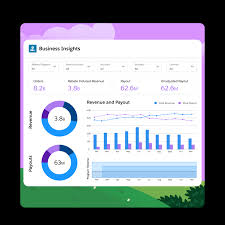
Yes, Salesforce Manufacturing Cloud Can Be Customized to Meet Your Business Needs Salesforce Manufacturing Cloud is designed to be highly customizable, allowing manufacturing organizations to tailor it to their unique business requirements. Whether it’s adapting the platform to fit specific workflows, integrating with third-party systems, or enhancing reporting capabilities, Salesforce provides robust customization options to meet the specific needs of manufacturers. Here are key ways Salesforce Manufacturing Cloud can be customized: 1. Custom Data Models and Objects Salesforce allows you to create custom objects and fields to track data beyond the standard model. This flexibility enables businesses to manage unique production metrics or product configurations seamlessly within the platform. Customization Options: 2. Sales Agreement Customization Sales Agreements in Salesforce Manufacturing Cloud can be tailored to reflect your business’s specific contract terms and pricing models. You can adjust agreement structures, including the customization of terms, conditions, and rebate tracking. Customization Options: 3. Custom Workflows and Automation Salesforce offers tools like Flow Builder and Process Builder, allowing manufacturers to automate routine tasks and create custom workflows that streamline operations. Customization Options: 4. Integration with Third-Party Systems Salesforce Manufacturing Cloud can integrate seamlessly with ERP systems (like SAP or Oracle), inventory management platforms, and IoT devices to ensure a smooth data flow across departments. Integration Options: 5. Custom Reports and Dashboards With Salesforce’s robust reporting tools, you can create custom reports and dashboards that provide real-time insights into key performance indicators (KPIs) relevant to your manufacturing operations. Customization Options: 6. Custom User Interfaces Salesforce Lightning allows you to customize user interfaces to meet the needs of different roles within your organization, such as production managers or sales teams. This ensures users have quick access to relevant data. Customization Options: Conclusion Salesforce Manufacturing Cloud provides a wide range of customization options to suit the unique needs of your manufacturing business. Whether it’s adjusting data models, automating processes, or integrating with external systems, Manufacturing Cloud can be tailored to meet your operational goals. By leveraging these customizations, manufacturers can optimize their operations, improve data accuracy, and gain real-time insights to boost efficiency. If you need help customizing Salesforce Manufacturing Cloud, Service Cloud, or Sales Cloud for your business, our Salesforce Manufacturing Cloud Services team is here to assist. Like Related Posts Who is Salesforce? Who is Salesforce? Here is their story in their own words. From our inception, we’ve proudly embraced the identity of Read more Salesforce Marketing Cloud Transactional Emails Salesforce Marketing Cloud Transactional Emails are immediate, automated, non-promotional messages crucial to business operations and customer satisfaction, such as order Read more Salesforce Unites Einstein Analytics with Financial CRM Salesforce has unveiled a comprehensive analytics solution tailored for wealth managers, home office professionals, and retail bankers, merging its Financial Read more AI-Driven Propensity Scores AI plays a crucial role in propensity score estimation as it can discern underlying patterns between treatments and confounding variables Read more

Read More
Sales CRM - Do You Need It

Sales CRM – Do You Need It

Every sale is a story of connecting needs with solutions and questions with answers. A sales customer relationship management (CRM) system is essential for facilitating these connections. It helps track customer interactions and creates meaningful engagements that drive business forward. However, many sales organizations are not fully utilizing this powerful, game changing tool. According to the latest State of Sales report, two-thirds of sales professionals feel overwhelmed by too many sales applications, and only 37% believe their organizations fully leverage their CRM systems. Let’s explore how a sales CRM can improve productivity and streamline operations to enhance every customer interaction. What is a Sales CRM? A sales CRM is software designed to help sales teams manage their interactions with customers and streamline pipeline management. It securely stores customer data, leverages the power of artificial intelligence (AI) to automate key tasks and generate content, and optimizes sales processes to increase efficiency and revenue. Why is a Sales CRM Important? The State of Sales report indicates that 69% of sales professionals need efficient tools to manage job complexity. A sales CRM helps teams stay organized by storing customer details in one place, making it easier to track past interactions, follow up on leads, and close deals. This reduces time spent on administrative tasks, allowing salespeople to focus more on connecting with customers and closing sales. Today’s CRMs are more than just databases. With AI capabilities, sales teams can access and analyze customer information and automate tasks such as drafting sales emails and prioritizing tasks, transforming them into a highly efficient revenue-generating unit. How Does a CRM Help Increase Sales? A CRM assists sales representatives in suggesting products or services that meet customer needs, following up on leads, and reconnecting at the right time. For example, if a customer has expressed interest in a product, the CRM records this interaction. When that product becomes available at a discount, the salesperson can reach out with a personalized offer. CRMs can also automate follow-up reminders, encouraging customers toward a purchase. Here’s how a CRM can be applied at each stage of the sales cycle: 5 CRM Best Practices A CRM system is most effective when it supports a well-defined sales strategy. Here are some tips to enhance CRM use: Does Your Company Need a Sales CRM? To determine the need for a sales CRM, evaluate current sales processes and future goals. A CRM is particularly beneficial for business if: Tips for Choosing the Best CRM Selecting the right CRM involves considering your unique business needs. What will you gain? What will it cost? How will you implement it? How will you train sales teams to use it? Key factors include: Use Your CRM to Tell More Sales Success Stories A sales CRM serves as a comprehensive record with 360 degree views of customer interactions, helping improve productivity, foster meaningful customer engagement, and craft better success stories for your business. Like Related Posts Who is Salesforce? Who is Salesforce? Here is their story in their own words. From our inception, we’ve proudly embraced the identity of Read more Salesforce Marketing Cloud Transactional Emails Salesforce Marketing Cloud Transactional Emails are immediate, automated, non-promotional messages crucial to business operations and customer satisfaction, such as order Read more Salesforce Unites Einstein Analytics with Financial CRM Salesforce has unveiled a comprehensive analytics solution tailored for wealth managers, home office professionals, and retail bankers, merging its Financial Read more AI-Driven Propensity Scores AI plays a crucial role in propensity score estimation as it can discern underlying patterns between treatments and confounding variables Read more
Read More
Salesforce Education Cloud

Get to Know Salesforce Education Cloud

Introducing the next-generation CRM for education: Education Cloud, your institution’s digital foundation for the future. In an ever-changing digital world of education, Education Cloud’s configurable and secure platform equips your institution to stay ahead, ready to meet the challenges of tomorrow. Let’s get to know Salesforce Education Cloud. Harnessing the full power of Salesforce, Education Cloud integrates insights across recruitment, admissions, and student success, providing a unified view of every learner’s complete and varied journey. With a single source of truth, your institution can create personalized experiences that foster lifelong learning — from prospective students to engaged alumni. With Salesforce at the heart of your institution’s IT solution, tasks are streamlined, scalable, and foster collaboration across departments. Education Cloud empowers your institution with cutting-edge technologies, including: Join the Trailblazer Community to connect with user groups, share best practices, and get support as you explore Education Cloud. Log in with your Salesforce credentials and engage with the Education Hub and Education Release Readiness groups. Get to Know Salesforce Education Cloud Education Cloud offers a learner-first, organization-wide platform that enhances stakeholder engagement and collaboration. Dive into what Education Cloud provides, experience it firsthand with a trial org, and discover recommended setups to prepare for your implementation. Explore What’s Included with Education Cloud Education Cloud provides an education-centric data model within Salesforce, enabling you to build applications that support the entire learning experience and meet user needs. Recruitment and Admissions Education Cloud modernizes recruitment and admissions by providing an online portal and powerful collaboration tools. Today’s prospective students expect a connected, online experience, and Education Cloud ensures your institution is ready to meet those expectations. The heart of this process is an online portal where learners can: The portal collects essential information, which is seamlessly integrated into Salesforce. To manage the complexities of recruitment and admissions, use the Recruiting and Admissions Consoles, which offer: Academic Operations Centralize and manage your institution’s academic offerings with Education Cloud’s Academic Operations. This feature allows staff to: The data you manage here becomes the foundation for tools in Recruitment & Admissions and Student Success apps, ensuring a seamless flow of information across your institution. Student Success Education Cloud equips your institution with powerful tools to support learner success, from career counseling to large-scale orientation programs. Use it to: Example: Empowering Success At Valley School District, counselor Devi Gill uses Education Cloud’s Student Success app to manage remote learning challenges, like coordinating book deliveries and assisting seniors with college applications. At Callaras University, academic advisor Adrian Morges utilizes the same app to help students like Stephanie and Stuart navigate their educational paths. Mentoring Programs Mentoring is vital for student success, providing academic guidance, career development, and personal support. Education Cloud helps you manage mentoring programs by allowing you to: Alumni Relations Sustained alumni engagement is essential for institutional growth. Education Cloud offers tools to manage alumni relationships effectively, providing a 360-degree view of each alumnus. Use it to: Developer Resources for Education Cloud Access developer resources like entity relationship diagrams (ERD), object references, and apex references to customize and extend Education Cloud to meet your institution’s needs. Explore these features and more with Education Cloud to elevate your institution’s ability to deliver personalized, scalable, and impactful educational experiences. Like Related Posts Who is Salesforce? Who is Salesforce? Here is their story in their own words. From our inception, we’ve proudly embraced the identity of Read more Salesforce Marketing Cloud Transactional Emails Salesforce Marketing Cloud Transactional Emails are immediate, automated, non-promotional messages crucial to business operations and customer satisfaction, such as order Read more Salesforce Unites Einstein Analytics with Financial CRM Salesforce has unveiled a comprehensive analytics solution tailored for wealth managers, home office professionals, and retail bankers, merging its Financial Read more AI-Driven Propensity Scores AI plays a crucial role in propensity score estimation as it can discern underlying patterns between treatments and confounding variables Read more
Read More
Salesforce Essentials and Salesforce Professional

Salesforce Essentials and Salesforce Professional

Salesforce offers two primary CRM solutions: Salesforce Essentials and Salesforce Professional, each tailored to different business needs. Salesforce Essentials: Salesforce Essentials is designed for small businesses, offering fundamental CRM tools at an affordable price. It’s ideal for teams of up to five members and provides a unified view of customer interactions across multiple channels, including email, chat, social media, and phone. This platform simplifies customer support with a consolidated help center for common inquiries. Priced at $25 per month, Essentials is budget-friendly and easy to set up, making it suitable for startups and small teams looking for a straightforward CRM solution. Salesforce Professional: On the other hand, Salesforce Professional targets larger businesses with more complex CRM requirements. It extends beyond basic CRM functionalities to include advanced features such as lead management, customizable sales processes, and comprehensive reporting capabilities. Key attributes of Professional include forecasting tools, Einstein Activity Capture for enhanced productivity insights, and a mobile app with full offline functionality. Priced at per user per month, Professional caters to businesses needing extensive customization options and deep data analysis capabilities to manage complex sales processes and customer relationships effectively. Comparison: Salesforce Essentials Salesforce Professional Price $25 per month $80 per user, per month User limit Up to 5 users Unlimited users Reporting and Dashboards Basic reporting capabilities Customizable reports and dashboards Mobile App Functionality Limited Full offline functionality Email Integration Basic email integration Advanced integration with Outlook and Gmail Customization Limited customization options Extensive customization options Customization The customization options in Essentials are limited, which is often sufficient for smaller businesses that don’t need complex customization. Extensive customization options in Professional allow larger businesses to tailor the CRM to their specific processes and needs, a critical feature for complex business structures. Salesforce Essentials is widely considered a beneficial instrument for small enterprises, providing essential features for customer relationship management, sales, and marketing automation. It is valued for its accessibility, user-friendly interface, and all-in-one platform. Strong choices for customer service are provided, and it connects effectively with other corporate tools and is expandable. The software has a learning curve for certain users, and you can’t access advanced functions unless you pay more. A reliable internet connection is necessary for the often intricate setting and customization. Concerns are also raised about reporting functionality and extra costs for premium services that exceed the basic subscription charge. Users of Salesforce Professional recognize the platform’s extensive features and ease of use. They also commend it for its ability to integrate with other platforms, like WhatsApp. Some people do, however, feel that the UI could be more contemporary and intuitive. There is disagreement over the frequency of updates and the unresponsiveness of various parts of the customer support. Users value the tool’s capacity to enhance workday routines, its intuitive design, and its simplicity in integrating with lead generation and sales channels. The cost is observed to be greater than that of comparable suppliers, and third parties are frequently needed for the implementation phase. Can Salesforce Essentials scale with my growing business? Salesforce Essentials is tailored for small businesses and startups and while it offers essential CRM tools, it has limitations in scalability due to its user cap and basic feature set. For businesses anticipating significant growth, transitioning to Salesforce Professional or another higher-tier Salesforce product might be necessary. Conclusion: Choosing between Salesforce Essentials and Salesforce Professional depends on the size of your business, your budget, and the complexity of your CRM needs. Essentials is suitable for small teams and startups looking for an affordable, easy-to-use CRM solution. In contrast, Professional is geared towards larger businesses that require advanced features, customization options, and robust reporting capabilities to manage complex sales operations effectively. Like Related Posts Who is Salesforce? Who is Salesforce? Here is their story in their own words. From our inception, we’ve proudly embraced the identity of Read more Salesforce Marketing Cloud Transactional Emails Salesforce Marketing Cloud Transactional Emails are immediate, automated, non-promotional messages crucial to business operations and customer satisfaction, such as order Read more Salesforce Unites Einstein Analytics with Financial CRM Salesforce has unveiled a comprehensive analytics solution tailored for wealth managers, home office professionals, and retail bankers, merging its Financial Read more AI-Driven Propensity Scores AI plays a crucial role in propensity score estimation as it can discern underlying patterns between treatments and confounding variables Read more

Read More
Salesforce Unlimited+ Edition Explained

Salesforce Unlimited+ Edition Explained

Salesforce Unlimited Plus (UE+) is designed as an advanced offering that incorporates several specialized features tailored for different industries, making it particularly suitable for larger organizations and enterprises that require robust, integrated solutions for complex business processes and customer relationship management. Salesforce Unlimited+ Edition Explained. Target Audience UE+ is targeted toward large enterprises that need extensive CRM functionalities combined with AI and data analytics capabilities. This solution is ideal for organizations that: • Manage complex customer relationships across multiple channels. • Require deep integration of data and processes across departments. • Are looking to leverage advanced AI capabilities for predictive insights and automation. • Need industry-specific solutions that can be customized for unique business requirements. The integration of various Salesforce clouds (e.g., Sales Cloud, Service Cloud, Data Cloud) with enhanced features like AI and specific industry capabilities makes UE+ a comprehensive solution for organizations aiming to streamline their operations and gain a competitive edge through advanced technology adoption. Here are the five Salesforce editions for every purpose: ·Starter/Essentials: Ideal for small businesses, offering basic contact, lead, and opportunity management. ·Professional: Tailored for mid-sized companies with enhanced sales forecasting and automation capabilities. ·Enterprise: Geared towards larger organizations, providing advanced customization, reporting, and integration options. ·Unlimited: Offers comprehensive functionality, customizability, 24/7 support, and access to premium features like generative AI. ·Unlimited Plus: Most robust solution for businesses of all sizes, featuring additional functionalities and enhanced capabilities. Key Considerations: ·Business Size: Consider the number of users and overall business scale when choosing an edition. ·Features Needed: Identify the specific features crucial for your sales, service, or marketing processes. ·Scalability: Choose an edition that accommodates your projected growth and future needs. ·Budget: Evaluate the cost of each edition against its offered features and value proposition. Sales Cloud Unlimited Edition+ Features: Account and Contact Management: Complete visibility of customer profiles including activity history and communications. Opportunity Management: Tracking and details of every sales deal at each stage. Pipeline Inspection: A comprehensive tool that allows sales managers to monitor pipeline changes, offering AI-driven insights and recommendations to optimize sales strategies. Einstein AI Capabilities: Includes tools like Einstein Conversation Insights which transcribe and analyze sales calls, highlighting key parts for review and deeper analysis. Customizable Reports and Dashboards: Enhanced capabilities for building real-time reports and visualizations to track sales metrics and forecasts. Advanced Integration Features: Integration with external data and systems through various APIs including REST and SOAP. Automation and Customization: Extensive options for workflow automation and personalization of user interfaces and customer interactions using the Flow Builder and Lightning App Builder. Developer Tools: Access to tools like Developer Sandbox for safe testing and app development environments. Service Cloud Unlimited+ Features: Einstein Bots: AI-powered chatbots to handle customer inquiries automatically, available 24/7 across various communication channels. Enhanced Messaging: Integration with popular messaging platforms like WhatsApp, SMS, and Apple Messages to facilitate seamless customer interactions. Feedback Management: Tools to gather and analyze customer feedback directly within the CRM. Self-Service Capabilities: Including customizable help centers and service catalogs that allow customers to find information and resolve issues independently. Field Service Tools: Comprehensive management of field operations including work order and asset management. Real-Time Analytics: Advanced reporting features for creating in-depth analytics to monitor and improve customer service processes. Additional features include Data Cloud, Generative AI, Service Cloud Voice, Digital Engagement, Feedback Management, Self-Service, and Slack. Salesforce Unlimited+ for Industries UE+ for Industries: UE+ for Industries includes Unlimited+ for Sales and Service together with industry-specific data models and capabilities to help customers drive faster time to value within their sectors: •Financial Services Cloud UE+ for Sales and Financial Services Cloud UE+ for Service helps banks, asset management, and insurance agencies connect all of their customer data on one platform and embed AI to deliver personalized financial engagement, at scale. •An insurance carrier can use Financial Services Cloud UE+ to connect engagement data like emails, webinars, and educational content with third-party conference attendance, social media follows, and business performance data to understand what is motivating agents, helping drive more personalized relationships and grow revenue with Data Cloud and Einstein AI. •Health Cloud UE+ for Service helps healthcare, pharmaceutical, and other medical organizations improve response times at their contact centers and offer digital healthcare services with built-in intelligence, real-time collaboration, and a 360-degree view of every patient, provider, and partner. •A hospital can use the bundle to quickly create a personalized, AI-powered support center to triage and speed up time to care with self-service tools like scheduling and connecting patients and members with care teams on their preferred channels. •Manufacturing Cloud UE+ for Sales brings together tools for manufacturing organizations to build their data foundation, embed AI capabilities across the sales cycle, and maximize productivity, empowering them to scale their commercial operations and grow revenues. •A manufacturer can now look across the entire book of business to see how companies are performing against negotiated sales agreements and then use AI-generated summaries to determine where to prioritize their time and resources. By Tectonic’s AArchitecture Team Like Related Posts Who is Salesforce? Who is Salesforce? Here is their story in their own words. From our inception, we’ve proudly embraced the identity of Read more Salesforce Marketing Cloud Transactional Emails Salesforce Marketing Cloud Transactional Emails are immediate, automated, non-promotional messages crucial to business operations and customer satisfaction, such as order Read more Salesforce Unites Einstein Analytics with Financial CRM Salesforce has unveiled a comprehensive analytics solution tailored for wealth managers, home office professionals, and retail bankers, merging its Financial Read more AI-Driven Propensity Scores AI plays a crucial role in propensity score estimation as it can discern underlying patterns between treatments and confounding variables Read more
Read More
analytics 360 and journey builder

Summer 24 Analytics Release

Analytics Analytics enhancements include new and updated features for Lightning reports and dashboards, Data Cloud reports and dashboards, CRM Analytics, Intelligent apps, and Tableau. Summer 24 Analytics Release. Summer 24 Analytics Release Like Related Posts Who is Salesforce? Who is Salesforce? Here is their story in their own words. From our inception, we’ve proudly embraced the identity of Read more Salesforce Marketing Cloud Transactional Emails Salesforce Marketing Cloud Transactional Emails are immediate, automated, non-promotional messages crucial to business operations and customer satisfaction, such as order Read more Salesforce Unites Einstein Analytics with Financial CRM Salesforce has unveiled a comprehensive analytics solution tailored for wealth managers, home office professionals, and retail bankers, merging its Financial Read more AI-Driven Propensity Scores AI plays a crucial role in propensity score estimation as it can discern underlying patterns between treatments and confounding variables Read more

Read More
Virtual Event Management Plan

Virtual Event Management Plan

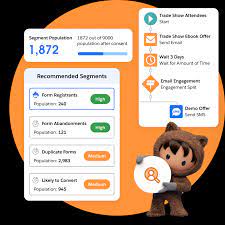
Have You Recently Attended an Information-Packed Webinar? Think back to your experience: from how you first learned about the event to its promotion and eventual execution. It might seem like organizing a webinar is straightforward, but… Virtual event management requires meticulous planning, from the initial concept and promotion to post-event tasks. Read on to discover how you can plan your online events in Salesforce with ease and what you’ll need for success. What is Virtual Event Management Plan in Salesforce? Virtual event management encompasses all the activities needed to ensure your online event runs smoothly. It’s how you prepare to share your insights—or those of other experts—virtually. Why plan your events in Salesforce? All your data stays integrated within your CRM, allowing you to manage every aspect of your event, from registration and ticketing to marketing and attendee engagement, without the hassle of multiple tools or disorganized planning. Types of Virtual Event Management Plans in Salesforce Choosing the right virtual event format can be overwhelming, but here are some common options: How to Plan Virtual Events in Salesforce: A 4-Step Guide 1. Create a Virtual Event Concept When planning a virtual event, don’t treat it like an in-person one. Virtual events require their own set of strategies. Start by answering these questions: Remember, seasonal holidays or other events can impact attendance. Avoid scheduling events during low-attendance periods, like the summer or late December. 2. Select an Event Management Tool You need the right technology to manage online events effectively. Salesforce offers robust functionality for this. When selecting a tool for Salesforce event management, look for these features: 3. Outline Content and Strategy Crafting a virtual event that resonates with your audience requires more than just setting a date and topic. You need a compelling content strategy. Here’s how to make it work: 4. Design an Event Microsite Like in-person events, virtual ones benefit from a dedicated event page or microsite. On your Salesforce Experience Cloud site, you can: The Ultimate Virtual Events Checklist Final Thoughts Virtual event management isn’t daunting if approached wisely. With a clear plan, engaging content, and the right tools, success is within reach. Follow these steps, and your next virtual event will be a breeze. Like Related Posts Who is Salesforce? Who is Salesforce? Here is their story in their own words. From our inception, we’ve proudly embraced the identity of Read more Salesforce Marketing Cloud Transactional Emails Salesforce Marketing Cloud Transactional Emails are immediate, automated, non-promotional messages crucial to business operations and customer satisfaction, such as order Read more Salesforce Unites Einstein Analytics with Financial CRM Salesforce has unveiled a comprehensive analytics solution tailored for wealth managers, home office professionals, and retail bankers, merging its Financial Read more AI-Driven Propensity Scores AI plays a crucial role in propensity score estimation as it can discern underlying patterns between treatments and confounding variables Read more
Read More
Salesforce Success Story

Case Study: Reduce the Time and Cost of Provider Onboarding

The primary provider of ancillary insurance services including life, dental, disability, vision and other large provider organizations in eight states. Industry: Insurance Implemented: Salesforce Platform Technologies Replaced: Multiple Systems Tectonic has greatly streamlined the entire provider onboarding process including automation the Practice/Provider credentials verification process. In addition, prospecting and overall affiliate management process was transformed. The Challange The Solution How can Tectonic Reduce the Time and Cost of Provider Onboarding for your organization? Contact us today. Like Related Posts Who is Salesforce? Who is Salesforce? Here is their story in their own words. From our inception, we’ve proudly embraced the identity of Read more Salesforce Marketing Cloud Transactional Emails Salesforce Marketing Cloud Transactional Emails are immediate, automated, non-promotional messages crucial to business operations and customer satisfaction, such as order Read more Salesforce Unites Einstein Analytics with Financial CRM Salesforce has unveiled a comprehensive analytics solution tailored for wealth managers, home office professionals, and retail bankers, merging its Financial Read more AI-Driven Propensity Scores AI plays a crucial role in propensity score estimation as it can discern underlying patterns between treatments and confounding variables Read more

Read More
Einstein 1 is Coming

Einstein 1 is Coming

What Does the New Einstein 1 Data Cloud Mean for Your Organization? Einstein 1 is Coming One of the major announcements at Dreamforce was the exciting intro that Einstein 1 is Coming. The Einstein 1 Data Cloud is now natively integrated with the Einstein 1 Platform. This integration allows users to connect any data, create unified customer profiles, and enhance every customer experience with AI, automation, and analytics. This is a giant step for Salesforce-kind. It can revolutionize the ways businesses engage with their customers. While this announcement is exciting, what does it mean for organizations at different stages of their Salesforce journey? In this insight, we explore the announcement details, considerations for using the Einstein 1 Data Cloud in your company, and how Tectonic can assist in navigating this new offering. What’s New with the Platform? The integration of Salesforce Data Cloud and Einstein AI into the Einstein 1 Platform marks a significant enhancement. The platform integration enables companies to securely connect any data, build AI-powered apps with low code, and deliver superior CRM experiences. It unifies data across the enterprise by mapping it to Salesforce’s underlying metadata framework, regardless of how the data is structured in disparate systems. Regardless of how complex it is. What is Einstein 1 Data Cloud? The Key to Unified Data Salesforce Einstein 1 Data Cloud unifies customer data, enterprise content, telemetry data, Slack conversations, and other structured and unstructured data to create a single view of the customer. This integration unlocks otherwise siloed data and scales operations in new ways: Salesforce has announced that Enterprise Edition and above customers can use Data Cloud at no additional cost. However, organizations should consider their position on the Salesforce maturity curve before implementation. Data Cloud’s capabilities, while extensive, might not fully optimize data for organizations further along in their Salesforce journey without a thorough trial. What is the Einstein Conversational Assistant? An AI-Powered Shift Einstein now includes a generative AI-powered conversational assistant featuring Einstein Copilot and Einstein Copilot Studio. These tools operate within the Einstein Trust Layer, a secure AI architecture native to the Einstein 1 Platform that ensures data privacy and security. Why Should Organizations Consider Einstein 1? Customer data is often fragmented and siloed across disparate systems, preventing a unified view necessary for informed business decision-making. Data unification is essential for data-driven decision making and fully getting the full ROI of AI. AI is a major trend in technology, but effective AI requires comprehensive, aligned data. Without a unified data foundation, AI’s potential is limited. Einstein 1 with Data Cloud provides the solution by consolidating data, enabling the training of AI models to make optimal decisions and recommendations. How Can Tectonic Help You Transition? Tectonic brings extensive Salesforce expertise and industry-specific experience in sectors heavily reliant on data, such as healthcare, financial services, and travel and tourism. These industries face strict data regulations and often have siloed data in legacy systems. Einstein 1 helps organizations achieve a 360-degree view of their customers by unifying data. Tectonic can assist in maximizing AI on the Salesforce platform by building a robust data foundation and providing a roadmap for future scalability. While both Einstein 1 and AI Cloud are Salesforce terms that promise AI-driven capabilities, there are differences to consider. Einstein 1 Platform is a comprehensive suite that includes Data Cloud, AI tools, and automation capabilities. In contrast, AI Cloud is more of an overarching term that might encompass Einstein 1 as part of its suite, focusing on the broader application of AI across Salesforce’s entire range of products and services. Understanding these distinctions is critical in identifying which solution aligns with your organizational needs. Like Related Posts Who is Salesforce? Who is Salesforce? Here is their story in their own words. From our inception, we’ve proudly embraced the identity of Read more Salesforce Marketing Cloud Transactional Emails Salesforce Marketing Cloud Transactional Emails are immediate, automated, non-promotional messages crucial to business operations and customer satisfaction, such as order Read more Salesforce Unites Einstein Analytics with Financial CRM Salesforce has unveiled a comprehensive analytics solution tailored for wealth managers, home office professionals, and retail bankers, merging its Financial Read more AI-Driven Propensity Scores AI plays a crucial role in propensity score estimation as it can discern underlying patterns between treatments and confounding variables Read more

Read More
Shield

Salesforce Shield Explained

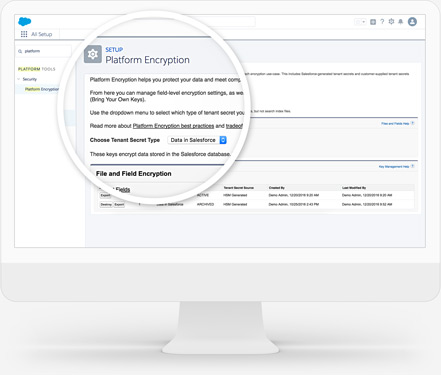
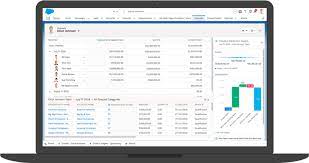
Salesforce Shield Explained: It is tailored for companies with heightened security and compliance considerations. Comprising four products that layer onto existing Salesforce products, it provides additional protection. These components include: Salesforce Shield is best explained is a encryption and event monitoring and field audit trail tool for your business. Block Unauthorized or Unlawful ActivityCreate real-time security rules in an org to prevent undesired events with Event Monitoring.Find and Classify Sensitive Data QuicklyDiscover and classify sensitive data in just a few clicks with Data Detect.Add Additional Security to Sensitive DataEncrypt sensitive data at rest and manage keys with Platform Encryption.Meet Compliance and Industry RegulationsView data as far back as a decade with Field Audit Trail. Protect critical information at scale. Identify, categorize and encrypt data to mitigate threats and avoid costs associated with data loss. Three Reasons to Use Data Detect1 Integrates Seamlessly With native Salesforce software for ease of implementation and cost savings.2 Identifies Sensitive Data regardless of what field it is in, so you can take the necessary steps to obfuscate or protect it3 Classifies Sensitive Fields Use convenient UI to update data classifications as you discover fields with sensitive data Like2 Related Posts Who is Salesforce? Who is Salesforce? Here is their story in their own words. From our inception, we’ve proudly embraced the identity of Read more Salesforce Marketing Cloud Transactional Emails Salesforce Marketing Cloud Transactional Emails are immediate, automated, non-promotional messages crucial to business operations and customer satisfaction, such as order Read more Salesforce Unites Einstein Analytics with Financial CRM Salesforce has unveiled a comprehensive analytics solution tailored for wealth managers, home office professionals, and retail bankers, merging its Financial Read more AI-Driven Propensity Scores AI plays a crucial role in propensity score estimation as it can discern underlying patterns between treatments and confounding variables Read more
Read More
Flexpricer and Optional Salesforce Line Items

Flexpricer and Optional Salesforce Line Items

If sales users are wasting time with the standard product selector while adding line items on Quotes and Opportunities in Salesforce, but treating them as optional, use Flexpricer’s Optional Line Items interface instead. Flexpricer and Optional Salesforce Line Items let users designate any line item for an opportunity or quote as optional. Flexpricer Benefits Flexpricer and Optional Salesforce Line Items What are Optional Line Items and Why are They Useful? In Sales Cloud, adding products to a Quote or Opportunity using the basic interface can be time-consuming and limited. Sales Cloud doesn’t offer functionality to easily mark products as additional or alternate. Flexpricer enhances Sales Cloud with Optional Line Items for Opportunities and Quotes. Sales Users can: Create Accurate Quotes in Salesforce Without specialized tools, creating quotes with optional line items is challenging and prone to pricing errors. Flexpricer’s Optional Line Items provides: Optional Line Items as Alternates Using the standard product selector in Sales Cloud, users struggle with adding line items for products that can be swapped out with others. With Flexpricer, selecting line items as alternates for upsell or replacements is easy: Standard Sales Cloud Objects Flexpricer uses standard Sales Cloud objects. Your Optional Line Items aren’t locked in custom objects requiring additional licenses. Optional Line Items are commonly used by companies to present alternate or additional line items on Quotes in Salesforce without contributing to the total amount. Like Related Posts Who is Salesforce? Who is Salesforce? Here is their story in their own words. From our inception, we’ve proudly embraced the identity of Read more Salesforce Marketing Cloud Transactional Emails Salesforce Marketing Cloud Transactional Emails are immediate, automated, non-promotional messages crucial to business operations and customer satisfaction, such as order Read more Salesforce Unites Einstein Analytics with Financial CRM Salesforce has unveiled a comprehensive analytics solution tailored for wealth managers, home office professionals, and retail bankers, merging its Financial Read more AI-Driven Propensity Scores AI plays a crucial role in propensity score estimation as it can discern underlying patterns between treatments and confounding variables Read more
Read More
gettectonic.com