Reports and Dashboards Archives - gettectonic.com - Page 3
Salesforce Home Page Customization

Why Customize Salesforce?

You should customize Salesforce to tailor the CRM platform to your specific business needs, optimize operations, enhance data management, improve user experience, and drive business growth and efficiency.  Here’s a more detailed breakdown of why Salesforce customization is beneficial: 1. Aligning with Unique Business Needs: 2. Enhancing Efficiency and Productivity: 3. Driving Business Growth and Competitive Advantage: Like Related Posts Who is Salesforce? Who is Salesforce? Here is their story in their own words. From our inception, we’ve proudly embraced the identity of Read more Salesforce Marketing Cloud Transactional Emails Salesforce Marketing Cloud Transactional Emails are immediate, automated, non-promotional messages crucial to business operations and customer satisfaction, such as order Read more Salesforce Unites Einstein Analytics with Financial CRM Salesforce has unveiled a comprehensive analytics solution tailored for wealth managers, home office professionals, and retail bankers, merging its Financial Read more AI-Driven Propensity Scores AI plays a crucial role in propensity score estimation as it can discern underlying patterns between treatments and confounding variables Read more

Read More
Salesforce Shield Data Monitoring and Encryption

Salesforce Shield

Salesforce Shield is tailored for companies with heightened security and compliance considerations. Comprising four products that layer onto existing Salesforce products, it provides additional protection.  Shields are used to intercept specific attacks.  Shield is no different. Salesforce Shield is a trio of security tools that helps you build extra levels of trust, compliance, and governance right into your business-critical app. These components include: Is Salesforce Shield necessary? In this sense, Shield gives you a helping hand through tools like event monitoring and field audit trails. Not only do these features practically help you maintain the security of your Salesforce environment, but they’re also proof of your compliance. How do I use shield in Salesforce? What are the benefits of Salesforce Shield? Shield can help you protect your apps. Salesforce Shield is basically a set of security solutions that allows you to incorporate additional layers of trust, compliance, and governance into your mission-critical apps. Shield Platform Encryption, Event Monitoring, and Field Audit Trail are all included. Does Shield work with marketing cloud? You can use Salesforce Shield and Field-Level Encryption with Sales and Service Clouds. The Marketing Cloud does not offer Audit Trail or Event Monitoring via the Marketing Cloud app. However, Field-Level Encryption does encrypt data at rest and can support Platform Encryption users. Like Related Posts Who is Salesforce? Who is Salesforce? Here is their story in their own words. From our inception, we’ve proudly embraced the identity of Read more Salesforce Marketing Cloud Transactional Emails Salesforce Marketing Cloud Transactional Emails are immediate, automated, non-promotional messages crucial to business operations and customer satisfaction, such as order Read more Salesforce Unites Einstein Analytics with Financial CRM Salesforce has unveiled a comprehensive analytics solution tailored for wealth managers, home office professionals, and retail bankers, merging its Financial Read more AI-Driven Propensity Scores AI plays a crucial role in propensity score estimation as it can discern underlying patterns between treatments and confounding variables Read more

Read More
Salesforce Service Cloud

Salesforce Service Cloud Explained

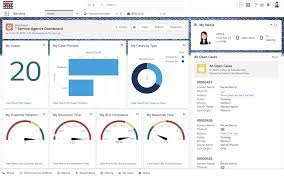
Service Cloud, developed by Salesforce, functions as a powerful customer relationship management (CRM) tool explicitly tailored to bolster a business’s customer service operations. This platform streamlines communication between customers and companies, utilizing channels such as email support, live chat, and phone interactions to aid customer agents in promptly identifying and resolving customer issues. Service Cloud, as a comprehensive customer service platform, empowers businesses to effectively manage and resolve customer inquiries and issues. Its huge array of features encompasses case tracking, social networking plug-ins for conversion, and analytics. If you’ve recently engaged with a business through live chat or created a support ticket, chances are they were leveraging a system like SFDC Service Cloud. Revolutionize the way your service teams provide value across every customer touchpoint, encompassing customer experience, engagement, processes, automation, and service operations. By reimagining service with Service Cloud, businesses can enhance customer lifetime value, reduce operational costs, and optimize efficiency—from the contact center to the field. Achieve personalized support at scale with trustworthy Artificial Intelligence. Integrate every customer service process into the Einstein 1 Platform to decrease costs and boost productivity. Service Cloud provides businesses with a 360-degree view of their customers, enabling the delivery of faster, smarter, and more tailored experiences. Businesses can establish a connected knowledge base, manage case interactions, and facilitate live agent chat—all within a unified platform. Leveraging customer’s past activity data allows for personalized interactions and opportunities for upselling services or products. It’s important to note the distinction between Salesforce Sales Cloud and Service Cloud. Sales Cloud focuses on the sales process, managing leads, opportunities, and sales forecasts. On the other hand, Service Cloud is dedicated to addressing customer inquiries and cases, emphasizing exceptional customer service and support. Important Features of Service Cloud Custom Reports and Dashboards Utilizing real-time reports within SFDC Service Cloud empowers business owners to access a comprehensive case history of customers, facilitating informed decision-making. The associated dashboard provides professionals with a 360-degree view, enabling easy tracking of customer information and cases for efficient problem-solving. Salesforce Lightning Service Console The Salesforce Service Cloud console consolidates customer data across multiple devices and channels. It provides a unified view of customer interactions, encompassing emails, chats, social media mentions, and phone calls. Salesforce Service Cloud Case Management A case management system collects and organizes customer service interactions from various channels, allowing agents to respond promptly. Automated Case Routing Automation in case routing expedites resolutions by assigning tasks to personnel based on qualifications and skills, managing tasks across multiple service channels. Social Customer Service Empowering customer teams, Social Customer Service handles user queries on social media channels and directs them to relevant agents, offering a 360-degree view of customers. Asset and Order Management Tracking orders, assets, and support history in one place provides a comprehensive view, enabling personalized services and enhancing customer satisfaction. Telephony Integration Integrating with Computer Telephony Integration (CTI) systems boosts agent productivity, allowing viewing of customer information without picking up the phone. Benefits of Salesforce Service Cloud: Supplementary Products: Digital Engagement, Service Cloud Einstein, Service Cloud Voice, Customer Lifecycle Analytics, Salesforce Surveys Response Pack. Are you ready to achieve the best in customer service with Salesforce Service Cloud?  Contact Tectonic today to learn more. Tectonic is please to announce Salesforce Service Cloud Implementation Solutions. Content updated September 2023. Like2 Related Posts AI-Driven Propensity Scores AI plays a crucial role in propensity score estimation as it can discern underlying patterns between treatments and confounding variables Read more Tectonic’s Successful Salesforce Track Record Salesforce Technology Services Integrator – Tectonic has successfully delivered Salesforce in a variety of industries including Public Sector, Hospitality, Manufacturing, Read more Asset Management Salesforce Can Salesforce do asset management? You can manage assets in Consumer Goods (desktop) and in the Consumer Goods offline mobile Read more Lookup Relationship in Salesforce What is Lookup relationship in Salesforce? Salesforce’s lookup relationships is a significant capability that allows users to connect two objects Read more

Read More
Salesforce What-If Analysis

Salesforce What-If Analysis

Salesforce What-if analysis, primarily through CRM Analytics and Einstein Discovery, allows users to simulate scenarios and explore potential outcomes by changing variables within a model. This is achieved by either using input widgets to capture numerical values or by leveraging predictive models built in Einstein Discovery. The results of these scenarios can be visualized and used to understand the impact of changes on key business metrics.  Details: 1. CRM Analytics: CRM Analytics provides a way to perform what-if analysis by allowing users to create scenarios and evaluate the impact of different factors on business outcomes. This can be done by utilizing input widgets to capture specific numerical values that influence the analysis.  2. Einstein Discovery: Einstein Discovery allows users to build predictive models based on their data, and then use these models to perform what-if analysis. By changing the input variables of the model, users can see how the predicted outcome would change, providing insights into potential scenarios.  3. Process: 4. Examples: Content updated April 2025. Like Related Posts Who is Salesforce? Who is Salesforce? Here is their story in their own words. From our inception, we’ve proudly embraced the identity of Read more Salesforce Marketing Cloud Transactional Emails Salesforce Marketing Cloud Transactional Emails are immediate, automated, non-promotional messages crucial to business operations and customer satisfaction, such as order Read more Salesforce Unites Einstein Analytics with Financial CRM Salesforce has unveiled a comprehensive analytics solution tailored for wealth managers, home office professionals, and retail bankers, merging its Financial Read more AI-Driven Propensity Scores AI plays a crucial role in propensity score estimation as it can discern underlying patterns between treatments and confounding variables Read more

Read More
Salesforce Slack

Enable Salesforce for Slack Integrations

Seamlessly integrate Salesforce and Slack to unlock enhanced collaboration through Slack apps, tools, and services. Follow these admin procedures to enable Salesforce for Slack integrations. Required User Permissions To set up and use Salesforce for Slack, ensure users have the appropriate permissions or permission sets: Action Required Permissions/Permission Sets Connect Salesforce and Slack Connect Salesforce with Slack (system permission on supported Salesforce licenses) Use the Sales Cloud for Slack app Slack Sales User Use the PRM for Slack app PRM for Slack app Salesforce User or PRM for Slack Partner app User Use the Service Cloud for Slack app Connect Salesforce with Slack, Slack Service User, Run Flows Use the CRM Analytics for Slack app Connect Salesforce with Slack Also recommended: Note: Salesforce for Slack apps are not supported in Government Cloud or Government Cloud Plus orgs. Do not enable this feature in such environments. Contact your Salesforce Account Executive for more details. Steps to Enable Salesforce for Slack Integrations Follow these steps to set up and enable the integration: 1. Navigate to Slack Apps Setup 2. Accept Terms and Conditions 3. Enable Applications 4. Set Up Required Permissions 5. Configure Object Permissions 6. Install Slack Apps 7. Complete Additional App Setup 8. Customize Field Access (Optional) For Individual Users After the integration is complete, instruct users to: By following these steps, you can ensure seamless Salesforce and Slack integration, enhancing productivity and collaboration across your organization. Content updated October 2024. Like Related Posts Who is Salesforce? Who is Salesforce? Here is their story in their own words. From our inception, we’ve proudly embraced the identity of Read more Salesforce Marketing Cloud Transactional Emails Salesforce Marketing Cloud Transactional Emails are immediate, automated, non-promotional messages crucial to business operations and customer satisfaction, such as order Read more Salesforce Unites Einstein Analytics with Financial CRM Salesforce has unveiled a comprehensive analytics solution tailored for wealth managers, home office professionals, and retail bankers, merging its Financial Read more AI-Driven Propensity Scores AI plays a crucial role in propensity score estimation as it can discern underlying patterns between treatments and confounding variables Read more

Read More
Google Data Studio and Salesforce

Google Data Studio and Salesforce

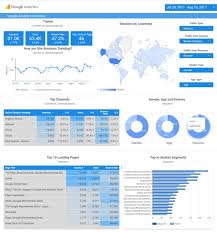
Does Google Data Studio integrate with Salesforce? Yes, Google Data Studio seamlessly integrates with Salesforce, enabling you to consolidate sales and marketing data for insightful analysis. Through powerful visualizations, you can discern which channels drive the most leads and revenue, empowering you to refine your marketing strategies effectively. At Xappex, they don’t just develop software; they revolutionize your Salesforce data interaction experience. Trusted by thousands of enterprises globally, their cutting-edge admin tools effortlessly fuse Salesforce with Excel, Google Data Studio and Google Sheets, ensuring efficient and intuitive data management. Empower your team with Xappex and embark on a journey where time-saving meets robust Salesforce data management. Available since December 2019, the Google Data Studio connector facilitates the utilization of Salesforce databases as data sources for your reports and dashboards. Whether leveraging existing reports, extracting data from specific objects, or crafting custom SOQL queries for precise data extraction, this connector provides flexibility and efficiency in data visualization. Additionally, the connector is accessible via windsor.ai, offering further convenience and accessibility. Integrating Salesforce with Looker Studio presents numerous advantages by amalgamating CRM data with advanced analytics and visualization capabilities. Streamline your sales processes, gain deeper insights into customer data, and leverage predictive modeling to forecast future sales trends based on historical Salesforce data. Moreover, Google Data Studio allows seamless report sharing within your organization or with external parties, facilitating collaboration on business strategies and progress tracking, particularly for larger teams. Regarding the transition from Google Data Studio to Looker Studio, while the brand name has changed, the capabilities, interface, and functionality remain unchanged. Looker Studio continues to offer robust data visualization tools and analytics capabilities, ensuring continuity in data-driven decision-making processes. Content updated October 2023. Like Related Posts Agiloft Salesforce Integration Optimize organizational efficiency, performance, and value by automating contracts with Agiloft Contract Lifecycle Management Software. Regain control and streamline processes Read more Demandbase Salesforce Integration The integration of Demandbase with Salesforce creates a seamless connection between Demandbase One and your Salesforce CRM, establishing a bidirectional Read more Box and Salesforce Integration What is Box and Salesforce integration? Together, Box and Salesforce integration bring you seamless solutions that make it easy for Read more Salesforce Integrations How do you make Salesforce even better? Integrate it with all the third party apps you already use. From productivity Read more

Read More
Salesforce Sales Enablement

Salesforce Enablement Team Roles and Responsibilities

When implementing Salesforce Enablement to better equip teams with skills, content, and context it is important to set up the right users with the right permissions. Having a complete Sales Enablement team in place produces the most effective training programs. Accelerate business outcomes with enablement programs delivered to users through the Guidance Center in Salesforce. Create programs that are unique to your company, and assign programs to users who can complete exercises and measurable milestones in their flow of work.  Sales enablement is about people and technology, and strategically aligning them both behind a common goal: sales success. Sales enablement helps organizations streamline and shorten sales cycles by improving buyer interactions with relevant sales content that is tailored and personalized. Sales Enablement Platform A sales enablement platform provides sales teams with coaching, resources, and tools to help them effectively engage with customers and close deals. Identify who at your company can perform each role. In some cases, one person is ideal for all these responsibilities. Other companies require a team. Likewise, some of these roles aren’t required to use Enablement. But it can be nice to rely on these folks if they’re available. Roles and Responsibilities ROLE RESPONSIBILITIES REQUIRED TO USE ENABLEMENT? REQUIRED PERMISSIONS? Salesforce admin This person can access Setup and customize Salesforce for your company. To get your company started with Enablement, a Salesforce admin must give access to Enablement team members according to the required permissions listed on this page. Salesforce admins can also bring their Salesforce experience to help you define outcomes and milestones using Salesforce objects and fields. If you want to introduce new ways of tracking data in Salesforce to include those processes in a program, Salesforce admins can also help enable other features or customize settings. Yes For permissions required for Salesforce admins, search Salesforce Help for the specific task. Enablement admin A person who gets full access to create, edit, delete, publish, and unpublish Enablement programs in Salesforce. Enablement admins can also assign or unassign programs to Enablement users, view all Enablement analytics, customize the Enablement reports and dashboard, and create reports and dashboards using Enablement report types. Yes The Manage Enablement Essentials default permission set, which is included in the Enablement Admin permission set group. See Enablement Permission Set Groups, Permission Sets, and Permissions and Assign Permissions to Your Enablement Team. Content creator or manager This person adds your company’s training content to Salesforce. At some companies, this person is also the Enablement admin. Yes The Content Manager contributor role in the Enablement workspace of the Digital Experiences app. See Assign a Contributor Role in the Enablement Workspace. Enablement resources manager The person who manages resources related to Enablement other than training content that Enablement users directly consume as part of programs, such as these items. Surveys sent to peers and managers for gathering feedback on user performancePrompts and walkthroughs that guide users through Salesforce features and walkthroughs outside of programs No Manage Assessment Surveys and Manage In-App Guidance default permission sets, which are included in the Enablement Resources Manager permission set group. See Enablement Permission Set Groups, Permission Sets, and Permissions and Assign Permissions to Your Enablement Team. Business operations expert This person can help identify the business outcomes that your company wants to focus on and work with you to establish how certain job roles can contribute to your bottom line. No Your call. You can assign Enablement permissions to this person as needed. Enablement user The person at your company who takes the programs that you build and assign to them. Yes Use Enablement Programs default permission set, which is included in the Enablement User permission set group. Enablement admins, or users with the Manage Enablement Essentials default permission set, can also take programs that are assigned to them. See Enablement Permission Set Groups, Permission Sets, and Permissions and Assign Permissions to Your Enablement Team. Like Related Posts Who is Salesforce? Who is Salesforce? Here is their story in their own words. From our inception, we’ve proudly embraced the identity of Read more Salesforce Marketing Cloud Transactional Emails Salesforce Marketing Cloud Transactional Emails are immediate, automated, non-promotional messages crucial to business operations and customer satisfaction, such as order Read more Salesforce Unites Einstein Analytics with Financial CRM Salesforce has unveiled a comprehensive analytics solution tailored for wealth managers, home office professionals, and retail bankers, merging its Financial Read more AI-Driven Propensity Scores AI plays a crucial role in propensity score estimation as it can discern underlying patterns between treatments and confounding variables Read more

Read More
Salesforce and Project Management

Salesforce and Project Management

First of all, we need to begin this section by clarifying that Salesforce is not primarily intended as a project management system. While the cloud-based CRM platform is great at supporting your sales team, it was not designed as a project management solution. Salesforce and Project Management still go hand in hand. That being said, Salesforce CRM does offer some features, extensions, and workarounds that can help with project management within a sales context. However, since Salesforce was not designed with project managers in mind, that means that it lacks many features that are standard issue in more dedicated project management tools. This means that, if you have extensive, complex project management needs, then even the workarounds might not be enough to make Salesforce meet your requirements. Salesforce is also mostly intended to be used by sales teams, making cross-functional collaboration with other teams like marketing and finance very difficult. How is Salesforce used in project management? Reports and Dashboards Project managers need access to holistic project views to make sure things are staying on track. Salesforce provides a powerful drag-and-drop report and dashboard builder that enables them to easily organize the data they need to see. At this point, you are probably asking yourself why you wouldn’t use a separate project management platform in addition to the Salesforce solution. Why SFDC for Project Management? One of the big advantages of managing projects inside Salesforce is ensuring that all your projects, accounts, opportunities, cases, and so on remain linked and synced in real time. Using a single system also cuts down on errors and reduces duplicate work, leading to greater efficiency and accuracy. With these benefits in mind, we’ll dedicate the rest of this guide to walking you through how you can use Salesforce in a project management capacity despite its limited capabilities. How to use Salesforce for project management While SFDC project management capabilities are limited, they do cover some core functions, including task notifications and internal communications tools. Salesforce also offers a marketplace for additional software apps, like Mission Control, that can boost its project management capabilities considerably. Task notifications Fortunately, the Salesforce platform allows project managers to activate task notification so that sales reps get automatic reminders. In Salesforce Classic, this takes the form of email notifications when an incomplete task is assigned to one user by another; notifications are not sent when you assign a task to yourself. If you have Salesforce Lightning Experience—which features an updated UI and more functionality compared to Salesforce Classic—you can set reminders and enable notifications on your to-do list items. This makes Salesforce Lightning Experience function a bit more like a project management tool and keeps your account teams on track. To ensure your project team members receive reminders about upcoming tasks in Salesforce Lightning, have them check to see if Universal Notification Service (UNS) is enabled. UNS should be enabled by default, but if you’re going to rely on Salesforce for more task management duties, it’s not a bad idea to look. Like most CRM solutions, Salesforce supports simple to-do lists. These are helpful for keeping track of what you need to do, but they aren’t necessarily meant to replace the task management features typical of project management software. AppExchange marketplace One of the best—and indeed, one of the only—ways to use Salesforce for project management is to add on tools from third-party developers found in the AppExchange marketplace. Doing a simple search returns over 300 project management app results, some of which you’ll recognize depending on what project management methodology you follow. This is a great way to integrate the project management software solutions you already use, but there’s no need to worry if you don’t use a project management app for your business system. Plenty of developers make apps just for Salesforce, though they usually come at an additional cost. For instance, Milestone PM was created to help users make Salesforce project templates with ease, while Mission Control offers complete project management capabilities within Salesforce That being said, if you only want a way to make Gantt charts in Salesforce, for instance, it will probably be less expensive to pay for a third-party Salesforce integration on AppExchange than to buy a standalone project management solution for every team member who needs access. Providing positive customer relationships and maintaining productive project management practices should go hand in hand. As such, considering the merits of a CRM project management solution is something any enterprise would be wise to do. Finding the right CRM for project management There’s no denying that Salesforce is one of the leading CRMs in the world, and it represents best-in-class sales software in many ways. However, Salesforce can fall short if you are looking for a platform that can be used beyond just sales. Native features like task notifications and the Slack app provide some project management capabilities. Integrating third-party productivity apps like Mission Control can also mitigate some of that lack of other project management features in Salesforce. However, some teams may benefit from looking into a different CRM with more native project management features. Quickbase, Inc.Quickbase helps customers see, connect and control complex projects that reshape our world. Whether it’s raising a skyscraper or coordinating vaccine rollouts, the no-code software platform allows business users to custom fit solutions to the way they work – using information from across the systems they already have. Content updated July 2025. Like1 Related Posts Who is Salesforce? Who is Salesforce? Here is their story in their own words. From our inception, we’ve proudly embraced the identity of Read more Salesforce Marketing Cloud Transactional Emails Salesforce Marketing Cloud Transactional Emails are immediate, automated, non-promotional messages crucial to business operations and customer satisfaction, such as order Read more Salesforce Unites Einstein Analytics with Financial CRM Salesforce has unveiled a comprehensive analytics solution tailored for wealth managers, home office professionals, and retail bankers, merging its Financial Read more AI-Driven Propensity Scores AI plays a crucial role in propensity score

Read More
gettectonic.com