Salesforce Marketing Archives - gettectonic.com - Page 8
Snowflake and Salesforce Marketing Cloud

Snowflake and Salesforce Marketing Cloud

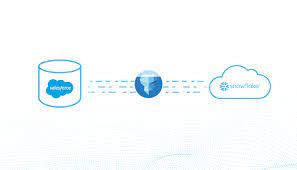
Harnessing the Power of Salesforce Marketing Cloud and Snowflake Two of the most influential trends in marketing technology (MarTech) and analytics today are Salesforce’s Marketing Cloud (SFMC) and Snowflake’s data warehousing platform. SFMC offers marketers a robust Journey Builder experience, while Snowflake eliminates data silos, making more data accessible to analysts than ever before. Both platforms are next-generation, cloud-first solutions that open new possibilities for marketers and are already helping to create more compelling and relevant experiences for consumers. A shared commitment to simplifying the end-user experience while unlocking a vast array of new data capabilities makes these solutions powerful examples of “soft technology.” Soft Technology: Snowflake and SFMC “When I speak about the power and virtues of technology, I am referring to soft technology: technology that is flexible, that is under our control.” — Don Norman What makes a technology great is its ease and flexibility for end users. Both SFMC and Snowflake simplify the user experience for their target users with remarkable results. SFMC’s Journey Builder allows marketers to build sophisticated journey orchestration flows on a canvas similar to how they might draft a journey on a whiteboard. Once configured, there’s no need to call IT for support; it’s time for delivery. Snowflake targets analysts, data engineers, and data scientists, breaking down data silos and removing traditional storage and processing constraints. This allows them to focus on solving business problems rather than dealing with perpetual data consolidation and cleansing. Snowflake also simplifies working with different types of data, such as unstructured data like logs or customer activity signals, through its “variant” datatype. The Perils of “Hard Technology” for SFMC Users “Hard technology remains unheedful of the real needs and desires of users. It is a technology that, rather than conforming to our needs, forces us to conform to its needs. Hard technology makes us subservient;” — Don Norman SFMC’s Journey Builder users are most productive when their source data is well-prepared for marketing purposes. However, as marketing needs evolve, new customer profile data and segments are required, often necessitating IT intervention and the use of complex SQL queries or programming languages. An inefficient process often emerges: This lengthy process can slow down time-to-market for campaigns and hinder marketing agility. Bridging Snowflake and SFMC to Avoid Hard Technology Low-code and visual SQL tools allow campaign analysts to remain business-focused and meet most of their daily data needs without relying heavily on IT. These tools are now more powerful thanks to modern data warehousing platforms like Snowflake, which supports SQL-like querying of unstructured data directly. Low-code solutions help marketers maintain productivity within SFMC’s Journey Builder by enabling them to autonomously explore and retrieve new customer data and segments. Checklist for Low-Code & Visual SQL Tools For maximum impact, look for low-code and visual SQL tools that: Simplifying Data Integration with Skyvia, Integrate.io, and GetCensus Skyvia Skyvia allows you to replicate Salesforce Marketing Cloud data to Snowflake with minimal configuration. It creates tables for cloud data automatically and keeps the data updated with incremental updates. Integrate.io Integrate.io provides a lightning-fast CDC platform for Salesforce data integration, offering robust ETL and ELT capabilities to connect your Salesforce data with hundreds of other apps. Integrate.io’s low-code interface allows for easy configuration and seamless data migration. GetCensus GetCensus enables data synchronization between Snowflake and Salesforce Marketing Cloud in four simple steps: By leveraging these tools and platforms, marketers can enhance their campaigns and improve customer experiences through efficient and effective data integration and management. Like1 Related Posts Who is Salesforce? Who is Salesforce? Here is their story in their own words. From our inception, we’ve proudly embraced the identity of Read more Salesforce Marketing Cloud Transactional Emails Salesforce Marketing Cloud Transactional Emails are immediate, automated, non-promotional messages crucial to business operations and customer satisfaction, such as order Read more Salesforce Unites Einstein Analytics with Financial CRM Salesforce has unveiled a comprehensive analytics solution tailored for wealth managers, home office professionals, and retail bankers, merging its Financial Read more AI-Driven Propensity Scores AI plays a crucial role in propensity score estimation as it can discern underlying patterns between treatments and confounding variables Read more


Read More
Salesforce Marketing Cloud Social Studio

Topic Profiles in Salesforce Marketing Cloud Social Studio

Follow these recommended practices to optimize your topic profiles in Social Studio effectively: Like Related Posts Who is Salesforce? Who is Salesforce? Here is their story in their own words. From our inception, we’ve proudly embraced the identity of Read more Salesforce Marketing Cloud Transactional Emails Salesforce Marketing Cloud Transactional Emails are immediate, automated, non-promotional messages crucial to business operations and customer satisfaction, such as order Read more Salesforce Unites Einstein Analytics with Financial CRM Salesforce has unveiled a comprehensive analytics solution tailored for wealth managers, home office professionals, and retail bankers, merging its Financial Read more AI-Driven Propensity Scores AI plays a crucial role in propensity score estimation as it can discern underlying patterns between treatments and confounding variables Read more

Read More
Improving customer experiences with Marketing Cloud Personalization

Understanding Marketing Cloud List

Understanding Marketing Cloud Lists: A Guide for Email Studio Users If you use Salesforce Marketing Cloud (SFMC) Email Studio, you may wonder: This guide explains lists, their types, and best practices for managing subscriber data. What Is a Marketing Cloud List? Lists are the default way to store subscriber data in Email Studio. They help: Key Considerations for Lists ✔ Best for small datasets (under 500,000 subscribers).✔ Not ideal for complex data (use Data Extensions instead).✔ Use cases: Preference centers, opt-outs, basic segmentation. Types of Email Studio Lists Marketing Cloud has two main list types: 1. Publication Lists 📍 Where to find them:Email Studio » Subscribers » Lists 2. Suppression Lists 📍 How to manage: When to Use Lists vs. Data Extensions Feature Lists Data Extensions Max Records 500,000 Unlimited Data Complexity Simple (subscriber status, preferences) Complex (transactional, relational data) Use Case Opt-outs, basic segmentation Advanced segmentation, dynamic content Performance Slower for large datasets Optimized for scalability 💡 Best Practice: How Admins Can Improve Data Quality Final Thoughts Marketing Cloud lists are great for basic subscriber management, but Data Extensions offer more flexibility for advanced use cases. By understanding the differences, you can optimize your email strategy for better deliverability and segmentation. 🚀 Next Steps: Need help? Check Salesforce’s official documentation or consult a Tectonic Marketing Cloud expert. Like Related Posts Who is Salesforce? Who is Salesforce? Here is their story in their own words. From our inception, we’ve proudly embraced the identity of Read more Salesforce Marketing Cloud Transactional Emails Salesforce Marketing Cloud Transactional Emails are immediate, automated, non-promotional messages crucial to business operations and customer satisfaction, such as order Read more Salesforce Unites Einstein Analytics with Financial CRM Salesforce has unveiled a comprehensive analytics solution tailored for wealth managers, home office professionals, and retail bankers, merging its Financial Read more AI-Driven Propensity Scores AI plays a crucial role in propensity score estimation as it can discern underlying patterns between treatments and confounding variables Read more

Read More
Journey Builder Wait Until API Event

Journey Builder Wait Until API Event

Introducing the Journey Builder Wait Until API Event Activity, a cutting-edge addition to Journey Builder unveiled in the April 2021 Salesforce Marketing Cloud Release. This feature revolutionizes customer engagement by enabling real-time experiences through external event triggers within a journey. By strategically placing the Wait Until API Event activity within your journey, you can suspend customer progression until a specified event occurs, ensuring seamless transitions to the next activity. Journey Builder Wait Until API Event Key Features: Use Cases: Configuration Steps: API Event Configuration: Additional Considerations: Use Case Example: In summary, the Wait Until API Event Activity empowers marketers to orchestrate dynamic, real-time journeys tailored to individual customer actions, driving enhanced engagement and conversion rates across multiple touchpoints. Like Related Posts Who is Salesforce? Who is Salesforce? Here is their story in their own words. From our inception, we’ve proudly embraced the identity of Read more Salesforce Marketing Cloud Transactional Emails Salesforce Marketing Cloud Transactional Emails are immediate, automated, non-promotional messages crucial to business operations and customer satisfaction, such as order Read more Salesforce Unites Einstein Analytics with Financial CRM Salesforce has unveiled a comprehensive analytics solution tailored for wealth managers, home office professionals, and retail bankers, merging its Financial Read more AI-Driven Propensity Scores AI plays a crucial role in propensity score estimation as it can discern underlying patterns between treatments and confounding variables Read more

Read More
salesforce marketing cloud interaction studio

Ampscript

What is AMPscript used for in Salesforce? What is its purpose? AMPscript is a useful scripting language that you can use across emails, landing pages, SMS, and push notifications in Salesforce Marketing Cloud Builders. AMPscript is Marketing Cloud‘s proprietary scripting language for advanced dynamic content in emails, landing pages, SMS, and push messages. Why use Marketing Cloud AMPscript? AMPscript allows you to extend Marketing Cloud functionality beyond its out-of-the-box capabilities because you can develop code and custom solutions, tailored to your own specific needs and requirements. What are some functions you can perform with AMPscript? Types of Functions in Marketing Cloud AMPscript: What are advantages of AMPscript compared to Ssjs? For the web developer who are new to both languages, for them AMPscript has a shorter learning curve compared to SSJS. AMPscript should be preferred for simple inline personalization, which includes content like name, salutation and simple IF ELSE loops. Using AMPscript To use AMPscript, you insert it into the content body of your messages at the point where you want it to render. When you send a message that contains AMPscript, Marketing Cloud Engagement interprets the code and substitutes it with the output of the AMPscript function. 3 Way to Add There are three ways to add AMPscript code to your content: by using inline code, by adding code blocks, or by using tag-based scripting. The first two of these methods use special delimiters to denote the beginning and ending of the code that you want Marketing Cloud Engagement to interpret. In the third method, you delineate the AMPscript code with <script> tags. When you close an AMPscript block, use the same type of closing delimiter as you used to open the block. For example, if you open a block using tag-based scripting, you can’t close it by using the closing code block delimiter. Use the %%= and =%% delimiters to add AMPscript code inline with your content. Inline AMPscript is frequently used within HTML tags to dynamically populate the content of a message. In this basic example, a section of AMPscript is included inline within an HTML <p> tag. You can also include multi-line blocks of AMPscript code in your messages. Use the %%[ and ]%% delimiters to begin and end a code block, respectively. With a code block, you can define multiple variables and execute multiple functions. Code blocks use the syntax shown in this example. Tag-based syntax for AMPscript standardizes the syntax used to declare AMPscript blocks with the syntax of Server-Side JavaScript (SSJS). This syntax makes it easier for developers to switch between AMPscript and SSJS. Like1 Related Posts Who is Salesforce? Who is Salesforce? Here is their story in their own words. From our inception, we’ve proudly embraced the identity of Read more Salesforce Marketing Cloud Transactional Emails Salesforce Marketing Cloud Transactional Emails are immediate, automated, non-promotional messages crucial to business operations and customer satisfaction, such as order Read more Salesforce Unites Einstein Analytics with Financial CRM Salesforce has unveiled a comprehensive analytics solution tailored for wealth managers, home office professionals, and retail bankers, merging its Financial Read more AI-Driven Propensity Scores AI plays a crucial role in propensity score estimation as it can discern underlying patterns between treatments and confounding variables Read more
Read More
Salesforce Marketing Cloud Email Studio

What is Email Studio in Marketing Cloud?

Enhance your account branding through the Sender Authentication Package (SAP), a tool provided by Marketing Cloud. SAP features include custom account branding, a private domain for email sending, a custom domain for CloudPages, a dedicated IP address, and reply mail management. Upon purchasing SAP, you will receive an email from mc-deliverability@mcld.salesforce.com 1–2 days after your contract activation. This email includes the SAP Quick Start Guide and a personalized form to set up your SAP.

Read More
Progressive Profiling in Salesforce Marketing Cloud

Progressive Profiling in Salesforce Marketing Cloud

In the world of marketing, the primary focus revolves around data accumulation. The more data collected, the deeper the understanding of prospects or customers, leading to the creation of a more comprehensive individual profile. Enter Progressive Profiling in Salesforce Marketing Cloud. Progressive profiling emerges as an effective method for data collection, enabling the gradual enrichment of an individual’s profile over time. This approach prevents overwhelming data collection methods that could potentially drive prospects away. Or at least prevent them from filling out your forms. While Progressive Profiling is a built-in feature in Pardot, Marketing Cloud Consultants and Admins often seek ways to implement it. In this insight, we’ll demonstrate how to achieve Progressive Profiling in Marketing Cloud through a custom solution on CloudPages, deviating from conventional Smart Capture Forms. Progressive Profiling in Salesforce Marketing Cloud: Use Case Let’s outline the use case: a landing page/cloud page that unfolds as follows: First Visit: Display a simple form with fields for First Name, Last Name, and Email Address. Second Visit: Present the same form but accompany it with a ‘Welcome Back’ message. Third Visit: If the prospect submits the form and returns later, showcase a different form with additional fields like company name and service feedback, posing the question, “do you like our service?” How Progressive Profiling Works First Visit: Set a cookie when a user visits the landing page. Second Visit: Check for the existence of a cookie; if present, display the welcome message with the form. Third Visit and Beyond: Upon form submission, add values to a data extension (including the cookie). Subsequent visits involve checking for the cookie’s presence in the data extension, revealing different form fields if applicable. Setting Up Progressive Profiling in Marketing Cloud Step 1: Create a Data Extension Establish a data extension to store form values. Step 2: Create the CloudPage Utilize the provided code snippet. Step 3: Test the Progressive Profiling A demo video showcases the testing process. Considerations GDPR and Privacy: Adhere to GDPR laws; ensure explicit consent for placing cookies and tracking individuals. Consult your legal team for additional disclaimer requirements. Google Chrome Same Site Cookie Change: Be mindful of changes in Google Chrome’s Same Site Cookie policy, adjusting the code in SSJS accordingly to comply with Chrome version 76 or later. Cache and Browser Changes: Note that clearing the cache or switching browsers generates a new cookie, displaying the original form. This insight hopes to elucidate the implementation of Progressive Profiling in Marketing Cloud through a custom solution on CloudPages, leveraging SSJS and other elements. While gaining Progressive Profiling functionality, strategic consideration of the fields to request at each stage is crucial before implementing any technology. Like Related Posts Who is Salesforce? Who is Salesforce? Here is their story in their own words. From our inception, we’ve proudly embraced the identity of Read more Salesforce Marketing Cloud Transactional Emails Salesforce Marketing Cloud Transactional Emails are immediate, automated, non-promotional messages crucial to business operations and customer satisfaction, such as order Read more Salesforce Unites Einstein Analytics with Financial CRM Salesforce has unveiled a comprehensive analytics solution tailored for wealth managers, home office professionals, and retail bankers, merging its Financial Read more AI-Driven Propensity Scores AI plays a crucial role in propensity score estimation as it can discern underlying patterns between treatments and confounding variables Read more
Read More
Salesforce Campaigns

Campaign in Salesforce Marketing Cloud

What is a campaign in Salesforce Marketing Cloud? Campaigns help organize your marketing plan and assets. Plus, when you set up your campaign records effectively, they contain valuable data that you can use to optimize future efforts. What are campaigns in Salesforce Marketing Cloud for? A Salesforce Campaign in Marketing Cloud is a group of Leads and Contacts exposed to specific marketing communication(s). It stores essential performance metrics and means salespeople can quickly see the customers and prospects that received marketing activity. How do I send a Salesforce campaign from Marketing Cloud? In Marketing Cloud > Email Studio > Overview, open the email that you want to send and click ‘Send’ Select a ‘Send Classification’ then click ‘Next’ In the left pane, select ‘Salesforce Campaigns’ and then type the name of the desired campaign in the ‘Search’ field. Create a Marketing Cloud Campaign Why use campaigns in marketing cloud? Marketing Cloud Campaigns provide a way of grouping similar emails together. That way, Campaigns can be used in Datorama Reporting to present data for certain emails. What is campaign object in Salesforce? The Campaign object contains all the settings associated with how campaign records appear, the actions that users can take on campaigns, field access, and more. Create a campaign in the Campaigns app. Use tags in Marketing Cloud Engagement to categorize campaigns by any criteria, such as geography, marketing tactic, and product line. Where are my old Campaigns? I don’t see them on the campaign Overview tab.Campaigns that contain an email that has been sent automatically have their status set to Deployed. By default, the Overview tab only shows Campaigns with a status of In Process. To view older campaigns that have a status of Deployed, simply adjust the filter in the upper left.Setting the campaign status to Deployed now happens automatically when associated emails are sent. This feature was enabled in January 2014. Content updated January 2024. Like3 Related Posts Who is Salesforce? Who is Salesforce? Here is their story in their own words. From our inception, we’ve proudly embraced the identity of Read more Salesforce Marketing Cloud Transactional Emails Salesforce Marketing Cloud Transactional Emails are immediate, automated, non-promotional messages crucial to business operations and customer satisfaction, such as order Read more Salesforce Unites Einstein Analytics with Financial CRM Salesforce has unveiled a comprehensive analytics solution tailored for wealth managers, home office professionals, and retail bankers, merging its Financial Read more AI-Driven Propensity Scores AI plays a crucial role in propensity score estimation as it can discern underlying patterns between treatments and confounding variables Read more
Read More
Salesforce Marketing Cloud

What is the Difference in Lists and a Data Extensions in Salesforce Marketing Cloud

There are two different methods to store and segment subscriber data within Marketing Cloud: Lists and Data Extensions. Lists have limited functionality, whereas Data Extensions provide full flexibility to store and relate subscriber information. Salesforce Marketing Cloud lists and data extensions are the primary ways to manage your subscriber data. What is the difference between data extension and list in Marketing Cloud? In short, lists are best used for specific email sends lacking advanced data or segmentation, whereas data extensions can be used for basically any type of communication or data management need. If the goal is to organize data with simplicity, go for lists. What is data extension in Marketing Cloud? A data extension is a table that contains your data. With Marketing Cloud Connect, push tracking data from the Marketing Cloud back to your Sales or Service Cloud orgs using Salesforce data extensions (SFDEs). Data extensions are also filterable. What are the data extension limits for Marketing Cloud? There is currently no limit for the amount of rows that can exist within a Data Extension. This means that, without Row Based Data Retention, a Data extension can grow exponentially without any real upper limit. What is a list in Marketing Cloud? Lists are a default way of storing data in Marketing Cloud Email Studio. You can set different attributes for your customers by using lists, which represent a collection of customers and provide a simple method for audience segmentation. These attributes are used to store the position of the customer in a given list. List can be configured to send a welcome email when a subscriber opts in, and can have double opt-in. You will also hear groups mentioned. Groups are smaller segments of a list. When to Opt for Marketing Cloud Data Extensions There are two primary scenarios that distinctly indicate the need for utilizing a data extension rather than a list: Fluctuating Values Over Time: Data Relationship via a 3rd Data Point: Like Related Posts Who is Salesforce? Who is Salesforce? Here is their story in their own words. From our inception, we’ve proudly embraced the identity of Read more Salesforce Marketing Cloud Transactional Emails Salesforce Marketing Cloud Transactional Emails are immediate, automated, non-promotional messages crucial to business operations and customer satisfaction, such as order Read more Salesforce Unites Einstein Analytics with Financial CRM Salesforce has unveiled a comprehensive analytics solution tailored for wealth managers, home office professionals, and retail bankers, merging its Financial Read more AI-Driven Propensity Scores AI plays a crucial role in propensity score estimation as it can discern underlying patterns between treatments and confounding variables Read more
Read More
Salesforce and Marketo

Marketo and Salesforce Integration

Marketo Engage and Salesforce integration forms a seamless email marketing partnership, ensuring synchronization of your sales and marketing data. Marketo constantly syncs with Salesforce, operating throughout the day. The synchronization process involves periodic intervals with a 5-minute pause before resuming. During a single sync session, Marketo makes 25 API calls to check if your Salesforce objects need updating. This bidirectional sync between Salesforce and Marketo pertains exclusively to leads, contacts, and Salesforce campaigns. Any changes made in either Salesforce or Marketo in these categories are mirrored in both systems. However, all other syncs occur solely from Salesforce to Marketo. To sync a Marketo field to Salesforce, follow these steps: For optimal syncing between Salesforce and Marketo, adhere to best practices: Marketo and Salesforce Marketing Cloud catered to different marketer needs initially, with Marketo primarily designed for Business to Business (B2B) solutions and Marketing Cloud positioned as a Business to Consumer (B2C) platform. Integrating Marketo with Salesforce enhances the sales process, streamlining the work of the sales team to identify and channel leads more efficiently through the sales funnel. Marketo is one of many marketing automation platforms that can be integrated with Salesforce. Like1 Related Posts Who is Salesforce? Who is Salesforce? Here is their story in their own words. From our inception, we’ve proudly embraced the identity of Read more Salesforce Marketing Cloud Transactional Emails Salesforce Marketing Cloud Transactional Emails are immediate, automated, non-promotional messages crucial to business operations and customer satisfaction, such as order Read more Salesforce Unites Einstein Analytics with Financial CRM Salesforce has unveiled a comprehensive analytics solution tailored for wealth managers, home office professionals, and retail bankers, merging its Financial Read more AI-Driven Propensity Scores AI plays a crucial role in propensity score estimation as it can discern underlying patterns between treatments and confounding variables Read more
Read More
gettectonic.com