Slack Archives - gettectonic.com - Page 4
AI Agents in Business 2025

AI Agents in Business 2025

AI Agents Are No Longer Just Hype—They’re Transforming Business in 2025 For years, AI agents have been more of a promise than a reality. But that’s changing in 2025. According to Salesforce, AI agents are finally becoming a tangible force in enterprise operations. A new survey from MuleSoft reveals that 93% of enterprise IT leaders have already implemented or plan to implement AI agents within the next two years. Despite this momentum, enterprises still face hurdles in deploying AI effectively. For example, 29% missed their delivery goals in 2024, and 80% cite data integration as a major challenge. “Integration challenges hinder companies from fully realizing the technology’s potential to create a limitless digital workforce,” said Andrew Comstock, SVP and GM of MuleSoft. “AI agents depend on connected data to understand context and execute tasks effectively.” AI Agents Are Taking Shape—But Integration Remains a Challenge Salesforce’s 10th annual MuleSoft Connectivity Benchmark Report, which surveyed 1,050 enterprise IT leaders, underscores the complexity of modern IT environments: Poor integration directly impacts AI agent accuracy and usefulness. AI agents must pull both structured and unstructured data from diverse sources—ERP, CRM, HCM platforms, emails, PDFs, Slack, and more—to make informed decisions. The Power of APIs in AI Agent Deployment APIs are proving critical in enabling AI agents to function effectively. IT leaders see them as essential for: ✅ Improving IT infrastructure✅ Sharing data across teams✅ Integrating disconnected systems By leveraging APIs, AI agents interact with existing automations and systems instead of requiring enterprises to rebuild workflows from scratch. “With correct integration and APIs, enterprises won’t have to refit everything for the AI world,” Comstock explained. IT Teams Are Overwhelmed—AI Can Help Close the Gap The report also reveals a growing demand for IT resources: “That’s an incredibly high percentage of time spent on cumbersome work,” said Comstock. “AI agents can close the IT delivery gap.” AI’s Impact on Developer Productivity and the Future of “Super Agents” IT leaders are optimistic about AI’s potential, with 93% believing AI will boost developer productivity over the next three years. Beyond simple AI agents, “super agents” are on the horizon. Unlike traditional AI agents that execute single commands, super agents pursue goals and handle complex, multi-step tasks. “A digital labor workforce can act autonomously, carrying out both simple and complex tasks to drive productivity and efficiency,” Comstock noted. How Enterprises Are Using AI Agents Today AI agents are already proving their value in industries ranging from financial services to talent acquisition. PenFed Credit Union: AI-Powered Customer Support PenFed Credit Union, the third-largest federal credit union in the U.S., implemented live chat and AI-powered chatbots built on Agentforce in just eight weeks—with only one engineer. By integrating data through MuleSoft, PenFed’s service agents now have a 360-degree view of member interactions, resulting in: “Members get the support they need faster, without repeating themselves,” Comstock explained. Adecco: AI-Driven Hiring Automation Adecco, a global staffing company processing 300 million job applications annually, faced a challenge: recruiters could only respond to a fraction of candidates. With Agentforce, MuleSoft, and Salesforce Data Cloud, Adecco is now automating hiring workflows: ✅ AI autonomously sorts resumes and generates candidate shortlists.✅ AI notifies candidates who weren’t selected and suggests alternative roles.✅ AI identifies the best job boards for listings, eliminating manual posting. “The goal is to respond to 100% of applicants, improving both recruiter efficiency and candidate experience,” said Comstock. The AI Adoption Feedback Loop As enterprises deploy AI agents, their effectiveness improves over time. AI models continuously refine themselves, making each new iteration more intelligent and efficient. “The best companies will embrace this cycle, gaining a major competitive edge,” said Comstock. AI Agents Aren’t Replacing Humans—They’re Augmenting Them Despite fears of job displacement, Comstock sees AI agents as enhancements, not replacements. They free employees from repetitive tasks, allowing them to focus on higher-value work. “This is where AI becomes real,” said Comstock. “Enterprises are moving beyond theory—AI agents are already delivering measurable business impact.” Like Related Posts Who is Salesforce? Who is Salesforce? Here is their story in their own words. From our inception, we’ve proudly embraced the identity of Read more Salesforce Marketing Cloud Transactional Emails Salesforce Marketing Cloud Transactional Emails are immediate, automated, non-promotional messages crucial to business operations and customer satisfaction, such as order Read more Salesforce Unites Einstein Analytics with Financial CRM Salesforce has unveiled a comprehensive analytics solution tailored for wealth managers, home office professionals, and retail bankers, merging its Financial Read more AI-Driven Propensity Scores AI plays a crucial role in propensity score estimation as it can discern underlying patterns between treatments and confounding variables Read more
Read More

CXM Revolution

The CXM Revolution: How Salesforce is Redefining Customer Relationships From Data Management to Experience Orchestration In today’s hyper-connected world, customers don’t just want transactions—they expect seamless, personalized journeys at every touchpoint. Salesforce has evolved beyond traditional CRM into a full Customer Experience Management (CXM) powerhouse, helping enterprises transform customer interactions into competitive advantages. CRM vs. CXM: The Critical Shift Traditional CRM Modern CXM Tracks contacts, deals, and cases Maps the entire customer journey Reactive support & sales Proactive, predictive engagement Siloed departments Unified, cross-functional collaboration Manual processes AI-driven automation & personalization Salesforce’s CXM suite now includes:✔ Marketing Cloud – Hyper-personalized omnichannel campaigns✔ Customer 360 – Single source of truth for all customer data✔ Einstein AI – Predictive insights & next-best actions✔ Experience Cloud – Branded portals & self-service hubs✔ Slack Integration – Real-time team collaboration 5 Steps to Unlock Salesforce’s CXM Power 1. Break Down Silos with Customer 360 ❌ Old Way: Disconnected sales, service, and marketing data.✅ CXM Approach: A unified customer profile that updates in real time across all teams.📌 Example: A retail brand merges online purchases, in-store visits, and support tickets into one view—enabling personalized loyalty rewards. 2. Predict Needs with AI (Before Customers Ask) ❌ Old Way: Waiting for customers to reach out with issues.✅ CXM Approach: Einstein AI flags: 3. Design Frictionless Journeys with Marketing Cloud ❌ Old Way: Generic email blasts to entire lists.✅ CXM Approach: Journey Builder triggers: 4. Empower Customers with Self-Service (Experience Cloud) ❌ Old Way: Long hold times for basic requests.✅ CXM Approach: AI-powered portals where customers can: 5. Close the Loop with Slack-First Collaboration ❌ Old Way: Teams working in disconnected systems.✅ CXM Approach: Slack channels that auto-alert: Why CXM is the Future (And Why You Can’t Afford to Wait) Companies leveraging Salesforce as a CXM platform report:📈 30% increase in customer lifetime value⏱️ 25% shorter sales cycles💡 40% improvement in first-contact resolution The Bottom Line Salesforce is no longer just a CRM—it’s an experience engine. Businesses that fail to adopt a CXM mindset risk:❌ Losing customers to competitors with better personalization❌ Higher operational costs from inefficient processes❌ Missed revenue from untapped AI-driven opportunities 🚀 The time to act is now. Whether you’re a Salesforce beginner or a seasoned user, CXM isn’t the future—it’s today’s competitive necessity. Ready to transform your customer experience? Let’s talk strategy. Like Related Posts Who is Salesforce? Who is Salesforce? Here is their story in their own words. From our inception, we’ve proudly embraced the identity of Read more Salesforce Marketing Cloud Transactional Emails Salesforce Marketing Cloud Transactional Emails are immediate, automated, non-promotional messages crucial to business operations and customer satisfaction, such as order Read more Salesforce Unites Einstein Analytics with Financial CRM Salesforce has unveiled a comprehensive analytics solution tailored for wealth managers, home office professionals, and retail bankers, merging its Financial Read more AI-Driven Propensity Scores AI plays a crucial role in propensity score estimation as it can discern underlying patterns between treatments and confounding variables Read more

Read More
Account Planning With Salesforce

CRM Analytics Limits

When using CRM Analytics, keep these limits in mind. API Call Limits These limits apply to all supported editions. API Call Limit Maximum concurrent CRM Analytics API calls per org 100 Maximum CRM Analytics API calls per user per hour 10,000 Dataset Row Storage Allocations per License In Salesforce org, your total row storage limit for all registered datasets combined depends on your license combination. Each license allocates a different number of rows. Baseline Row Allocation Allocated Rows CRM Analytics Plus 10 billion CRM Analytics Growth 100 million Sales Analytics 25 million Service Analytics 25 million Event Monitoring Analytics 50 million B2B Marketing Analytics 25 million CRM Analytics for Financial Services Cloud 25 million CRM Analytics for Health Cloud 25 million Extra Data Rows license 100 million Your total row storage limit is a combination of your active licenses. For example: Because the CRM Analytics Plus license includes the Sales Analytics and Service Analytics licenses, your total row allocation remains 10 billion. Similarly, the CRM Analytics Growth license includes the Sales Analytics and the Service Analytics licenses, so your total row allocation remains 100 million. However, if you obtain another Sales Analytics or Services Analytics license, your row limit increases by 25 million for each added license. Dataset Row Limits Each dataset supports up to 2 billion rows. If your Salesforce org has less than 2 billion allocated rows, each dataset supports up to your org’s allocated rows. Dataset Field Limits Value Limit Maximum number of fields in a dataset 5,000 (including up to 1,000 date fields) Maximum number of decimal places for each value in a numeric field in a dataset (overflow limit) 17 decimal placesWhen a value exceeds the maximum number of decimal places, it overflows. Both 100,000,000,000,000,000 and 10,000,000,000,000,000.0 overflow because they use more than 17 decimal places. A number also overflows if it’s greater (or less) than the maximum (or minimum) supported value. 36,028,797,018,963,968 overflows because its value is greater than 36,028,797,018,963,967. -36,028,797,018,963,968 overflows because it’s less than -36,028,797,018,963,967.When a number overflows, the resulting behavior in CRM Analytics is unpredictable. Sometimes CRM Analytics throws an error. Sometimes it replaces a numeric value with a null value. And sometimes mathematical calculations, such as sums or averages, return incorrect results. Occasionally, CRM Analytics handles numbers up to 19 digits without overflowing because they are within the maximum value for a 64-bit signed integer (263 – 1). But numbers of these lengths aren’t guaranteed to process.As a best practice, stick with numbers that are 17 decimal places or fewer. If numbers that would overflow are necessary, setting lower precision and scale on the dataset containing the large numbers sometimes prevents overflow. If your org hasn’t enabled the handling of numeric values, the maximum number of decimal places for each value in a numeric field in a dataset is 16. All orgs created after Spring ’17 have Null Measure Handling enabled. Maximum value for each numeric field in a dataset, including decimal places 36,028,797,018,963,967For example, if three decimal places are used, the maximum value is 36,028,797,018,963.967 Minimum value for each numeric field in a dataset, including decimal places -36,028,797,018,963,968For example, if five decimal places are used, the minimum value is -36,028,797,018,9.63968 Maximum number of characters in a field 32,000 Data Sync Limits If you extract more than 100 objects in your dataflows, contact Salesforce Customer Support before you enable data sync. Value Limit Maximum number of concurrent data sync runs 3 Maximum number of objects that can be enabled for data sync, including local and remote objects 100 Maximum amount of time each data sync job can run for local objects 24 hours Maximum amount of time each data sync job can run for remote objects 12 hours Data sync limits for each job:Marketo Connector (Beta)NetSuite ConnectorZendesk Connector Up to 100,000 rows or 500 MB per object, whichever limit is reached first Data sync limits for each job:Amazon Athena ConnectorAWS RDS Oracle ConnectorDatabricks ConnectorGoogle Analytics ConnectorGoogle Analytics Core Reporting V4 ConnectorOracle Eloqua ConnectorSAP HANA Cloud ConnectorSAP HANA Connector Up to 10 million rows or 5 GB per object, whichever limit is reached first Data sync limits for each job*:AWS RDS Aurora MySQL ConnectorAWS RDS Aurora PostgresSQL ConnectorAWS RDS MariaDB ConnectorAWS RDS MySQL ConnectorAWS RDS PostgreSQL ConnectorAWS RDS SQL Server ConnectorGoogle Cloud Spanner ConnectorMicrosoft Azure Synapse Analytics ConnectorMicrosoft Dynamics CRM ConnectorSalesforce External ConnectorSalesforce Contacts Connector for Marketing Cloud EngagementSalesforce OAuth 2.0 Connector for Marketing Cloud Engagement Up to 20 million rows or 10 GB per object, whichever limit is reached first Data sync limits for each job*:Amazon Redshift ConnectorAmazon S3 ConnectorCustomer 360 Global Profile Data Connector (Beta)Google BigQuery for Legacy SQL ConnectorGoogle BigQuery Standard SQL ConnectorHeroku Postgres ConnectorMicrosoft Azure SQL Database ConnectorSnowflake Input Connector Up to 100 million rows or 50 GB per object, whichever limit is reached first *When using these connectors, Salesforce Government Cloud org data is protected in transit with advanced encryption and can sync up to 10 million rows or 5 GB for each connected object, whichever limit is reached first. Note When using a Salesforce local input connection, CRM Analytics bulk API usage doesn’t count towards Salesforce bulk API limits. Use of the external Salesforce connection and output connection impacts your limits. The dataflow submits a separate bulk API call to extract data from each Salesforce object. The dataflow uses a batch size of 100,000–250,000, depending on whether the dataflow or the bulk API chunks the data. As a result, to extract 1 million rows from an object, the dataflow creates 4–10 batches. Recipe and Dataflow Limits Important In Winter ‘24, recipe runs over 2 minutes are counted against the limit. Previously, the recipe run counts weren’t correct. For more information, see Known Issue – Recipe runs are not counting towards the daily maximum run limit. Value Limit Maximum amount of time each recipe or dataflow can run 48 hours Maximum number of recipes 1,000 Maximum number of dataflows definitions (with data sync enabled) 100 Maximum number of dataflow and recipe runs in a rolling

Read More

Einstein License for Service Cloud

Salesforce Einstein for Service Cloud combines AI technology with customer prioritization to enhance CRM solutions and deliver superior customer service experiences. Tectonic, as a trusted Salesforce implementation partner, can assist organizations in leveraging the full potential of Salesforce Einstein for Service Cloud to revolutionize their customer service operations.

Read More
Zendesk Launches AI Agent Builder

Scaling Your Salesforce Team with Staff Augmentation

As the demand for Salesforce experts continues to grow, businesses face challenges such as long hiring cycles, high recruitment costs, and skill shortages. These make it difficult to build a high-performing Salesforce team. However, there’s a smarter way to access top talent without the complexities of permanent hiring. The Power of Staff Augmentation Rather than relying on traditional Salesforce staffing firms, businesses can leverage staff augmentation to bring in experienced Salesforce professionals for short-term projects or ongoing support. This flexible approach helps organizations scale efficiently, reduce costs, and remain competitive. In this insight, we’ll explore how Salesforce staff augmentation enables businesses to build elite Salesforce teams and best practices for managing an augmented workforce. What Is Salesforce Staff Augmentation? Salesforce staff augmentation is a strategic staffing solution where companies hire external professionals to fill skill gaps temporarily or for specific projects. Instead of enduring lengthy hiring processes, firms can quickly onboard experienced Salesforce experts who match their project needs. Unlike outsourcing, which delegates entire projects to external agencies, staff augmentation keeps you in control—augmented professionals work alongside your internal team, ensuring seamless collaboration. Why Businesses Choose Staff Augmentation for Salesforce Teams Salesforce implementations, migrations, and customizations require specialized expertise. Companies are turning to staff augmentation because it offers a faster, more flexible alternative to traditional staffing agencies. Key Benefits: ✔ Immediate access to experts – No months-long recruitment process.✔ Cost efficiency – Avoid full-time salaries, benefits, and training expenses.✔ Scalability – Expand or reduce your team based on demand.✔ Expertise on demand – Get access to specialized skills without long-term commitments.✔ Seamless integration – Augmented staff work within your team, ensuring continuity. This model is ideal for companies facing fluctuating workloads, large-scale Salesforce projects, or critical skill gaps. Building a High-Performing Salesforce Team with Staff Augmentation Step 1: Identify the Skills You Need Before bringing in Salesforce professionals, define your requirements: By outlining these needs, you can ensure a smooth augmentation process and find professionals who align with your goals. Step 2: Choose the Right Staff Augmentation Partner Selecting a trusted staff augmentation provider is essential. Instead of relying on Salesforce staffing agencies, which often lack flexibility, choose a partner that provides on-demand Salesforce talent for both short-term and long-term projects. When evaluating partners, look for:✔ Salesforce talent expertise✔ Proven track record in placements✔ Flexible engagement models (short-term, long-term, or project-based)✔ Seamless onboarding and integration support By collaborating with a seasoned provider like Tectonic, companies can easily tap into pre-screened Salesforce professionals who match their project needs. Step 3: Ensure a Smooth Onboarding Process Once you’ve hired augmented staff, an effective onboarding process ensures smooth teamwork:✅ Provide access to essential tools and systems.✅ Define roles, responsibilities, and expectations.✅ Foster collaboration between in-house and augmented staff.✅ Assign mentors or key contacts for guidance. Structured onboarding enables augmented professionals to quickly contribute and stay aligned with your business objectives. Step 4: Continuously Evaluate and Optimize To maximize effectiveness, companies should regularly assess augmented professionals’ performance and impact: Optimizing your staff augmentation strategy over time ensures a high-performing Salesforce team that adapts to evolving business needs. Best Practices for Managing an Augmented Salesforce Team Unlike traditional Salesforce staffing firms, staff augmentation integrates professionals into daily operations rather than just placing hires. Encourage Collaboration Between In-House and Augmented Staff To ensure smooth communication and team cohesion:✔ Use collaboration tools like Slack, Microsoft Teams, or Salesforce Chatter.✔ Hold daily or weekly stand-ups to align goals.✔ Foster an inclusive culture where augmented staff feel valued.✔ Maintain clear guidelines for data access and security. Utilize Training and Upskilling Opportunities To maximize value, provide augmented staff with:✔ Salesforce training sessions and learning resources.✔ Opportunities to participate in internal knowledge-sharing.✔ Updates on new Salesforce features and releases. Upskilling both in-house and augmented professionals ensures your team remains highly skilled and adaptable. Overcoming Common Challenges in Staff Augmentation 1. Ensuring Smooth Team Integration 💡 Solution: Encourage open communication and structured onboarding to help new professionals integrate seamlessly. 2. Managing Security and Compliance Risks 💡 Solution: Implement Salesforce security best practices, such as role-based access control and Salesforce Shield to protect sensitive data. 3. Keeping External Talent Engaged and Motivated 💡 Solution: Provide incentives, involvement in key meetings, and professional development opportunities. 4. Addressing Communication Barriers 💡 Solution: Use structured meetings, clear guidelines, and collaboration tools to ensure seamless coordination. By leveraging Salesforce Shield, businesses can enhance security while ensuring compliance for external staff. Final Thoughts: Is Staff Augmentation Right for You? If your business needs immediate access to Salesforce expertise without long-term commitments, Salesforce staff augmentation is the perfect solution. By: …you can build a high-performing Salesforce team that drives your business forward. 💡 Need Salesforce specialists? Tectonic is a trusted Salesforce staff augmentation provider helping businesses scale efficiently and affordably. 📩 Ready to augment your Salesforce team? Contact us today to see how staff augmentation can transform your business! Like Related Posts Who is Salesforce? Who is Salesforce? Here is their story in their own words. From our inception, we’ve proudly embraced the identity of Read more Salesforce Marketing Cloud Transactional Emails Salesforce Marketing Cloud Transactional Emails are immediate, automated, non-promotional messages crucial to business operations and customer satisfaction, such as order Read more Salesforce Unites Einstein Analytics with Financial CRM Salesforce has unveiled a comprehensive analytics solution tailored for wealth managers, home office professionals, and retail bankers, merging its Financial Read more AI-Driven Propensity Scores AI plays a crucial role in propensity score estimation as it can discern underlying patterns between treatments and confounding variables Read more

Read More

Salesforce Integration: Enhancing Your CRM Capabilities

Salesforce is the world’s leading CRM platform, empowering businesses to streamline operations, enhance customer relationships, and drive growth. However, to maximize its potential, integrating Salesforce with third-party applications is essential. By connecting Salesforce with various external tools—such as MailChimp, QuickBooks, WhatsApp, and LinkedIn—organizations can improve efficiency, automate workflows, and unify data across departments. But how can businesses successfully integrate these applications into their Salesforce environment, and what challenges might they face? Let’s explore. What is Salesforce Integration? Salesforce integration refers to the process of connecting Salesforce with third-party applications to facilitate seamless data flow and process automation. These integrations leverage APIs to establish communication between systems, ensuring a unified experience across different business functions such as HR, finance, marketing, and sales. Why is Salesforce Integration Important? Integrating Salesforce with other systems offers several advantages, including: Common Salesforce Integrations and Use Cases Salesforce can be integrated with a variety of platforms to enhance functionality. Some key use cases include: Challenges in Salesforce App Integration While Salesforce integrations bring numerous benefits, they also come with challenges: Tools for Successful Salesforce Integration To facilitate smooth integrations, businesses can leverage the following tools: 1. Salesforce Native Tools These tools enable direct integrations with Salesforce products. Examples include: 2. App-Native Tools Many external applications offer built-in integrations with Salesforce, such as: 3. Third-Party Middleware For more complex integrations, middleware platforms help bridge gaps between systems: Best Practices for Salesforce Integration To ensure a smooth and successful integration, businesses should follow these best practices: Final Thoughts: Should You Integrate Salesforce with Third-Party Apps? Absolutely. Integrating Salesforce with external applications enhances its capabilities, drives efficiency, and unlocks new business opportunities. However, it’s crucial to implement these integrations through a certified Salesforce partner to minimize risks and ensure seamless execution. By following best practices and using the right tools, businesses can maximize their CRM investment and drive long-term success. FAQs Have more questions about Salesforce integration? Get in touch with our certified Salesforce consultants to explore the best integration solutions for your business. Like Related Posts Who is Salesforce? Who is Salesforce? Here is their story in their own words. From our inception, we’ve proudly embraced the identity of Read more Salesforce Marketing Cloud Transactional Emails Salesforce Marketing Cloud Transactional Emails are immediate, automated, non-promotional messages crucial to business operations and customer satisfaction, such as order Read more Salesforce Unites Einstein Analytics with Financial CRM Salesforce has unveiled a comprehensive analytics solution tailored for wealth managers, home office professionals, and retail bankers, merging its Financial Read more AI-Driven Propensity Scores AI plays a crucial role in propensity score estimation as it can discern underlying patterns between treatments and confounding variables Read more

Read More
Salesforce Einstein and Einstein Automate

Say Hello to Einstein Automate

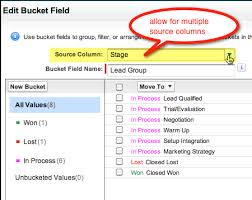
Einstein Automate is a robust end-to-end automation solution within Salesforce, offering increased productivity benefits for individuals, account executives, and businesses alike. A central element, Salesforce Flow, transforms business processes by facilitating seamless interactions for both customers and employees. The incorporation of Flow Builder ensures the creation of automated business processes is both easy and efficient, enabling streamlined enterprise-scale automation from testing to monitoring. With low to no code potential. Salesforce Flow distinguishes itself with user-friendly features, employing easy-to-use visual elements and reusable building blocks. Combined with Automate, enables the creation of large-scale automations within Salesforce. The solution bridges disconnected systems and integrates siloed data sources into a cohesive workflow, leading to improved customer experiences and enhanced business agility through guided interactions for the sales team. Sales reps are engaged in non-selling activities up to 66% of the work day. That’s totally no bueno. Get them back on track and shorten sales cycles with Einstein Automate. The introduction of Einstein Automate from Salesforce brings notable benefits. Studies reveal that automating manual processes with tools like Salesforce Flow and Automate saves employees four hours per week, enabling a shift of focus toward higher-value, deal closing tasks. Einstein Automate facilitates the automation of repetitive tasks, provides self-service portals, guides employee workflows, and activates intelligent recommendations for next-best actions on leads and accounts. The platform offers reusable building blocks, including logic, data, action, and screen components, which can be employed to construct business logic. Automate enables the creation of workflows across Salesforce and external systems, utilizing platform events, External Services, and MuleSoft. Screen flows can be designed to guide user interactions and collect user inputs. Einstein Automate streamlines process lifecycle management, encompassing low-code debugging, troubleshooting, performance monitoring, and usage analysis. Businesses can benefit from pre-built automation components and configure industry best practices through Salesforce’s AppExchange of pre-built solutions. One great feature is Einstein Automated Contacts. As a comprehensive add-on solution for Salesforce, Einstein Automate empowers businesses to improve productivity, efficiency, and customer experiences by seamlessly automating manual processes. For a deeper understanding of how Salesforce’s Einstein Automate and Flow can optimize your Salesforce instance, connect with Tectonic. We predict there are great things on the Salesforce road map for Einstein Automate and Flow. Content updated June 2025, Shannan Hearne. Like Related Posts Who is Salesforce? Who is Salesforce? Here is their story in their own words. From our inception, we’ve proudly embraced the identity of Read more Salesforce Marketing Cloud Transactional Emails Salesforce Marketing Cloud Transactional Emails are immediate, automated, non-promotional messages crucial to business operations and customer satisfaction, such as order Read more Salesforce Unites Einstein Analytics with Financial CRM Salesforce has unveiled a comprehensive analytics solution tailored for wealth managers, home office professionals, and retail bankers, merging its Financial Read more AI-Driven Propensity Scores AI plays a crucial role in propensity score estimation as it can discern underlying patterns between treatments and confounding variables Read more
Read More
Salesforce Order Management

Salesforce Order Management Explained

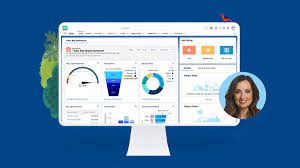
What is Salesforce Order Management? It’s a platform for managing orders, customer records, fulfillment, inventory visibility, payments and invoicing, and customer care.

Read More

AI in Sales Enablement

automation, and personalization to enhance sales processes, increase customer engagement, and drive revenue growth. Companies are working with AI to improve analysis of all customer contact points to both identify leads and weigh lead quality. That includes ingesting information from web pages, email campaigns, phone calls, and much more.

Read More
Salesforce Scheduler

Salesforce Scheduler

Salesforce Scheduler provides the objects required for appointment scheduling and an app that makes it easy to set up Scheduler. It provides preconfigured, customizable flows and rules that provide appointment booking experience. It also provides business APIs to create appointment booking experiences.

Read More

Box and Salesforce Integration

What is Box and Salesforce integration? Together, Box and Salesforce integration bring you seamless solutions that make it easy for teams to securely collaborate on the most critical content in Box, without leaving Salesforce. It easily connects with other Apps to share and store the data. Box allows users to create, edit, update, and share files/folders with Salesforce. It has a highly secured authentication process and a customizable user permission to access the files/folders. Your teams and customers expect amazing digital experiences, no matter what tools they use — which means you must deliver a consistent content experience across every app. Together, Box and Salesforce bring you seamlessly integrated solutions. The result? Better customer engagements, faster resolution on support cases, and seamless signatures so organizations can quickly go from quote to cash. Content is at the core of business today — and a driving force for your sales teams. Our integration empowers sales reps to collaborate on content directly in Salesforce, while your organization’s documents are centralized in Box to streamline processes, engage customers, and accelerate sales cycles. With Box for Salesforce, account teams can easily and securely access and share relevant files from any device, no matter if they’re at home, in the office, or out in the field. Box – Secure File Sharing — From file creation and sharing, to e-signing and retention — one secure place for it all.  Like Related Posts Who is Salesforce? Who is Salesforce? Here is their story in their own words. From our inception, we’ve proudly embraced the identity of Read more Salesforce Marketing Cloud Transactional Emails Salesforce Marketing Cloud Transactional Emails are immediate, automated, non-promotional messages crucial to business operations and customer satisfaction, such as order Read more Salesforce Unites Einstein Analytics with Financial CRM Salesforce has unveiled a comprehensive analytics solution tailored for wealth managers, home office professionals, and retail bankers, merging its Financial Read more AI-Driven Propensity Scores AI plays a crucial role in propensity score estimation as it can discern underlying patterns between treatments and confounding variables Read more

Read More
gettectonic.com