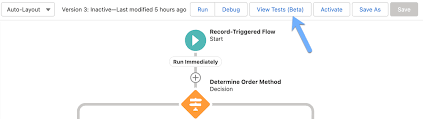
Subflow Archives - gettectonic.com
Salesforce Flow Builder

The Complete Guide to Migrating from Workflow Rules & Process Builder to Salesforce Flow

The End of an Era: Why Salesforce is Consolidating Automation Tools Salesforce has officially announced the retirement of Workflow Rules and Process Builder, marking a pivotal shift in platform automation. After Spring ’25: This consolidation addresses long-standing challenges: Why Flow is the Undisputed Future Salesforce Flow represents a quantum leap in automation capabilities: Capability Workflow Process Builder Flow Visual Designer ❌ ✔️ ✔️ Multi-Step Logic ❌ ✔️ ✔️ User Screens ❌ ❌ ✔️ External Integrations ❌ ❌ ✔️ Error Handling ❌ Limited ✔️ Scheduled Actions Basic ✔️ Advanced Reusable Components ❌ Limited ✔️ Key Advantages of Flow: Urgent Action Required: Migration Timeline Critical Milestones Risks of Delaying Migration Proven Migration Methodology Phase 1: Discovery & Assessment Phase 2: Design & Build Phase 3: Testing & Deployment Common Migration Pitfalls & Solutions Challenge Solution Logic gaps Comprehensive test cases covering edge conditions Performance issues Optimize with bulkification patterns Null handling differences Explicit null checks in flow logic Trigger order conflicts Use Flow Trigger Orchestration Pro Tip: The Migrate to Flow tool handles ~70% of use cases—plan to manually rebuild complex logic. Strategic Considerations Getting Help For organizations needing support: Critical Decision Point: Organizations with 50+ automations should consider engaging Salesforce-certified partners to accelerate migration while minimizing risk. The Bottom Line This transition represents more than just a technical change—it’s a strategic opportunity to modernize your automation foundation. By migrating to Flow now, organizations can: ✔ Eliminate technical debt✔ Unlock advanced capabilities✔ Future-proof their Salesforce investment✔ Position for AI and next-gen automation The clock is ticking—start your migration journey today to ensure a smooth transition before the sunset deadline. Like Related Posts Who is Salesforce? Who is Salesforce? Here is their story in their own words. From our inception, we’ve proudly embraced the identity of Read more Salesforce Marketing Cloud Transactional Emails Salesforce Marketing Cloud Transactional Emails are immediate, automated, non-promotional messages crucial to business operations and customer satisfaction, such as order Read more Salesforce Unites Einstein Analytics with Financial CRM Salesforce has unveiled a comprehensive analytics solution tailored for wealth managers, home office professionals, and retail bankers, merging its Financial Read more AI-Driven Propensity Scores AI plays a crucial role in propensity score estimation as it can discern underlying patterns between treatments and confounding variables Read more

Read More
Why Salesforce Release Management Matters

Salesforce Summer ’25 Release

Salesforce Summer ’25 Release: Key Updates & What You Need to Know The Salesforce Summer ’25 Release is here—packed with AI-powered automation, critical deprecations, and game-changing enhancements to Flow, Agentforce, and approvals. Whether you’re an admin, developer, or business leader, these updates will impact how you work on the platform. Let’s break down the biggest changes. 1. The End of Legacy Automation Tools Salesforce is officially sunsetting older automation features, pushing users toward next-gen solutions. Key Deprecations: 2. Flow Gets a Major Upgrade Flow is now faster, more intuitive, and packed with new features—making it the go-to automation tool. New Enhancements: ✔ Redesigned Flow Builder – Faster loading, responsive layouts, and mobile/tablet previews.✔ Rich In-Line Email Editor – No more external templates! Format emails directly in Flow with merge fields, colors, and styling.✔ Debug Fault Paths – Test error-handling logic for more reliable automations.✔ Reusable Flow Templates – Save and reuse common flow patterns across your org. Biggest Game-Changer: Flow-Based Approvals Salesforce is phasing out classic approval processes in favor of Flow-based approvals (though the old tool isn’t retired yet). Why switch? Action Item: Start testing Flow-based approvals in sandbox. 3. Agentforce Gets Smarter & More Versatile Salesforce’s AI-powered Agentforce is expanding beyond customer service into HR, field service, and sales. Key Upgrades: 🔹 Embed LWCs in Chatbots – Users can now interact with buttons, calendars, and custom UIs inside chat.🔹 New HR & Employee Service Templates – Automate onboarding, time-off requests, and internal workflows.🔹 Field Service AI Upgrades – Agents now: Action Item: Explore Agentforce for internal use cases (HR, IT, field service). 4. Admin Productivity Boosters Salesforce is making permissions and user management easier than ever. New Admin Features: 🔸 Bulk Object Permissions in Object Manager – No more jumping between permission sets!🔸 Enhanced Permission Set Summaries – Now includes tab access, public groups, and queues.🔸 Improved User Access Reports – Track permissions during onboarding/offboarding. 5. Release Timeline & Checklist When is Summer ‘25 Rolling Out? Your Summer ‘25 Prep Checklist ✅ Migrate off Workflow Rules & Process Builder → Move to Flow.✅ Audit API integrations → Ensure they use v31+.✅ Test outbound messaging → Confirm it works with 20s timeout.✅ Pilot Flow-based approvals → Start rebuilding in sandbox.✅ Explore Agentforce upgrades → Test chat LWC embeds & Siri voice.✅ Simplify permissions → Use bulk object permissions. Need Help Navigating These Changes? Transitioning to Flow, Agentforce, or new APIs can be complex. Our Salesforce experts can help you: Contact us today to get release-ready! Final Thought Salesforce is doubling down on AI, automation, and modern UX. The message is clear: The future is Flow, Agentforce, and clean data. Start preparing now! Like Related Posts Who is Salesforce? Who is Salesforce? Here is their story in their own words. From our inception, we’ve proudly embraced the identity of Read more Salesforce Marketing Cloud Transactional Emails Salesforce Marketing Cloud Transactional Emails are immediate, automated, non-promotional messages crucial to business operations and customer satisfaction, such as order Read more Salesforce Unites Einstein Analytics with Financial CRM Salesforce has unveiled a comprehensive analytics solution tailored for wealth managers, home office professionals, and retail bankers, merging its Financial Read more AI-Driven Propensity Scores AI plays a crucial role in propensity score estimation as it can discern underlying patterns between treatments and confounding variables Read more

Read More
Salesforce Flow Builder

Salesforce Flow Builder

Salesforce Flow Builder: Key Limitations & Workarounds (2024 Guide) While Salesforce Flow Builder is a powerful automation tool, it comes with important technical constraints that every admin and developer should understand. Here’s a concise breakdown of the most critical limitations and practical solutions: Core Limitations of Flow Builder 1. Execution Limits 2. Query & Data Operation Constraints 3. Performance Boundaries 4. Structural Constraints 5. Execution Order Challenges Additional Considerations Pro Tips for Optimization “The best flows are simple flows. When you hit these limits, it’s often a sign to reevaluate your architecture.” – Salesforce Architect’s Handbook Understanding these boundaries will help you design more efficient automations while knowing when to transition to code-based solutions. Like Related Posts Who is Salesforce? Who is Salesforce? Here is their story in their own words. From our inception, we’ve proudly embraced the identity of Read more Salesforce Marketing Cloud Transactional Emails Salesforce Marketing Cloud Transactional Emails are immediate, automated, non-promotional messages crucial to business operations and customer satisfaction, such as order Read more Salesforce Unites Einstein Analytics with Financial CRM Salesforce has unveiled a comprehensive analytics solution tailored for wealth managers, home office professionals, and retail bankers, merging its Financial Read more AI-Driven Propensity Scores AI plays a crucial role in propensity score estimation as it can discern underlying patterns between treatments and confounding variables Read more

Read More
End of Support for Workflow Rules and Process Builder

End of Support for Workflow Rules and Process Builder

Every month Salesforce announces retirement and sundowning of products and features. For long-time Salesforce power users, this one feels like the end of an era. Salesforce has announced the end of support for Workflow Rules and Process Builder in 2025. Scheduled Paths are a replacement for Scheduled Actions in Process Builder and Time-Based Workflow Rules. And they even have some new and improved features like support for minutes! Flows can now call other sub-flows, a much-longed-for replacement for Process Builder’s ability to call Flows. End of Support for Workflow Rules and Process Builder Salesforce will no longer be supporting Workflow Rules and Process Builder on December 31, 2025, and we recommend that you migrate your automation to Flow Builder by that time. Have you taken advantage of all the powerful features of Flow? Not yet? Have no fear, and go with the Flow! We’ve curated a comprehensive guide of resources to take you from zero to hero on your journey with us to migrate your organization from Workflow Rules and/or Process Builder onto the newer and more powerful engine of Flow! Why move to Flow? What’s happening with Workflow Rules and Process Builder? Salesforce is starting the process of moving away from Workflow Rules and Process Builder, and transitioning to the more feature-rich functionality of Flow. You’re also probably wondering why Salesforce is retiring Workflow Rules and Process Builder. Salesforce wants to focus development on a modern, extensible, low-code automation solution in Flow Builder, which led to retire the previous features. What does this change mean for me?  If you have active Workflow Rules or Process Builder processes running after 2025, they will no longer receive customer support or bug fixes. What action can I take? We recommend implementing a plan to migrate any active rules or processes to Flow Builder before the deadline. Depending on the complexity of your org, this migration may take a significant amount of time and testing, so we recommend starting now. To assist in the migration process, we have a Migrate to Flow tool and extensive support resources available. What happens if I don’t take action? After December 31, 2025, Workflow Rules and Process Builder may continue to function and execute existing automation, but customer support will not be available, and bugs will not be fixed. How do I identify affected users? You can identify whether you have active workflow rules by going to Setup | Process Automation | Workflow Rules and sorting the Active column for checkmarks. You can identify whether you have active Process Builder processes by going to Setup | Process Automation | Process Builder and sorting the Status column for Active. If you have more questions, open a case with support via Salesforce Help. To view all current and past retirements, see Salesforce Product & Feature Retirements. What does the transition to Flows entail? The transition is set to take place in multiple phases. The first phase began with the Winter ’22 release, wherein the ability to create net-new Workflow Rules was turned off. In Summer ‘23 release the ability to create net-new processes in Process Builder will be disabled. In the last phase, Workflow Rules and Process Builder will go away entirely, and any platform automation will be leveraging Flow. This phased approach will allow administrators ample time to transition to Flow with as minimal effort as possible. What changed in the Winter ’22 release? As of Winter ’22, we’ve blocked the creation of Workflow Rules. You can still activate, deactivate, and edit any existing Workflow Rules. To test and create Workflow Rules for use in managed packages, developer orgs still allow you to create Workflow Rules. Process Builder has remained unaffected during this period. For new automation, use Flow. Link to Release Notes What changed in the Summer ’23 release? Starting in Summer ’23, Salesforce began blocking the creation of Process Builder Processes. Much like workflow rules above, you can still activate, deactivate, and edit any existing Processes. For new automation, use Flow. How can existing Workflow Rules & Processes be transitioned to Flow? A tool called “Migrate to Flow” allows you to covert existing Workflow Rules & Processes to Flow in an org, at the click of a button. More information about this tool can be found here. There are a few considerations to keep in mind as we roll out this tool. If your organization relies heavily on existing Workflow Rules or Process Builder, please consider starting the migration process today using the Migrate to Flow tool, rather than when the deadline approaches. This will also allow you to test the migrated Flows in small batches to ensure your organization’s needs are adequately met. How can I get started in Flow? For those with limited exposure to Flows, tinkering in a trailhead playground, demo org, or other non-production org is a great way to explore the capabilities of Flows. Once ready, admins can try creating any new automation needed in their organization in Flows rather than in Process Builder. Trailhead – The best place to start! Build Flows with Flow BuilderRecord-Triggered FlowsAutomate Your Business Processes with Salesforce Flow Automation Home Page – Watch videos, read blog posts, or explore other Trailhead offerings related to Flows. Trailhead Community Topics – Join the discussion!#Flow#Automation What about feature parity between Workflows/Processes and Flows? During the last few releases, many of the biggest parity gaps between Workflow Rules/Process Builder and Flow have been addressed already, including: Additionally, more and more gaps are being addressed with each new release. What about Approval Processes, Email Alerts, and other functionality operating on the workflow engine? There are no plans to retire any of these auxiliary features; however, each of them can be leveraged through flow (or Flow Orchestrator, in the case of approval processes), without the need to use processes or workflow rules at all. Flow Trailhead – Click Here Like1 Related Posts Who is Salesforce? Who is Salesforce? Here is their story in their own words. From our inception, we’ve proudly embraced the identity of Read


Read More
Salesforce Flow

Salesforce Flow

Salesforce Flow is a tool designed to automate complex business processes by collecting and manipulating data. Flow Builder, the declarative interface for creating flows, allows users to construct logic similar to coding without requiring programming expertise. When customers engage with a company—whether purchasing tickets, managing bills, or arranging reservations—they anticipate a seamless, personalized experience. Flow Builder empowers users to automate processes across Salesforce applications, experiences, and portals with intuitive, point-and-click functionality. Types of Flows in Salesforce include: Advantages of Salesforce Flow: Difference between Flow and Workflow in Salesforce: Flow offers more versatility than workflow rules and process builders. While workflows operate in the background, flows can guide users through processes with interactive screens and are not limited to specific objects. Flows have the capability to create, update, and delete records across multiple objects. Here’s a structured approach to effectively leverage Flow Builder: Flow Builder equips users with robust tools for automating Salesforce processes while adhering to best practices. By following these guidelines, users can develop efficient, tailored flows that align with specific business requirements. Like Related Posts Who is Salesforce? Who is Salesforce? Here is their story in their own words. From our inception, we’ve proudly embraced the identity of Read more Salesforce Marketing Cloud Transactional Emails Salesforce Marketing Cloud Transactional Emails are immediate, automated, non-promotional messages crucial to business operations and customer satisfaction, such as order Read more Salesforce Unites Einstein Analytics with Financial CRM Salesforce has unveiled a comprehensive analytics solution tailored for wealth managers, home office professionals, and retail bankers, merging its Financial Read more AI-Driven Propensity Scores AI plays a crucial role in propensity score estimation as it can discern underlying patterns between treatments and confounding variables Read more

Read More
Salesforce Flow Tests

Mastering Salesforce Flows

Mastering Salesforce Flows: The Complete Guide to Process Automation Why Flows Are Every Admin’s Superpower In today’s fast-moving business world, 87% of organizations report that automation is critical to maintaining competitiveness. Salesforce Flows empower admins to automate complex processes that traditionally required developer resources – making you the automation hero your team needs. The Flow Advantage *”After implementing flows, one manufacturing company reduced their quote-to-cash cycle from 5 days to 2 hours.”* Flow Types Demystified: Choose the Right Tool Flow Type Best For Key Features Trigger Examples Screen Flow User-guided processes Interactive UI, data collection Onboarding wizards, service case triage Record-Triggered Auto-processing records Runs on create/update/delete Auto-calculate discounts, update related records Schedule-Triggered Batch operations Runs on cron schedule Daily data cleanup, monthly reports Platform Event System integrations Handles external events Process IoT device alerts, SMS responses Orchestration Multi-step workflows Coordinates teams/systems Complex approvals, onboarding journeys Pro Tip: With Process Builder sunsetting in 2025, all new automation should use flows. Building Your First Flow: Step-by-Step 1. Planning Your Flow 2. Creating in Flow Builder markdown Copy Download 1. Setup > Flows > New Flow 2. Select type (e.g., Record-Triggered) 3. Configure trigger (when to run) 4. Add elements using + button: – Get Records (query data) – Decision (if/then logic) – Action (create/update records) 5. Set fault paths for error handling 3. Testing Like a Pro 4. Deployment Checklist ✅ Sandbox testing complete✅ Error handling implemented✅ Documentation created✅ User training scheduled Advanced Flow Techniques Avoid These Common Pitfalls 🚫 Nested Loops – Use Collection Filter instead🚫 Hardcoding IDs – Create custom labels🚫 Overquerying – Leverage $Record variables🚫 No Null Checks – Always add decision branches Proven Performance Boosters Example: Filtering 10,000 contacts takes: Real-World Flow Examples 1. Lightning-Fast Lead Routing Diagram Code Download EMEA APAC New Lead Region? Assign to London Queue Assign to Sydney Queue Send Welcome Email Create First Task Result: 90% faster lead assignment 2. Automated Renewal Management Impact: 30% increase in renewals 3. Customer Service Escalation Flows vs. Code: When to Choose What Scenario Flow Apex Field updates ✅ Best ⚠ Overkill Complex calculations ✅ Spring ’22+ ✅ Needed pre-2022 External API calls ✅ (Simple) ✅ (Complex) Bulk data (>10k recs) ⚠ Careful ✅ Better Trigger frameworks ❌ Avoid ✅ Required Golden Rule: Start with Flow, escalate to Apex only when limits hit. Flow Orchestration: Next-Level Automation For processes spanning multiple departments: Benefits:✔ End-to-end visibility✔ Automatic handoffs✔ Built-in wait steps Getting Started Resources “The average admin automates 23 hours of work weekly using flows.” – Salesforce ROI Study Ready to transform your processes? Book a flow consultation with our certified experts today! #Salesforce #Flow #CRM #BusinessAutomation #DigitalTransformation Content updated December 2024. Like Related Posts Who is Salesforce? Who is Salesforce? Here is their story in their own words. From our inception, we’ve proudly embraced the identity of Read more Salesforce Marketing Cloud Transactional Emails Salesforce Marketing Cloud Transactional Emails are immediate, automated, non-promotional messages crucial to business operations and customer satisfaction, such as order Read more Salesforce Unites Einstein Analytics with Financial CRM Salesforce has unveiled a comprehensive analytics solution tailored for wealth managers, home office professionals, and retail bankers, merging its Financial Read more AI-Driven Propensity Scores AI plays a crucial role in propensity score estimation as it can discern underlying patterns between treatments and confounding variables Read more
Read More
Salesforce Flow Builder

How Smart Flows Supercharge Your Business

The Automation Revolution: How Smart Flows Supercharge Your Business Automation isn’t just a buzzword—it’s the secret weapon of high-performing businesses. When done right, it transforms clunky processes into frictionless, hyper-efficient experiences—delighting customers and freeing up teams to focus on what really matters. And here’s the best part: You don’t need to be a coding wizard to harness its power. With Salesforce Flow, you can automate complex workflows with clicks, not code—while still maintaining full control over your business logic. But automation isn’t just about saving time—it’s about unlocking new possibilities. Want to see how? Let’s dive into 5 game-changing strategies most admins overlook. 🔥 Pro Tip #1: Treat Your Flow Like a Story—Not Just a Process Every great automation starts with a clear narrative. Before building, ask: 📌 Pro Hack: ⚡ Pro Tip #2: The Debugger Is Your Time Machine Imagine testing a flow without activating it—seeing exactly where it breaks before users do. That’s the Flow Debugger—your undo button for automation. ✅ Next-Level Debugging: ⚠ Watch Out For: 🚨 Pro Tip #3: Never Let Users See “Unhandled Fault” Again A cryptic error message is like a “Closed” sign on your automation. Instead: 🎯 Where This Shines: 🧩 Pro Tip #4: Subflows = Your Automation LEGO Blocks Why rebuild the wheel? Subflows let you: 🚀 Advanced Move:Create a “Utility” subflow library (e.g., “Send Approval Request,” “Log Audit Entry”). 🌀 Pro Tip #5: The Silent Killer Inside Every Loop Loops are powerful—but sneaky performance killers if misused. ❌ The Mistake: text Copy Download LOOP (500 Accounts) → UPDATE each Account (Result: 500 DML statements → SLOW!) ✅ The Fix: text Copy Download LOOP (500 Accounts) → STORE changes → SINGLE UPDATE at end (Result: 1 DML statement → FAST!) 🚀 From Theory to Action: Automate This Today Scenario: Your sales team keeps duplicating tasks on Accounts. The Fix: A 10-minute Flow that:1️⃣ Checks for existing tasks (Prevents duplicates).2️⃣ Auto-creates tasks if needed (No manual work).3️⃣ Notifies the team (“Hey, this was already done!”). 💡 Bonus: Use prebuilt Salesforce Flow templates to jumpstart dozens of automations. Your Next Move? ✔ Bookmark: Salesforce Flow Docs✔ Premier Support? Schedule a 1:1 Flow Workshop with an expert. Automation isn’t just the future—it’s your unfair advantage. Start building smarter today. Like Related Posts Who is Salesforce? Who is Salesforce? Here is their story in their own words. From our inception, we’ve proudly embraced the identity of Read more Salesforce Marketing Cloud Transactional Emails Salesforce Marketing Cloud Transactional Emails are immediate, automated, non-promotional messages crucial to business operations and customer satisfaction, such as order Read more Salesforce Unites Einstein Analytics with Financial CRM Salesforce has unveiled a comprehensive analytics solution tailored for wealth managers, home office professionals, and retail bankers, merging its Financial Read more AI-Driven Propensity Scores AI plays a crucial role in propensity score estimation as it can discern underlying patterns between treatments and confounding variables Read more
Read More
gettectonic.com