
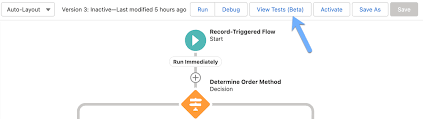
Mastering Salesforce Flows: The Complete Guide to Process Automation
Why Flows Are Every Admin’s Superpower
In today’s fast-moving business world, 87% of organizations report that automation is critical to maintaining competitiveness. Salesforce Flows empower admins to automate complex processes that traditionally required developer resources – making you the automation hero your team needs.
The Flow Advantage
- 10x faster to build than Apex code
- 80% reduction in manual data entry errors
- 100% declarative – no coding required
- Unlimited use cases from lead routing to complex approvals
*”After implementing flows, one manufacturing company reduced their quote-to-cash cycle from 5 days to 2 hours.”*
Flow Types Demystified: Choose the Right Tool
| Flow Type | Best For | Key Features | Trigger Examples |
|---|---|---|---|
| Screen Flow | User-guided processes | Interactive UI, data collection | Onboarding wizards, service case triage |
| Record-Triggered | Auto-processing records | Runs on create/update/delete | Auto-calculate discounts, update related records |
| Schedule-Triggered | Batch operations | Runs on cron schedule | Daily data cleanup, monthly reports |
| Platform Event | System integrations | Handles external events | Process IoT device alerts, SMS responses |
| Orchestration | Multi-step workflows | Coordinates teams/systems | Complex approvals, onboarding journeys |
Pro Tip: With Process Builder sunsetting in 2025, all new automation should use flows.
Building Your First Flow: Step-by-Step
1. Planning Your Flow
- Map the current manual process
- Identify decision points and exceptions
- Document required fields and permissions
2. Creating in Flow Builder
markdown
Copy
Download
1. Setup > Flows > New Flow
2. Select type (e.g., Record-Triggered)
3. Configure trigger (when to run)
4. Add elements using + button:
   - Get Records (query data)
   - Decision (if/then logic)
   - Action (create/update records)
5. Set fault paths for error handling
3. Testing Like a Pro
- Use Debug mode with test records
- Verify as different user profiles
- Check governor limits (View > Debug Details)
4. Deployment Checklist
✅ Sandbox testing complete
✅ Error handling implemented
✅ Documentation created
✅ User training scheduled
Advanced Flow Techniques
Avoid These Common Pitfalls
🚫 Nested Loops – Use Collection Filter instead
🚫 Hardcoding IDs – Create custom labels
🚫 Overquerying – Leverage $Record variables
🚫 No Null Checks – Always add decision branches
Proven Performance Boosters
- Before-Save Flows for instant field updates
- Async Path for complex after-save logic
- Subflows for reusable components
- Collection Processing for bulk operations
Example: Filtering 10,000 contacts takes:
- 5 seconds with Get Records in loop
- 0.5 seconds with Collection Filter
Real-World Flow Examples
1. Lightning-Fast Lead Routing
Diagram
Code
Download
EMEA
APAC
New Lead
Region?
Assign to London Queue
Assign to Sydney Queue
Send Welcome Email
Create First Task
Result: 90% faster lead assignment
2. Automated Renewal Management
- Query expiring contracts (Schedule-Triggered)
- Generate renewal opportunities
- Notify account owners
- Create follow-up tasks
Impact: 30% increase in renewals
3. Customer Service Escalation
- Tier 1: Auto-respond to common issues
- Tier 2: Route to specialist teams
- Tier 3: Create high-priority case
Flows vs. Code: When to Choose What
| Scenario | Flow | Apex |
|---|---|---|
| Field updates | ✅ Best | ⚠ Overkill |
| Complex calculations | ✅ Spring ’22+ | ✅ Needed pre-2022 |
| External API calls | ✅ (Simple) | ✅ (Complex) |
| Bulk data (>10k recs) | ⚠ Careful | ✅ Better |
| Trigger frameworks | ❌ Avoid | ✅ Required |
Golden Rule: Start with Flow, escalate to Apex only when limits hit.
Flow Orchestration: Next-Level Automation
For processes spanning multiple departments:
- Sales submits deal
- Legal reviews terms
- Finance approves
- Ops provisions
Benefits:
✔ End-to-end visibility
✔ Automatic handoffs
✔ Built-in wait steps
Getting Started Resources
- Trailhead:
- Tools:
- Flow Debugger (Winter ’23)
- Flow Test Builder
- Community:
- #FlowFriday on Twitter
- Salesforce Flow group (200K+ members)
“The average admin automates 23 hours of work weekly using flows.” – Salesforce ROI Study
Ready to transform your processes? Book a flow consultation with our certified experts today!
#Salesforce #Flow #CRM #BusinessAutomation #DigitalTransformation
Content updated December 2024.


Who is Salesforce? Here is their story in their own words. From our inception, we've proudly embraced the identity of Read more

Salesforce Marketing Cloud Transactional Emails are immediate, automated, non-promotional messages crucial to business operations and customer satisfaction, such as order Read more

Salesforce has unveiled a comprehensive analytics solution tailored for wealth managers, home office professionals, and retail bankers, merging its Financial Read more

AI plays a crucial role in propensity score estimation as it can discern underlying patterns between treatments and confounding variables Read more


