- gettectonic.com - Page 2
Salesforce Commerce Cloud Ecommerce Implementation Tasks and Roles

Commerce Cloud Explained

What is Salesforce commerce cloud? Salesforce Commerce Cloud is a cloud-based suite of products that enable e-commerce businesses to set up e-commerce sites, drive more automation and provide customers with seamless shopping experiences. Commerce enables retailers to swiftly establish an online presence, leveraging the capabilities of Salesforce CMS. Equipped with numerous out-of-the-box features, it caters to both B2C and B2B retailers, facilitating the creation of exceptional online experiences. Commerce Cloud encompasses standard Salesforce features, exhibiting mobile readiness, seamless integration with Service Cloud, and compatibility with other Salesforce products. Additionally, it incorporates Einstein AI-enabled functionalities. Noteworthy examples of SFDC Commerce Cloud implementation can be observed through prominent Salesforce customers like Puma and Adidas. The platform offers two variants, each catering to distinct customer focuses: Scale commerce with confidence on the most complete platform. Simplify everything from setting up your digital storefront to driving sales on any customer touchpoint with AI and automation powered by the Einstein 1 Platform. Salesforce Commerce capabilities enable you to cover more touchpoints with your customers, deliver personalized services to them, launch in new markets faster, and boost conversions. It helps you make analytics-based decisions to provide truly unforgettable services to your shoppers. Like1 Related Posts Who is Salesforce? Who is Salesforce? Here is their story in their own words. From our inception, we’ve proudly embraced the identity of Read more Salesforce Marketing Cloud Transactional Emails Salesforce Marketing Cloud Transactional Emails are immediate, automated, non-promotional messages crucial to business operations and customer satisfaction, such as order Read more Salesforce Unites Einstein Analytics with Financial CRM Salesforce has unveiled a comprehensive analytics solution tailored for wealth managers, home office professionals, and retail bankers, merging its Financial Read more AI-Driven Propensity Scores AI plays a crucial role in propensity score estimation as it can discern underlying patterns between treatments and confounding variables Read more

Read More
Salesforce and Healthcare

Healthcare Technology Solutions

Healthcare institutions have the golden opportunity to enhance the technology systems implemented over the past few pandemic years, particularly in the realm of virtual rounding—where clinicians utilize collaboration technologies to interact with patients remotely. This approach gained significant traction during the pandemic and is now poised for further growth and refinement. Healthcare Technology Solutions. Healthcare technology solutions refer to the use of technology to improve both healthcare delivery and outcomes.  These solutions encompass a wide range of technologies from electronic health records to wearable devices to mobile applications.  Many believe the solution to better healthcare is data and collaboration.  The right software can help. Healthcare Technology Solutions Here are ways to maximize the impact of virtual rounding specifically in your healthcare organization: Devices: Collaboration Software: Telehealth Peripherals: Electronic Medical Records: Patient Experience APIs: Asset Tracking: Business Intelligence: Mobility Management: Whether your organization requires healthcare technology hardware, software, or cloud-based solutions, Tectonic is well-equipped to expedite the implementation process with numerous healthcare implementations under our belt. Five Exciting and emerging healthcare technology solutions coming in 2023 and beyond: Like Related Posts Who is Salesforce? Who is Salesforce? Here is their story in their own words. From our inception, we’ve proudly embraced the identity of Read more Salesforce Marketing Cloud Transactional Emails Salesforce Marketing Cloud Transactional Emails are immediate, automated, non-promotional messages crucial to business operations and customer satisfaction, such as order Read more Salesforce Unites Einstein Analytics with Financial CRM Salesforce has unveiled a comprehensive analytics solution tailored for wealth managers, home office professionals, and retail bankers, merging its Financial Read more AI-Driven Propensity Scores AI plays a crucial role in propensity score estimation as it can discern underlying patterns between treatments and confounding variables Read more
Read More
CRM Analytics and Tableau

CRM Analytics and Tableau

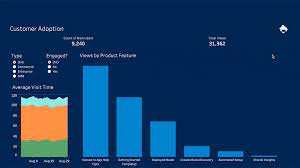
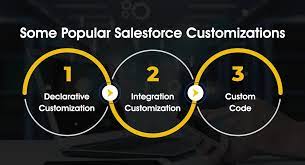
Whether you’re exploring data visualization tools or delving into the realm of analytics, Tableau and Salesforce CRM Analytics (formerly known as Tableau CRM) likely appear on your radar, both under the Salesforce umbrella. In this discussion, we’ll scrutinize the key disparities between these solutions and discern when one triumphs over the other. Firstly, let’s clarify the essence of both platforms: Tableau stands as a standalone, user-centric business intelligence platform, offering a suite of products like Tableau Prep, Tableau Desktop, and Tableau Online, tailored for data preparation, visualization, and dissemination. Salesforce CRM Analytics embeds analytics and reporting within Salesforce, furnishing insights seamlessly within your CRM workflow, predominantly drawing data from your Salesforce environment while accommodating certain external data sources. Here’s a comparative glimpse: Tableau: Salesforce CRM Analytics: Moreover, Salesforce offers Einstein Discovery, an AI-powered analytics tool augmenting data analysis with machine-learning models and statistical analysis. It enables swift detection of correlations, prediction of outcomes, and recommendation of improvement strategies, enhancing proactive decision-making. This plug-in seamlessly integrates with both Salesforce CRM Analytics and Tableau, subject to appropriate licensing. In contemplating between Tableau and CRM Analytics, Charlotte Bayart, Data & AI consultant at delaware, emphasizes the level of reporting: “For business reports on a management level, Tableau will likely excel due to its versatility and powerful visualizations. However, for operational reporting within CRM workflows necessitating real-time insights and immediate actionability, CRM Analytics proves indispensable. With embedded solutions like CRM Analytics, users gain direct access to detailed insights without additional layers, facilitating prompt decision-making and action.” Ultimately, organizations leveraging Salesforce as a CRM platform might find synergy in employing both Tableau and CRM Analytics concurrently, optimizing their analytical prowess across various reporting needs. Like1 Related Posts Who is Salesforce? Who is Salesforce? Here is their story in their own words. From our inception, we’ve proudly embraced the identity of Read more Salesforce Marketing Cloud Transactional Emails Salesforce Marketing Cloud Transactional Emails are immediate, automated, non-promotional messages crucial to business operations and customer satisfaction, such as order Read more Salesforce Unites Einstein Analytics with Financial CRM Salesforce has unveiled a comprehensive analytics solution tailored for wealth managers, home office professionals, and retail bankers, merging its Financial Read more AI-Driven Propensity Scores AI plays a crucial role in propensity score estimation as it can discern underlying patterns between treatments and confounding variables Read more
Read More
Salesforce Queues

Salesforce Queues

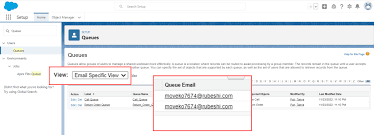
Salesforce Queues streamline the prioritization, distribution, and assignment of records among teams that collaborate on shared workloads. They function as holding areas within Salesforce where records wait for team members to pick them up and take ownership, either for themselves or on behalf of another user. Key Benefits of Salesforce Queues: How Salesforce Queues Work: In Salesforce, queues act as record owners instead of individual users. Records awaiting action are associated with a queue until a team member takes ownership. Components of a Salesforce Queue: Difference Between Queues and Groups in Salesforce: While both serve as ways to share records, queues and groups differ in their functionality. Creating a Salesforce Queue (Lead Queue Example): Step 1: Create a Queue Step 2: Create or Edit Assignment Rules Step 3: Test It Out Using Salesforce Queues Efficiently: Additional Salesforce Queue Examples: Salesforce Queues optimize team collaboration by facilitating record prioritization, distribution, and assignment. Organizations can leverage queues to enhance visibility and streamline workload management across teams effectively. With no limit to the number of queues you can create, Salesforce Queues empower teams to work smarter and collaborate efficiently. Like Related Posts Who is Salesforce? Who is Salesforce? Here is their story in their own words. From our inception, we’ve proudly embraced the identity of Read more Salesforce Marketing Cloud Transactional Emails Salesforce Marketing Cloud Transactional Emails are immediate, automated, non-promotional messages crucial to business operations and customer satisfaction, such as order Read more Salesforce Unites Einstein Analytics with Financial CRM Salesforce has unveiled a comprehensive analytics solution tailored for wealth managers, home office professionals, and retail bankers, merging its Financial Read more AI-Driven Propensity Scores AI plays a crucial role in propensity score estimation as it can discern underlying patterns between treatments and confounding variables Read more
Read More
Salesforce Logo

What is Salesforce and Why is it so Popular?

What is Salesforce and Why is it so Popular? Salesforce, a software company specializing in Customer Relationship Management (CRM), has emerged as a dominant force in business technology since its establishment in 1999. It encompasses both a software package and a complete ecosystem designed to enhance and modernize various business processes. The widespread popularity of Salesforce can be attributed to its all-encompassing CRM solutions, user-friendly interface, cloud-based platform, scalability, and the robust ecosystem it has fostered. Offering comprehensive tools for managing customer data, automating processes, analyzing data and insights, and creating personalized customer experiences, Salesforce extends its reach to various solutions such as customer service, marketing automation, commerce, app development, and more. What sets Salesforce apart is its highly customizable platform, allowing users to tailor CRM according to specific requirements. Renowned for its flexibility, Salesforce offers a plethora of customizable features and functionalities, making it stand out in the business technology landscape. Many companies opt for Salesforce due to its role as a customer relationship management solution, effectively bringing together companies and customers. Positioned as an integrated CRM platform, Salesforce provides all departments, including marketing, sales, commerce, and services, with a unified view of each customer. This capability to foster collaboration and coherence across diverse business functions contributes to the widespread adoption of Salesforce by numerous companies. Like Related Posts Who is Salesforce? Who is Salesforce? Here is their story in their own words. From our inception, we’ve proudly embraced the identity of Read more Salesforce Marketing Cloud Transactional Emails Salesforce Marketing Cloud Transactional Emails are immediate, automated, non-promotional messages crucial to business operations and customer satisfaction, such as order Read more Salesforce Unites Einstein Analytics with Financial CRM Salesforce has unveiled a comprehensive analytics solution tailored for wealth managers, home office professionals, and retail bankers, merging its Financial Read more AI-Driven Propensity Scores AI plays a crucial role in propensity score estimation as it can discern underlying patterns between treatments and confounding variables Read more

Read More
field dependencies

Guide to Salesforce Field Dependencies

Salesforce provides robust tools to optimize processes, streamline workflows, and ensure data accuracy. In this guide, we’ll explore how to set up Salesforce field dependencies, implement validation rules, and use formula fields to enhance data quality and maintain data integrity across your organization. Understanding Field Dependency Field dependency in Salesforce allows you to filter and display relevant options in one picklist based on the user’s selection in another picklist. It links a controlling field and a dependent field, where the controlling field determines which values are shown in the dependent field. This helps maintain data integrity by preventing irrelevant selections, ensuring accurate and consistent data. Benefits of Field Dependencies Here’s why field dependencies are a valuable asset in Salesforce: Popular Use Cases for Field Dependencies How to Set Up Field Dependencies Best Practices for Managing Field Dependencies Conclusion Salesforce field dependencies are a powerful feature for ensuring clean data, enhancing workflows, and improving user experience. By enabling context-specific data entry, they reduce errors and save time, boosting productivity across your organization. If you need expert assistance with Salesforce configurations, Tectonic, a trusted Salesforce consultant, can help. With deep expertise in Salesforce solutions, Tectonic ensures your workflows are optimized and your Salesforce environment is perfectly aligned with your business needs. Reach out today to unlock the full potential of Salesforce for your organization. Content updated October 2024. Like Related Posts Who is Salesforce? Who is Salesforce? Here is their story in their own words. From our inception, we’ve proudly embraced the identity of Read more Salesforce Marketing Cloud Transactional Emails Salesforce Marketing Cloud Transactional Emails are immediate, automated, non-promotional messages crucial to business operations and customer satisfaction, such as order Read more Salesforce Unites Einstein Analytics with Financial CRM Salesforce has unveiled a comprehensive analytics solution tailored for wealth managers, home office professionals, and retail bankers, merging its Financial Read more AI-Driven Propensity Scores AI plays a crucial role in propensity score estimation as it can discern underlying patterns between treatments and confounding variables Read more

Read More
Marketing Cloud Journeys and Automations

Marketing Cloud Journeys and Automations

Creating Engaging Marketing Campaigns with Journeys and Automations in Marketing Cloud-Marketing Cloud Journeys and Automations In Marketing Cloud, design and automate campaigns that lead customers through their interaction with a brand. Execute various marketing and data management tasks promptly, triggered by specific actions, or on a scheduled basis. Addressing Email Client Privacy and Non-Subscriber Activity Certain email client providers are implementing privacy changes that can affect open metrics and calculations. At Salesforce, trust is paramount, and we prioritize privacy and security. In response to evolving digital landscapes, we aim to provide solutions that enable you to adapt and succeed. While email opens traditionally signal customer interest, evolving privacy options may diminish their reliability as engagement indicators. Leveraging Automation Studio Utilize Automation Studio to streamline email sends, queries, imports, and more within Marketing Cloud Engagement. Craft workflows, simple or intricate, to automate marketing and data management tasks based on your specified criteria. Harnessing Journeys and Messages Journey Builder, a pivotal campaign planning tool in Marketing Cloud Engagement, empowers you to design and automate campaigns guiding customers along their brand journey. At its core lies the journey, serving as your communication blueprint. Canvas activities within Journey Builder dictate communication methods and guide contacts through the journey. Contacts enter via entry sources, and the journey continuously evaluates them to progress to the next activity. Utilizing Behavioral Triggers Employ Marketing Cloud Engagement to target customers who abandon items or services before purchase. Configure the flow of behavioral data into data extensions for email sends and journeys, a strategy known as Behavioral Triggers. This approach leverages behavioral data to engage customers effectively throughout their journey. Like Related Posts Who is Salesforce? Who is Salesforce? Here is their story in their own words. From our inception, we’ve proudly embraced the identity of Read more Salesforce Marketing Cloud Transactional Emails Salesforce Marketing Cloud Transactional Emails are immediate, automated, non-promotional messages crucial to business operations and customer satisfaction, such as order Read more Salesforce Unites Einstein Analytics with Financial CRM Salesforce has unveiled a comprehensive analytics solution tailored for wealth managers, home office professionals, and retail bankers, merging its Financial Read more AI-Driven Propensity Scores AI plays a crucial role in propensity score estimation as it can discern underlying patterns between treatments and confounding variables Read more

Read More
salesforce donor management

Salesforce and Nonprofits Donor Management

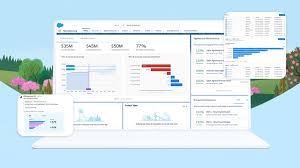
Can Salesforce Support Donor Management? How does Salesforce Nonprofits Donor Management fit into the bigger picture? Salesforce Nonprofit Cloud serves as a comprehensive CRM platform designed specifically for nonprofits. It not only streamlines fundraising but also addresses program management, grant management, marketing, and, crucially, donor management. Is Salesforce Suitable for Nonprofits? Salesforce.org extends robust CRM technology to a global network of nonprofits and educational institutions, empowering them to operate efficiently, raise funds effectively, and cultivate more meaningful relationships with their beneficiaries. Can Salesforce Facilitate Fundraising? Harnessing the secure foundation of Salesforce, the Fundraising module enhances operational efficiency, collaboration, and the adoption of best practices. Nonprofit Cloud for Fundraising applications empowers organizations to fulfill common responsibilities and tasks associated with fundraising. Understanding Donor Management Systems A donor management system (DMS) functions as an extensive cloud-based filing cabinet, meticulously tracking every aspect of an organization. From names and emails to tasks, deadlines, and gift asks, a nonprofit DMS, like Nonprofit Cloud, operates as a specialized CRM geared specifically towards donors. Considerations for Nonprofit Donation Management Systems Before investing in a nonprofit donation management system, consider key components during your fundraising technology research. These include the ability to track detailed contact information, monitor campaign metrics, and segment information according to organizational and campaign strategies. The Role of Salesforce Nonprofits Donor Management in Event Success Event management is crucial for nonprofit professionals, and a donor management system can significantly enhance operations. By uploading attendance sheets to the donor management system after hosting events, organizations can efficiently track donors, build strong relationships, and collect donations, ensuring that vital donor information is easily accessible. Elevating Fundraising with Intelligence Taking donor management to the next level involves transitioning from data to intelligence, commonly known as fundraising intelligence. This encompasses processes and systems that provide nonprofits with information on the affinity, capacity, and inclination of donors. A comprehensive donor management system allows organizations to prioritize prospects, cross-reference contacts with vast records, batch score records, enhance communication, and generate detailed scores for each prospect or donor—all within the Salesforce platform. Like Related Posts Who is Salesforce? Who is Salesforce? Here is their story in their own words. From our inception, we’ve proudly embraced the identity of Read more Salesforce Marketing Cloud Transactional Emails Salesforce Marketing Cloud Transactional Emails are immediate, automated, non-promotional messages crucial to business operations and customer satisfaction, such as order Read more Salesforce Unites Einstein Analytics with Financial CRM Salesforce has unveiled a comprehensive analytics solution tailored for wealth managers, home office professionals, and retail bankers, merging its Financial Read more AI-Driven Propensity Scores AI plays a crucial role in propensity score estimation as it can discern underlying patterns between treatments and confounding variables Read more
Read More
Salesforce Marketing Cloud Social Studio

Introducing Salesforce Marketing Cloud Social Studio

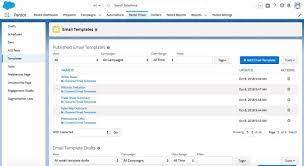
Social media is undeniably reshaping the customer experience, constituting a significant portion of online time spent, as indicated by a recent report from Global Web Index. Introducing Salesforce Marketing Cloud Social Studio. The demand for businesses to transcend conventional products and services in delivering a truly distinctive customer experience has never been greater. Enter the influential realm of Social Studio to meet these evolving needs. Introducing Social Studio Publish Imagine having a centralized hub for managing all your social accounts. Social Studio Publish offers precisely that – a singular platform to oversee your social content. Here’s what you can accomplish: All of this is conveniently accessible from your desktop or through a mobile app compatible with Android or iOS. Navigating Through Publish In your Social Studio initiation, you discovered that a workspace is where you integrate, customize, and configure the social media accounts you wish to monitor. Access a workspace by clicking the respective tile upon logging into Social Studio. Once in a workspace, you are seamlessly directed to Publish for that workspace. Here, you create and publish content for the authorized social accounts. The main navigation in Publish comprises the following options: The Publish Calendar Upon entering Publish, you encounter the calendar as the initial page. The workspace calendar serves as a centralized venue for planning, scheduling, and creating content. Each workspace boasts its own calendar, allowing members to view and collaborate on content effortlessly without distractions from other business unit content. As a workspace member, you can: Pro Tip for Calendars To establish a global calendar view showcasing all published posts in Social Studio, create a workspace encompassing all social accounts in the tenant. The global calendar exclusively displays previously published posts, and future posts from other workspaces will populate once they are live. Have a Message? Leave a Note! Enhance collaboration through calendar notes, enabling reminders, questions, or messages for other team members. Any workspace user can add a note, limited to 256 characters, for past or future dates. To create a note: The note is then visible on your calendar with editable or deletable options. Note that Salesforce has announced the retirement of Social Studio on November 18, 2024. Like Related Posts Who is Salesforce? Who is Salesforce? Here is their story in their own words. From our inception, we’ve proudly embraced the identity of Read more Salesforce Marketing Cloud Transactional Emails Salesforce Marketing Cloud Transactional Emails are immediate, automated, non-promotional messages crucial to business operations and customer satisfaction, such as order Read more Salesforce Unites Einstein Analytics with Financial CRM Salesforce has unveiled a comprehensive analytics solution tailored for wealth managers, home office professionals, and retail bankers, merging its Financial Read more AI-Driven Propensity Scores AI plays a crucial role in propensity score estimation as it can discern underlying patterns between treatments and confounding variables Read more
Read More
Data Management for AI

Data Management for AI

AI Data Management is the strategic and systematic handling of an organization’s data assets through the integration of AI technology. The primary goal is to enhance data quality, analysis, and decision-making processes. This encompasses the implementation of procedures, guidelines, and technical methodologies for the efficient collection, organization, storage, and utilization of data. While Generative AI receives considerable attention, more established AI applications, such as predictive analytics and chatbots, have long proven beneficial for organizations. Technical leaders leveraging AI report notable improvements in decision-making speed and operational efficiency. Beyond speed, analytics and IT leaders find more time to address strategic challenges rather than being immersed in routine tasks. Customers also experience significant enhancements in satisfaction due to AI. With AI outcomes heavily reliant on data quality, nearly nine in 10 analytics and IT leaders prioritize data management as a high concern amidst new AI developments. Artificial Intelligence quietly contributes to data management by addressing aspects like quality, accessibility, and security. As organizations accelerate digital transformation, AI and Machine Learning are increasingly harnessed to maximize data value. Effective data management is pivotal in creating an environment where data becomes a valuable asset throughout the organization. It mitigates issues arising from poor data, such as friction, inaccurate predictions, and accessibility challenges, ideally preventing them proactively. The labor-intensive nature of data management involves cleaning, extracting, integrating, cataloging, labeling, and organizing data. AI plays a crucial role in organizing data by analyzing extensive datasets and identifying relevant and high-quality content based on predefined criteria. It assists in tagging, categorizing, and summarizing content, simplifying user access to needed information. AI significantly contributes to various data management areas, including classification, cataloging, quality improvement, security, and data integration. It excels in tasks such as obtaining, extracting, and structuring data, locating data, reducing errors, ensuring security, and building master lists. In the realm of database management systems, AI is integrated, particularly machine learning, for automatic diagnosis, monitoring, alerting, and protection of databases. This advancement allows software to manage these tasks autonomously. ML data management applies data quality practices and debugging solutions to machine learning processes. Techniques such as embeddings/similarity search, active learning, meta-learning, and reinforcement learning are utilized for understanding data. AI databases play a crucial role in meeting the complex querying needs of AI systems, providing flexibility and power to enhance innovation and progress. AI-powered solutions contribute to data management by analyzing access patterns, detecting anomalies, and ensuring compliance with privacy regulations through anonymization or pseudonymization of sensitive data. Like1 Related Posts AI-Driven Propensity Scores AI plays a crucial role in propensity score estimation as it can discern underlying patterns between treatments and confounding variables Read more Einstein Relationship Insights ERI, serves as an AI-powered research assistant, enhancing sales processes. ERI operates as a desktop plugin with a browser extension, Read more Joined Datasets in B2B Marketing Analytics B2BMA empowers users to generate additional datasets using the data manager. This process involves creating datasets in various ways, such Read more Account Based Marketing and the Financial Services Sector Tectonic has a strong track record optimizing Salesforce and customizing for the Financial Services industry.  One solution we recommend is Read more

Read More
Line Charts

Line Charts

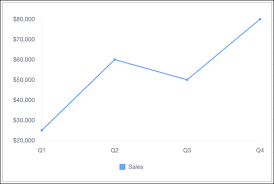
Line Charts: A Comprehensive Guide Overview Line charts are ideal for visualizing changes in values over time, such as weekly, quarterly, or monthly trends. They work best when you have: Availability Types of Line Charts 1. Standard Line Chart 2. Grouped Line Chart 3. Cumulative Line Chart 4. Grouped Cumulative Line Chart Customizing Line Charts In the Chart Editor, use the Customize tab to adjust: 1. Style 2. Series 3. Horizontal Axis 4. Vertical Axis Sample Data & Use Case Quarter Sales Q1 $25,000 Q2 $60,000 Q3 $50,000 Q4 $80,000 Example Visualization:A line chart plotting quarterly sales trends. Advanced Technique: Summed Line Graph Task: Create a line graph where one line represents the total sum of all other lines. Steps (Using Tableau Superstore Data Example) This creates a line chart with individual category trends and a summed total line. Key Takeaways Like Related Posts Who is Salesforce? Who is Salesforce? Here is their story in their own words. From our inception, we’ve proudly embraced the identity of Read more Salesforce Marketing Cloud Transactional Emails Salesforce Marketing Cloud Transactional Emails are immediate, automated, non-promotional messages crucial to business operations and customer satisfaction, such as order Read more Salesforce Unites Einstein Analytics with Financial CRM Salesforce has unveiled a comprehensive analytics solution tailored for wealth managers, home office professionals, and retail bankers, merging its Financial Read more AI-Driven Propensity Scores AI plays a crucial role in propensity score estimation as it can discern underlying patterns between treatments and confounding variables Read more

Read More
Salesforce Gamification in 2022

Salesforce Gamification in 2022

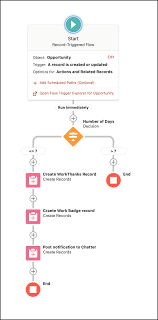
Salesforce Gamification: Key Elements to Boost User Adoption Many companies struggle with people-centric challenges when implementing Salesforce—high training costs, frequent employee turnover, and skills gaps can all contribute to a lower return on investment (ROI). One powerful strategy to address these issues is gamification, which enhances adoption and boosts employee engagement. Research shows that gamified training leads to a 30% increase in knowledge retention, with 83% of employees feeling more motivated. This insight will explore how Salesforce gamification improves employee performance and drives Salesforce adoption. What is Salesforce Gamification? Salesforce gamification applies gameplay techniques to influence employee behavior and drive better business outcomes. It turns learning into a fun, engaging experience, making the adoption of Salesforce easier and more effective. One great example is Trailhead, Salesforce’s learning platform. Trailhead gamifies learning by awarding points and badges as users progress, allowing them to climb the ranks and compete with others, all while mastering Salesforce. Six Essential Elements of Salesforce Gamification Salesforce gamification uses various elements to engage users. Here are six key components that can help drive success: How Salesforce Gamification Improves User Adoption Gamification is a proven method for driving user adoption, engagement, and retention across internal tools and customer-facing applications. For instance, Autodesk increased free trial usage by 40%, and Extraco Bank boosted customer acquisition by over 700% through gamification. Here are five ways gamification can improve Salesforce adoption: How Digital Adoption Platforms Elevate Gamification Digital adoption platforms (DAPs) like Whatfix enhance Salesforce gamification by providing in-app guidance, interactive walkthroughs, and task lists. These features reduce the time employees spend searching for information, improving their productivity and Salesforce proficiency. For example, Experian used Whatfix to increase Salesforce adoption by 72% in just one year. Final Thoughts Salesforce gamification drives user adoption by using gameplay elements—such as badges, leaderboards, and real-time feedback—to reinforce key performance indicators (KPIs) and engage employees at all levels. By incorporating gamification into Salesforce training and daily workflows, businesses can improve employee productivity, automate repetitive tasks, and increase their ROI. Using gamification tools can transform your Salesforce experience and help your teams get more out of their investment. Like Related Posts Who is Salesforce? Who is Salesforce? Here is their story in their own words. From our inception, we’ve proudly embraced the identity of Read more Salesforce Marketing Cloud Transactional Emails Salesforce Marketing Cloud Transactional Emails are immediate, automated, non-promotional messages crucial to business operations and customer satisfaction, such as order Read more Salesforce Unites Einstein Analytics with Financial CRM Salesforce has unveiled a comprehensive analytics solution tailored for wealth managers, home office professionals, and retail bankers, merging its Financial Read more AI-Driven Propensity Scores AI plays a crucial role in propensity score estimation as it can discern underlying patterns between treatments and confounding variables Read more
Read More
gettectonic.com