Marketing Automation Archives - gettectonic.com - Page 10
Salesforce Marketing Cloud Social Studio

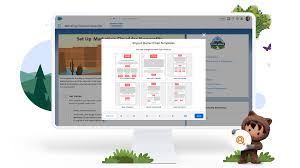
Topic Profiles in Salesforce Marketing Cloud Social Studio

Follow these recommended practices to optimize your topic profiles in Social Studio effectively: Like Related Posts Who is Salesforce? Who is Salesforce? Here is their story in their own words. From our inception, we’ve proudly embraced the identity of Read more Salesforce Marketing Cloud Transactional Emails Salesforce Marketing Cloud Transactional Emails are immediate, automated, non-promotional messages crucial to business operations and customer satisfaction, such as order Read more Salesforce Unites Einstein Analytics with Financial CRM Salesforce has unveiled a comprehensive analytics solution tailored for wealth managers, home office professionals, and retail bankers, merging its Financial Read more AI-Driven Propensity Scores AI plays a crucial role in propensity score estimation as it can discern underlying patterns between treatments and confounding variables Read more

Read More
safeguarding personal information

Be Careful With My Data

Aware of the escalating significance of data protection in the digital age, customers are becoming increasingly vigilant about safeguarding their personal information. However, amidst this heightened awareness, companies have an opportunity to earn and maintain trust by providing clear and transparent explanations of how they intend to use customer data. Gone are the days when customers passively accept vague assurances buried within lengthy user agreements. Today, they demand transparency and accountability regarding data usage, driven partly by a general sense of skepticism towards companies that may not always prioritize customer benefits when leveraging data. Indeed, not all data is perceived equally by customers. While there’s a growing comfort level with companies collecting first-party data directly from their platforms, such as website clicks or interactions, there’s often greater apprehension about third-party data sourced from external data brokers. This disparity in perception underscores the importance of companies being mindful of the origin and nature of the data they collect, respecting customer preferences, and ensuring transparent data practices. Amidst the evolving landscape of data protection, the imperative for securing sensitive personal information has never been more critical. What was once solely a concern for businesses has now become a shared responsibility for consumers and individuals alike. With an abundance of information available on data protection measures, ranging from safeguarding passwords and financial details to protecting devices from hackers and malware, individuals are inundated with advice. Yet, navigating this sea of information can be daunting, especially for those less technologically savvy. In response to this challenge, we’ve compiled a comprehensive list of 32 simple and practical tips for enhancing data security and protecting personal information. These tips encompass a wide array of measures, including encrypting data, backing up data regularly, ensuring the permanent deletion of old computer hard drives, securing wireless networks, using firewalls, and encrypting data on removable storage devices like USB drives and SIM cards. Furthermore, our list provides guidance on protecting data while working remotely, covering topics such as using virtual private networks (VPNs), maintaining physical control over devices, employing personal hotspots, separating personal and work devices, and implementing cybersecurity policies. Additionally, it delves into security best practices for video conferencing, identifying and avoiding phishing emails, installing antivirus and malware protection, and securely disposing of old IT equipment and records. By adopting these practical measures, individuals and businesses can fortify their defenses against cyber threats and data breaches, thereby safeguarding personal information and preserving trust with customers. In an era where data privacy is paramount, proactive steps towards data protection not only mitigate risks but also demonstrate a commitment to ethical and responsible data practices. As technology continues to evolve, cultivating a culture of data security and privacy awareness remains essential for fostering trust and confidence in the digital ecosystem. Keeping your passwords, financial, and other personal information safe and protected from outside intruders has long been a priority of businesses, but it’s increasingly critical for consumers and individuals to heed data protection advice and use sound practices to keep your sensitive personal information safe and secure. There’s an abundance of information out there for consumers, families, and individuals on protecting passwords, adequately protecting desktop computers, laptops, and mobile devices from hackers, malware, and other threats, and best practices for using the Internet safely. But there’s so much information, from using a virtual private network (VPN) to using unique and strong passwords or an antivirus software, it’s easy to get confused, particularly if you’re not tech-savvy. We’ve compiled a list of 101 simple, straightforward best practices and tips for keeping your family’s personal information private and protecting your devices from threats. Securing Your Devices and Networks 1. Encrypt your data Data encryption isn’t just for technology geeks; modern tools make it possible for anyone to encrypt emails and other information. “Encryption used to be the sole province of geeks and mathematicians, but a lot has changed in recent years. In particular, various publicly available tools have taken the rocket science out of encrypting (and decrypting) email and files. GPG for Mail, for example, is an open source plug-in for the Apple Mail program that makes it easy to encrypt, decrypt, sign and verify emails using the OpenPGP standard. And for protecting files, newer versions of Apple’s OS X operating system come with FileVault, a program that encrypts the hard drive of a computer. Those running Microsoft Windows have a similar program. This software will scramble your data, but won’t protect you from government authorities demanding your encryption key under the Regulation of Investigatory Powers Act (2000), which is why some aficionados recommend TrueCrypt, a program with some very interesting facilities,” explains John Naughton in an article for The Guardian. Twitter: @guardian 2. Backup your data One of the most basic, yet often overlooked, data protection tips is backing up your data. Basically, this creates a duplicate copy of your data so that if a device is lost, stolen, or compromised, you don’t also lose your important information. As the U.S. Chamber of Commerce and insurance company Nationwide points out, “According to Nationwide, 68% of small businesses don’t have a disaster recovery plan. The problem with this is the longer it takes you to restore your data, the more money you’ll lose. Gartner found that this downtime can cost companies as much as $300,000 an hour.” Twitter: @growwithco 3. Make your old computers’ hard drives unreadable Much information can be gleaned through old computing devices, but you can protect your personal data by making hard drives unreadable before disposing of them. “Make old computers’ hard-drives unreadable. After you back up your data and transfer the files elsewhere, you should sanitize by disk shredding, magnetically cleaning the disk, or using software to wipe the disk clean. Destroy old computer disks and backup tapes,” according to the Florida Office of the Attorney General. Twitter: @AGPamBondi 4. Secure your wireless network at your home or business A valuable tip for both small business owners and individuals or families, it’s always recommended to secure your


Read More
Salesforce CDP Explained

Salesforce CDP Explained

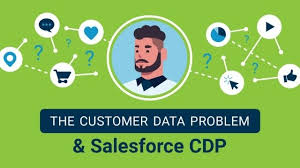
What is a Customer Data Platform (CDP)? A Customer Data Platform (CDP) is one of the most transformative tools in modern marketing. Salesforce CDP Explained. If you’re exploring whether your business needs a CDP and how to begin using one, this guide will walk you through the essentials. CDPs have quickly become a go-to solution in marketing, popping up in reports and strategies everywhere. According to the 2020 State of Marketing Report, 86% of marketers who use CDPs are maintaining or increasing their usage, making many companies wonder: Do we need a CDP too? This insight serves as your step-by-step guide to help you determine whether your business should invest in a CDP, and how to successfully implement one for smarter marketing. What is a CDP? A Customer Data Platform (CDP) is a sophisticated piece of marketing technology designed to collect and organize customer data from various sources into centralized profiles. It helps businesses manage and draw actionable insights from data in real time, making it easier to personalize customer interactions. A typical CDP includes tools for customer data management, marketing automation, multichannel campaign execution, and real-time interaction management. It’s particularly useful when businesses need a database of user-level data to understand customer behaviors across touchpoints. Why Does Your Business Need a CDP? Salesforce CDP Explained CDPs excel in four core tasks: collecting, unifying, activating, and analyzing data. Introducing Salesforce’s CDP: Data Cloud Salesforce’s Data Cloud is a powerful CDP that integrates with Customer 360 to provide real-time customer profiles. It collects and unifies customer data in real time, ensuring businesses can deliver personalized customer experiences and foster stronger relationships. Data Cloud is scalable and designed for businesses of all sizes, with built-in security, compliance, and privacy features through Hyperforce. Benefits of a CDP Beyond basic segmentation, CDPs offer three major benefits: CDPs vs. CRM vs. DMP It’s important to understand the distinction between different data tools. While CRMs focus on managing customer relationships and interactions, and Data Management Platforms (DMPs) handle anonymous data for targeted advertising, CDPs are designed to unify and activate first-party data for personalized marketing. How to Choose a CDP When selecting a CDP, focus on two key areas: insights and engagement. Some CDPs specialize in integrating and analyzing customer data (insights), while others focus on delivering real-time personalized experiences (engagement). Salesforce’s Data Cloud combines both capabilities, offering real-time insights and activation to power personalized experiences across channels. To choose the right CDP for your business, ask these questions: Success Stories with CDPs CDPs have transformed the way businesses engage with their customers. One example involves a regional food and convenience store chain that implemented a CDP to enhance personalized digital experiences. By using customer data to tailor marketing emails and online interactions, the business saw a 16% increase in conversion rates on one of its key products. Getting Started with a CDP CDPs are essential tools for businesses looking to unify customer data, personalize marketing, and drive smarter marketing strategies. To get started, consider building a business case for CDP adoption, assembling a cross-functional team, and researching the right CDP to fit your organization’s needs. The journey to smarter, data-driven marketing begins with the right CDP. Make sure to explore Salesforce’s Data Cloud and other leading platforms to find the best fit for your organization’s growth and success. Content updated April 2023. Like Related Posts Who is Salesforce? Who is Salesforce? Here is their story in their own words. From our inception, we’ve proudly embraced the identity of Read more Salesforce Marketing Cloud Transactional Emails Salesforce Marketing Cloud Transactional Emails are immediate, automated, non-promotional messages crucial to business operations and customer satisfaction, such as order Read more Salesforce Unites Einstein Analytics with Financial CRM Salesforce has unveiled a comprehensive analytics solution tailored for wealth managers, home office professionals, and retail bankers, merging its Financial Read more AI-Driven Propensity Scores AI plays a crucial role in propensity score estimation as it can discern underlying patterns between treatments and confounding variables Read more

Read More
Salesforce Campaigns

Salesforce Campaigns for Event Management

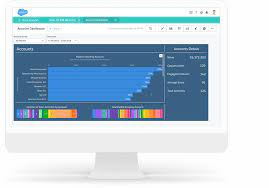
Events represent significant investments in marketing endeavors. They require substantial budgets and involve numerous logistical details on the day of execution. In the midst of managing all these fast-moving parts, the last thing you want to worry about is data management. This underscores the importance of adhering to best practices for event management within Salesforce. Effective event management in Salesforce revolves around utilizing Campaigns. By leveraging Campaigns, you can track event attendance, record budget allocations, and assess costs. Ultimately, Salesforce Campaigns empower you to calculate event ROI by correlating costs with pipeline and revenue outcomes, all within the Salesforce platform. If you’re new to utilizing Campaigns in Salesforce, consider exploring this guide for a comprehensive overview: Enhancing your productivity with Salesforce Campaigns involves tailoring the page layout to align with your specific needs. This customization may include adjusting field placements, creating new custom fields, and determining which components are displayed and how they function. Campaign Hierarchies provide a structured approach to linking related Salesforce Campaigns together, organizing them into a hierarchical framework. This arrangement facilitates both reporting and organizational management. Once individuals have been added to your Campaign, assigning a Member Status to each member allows for precise tracking of event participation. The process of adding Leads or Contacts to Campaigns depends on the established Campaign hierarchy and the desired status assignments. Mapping out the stages of event engagement and the corresponding Campaigns and statuses is essential for effective data management. Salesforce’s standard reports and dashboards offer valuable insights into Campaign performance, making them indispensable tools for event analysis. Measuring ROI on events entails comparing the number of event invitees to those who actively engaged, factoring in event costs. Campaign Influence in Salesforce provides a mechanism for attributing revenue to marketing touchpoints, facilitating comprehensive ROI assessment. Optimizing event management in Salesforce requires a systematic approach that encompasses customization, hierarchy establishment, status tracking, lead incorporation, report utilization, and ROI evaluation. By following these best practices, you can streamline event management processes and maximize the impact of your marketing efforts. Like Related Posts Who is Salesforce? Who is Salesforce? Here is their story in their own words. From our inception, we’ve proudly embraced the identity of Read more Salesforce Marketing Cloud Transactional Emails Salesforce Marketing Cloud Transactional Emails are immediate, automated, non-promotional messages crucial to business operations and customer satisfaction, such as order Read more Salesforce Unites Einstein Analytics with Financial CRM Salesforce has unveiled a comprehensive analytics solution tailored for wealth managers, home office professionals, and retail bankers, merging its Financial Read more AI-Driven Propensity Scores AI plays a crucial role in propensity score estimation as it can discern underlying patterns between treatments and confounding variables Read more

Read More
gettectonic.com