Data Archives - gettectonic.com - Page 87
Salesforce Service Cloud

Salesforce Service Acronyms

Here is a helpful glossary of terms you will hear when discussing Salesforce and Salesforce Service Cloud. ACW After Call Work Tasks that the agent needs to complete after the customer call has ended. Your job as a Salesforce Admin/Service Cloud Consultant is to make completing these tasks (eg. entering data, call outcome notes), as efficient as possible for the user. AHT Average Handle Time The average amount of time it takes for an agent to resolve a customer call/case. CTI Computer Telephony Integration Telephony (phone communication) can be directly integrated into Salesforce. This is a great win for Service (and Sales) departments who rely heavily on their phone, with features such as click to dial, call recording and screen pop available from 3rd party vendors. FCR First Contact Resolution Measures the % of cases that are solved on the first touchpoint with customer service.READ MORE: Create a Service Metrics Strategy. FSL Field Service (Lightning) An extension (add-on product) of Service Cloud that provides a comprehensive view of workforce management. Field Service involves providing services to customers beyond your office or site – which is referred to as in the “field”. Think about mobile employees, like service technicians, who carry out the service in-person; other people involved are service agents, dispatchers, and service managers. Salesforce dropped the “Lightning” from the product name, but the acronym is still widely used. IVR Interactive Voice Response An automated telephony system that interacts with callers, gathers information and routes calls to the appropriate recipients (source). People often refer to this as speaking to a bot before they get through to a human agent. KCS Knowledge-Centered Support A knowledge base that documents service agents’ experiences when solving cases, curated and made accessible to customers for self-service support should they encounter the same question or problem.Salesforce Experience Cloud is praised for encouraging collaboration and improvement between customers and agents in this way. PBX Private Branch Exchange System that routes calls to different agents. SLA Service-level Agreement A formal or informal contract between an organization and its customers which outlines what service they will receive and how long they will need to wait to receive that service each time. SLAs can be configured into Salesforce to prioritize cases and work orders. Like Related Posts Who is Salesforce? Who is Salesforce? Here is their story in their own words. From our inception, we’ve proudly embraced the identity of Read more Salesforce Marketing Cloud Transactional Emails Salesforce Marketing Cloud Transactional Emails are immediate, automated, non-promotional messages crucial to business operations and customer satisfaction, such as order Read more Salesforce Unites Einstein Analytics with Financial CRM Salesforce has unveiled a comprehensive analytics solution tailored for wealth managers, home office professionals, and retail bankers, merging its Financial Read more AI-Driven Propensity Scores AI plays a crucial role in propensity score estimation as it can discern underlying patterns between treatments and confounding variables Read more

Read More
Salesforce Loyalty Management

Salesforce Loyalty Management Explained

In January 2021, Salesforce unveiled Loyalty Management, aiming to assist businesses in actively engaging and rewarding their customers. Employing a user-friendly interface without the need for coding, the platform empowers businesses to construct scalable loyalty programs. This flexibility extends to the creation of diverse programs, such as tiered memberships or points-per-purchase. Loyalty Management is adaptable, allowing configuration to seamlessly integrate with Experience Cloud for customer sign-ups and Marketing Cloud for content delivery. With Loyalty Management as an end-to-end solution that helps you create intelligent, personalized engagements that increase customer loyalty. Loyalty Management is versatile and can cater to B2B and B2C business needs in any industry. With the Loyalty Management app, create and set up loyalty programs.  Loyalty Management lets you configure programs that fit the exact needs of your business and your customers. “Businesses in every industry are tasked with reimagining their loyalty strategies and Salesforce is equipped to help them with a flexible platform that helps them create unique programs. Loyalty Management, built on the Salesforce platform, helps organizations deliver innovative programs for customer recognition, reward, and retention. Nurture relationships and create lasting loyalty on the world’s #1 CRM. With Loyalty Management, your business can engage with customers in meaningful ways — bringing value to their experience and to your business. Leverage Customer 360 to deliver unique experiences with Salesforce customer loyalty. Generate a single source of truth for members that enables personalization at scale and weaves loyalty throughout the customer experience. Make loyalty a business strategy informed by the power of Salesforce Customer 360 Get a unified view of your program members to engage them with relevant and personalized experiences Make loyalty more than a program and bring it into every touch point in the customer or partner journey Deliver more dynamic and personal loyalty experiences for customers by removing silos and connecting member data across multiple systems. Create a consistent customer reward program experience — rewarding them for their engagement and their loyalty across every interaction and touch point they have with your business. Like1 Related Posts Who is Salesforce? Who is Salesforce? Here is their story in their own words. From our inception, we’ve proudly embraced the identity of Read more Salesforce Marketing Cloud Transactional Emails Salesforce Marketing Cloud Transactional Emails are immediate, automated, non-promotional messages crucial to business operations and customer satisfaction, such as order Read more Salesforce Unites Einstein Analytics with Financial CRM Salesforce has unveiled a comprehensive analytics solution tailored for wealth managers, home office professionals, and retail bankers, merging its Financial Read more AI-Driven Propensity Scores AI plays a crucial role in propensity score estimation as it can discern underlying patterns between treatments and confounding variables Read more

Read More
Salesforce Campaigns

Campaign in Salesforce Marketing Cloud

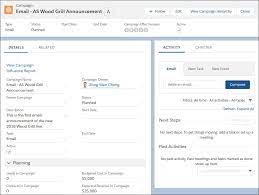
What is a campaign in Salesforce Marketing Cloud? Campaigns help organize your marketing plan and assets. Plus, when you set up your campaign records effectively, they contain valuable data that you can use to optimize future efforts. What are campaigns in Salesforce Marketing Cloud for? A Salesforce Campaign in Marketing Cloud is a group of Leads and Contacts exposed to specific marketing communication(s). It stores essential performance metrics and means salespeople can quickly see the customers and prospects that received marketing activity. How do I send a Salesforce campaign from Marketing Cloud? In Marketing Cloud > Email Studio > Overview, open the email that you want to send and click ‘Send’ Select a ‘Send Classification’ then click ‘Next’ In the left pane, select ‘Salesforce Campaigns’ and then type the name of the desired campaign in the ‘Search’ field. Create a Marketing Cloud Campaign Why use campaigns in marketing cloud? Marketing Cloud Campaigns provide a way of grouping similar emails together. That way, Campaigns can be used in Datorama Reporting to present data for certain emails. What is campaign object in Salesforce? The Campaign object contains all the settings associated with how campaign records appear, the actions that users can take on campaigns, field access, and more. Create a campaign in the Campaigns app. Use tags in Marketing Cloud Engagement to categorize campaigns by any criteria, such as geography, marketing tactic, and product line. Where are my old Campaigns? I don’t see them on the campaign Overview tab.Campaigns that contain an email that has been sent automatically have their status set to Deployed. By default, the Overview tab only shows Campaigns with a status of In Process. To view older campaigns that have a status of Deployed, simply adjust the filter in the upper left.Setting the campaign status to Deployed now happens automatically when associated emails are sent. This feature was enabled in January 2014. Content updated January 2024. Like3 Related Posts Who is Salesforce? Who is Salesforce? Here is their story in their own words. From our inception, we’ve proudly embraced the identity of Read more Salesforce Marketing Cloud Transactional Emails Salesforce Marketing Cloud Transactional Emails are immediate, automated, non-promotional messages crucial to business operations and customer satisfaction, such as order Read more Salesforce Unites Einstein Analytics with Financial CRM Salesforce has unveiled a comprehensive analytics solution tailored for wealth managers, home office professionals, and retail bankers, merging its Financial Read more AI-Driven Propensity Scores AI plays a crucial role in propensity score estimation as it can discern underlying patterns between treatments and confounding variables Read more
Read More
Salesforce Marketing Cloud

What is the Difference in Lists and a Data Extensions in Salesforce Marketing Cloud

There are two different methods to store and segment subscriber data within Marketing Cloud: Lists and Data Extensions. Lists have limited functionality, whereas Data Extensions provide full flexibility to store and relate subscriber information. Salesforce Marketing Cloud lists and data extensions are the primary ways to manage your subscriber data. What is the difference between data extension and list in Marketing Cloud? In short, lists are best used for specific email sends lacking advanced data or segmentation, whereas data extensions can be used for basically any type of communication or data management need. If the goal is to organize data with simplicity, go for lists. What is data extension in Marketing Cloud? A data extension is a table that contains your data. With Marketing Cloud Connect, push tracking data from the Marketing Cloud back to your Sales or Service Cloud orgs using Salesforce data extensions (SFDEs). Data extensions are also filterable. What are the data extension limits for Marketing Cloud? There is currently no limit for the amount of rows that can exist within a Data Extension. This means that, without Row Based Data Retention, a Data extension can grow exponentially without any real upper limit. What is a list in Marketing Cloud? Lists are a default way of storing data in Marketing Cloud Email Studio. You can set different attributes for your customers by using lists, which represent a collection of customers and provide a simple method for audience segmentation. These attributes are used to store the position of the customer in a given list. List can be configured to send a welcome email when a subscriber opts in, and can have double opt-in. You will also hear groups mentioned. Groups are smaller segments of a list. When to Opt for Marketing Cloud Data Extensions There are two primary scenarios that distinctly indicate the need for utilizing a data extension rather than a list: Fluctuating Values Over Time: Data Relationship via a 3rd Data Point: Like Related Posts Who is Salesforce? Who is Salesforce? Here is their story in their own words. From our inception, we’ve proudly embraced the identity of Read more Salesforce Marketing Cloud Transactional Emails Salesforce Marketing Cloud Transactional Emails are immediate, automated, non-promotional messages crucial to business operations and customer satisfaction, such as order Read more Salesforce Unites Einstein Analytics with Financial CRM Salesforce has unveiled a comprehensive analytics solution tailored for wealth managers, home office professionals, and retail bankers, merging its Financial Read more AI-Driven Propensity Scores AI plays a crucial role in propensity score estimation as it can discern underlying patterns between treatments and confounding variables Read more
Read More
Sending Emails Through Salesforce

Journey Builder or Automation Studio

Both Journey Builder and Automation Studio are robust tools available to Marketing Cloud customers. However, determining when to use each one and how they complement each other can sometimes be confusing. Automation Studio primarily focuses on ETL (Extract, Transform, Load) processes in marketing automation. It enables marketers to integrate data from various systems and automate tasks for segmentation and email campaign deployment. With Automation Studio, marketers can create highly advanced automated segmentation using data filters and queries, making it ideal for repetitive processes. It also allows users to execute SQL queries to retrieve and store data extension information. On the other hand, Journey Builder is a user-friendly, drag-and-drop tool designed for creating personalized, engagement-based customer journeys. It facilitates individualized, multi-channel communications at scale and provides goal and success measurements for monitoring and management. Unlike Automation, Journey Builder offers more opportunities for testing strategies and optimizing messages based on real-time engagement and interaction. One key difference between the two tools is that Journey Builder offers built-in goal reporting, providing real-time insights into campaign performance and customer engagement. Another distinction is that while Automation Studio relies on batch processing, Journey Builder allows individuals to enter journeys on an individual level, enabling real-time monitoring and action based on customer behavior. To decide which tool to use, consider the following questions: In many cases, it’s not a matter of choosing between Journey Builder vs Automation Studio but rather leveraging both tools together. By combining the powerful segmentation capabilities of Automation Studio with the personalized journey creation features of Journey Builder, marketers can deliver highly targeted and personalized messaging to their customers. Automation Studio is best for complex segmentation at scale, while Journey Builder guides customers through customized journeys based on Marketing Cloud data. Ultimately, using both tools together allows marketers to create seamless, personalized experiences for their customers. Like1 Related Posts Who is Salesforce? Who is Salesforce? Here is their story in their own words. From our inception, we’ve proudly embraced the identity of Read more Salesforce Marketing Cloud Transactional Emails Salesforce Marketing Cloud Transactional Emails are immediate, automated, non-promotional messages crucial to business operations and customer satisfaction, such as order Read more Salesforce Unites Einstein Analytics with Financial CRM Salesforce has unveiled a comprehensive analytics solution tailored for wealth managers, home office professionals, and retail bankers, merging its Financial Read more AI-Driven Propensity Scores AI plays a crucial role in propensity score estimation as it can discern underlying patterns between treatments and confounding variables Read more
Read More
Sales Pipeline

The Seven Stages of Sales Pipelines Explained

Customers embark on a journey from initial discovery to becoming repeat buyers, progressing through seven essential sales pipeline stages: Throughout the sales pipeline stages, sales leaders can identify opportunities to better engage customers and enhance the likelihood of successful purchases. Contact Tectonic today to discover how Salesforce can help fill your sales pipeline. Like Related Posts Who is Salesforce? Who is Salesforce? Here is their story in their own words. From our inception, we’ve proudly embraced the identity of Read more Salesforce Marketing Cloud Transactional Emails Salesforce Marketing Cloud Transactional Emails are immediate, automated, non-promotional messages crucial to business operations and customer satisfaction, such as order Read more Salesforce Unites Einstein Analytics with Financial CRM Salesforce has unveiled a comprehensive analytics solution tailored for wealth managers, home office professionals, and retail bankers, merging its Financial Read more AI-Driven Propensity Scores AI plays a crucial role in propensity score estimation as it can discern underlying patterns between treatments and confounding variables Read more

Read More
Salesforce and Marketo

Marketo and Salesforce Integration

Marketo Engage and Salesforce integration forms a seamless email marketing partnership, ensuring synchronization of your sales and marketing data. Marketo constantly syncs with Salesforce, operating throughout the day. The synchronization process involves periodic intervals with a 5-minute pause before resuming. During a single sync session, Marketo makes 25 API calls to check if your Salesforce objects need updating. This bidirectional sync between Salesforce and Marketo pertains exclusively to leads, contacts, and Salesforce campaigns. Any changes made in either Salesforce or Marketo in these categories are mirrored in both systems. However, all other syncs occur solely from Salesforce to Marketo. To sync a Marketo field to Salesforce, follow these steps: For optimal syncing between Salesforce and Marketo, adhere to best practices: Marketo and Salesforce Marketing Cloud catered to different marketer needs initially, with Marketo primarily designed for Business to Business (B2B) solutions and Marketing Cloud positioned as a Business to Consumer (B2C) platform. Integrating Marketo with Salesforce enhances the sales process, streamlining the work of the sales team to identify and channel leads more efficiently through the sales funnel. Marketo is one of many marketing automation platforms that can be integrated with Salesforce. Like1 Related Posts Who is Salesforce? Who is Salesforce? Here is their story in their own words. From our inception, we’ve proudly embraced the identity of Read more Salesforce Marketing Cloud Transactional Emails Salesforce Marketing Cloud Transactional Emails are immediate, automated, non-promotional messages crucial to business operations and customer satisfaction, such as order Read more Salesforce Unites Einstein Analytics with Financial CRM Salesforce has unveiled a comprehensive analytics solution tailored for wealth managers, home office professionals, and retail bankers, merging its Financial Read more AI-Driven Propensity Scores AI plays a crucial role in propensity score estimation as it can discern underlying patterns between treatments and confounding variables Read more

Read More
Salesforce Einstein and Einstein Automate

Say Hello to Einstein Automate

Einstein Automate is a robust end-to-end automation solution within Salesforce, offering increased productivity benefits for individuals, account executives, and businesses alike. A central element, Salesforce Flow, transforms business processes by facilitating seamless interactions for both customers and employees. The incorporation of Flow Builder ensures the creation of automated business processes is both easy and efficient, enabling streamlined enterprise-scale automation from testing to monitoring. With low to no code potential. Salesforce Flow distinguishes itself with user-friendly features, employing easy-to-use visual elements and reusable building blocks. Combined with Automate, enables the creation of large-scale automations within Salesforce. The solution bridges disconnected systems and integrates siloed data sources into a cohesive workflow, leading to improved customer experiences and enhanced business agility through guided interactions for the sales team. Sales reps are engaged in non-selling activities up to 66% of the work day. That’s totally no bueno. Get them back on track and shorten sales cycles with Einstein Automate. The introduction of Einstein Automate from Salesforce brings notable benefits. Studies reveal that automating manual processes with tools like Salesforce Flow and Automate saves employees four hours per week, enabling a shift of focus toward higher-value, deal closing tasks. Einstein Automate facilitates the automation of repetitive tasks, provides self-service portals, guides employee workflows, and activates intelligent recommendations for next-best actions on leads and accounts. The platform offers reusable building blocks, including logic, data, action, and screen components, which can be employed to construct business logic. Automate enables the creation of workflows across Salesforce and external systems, utilizing platform events, External Services, and MuleSoft. Screen flows can be designed to guide user interactions and collect user inputs. Einstein Automate streamlines process lifecycle management, encompassing low-code debugging, troubleshooting, performance monitoring, and usage analysis. Businesses can benefit from pre-built automation components and configure industry best practices through Salesforce’s AppExchange of pre-built solutions. One great feature is Einstein Automated Contacts. As a comprehensive add-on solution for Salesforce, Einstein Automate empowers businesses to improve productivity, efficiency, and customer experiences by seamlessly automating manual processes. For a deeper understanding of how Salesforce’s Einstein Automate and Flow can optimize your Salesforce instance, connect with Tectonic. We predict there are great things on the Salesforce road map for Einstein Automate and Flow. Content updated June 2025, Shannan Hearne. Like Related Posts Who is Salesforce? Who is Salesforce? Here is their story in their own words. From our inception, we’ve proudly embraced the identity of Read more Salesforce Marketing Cloud Transactional Emails Salesforce Marketing Cloud Transactional Emails are immediate, automated, non-promotional messages crucial to business operations and customer satisfaction, such as order Read more Salesforce Unites Einstein Analytics with Financial CRM Salesforce has unveiled a comprehensive analytics solution tailored for wealth managers, home office professionals, and retail bankers, merging its Financial Read more AI-Driven Propensity Scores AI plays a crucial role in propensity score estimation as it can discern underlying patterns between treatments and confounding variables Read more

Read More
gettectonic.com