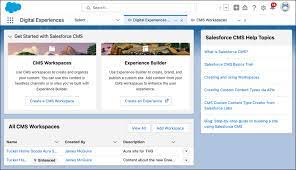
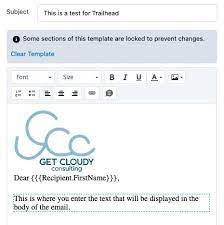
Enhanced letterheads in Salesforce can be used to create more consistent and informative email templates, documents, and reports. They can help to standardize information, include branding elements, and make correspondence more professional and recognizable. Create Enhanced Letterhead in Salesforce. Create Enhanced Letterhead in Salesforce Enhanced Letterheads in Lightning Experience A letterhead standardizes the information in the header and footer of an email template. Often, a letterhead shows a company’s logo and contact information. Enhanced letterheads can include rich text, merge fields, images, links, and other styling. To be associated with an enhanced letterhead, the Lightning email template must use the Handlebars Merge Language. Use Enhanced Letterheads to Increase the Effectiveness of Lightning Email Templates Standardize the information in the header and footer of an email template with enhanced letterheads. Include your company’s logo and contact information, or add legal disclaimers and subscription links. Create your enhanced letterhead in a rich text editor, or paste in your own custom HTML for full control of styling. Add merge fields, images, and links. Where: This change applies to Lightning Experience in Essentials, Professional, Enterprise, Performance, Unlimited, and Developer editions. Who: To create and edit enhanced letterheads, you need the Modify All Data permission or administrator rights. Anyone can use enhanced templates. How: To add content, style, and images to your letterhead, open the App Launcher, and select Enhanced Letterheads. Enhanced letterheads can include: To create an enhanced letterhead, you can: You can also make changes to your letterhead in one place, and all your email templates will be automatically updated. For example, to add a logo to the footer, you can: Enhanced letterheads are available in the following editions of Salesforce: Essentials, Professional, Enterprise, Performance, Unlimited, and Developer. Create Classic Letterheads for Email Templates Create Classic letterheads as the basis for a consistent look for your HTML email templates. Make letterheads available organization-wide so other users can use them in their email templates. A letterhead consists of properties and details. The properties are only visible inside your organization; they help users identify a letterhead. The details are applied to an email when using that letterhead. Use the letterhead wizard to create both the properties and details of your letterhead. Set Letterhead Properties Set Letterhead Details To create an HTML email template that contains the settings in your letterhead, see Create HTML Classic Letterhead Email Templates in Salesforce Classic. NOTE HTML Classic Letterhead email templates can’t be created in Lightning Experience. However, existing Classic Letterhead email templates can be used in Lightning Experience. Create Custom HTML Email Templates in Salesforce Classic You can create custom HTML email templates without using Classic Letterhead. If you don’t know HTML, you can paste HTML code into your template. HTML email templates can be used, but not created, in Lightning Experience. TIP View a sample of the template populated with data from records you choose and send a test email by clicking Send Test and Verify Merge Fields. NOTE You can’t modify the content of a custom HTML template when you use it in an email. Create Visualforce Email Templates in Salesforce Classic Use the Visualforce programming language to create targeted and personalized email content. NOTE You can’t send a mass email using a Visualforce email template. Create Enhanced Letterhead in Salesforce Like Related Posts Who is Salesforce? Who is Salesforce? Here is their story in their own words. From our inception, we’ve proudly embraced the identity of Read more Salesforce Marketing Cloud Transactional Emails Salesforce Marketing Cloud Transactional Emails are immediate, automated, non-promotional messages crucial to business operations and customer satisfaction, such as order Read more Salesforce Unites Einstein Analytics with Financial CRM Salesforce has unveiled a comprehensive analytics solution tailored for wealth managers, home office professionals, and retail bankers, merging its Financial Read more AI-Driven Propensity Scores AI plays a crucial role in propensity score estimation as it can discern underlying patterns between treatments and confounding variables Read more