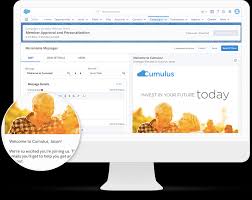
Email Template Archives - gettectonic.com

How Reasoning Engines Are Transforming Enterprise Intelligence

The Next Evolution of Business AI: How Reasoning Engines Are Transforming Enterprise Intelligence Beyond Automation: AI That Thinks Like Your Best Employee Today’s business AI does far more than just automate boring, repetitive tasks—it’s drafting strategic emails, generating campaign briefs, and synthesizing complex customer calls. But what separates cutting-edge AI from basic chatbots? The ability to reason. Salesforce’s Agentforce, powered by the revolutionary Atlas Reasoning Engine, represents a quantum leap in enterprise AI—the first system capable of human-like analysis, decision-making, and problem-solving at scale. Why Reasoning Changes Everything Traditional AI assistants operate on: Atlas introduces System 2 Thinking to enterprise AI: “This isn’t automation—it’s augmentation. Atlas handles the cognitive heavy lifting so teams can focus on relationship-building.”—Salesforce AI Product Lead The Atlas Difference: How Enterprise-Grade Reasoning Works 1. Dynamic Problem-Solving Framework 2. Three Layers of Intelligence Reasoning Type Use Case Business Impact Deductive (Facts → Conclusion) Compliance checks 90% faster policy validation Inductive (Patterns → Insight) Sales forecasting 40% more accurate predictions Abductive (Partial data → Probable answer) Customer issue resolution 65% first-contact resolution 3. Enterprise-Grade Guardrails Real-World Impact Across Business Functions Customer Service Sales Enablement Operations The Future of Autonomous Business Agents Agentforce isn’t just another chatbot—it’s the first self-improving AI employee: “Our service team now resolves 40% more cases daily without adding headcount. Atlas handles the routine while humans focus on complex relationships.”—CIO, Global Financial Services Firm Your Next Step The era of reasoning AI is here. Discover how Agentforce can transform: Like Related Posts Who is Salesforce? Who is Salesforce? Here is their story in their own words. From our inception, we’ve proudly embraced the identity of Read more Salesforce Marketing Cloud Transactional Emails Salesforce Marketing Cloud Transactional Emails are immediate, automated, non-promotional messages crucial to business operations and customer satisfaction, such as order Read more Salesforce Unites Einstein Analytics with Financial CRM Salesforce has unveiled a comprehensive analytics solution tailored for wealth managers, home office professionals, and retail bankers, merging its Financial Read more AI-Driven Propensity Scores AI plays a crucial role in propensity score estimation as it can discern underlying patterns between treatments and confounding variables Read more

Read More
Sales Email Prompt Template

Sales Email Prompt Template

Salesforce Guide: Creating a Sales Email Prompt Template Want to create personalized, targeted sales emails efficiently? By leveraging Salesforce’s LLM capabilities, you can design a Sales Email Prompt Template that uses customer insights and relationship history to generate high-quality emails at scale. Reusable for different products and audiences, these templates save time and simplify workflows. Here’s how to set it up: 1. Enable Einstein Setup 2. Enable Einstein for Sales 3. Create a Sales Email Prompt Template 4. Draft and Ground the Prompt in the Template Workspace 🔔🔔  Follow us on LinkedIn  🔔🔔 Example Prompt: plaintextCopy codeYou are a {!$Input:Sender.Title} and your name is {!$Input:Sender.Name} from {!$Input:Sender.CompanyName}. Your prospect is {!$Input:Recipient.Name}, a {!$Input:Recipient.Title}. They are based in {!$Input:Recipient.MailingCity}. In the email, invite the prospect to attend the event “Floating on Clouds: Ontario Kickoff” on September 18. This event is for customers of Cloud Kicks, new and old, to network and preview upcoming products. Keep the email within 70 words, explain the benefits of attending, and mention that you’d be happy to chat further at the event or online if needed. 5. Preview the Template 6. Save and Activate the Prompt 7. Send Emails Using the Prompt 8. Adjust and Finalize the Email By following these steps, you can seamlessly create and use dynamic sales email templates to elevate your outreach efforts. Like Related Posts Who is Salesforce? Who is Salesforce? Here is their story in their own words. From our inception, we’ve proudly embraced the identity of Read more Salesforce Marketing Cloud Transactional Emails Salesforce Marketing Cloud Transactional Emails are immediate, automated, non-promotional messages crucial to business operations and customer satisfaction, such as order Read more Salesforce Unites Einstein Analytics with Financial CRM Salesforce has unveiled a comprehensive analytics solution tailored for wealth managers, home office professionals, and retail bankers, merging its Financial Read more AI-Driven Propensity Scores AI plays a crucial role in propensity score estimation as it can discern underlying patterns between treatments and confounding variables Read more
Read More

Customization and Configuration in Salesforce

Salesforce Customization vs. Configuration: Choosing the Right Approach for Your Business Salesforce has become a top choice for businesses aiming to strengthen customer relationships and achieve their goals. Its flexibility to adapt to diverse needs through customization and configuration makes it stand out. While both approaches aim to tailor your Salesforce Org to meet specific business requirements, they differ in methodology and use cases. This insight will help you understand their differences and provide insights into when and how to choose between them. Let’s get the insight! What is Salesforce Customization? Salesforce customization involves enhancing your Salesforce Org by introducing tailored features, functionalities, and applications through coding. It goes beyond the out-of-the-box capabilities, enabling you to extend your platform to meet unique and complex business requirements. This approach requires expertise from a Salesforce developer who leverages tools such as Apex, Lightning Components, and the Salesforce Code Builder to create custom solutions. Examples of Customization: What is Salesforce Configuration? Salesforce configuration refers to adapting Salesforce’s native features to meet business needs without modifying the underlying code. By using tools such as drag-and-drop builders, configuration allows users—even those without technical expertise—to optimize the platform’s functionality. Examples of Configuration: Key Differences Between Customization and Configuration Basis Customization Configuration Level of Personalization High personalization, tailored to unique needs Limited to Salesforce’s native capabilities Implementation Requires coding expertise and detailed development Simpler, relies on drag-and-drop tools Time to Deploy Longer development cycles Faster implementation and deployment Maintenance Can require ongoing updates and compatibility adjustments during Salesforce upgrades Easier to maintain, as it aligns with standard platform updates Cost Higher costs due to skilled developer involvement Cost-effective; can be handled by in-house admins Risk Higher risks due to potential code conflicts or errors Lower risks, but over-configuration can lead to complexity Best Practices for Customization and Configuration Choosing the Right Approach The decision to opt for customization or configuration depends on factors like business requirements, budget, timeline, and project complexity. Sometimes, a hybrid approach that combines customization and configuration is the best solution, providing flexibility while optimizing costs and implementation speed. Why Partner with Salesforce Experts? Partnering with experienced Salesforce consultants at Tectonic ensures your Org is tailored to meet your specific business needs. They analyze your workflows, processes, and challenges to recommend the most effective approach—whether it’s customization, configuration, or a blend of both. At Tectonic, our team of 200+ Salesforce experts specializes in delivering tailored solutions that maximize ROI. From development to ongoing maintenance, we ensure your Salesforce Org aligns with your long-term goals. Ready to transform your Salesforce platform? Let’s discuss how we can help. Like Related Posts Who is Salesforce? Who is Salesforce? Here is their story in their own words. From our inception, we’ve proudly embraced the identity of Read more Salesforce Marketing Cloud Transactional Emails Salesforce Marketing Cloud Transactional Emails are immediate, automated, non-promotional messages crucial to business operations and customer satisfaction, such as order Read more Salesforce Unites Einstein Analytics with Financial CRM Salesforce has unveiled a comprehensive analytics solution tailored for wealth managers, home office professionals, and retail bankers, merging its Financial Read more AI-Driven Propensity Scores AI plays a crucial role in propensity score estimation as it can discern underlying patterns between treatments and confounding variables Read more

Read More
dynamically populate forms with Salesforce data

Dynamically Populate Forms with Salesforce Data

Using query parameters and Salesforce merge fields, you can create personalized prefill links that automatically populate forms with user information from Salesforce. Adding Dynamic Prefill Links in Salesforce Emails Using Dynamic Prefill Links in Salesforce Console By following these steps, you can dynamically populate forms with Salesforce data, streamlining data entry and improving user experience. Like Related Posts Who is Salesforce? Who is Salesforce? Here is their story in their own words. From our inception, we’ve proudly embraced the identity of Read more Salesforce Marketing Cloud Transactional Emails Salesforce Marketing Cloud Transactional Emails are immediate, automated, non-promotional messages crucial to business operations and customer satisfaction, such as order Read more Salesforce Unites Einstein Analytics with Financial CRM Salesforce has unveiled a comprehensive analytics solution tailored for wealth managers, home office professionals, and retail bankers, merging its Financial Read more AI-Driven Propensity Scores AI plays a crucial role in propensity score estimation as it can discern underlying patterns between treatments and confounding variables Read more
Read More
salesforce starter

Introducing Salesforce Starter

Get up and running with CRM effortlessly using Starter Suite—the all-in-one solution designed to organize your data, give you a clear view of your business, and drive revenue from day one. Experience the power of CRM in a simple, intuitive suite built for businesses that value ease and efficiency. What can you do with Starter Suite? Starter Suite enables you to quickly organize data, manage customer relationships, and gain valuable insights into your business. It’s a simple yet powerful CRM suite that’s easy to set up in a matter of minutes with social sign-on and built-in guidance. Find new leads to fuel growth. Campaign Templates Nurture prospect and customer relationships with premade, customizable email templates that match your brand. Use built-in analytics to review performance and deliver effective marketing content. Smart Segmentation Unify your customer data across marketing, sales, and service to intelligently segment your audience based on their actions and behaviors. Segmentation helps you build lasting connections with your customers by sending personalized, relevant, and timely messages to the right audience. Email Nurtures Build effective nurtures with email content that resonates with your audiences. Sit back and let Einstein Send Time Optimization recommend the best time to send emails. Engage your customers at the perfect time with the perfect message to improve marketing ROI. Win more deals and close them faster. Deal Management Never let deals or follow-ups fall through the cracks. Built-in sales stages keep your team on track with recommended next steps to continually move deals along the pipeline. Combine stages with activities and tasks to stay on top of work and convert deals faster.Homepage Kickstart your day with a daily digest of your contacts, leads, opportunities, and to-dos in one place with prebuilt components. Plus, receive intelligently generated, personalized suggestions based on your actions. Sales Insights Take advantage of ready-to-use reports and share them with reps, so they can turn insight into action. Stay ahead of your goals with customizable dashboards and reports for a real-time view of your business health. Keep customers happy and resolve cases efficiently. Case Management Deliver a personal, connected experience during every interaction with a 360-degree view of your customers. Help your service team and customers quickly find the best answers to common questions with knowledge articles. Reduce the load on your team and enable customers to easily solve problems. Email and Web Case Creation Give customers the flexibility to submit a new case via email or web form. By providing options, your customers can choose the channel they prefer, and you can improve satisfaction while delivering cost-efficient service. Knowledge Base Help your service team and customers quickly find the best answers to common questions with knowledge articles. Reduce the load on your team and enable customers to easily solve problems. Like Related Posts Who is Salesforce? Who is Salesforce? Here is their story in their own words. From our inception, we’ve proudly embraced the identity of Read more Salesforce Marketing Cloud Transactional Emails Salesforce Marketing Cloud Transactional Emails are immediate, automated, non-promotional messages crucial to business operations and customer satisfaction, such as order Read more Salesforce Unites Einstein Analytics with Financial CRM Salesforce has unveiled a comprehensive analytics solution tailored for wealth managers, home office professionals, and retail bankers, merging its Financial Read more AI-Driven Propensity Scores AI plays a crucial role in propensity score estimation as it can discern underlying patterns between treatments and confounding variables Read more
Read More
Technical Debt

Understanding and Managing Technical Debt in Salesforce

Salesforce is a powerful and dynamic CRM platform with a vast array of tools and features. Given its complexity, users must make critical decisions daily—whether creating custom objects, automating workflows, nurturing leads, or developing applications. Each choice impacts how effectively Salesforce is utilized, influencing both short-term success and long-term sustainability. However, users often opt for the quickest solution rather than the most robust one. While this may provide immediate results, it can lead to inefficiencies and challenges over time. This is where technical debt comes into play. What Is Technical Debt in Salesforce? Technical debt refers to the hidden cost an organization incurs when prioritizing speed over quality in software development and system configuration. It results from taking shortcuts that may seem convenient at first but ultimately require additional work—often in the form of rework, maintenance, or system inefficiencies. A Real-World Analogy Imagine you’re on a trek and encounter two paths leading to the same destination. The shorter route is steep and exhausting, while the longer path includes rest stops and is easier on your body. Although the shorter path may seem efficient, it leaves you drained. Similarly, in Salesforce, quick fixes—such as writing redundant code, skipping documentation, or excessive customization—may seem efficient initially but create long-term complications, leading to technical debt. Common Causes of Technical Debt in Salesforce Types of Technical Debt in Salesforce Identifying and Measuring Technical Debt To assess technical debt, consider both business-related and technical questions: Business-Related Questions Technical Questions How to Avoid Technical Debt in Salesforce Final Thoughts Technical debt is an inevitable challenge in any complex system, but with proactive planning and best practices, it can be minimized. The key is to prioritize sustainability over speed—choosing well-structured, scalable solutions rather than quick fixes that may lead to costly rework in the future. By maintaining best practices, regular system reviews, and strategic planning, organizations can optimize their Salesforce environment for efficiency, scalability, and long-term success. Like Related Posts Who is Salesforce? Who is Salesforce? Here is their story in their own words. From our inception, we’ve proudly embraced the identity of Read more Salesforce Marketing Cloud Transactional Emails Salesforce Marketing Cloud Transactional Emails are immediate, automated, non-promotional messages crucial to business operations and customer satisfaction, such as order Read more Salesforce Unites Einstein Analytics with Financial CRM Salesforce has unveiled a comprehensive analytics solution tailored for wealth managers, home office professionals, and retail bankers, merging its Financial Read more AI-Driven Propensity Scores AI plays a crucial role in propensity score estimation as it can discern underlying patterns between treatments and confounding variables Read more

Read More
Salesforce Marketing Cloud Distributed Marketing

Salesforce Marketing Cloud Distributed Marketing

Salesforce Marketing Cloud Distributed Marketing does leverage Salesforce CMS for content management. Distributed Marketing allows central marketing teams to create and deliver content to non-marketers (distributed marketers) using the Customer Success Platform. This includes accessing content, like email templates and marketing materials, through Salesforce CMS.  Here’s How: Like Related Posts Who is Salesforce? Who is Salesforce? Here is their story in their own words. From our inception, we’ve proudly embraced the identity of Read more Salesforce Marketing Cloud Transactional Emails Salesforce Marketing Cloud Transactional Emails are immediate, automated, non-promotional messages crucial to business operations and customer satisfaction, such as order Read more Salesforce Unites Einstein Analytics with Financial CRM Salesforce has unveiled a comprehensive analytics solution tailored for wealth managers, home office professionals, and retail bankers, merging its Financial Read more AI-Driven Propensity Scores AI plays a crucial role in propensity score estimation as it can discern underlying patterns between treatments and confounding variables Read more
Read More
Public Sector Approval Process Queue

Public Sector Approval Process Queue

Share the workload effectively by establishing queues in Public Sector Solutions to enable reviewers to access ready-to-process applications. This involves creating queues with assigned members based on user roles, such as a queue for application reviewers managing initial approval steps. Multiple queues, like those for compliance officers handling onsite inspections, can be created. During the approval process, the queue takes ownership of the application record, allowing any member to advance the approval steps. In Salesforce, a public sector approval process queue allows multiple approvers to manage a backlog of applications. The queue owns the application record during the approval process, and any member of the queue can take action to complete a step. Here’s a step-by-step guide to creating a queue: To enhance communication, create an email template and enable email approval responses in Setup’s Process Automation Settings. Now, your reps can efficiently manage activities through the Cadences tab, where details and targets for each cadence are visible. Cadences in Salesforce guide reps through prospecting steps, streamlining outreach and ensuring timely logging of activities. To create a branched cadence for varied outreach based on call or email outcomes, utilize the Cadence Builder. This tool enables the addition of email, call, wait periods, or custom steps. Branching is achieved through call or listener branch steps, ensuring tailored outreach steps based on outcomes. Finally, Salesforce users can activate cadences after creation, and both reps and managers can add prospects directly from lead, contact, or person account detail pages. The Sales Engagements component on these pages enhances visibility, allowing reps to act on the next sales step conveniently. In summary, Salesforce’s Cadence Builder Classic streamlines prospecting and opportunity nurturing, while queues optimize workload distribution in Public Sector Solutions. Effective use of cadences and queues contributes to a well-organized and responsive sales process. Like Related Posts Who is Salesforce? Who is Salesforce? Here is their story in their own words. From our inception, we’ve proudly embraced the identity of Read more Salesforce Marketing Cloud Transactional Emails Salesforce Marketing Cloud Transactional Emails are immediate, automated, non-promotional messages crucial to business operations and customer satisfaction, such as order Read more Salesforce Unites Einstein Analytics with Financial CRM Salesforce has unveiled a comprehensive analytics solution tailored for wealth managers, home office professionals, and retail bankers, merging its Financial Read more AI-Driven Propensity Scores AI plays a crucial role in propensity score estimation as it can discern underlying patterns between treatments and confounding variables Read more
Read More
gettectonic.com