Effective Use Cases for Tags in Account Engagement
Tags in Account Engagement are a powerful tool similar to folders. They help you sort, organize, report, and search your data more efficiently. Here’s how you can leverage tags to streamline your marketing efforts:
Organize Your Content By Campaign
If you recently launched a webinar campaign and want to track all associated forms, landing pages, email templates, lists, and segmentation or automation rules, tags can help. Tagging all items related to a campaign allows you to easily find, copy, and manage them later.
Organize Your Content By Type
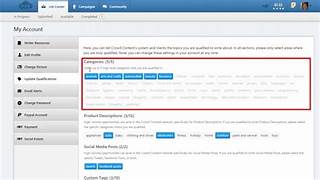
Account EngagementTags can categorize various files uploaded into Account Engagement, making it easier to create new marketing materials and track prospects. Apply tags like “image,” “logo,” “white paper,” and “data sheet” to different file types. Similarly, you can tag emails (newsletter, autoresponder, nurturing) and forms (kiosk-mode/tradeshow, website, paid search conversion) to streamline finding and reporting on specific items.
Sort Your Prospects
Create custom criteria for tagging prospects, making it easy to review or report on specific groups. For example, tag prospects as “Sales Ready” when their score exceeds 100 and they have attended at least one webinar. Tags can be applied through completion actions, segmentation rules, or automation rules, allowing for both automated and manual tagging based on your needs.
Omit Clients, Partners, or Unqualified Prospects From Daily Prospect Emails
Exclude prospects with specific tags from Daily Email Alerts to reduce noise and help your sales team focus on the best leads. To tag prospects:
- Navigate to Administration > User Management > Users > click the gear icon next to the user > Edit Preferences.
- In the Account Engagement Lightning App: Account Engagement settings > User management > Users > click the gear icon next to the user > Edit Preferences.
Tag clients, partners, unqualified prospects, or other less relevant leads and omit them from daily reports. For example, set up an automation rule to tag clients:
- Rule: Prospect Opportunity Status = Closed Won
- Action: Apply Tags = client
Track Campaign Touch Points
Tags can highlight key campaigns that engage your prospects the most. Apply a tag when a prospect participates in significant campaigns, such as registering via a kiosk-mode form at a trade show booth or downloading a Buyer’s Guide. This tagging allows you to quickly see important engagements, track prospects’ journeys towards becoming sales-ready, and identify those with notable actions.
By strategically using tags in Account Engagement, you can enhance your marketing organization, improve reporting, and better manage your prospect interactions.

Who is Salesforce? Here is their story in their own words. From our inception, we've proudly embraced the identity of Read more

Salesforce Marketing Cloud Transactional Emails are immediate, automated, non-promotional messages crucial to business operations and customer satisfaction, such as order Read more

Salesforce has unveiled a comprehensive analytics solution tailored for wealth managers, home office professionals, and retail bankers, merging its Financial Read more

AI plays a crucial role in propensity score estimation as it can discern underlying patterns between treatments and confounding variables Read more