
PHAs Archives - gettectonic.com - Page 26
Scale Data and Analytics in the Cloud

Scale Data and Analytics in the Cloud

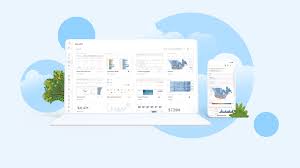
Winning in the Data Economy In the rapidly growing data economy, enterprises are eager to gain a competitive edge. This data economy, which revolves around the global supply and demand for data and data-driven applications, continues to expand as more organizations seek critical insights to drive their success. Scale Data and Analytics in the Cloud. The value of data isn’t a new concept. Companies acquired other companies for the sole purpose of obtaining their data – customers, prospects, etc. The value of actionable data is a bit newer. Whereas we once marketed to prospects based primarily on historical data, data-driven applications let us market at the right time on the right channel with the right message. To understand what it takes to excel in the new data economy, Tableau partner Snowflake surveyed business and technology leaders. Their research highlighted the characteristics of the leaders and laggards, emphasizing the importance of a strong data strategy for achieving successful outcomes. Industries like financial services, health and life sciences, and retail are still struggling to fully benefit from the data economy, often finding it challenging to unlock the full value of their data. Here are four key actions that can help organizations win in today’s data economy and achieve tangible results: 1. Create a Strong Data Culture A robust data culture is foundational for realizing the value of data. Organizations that prioritize becoming data-driven see significant benefits: Jennifer Belissent, Principal Data Strategist at Snowflake, emphasizes how a cloud-enabled data culture accelerates time-to-value by breaking down organizational silos. Tableau offers a playbook to help organizations build, expand, and mature their data capabilities. 2. Adopt an AI-Driven, Enterprise-Ready Analytics Platform Data leaders utilize AI-driven enterprise analytics platforms like Tableau, which provide trusted predictions and insights to scale decision-making. Traditional solutions often fall short in delivering speed to insight and self-service capabilities. Tableau, particularly with Tableau Cloud, offers an easy-to-scale solution that manages and analyzes data across various sources, supporting meaningful impact and agility. Tableau Cloud’s Advanced Management capabilities enhance security, usability, and scalability. Additionally, Tableau Accelerators—over 100 ready-to-use, in-product dashboard starters—support various industries, enabling comprehensive analysis and problem-solving. 3. Migrate to the Cloud Cloud adoption is accelerating as organizations pursue data-driven digital transformations. The cloud offers flexibility, agility, scalability, reduced IT overhead, and increased resilience and performance. Key considerations for cloud migration include: Whether opting for on-premise, hybrid, or full cloud migration, Tableau connects to data wherever it resides, fueling insights across the business. Tableau’s own journey to the cloud involved evaluating criteria, enhancing collaboration, and applying new data management processes, resulting in a unified source of truth. 4. Choose the Right Partners to Scale Cloud-Native Analytics Selecting partners that facilitate cloud-native analytics is crucial. Ideal partners should offer: Snowflake and Tableau exemplify these qualities, addressing data and organizational demands. Snowflake provides extensive data storage and processing, while Tableau offers intuitive, self-service analytics. This partnership has helped enterprises like Cart.com achieve significant revenue growth by embedding Tableau analytics in Snowflake’s platform. Embrace the Data Economy with Cloud-Native Analytics Regardless of where your organization stands in the data economy, taking steps to leverage cloud-native analytics can unlock numerous opportunities. Tableau continues to invest in its platform to help organizations thrive with data in the cloud, offering expert advice, solutions, and valuable partnerships. By adopting these strategies, your organization can become a leader in the data economy and achieve remarkable results. Like Related Posts Who is Salesforce? Who is Salesforce? Here is their story in their own words. From our inception, we’ve proudly embraced the identity of Read more Salesforce Marketing Cloud Transactional Emails Salesforce Marketing Cloud Transactional Emails are immediate, automated, non-promotional messages crucial to business operations and customer satisfaction, such as order Read more Salesforce Unites Einstein Analytics with Financial CRM Salesforce has unveiled a comprehensive analytics solution tailored for wealth managers, home office professionals, and retail bankers, merging its Financial Read more AI-Driven Propensity Scores AI plays a crucial role in propensity score estimation as it can discern underlying patterns between treatments and confounding variables Read more


Read More
Salesforce Einstein and Einstein Automate

AI Fundamentals

The concept of Artificial Intelligence (AI) has long been a fascination for storytellers and sci-fi enthusiasts. However, for a considerable period, most individuals didn’t give AI much serious consideration, perceiving it as a distant futuristic sci-fi possibility. Nevertheless, researchers and computer scientists have been actively working to transform the dream of AI into a tangible reality, leading some to insist that we have already entered the Age of AI. The AI Fundamentals explained. While the extent of AI’s integration into our daily lives remains uncertain, it is evident that meaningful conversations about AI require a shared vocabulary and a solid foundation of core concepts. Presently, asking ten people to define artificial intelligence is likely to yield ten different answers. This insight attempts to establish a common understanding by exploring AI’s current capabilities and digging into the methodologies employed by computer scientists in creating remarkable AI systems. AI Fundamentals Defining AI proves challenging due to distorted perceptions influenced by science fiction narratives portraying AI as a potentially malevolent force. Additionally, our tendency to benchmark AI against human intelligence contributes to this challenge. And I don’t want AI to be able to write a blog post as well as me! Acknowledging the vast spectrum of intelligence in the animal kingdom, as well as the diversity in human intelligence, prompts a need to view artificial intelligence through a similar lens. As humans we may think we are a lot smarter than a bird. But I don’t know how to fly, do you? AI Capabilities Recognizing specific AI capabilities tailored to distinct tasks is crucial, dispelling the notion of a universally proficient AI, known as general AI, which remains a distant goal. AI currently exists in specialized forms, each excelling at particular jobs. Key AI capabilities fall into several categories: It’s safe to say, artificial intelligence encompasses computer abilities associated with human intuition, inference, and reasoning. Presently, AI skills are highly specialized, covering categories like numeric predictions and language processing. The evolving landscape of AI offers a glimpse into the transformative potential of this technology, emphasizing its current application in specific domains. Like1 Related Posts Who is Salesforce? Who is Salesforce? Here is their story in their own words. From our inception, we’ve proudly embraced the identity of Read more Salesforce Marketing Cloud Transactional Emails Salesforce Marketing Cloud Transactional Emails are immediate, automated, non-promotional messages crucial to business operations and customer satisfaction, such as order Read more Salesforce Unites Einstein Analytics with Financial CRM Salesforce has unveiled a comprehensive analytics solution tailored for wealth managers, home office professionals, and retail bankers, merging its Financial Read more AI-Driven Propensity Scores AI plays a crucial role in propensity score estimation as it can discern underlying patterns between treatments and confounding variables Read more
Read More
Migrating from Zoho to Salesforce

Migrating from Zoho to Salesforce

Migrating from Zoho to Salesforce is a major undertaking that can significantly enhance a business’s CRM processes as it scales. To ensure a smooth transition, careful planning, data preparation, and execution are essential for accurate and efficient data transfer. In this guide, we’ll outline a step-by-step approach to migrating from Zoho to Salesforce, covering everything from pre-migration planning to post-migration follow-up. Step 1: Pre-Migration Planning 1. Evaluate Your Business RequirementsBegin by assessing your current and future CRM needs. Identify critical functionalities in Zoho that you depend on and determine which Salesforce features will either replace or enhance them. Consider: This evaluation ensures that Salesforce is configured to align with your business processes during the migration. 2. Assign a Project TeamForming a dedicated project team is crucial for a successful migration. Include stakeholders from various departments, designate a project manager to oversee the migration, and enlist CRM specialists familiar with both Zoho and Salesforce. You might also consider hiring a certified Salesforce consultant or partner to assist with technical aspects. 3. Backup Your DataBefore starting the migration, back up your data from Zoho. Export all relevant information, including: This backup ensures you have a complete copy in case any issues arise during the migration. Step 2: Preparing Salesforce for Migration 1. Customize Salesforce to Fit Your NeedsNow is the time to tailor Salesforce to reflect your existing business processes. Review the custom fields, objects, workflows, and automations in Zoho, replicating or enhancing them in Salesforce. Salesforce’s high customization level allows you to optimize your CRM for your team’s specific needs. 2. Set Up IntegrationsIf you’ve been using third-party tools integrated with Zoho, establish the corresponding integrations in Salesforce. The Salesforce AppExchange offers a range of integrations, from email marketing platforms to accounting systems. Ensure the necessary tools are connected before migrating your data. Step 3: Data Migration 1. Map Data FieldsTo facilitate accurate data transfer between Zoho and Salesforce, map your Zoho data fields to their Salesforce counterparts. For instance, “Account Name” in Zoho should correspond to “Account” in Salesforce. Create equivalent custom fields in Salesforce if they exist in Zoho. 2. Cleanse Your DataData cleansing is vital to ensure only relevant, accurate, and up-to-date information is migrated. Remove duplicates, outdated contacts, and incorrect data from Zoho. This step streamlines the migration process and enhances the quality of your Salesforce database. 3. Choose a Migration ToolSelect an appropriate tool for migrating data between CRMs, such as: Depending on your data’s complexity, choose a tool that provides additional support, such as mapping or automation features. 4. Perform a Test MigrationConduct a test migration using a subset of your data before proceeding with the full migration. This allows you to verify that everything transfers correctly and identify any issues with data formatting, relationships between objects, or custom fields. Adjust your mapping and migration processes based on the test results. Step 4: Full Data Migration Once you’re satisfied with the test migration results, proceed with the complete data migration from Zoho to Salesforce. This process may take time, depending on your data‘s size and complexity, so plan for downtime or staggered migrations to minimize disruptions to your team’s workflow. Step 5: Post-Migration Setup and Testing 1. Validate Your DataAfter the full migration, verify that all data has been transferred accurately. Check for discrepancies between Zoho and Salesforce records, ensuring that relationships (e.g., contacts linked to accounts) remain intact. 2. Recreate Automation and WorkflowsRe-establish any automations, workflows, or triggers that were functioning in Zoho within Salesforce. Utilize Salesforce’s automation tools, like Process Builder or Flow, to replicate these processes. Adjust them as necessary to leverage Salesforce’s advanced capabilities. 3. Train Your TeamSuccessful migration extends beyond data transfer; it’s crucial to ensure your team is equipped to use Salesforce effectively. Conduct training sessions focused on new features and workflows, providing documentation or cheat sheets to facilitate adjustment. 4. Monitor System PerformancePost-migration, monitor your Salesforce instance for any performance issues or data inconsistencies. Make necessary adjustments and ensure that integrations are functioning as expected. Step 6: Post-Migration Follow-Up 1. Run Parallel OperationsConsider operating both systems in parallel for a brief period to confirm Salesforce is fully functional before phasing out Zoho. This allows your team to continue using Zoho if critical issues arise in Salesforce during the transition. 2. Optimize Your Salesforce InstanceOver time, identify opportunities to further customize and optimize Salesforce to meet your evolving needs. Regularly review workflows, automations, and reporting to fully utilize Salesforce’s advanced features. Who Should You Work With A successful migration from Zoho to Salesforce involves key stakeholders from various departments to ensure the new CRM setup aligns with company processes. Typical Migration Timelines The duration of a Zoho to Salesforce migration typically depends on your data’s complexity and the required customizations. For smaller businesses with straightforward CRM setups, the process may take 4 to 6 weeks, encompassing planning, data mapping, testing, and training. However, larger organizations with extensive custom fields, workflows, and third-party integrations may require 3 to 6 months. Allow ample time for thorough testing and validation to ensure data accuracy and system functionality before going live. User training and post-migration follow-up are also critical for a smooth transition. Conclusion Migrating from Zoho to Salesforce is a growth step in enhancing your company’s CRM capabilities and positioning it for future growth. By meticulously planning your migration, cleansing your data, and configuring Salesforce to meet your business requirements, you can facilitate a smooth transition and leverage Salesforce’s powerful features from day one. With the right preparation and support, your business will be well-equipped to scale, streamline operations, and achieve long-term success using Salesforce. If you need assistance with your migration, don’t hesitate to contact Tectonic for a quote. Content updated September 2024. Like Related Posts Who is Salesforce? Who is Salesforce? Here is their story in their own words. From our inception, we’ve proudly embraced the identity of Read more Salesforce Marketing Cloud Transactional Emails Salesforce Marketing Cloud Transactional Emails are immediate, automated, non-promotional messages crucial to business operations

Read More
Slack and AI

Just When You Thought We Were GPT’d Out, Here Comes Slack and Generative AI

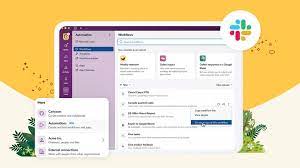
Since its public introduction in 2014, Slack has transformed from its original concept, a searchable log of all conversation and knowledge, into a comprehensive productivity platform that has reshaped how work and co-working is conducted. Get ready! Here comes Slack and Generative AI! In a recent release, Salesforce Slack unveiled a next-generation platform. A platform designed to facilitate seamless automation and integration for users of all technical levels, regardless of coding proficiency. This platform simplifies the utilization of data within Slack, offering enhanced automation and intelligence, allowing for the creation of no-code workflows, custom integrations, and the incorporation of generative AI. Steve Wood, Slack’s SVP of Product and Platform, highlights the significance of placing automation and generative AI tools directly into users’ hands as a pivotal step in Slack’s journey to redefine not only how people work but also how machines and humans interact in the future. Wood delves into the unique features of the new Slack platform, emphasizing its modular architecture grounded in building blocks like functions, triggers, and workflows. These components are remixable, reusable, and seamlessly integrate with the data flow within Slack. The platform enables developers to create tailored solutions, such as integrating with Salesforce, fostering more efficient collaboration, and automating workflows across various business functions. The introduction of generative AI, like Slack GPT, further enhances the platform’s capabilities.  Slack GPT can use Einstein GPT to gain actionable data from Salesforce Customer 360 and Data Cloud.  Wood underscores the potential of this combination to revolutionize work interactions by simplifying automation into reusable building blocks, accessible to both humans and machines. He emphasizes the transformative power of pairing data with AI and automation, anticipating a significant shift in how technology is leveraged in the workplace. Slack and GPT Wood also explains the recent Slack GPT news, detailing its native integration into the Slack user experience. Slack GPT brings generative AI directly into the platform, allowing users to summarize conversations, catch up on missed messages, and edit content effortlessly. The integration of Einstein GPT into Slack expands the conversational interface to Customer 360, providing real-time customer insights directly in Slack. This can be used to automatically generate case summaries based on data from Service Cloud AND Slack. As AI evolves over time, Wood shares his excitement about observing how people utilize Slack GPT in real-world scenarios. The focus remains on empowering platform users through native generative AI and leveraging data and behaviors to enhance the product continuously. Historical Content Wood emphasizes the historical context stored within Slack, highlighting the collective past as a valuable resource for future decision-making. Integrating AI technologies into this rich dataset within Slack presents a substantial opportunity for improving workflows and tools. Regarding the integration of Slack with Salesforce Customer 360, Wood stresses the importance of having relevant information easily accessible in one place. Slack serves as the hub where work occurs, and by incorporating generative AI, the platform aims to enhance transparency, alignment, and effectiveness in decision-making. Drawing in and analyzing the data from Slack as well as the other Salesforce platforms provides vital customer information. In reflection on the rapid adoption of this technology, Wood acknowledges the unique challenges presented by the unknown behavior of generative AI. Stability, accuracy, and safety are top concerns, with ethical and responsible development practices crucial for building trust. The future, as Wood sees it, hinges on maintaining a commitment to ethical development, ensuring customers feel confident in trusting the transformative capabilities of generative AI in the workplace and the Slack platform. Like1 Related Posts Who is Salesforce? Who is Salesforce? Here is their story in their own words. From our inception, we’ve proudly embraced the identity of Read more Salesforce Marketing Cloud Transactional Emails Salesforce Marketing Cloud Transactional Emails are immediate, automated, non-promotional messages crucial to business operations and customer satisfaction, such as order Read more Salesforce Unites Einstein Analytics with Financial CRM Salesforce has unveiled a comprehensive analytics solution tailored for wealth managers, home office professionals, and retail bankers, merging its Financial Read more AI-Driven Propensity Scores AI plays a crucial role in propensity score estimation as it can discern underlying patterns between treatments and confounding variables Read more

Read More
Google Analytics and Salesforce Integration

Google Analytics and Salesforce Integration

Syncing Google Analytics Data to CRM Analytics To integrate Google Analytics and Salesforce Integration using the Google Analytics connector, follow these steps: Important Note: As of July 1, 2023, the main product Google Analytics has been decommissioned and replaced with the new product Google Analytics 4 (GA4). The Salesforce announcement GA4 Set to Replace Universal Analytics gives an overview on this. Creating a Connection Required Settings: Google Analytics 4 Integration To sync Google Analytics 4 data to Salesforce Data Pipelines: Connector Considerations: Google Analytics Salesforce Sales Cloud Integration User Identification Analytics provides two methods to identify users: Required Salesforce Sales Cloud Objects and Fields: Integration Steps: Testing and Viewing Imported Data: Notes: Google Data Studio and Salesforce Integration Connecting Salesforce with Google Data Studio allows for powerful visualizations that combine sales and marketing data. This integration helps in understanding which channels generate the most leads and income. Google Analytics 4 Connection Setup: Connection Details: Advanced Properties: Considerations: By following these steps, you can seamlessly integrate Google Analytics data into your CRM Analytics and Salesforce Data Pipelines, ensuring robust data analysis and informed decision-making. Decide How to Identify Your Users: Analytics offers two ways to programmatically identify your users: Client ID and User-ID. To support Data Import for Salesforce Sales Cloud, you must implement Client ID. You may optionally choose to also implement User-ID. Client ID pseudonymously identifies a browser instance and is best suited for businesses focused on lead generation and new customer acquisition. User-ID enables the analysis of groups of sessions, across devices, using a unique, persistent, and non-personally identifiable ID string representing a user. This option is best for businesses with high rates of logged-in users. How to Import CRM/ERP Data with Google Analytics 4 Using a CSV File: Transitioning to Google Analytics 4: As of March 2023, Google has automatically created GA4 properties for users unless they opt-out. Until July 1, 2023, you can continue to use and collect new data in your Universal Analytics properties. After this date, you must export your historical reports as Universal Analytics will be phased out. How Does Google Help Salesforce Marketing Cloud Users? Google Analytics provides invaluable insights into user behavior, helping Salesforce Marketing Cloud users optimize campaigns and understand customer journeys. Integration with the Google platform allows businesses to combine offline sales data with digital analytics, optimizing digital marketing strategies and improving campaign effectiveness. Additional Integration: Using datasets from Google Analytics and Google BigQuery, businesses can create interactive Tableau CRM dashboards to visualize campaign activities and performance metrics. By following these guidelines, organizations can leverage Google Analytics data effectively within their Salesforce ecosystem, enhancing decision-making and strategic planning. Content updated July 2024. Like1 Related Posts Who is Salesforce? Who is Salesforce? Here is their story in their own words. From our inception, we’ve proudly embraced the identity of Read more Salesforce Marketing Cloud Transactional Emails Salesforce Marketing Cloud Transactional Emails are immediate, automated, non-promotional messages crucial to business operations and customer satisfaction, such as order Read more Salesforce Unites Einstein Analytics with Financial CRM Salesforce has unveiled a comprehensive analytics solution tailored for wealth managers, home office professionals, and retail bankers, merging its Financial Read more AI-Driven Propensity Scores AI plays a crucial role in propensity score estimation as it can discern underlying patterns between treatments and confounding variables Read more

Read More
Revolutionizing Public Sector Efficiency

Revolutionizing Public Sector Efficiency

Salesforce: Transforming and Revolutionizing Public Sector Efficiency Salesforce, known worldwide as the premier CRM solution, continues to innovate with its adaptable features tailored to diverse audiences. It excels in delivering cutting-edge solutions, addressing unique needs across various industries and sectors. Particularly, the public sector stands to gain substantial benefits from Salesforce’s capabilities, offering a suite of solutions poised to optimize operations within any public office setting. Understanding the Role of Salesforce in the Public Sector The public sector encompasses the administrative segment responsible for managing essential citizen concerns at state, local, federal, and governmental agency levels. While carrying out critical tasks, these entities can significantly enhance efficiency with the right tools. Salesforce is dedicated to optimizing and streamlining processes within the public sector, recognizing its vital importance. Government offices face similar expectations to private enterprises, with citizens anticipating service quality on par with commercial experiences. Therefore, public entities must deliver efficiency, agility, and direct engagement to demonstrate proximity to the populace. In response to these expectations, Salesforce has developed a range of solutions tailored to the specific demands of the public sector. Revolutionizing Public Sector Efficiency Salesforce’s offerings for the public sector include meticulously crafted applications designed to meet its unique requirements. These flexible and secure e-government tools aim to revolutionize the sector’s experience, providing a comprehensive view of citizens and enhancing the efficacy of public employees. By simplifying processes and fostering innovation, these solutions drive efficiency at both organizational and individual levels, facilitating smoother operations. Integrated into Public Sector Solutions, these offerings leverage Salesforce’s standard functionalities and Service Cloud capabilities. Additionally, they enable the creation of an Experience Cloud site, allowing citizens seamless access to government services. Known as a Citizen Portal. Some of the available solutions cater to general tasks managed by public sector agencies, including: Thanks to these solutions, citizens can effortlessly navigate various processes, such as applying for licenses or permits. Through an online portal accessible at all times, individuals can interact seamlessly with public service agencies. Intelligent forms dynamically adjust based on user input, simplifying the submission process. From an employee standpoint, work processes are streamlined, with all citizen requests conveniently consolidated in one location. The system offers recommendations to guide employees, simplifies task delegation, and ensures seamless collaboration across departments. Key Advantages of Salesforce Solutions for the Public Sector Salesforce solutions offer numerous advantages to the public sector, aligning with citizens’ and employees’ current demands. These include: Salesforce emerges as an invaluable ally in the public sector’s modernization journey, transforming processes to be more agile and efficient. For organizations seeking to implement Salesforce solutions tailored for the public sector, the Tectonic team stands ready to assist. In the ever-evolving landscape of public administration and government services, the need for advanced, secure, and user-friendly technology solutions has never been more crucial. Enter Salesforce Public Sector Cloud—a dynamic platform designed to transform how government agencies engage with citizens, deliver services, and drive efficiency in their operations. Overview of Salesforce Public Sector Cloud: Salesforce Public Sector Cloud is a specialized offering tailored to meet the unique needs of government entities at all levels. Whether it’s federal, state, or local government agencies, the platform is engineered to enhance collaboration, streamline processes, and ultimately improve the delivery of public services. Key Features and Capabilities: Real-World Impact: Several government agencies have already embraced Salesforce Public Sector Cloud, realizing tangible benefits in their day-to-day operations. From improved citizen satisfaction to streamlined internal processes, the impact of this cloud solution is evident across various use cases. Challenges and Considerations: While Salesforce Public Sector Cloud offers numerous advantages, it’s essential to consider potential challenges. These may include customization complexities, data migration issues, and the need for comprehensive training for government personnel. A thoughtful and well-executed implementation strategy is crucial to overcoming these challenges. Salesforce Introduces Public Sector Einstein 1 for Service: Salesforce today announced Public Sector Einstein 1 for Service, including CRM, trusted AI, and data capabilities. What’s new in compliance: Salesforce also now offers several Federal Risk and Authorization Management Program (FedRAMP) compliant tools to help government agencies drive efficiency and productivity while meeting regulatory requirements. These tools include:  Content updated April 2024. Like Related Posts Who is Salesforce? Who is Salesforce? Here is their story in their own words. From our inception, we’ve proudly embraced the identity of Read more Salesforce Marketing Cloud Transactional Emails Salesforce Marketing Cloud Transactional Emails are immediate, automated, non-promotional messages crucial to business operations and customer satisfaction, such as order Read more Salesforce Unites Einstein Analytics with Financial CRM Salesforce has unveiled a comprehensive analytics solution tailored for wealth managers, home office professionals, and retail bankers, merging its Financial Read more AI-Driven Propensity Scores AI plays a crucial role in propensity score estimation as it can discern underlying patterns between treatments and confounding variables Read more

Read More
Feedback Management

Einstein for Feedback Management

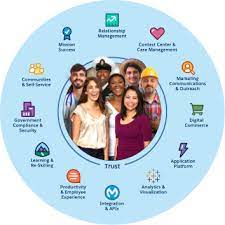
Einstein for Feedback Management: AI-Driven Insights for Smarter Decisions Salesforce introduces Einstein for Feedback Management, a next-generation solution that leverages generative AI to revolutionize how businesses collect, analyze, and act on customer and employee feedback. AI-Optimized Surveys for Higher Engagement ✔ Effortless Survey Creation – Generate tailored surveys in seconds using AI-powered question suggestions.✔ Personalized Questioning – Adapt surveys dynamically based on audience demographics and past interactions.✔ Higher Response Rates – Optimize survey length, tone, and structure to maximize participation. Break Language Barriers with AI-Powered Translations ✔ Global Reach – Instantly translate surveys into multiple languages while preserving meaning and cultural relevance.✔ Improved Accuracy – AI ensures high-quality translations, eliminating inconsistencies in multilingual feedback. Seamless Integration with Salesforce Einstein for Feedback Management automatically syncs with Salesforce data to:✔ Pre-fill surveys with known customer details for hyper-personalized experiences.✔ Auto-update CRM records with real-time feedback, eliminating manual data entry.✔ Trigger automated follow-ups (e.g., service tickets, loyalty rewards) based on responses. End-to-End Feedback Intelligence ✔ Omnichannel Distribution – Deploy surveys via email, chatbots, service portals, and more.✔ Journey Analytics – Map feedback across the entire customer lifecycle for deeper insights.✔ NPS & CSAT Tracking – Monitor satisfaction trends and identify improvement areas.✔ AI-Powered Dashboards – Get instant visualizations of feedback trends with Einstein Analytics. Why Feedback Management Matters Now According to Salesforce’s State of the Connected Customer Report: Ashish Kothari, SVP of Product Management at Salesforce Industries, emphasizes: “Real-time feedback is the key to unlocking personalized experiences. As customer expectations evolve, businesses need agile tools to capture and act on insights instantly. Einstein for Feedback Management turns raw data into actionable intelligence—helping companies make smarter decisions at every touchpoint.” The Future of Intelligent Feedback With AI-driven automation, seamless CRM integration, and global scalability, Einstein for Feedback Management empowers businesses to:🔹 Close the experience gap by understanding customer needs in real time.🔹 Drive operational efficiency with automated data capture and workflows.🔹 Build loyalty by acting on feedback at scale. Ready to transform feedback into action? Learn more! Part of the Salesforce Einstein 1 Platform—where AI meets CRM to deliver smarter, faster outcomes. Content updated March 2024. Like Related Posts Who is Salesforce? Who is Salesforce? Here is their story in their own words. From our inception, we’ve proudly embraced the identity of Read more Salesforce Marketing Cloud Transactional Emails Salesforce Marketing Cloud Transactional Emails are immediate, automated, non-promotional messages crucial to business operations and customer satisfaction, such as order Read more Salesforce Unites Einstein Analytics with Financial CRM Salesforce has unveiled a comprehensive analytics solution tailored for wealth managers, home office professionals, and retail bankers, merging its Financial Read more AI-Driven Propensity Scores AI plays a crucial role in propensity score estimation as it can discern underlying patterns between treatments and confounding variables Read more
Read More
Technical Debt

Don’t Let Salesforce Technical Debt Derail Your Next Upgrade!

A well-optimized Salesforce org is the foundation of a smooth upgrade and long-term success. But like any powerful, customizable platform, Salesforce naturally accumulates technical debt—especially as your business evolves. The good news? It’s manageable—if you take the right approach. Is Your Salesforce Org Carrying Hidden Technical Debt? Just like financial debt, unchecked technical debt can slow your growth, reduce agility, and frustrate users. Partnering with a Salesforce expert can help you quickly identify and resolve issues before they escalate—saving time, money, and headaches. Signs Your Salesforce Org Has Technical Debt You don’t need to be a developer to spot the symptoms. Technical debt often impacts users first, then spreads across your business. Watch for: Behind the Scenes: Developer & Admin Struggles Admins and developers face their own battles with tech debt, including: These issues don’t just slow performance—they make every future change harder, delaying releases and limiting your ability to leverage new Salesforce features. How Does Salesforce Technical Debt Happen? Even with a skilled team, tech debt creeps in through: The result? Your team spends more time patching problems than driving innovation—whether that’s streamlining quotes, improving service, or scaling operations. How to Manage (and Reduce) Salesforce Technical Debt A structured, three-phase approach keeps your org healthy: Start with a Salesforce Health Check A technical debt assessment from a trusted Salesforce partner can uncover hidden risks and create a clear roadmap for optimization. Real-World Impact: When Technical Debt Holds You Back Imagine you’re a fast-growing outdoor retailer. Salesforce helped you scale—but now, it’s slowing you down. Your Challenges: The Solution? A Strategic Optimization Plan The Results? Keep Your Org Healthy for the Long Haul Technical debt never disappears completely—but with the right partner, you can control it, reduce it, and prevent it from derailing your growth. Why Partner with Us? At Tectonic, we don’t just fix Salesforce—we transform it into a growth engine. Our mission is to simplify processes, empower teams, and drive measurable success. Ready to optimize your Salesforce org? Let’s talk. Like Related Posts Who is Salesforce? Who is Salesforce? Here is their story in their own words. From our inception, we’ve proudly embraced the identity of Read more Salesforce Marketing Cloud Transactional Emails Salesforce Marketing Cloud Transactional Emails are immediate, automated, non-promotional messages crucial to business operations and customer satisfaction, such as order Read more Salesforce Unites Einstein Analytics with Financial CRM Salesforce has unveiled a comprehensive analytics solution tailored for wealth managers, home office professionals, and retail bankers, merging its Financial Read more AI-Driven Propensity Scores AI plays a crucial role in propensity score estimation as it can discern underlying patterns between treatments and confounding variables Read more

Read More
Salesforce Data Cloud

Salesforce Data Cloud – The Ultimate Guide to Unified Customer Intelligence

Why Salesforce Data Cloud is Transforming Business Operations In today’s digital-first economy, customer data is your most valuable asset—if you can harness it effectively. Salesforce Data Cloud revolutionizes how enterprises unify, analyze, and activate customer data across every touchpoint. 5 Key Business Transformations The Data Cloud Advantage: Beyond Traditional CDPs Unlike legacy customer data platforms, Salesforce Data Cloud delivers: Feature Traditional Solutions Salesforce Data Cloud Data Integration Manual ETL processes Real-time harmonization AI Capabilities Basic segmentation Predictive insights & recommendations Activation Limited channel support Native Salesforce app integration Scalability Fixed data models Elastic cloud infrastructure Total Cost Hidden implementation fees Transparent consumption model Proven Results Across Industries Financial Services Healthcare Retail Implementation Roadmap Phase 1: Foundation (Weeks 1-4) Phase 2: Activation (Weeks 5-8) Phase 3: Scaling (Ongoing) Overcoming Common Challenges “Our data is too messy”→ Automated data quality tools clean and standardize information during ingestion “We can’t afford another platform”→ Consumption-based pricing starts at $25K/year with proven 3-5X ROI “Our team isn’t technical enough”→ No-code tools like Flow Builder enable business user configuration The Future of Data-Driven Business As AI reshapes customer expectations, Salesforce Data Cloud provides the essential infrastructure to: Leading organizations are already achieving: Next Steps for Your Data Transformation “Companies using Data Cloud see 47% faster decision-making and 32% higher customer satisfaction scores within 6 months.” – Forrester Consulting Study Unlock your data’s full potential. Contact our specialists today to begin your assessment. Like Related Posts Who is Salesforce? Who is Salesforce? Here is their story in their own words. From our inception, we’ve proudly embraced the identity of Read more Salesforce Marketing Cloud Transactional Emails Salesforce Marketing Cloud Transactional Emails are immediate, automated, non-promotional messages crucial to business operations and customer satisfaction, such as order Read more Salesforce Unites Einstein Analytics with Financial CRM Salesforce has unveiled a comprehensive analytics solution tailored for wealth managers, home office professionals, and retail bankers, merging its Financial Read more AI-Driven Propensity Scores AI plays a crucial role in propensity score estimation as it can discern underlying patterns between treatments and confounding variables Read more

Read More

Maximizing Business Efficiency with Salesforce Managed Services

The Importance of Salesforce Optimization In today’s super fast-paced business world, companies rely on Salesforce to streamline operations and reduce costs. As a leading customer relationship management (CRM) platform, Salesforce enables organizations to enhance workflows, improve efficiency, and drive better results. To maximize the value of your Salesforce platform, optimization is essential. This involves fine tuning the system to ensure ease of use, eliminating inefficiencies, and enhancing overall performance. However, managing Salesforce effectively requires significant time and resources—this is where Salesforce Managed Services come in. This Tectonic insight explores how Managed Services can elevate your Salesforce experience, driving improved business performance and maximizing return on investment. What is Salesforce Optimization? Salesforce optimization focuses on refining the platform to better align with your business needs. It involves continuous improvements in system configuration, workflows, and integrations to ensure peak performance. Given that business requirements evolve over time, optimization is an ongoing process rather than a one-time task. Through Managed Services, businesses can fine-tune settings, enhance workflows, and ensure seamless system integrations, leading to increased productivity and efficiency. How to Optimize Salesforce for Maximum Efficiency Optimizing Salesforce involves refining data management, automation, user experience, and security. Key areas of focus include: 1. Data Model Optimization 2. Indexing and Query Optimization 3. Managing Governor Limits 4. Data Loading and Migration 5. UI and Lightning Experience Optimization 6. Reporting and Dashboard Optimization 7. Security and Access Control 8. Performance Monitoring and Analysis Challenges in Salesforce Optimization Optimizing Salesforce can be complex, and failing to manage it properly can hinder performance. Common challenges include: Why Continuous Salesforce Optimization is Essential Ongoing optimization ensures that businesses maximize their Salesforce investment, enabling: Understanding Salesforce Managed Services Salesforce Managed Services offer a proactive approach to CRM optimization. Instead of managing Salesforce in-house, businesses can outsource expert professionals to ensure seamless operations, enhanced security, and continuous improvement. Key Benefits of Managed Services How Managed Services Improve Salesforce Performance Salesforce Managed Services take a proactive approach to optimization, preventing issues before they arise. Key areas of impact include: 1. Proactive Monitoring & Maintenance 2. Customization & Automation 3. Enhanced Data Integrity & Security 4. Seamless Third-Party Integrations Maximizing ROI with Managed Salesforce Services Optimizing Salesforce through Managed Services yields significant business benefits, including cost savings, operational efficiency, and revenue growth. 1. Cost Efficiency 2. Faster Implementation & Deployment 3. Improved User Adoption & Productivity 4. Measurable Business Growth Conclusion Salesforce optimization is crucial for maintaining an efficient and scalable CRM. By leveraging Managed Services, businesses can enhance system performance, improve data security, and increase operational efficiency in a cost-effective manner. A dedicated Salesforce Managed Service Provider like Tectonic ensures streamlined operations, optimized configurations, and enhanced user adoption, ultimately driving business growth. Elevate Your Salesforce Performance As your business grows, managing and optimizing Salesforce becomes increasingly complex. Our Managed Services provide expert support, ensuring that your CRM remains optimized, secure, and scalable. Looking to enhance your Salesforce strategy? Contact us today to optimize your Salesforce instance and unlock its full potential. Like Related Posts Who is Salesforce? Who is Salesforce? Here is their story in their own words. From our inception, we’ve proudly embraced the identity of Read more Salesforce Marketing Cloud Transactional Emails Salesforce Marketing Cloud Transactional Emails are immediate, automated, non-promotional messages crucial to business operations and customer satisfaction, such as order Read more Salesforce Unites Einstein Analytics with Financial CRM Salesforce has unveiled a comprehensive analytics solution tailored for wealth managers, home office professionals, and retail bankers, merging its Financial Read more AI-Driven Propensity Scores AI plays a crucial role in propensity score estimation as it can discern underlying patterns between treatments and confounding variables Read more

Read More

Improving Customer Experiences with Salesforce

In 2023, sustaining competitiveness demands businesses to prioritize personalization and agility in their customer experience (CX) strategy. Brands need to build customer relationships and provide experiences that exceed expectations. If not, your connected customer will find a competitor who can. Improving Customer Experiences with Salesforce begins with initial implementation. Salesforce plays a critical role in achieving customer success as it serves as a central hub for customer data, streamlines communication, and offers valuable insights for customized customer interactions. It also allows for the tracking of customer behavior and preferences, enabling proactive and personalized support. Salesforce did not invent Customer Success, but the company quickly built what has become the number one customer relationship management platform to help their customers provide great experiences to their customers. Here are strategies to enhance your customer experience program: Enhancing Customer Experience for Brand Loyalty: Advance Personalized Experiences: By concentrating on these core areas, organizations can navigate the evolving CX landscape, delivering exceptional customer experiences. Tectonic is poised to collaborate, customizing Salesforce tools to craft remarkable customer experiences. If a friend ignores a call, text, or email, it probably doesn’t bode well for the relationship. As with friendships, customer relationships bloom when individuals feel understood. Relationships weaken when customers feel that businesses don’t appreciate their personal preferences, whether that’s remembering they enjoy romantic comedies, or that they would rather be contacted by email. Improving Customer Experiences with Salesforce The customer experience is broader and deeper than just the level of service received. Customer experience is the total perception of the company, interaction by interaction, from the first touchpoint to the last. This may include navigating the website, talking to sales reps over the phone, visiting a store, sampling a product or service, and experiencing an onboarding phase after a purchase. CRM may be a modern term, but the importance of nurturing customer relationships is age-old. The role of the customer experience has shifted in recent years, becoming one of the most crucial brand differentiators. Let’s explore how leveraging Salesforce can create customer experiences that surpass expectations and foster long-term relationships. As products become less distinguishable by brand and price, a great customer experience has become essential for companies to differentiate themselves. What are the 4 E’s of customer experience? Then come the 4Es – Economic, Efficient, Emotional, and Empathetic experiences, which focus on making your customers’ journey worthwhile. Every interaction should offer value for money (Economic), be easy for the customer (Efficient), generate positive feelings (Emotional), and show customers you get them (Empathetic). Like2 Related Posts Who is Salesforce? Who is Salesforce? Here is their story in their own words. From our inception, we’ve proudly embraced the identity of Read more Salesforce Marketing Cloud Transactional Emails Salesforce Marketing Cloud Transactional Emails are immediate, automated, non-promotional messages crucial to business operations and customer satisfaction, such as order Read more Salesforce Unites Einstein Analytics with Financial CRM Salesforce has unveiled a comprehensive analytics solution tailored for wealth managers, home office professionals, and retail bankers, merging its Financial Read more AI-Driven Propensity Scores AI plays a crucial role in propensity score estimation as it can discern underlying patterns between treatments and confounding variables Read more
Read More
Slack's Next Gen Platform Released

Slack’s Next Gen Platform Released

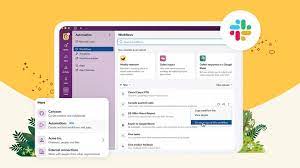
The Salesforce Slack platform lets you extend, expand, and automate your workspaces all while collaborating. Slacks Next Gen Platform Released. Slacks Next Gen Platform Released Slack’s advanced platform, initially in the beta phase for developers, is now progressively rolling out to all teams. Following nearly three years of community-driven experimentation, development, and testing, Slack is excited for you to explore the possibilities it unlocks for your teams: Modular Architecture: Introduce yourself to a new modular architecture rooted in building blocks like functions, triggers, and workflows. These elements are remixable, reusable, and seamlessly connect to the data flow within Slack. Enhanced Developer Experience: Enjoy a faster, more intuitive developer interface with new tools such as the Slack CLI and TypeScript SDK. These tools simplify and clarify the often tedious aspects of building atop the Slack platform. Secure Infrastructure: Benefit from secure deployment, data storage, and authentication powered by Slack-managed serverless infrastructure. The fast Deno-based TypeScript runtime keeps your focus on coding and user experience. Flexible User Experience: Experience a flexible user interface that facilitates easy sharing of your creations within Slack. Introduce a link trigger to make your workflow portable—share it in messages, add it to bookmarks, incorporate it into a canvas, and more. Slack Seeks Feedback Acknowledging the importance of feedback from developers, admins, and users, Slack understands the challenges encountered while building custom integrations. From ensuring enterprise readiness to keeping integrations up-to-date with new Slack features, your input has guided every decision, leading them to this point. The platform’s distinction lies in its extensive options and robust support, offering a fluid and expansive development experience. This approach has allowed Salesforce and Slack to explore innovative ways to integrate support structures directly within Slack, as echoed by Tyler Beckett, SaaS Operations Engineer at Workiva. Slacks Next Gen Platform Released to Include More Automation Slack’s platform is also designed to make workflows automatically extensible to the Slack surfaces of today and tomorrow. Focus on business logic, and Slack will ensure your functions and workflows seamlessly work in any new experience introduced in Slack. For example, the canvas is a new persistent surface where teams can create, curate, and share essential information like text, files, link unfurls, and more in a single view. From day one, you can embed workflows too, making it easy to discover and use them in a relevant context, such as adding an IT request workflow to an onboarding canvas. Talk to Tectonic today about adding Salesforce Slack to your Salesforce ecosystem. Like Related Posts Who is Salesforce? Who is Salesforce? Here is their story in their own words. From our inception, we’ve proudly embraced the identity of Read more Salesforce Marketing Cloud Transactional Emails Salesforce Marketing Cloud Transactional Emails are immediate, automated, non-promotional messages crucial to business operations and customer satisfaction, such as order Read more Salesforce Unites Einstein Analytics with Financial CRM Salesforce has unveiled a comprehensive analytics solution tailored for wealth managers, home office professionals, and retail bankers, merging its Financial Read more AI-Driven Propensity Scores AI plays a crucial role in propensity score estimation as it can discern underlying patterns between treatments and confounding variables Read more
Read More
Salesforce Service Cloud

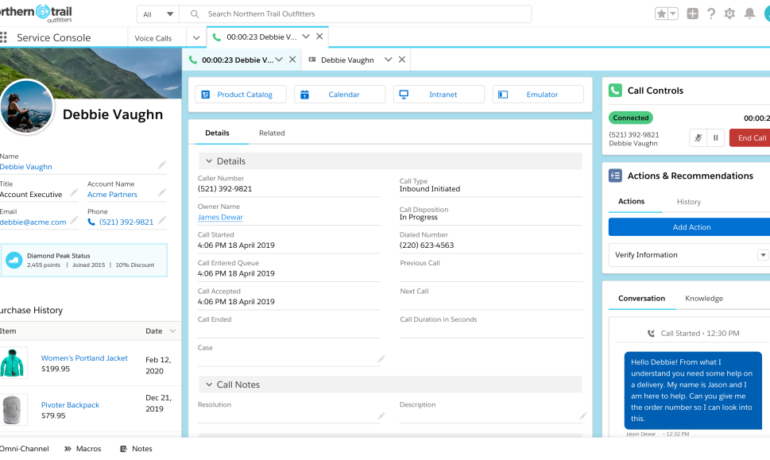
Differences Between Salesforce Sales Cloud and Salesforce Service Cloud Explained

Salesforce Sales Cloud focuses on the sales process, while Salesforce Service Cloud is dedicated to customer service and support. Sales Cloud is designed for managing leads, opportunities, and sales forecasts, whereas Service Cloud is tailored for handling customer inquiries and cases. Both Sales Cloud and Service Cloud share critical features as they are built on the core Salesforce Platform. If your business primarily emphasizes sales, Sales Cloud is the ideal choice. If your focus is more on customer service, then Service Cloud is the preferred option. For businesses involved in both sales and customer service, both Sales Cloud and Service Cloud may be the best Salesforce solution. Difference Between Sales Cloud and Service Cloud: Sales Cloud streamlines sales and marketing efforts, focusing on lead management and increasing sales. Service Cloud helps support agents provide excellent customer service, resolving issues proactively. Functions Included in Service Cloud but not in Sales Cloud: Service Cloud includes specialized functions for customer support, such as omnichannel case routing, Web-to-Case and Email-to-Case conversion, and configurable assignment rules to streamline support agents’ work. Sales Cloud Features: Service Cloud Features: Agent Productivity (Service Cloud): Call Center Management (Service Cloud): Live Chat (Service Cloud): Customer Portal (Service Cloud): Ticket Management (Service Cloud): Like2 Related Posts Who is Salesforce? Who is Salesforce? Here is their story in their own words. From our inception, we’ve proudly embraced the identity of Read more Salesforce Marketing Cloud Transactional Emails Salesforce Marketing Cloud Transactional Emails are immediate, automated, non-promotional messages crucial to business operations and customer satisfaction, such as order Read more Salesforce Unites Einstein Analytics with Financial CRM Salesforce has unveiled a comprehensive analytics solution tailored for wealth managers, home office professionals, and retail bankers, merging its Financial Read more AI-Driven Propensity Scores AI plays a crucial role in propensity score estimation as it can discern underlying patterns between treatments and confounding variables Read more
Read More
Connecting Marketing Cloud Account Engagement, Marketing Cloud, and Salesforce

Why Optimize Sales Force

Maximizing Sales Force Productivity: Overcoming Challenges and Reaping Rewards-Why Optimize Sales force? The productivity of a sales force is paramount to the success and growth of any business. A high-performing sales team not only drives revenue but also enhances customer satisfaction. However, organizations often encounter obstacles that hinder the optimization of their sales force. Typical Challenges and Problems Why Optimize Sales force? Approaches to Address These Challenges To effectively tackle these issues, a holistic approach is necessary: Benefits of Enhanced Sales Force Productivity Optimizing sales force productivity is key to driving growth and gaining a competitive edge. By addressing challenges, implementing strategic approaches, and emphasizing continuous improvement, organizations can elevate the effectiveness of their sales teams and enjoy the benefits of increased revenue, customer satisfaction, and employee morale. Implementing Salesforce could be just what your sales team needs. Contact Tectonic today. Like Related Posts Who is Salesforce? Who is Salesforce? Here is their story in their own words. From our inception, we’ve proudly embraced the identity of Read more Salesforce Marketing Cloud Transactional Emails Salesforce Marketing Cloud Transactional Emails are immediate, automated, non-promotional messages crucial to business operations and customer satisfaction, such as order Read more Salesforce Unites Einstein Analytics with Financial CRM Salesforce has unveiled a comprehensive analytics solution tailored for wealth managers, home office professionals, and retail bankers, merging its Financial Read more AI-Driven Propensity Scores AI plays a crucial role in propensity score estimation as it can discern underlying patterns between treatments and confounding variables Read more

Read More
gettectonic.com